


Looking for the best AI meme video generator to create hilarious, share-worthy clips for TikTok, Instagram Reels, or YouTube Shorts? Meme videos are dominating social media in 2026 — and AI tools make it easier than ever to jump on trends, go viral, and grow your audience without any editing experience.
Whether you want to turn a funny prompt into a full video, remix a pet photo into a dancing meme, or generate brainrot content that racks up millions of views, the right AI meme video generator can do it all in seconds.
In this guide, we compare the top 10 AI meme video generators available right now — covering features, pricing, pros, cons, and which tool is best for your specific needs. Ready to find your perfect meme-making machine? Let’s dive in.
Table of Contents
Top 10 AI Meme Video Generators Compared
We tested dozens of AI video tools and narrowed them down to the 10 best platforms for creating meme videos in 2026. Here’s our definitive ranking.
1. insMind — Best All-in-One AI Meme Video Generator
insMind stands out as the most versatile AI meme video generator on the market. It combines multiple cutting-edge AI models — including Kling 3.0, Wan AI, Veo 3.1, and Hailuo AI — into a single platform, giving you access to text-to-video, image-to-video, and video effects all in one place.
What makes insMind perfect for meme creation is the flexibility of its prompt system. Describe any funny scenario, upload a meme image, and the AI generates a polished video with motion, expressions, and comedic timing. It supports audio generation with models like Kling 3.0, so your meme videos can include sound effects and voiceovers.
-
Text-to-video and image-to-video modes
-
Multiple AI models (Kling 3.0, Wan 2.6, PixVerse v5.5)
-
9:16, 1:1, and 16:9 aspect ratios for TikTok, Instagram, and YouTube
-
Audio support for sound effects and voiceover
-
Free to start with no watermark on exports
 Pros
Pros
- Multiple AI models in one platform
- Text-to-video and image-to-video support
- Audio and sound effects with Kling 3.0
- Optimized for social media aspect ratios
- Free tier available with no watermark
Cons
- Advanced models require credits
- No built-in meme template library yet
Pricing: Free to start; premium plans from $9.99/month
Best for: Creators who want maximum flexibility with multiple AI models and professional-quality meme videos
2. VidMeme — Best Dedicated Meme Video Platform
VidMeme is purpose-built for meme creation, combining AI video generation with face swap technology and a library of 1,000+ trending meme templates. Its text-to-video meme feature lets you describe a funny idea and get a complete video meme in seconds.
Pros
- 1,000+ meme templates
- Face swap and AI dance features
- One-click social sharing
Cons
- Watermark on free plan
- Limited video length
Pricing: Free tier; Pro from $12.99/month
Best for: Meme-focused creators who want ready-made templates and face swap effects
3. Kapwing — Best for Video and GIF Meme Editing
Kapwing is a browser-based video editor with powerful AI features and a massive meme template library. While not exclusively a meme tool, its collaborative editing, AI video generator, and GIF-making capabilities make it excellent for creating polished meme content.
Pros
- Full video editor with timeline
- AI video generation from prompts
- Team collaboration features
Cons
- Steeper learning curve than simple meme generators
- Free plan has export limits
Pricing: Free; Pro from $16/month
Best for: Teams and creators who need a full-featured video editor with meme capabilities
4. CapCut — Best Free Meme Editor for TikTok
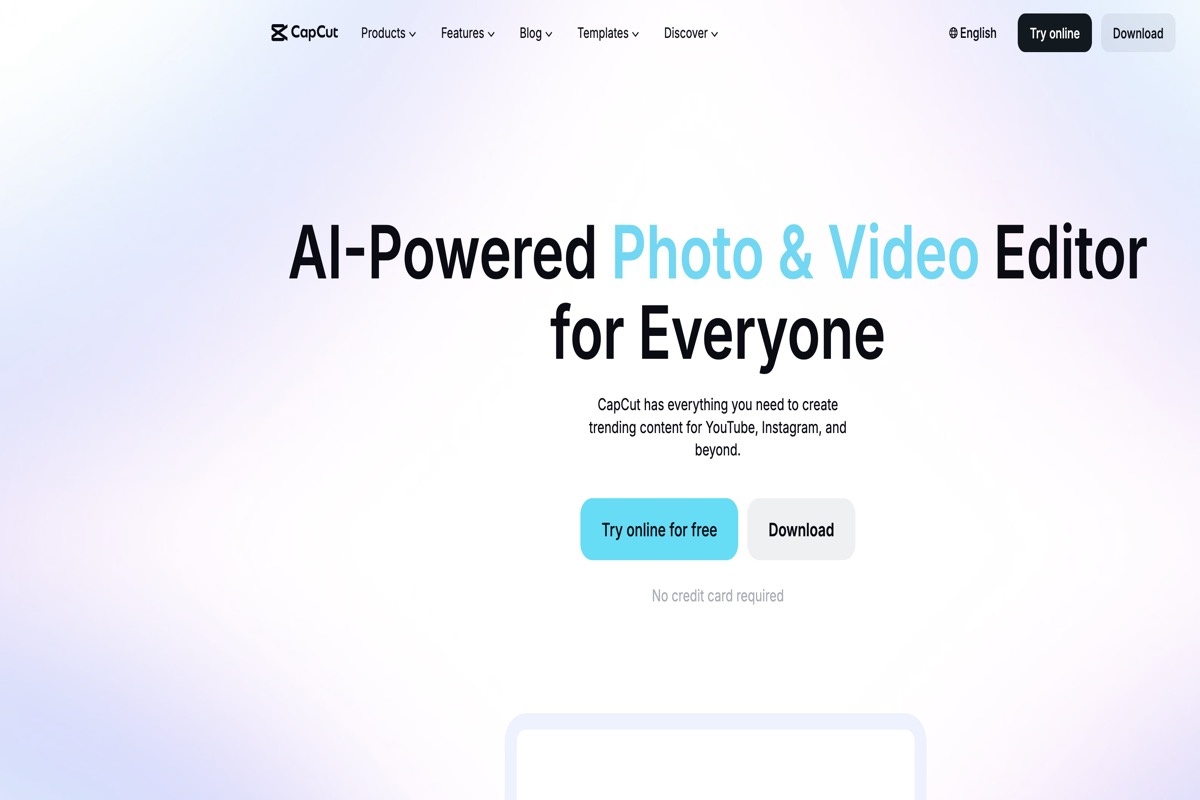
CapCut, developed by ByteDance, is a free video editor with native TikTok integration. It offers AI-powered effects, trending meme templates, and an intuitive mobile-first experience that makes meme creation quick and effortless.
Pros
- Completely free with no watermark
- Native TikTok integration
- Massive effect and template library
Cons
- No AI video generation from text prompts
- Requires manual editing skills
Pricing: Free; Pro from $7.99/month
Best for: TikTok creators who want a free, powerful editor with trending effects
5. Viggle AI — Best for Dance and Body Swap Memes
Viggle AI specializes in character animation and body swap memes. Upload any photo and the AI can make the person dance, fight, or perform trending TikTok moves. With 40 million+ community members, it’s one of the most popular meme-focused AI platforms.
Pros
- 8,000+ motion templates
- Body swap and dance generation
- 5 free videos daily
Cons
- Limited to character animation (no text-to-video)
- Quality can be inconsistent
Pricing: Free (5 videos/day); Premium from $9.99/month
Best for: Creators who want to make dance and body swap meme videos
6. Brainrotify — Best for Viral TikTok Brainrot Content
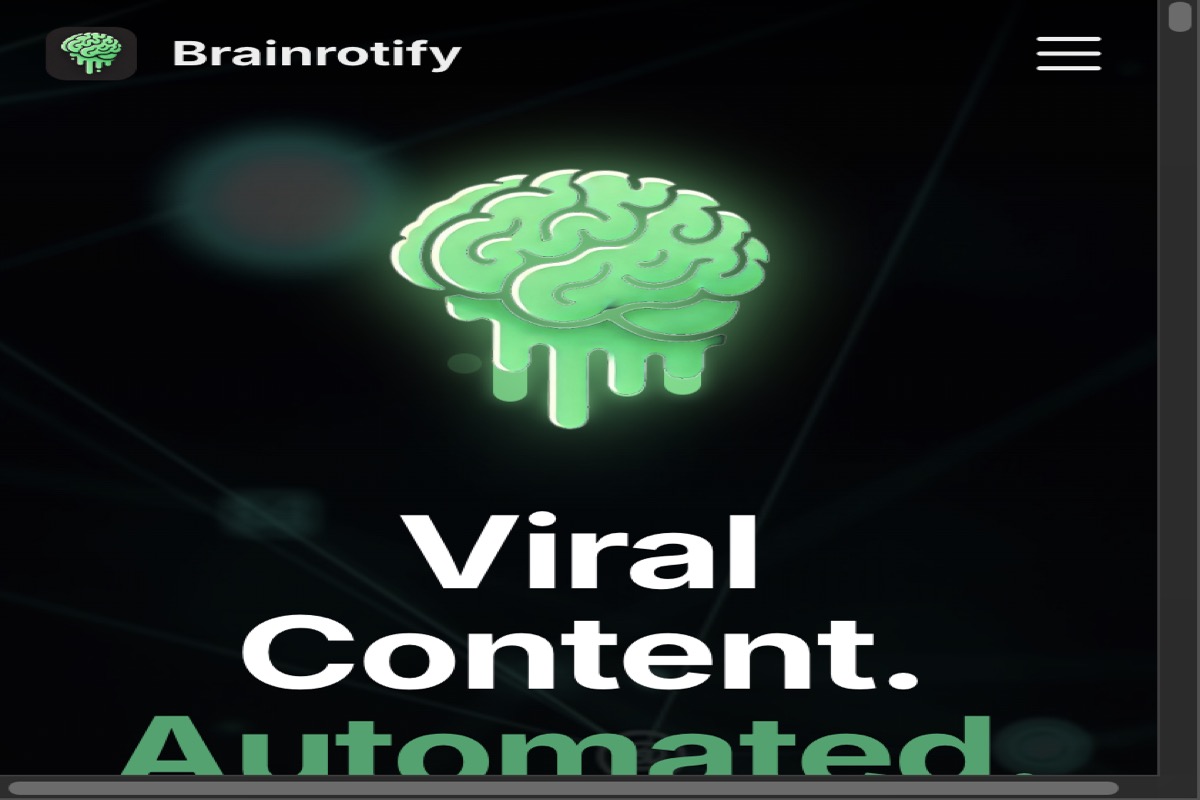
Brainrotify is built specifically for generating high-retention “brainrot” content — the fast-paced, chaotic, split-screen style videos that dominate TikTok. It offers three modes: Brainrot, Story, and Conversation, plus 100+ celebrity voice options.
Pros
- 30-second generation time
- 100+ celebrity voice options
- Optimized for TikTok retention
Cons
- Niche style may not suit all audiences
- Limited customization options
Pricing: 1,000 free credits; plans from $9.99/month
Best for: TikTok creators focused on brainrot and high-retention viral content
7. PixVerse — Best for High-Quality AI Video Memes
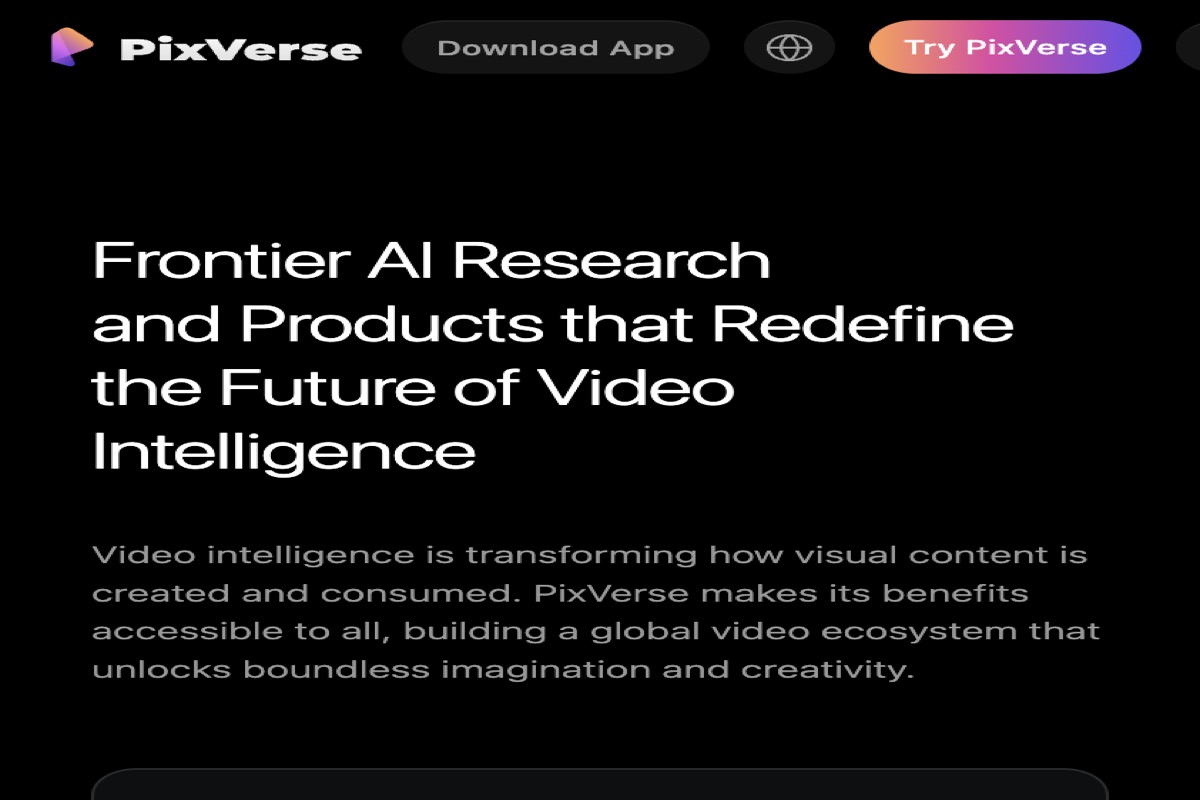
PixVerse is a professional-grade AI video generation platform that recently launched V6 with improved audio-visual synchronization and multi-shot storytelling. While not meme-specific, its AI funny video features and template system make it excellent for creating polished meme content.
Pros
- Excellent video quality and realism
- Multi-shot storytelling capability
- Lip sync and audio generation
Cons
- Not meme-specific — general video tool
- Can be complex for beginners
Pricing: Free tier; Pro from $9.99/month
Best for: Creators who want cinematic-quality meme videos with advanced AI models
8. Supermeme.ai — Best for AI Text-to-Meme Images
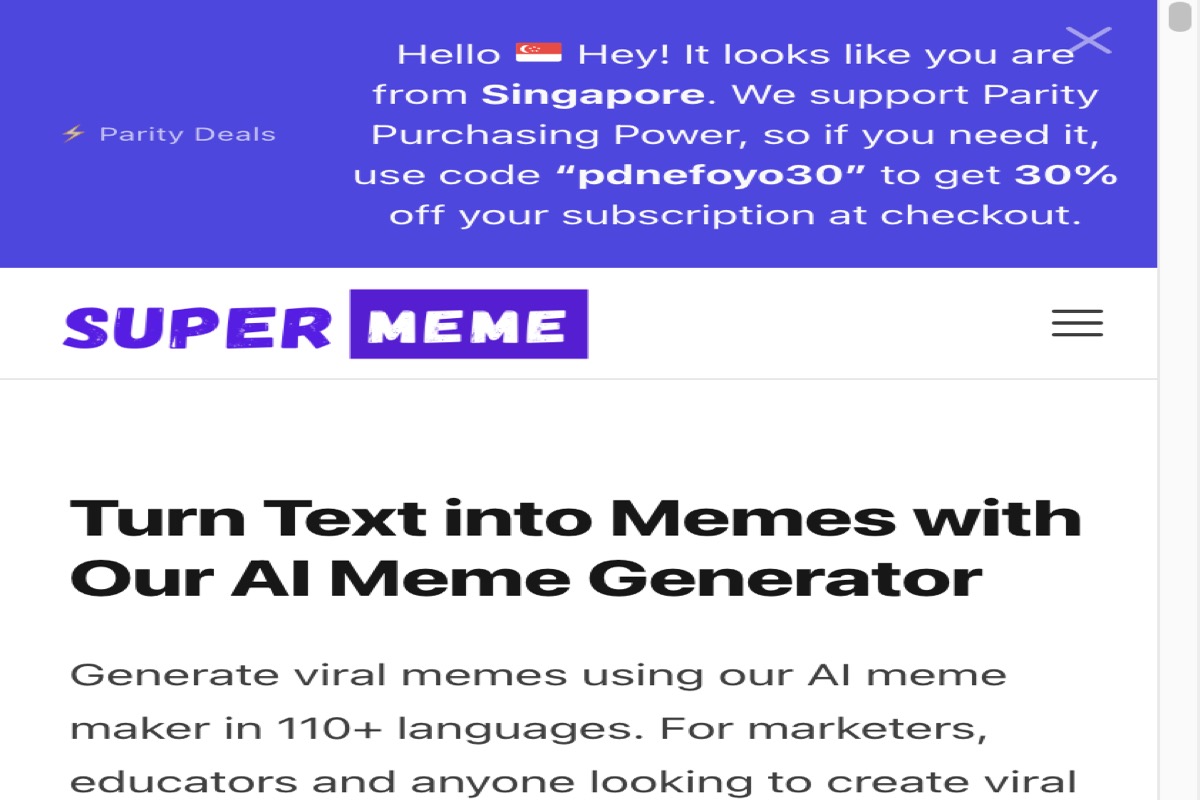
Supermeme.ai converts any text input into meme images using AI. It supports 110+ languages, making it ideal for international meme creators. While it focuses primarily on image memes rather than video, it’s a valuable tool for generating AI meme images that you can later animate.
Pros
- AI-generated captions from any text
- 110+ language support
- No watermark, high-quality exports
Cons
- Primarily image memes, not video
- 10 free memes then requires subscription
Pricing: 10 free memes; Pro from $9.99/month
Best for: Marketers and international creators who need AI-generated meme captions in multiple languages
9. Frameo AI — Best for Video Clip Memes
Frameo AI turns videos, GIFs, and images into meme content using AI-powered captions, effects, and filters. Its conversational AI interface makes it easy to describe your meme idea and get a polished result without any editing skills.
Pros
- Video, GIF, and image meme support
- AI-powered captions and effects
- Free to start
Cons
- Smaller community compared to top tools
- Limited AI model selection
Pricing: Free; Premium from $11.99/month
Best for: Creators who want to turn existing video clips and GIFs into memes
10. Alici AI — Best Multi-Model Creative Suite
Alici AI bundles top AI models (Kling, Runway, Veo3, Seedance 2.0) into one subscription, plus image generation, viral video cloning, and YouTube thumbnail tools. Its “HitClone Lab” lets you recreate trending viral video formulas with your own twist — perfect for meme remixing.
Pros
- Multiple premium AI models included
- Viral video cloning feature
- YouTube thumbnail and image tools
Cons
- Not meme-specific
- Interface can feel overwhelming
Pricing: Free to start; Pro from $12.99/month
Best for: Power users who want access to multiple AI models and viral content cloning
How to Create Meme Videos with insMind AI
Want to create your own viral meme videos in minutes? Here’s how to do it step by step with the insMind AI video generator.
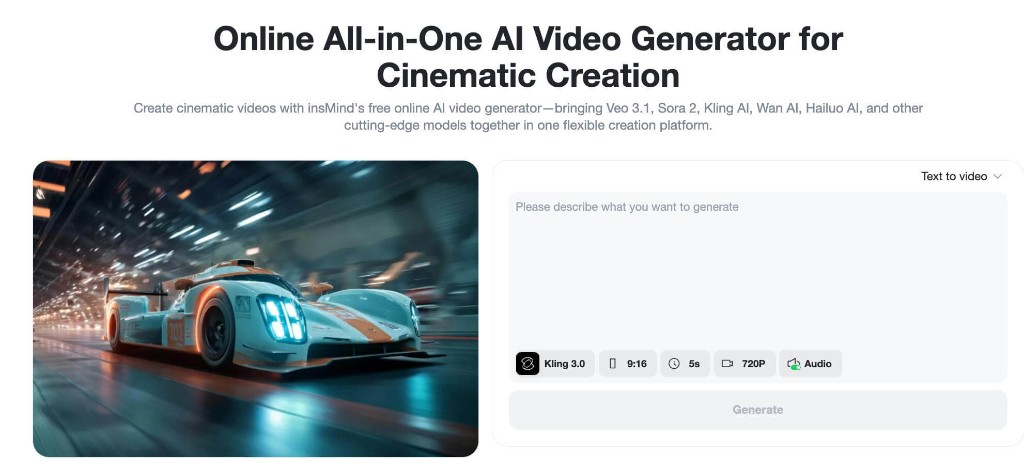
Step 1: Open insMind AI Video Generator
Go to the insMind platform and access the AI Video Generator. insMind lets you create funny meme videos from both text and images — making it a powerful alternative to traditional meme editing tools.
Step 2: Enter a Funny Prompt or Upload an Image
Choose your creation method. For text-to-video, describe your meme idea in detail:
“A lazy cat lying on the couch, dramatic zoom, caption ‘Me after 5 minutes of studying’, funny vibe, meme style”
For image-to-video, upload meme templates, selfies, or pet photos. This gives you more control over the final result and is perfect for creating custom viral memes.
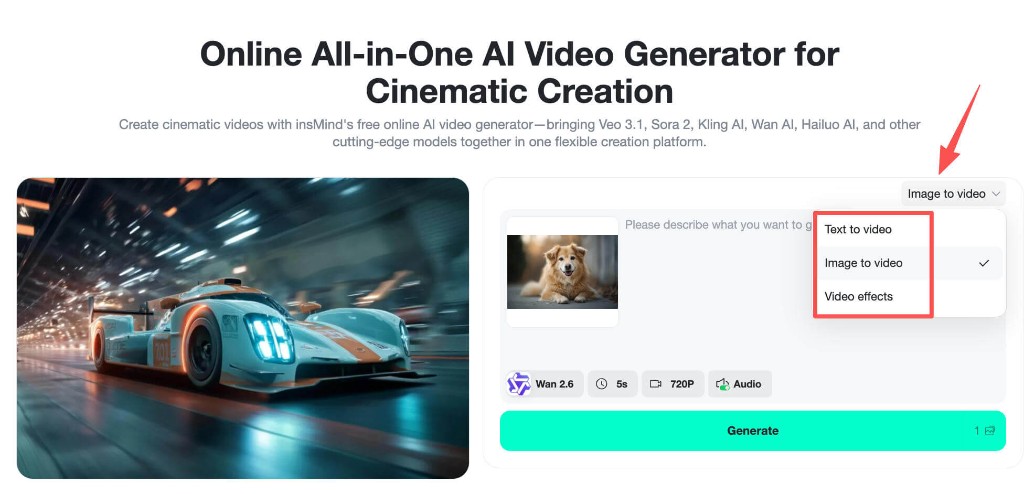
Step 3: Customize Meme Style and Format
Select the best AI model for your meme. Kling 3.0 supports audio generation, making it ideal for funny sound effects. PixVerse v5.5 excels at exaggerated comedy animations. Control the style through your prompt — specify “funny meme,” “cartoon,” “exaggerated comedy,” or “cinematic meme.”
Choose your aspect ratio based on the target platform:
-
9:16 → TikTok / Instagram Reels (recommended for memes)
-
1:1 → Instagram feed posts
-
16:9 → YouTube Shorts and desktop viewing
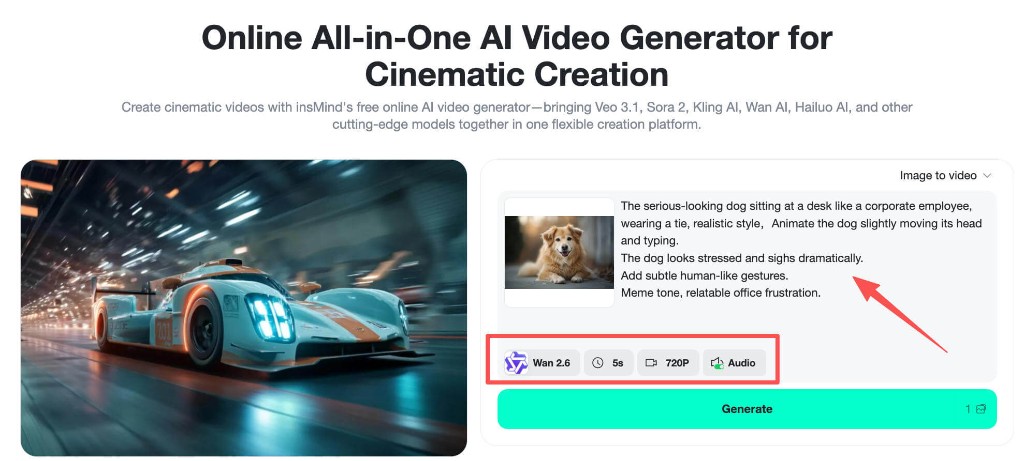
Step 4: Generate and Export Your Meme Video
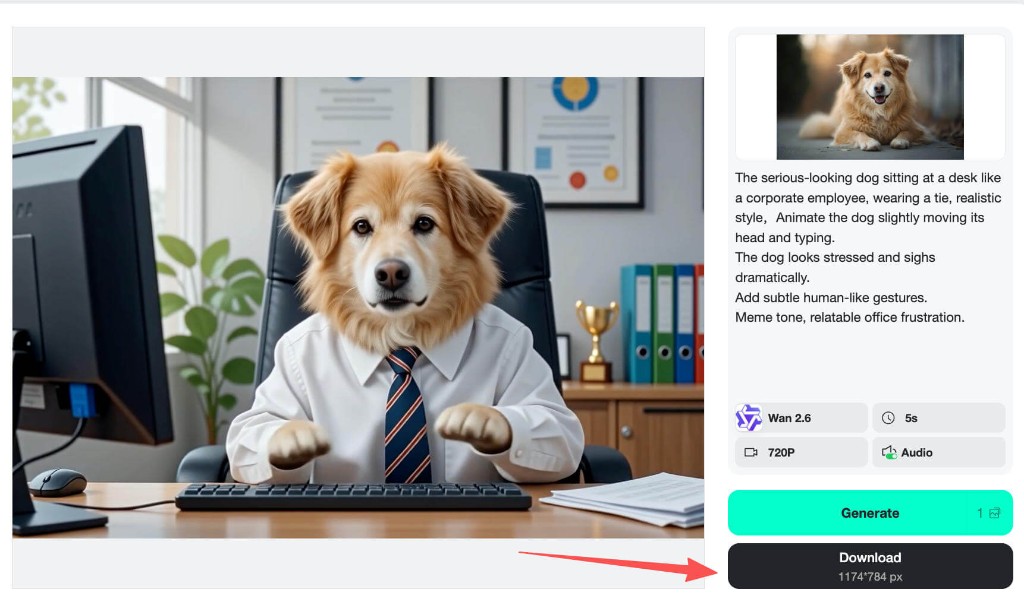
Hit Generate, and the AI will animate your scene, add motion and transitions, match audio, and apply comedic timing. In seconds you’ll have a ready-to-share meme video. Download it and post directly to TikTok, Instagram, or YouTube.
Quick Comparison Table
Not sure which AI meme video generator is right for you? Here’s a side-by-side comparison of all 10 tools:
| Tool | Best For | Key Feature | Free Plan | Rating |
|---|---|---|---|---|
| insMind | All-in-one meme creation | Multi-model AI (Kling, Wan, Veo) | Yes | ★★★★★ |
| VidMeme | Meme templates & face swap | 1,000+ meme templates | Yes (watermark) | ★★★★☆ |
| Kapwing | Video/GIF meme editing | Full video editor + AI | Yes (limited) | ★★★★☆ |
| CapCut | TikTok meme editing | Native TikTok integration | Yes | ★★★★☆ |
| Viggle AI | Dance & body swap memes | 8,000+ motion templates | Yes (5/day) | ★★★★☆ |
| Brainrotify | TikTok brainrot content | 100+ celebrity voices | 1,000 credits | ★★★☆☆ |
| PixVerse | High-quality AI video | V6 multi-shot storytelling | Yes | ★★★★☆ |
| Supermeme.ai | Text-to-meme images | 110+ language support | 10 free memes | ★★★☆☆ |
| Frameo AI | Video clip memes | AI captions & effects | Yes | ★★★☆☆ |
| Alici AI | Multi-model creative suite | Viral video cloning | Yes | ★★★★☆ |
How to Choose the Right AI Meme Video Generator
With so many options, how do you pick the best tool for your meme-making workflow? Consider these factors:
Creation Method
Do you want to generate memes from text prompts, images, or existing videos? Tools like insMind and VidMeme support all three methods, while CapCut requires manual editing and Supermeme.ai focuses on image-only memes.
Target Platform
If you’re creating for TikTok, prioritize tools with 9:16 vertical video support and fast generation. CapCut has native TikTok integration, while Brainrotify is specifically optimized for TikTok retention. For Instagram Reels and YouTube Shorts, insMind’s multi-format support gives you the most flexibility.
Budget
Most tools offer free tiers, but the limits vary. CapCut is completely free. Viggle AI gives 5 free videos daily. insMind offers a generous free plan with no watermarks. If you need high volume, compare the paid plans carefully.
Meme Style
For dance memes, choose Viggle AI. For brainrot content, go with Brainrotify. For face swap memes, VidMeme excels. For maximum versatility across all meme styles, insMind is the strongest choice.
Frequently Asked Questions
What is the best free AI meme video generator?
insMind is the best free AI meme video generator because it offers multiple AI models, text-to-video and image-to-video creation, social media-optimized exports, and no watermark on the free plan. CapCut is another excellent free option if you prefer manual editing with AI effects.
Can I make meme videos for TikTok with AI?
Yes. Most AI meme video generators support 9:16 vertical format for TikTok. insMind, CapCut, and Brainrotify are particularly well-suited for TikTok meme creation. Simply enter a funny prompt or upload an image, and the AI generates a share-ready meme video in seconds.
How do I make viral meme videos with AI?
To make viral meme videos: (1) Choose a trending topic or relatable situation, (2) Write a prompt with exaggeration, unexpected twists, and clear comedic action, (3) Use an AI tool like insMind to generate the video, (4) Optimize for 9:16 format, and (5) Post during peak hours with relevant hashtags.
Do AI meme generators add watermarks?
It depends on the tool. insMind, CapCut, and Supermeme.ai (Pro) offer watermark-free exports. VidMeme and some others add watermarks on free plans that are removed with paid subscriptions.
Can I use AI-generated meme videos commercially?
Most AI meme video generators, including insMind, allow commercial use of generated content on paid plans. Always check the specific terms of service for each platform before using generated memes in marketing campaigns or monetized content.
Start Making Viral Meme Videos Today
The AI meme video revolution is here, and there’s never been a better time to start creating. Whether you’re a TikTok creator chasing virality, a marketer looking for engaging content, or someone who just wants to make friends laugh, these 10 tools give you everything you need.
Our top pick? insMind — for its unmatched combination of multiple AI models, text and image-to-video creation, funny face filters, audio support, and free no-watermark exports. It’s the most versatile AI meme video generator available in 2026.
Ready to create your first viral meme video?

Jayson Harrington
I am the Chief Editor of insMind. I provide tips and skills to help users design better photos with insMind, whether for e-commerce, social media, or any other use.


![5 Best AI Kissing Video Generators of 2025 [Tested]](https://images.insmind.com/market-operations/market/side/8b445afb685e4957b11238f3ebad2b2b/1756093193517.jpg?x-oss-process=image/resize,w_690,h_460,type_6/interlace,1,image/format,webp "5 Best AI Kissing Video Generators of 2025 [Tested]")


![Top 5 AI Baby Podcast Generators in 2025 [Reviewed & Tested]](https://images.insmind.com/market-operations/market/side/9ed5a89e85ab457a9e8faace7bb25258/1750317475287.jpg?x-oss-process=image/resize,w_690,h_460,type_6/interlace,1,image/format,webp "Top 5 AI Baby Podcast Generators in 2025 [Reviewed & Tested]")


![Exploring the 10 Best AI Photo Editors for Your Needs [2025]](https://images.insmind.com/market-operations/market/side/05ccfa0da4d64b43ba07065f731cf586/1724393978325.jpg?x-oss-process=image/resize,w_690,h_460,type_6/interlace,1,image/format,webp "Exploring the 10 Best AI Photo Editors for Your Needs [2025]")


![Top 10 Face Swap Apps to Enhance Your Photo [Online, iOS, Android, Windows, Mac]](https://images.insmind.com/market-operations/market/side/e604368a99ee4a0fbf045e5dd42dca41/1723095740207.jpg?x-oss-process=image/resize,w_690,h_460,type_6/interlace,1,image/format,webp "Top 10 Face Swap Apps to Enhance Your Photo [Online, iOS, Android, Windows, Mac]")


