
Happy Horse 1.0: The Leading AI Video Generator

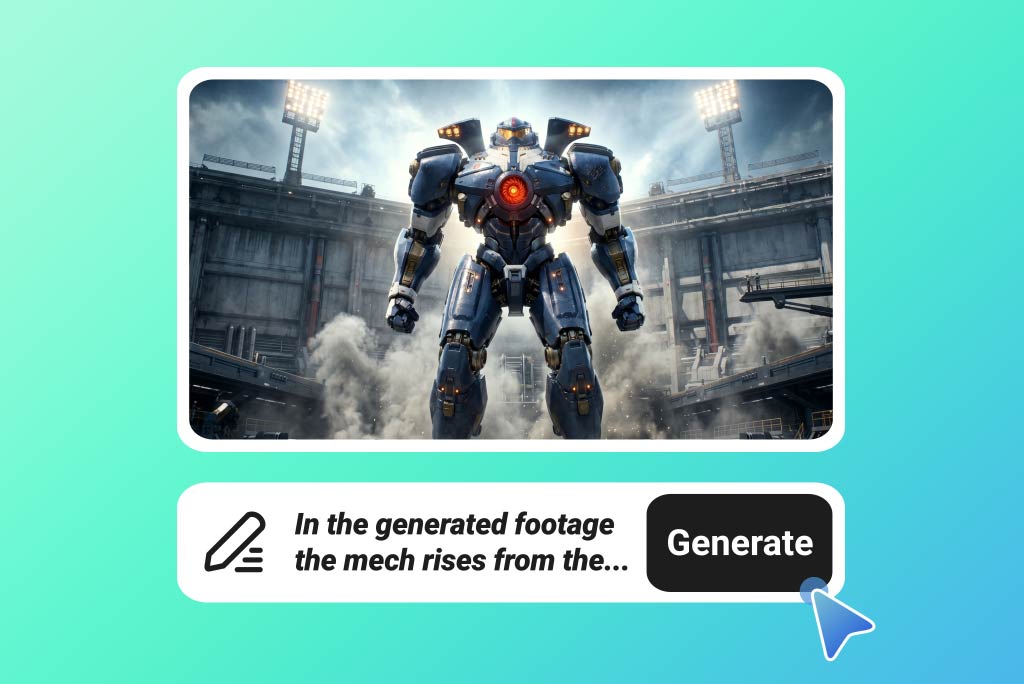
Create 1080p AI Videos from Text with Happy Horse 1.0
Turn simple prompts into high-quality videos in seconds. With strong prompt understanding, Happy Horse 1.0 text to video generation transforms ideas into structured, engaging visual content.
Bring Images to Life with Happy Horse 1.0
Bring static images to life with smooth motion and dynamic scenes. Happy Horse 1.0 image to video generation creates visually rich videos while preserving the original style and details.
How to Use Happy Horse 1.0 AI Video Model

1 Step 1. Enter Your Prompt or Upload an Image

2 Step 2. Select Happy Horse 1.0 and Adjust Settings

3 Step 3. Generate and Download Your Video


Use Happy Horse 1.0 for Real-World Video Creation
Product Launch Videos
Turn product images or prompts into polished launch videos with smooth motion, clean framing, and commercial-ready visuals for ads, websites, and social campaigns.
Performance Ad Creatives
Create short, attention-grabbing video ads for Meta, TikTok, YouTube, and other platforms. Use Happy Horse 1.0 to test different hooks, styles, and product angles faster.
E-Commerce Product Showcases
Bring product photos to life with dynamic camera movement, lifestyle scenes, and detailed close-ups. Perfect for product pages, marketplaces, and shoppable video ads.
Brand Storytelling Videos
Transform a simple brand idea into a cinematic video with mood, pacing, and visual continuity. Ideal for telling your story in a more emotional and memorable way.
Social Media Reels & Shorts
Generate vertical videos for Reels, Shorts, and TikTok from text or images. Create scroll-friendly content with strong motion, clear visuals, and a modern social style.
AI Spokesperson Videos
Create talking-head or presenter-style videos with natural facial expressions and lip sync. Useful for product explainers, service introductions, reviews, and localized marketing.
Concept Visualization
Turn early ideas, moodboards, or static references into moving video concepts. Great for agencies, designers, and creative teams that need to preview a direction quickly.
Cinematic Short Videos
Use multi-shot generation to create short narrative videos with smooth scene flow and realistic motion. Ideal for teasers, trailers, creative campaigns, and visual storytelling.
Why Choose Happy Horse 1.0?

#1 Ranked in Artificial Analysis Video Arena
Happy Horse 1.0 ranks #1 in the Artificial Analysis Text to Video Arena, with an Elo score of 1366 for text-to-video without audio and 1230 for text-to-video with audio. The ranking is based on blind user comparisons, so it reflects real preference instead of self-reported model claims.

Record-Level Image-to-Video Performance
Happy Horse 1.0 also performs strongly in image-to-video generation. Some third-party reports recorded it at 1416 Elo in image-to-video, making it especially strong for bringing product images, portraits, and concept visuals to life with smooth motion and consistent detail.

Native Video + Audio Generation
Unlike models that require separate voiceover or sound editing, Happy Horse 1.0 is designed for joint video and audio generation. This helps create more complete videos with synchronized motion, sound, facial expression, and lip sync in one workflow.
FAQs about Happy Horse 1.0
What is Happy Horse 1.0?


Why is Happy Horse 1.0 so popular?
Happy Horse 1.0 vs Seedance 2.0: Which one is better?
Is Happy Horse 1.0 good for commercial video creation?
Can Happy Horse 1.0 replace traditional video production?
How long does it take to generate a video?
Can I create videos in different languages?
“It’s a powerful model, but not completely beginner-friendly yet. You still need to experiment with prompts and sometimes combine clips to get consistent results. For creators who know what they’re doing, it’s a strong tool, but it’s not a full replacement for video production yet.”
@Kevin Liu, Content Creator