
Compress Image Online Quickly and Easily


Compress Images 50%+ with One Click Online
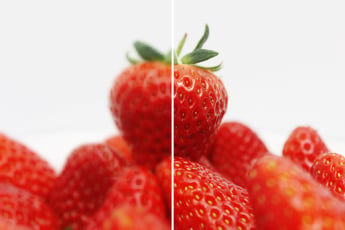
Our Compress Image feature allows you to reduce the size of your images by more than 50% with just a single click. This tool is perfect for optimizing photos for web use, speeding up website load times, and saving storage space.
With this feature, you can achieve significant file size reduction without sacrificing image quality, making it a must-have for anyone looking to improve web performance and save valuable space.

Versatile Format Support: Compress JPG, PNG, SVG Easily
The insMind Image Compressor is designed to handle a variety of image formats, including JPG, PNG, and SVG. This versatility ensures that you can easily compress nearly any image, enhancing usability across different projects and platforms.
Our Image Compression tool also maintains the integrity of your images while significantly reducing their file size, making it an ideal solution for businesses and individuals who need to manage large numbers of images efficiently.

Compress Images on Any Device with insMind
To accommodate our users' dynamic needs, the insMind Image Compressor offers robust multi-device support. You can compress images directly from your phone or PC, providing you with the flexibility to perform compression tasks wherever you are.
Whether you're on the go or working from home, the insMind Image Compressor gives you the freedom to manage your images efficiently, anytime and anywhere.
Explore More Image Compressor Features
How to Instantly Compress Images with insMind

1 Open insMind

2 Upload Image

3 Compress Image

4 Download JPG


Why Choose insMind Image Compressor?

Efficient Compression Without Quality Loss
insMind Image Compressor reduces file sizes significantly without sacrificing the quality of your images. This is perfect for optimizing photos for websites, social media, and email without worrying about pixelation or blurriness.

Supports Multiple Formats
insMind Image Compressor supports various image formats such as JPG, PNG, GIF, and more, making it versatile and adaptable for different needs and file types.

Fast and Easy to Use
The tool is designed for simplicity, allowing you to upload and compress images in just a few clicks. The process is quick, helping you save time and effort while maintaining excellent results.
Frequently asked questions
What is image compression and how does it work?


How can I compress an image online using insMind?
Is it possible to compress an image without losing quality?
Is the insMind Image Compression tool free to use?
You might be interested in
Make your pictures pop with creative AI tools you can explore during a free trial.

AI Background

Smart Resize

AI Shadows

AI Image Expander
Unblur Image

AI Filter

"I compress product images for my online store to make sure the page loads quickly. This tool is incredibly fast and efficient."
@Amanda