


Discord is one of those places where your profile picture basically is your personality. Whether you're in gaming servers, creator communities, or random group chats with friends, your avatar is the first thing people notice.
Now that AI tools are everywhere? You don't need design skills (or time) to make something that looks unique. A good Discord avatar maker can turn a simple idea into a profile picture that actually stands out.
Table of Contents
Key Takeaways
AI avatars are blowing up on Discord for a pretty simple reason: they look good, they're fast, and they don't require you to be a graphic designer. You can go cute, serious, chaotic, clean, or full "main character energy" depending on what you want your online vibe to be. It's also way easier than digging through old selfies or settling for a default icon.
Quick reasons people love AI Discord avatars:
- Discord avatars help show personality and stand out in busy servers
- AI makes custom Discord avatars fast and beginner-friendly
- Works for gamers, streamers, creators, and everyday users
- Great for profile pictures, server branding, and online identity
Popular Discord Avatar Maker Ideas to Try
Choosing a style first makes the whole process easier. Instead of guessing what looks good, start with an "avatar type," then tweak the details until it fits your vibe. Below are some of the most popular Discord avatar creator ideas you can make using an AI tool like insMind's Discord Avatar Maker.
1. Gaming Avatar
Prompt: "A confident gamer character portrait, modern esports style, sharp lighting, high contrast, clean background, wearing a sleek hoodie and gaming headset, intense focused expression, centered face, ultra-detailed, crisp edges, Discord profile picture."
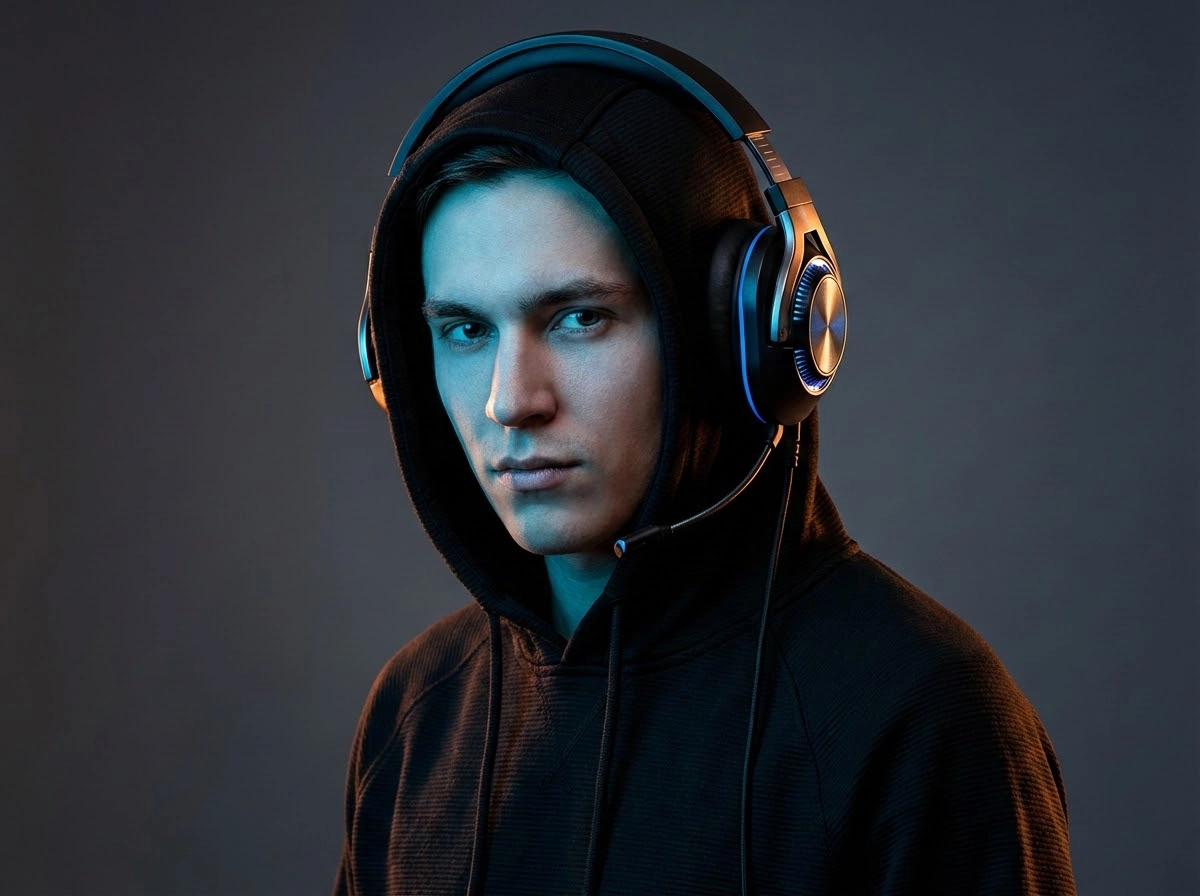
This one's a classic. A gaming avatar usually has bold lighting, sharper details, and a more intense look overall. Think esports vibes. Even if you're not a competitive player, it's still a great style if you want your Discord profile to look confident and modern.
Best for: gamers, esports fans, FPS players, competitive communities
2. Anime-Style Discord Avatar
Prompt: "Anime-style character avatar portrait, expressive eyes, clean line art, smooth shading, vibrant colors, subtle glow lighting, friendly confident smile, centered face close-up, simple background, high quality, Discord profile picture."
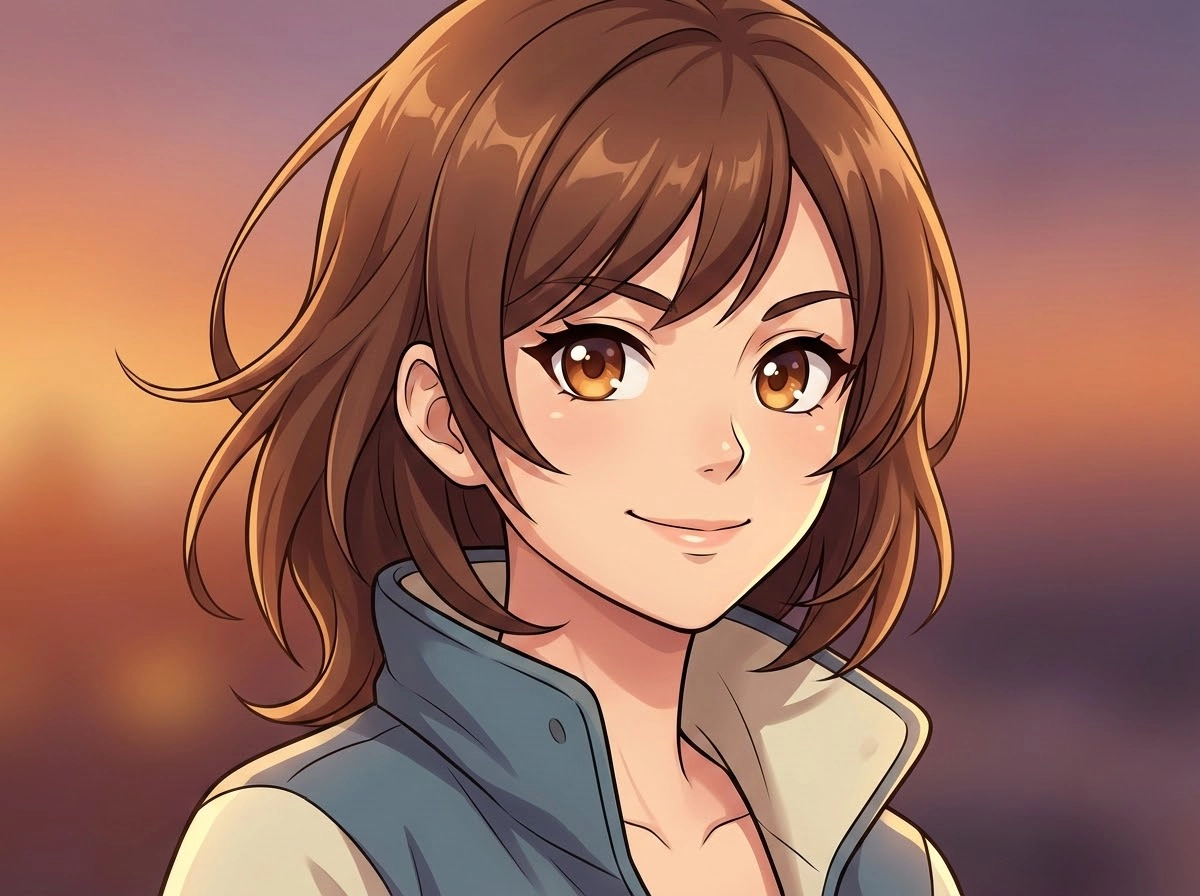
Anime avatars are huge on Discord because they instantly communicate mood and personality—cool, funny, chaotic, mysterious, or wholesome. You can go full "main character energy" with dramatic eyes and vibrant colors, or keep it subtle with soft shading and clean linework.
Best for: anime fans, VTubers, art servers, fandom communities
3. Cartoon Discord Avatar
Prompt: "Cartoon avatar portrait of a friendly character, bold outlines, simple bright colors, clean background, cheerful expression, rounded features, centered face, cute modern cartoon style, crisp and clear, Discord profile picture."
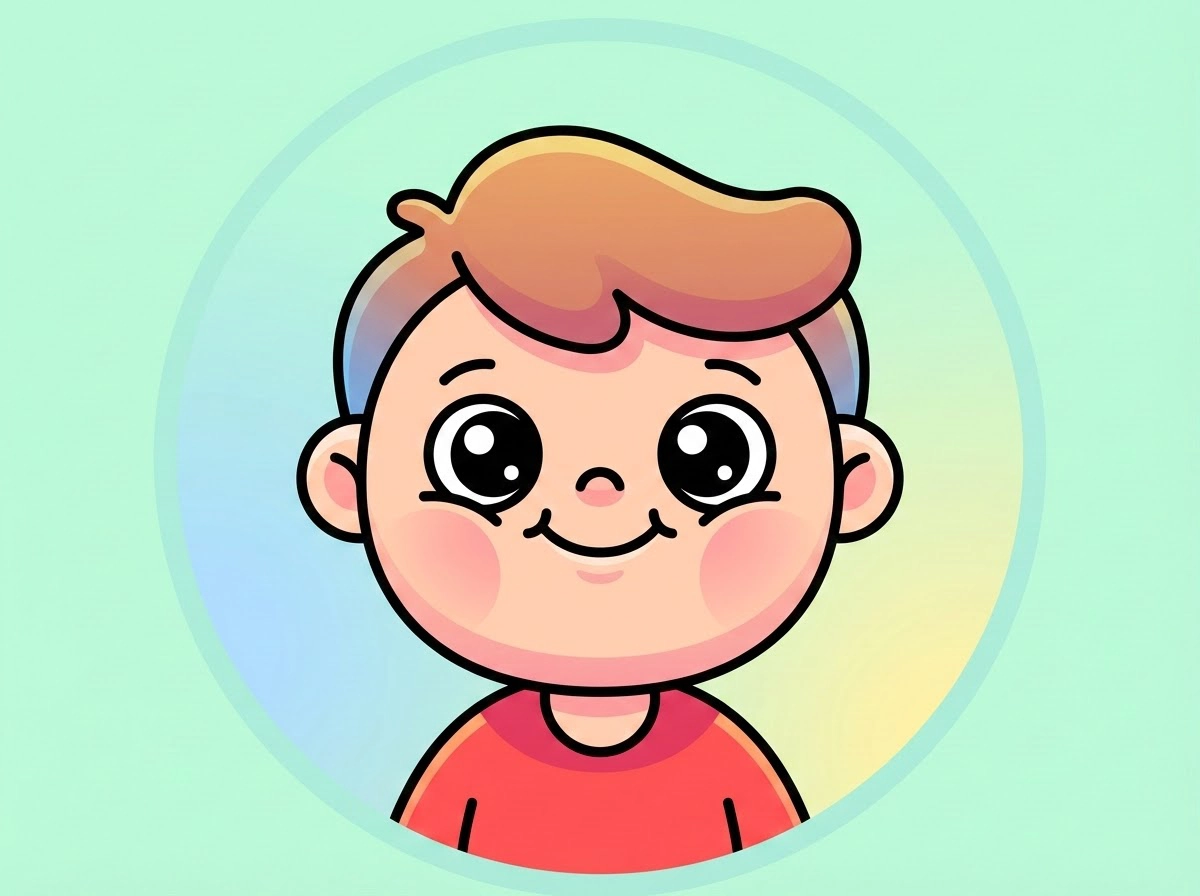
Cartoon avatars are perfect if you want something friendly, casual, and fun. They work well across almost any server because they look approachable and playful. This is also one of the easiest styles to generate with a free Discord avatar maker, since cartoons don't require perfect realism.
Best for: casual users, community members, social servers, friend groups
4. Minimal Aesthetic Avatar
Prompt: "Minimal aesthetic avatar portrait, clean modern design, soft lighting, simple neutral background, calm expression, smooth gradients, centered face, elegant and uncluttered, high contrast for small icon, Discord profile picture."
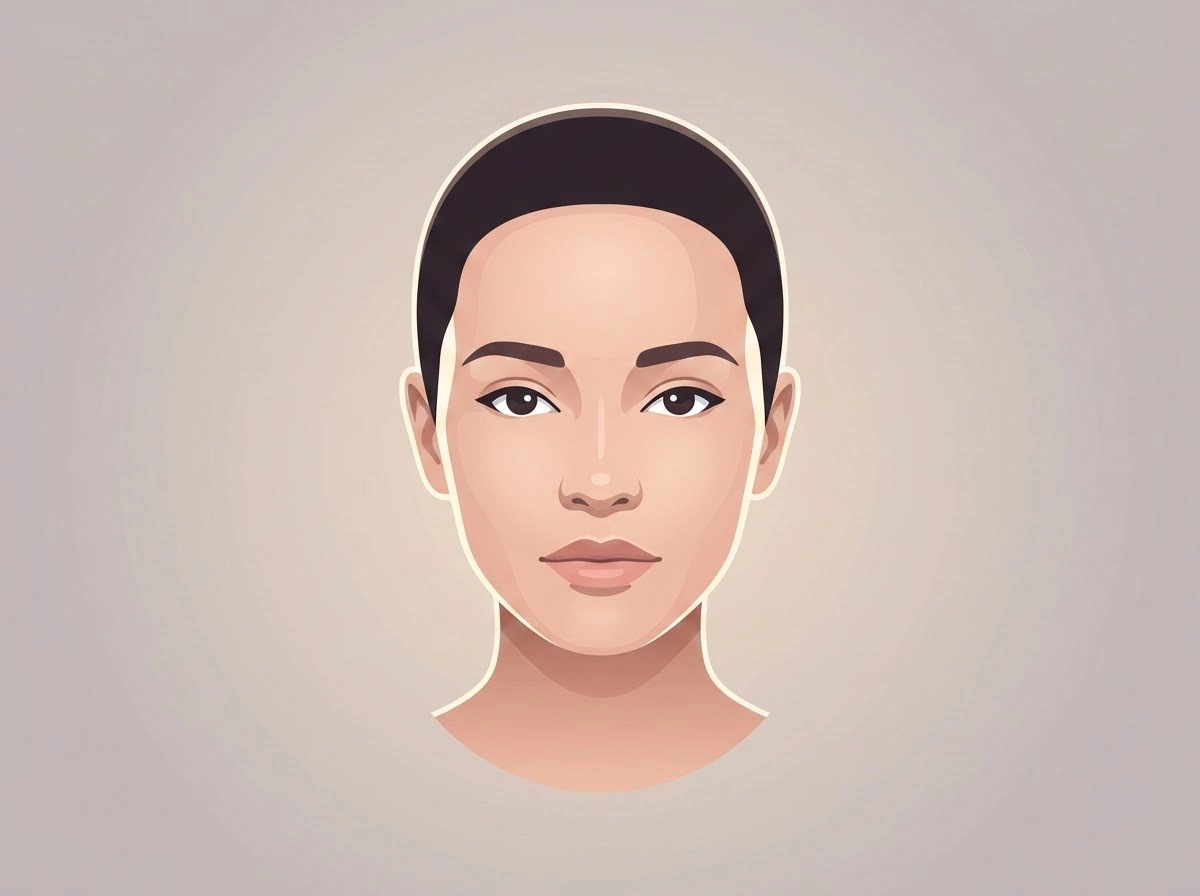
If you like clean design and you don't want something loud, minimal avatars are a great option. Think soft colors, a simple background, and a calm expression. It looks modern, it doesn't get messy, and it works across basically any Discord server.
Best for: study servers, creator communities, chill vibes
5. Fantasy Character Avatar
Prompt: "Fantasy character avatar portrait, magical RPG style, detailed cloak and armor, mystical lighting, subtle glowing accents, heroic expression, centered face close-up, clean background, cinematic look, Discord profile picture."
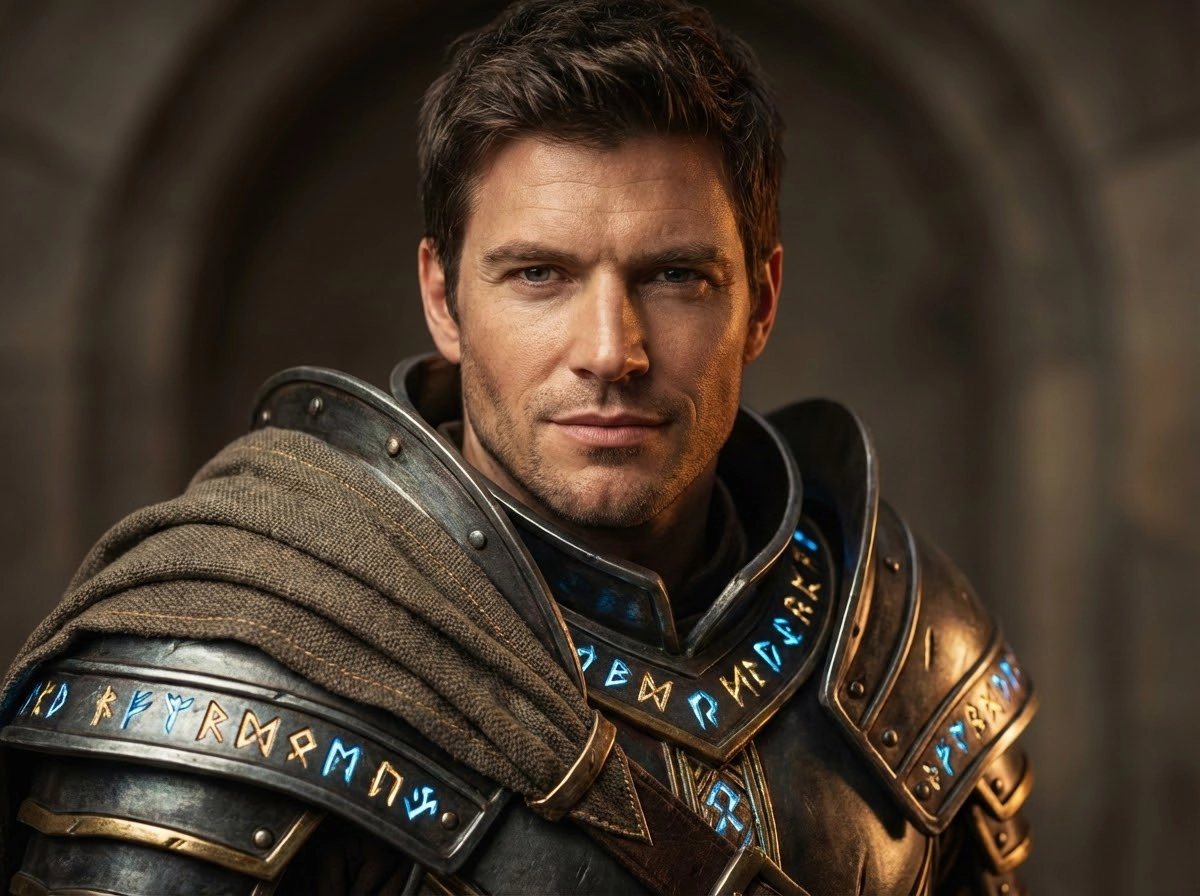
Fantasy avatars are where it gets fun. You can make a character that looks like they belong in an RPG, a D&D campaign, or a fantasy anime. Cloaks, armor, magic lighting… it's hard not to love this style if you like storytelling at all.
Best for: roleplay servers, fantasy fans, D&D groups
6. Cyberpunk or Sci-Fi Avatar
Prompt: "Cyberpunk sci-fi avatar portrait, neon lighting, futuristic city glow background (simple and blurred), techwear outfit, cool confident expression, high contrast, sharp details, centered face, cinematic lighting, Discord profile picture."
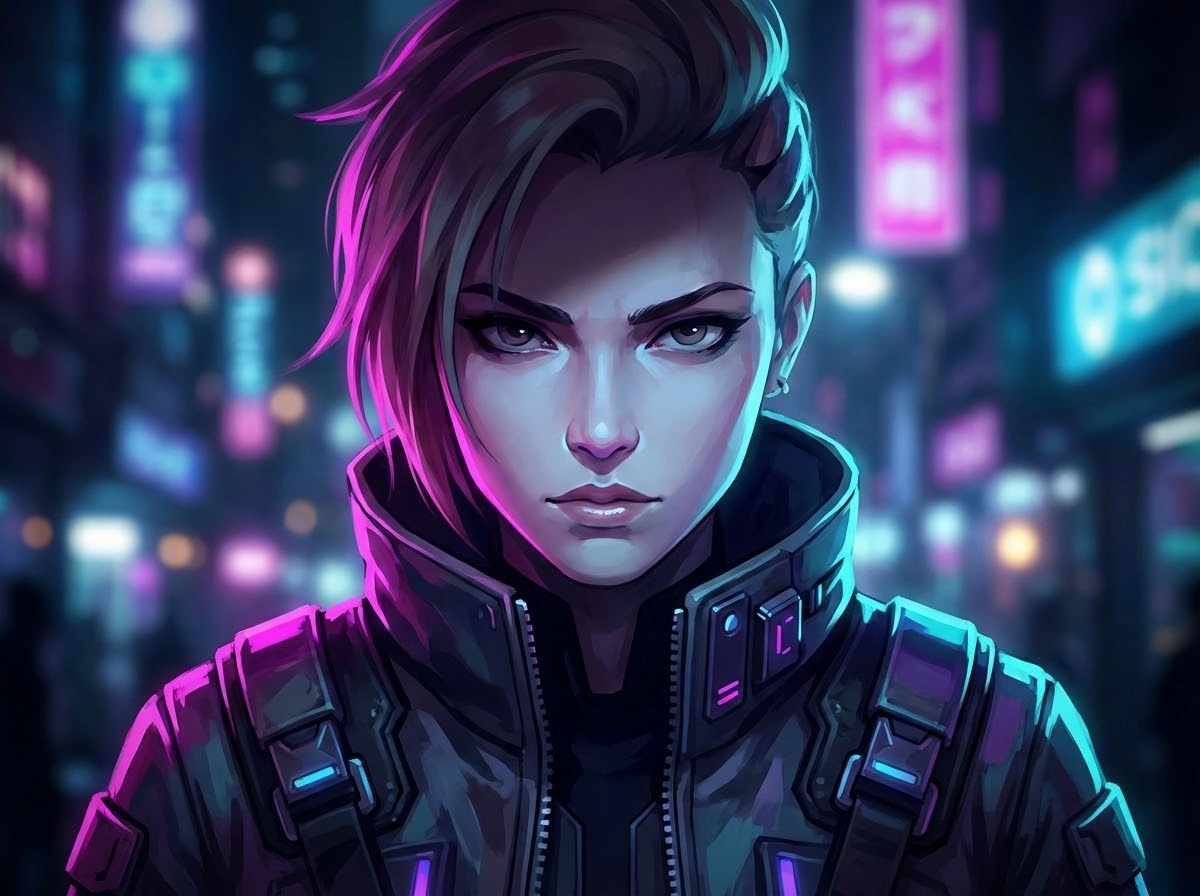
Want something sharper and more futuristic? Cyberpunk avatars hit that neon, high-contrast, "tech city at night" aesthetic. They look cool even when they're tiny. And they make you look like you definitely have a secret backstory.
Best for: sci-fi fans, tech servers, edgy aesthetics
7. Cute Chibi Avatar
Prompt: "Cute chibi avatar portrait, oversized eyes, small body proportions, pastel colors, adorable expression, simple background, clean shading, centered face close-up, cozy style, Discord profile picture."
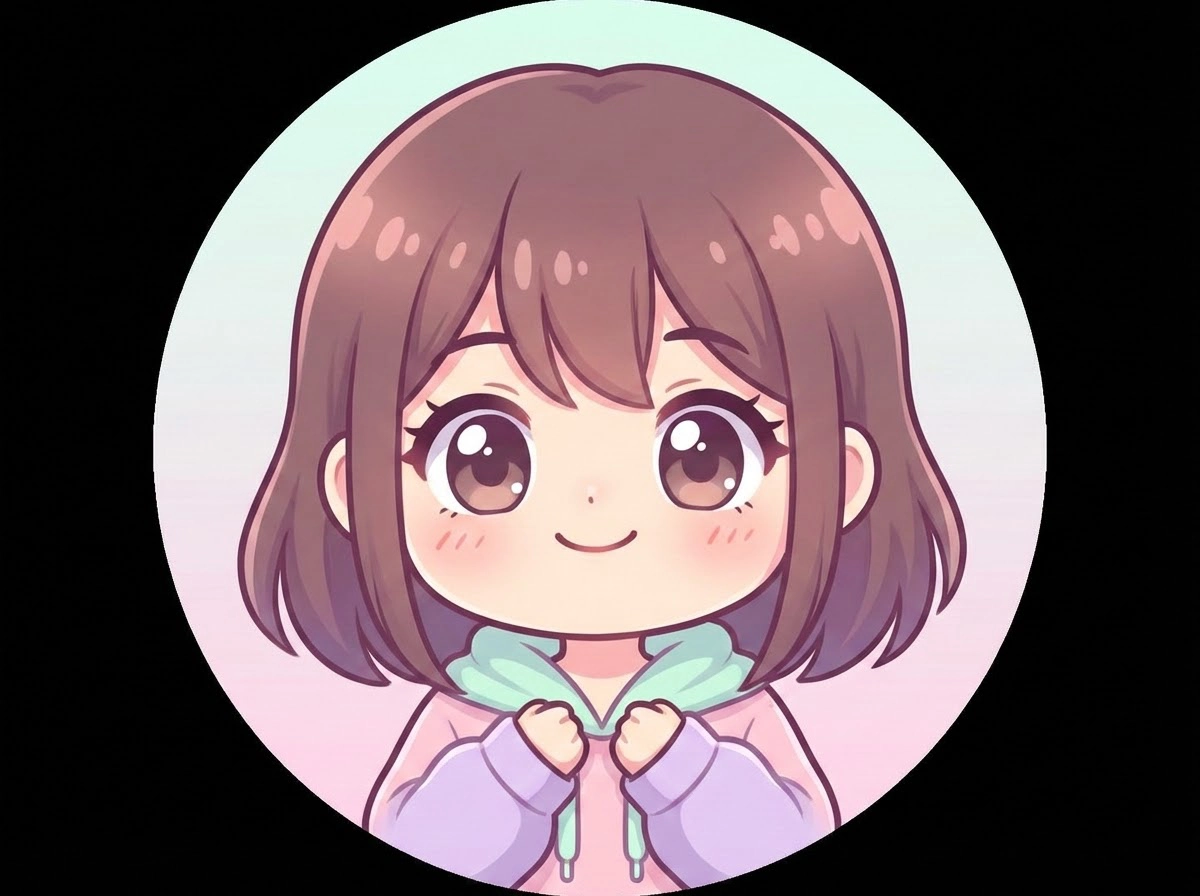
Chibi avatars are small, cute, and instantly likable. Big eyes, rounded shapes, and simple backgrounds make them easy to recognize in a server. If you want your profile to feel friendly or cozy, chibi is the move.
Best for: wholesome servers, cozy communities, casual users
8. Dark or Mysterious Avatar
Prompt: "Dark mysterious avatar portrait, moody shadows, dramatic lighting, hooded figure, subtle glowing eyes, minimal background, high contrast, centered face, cinematic atmosphere, sharp detail, Discord profile picture."
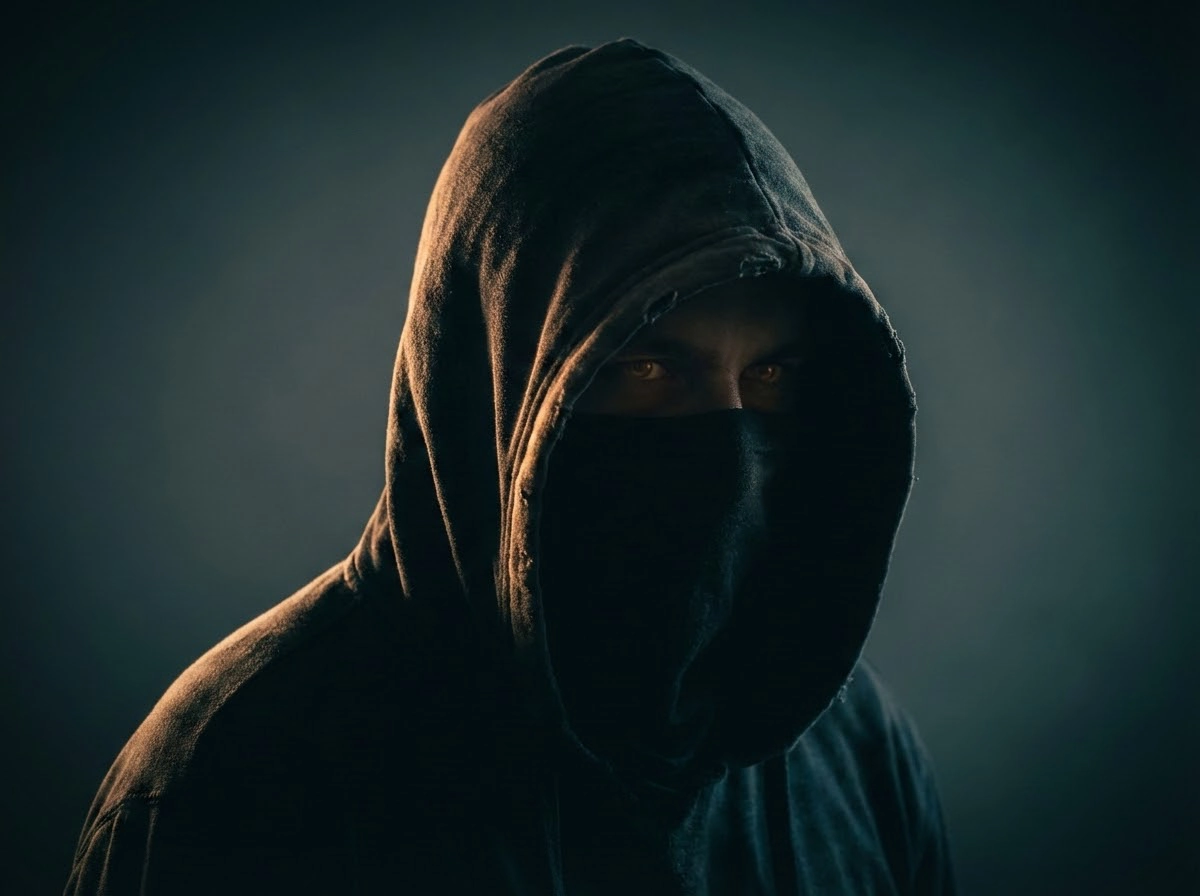
This is for people who don't want "cute." Dark avatars use shadows, dramatic lighting, and moody designs (hoods, glowing eyes, low light, etc.). It's a popular look in gaming servers and horror communities, but honestly, it works anywhere.
Best for: horror servers, gaming communities, late-night vibes
9. Realistic AI Portrait Avatar
Prompt: "Realistic portrait avatar, professional studio lighting, sharp facial details, natural skin texture, subtle background blur, clean neutral background, relaxed expression, centered face close-up, high resolution, Discord profile picture."
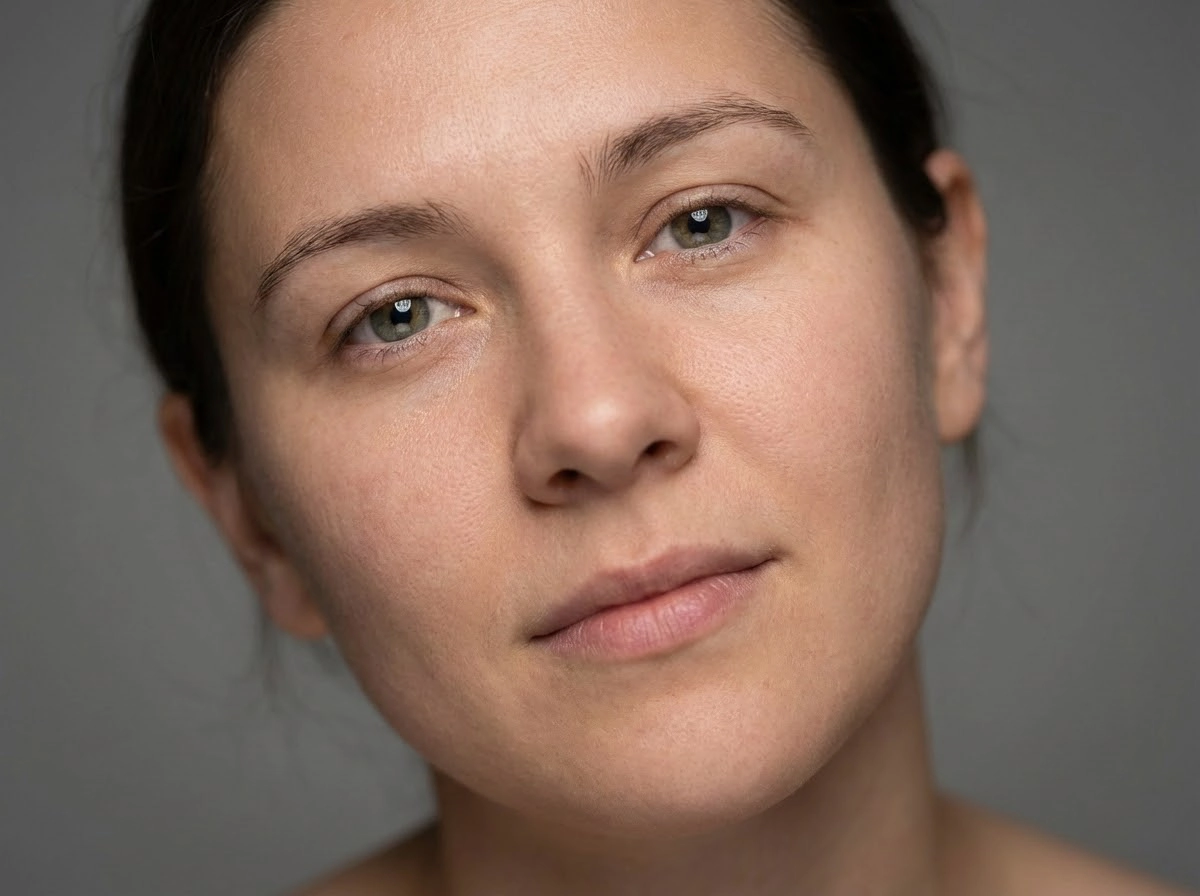
If you want something that feels like "you," but upgraded, a realistic AI portrait avatar works well. You can get that clean studio photo look without needing to actually take a perfect photo. It's also great if you're a streamer or creator and want a more polished profile.
Best for: creators, streamers, personal branding
10. Branded or Logo-Style Avatar
Prompt: "Simple logo-style avatar icon, bold clean shapes, modern flat design, minimal color palette, centered emblem, high contrast, clean background, crisp edges, professional brand look, Discord server icon."
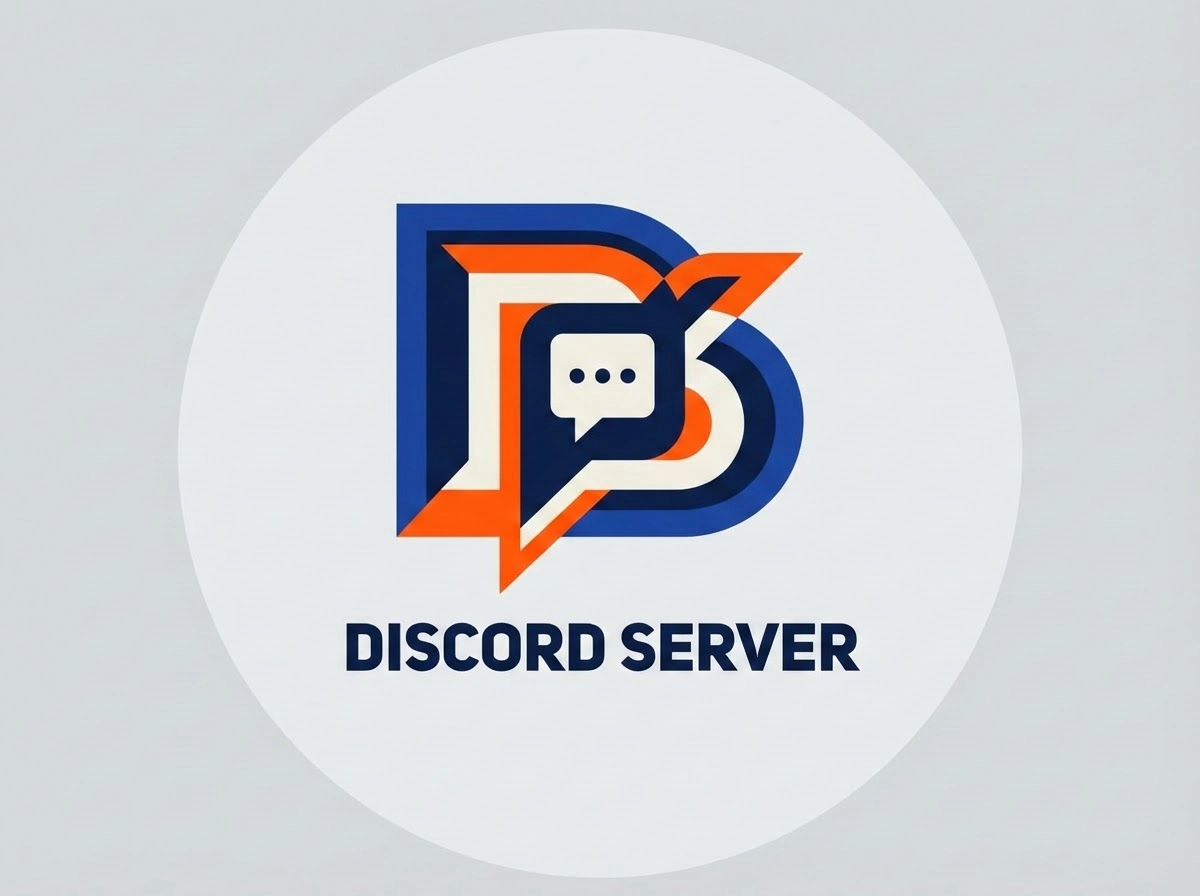
This style is simple, but it works. A logo-style avatar is clean, recognizable, and easy to remember in a server list. If you're running a community, building a brand, or managing a server, this is also great as a Discord server icon maker option.
Best for: server owners, creators, businesses, communities
How to Create a Personalized Discord Avatar with AI
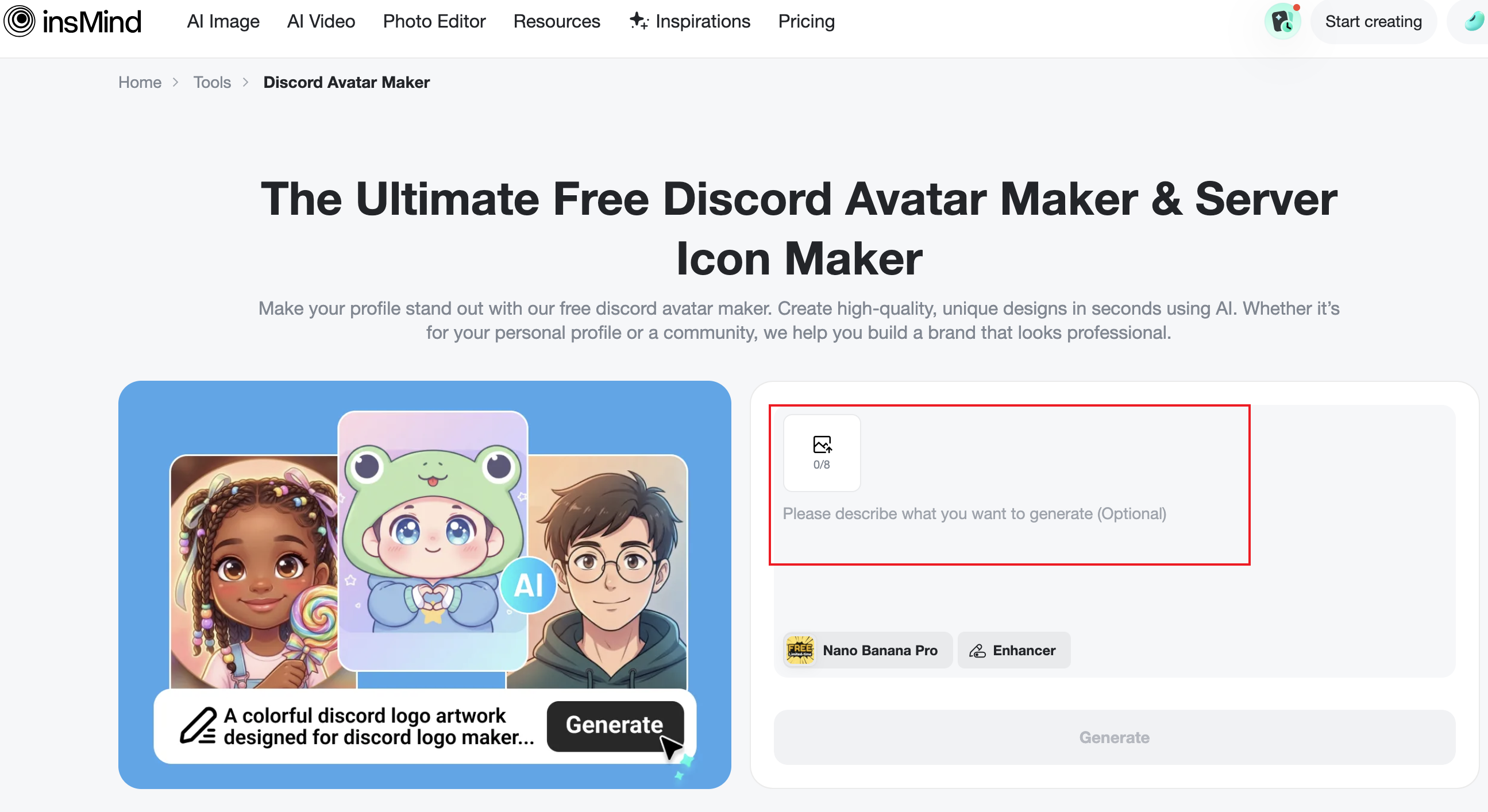
Creating a custom avatar doesn't have to be complicated. With insMind AI Discord Avatar Maker, you can start from either a photo (for realistic results) or a prompt (for more creative styles). From there, it's mostly about choosing the look you want and refining it until it feels right.
Step 1. Upload a Photo or Start with a Prompt
Want a realistic avatar? Upload a photo. Let the AI convert it into a polished profile image. If you want something more creative, type a prompt like "anime gamer avatar with purple hair and neon lighting."
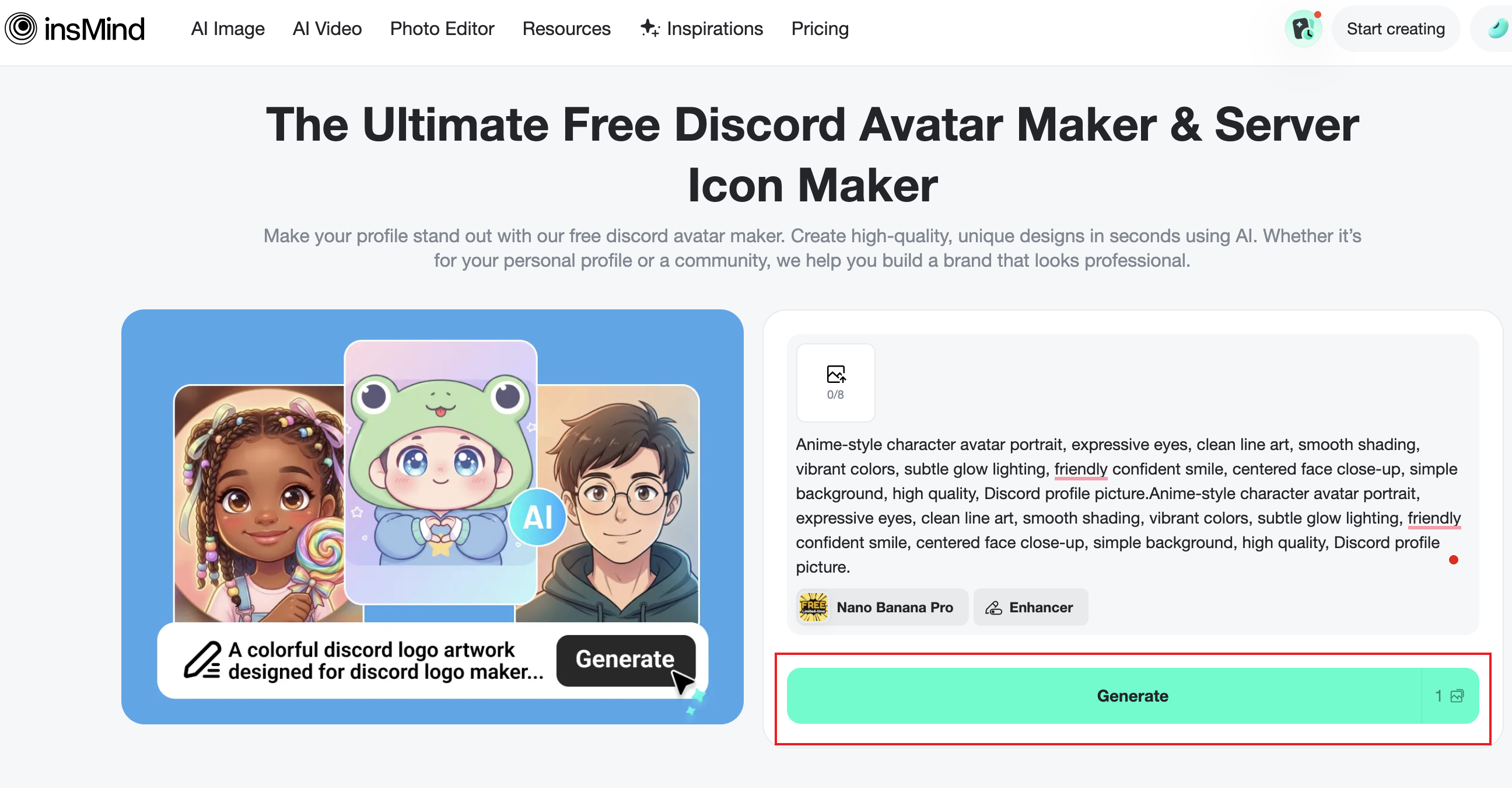
Step 2. Generate and Pick Your Favorite
Click the “Generate” button and let the AI bring your idea to life. You will get several avatar variations to review, so take a moment to compare them and choose the one that best matches your Discord style.
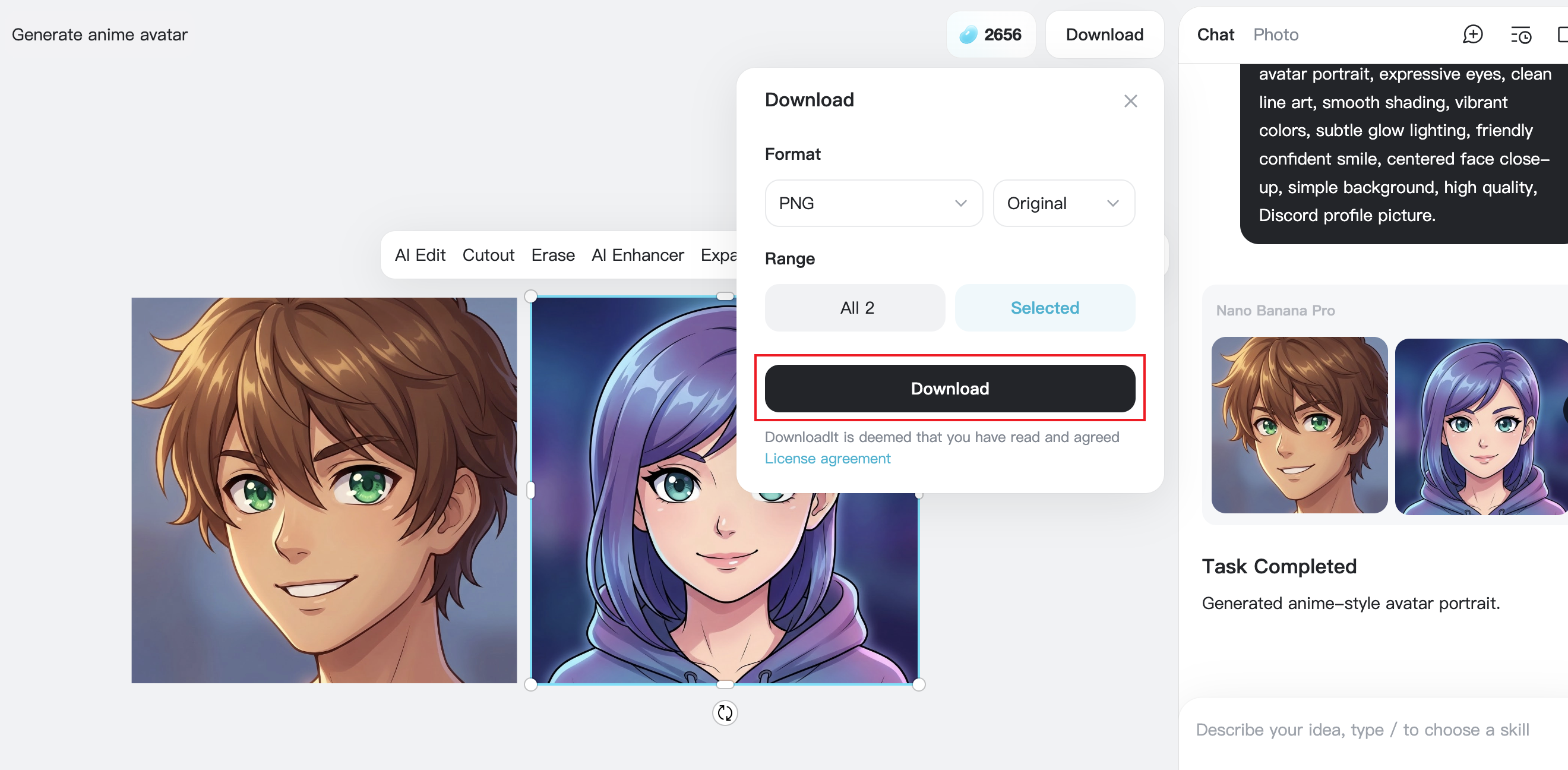
Step 3. Resize and Download for Discord
Finally, resize the avatar to a Discord-friendly format and download it. Now you're ready to upload it as your profile picture or use it as a server icon.
Optional Tips for Better Results:
- Keep the face centered for small avatar displays
- Use high contrast and clear colors
- Avoid overly complex backgrounds
Best Discord Avatar Size, Style, and Tips
Discord avatars are usually displayed as a small circular icon, which means detail can get lost fast. That's why "simple but bold" tends to win.
A square image (1:1 ratio) is the safest format, and you'll want the face in the center so it doesn't get cut off in the circular crop. If your avatar looks great as a big image but turns into a blurry mess when it's small… it's not the right one.
Also, don't ignore style matching. If you're in a cozy, wholesome server, a dark, scary avatar might feel out of place. And if you're on a competitive gaming server, a cute pastel chibi might not match your vibe. Neither one is "wrong," but your avatar is basically your first impression.
The best advice? Try a few styles. Save your favorites. Then stick with one that feels like you.
Conclusion
Using an AI Discord avatar maker is one of the easiest ways to create a profile picture that feels personal without spending hours editing. You can go for a gaming look, anime style, fantasy character, minimalist portrait, or even a clean branded icon. The best part is how fast it is.
You can test different styles, compare results, and keep generating until you find something that fits your personality and your servers. If you've been stuck using the same old avatar for years (or you're still using a default icon), this is a quick upgrade that actually makes your Discord profile feel more "you." And If you are also interested in creating a matching Discord banner, you can try the insMind Discord Banner Maker to complete your server’s look.

Jayson Harrington
I am the Chief Editor of insMind. I provide tips and skills to help users design better photos with insMind, whether for e-commerce, social media, or any other use.


![5 Best AI Kissing Video Generators of 2025 [Tested]](https://images.insmind.com/market-operations/market/side/8b445afb685e4957b11238f3ebad2b2b/1756093193517.jpg?x-oss-process=image/resize,w_690,h_460,type_6/interlace,1,image/format,webp "5 Best AI Kissing Video Generators of 2025 [Tested]")


![Top 5 AI Baby Podcast Generators in 2025 [Reviewed & Tested]](https://images.insmind.com/market-operations/market/side/9ed5a89e85ab457a9e8faace7bb25258/1750317475287.jpg?x-oss-process=image/resize,w_690,h_460,type_6/interlace,1,image/format,webp "Top 5 AI Baby Podcast Generators in 2025 [Reviewed & Tested]")


![Exploring the 10 Best AI Photo Editors for Your Needs [2025]](https://images.insmind.com/market-operations/market/side/05ccfa0da4d64b43ba07065f731cf586/1724393978325.jpg?x-oss-process=image/resize,w_690,h_460,type_6/interlace,1,image/format,webp "Exploring the 10 Best AI Photo Editors for Your Needs [2025]")


![Top 10 Face Swap Apps to Enhance Your Photo [Online, iOS, Android, Windows, Mac]](https://images.insmind.com/market-operations/market/side/e604368a99ee4a0fbf045e5dd42dca41/1723095740207.jpg?x-oss-process=image/resize,w_690,h_460,type_6/interlace,1,image/format,webp "Top 10 Face Swap Apps to Enhance Your Photo [Online, iOS, Android, Windows, Mac]")


