


Have you been looking for a Luma AI alternative because of the limitations or high pricing? Many creators face the same problem when they try to turn text or images into videos, but don't always get the results they want.
Fortunately, there are options to help. In this article, we will share the best Luma AI alternatives in 2025, including insMind, Fliki, and more.
Let's first talk about why you should look for alternatives to Luma AI.
Table of Contents
Why You Need Luma AI Alternatives
Luma AI is a very popular tool for generating videos from text and images, but it may not be the best tool for everyone. User feedback indicates that sometimes the results feel more like a slideshow than an actual motion video. Some people even have had issues with creativity using filters and credits.
The other common factor is cost. If you are starting or creating content regularly, paying for every option keeps growing in price. Luma AI doesn't always generate the style or templates and styles we want, especially on apps like TikTok, Instagram, and YouTube.
This is why it is simply a good idea to look for alternatives. In this way, you can find video generators that are easy to use, produce up-to-date styles, generate videos faster, and offer an overall better deal for your money.
Now let's talk about some of the best alternatives to Luma AI.
Top 7 Luma AI Alternatives in 2025
Here are the top 7 Luma AI alternatives in 2025:
1.) insMind AI Video Generator
insMind is one of the most complete alternatives to Luma AI, supporting text-to-video and image-to-video generation. Users can select aspect ratios, customize prompts, and select AI models to create highly customized videos.
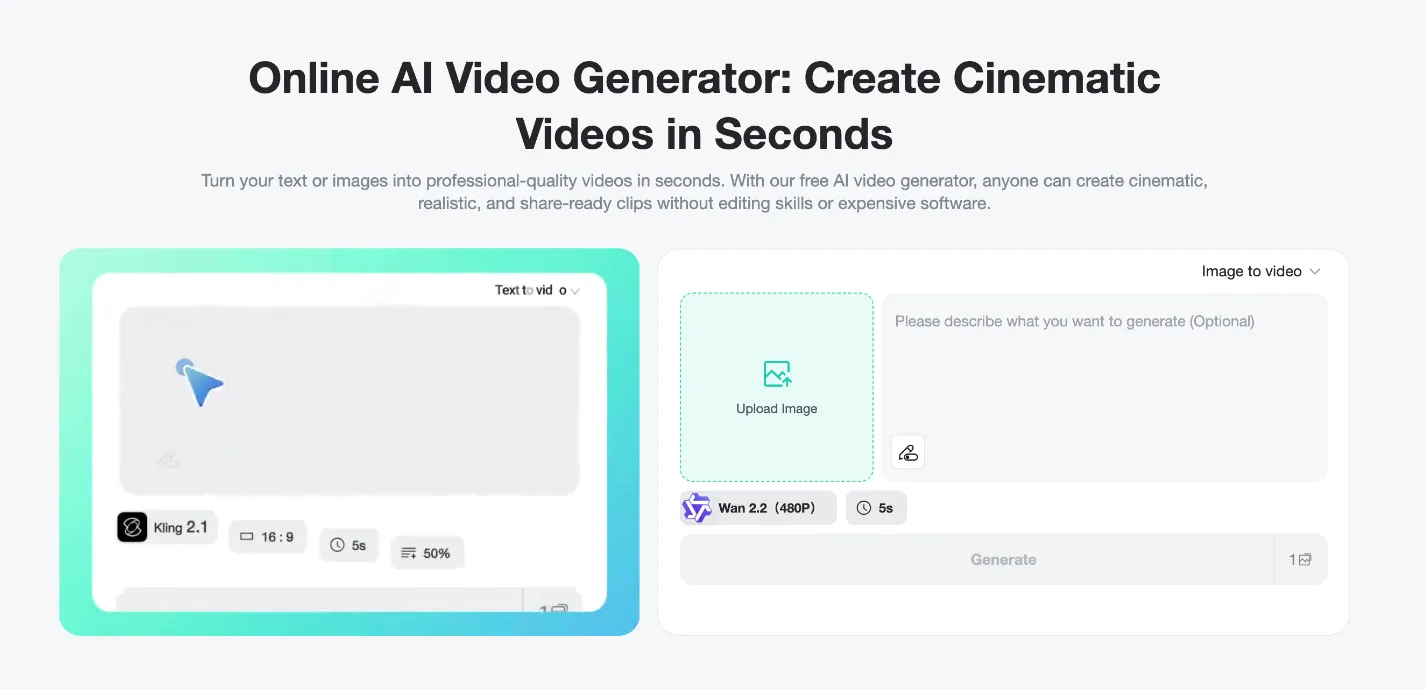
Here are some key features of the insMind AI Video Generator
-
Two Input Modes: Text-to-Video & Image-to-Video
Users can either type a detailed prompt to generate a video from scratch or upload one or more sustained images (JPG, PNG, WEBP) and animate them with effects and transitions.
-
Prompt Control / Customization
Prompt, mood, style, action, prompt priority, prompt length, AI version/model (e.g., Kling 2.1) etc. are all customizable user controls with insMind AV video generation.
-
Aspect Ratio Selection
Users can select an aspect ratio suitable for their intended platform (e.g., 16:9, 9:16, 1:1) for both text-to-video generation and image-to-video generation workflows. This helps optimize content for Instagram, TikTok, YouTube, etc.
-
Effects & Templates Library
There are many different creative effects and template styles that you can use, such as AI dancing, AI hugging, AI muscle growth, Ghibli style look, retro style look, fantasy styles, transitions, etc., which will help animate images and shape scenes without direct editing.
-
HD Output / Format
Videos can be rendered in HD, in MP4 format; video renderings are social media compatible.
How to Use the insMind AI Video Generator?
Step 1: Input Text Prompt or Upload Your Image
Visit insMind Text-to-Video in your browser. Select text-to-video or image-to-video. For text, enter a detailed prompt. For image, upload a high-quality photo and add a prompt—the more specific, the better your AI video aligns with your vision.
Step 2: Customize settings
Tailor using AI model, platform-aligned aspect ratio, video duration, and prompt intensity—guarantee the result meets your creative and professional needs.
Step 3: Generate video
Click the Generate button and wait a few moments while the AI creates your video.
Step 4: Preview and download
Watch the generated video, and if satisfied, click Download to save it in MP4 format.
2) Fliki
An excellent tool for creating videos fast from text, Fliki focuses heavily on voiceovers, is easy to use, and supports multiple languages. You can simply paste any text from a blog post, script, or prompt into the app, and Fliki will generate your video complete with scenes/stock photos, stock video clips, transitions, background music, and subtitles.
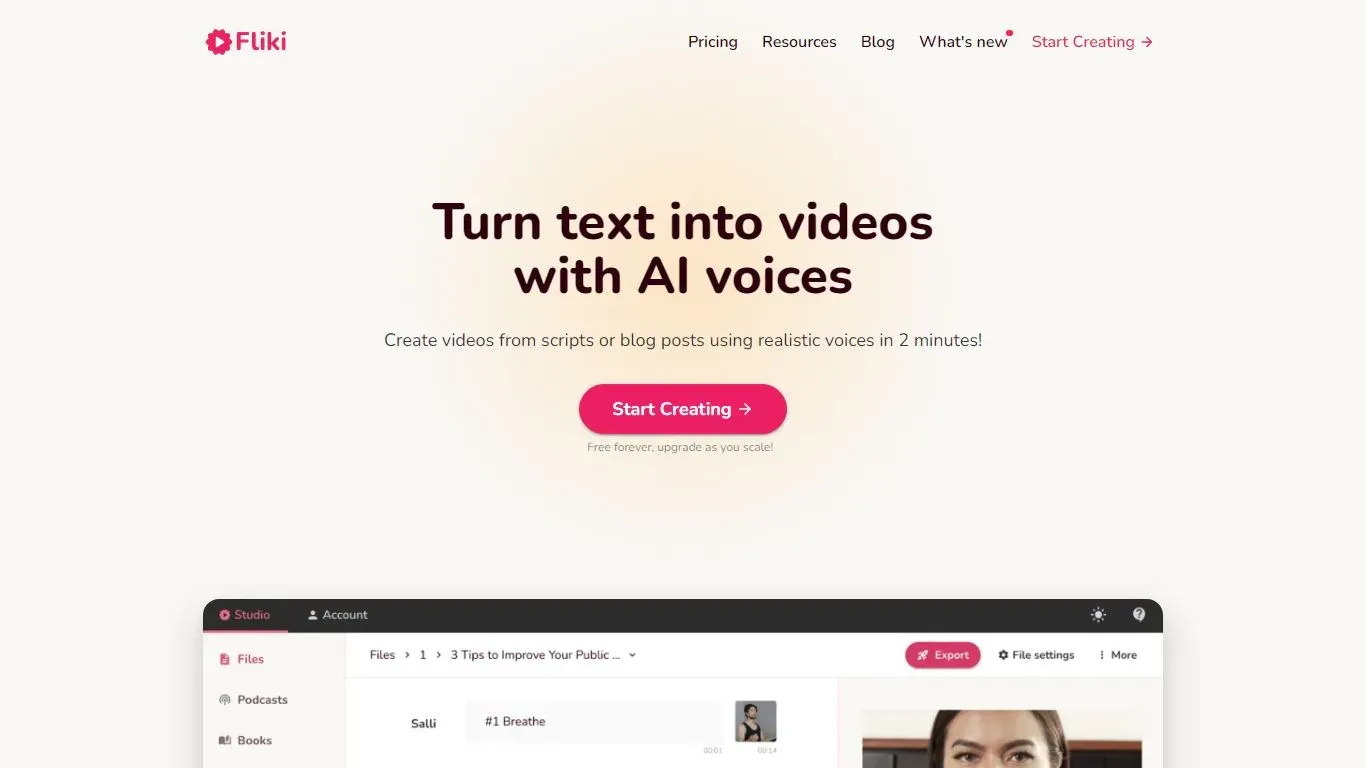
Fliki has over 2,000 realistic AI voices to choose from, supports 80+ language and dialect variations, and has avatars and branding font/color/logo options. The free version allows you to try the software out, but limits video minutes, the number of voice choices, and if you want your brand logo removed from exported videos, you need a paid plan.
3) InVideo
InVideo is a combination of AI-generated video creation and an advanced editing suite, which makes it a great tool for creatives and marketers alike. You can start from a script or a prompt, and InVideo will generate visuals, a voiceover, and stock media. Its easy-to-use interface includes a stock photo/video/music/effect/template library, where you can customize more than what you can choose from the first steps.
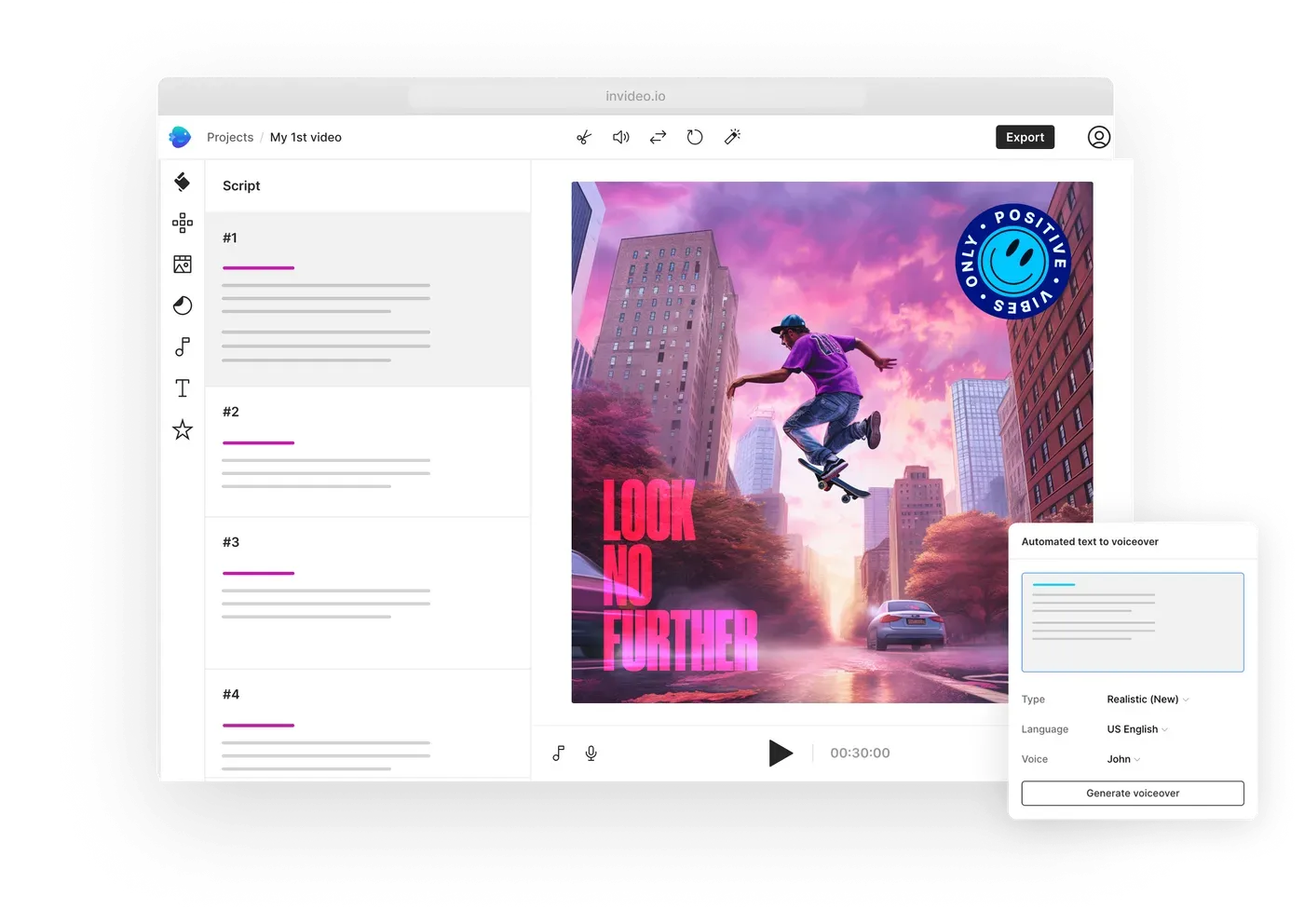
InVideo even has AI features that allow you to edit the generated video using just text instructions, which makes the editing even easier! The free plan can be used in a basic way, but it does come with watermarked exports and limited features. The paid plans offer longer video minutes, export better quality, and watermark-free exports, and are therefore very versatile for uni and business use, as well as for professionals.
4) Veed
Veed is a full-featured platform that combines AI video generation with editing, branding, and collaboration capabilities. It allows you to generate videos from text prompts, complete with visuals, voiceovers, and captions, and then edit them in its own editor. In the editor, you can add overlays, transitions, stock, footage, change the aspect ratio, and more.
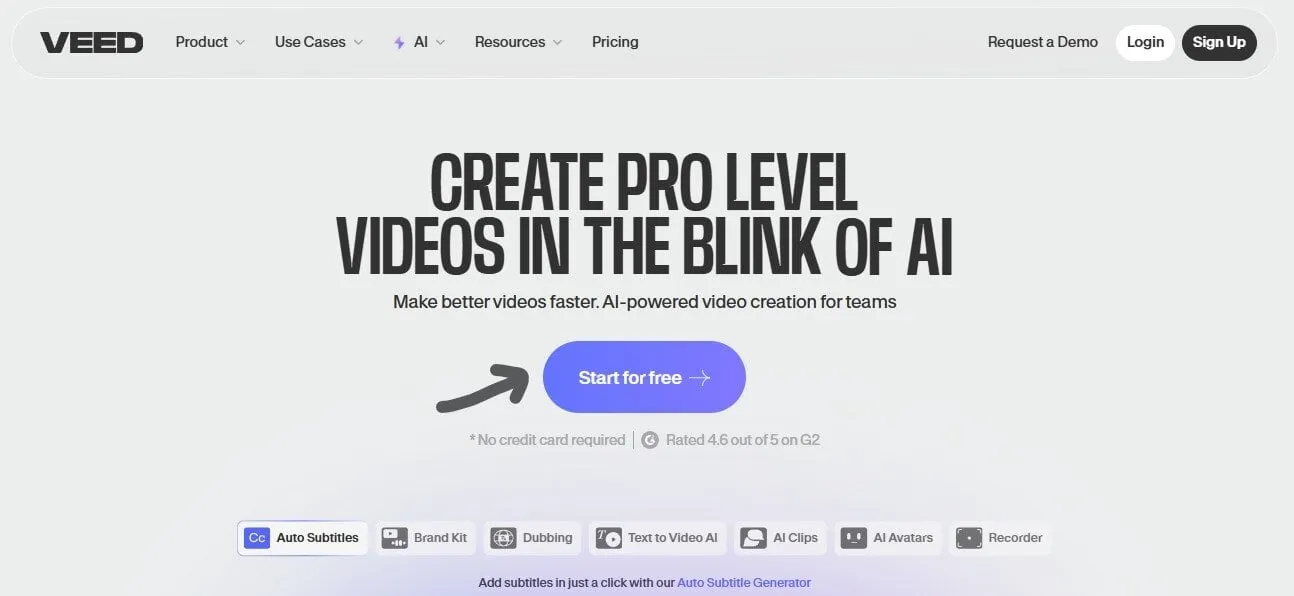
In addition to the automatic subtitle options, Veed supports avatars, dubbing, translations, and brand kits for consistent branding. Although the free plan comes with access to a number of features, there are limitations, such as watermarks and export quality. Premium plans include everything. VEED is an excellent option for business and content creators.
5) Kling AI
Kling AI focuses on generating high-quality video with rich motion narratives based on text or image prompts. Kling AI, developed by Kuaishou, has recently rolled out multiple model updates, which improved the resolution, narrative realism, and motion smoothness of video production. Users can tune settings like aspect ratio, prompt strength, and video length, and gain more creative control than in simpler tools.
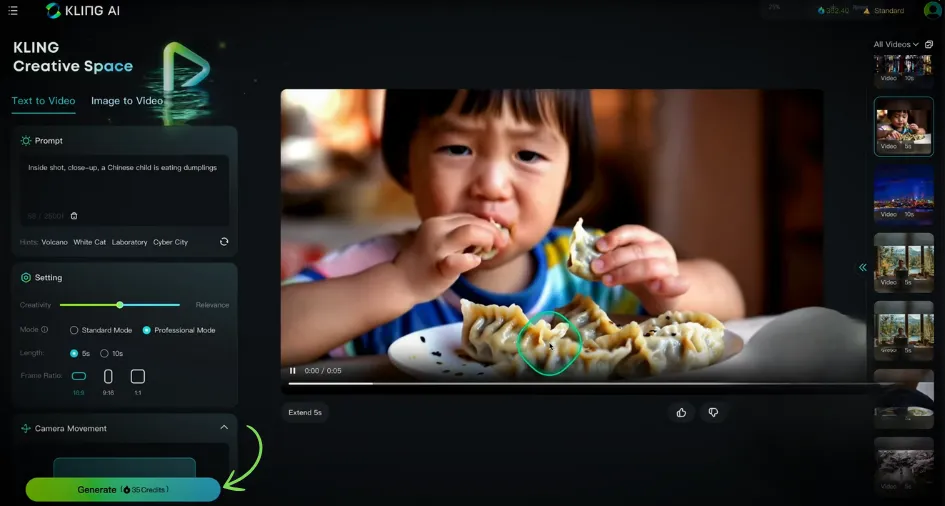
Kling generally provides sharper and more consistent visuals than competitors, which is valuable if your aim is either cinematic or realistic traditions of storytelling. You may be limited in video length, frame rates, or advanced features depending on your chosen plan. Still, Kling is seen as a formidable competitor to Luma AI.
6) Vidu
Vidu is an emerging platform in the AI video generation space, particularly gaining traction in the Asian market. It supports text-to-video and image-to-video workflows, allowing creators to produce high-quality videos with smooth animation. Its interface is designed to be simple, making it more approachable for beginners compared to some feature-heavy tools.
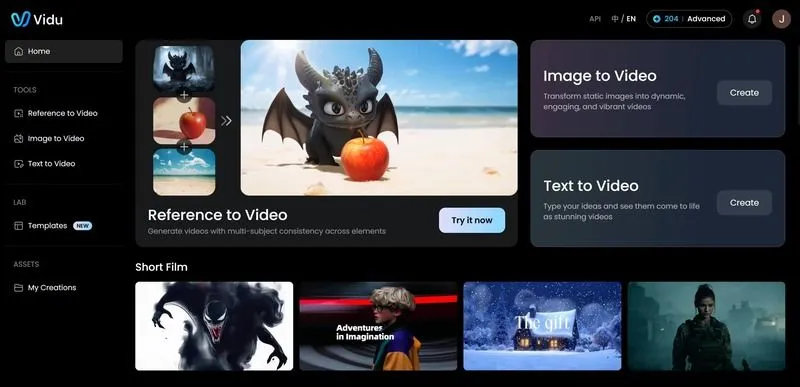
Vidu is often praised for accessibility and affordability, although it may not offer the same depth of editing or branding options as established competitors. Export options, video length, and watermark policies depend on the subscription plan, with premium tiers providing more flexibility and higher output quality.
7) Pika Labs
Pika Labs or Pika AI offers mostly creative and stylized video outputs to make a video unique. In the platform, it supports text-to-video and image-to-video, allowing the user to add animations to their static and/or still images, or create mind trip visualizations and artistic imagery, all to some variation of TV-like videos. Pika is unique due to its level of fine-tuning, as it lets the users tune their video with fun editing tools named "Pikaffects", allowing the user to edit on a larger scale with options as simple as inflate, squash, or explode.
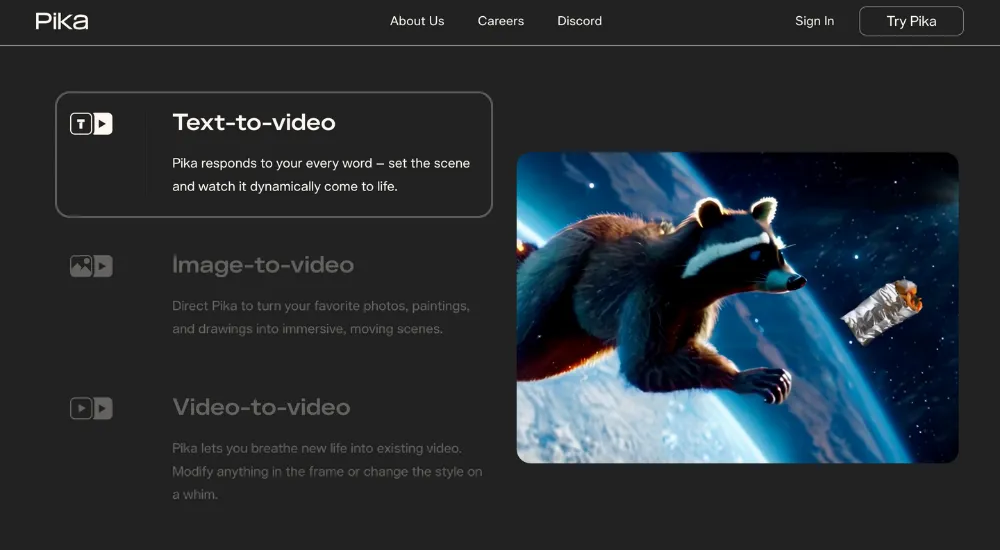
Thus, it is perfect for fun, short-length artistic videos and for a new social media presence. In the last month or so, they offered a model upgrade to improve their overall design, and quality of output resolution/options, plus additional parameters to influence video aesthetic.
That being said, due to being a prior user of the platform, video lengths and resolution offered on that plan are limited, or due to the current nature, they may quicken the queue time or put a watermark on the free or all tiers related to the number of users active at one time.
Conclusion
Ultimately, which Luma AI alternative you choose is determined by your needs. For instance, some tools work best for quick and easy edits, others for voiceovers, and some others for creating advanced video effects. Fliki, InVideo, Veed, Kling AI, Vidu, and Pika Labs all have their own strengths.
However, if you are looking for one tool that combines excellent usability, robust functionality, and professional output, then you will have to use the insMind AI Video Generator. It is the tool that you will find most useful for generating high-quality videos with ease, and is suitable for beginners as well as experienced content creators alike.

Sarah Michelle
I'm a freelance writer with a passion for editing and designing photos. Here at insMind, I strive to educate users on image creativity, photography, and enhancing product photos to help grow their businesses.


![5 Best AI Kissing Video Generators of 2025 [Tested]](https://images.insmind.com/market-operations/market/side/8b445afb685e4957b11238f3ebad2b2b/1756093193517.jpg?x-oss-process=image/resize,w_690,h_460,type_6/interlace,1,image/format,webp "5 Best AI Kissing Video Generators of 2025 [Tested]")


![Top 5 AI Baby Podcast Generators in 2025 [Reviewed & Tested]](https://images.insmind.com/market-operations/market/side/9ed5a89e85ab457a9e8faace7bb25258/1750317475287.jpg?x-oss-process=image/resize,w_690,h_460,type_6/interlace,1,image/format,webp "Top 5 AI Baby Podcast Generators in 2025 [Reviewed & Tested]")


![Exploring the 10 Best AI Photo Editors for Your Needs [2025]](https://images.insmind.com/market-operations/market/side/05ccfa0da4d64b43ba07065f731cf586/1724393978325.jpg?x-oss-process=image/resize,w_690,h_460,type_6/interlace,1,image/format,webp "Exploring the 10 Best AI Photo Editors for Your Needs [2025]")


![Top 10 Face Swap Apps to Enhance Your Photo [Online, iOS, Android, Windows, Mac]](https://images.insmind.com/market-operations/market/side/e604368a99ee4a0fbf045e5dd42dca41/1723095740207.jpg?x-oss-process=image/resize,w_690,h_460,type_6/interlace,1,image/format,webp "Top 10 Face Swap Apps to Enhance Your Photo [Online, iOS, Android, Windows, Mac]")


