


AI-generated celebrity selfies are everywhere right now. Scroll long enough, and you’ll see them. People posing with movie stars, musicians, or famous faces that look just real enough to make you pause. With modern celebrity AI tools, anyone can upload a photo, enter a prompt, and generate realistic celebrity selfies without design skills. It’s fast. It's fun. And, it's surprisingly convincing when done right.
Table of Contents
Key Takeaways
- AI-generated celebrity selfies are a highly engaging online entertainment trend.
- Prompt quality directly impacts realism, facial blending, and image quality.
- Lighting, distance, expressions, and camera angle improve selfie authenticity.
- Celebrity AI image generators make advanced image creation accessible to anyone.
- AI celebrity selfies are widely used for profile pictures, social sharing, and creative fun.
Part 1. Top 10 Celebrity Selfie Prompt Ideas
1. Close-Up Natural Phone Selfie
Prompt: A realistic close-up smartphone selfie of a person and Chris Pratt standing side by side, taken at arm’s length, natural facial expressions, soft indoor lighting, casual setting, slight background blur, realistic skin texture, authentic phone selfie angle.
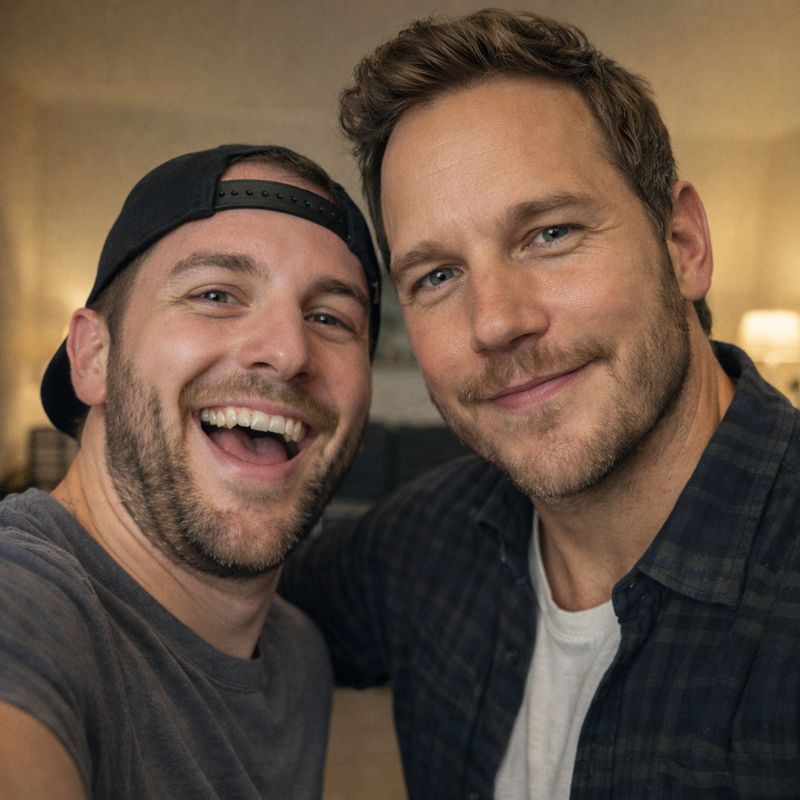
This prompt mimics a standard smartphone selfie taken at arm’s length. It works well because the framing feels familiar and casual. Users often use this style for profile pictures or casual social posts.
2. Red Carpet Backstage Selfie
Prompt: A backstage red carpet selfie of a person and Lady Gaga, casual smiles, professional event lighting, blurred step-and-repeat background, taken with a smartphone, candid behind-the-scenes atmosphere, realistic proportions and facial blending.
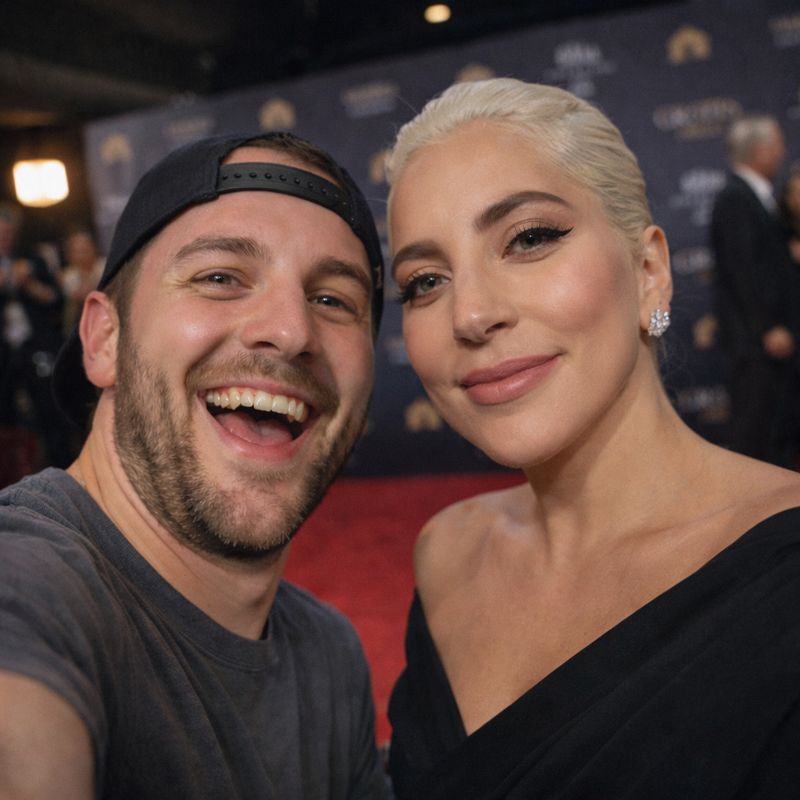
A backstage selfie captures a celebrity moment without the chaos of the red carpet. The lighting feels professional but relaxed, which helps with realism. These images are popular for eye-catching social media posts.
3. Movie Set Behind-the-Scenes Selfie
Prompt: A behind-the-scenes movie set selfie of a person and Jon Hamm, casual clothing, film equipment visible in the background, natural lighting, relaxed expressions, realistic selfie framing, candid moment between takes.
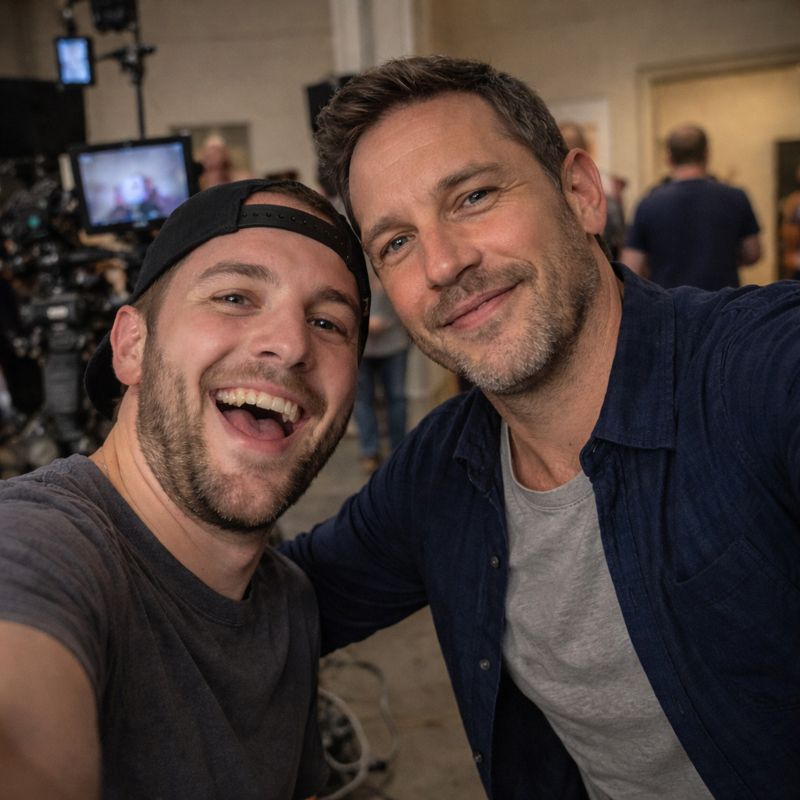
This style places the subject and celebrity on a film set between takes. The casual environment makes the image feel unscripted. It’s commonly used for creative sharing or fan-style content.
4. Street-Style Casual Selfie
Prompt: A casual street-style selfie of a person and Tom Hardy walking outdoors, natural daylight, urban background, relaxed expressions, handheld smartphone angle, realistic facial blending, candid everyday moment.
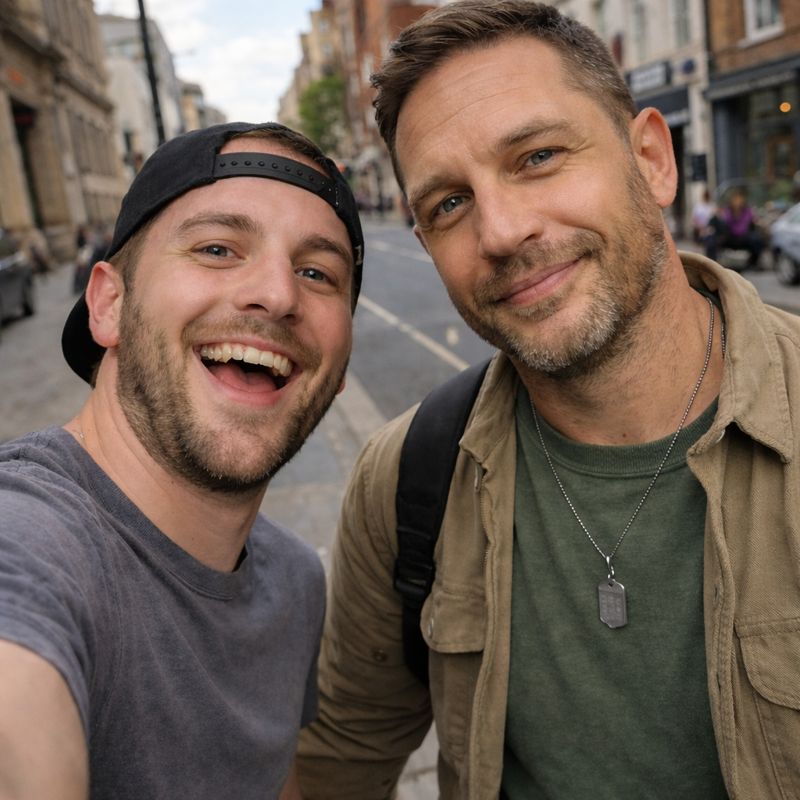
Street-style selfies look like spontaneous photos taken while walking or exploring a city. Natural light and relaxed expressions make this one of the most realistic options. Users love this style for Instagram-style posts.
5. Concert or Live Event Selfie
Prompt: A concert selfie of a person and Keith Urban with stage lights in the background, crowd atmosphere, slightly dim lighting with colorful highlights, energetic expressions, handheld phone angle, realistic live-event setting.
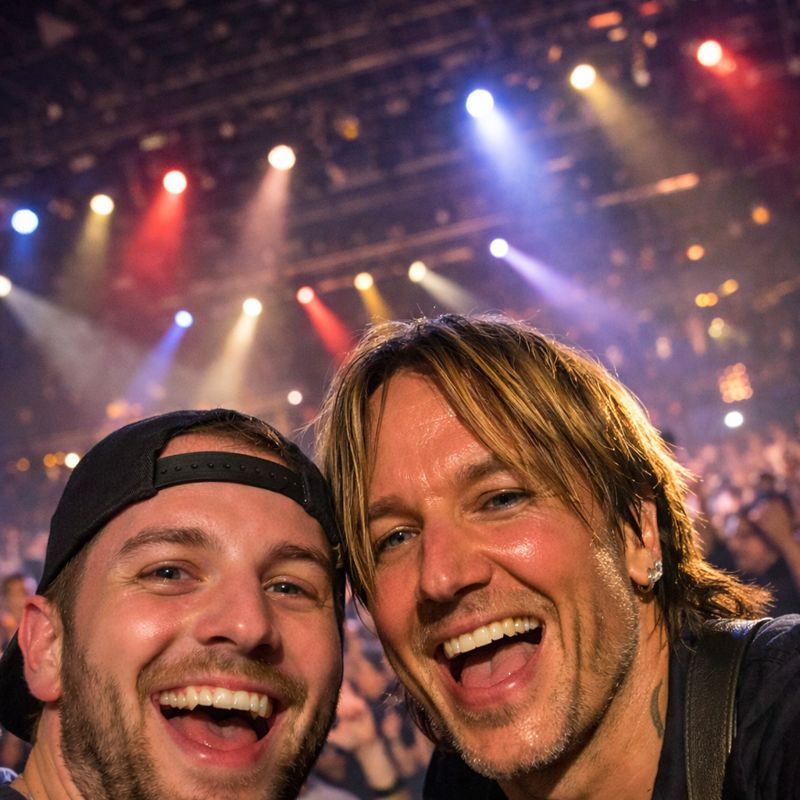
This prompt recreates the feeling of snapping a quick photo at a concert or live event. Stage lighting and crowd details add authenticity. These images are often used for entertainment-focused social sharing.
6. Fashion Editorial Style Selfie
Prompt: A fashion editorial-style selfie of a person and Meryll Streep, clean background, controlled studio lighting, stylish outfits, confident expressions, high-end aesthetic, realistic selfie framing with polished details.
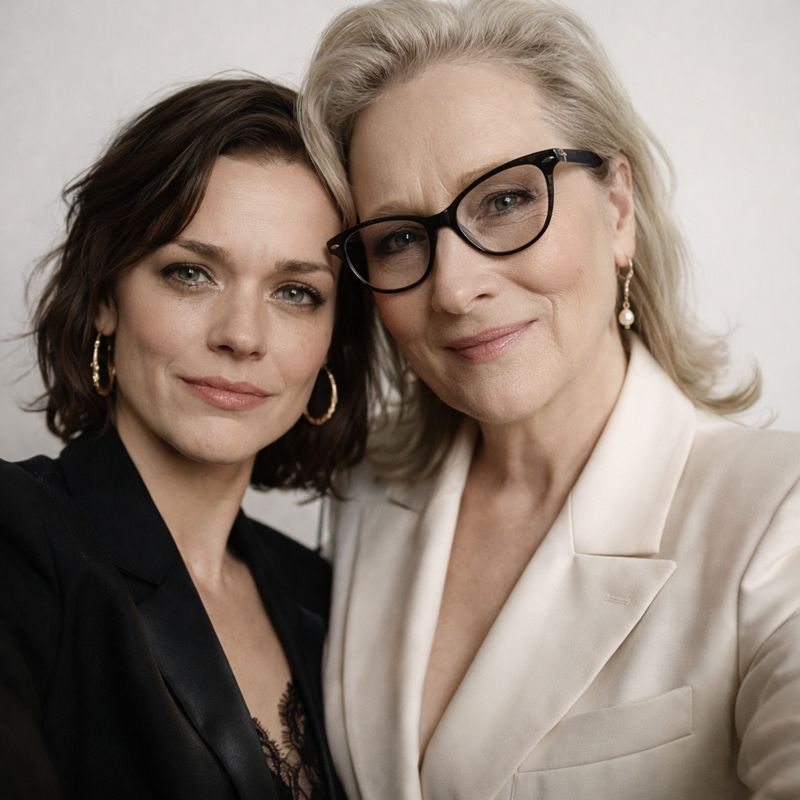
This style blends selfie framing with high-end fashion aesthetics. Clean lighting and intentional posing make the image feel polished. It’s popular for users who want a more stylized celebrity look.
7. Black-and-White Cinematic Selfie
Prompt: A black-and-white cinematic selfie of a person and Seth Rogen, dramatic lighting, high contrast shadows, emotional expressions, close framing, classic film-style composition, realistic facial detail.
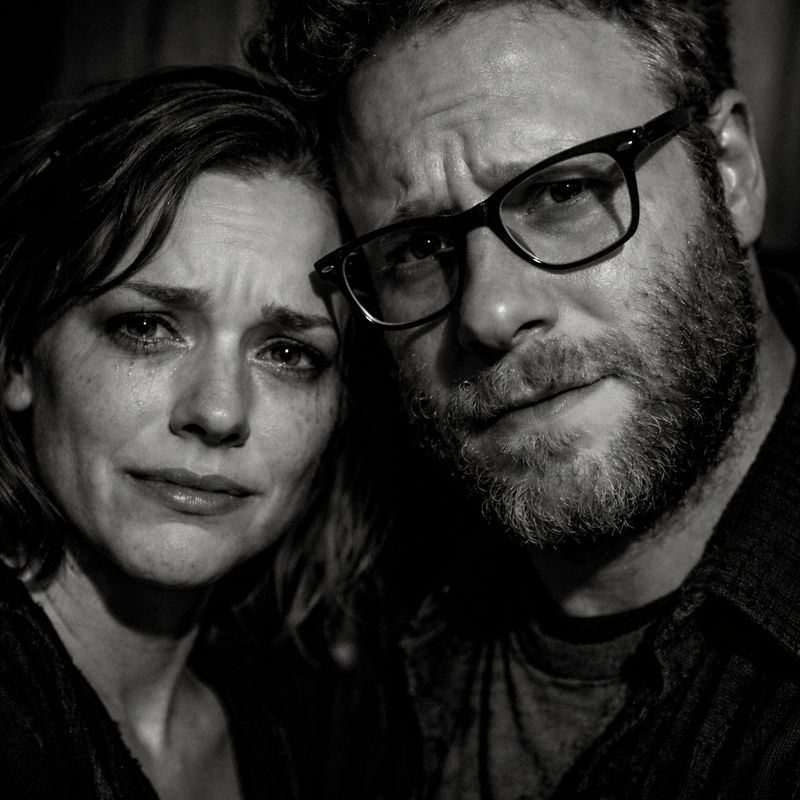
Black-and-white removes distractions and emphasizes facial details. This style feels artistic and dramatic, helping the AI blend faces more naturally. It’s commonly used for profile photos or creative posts.
8. Travel Destination Selfie
Prompt: A travel destination selfie of a person and Beyonce at a recognizable scenic location, natural daylight, relaxed smiles, handheld smartphone angle, realistic outdoor lighting, authentic vacation atmosphere.
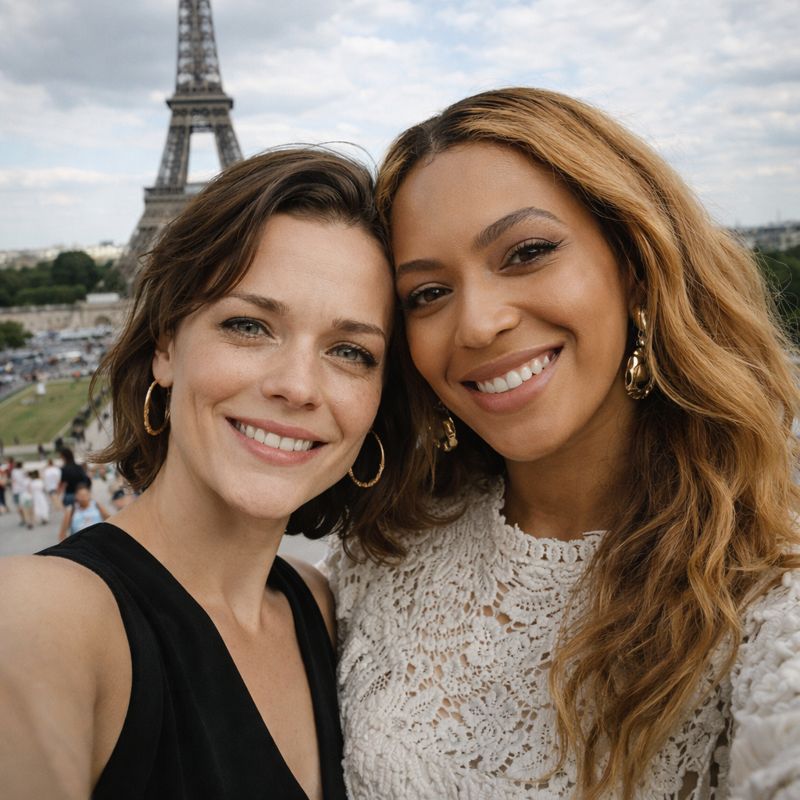
This prompt places the subject and celebrity at a recognizable travel location. Natural scenery adds realism and context. These selfies are often shared as playful “wish you were here” moments.
9. Studio Portrait Selfie
Prompt: A studio portrait-style selfie of a person and Ryan Gosling, neutral background, soft studio lighting, sharp facial details, natural expressions, realistic selfie perspective, clean and professional look.
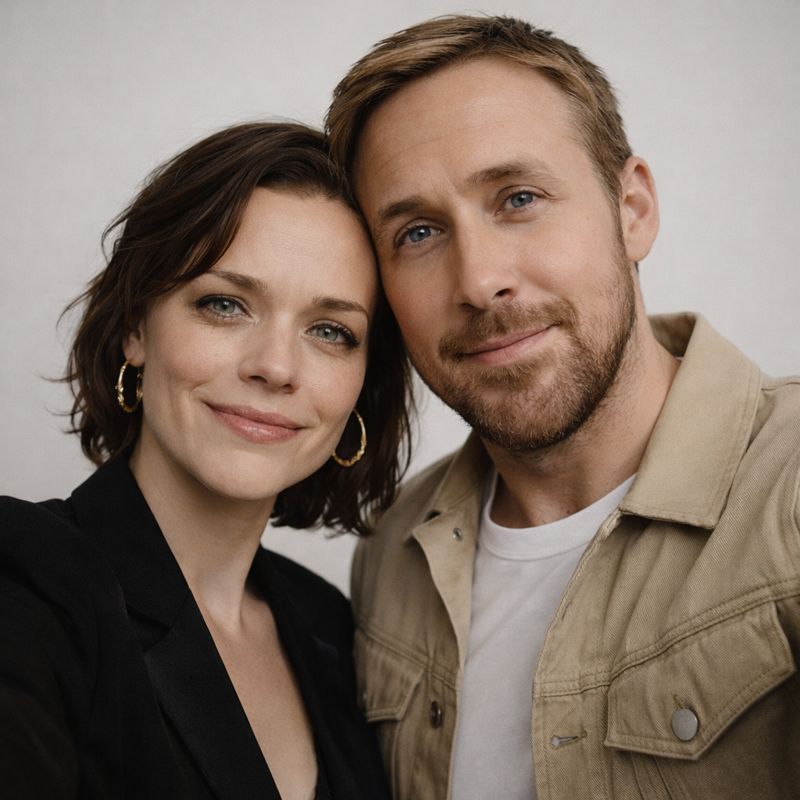
A studio-style selfie uses controlled lighting and a neutral background. The clean setup improves facial blending and sharpness. Users often choose this style for high-quality profile images.
10. Celebrity Look-Alike Blended Selfie
Prompt: A blended celebrity look-alike selfie combining a person’s face with Sabrina Carpenter, natural smartphone selfie angle, soft lighting, realistic facial proportions, seamless blending, authentic and believable result.
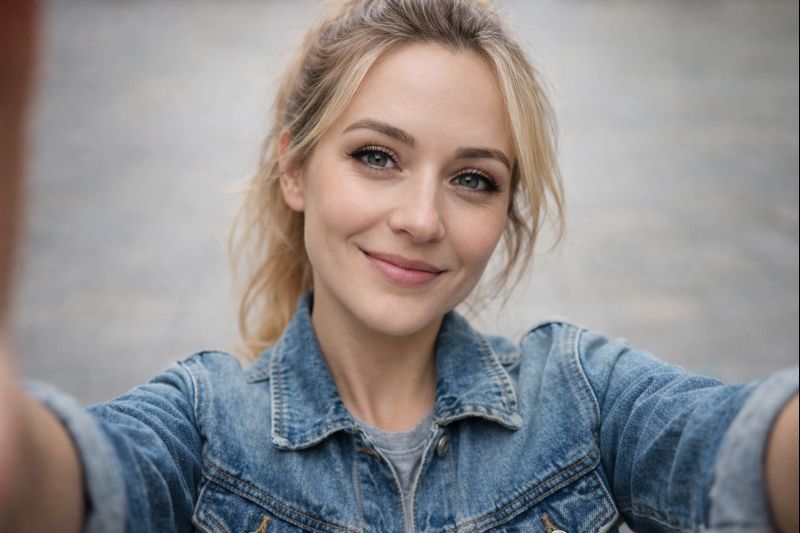
This prompt blends the user’s face with a celebrity look-alike style. It’s ideal for people searching for "What celebrity do I look like?" photo experiences. These images are fun, shareable, and highly engaging.
Part 2. How to Create Celebrity Selfie Photos with AI
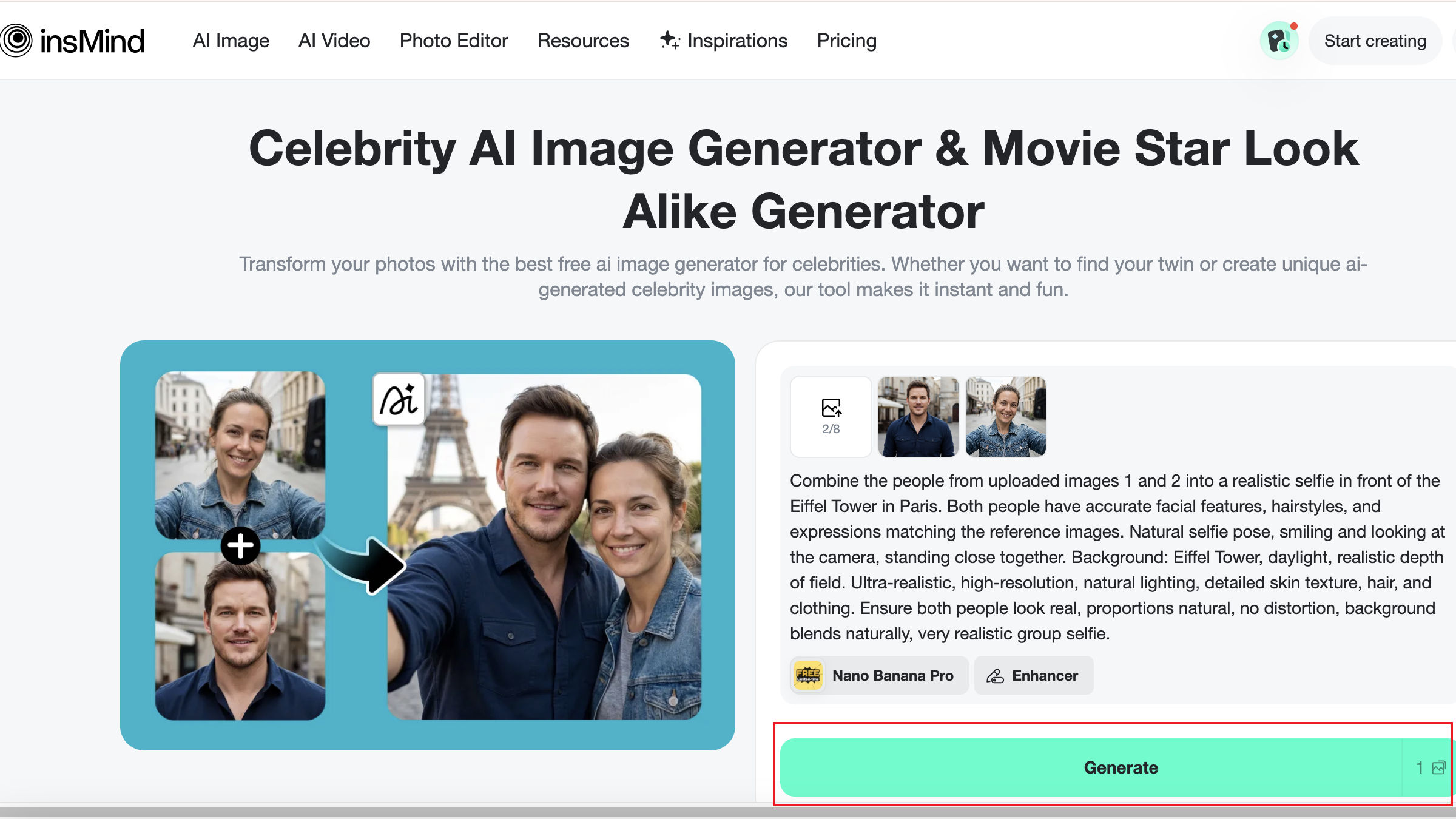
Creating realistic celebrity selfies with AI is easier than it sounds. Using insMind's celebrity AI image generator, users can generate natural-looking celebrity photos in just a few steps. All that’s required is a clear photo and a well-written prompt. The AI handles facial blending, lighting adjustments, and overall realism automatically.
The most important part of the process is describing the selfie clearly. Details like camera angle, lighting type, facial expression, and distance from the camera help the AI produce more believable results. Many users test a few variations before settling on the final image.
Once generated, these AI celebrity selfies can be downloaded in high resolution and used for social media, profile pictures, or creative projects. The speed and accessibility of these tools explain why AI-generated celebrity images continue to trend across platforms.
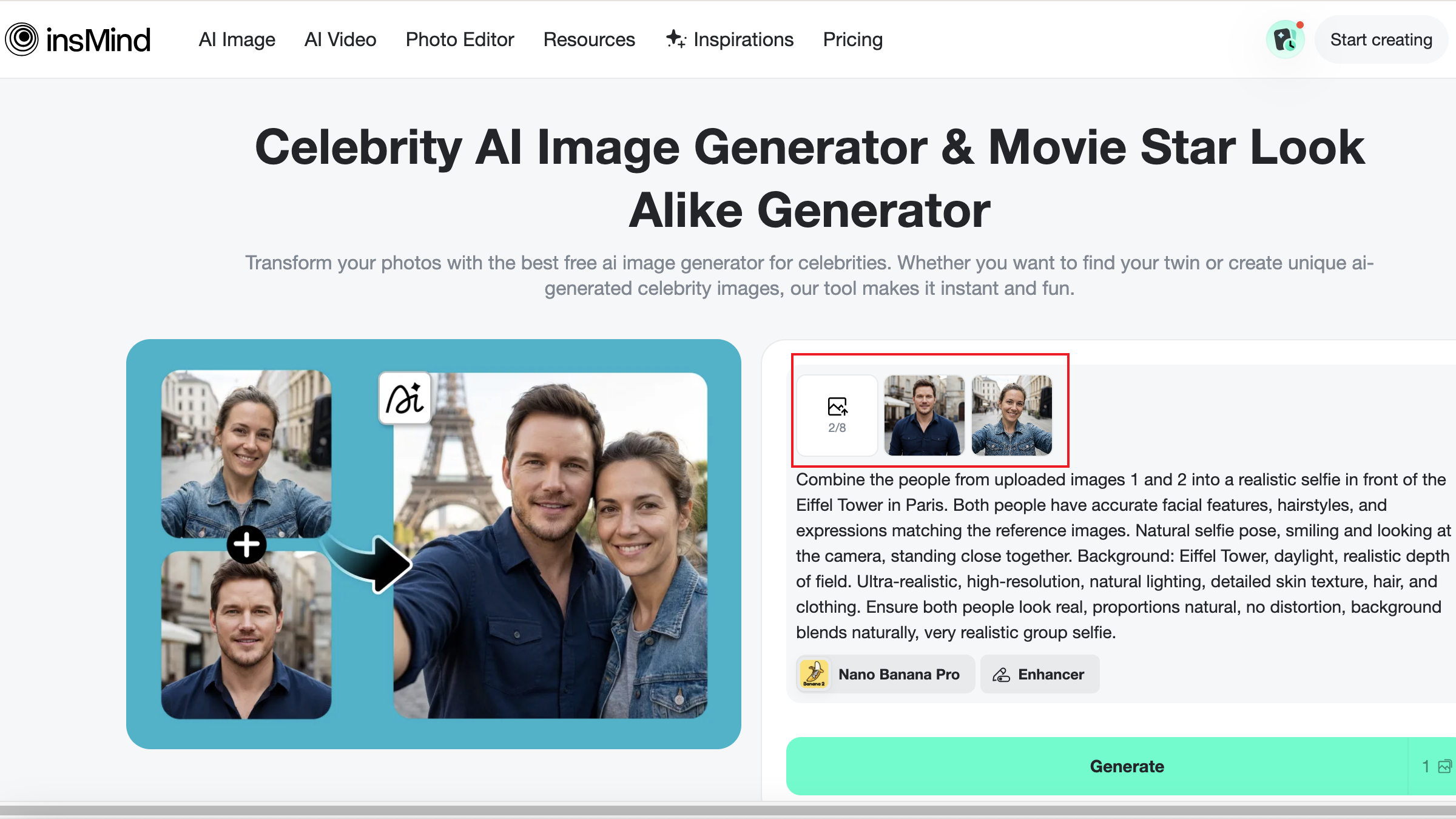
Step 1: Upload Your Photo
Choose a clear, high-resolution photo with good lighting and minimal shadows. Front-facing images work best, especially those taken at eye level. A neutral expression allows the AI to better map facial features and create a more natural-looking celebrity selfie.
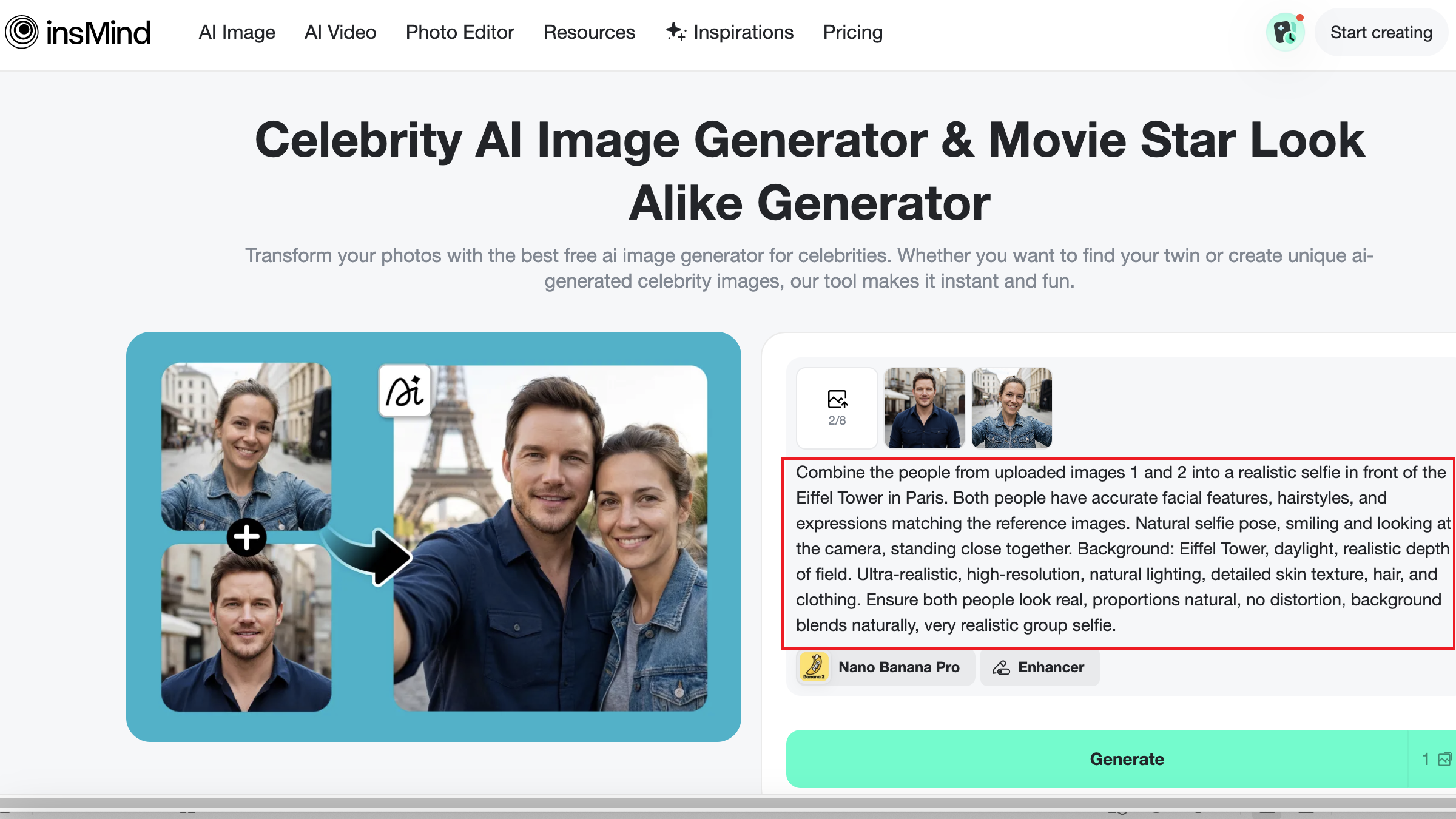
Step 2: Enter Your Celebrity Selfie Prompt
Describe the selfie scenario clearly and naturally. Include details like the environment, lighting style, camera distance, and facial expressions. Mentioning whether the photo looks candid or posed can also help guide the AI toward more realistic results.
Step 3: Click Generate
Once your prompt is ready, click generate and allow the AI to process the image. The tool will automatically handle facial blending, proportions, and lighting adjustments. Results are usually generated within seconds, making it easy to test multiple variations quickly.
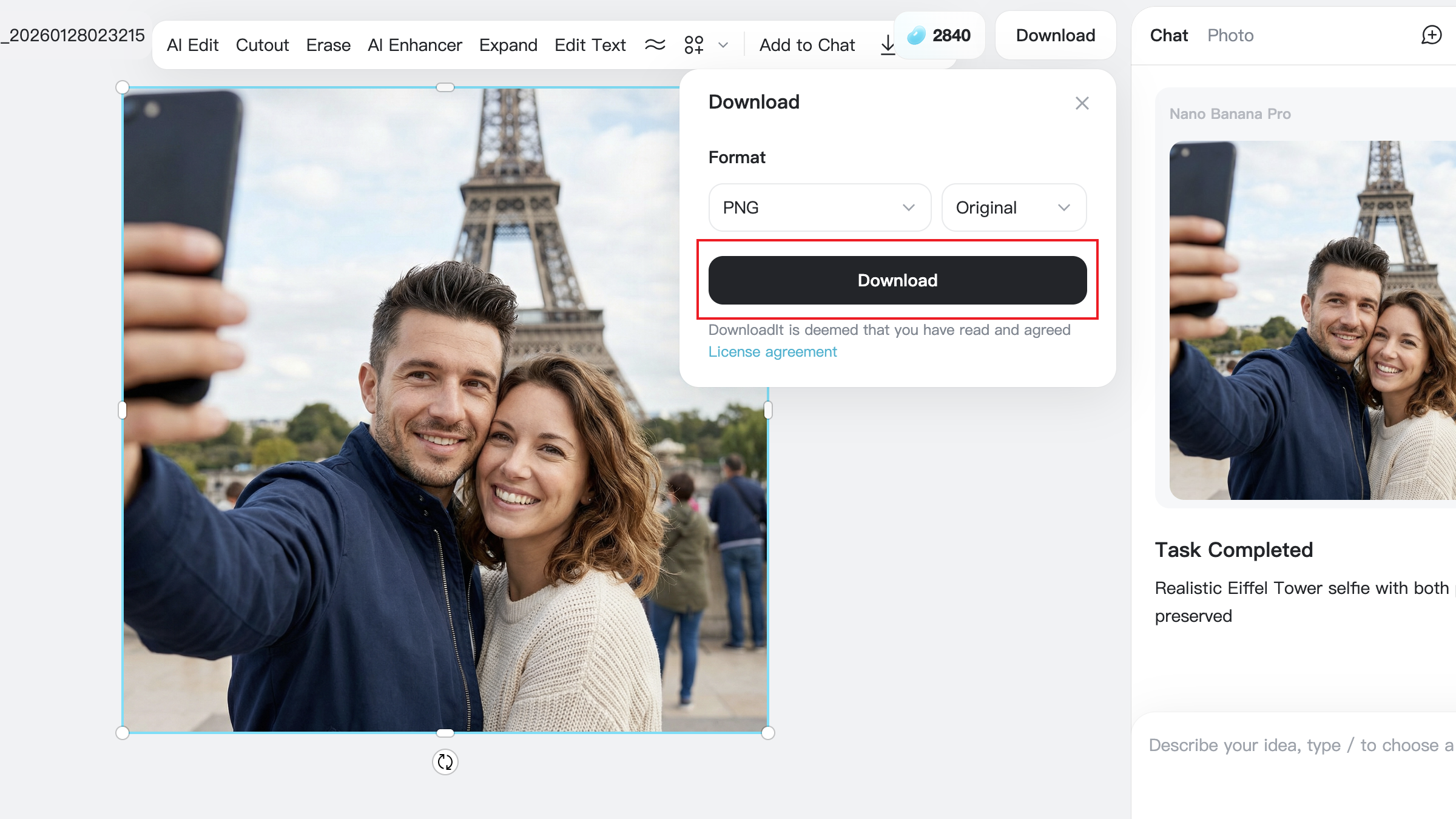
Step 4: Download and Share
After finalizing your image, download it in high resolution. Celebrity selfies created with AI are perfect for social media posts, profile pictures, or creative sharing. Save multiple versions if you plan to experiment with different styles later.
Optional Tips
- Use recent photos that closely match your current hairstyle and facial features. Older images can reduce realism.
- Avoid heavy filters, sunglasses, or extreme angles in your uploaded photo, as they can interfere with facial blending.
- Stick to natural selfie perspectives rather than dramatic wide or low angles for more believable results.
- Be specific about lighting in your prompt, such as “soft indoor lighting” or “natural daylight,” instead of vague descriptions.
- Try multiple prompt variations using the same photo to compare results and choose the most realistic image.
- Keep facial expressions relaxed and neutral for better blending with celebrity features.
- Avoid cluttered backgrounds when possible, as simple environments improve focus on faces.
- Subtle prompts often work better than overly detailed ones when aiming for realistic celebrity selfies.
Wrapping Things Up
AI-generated celebrity selfies have become a favorite form of digital entertainment because they’re fast, accessible, and endlessly customizable. With the right prompts, users can create realistic images that feel natural instead of artificial. Lighting, camera angle, and expression all play a role in achieving believable results.
A movie star look-alike generator or celebrity look-alike filter makes it possible for anyone to experiment with celebrity-style selfies without technical skills. By using the prompt ideas above, users can explore different scenarios and find the style that works best for them. Whether for fun, creativity, or social sharing, AI celebrity selfies continue to grow as a popular online trend.

Jayson Harrington
I am the Chief Editor of insMind. I provide tips and skills to help users design better photos with insMind, whether for e-commerce, social media, or any other use.


![5 Best AI Kissing Video Generators of 2025 [Tested]](https://images.insmind.com/market-operations/market/side/8b445afb685e4957b11238f3ebad2b2b/1756093193517.jpg?x-oss-process=image/resize,w_690,h_460,type_6/interlace,1,image/format,webp "5 Best AI Kissing Video Generators of 2025 [Tested]")


![Top 5 AI Baby Podcast Generators in 2025 [Reviewed & Tested]](https://images.insmind.com/market-operations/market/side/9ed5a89e85ab457a9e8faace7bb25258/1750317475287.jpg?x-oss-process=image/resize,w_690,h_460,type_6/interlace,1,image/format,webp "Top 5 AI Baby Podcast Generators in 2025 [Reviewed & Tested]")


![Exploring the 10 Best AI Photo Editors for Your Needs [2025]](https://images.insmind.com/market-operations/market/side/05ccfa0da4d64b43ba07065f731cf586/1724393978325.jpg?x-oss-process=image/resize,w_690,h_460,type_6/interlace,1,image/format,webp "Exploring the 10 Best AI Photo Editors for Your Needs [2025]")


![Top 10 Face Swap Apps to Enhance Your Photo [Online, iOS, Android, Windows, Mac]](https://images.insmind.com/market-operations/market/side/e604368a99ee4a0fbf045e5dd42dca41/1723095740207.jpg?x-oss-process=image/resize,w_690,h_460,type_6/interlace,1,image/format,webp "Top 10 Face Swap Apps to Enhance Your Photo [Online, iOS, Android, Windows, Mac]")


