


Today, everyone knows perfectly shaped eyebrows define facial expressions and enhance overall appearance. However, for many, experimenting with eyebrow shades can be challenging, especially when permanent changes feel risky. Luckily, that's no longer a concern now with an AI eyebrow color changer like insMind in the market. Considering the need, we'll discuss this online tool further with a how-to tutorial for guidance.
Not only that, in the article below, you'll learn why users want to change their eyebrow color. In fact, we'll be listing target user groups who can avail the most benefit from the eyebrow filter.
Table of Contents
Part 1. How to Change Eyebrow Color in Photos with AI Eyebrow Filter
Among many, the insMind AI Eyebrow Color Changer lets you try different eyebrows on your own face in seconds. You upload a picture, enter what you want, and the AI analyzes your facial features, then automatically applies natural-looking brows. This AI platform also allows users to adjust the aspect ratio of their final transformations before downloading them. Surprisingly, you can experiment with multiple shapes/styles on the go until you find the best one.
Simple Tutorial to Change Eyebrow Color Online Using insMind
For an easy way to enhance your photos professionally, follow the guided tutorial for this eyebrow color change online:
step 1. Add Your Image and Enter a Detailed Prompt
Browse insMind, click the photo upload button, and insert your picture for eyebrow transformation. Here, type a detailed prompt according to your liking and the style you want.
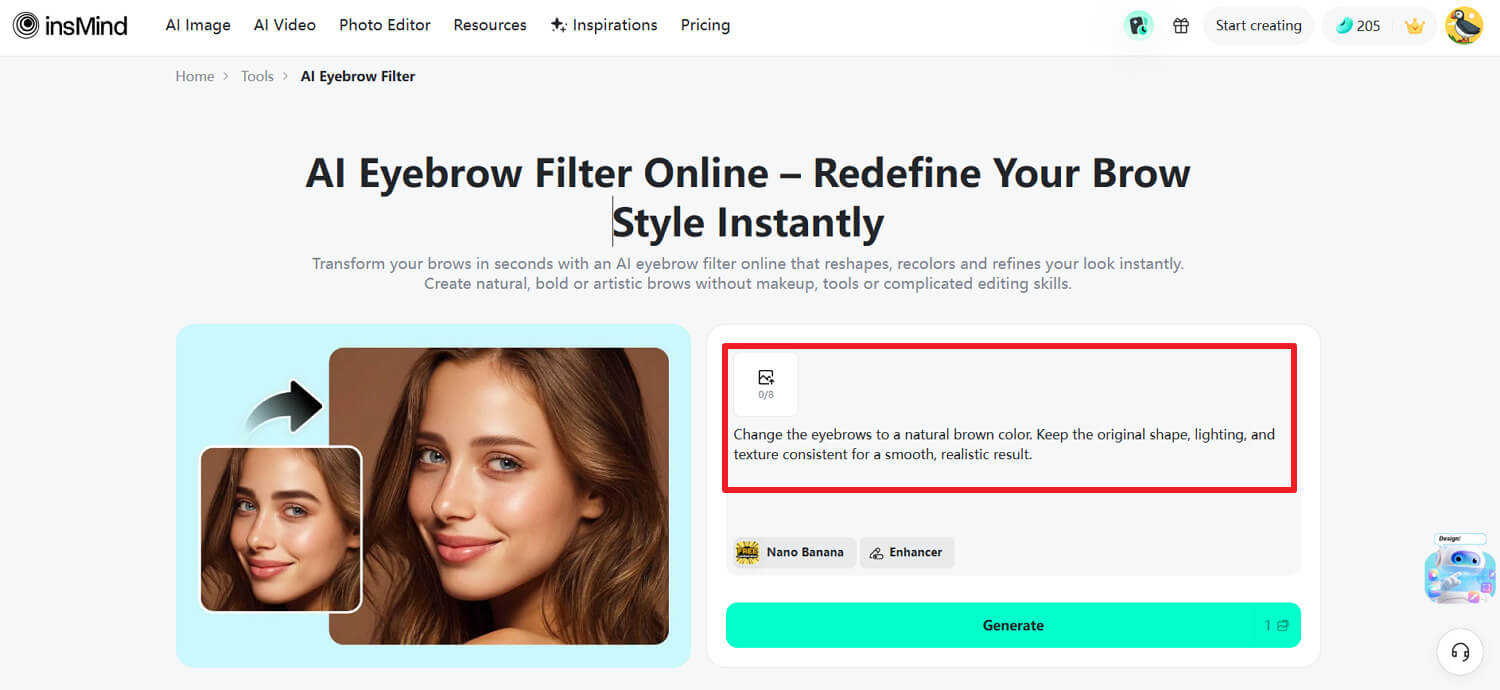
Step 2. Review the Prompt and Swap the Eyebrow Color
Now, go through your typed prompt thoroughly and click the "Generate" button for the results.
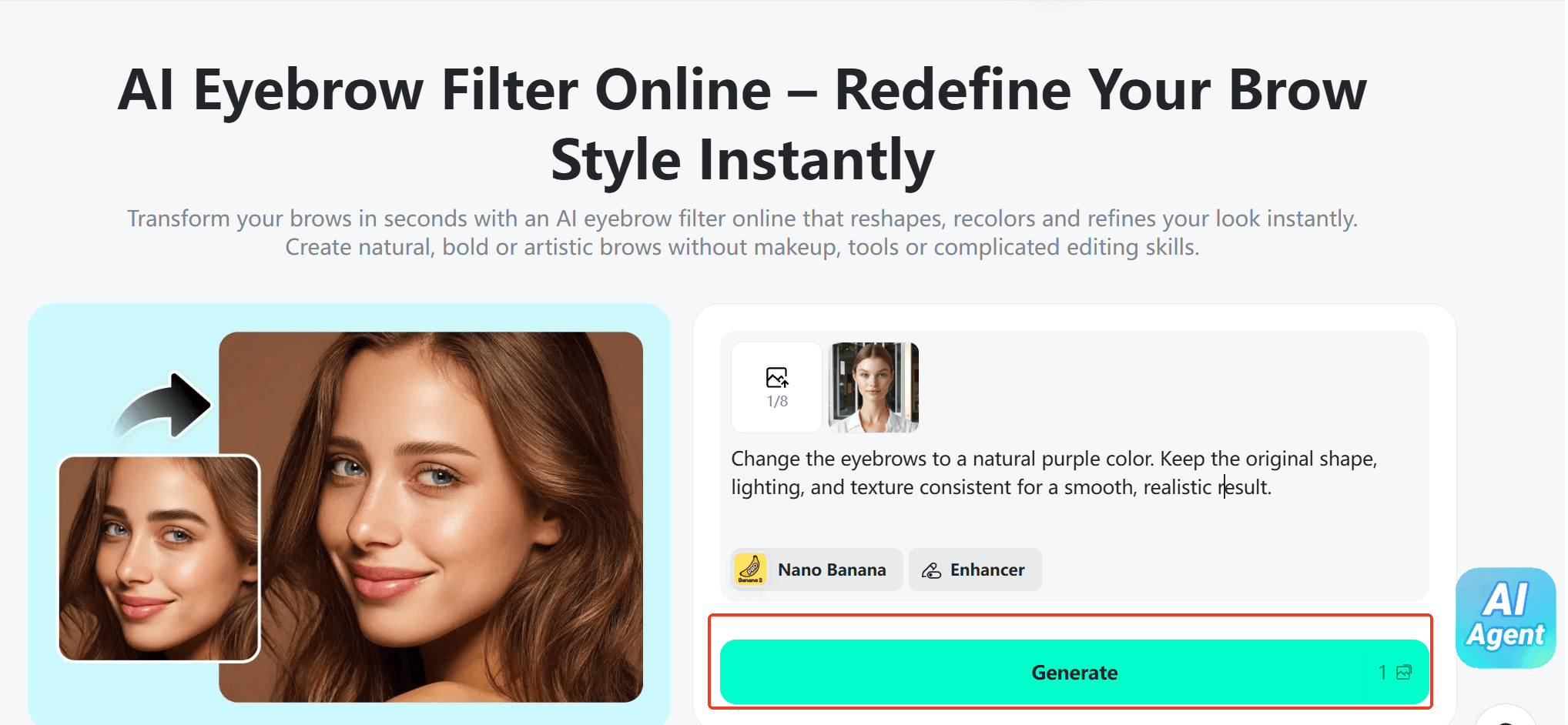
Step 3. Examine Your Outcome and Download the Image
Finally, analyze your results and, once you are convinced, press the "Download" option to save the transformation.
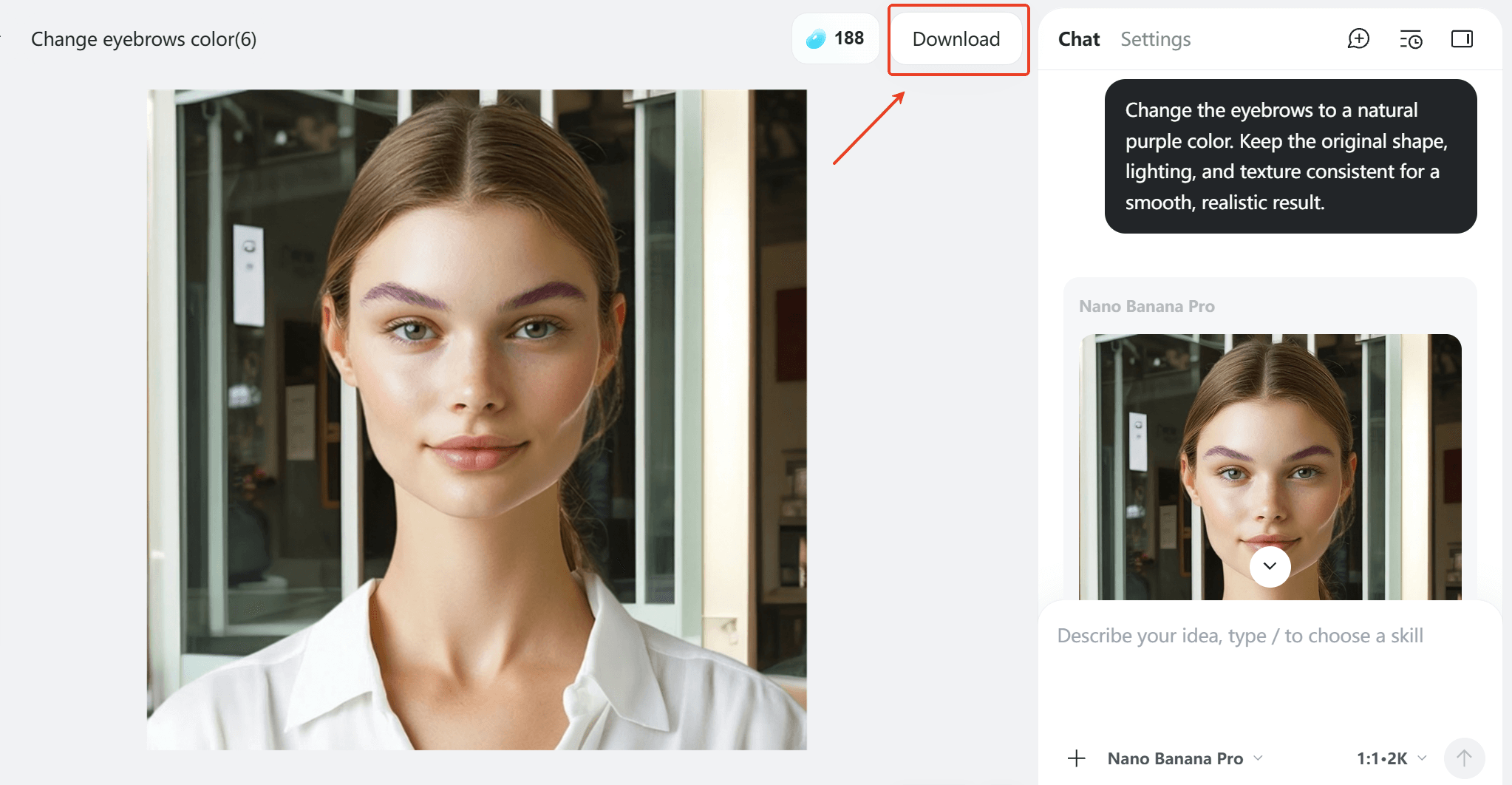
Overall, the insMind method for eyebrow changing stands out for its simplicity and accuracy. Users can change their eyebrow colors, preview multiple styles, and download a polished image within minutes. Combined with natural-looking effects, insMind makes eyebrow color editing safe and visually convincing.
Part 2. Why Change Eyebrow Color?
Once you're introduced to an eyebrow color changer, read the section to know why changing eyebrow color has been trending:
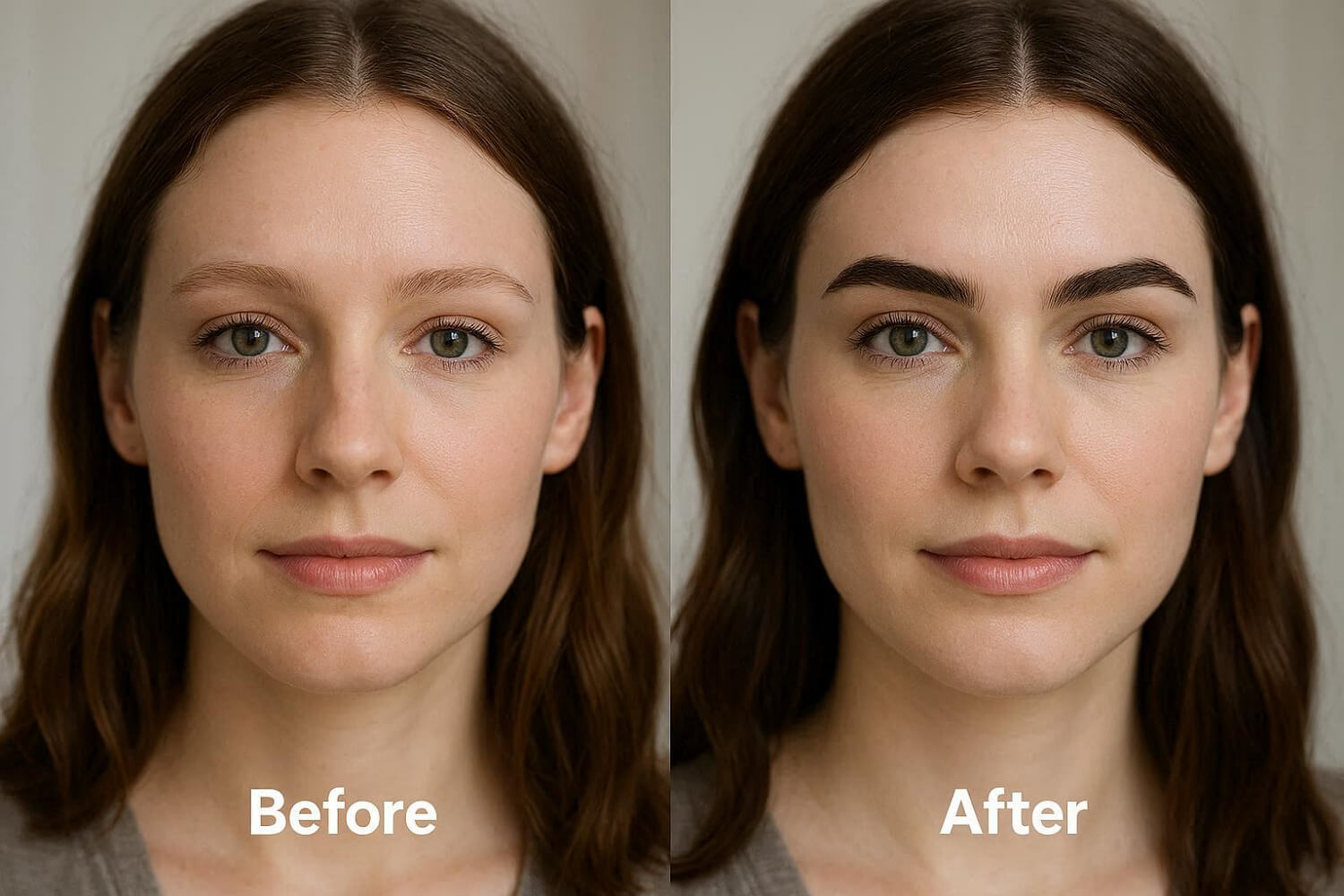
- Harmonize With Hair Color: Many people change their eyebrow color to match or softly blend with a new hair color to look/feel fresh. When brows and hair are close in tone, the face looks more polished and less mismatched.
- To Match Makeup Looks: Changing brow color helps brows fit better with everyday makeup, colorful eyeshadow, or special-event glam. Once brow color works with the rest of the makeup, it frames the eyes nicely and keeps attention on your features.
- Soften or Strengthen Facial Features: Tinting brows a bit lighter can soften a very sharp or intense look, while going slightly darker can make brows pop. This is helpful if natural brows are very light or patchy and you want them to look fuller.
- Hide Dyed Hair or Regrowth: Some users adjust brow color to make it look closer to their dyed hair and less like they just colored it. Once your brows are closer to the current hair shade, they will distract less from the roots, making the color change appear natural.
- Correct Sparse or Uneven Brows: Users who tint or recolor their brows online can more easily fill gaps and improve their eyebrows. It's useful for people with overplucked, naturally thin, or aging brows who want thicker brows with minimal makeup.
Part 3. Who Can Benefit from the AI Eyebrow Filter?
From fashion stylists to beauty enthusiasts, explore who can benefit the most from the eyebrow color change online:
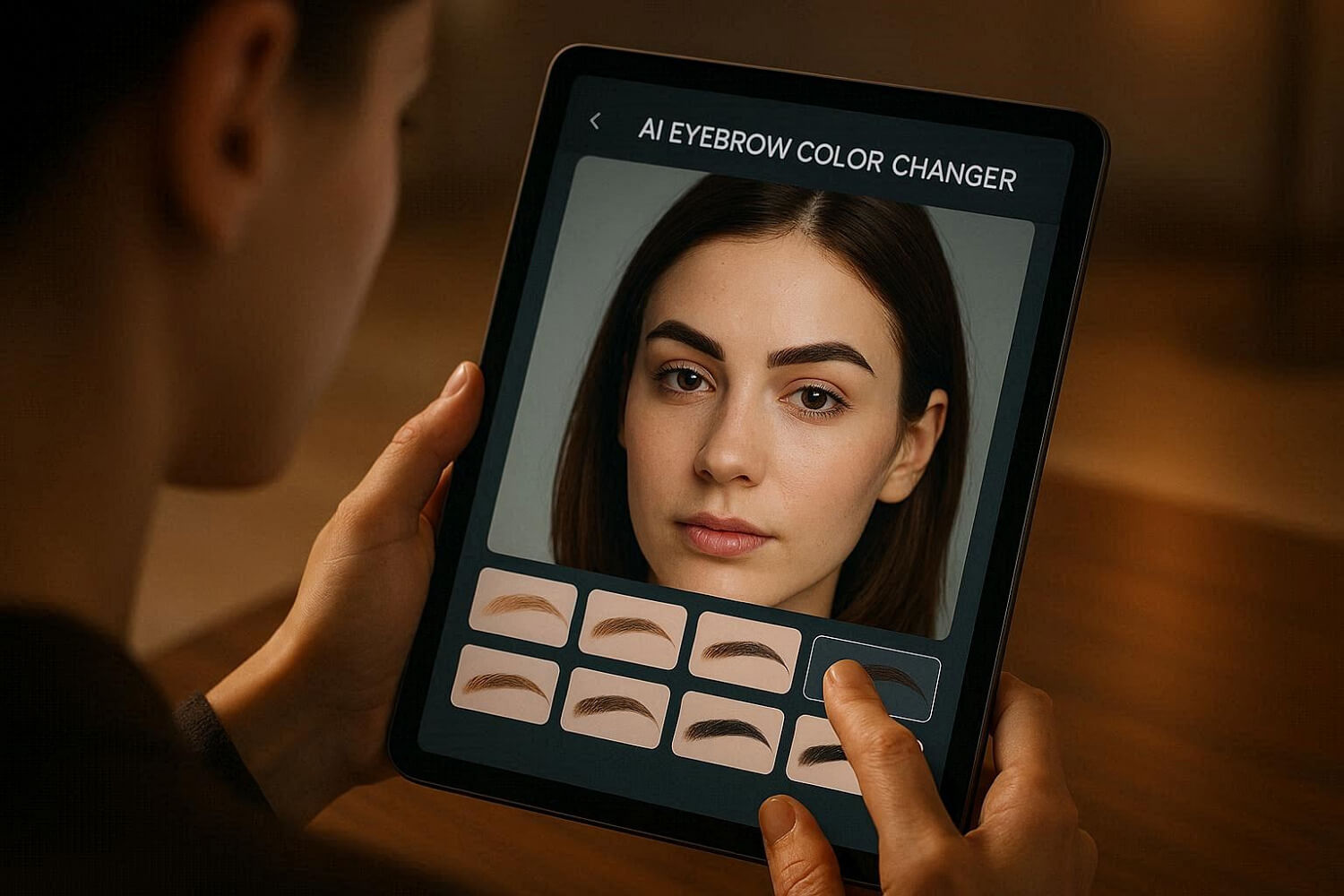
- Beauty Lovers and Everyday Users: They can try eyebrow shapes and colors (thicker or darker) without makeup skills or risks. Helps them quickly see which brows make their face look softer, sharper, or more balanced.
- Fashion and Makeup Stylists: It allows them to test multiple brow styles on a client photo in seconds, matching hair, outfit, and makeup. Makes it easier to compare before and after ideas, get client approvals, and avoid mistakes from guessing.
- Content Creator or Influencer: Such users can create different brow looks for photos, Reels, and thumbnails without redoing makeup each time. Helps them keep a consistent, polished brow style across social media, improving their personal branding.
- E‑commerce Sellers and Beauty Brands: Lets shoppers virtually try eyebrow pencils, gels, tints, or templates on their own faces online. This try‑on experience builds buyer confidence, reduces wrong color/shape purchases, and can increase sales.
- Photographers and Retouchers: It quickly fixes uneven, patchy, or too‑light brows in portraits without manual drawing on each photo. Saves editing time while keeping brows natural and symmetrical, which is important for headshots and beauty shoots.
Conclusion
In summary, your experiments now are much easier and more creative than ever with an AI eyebrow color changer. Whether you're a personal stylist, content creator, or fashion expert, this facility offers confidence in every transformation. If you're ready for an impressive appearance, try insMind AI Eyebrow Changer and see how effortlessly you can achieve natural-looking eyebrow changes.

Sarah Michelle
I'm a freelance writer with a passion for editing and designing photos. Here at insMind, I strive to educate users on image creativity, photography, and enhancing product photos to help grow their businesses.


