


Many people want to test a new beard color in photos before changing their real look. This helps them see if darker or lighter facial hair actually suits their face. To address this need, an easy AI beard color changer lets anyone do this in seconds without editing skills.
You just upload a clear selfie and let smart tools adjust only the beard area. It makes it simple to prepare for cosplay or have fun with your style. Therefore, this guide will help you learn a quick way to change beard color using AI.
Table of Contents
Part 1. How to Change Beard Color in Photos with AI Image Generator
For beard changing color, insMind is the most popular tool for quick, high-quality results. It lets you upload a photo or use a reference image for precise editing. Besides, you can enter a text prompt to guide the AI and get accurate beard color changes. Its dedicated Nano Banana Pro model also delivers higher image quality and realistic beard changing color results. So, go through the given steps to use this AI-powered beard color changer:
Step 1. Add Your Beard Photo to insMind
Upon accessing the insMind's "AI Image Generator" website, click the "Gallery" icon to upload your beard photo.

Step 2. Enter a Color Prompt for Your Beard
After that, type a prompt to describe the beard color you wish to try and press the "Generate" button.

Step 3. Download Your Edited Beard Photo
Once the process completes, check the output and press the "Download" button. After that, choose your desired image format and quality and click "Download" again.
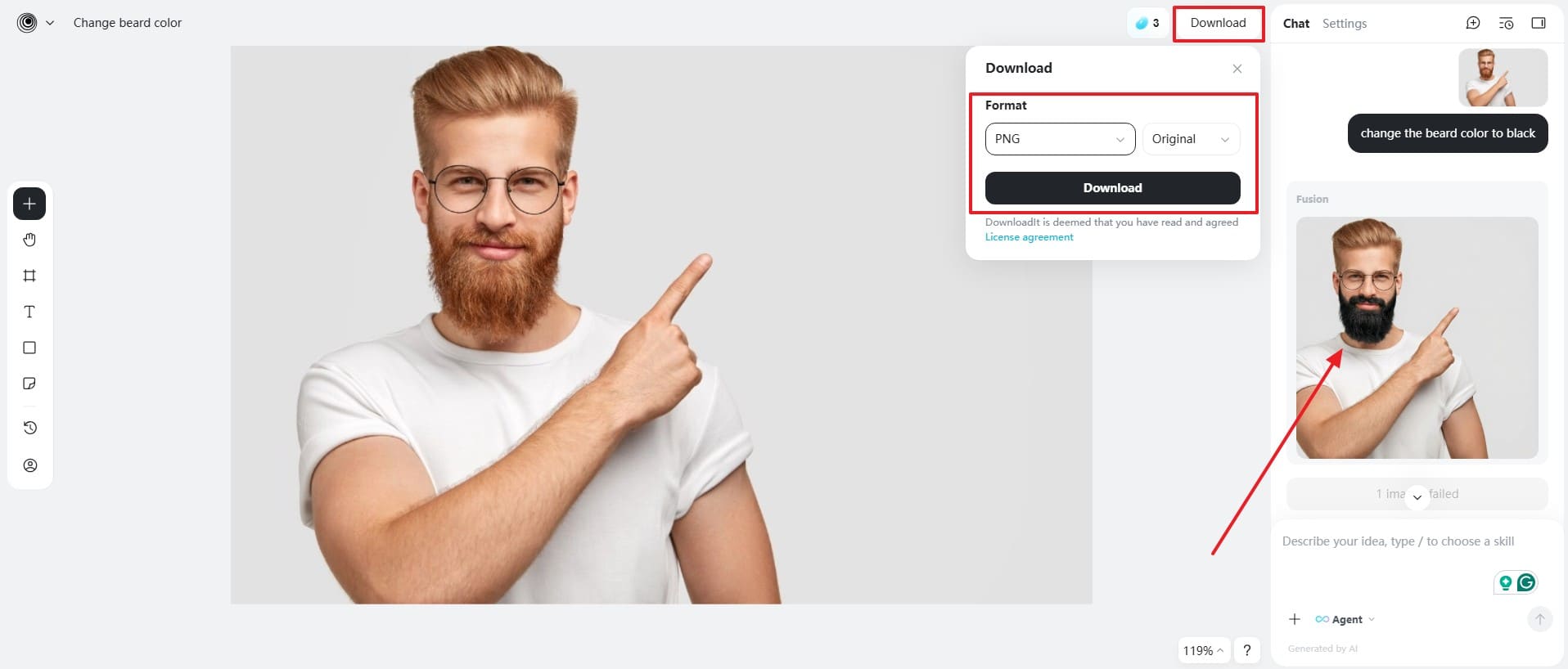
After generating your beard color, insMind lets you download the photo in JPG or PNG format. You can also refine the image using the integrated photo editor for better results. For more creativity, the AI tools allow you to use the AI Edit or AI Enhancer features to alter your beard photo. With these features, insMind offers a complete solution for experimenting with beard color and creating dynamic visual content easily.
Part 2. Why Change Beard Color?
Changing beard shades can dramatically update your overall look and personal style. Many people explore beard color change online to experiment safely before committing to real changes. Below, you will explore a few key use cases to explain the importance of changing beard color online:
- Cosplay Fun: Cosplay enthusiasts often adjust both beard and hair colors to better match their favorite characters, helping create realistic, themed looks for events or photoshoots.
- Fashion Trend: Following the latest trends, men often adjust their beard color for stylish effects. It keeps appearances fresh and in line with contemporary fashion standards.
- Confidence Boost: Trying new beard colors can increase self-confidence and personal satisfaction daily. Seeing different styles helps identify which shade suits you best naturally.
- Special Events: Weddings or parties also call for temporary beard color enhancements. This ensures your look matches the event theme or dress code perfectly.
- Style Experiment: People love experimenting with style to find the best personal aesthetic for themselves. Temporary color changes allow exploring new appearances without permanent consequences.
Part 3. Enter Effective Prompts to Make the Edited Beard Look More Natural
Great prompts make your beard edits look real and seamless every time. A good beard color changer responds better when guided with clear, natural prompts. Thus, here are 8 effective prompts to try to alter your beard color:
Prompt 1: Natural Brown Beard
"Recolor the beard to a realistic dark brown, preserve individual hair strands, natural lighting, and original skin texture."
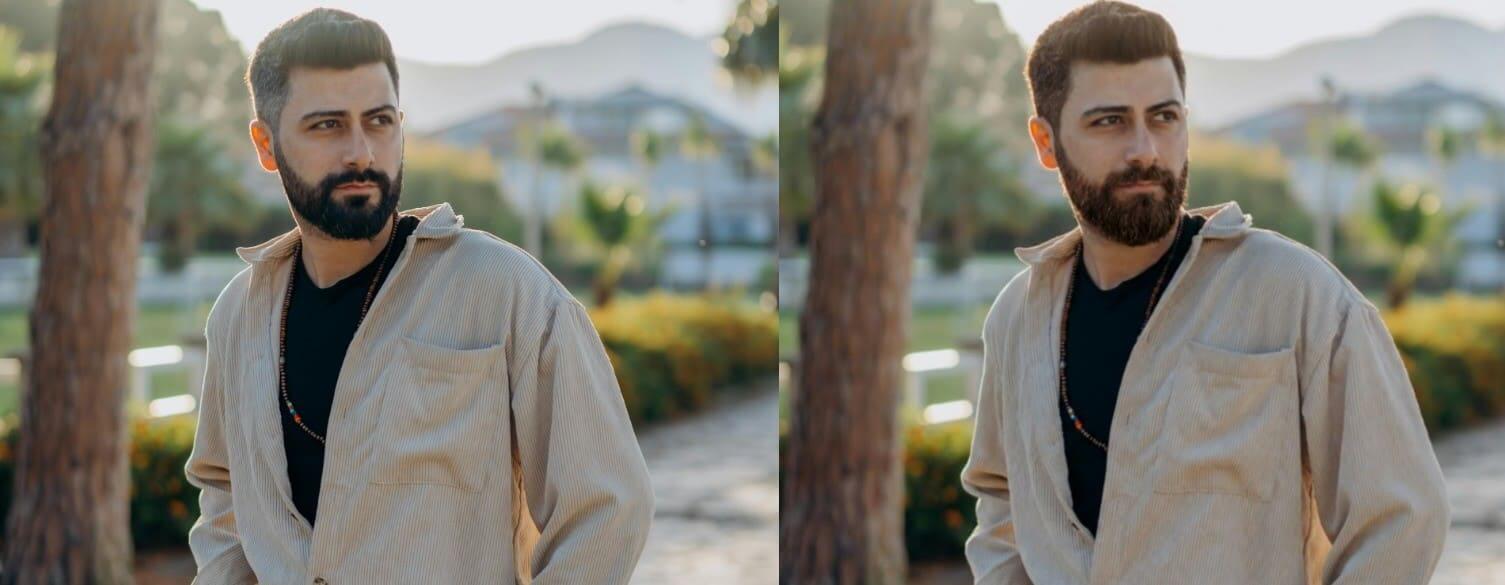
This prompt creates depth by keeping color variation soft and aligned with existing facial hair. It works well for professional photos where natural appearance matters more than dramatic color changes.
Prompt 2: Seamless Hair Blend
"Blend the beard color smoothly with nearby hair and eyebrows, slightly muted tones, no sharp contrast or oversaturation."
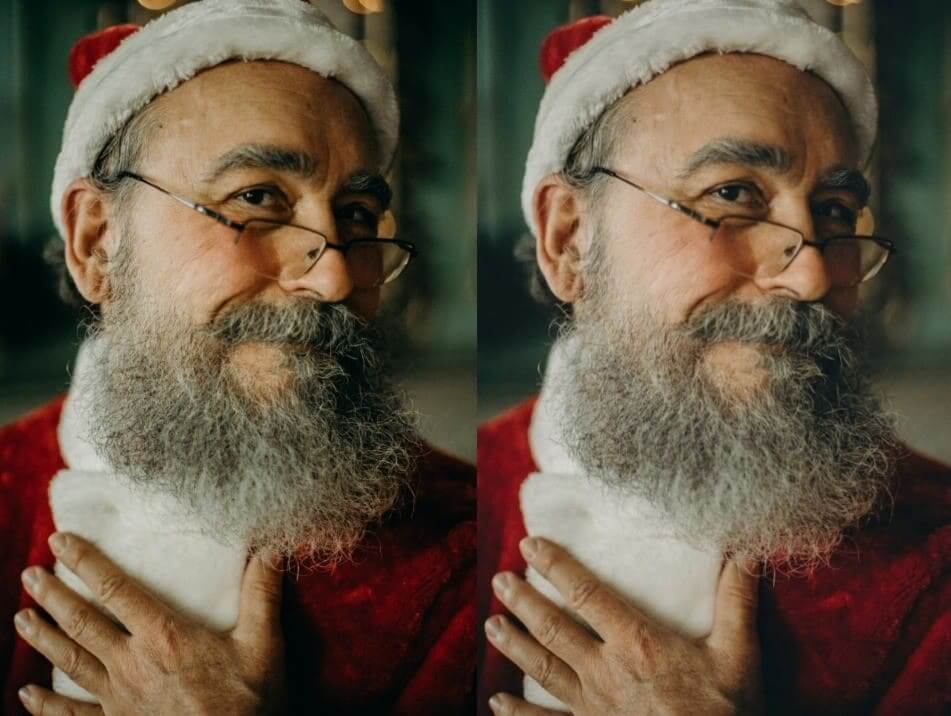
This prompt helps the beard merge naturally with nearby hair without looking overly edited. It prevents harsh color contrast and keeps facial harmony balanced across the entire image.
Prompt 3: Light Shade Enhancement
"Lighten the beard slightly while keeping natural highlights, lowlights, and visible hair texture intact."
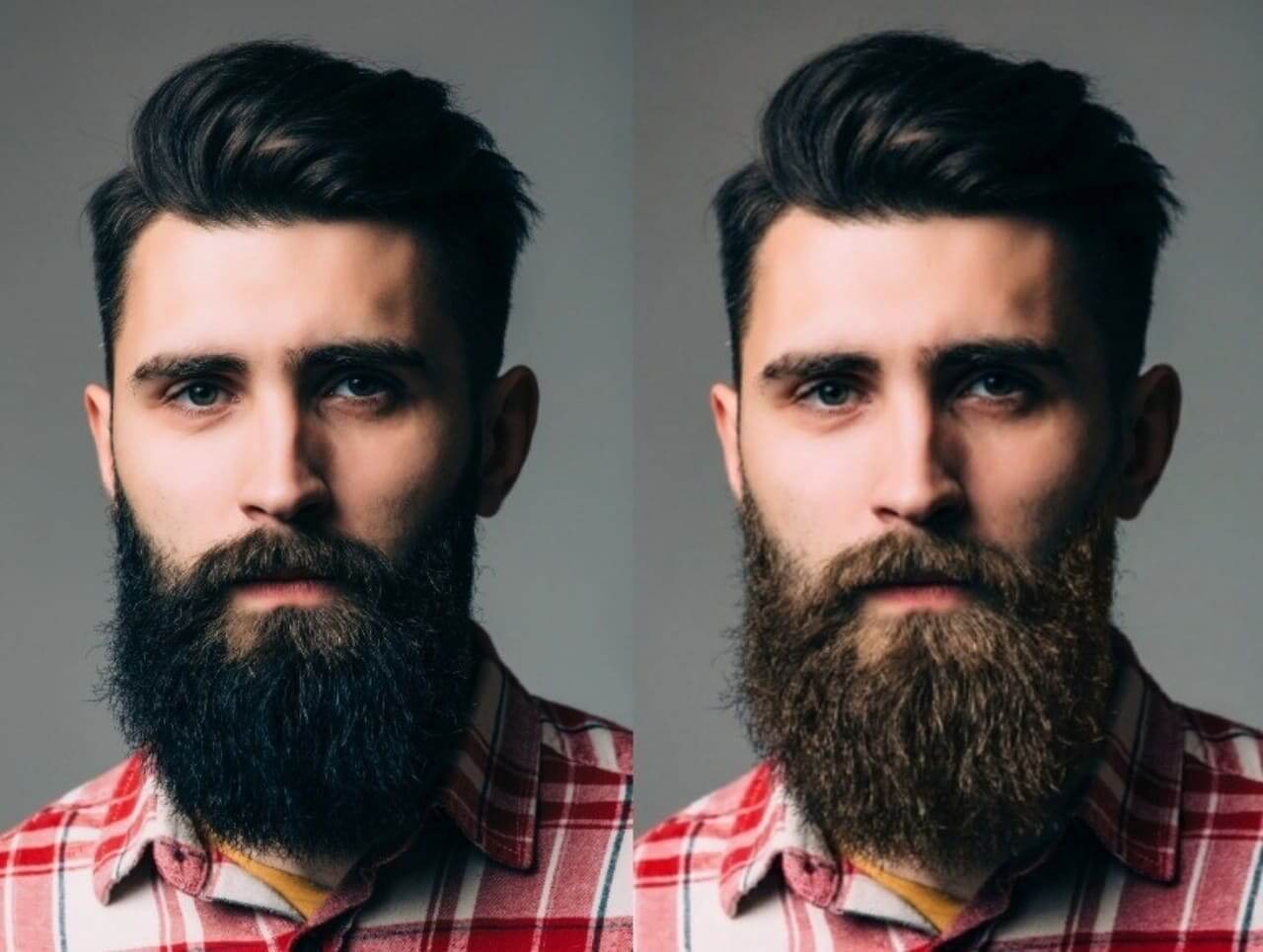
This prompt improves texture visibility while avoiding flat or overly dark beard areas. It is ideal for soft lighting conditions where subtle facial details should remain visible.
Prompt 4: Soft Edge Transition
"Lower beard color intensity and softly fade edges where facial hair meets skin for a natural transition."
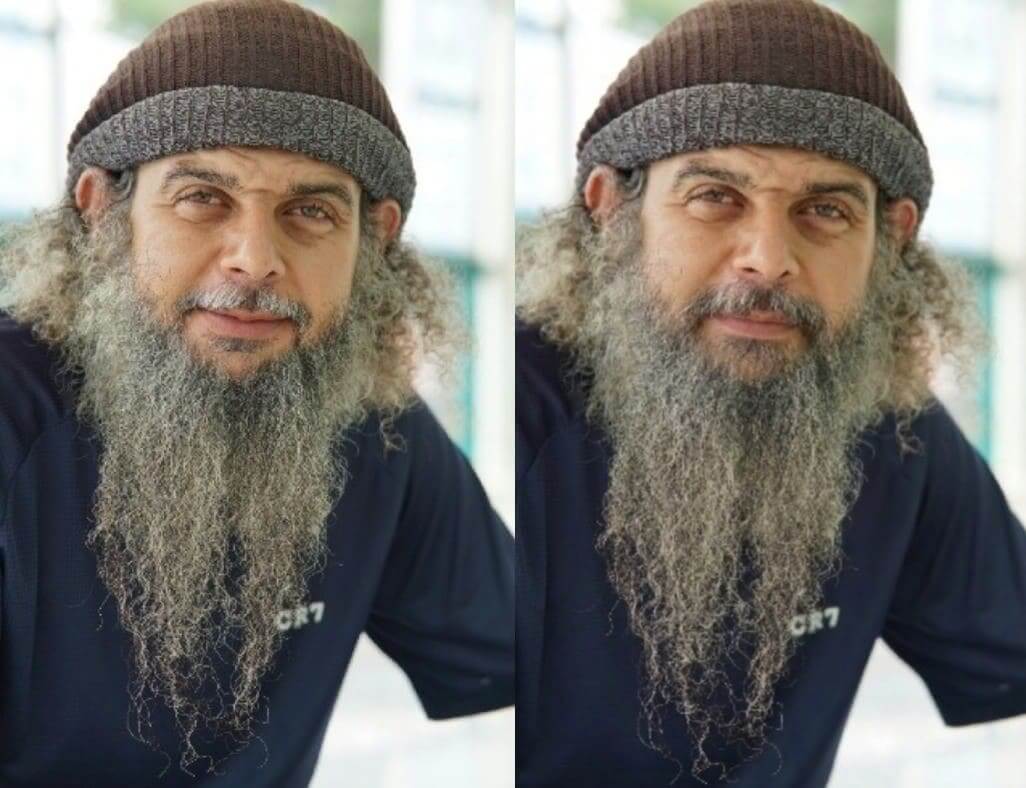
This prompt removes sharp borders that make beard edits look artificial or painted. It ensures smoother transitions between skin and hair for more believable results.
Prompt 5: Salt and Pepper Effect
"Add natural salt and pepper tones with uneven gray strands, realistic density, and organic color variation."
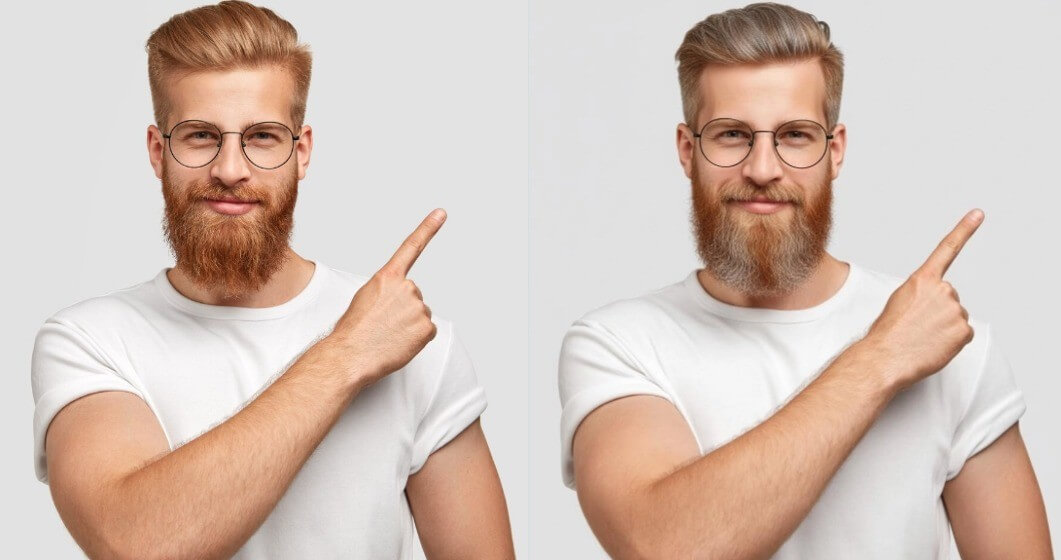
This prompt introduces natural aging details that mimic real beard growth patterns. It works best for mature looks or characters requiring realistic time-worn facial hair.
Prompt 6: Hair Color Matching
"Adjust beard color to closely match scalp hair and mustache, keeping consistent undertones and shadows."
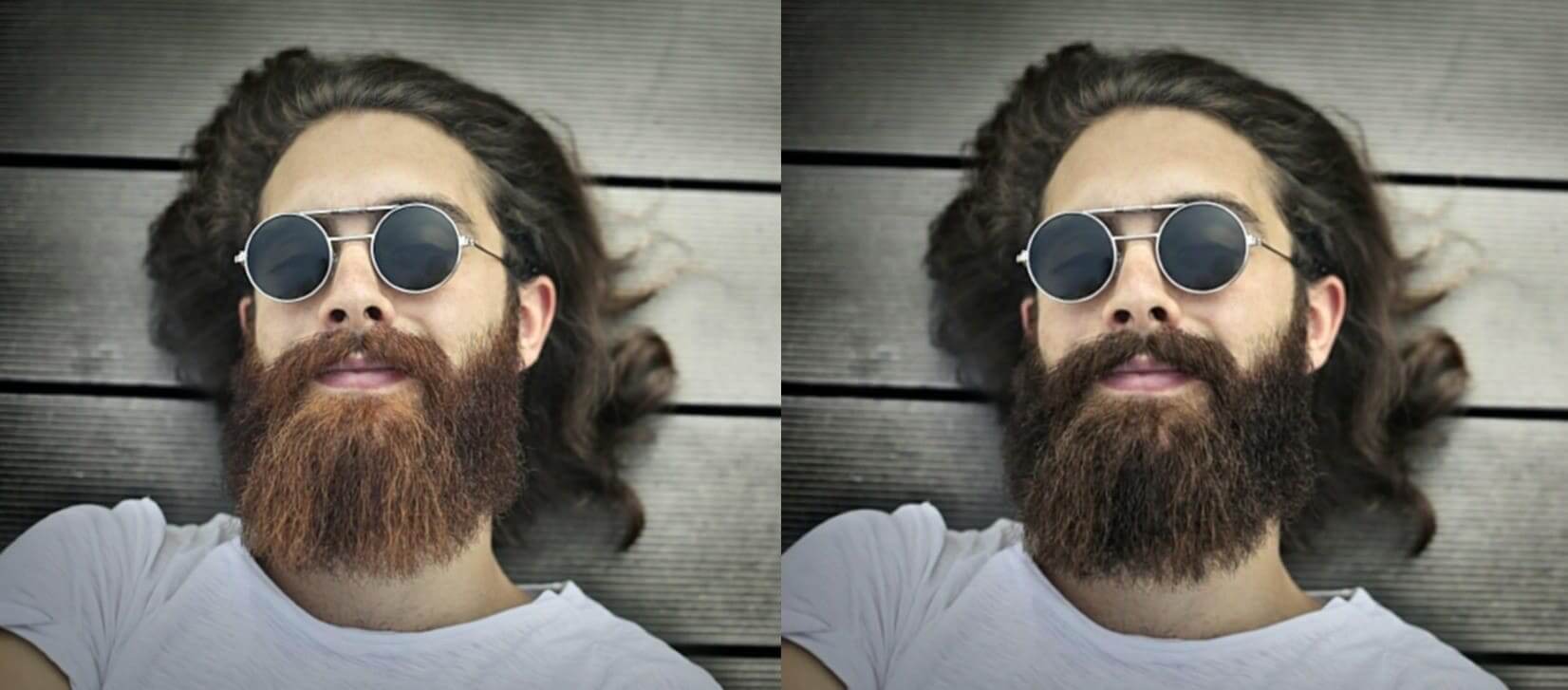
This prompt keeps all facial hair visually connected under the same lighting conditions. It avoids mismatched shades that can break realism in close-up portrait images.
Prompt 7: Lighting Accuracy
"Align beard color with original photo lighting, maintaining realistic highlights and shadow depth across the jaw."
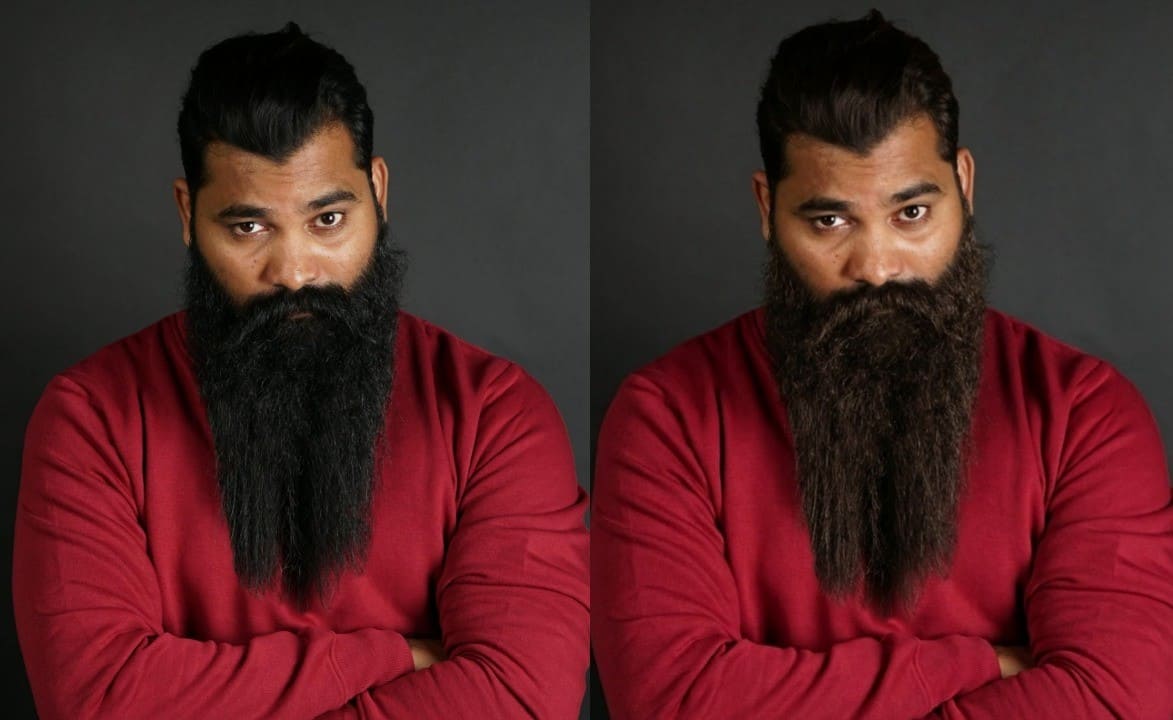
This prompt improves realism by respecting highlights and shadows already present. It is especially useful for photos taken under strong directional lighting conditions.
Prompt 8: Natural Beard Texture
"Introduce subtle strand-level color variation and uneven density to create a realistic, non-flat beard appearance."
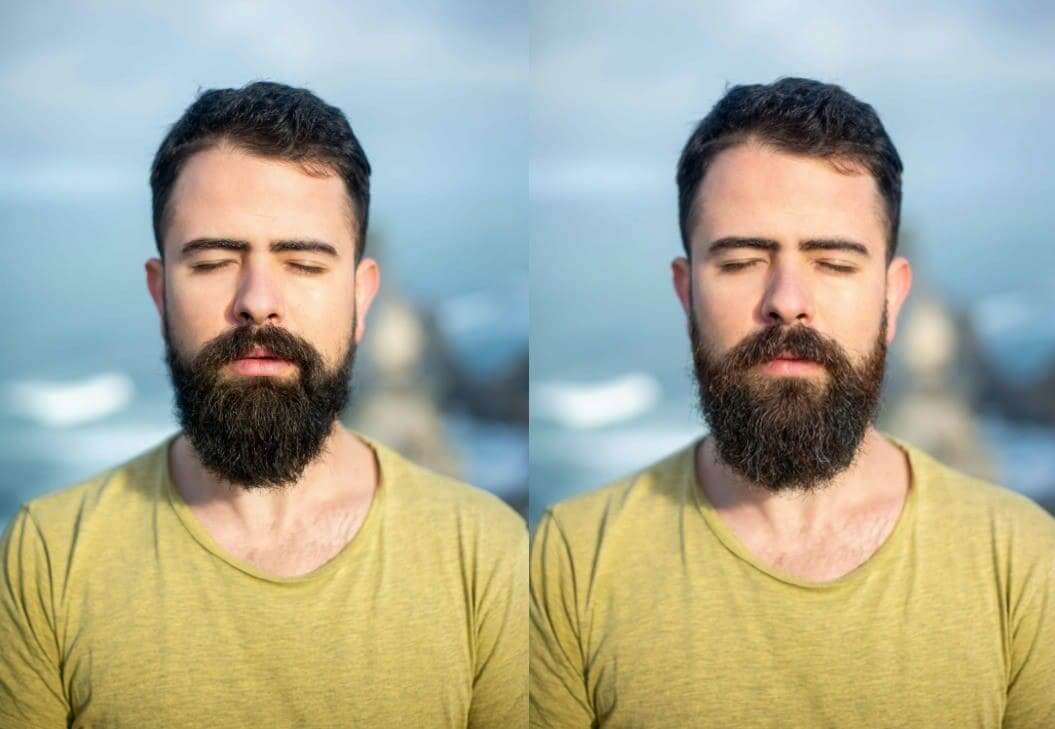
This prompt prevents uniform tones that often signal artificial image editing. It enhances photorealism by mimicking how real beard hair grows unevenly.
Conclusion
To conclude, experimenting with beard colors in photos is fun and risk-free for everyone. You can try new styles safely before real changes happen. This guide has provided easy steps and tips for perfect results. An AI beard color changer allows testing shades while keeping skin and hair natural. With clear prompts, results look realistic and help users feel confident. To achieve these results easily, insMind provides an intuitive solution worth trying today.

Ryan Barnett
I'm a tech enthusiast and writer who loves exploring AI, digital tools, and the latest tech trends. I break down complex topics to make them simple and useful for everyone.


