
How to Change Cabinet Color Using AI: A Smarter Way to Visualize Your Kitchen Makeover.
Change Cabinet Color Online

Changing cabinet color is one of the fastest ways to transform a kitchen without committing to a full renovation. Whether you’re planning to repaint your cabinets or just exploring ideas, one common question comes up:
How will the new cabinet color actually look in my space?
In the past, homeowners had to rely on paint samples, imagination, or expensive 3D design services. Today, AI tools make it possible to instantly preview cabinet color changes using just a photo.
In this guide, we'll walk through how AI can help you change cabinet color virtually, what to consider before choosing a shade, and how tools like insMind AI Image Generator can help you visualize your kitchen makeover in minutes.
Table of Contents
Part 1: Why Use AI to Change Cabinet Color?
Before repainting cabinets, most homeowners struggle with uncertainty. A color that looks great in a showroom might feel too dark in your own kitchen. Lighting, wall colors, flooring, and countertops all affect the final result.
Using AI to change cabinet color solves several common problems:
1. Instant Visualization
You can see your actual kitchen with different cabinet colors applied realistically.
2. Risk-Free Experimentation
Try bold colors like navy, forest green, or matte black without committing to paint.
3. Better Decision-Making
Compare multiple color options side by side before hiring contractors.
4. Cost and Time Savings
Avoid repainting mistakes and unnecessary labor costs.
AI cabinet color tools analyze your image and apply new shades while preserving shadows, reflections, and natural lighting. The result looks realistic rather than flat or artificial.
Part 2: Trend Inspiration and Practical Considerations
Before changing your cabinet color, you can draw inspiration from trending shades, and then you should consider the factors that may influence your final decision.
Popular Cabinet Color Trends in 2026
If you're researching how to change cabinet color, you're probably also wondering which colors are trending. Here are some popular options homeowners are testing with AI:
|
Soft Warm White |
Still a classic, but slightly warmer than pure white. Works well in modern and farmhouse kitchens. |
|
Deep Navy Blue |
Adds elegance and depth, especially with gold hardware. |
|
Sage Green |
Adds softness while still introducing subtle color into the space. Ideal for Scandinavian or rustic-inspired kitchens. |
|
Charcoal Gray |
A bold, contemporary option for modern kitchens. Especially effective in minimalist or industrial-style spaces. |
|
Natural Wood Tones |
Add warmth, texture, and timeless appeal to any kitchen. Work well in both traditional and modern interiors. |
Using AI lets you test how these colors interact with your backsplash, countertops, and flooring — something that paint swatches alone can't show accurately.
Some important factors to consider before making your final decision:
Different cabinet colors each have their own advantages, and the choice depends on the following influencing factors.
1. Consider Natural and Artificial Lighting
Cabinet colors can look completely different depending on lighting conditions. A deep navy may appear elegant in a bright kitchen but feel too heavy in a low-light space.
2. Match Existing Elements
Your backsplash, countertops, flooring, and wall color all influence how cabinets will look. If you have warm-toned flooring, cooler cabinet shades may clash.
3. Think About Space Size
Lighter cabinet colors tend to make small kitchens feel larger and more open. Darker tones create contrast and depth but may visually shrink a compact space.
4. Decide on Overall Mood
Do you want your kitchen to feel bright and airy? Warm and cozy? Bold and dramatic? Cabinet color plays a major role in setting the tone of the room.
By considering these elements before repainting, you reduce the risk of costly mistakes and increase your confidence in the final outcome.
Part 3: How to Change Cabinet Color with insMind AI Image Generator
If you want a fast and beginner-friendly way to change cabinet color virtually, insMind AI Image Generator offers a powerful solution.
Step-by-step guide of changing cabinet color with insMind:
Step 1: Upload a Clear Photo of Your Kitchen
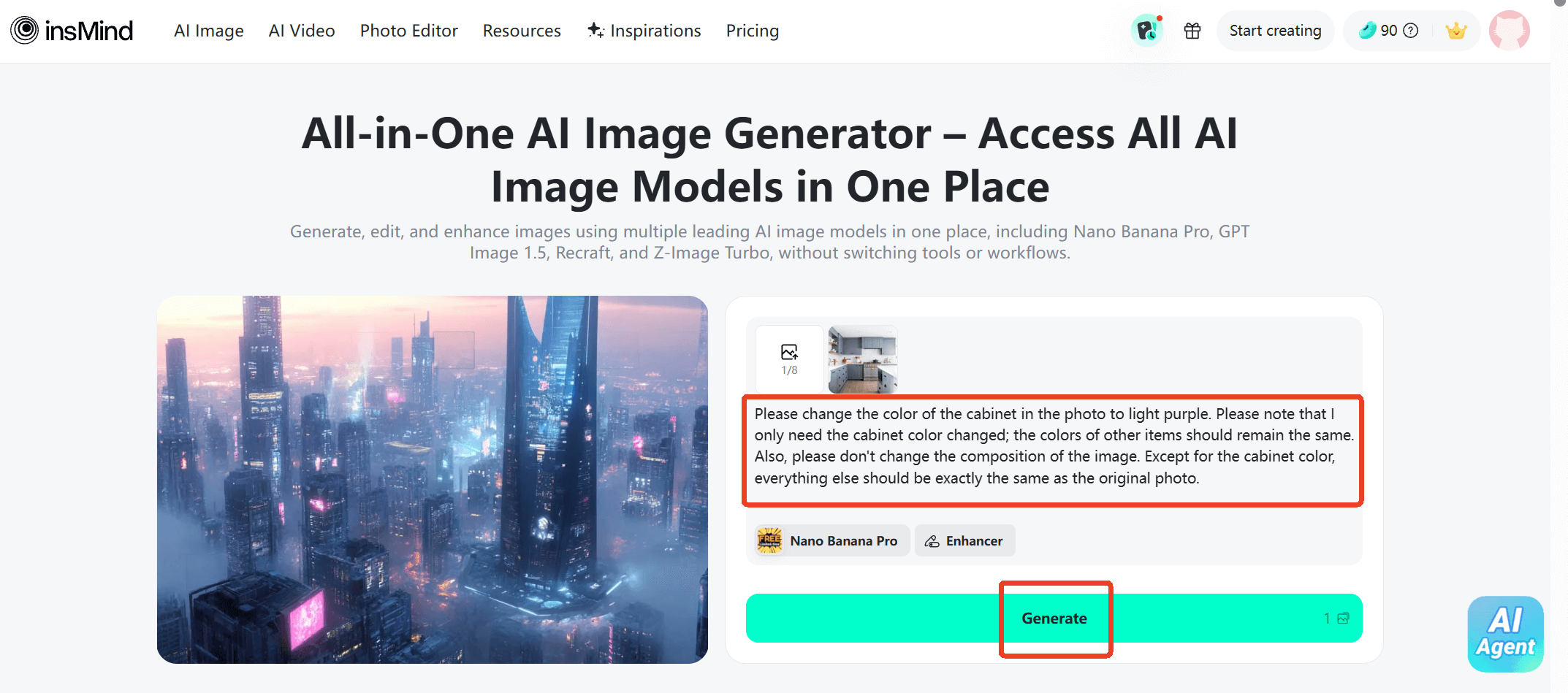
Take a well-lit photo of your cabinets. Natural lighting works best. Upon accessing the insMind's "AI Image Generator" website, upload the image to it.

Step 2: Enter a Detailed Prompt
Describe the exact change you want. The more specific your prompt, the better the result. And then you can click the "Generate" button to make AI begin to work.
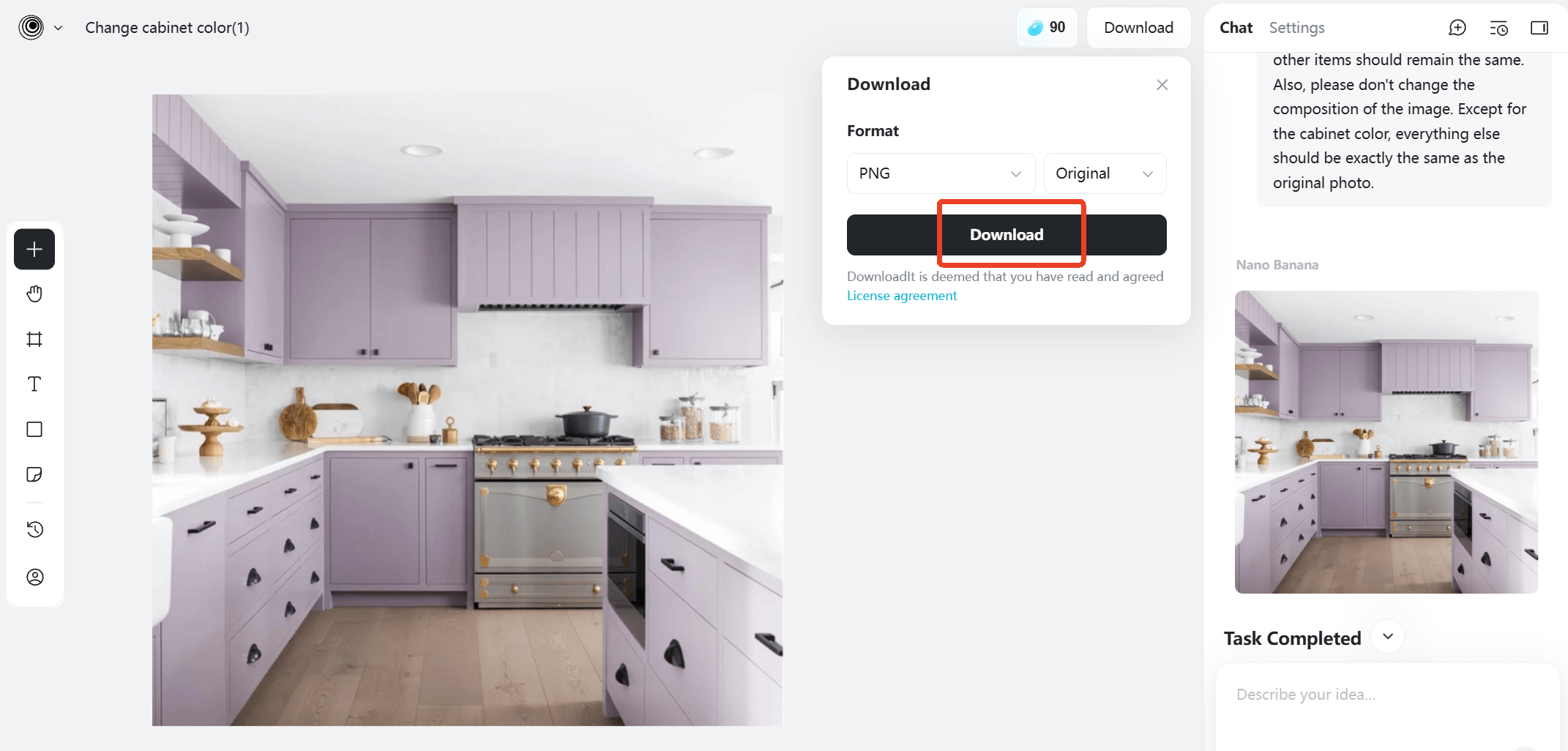
Step 3: Preview and Download
Check if this color is what you want. If not, you can change and re-enter the prompt to generate cabinets in other colors. Once satisfied, you can download it.
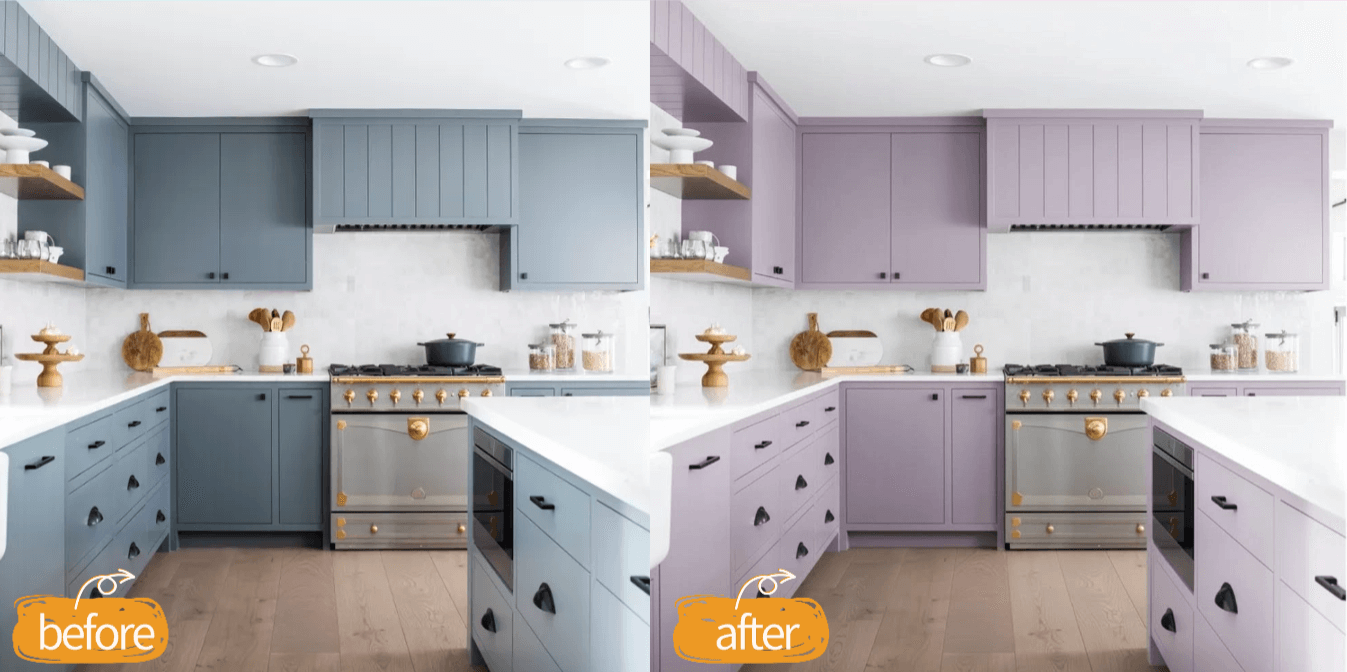
Finally, you can compare the generated image with your original image to make your final color selection.
Beyond Color Change: What Else Can You Do with insMind?
When recommending a tool, it's important to look at its broader value. insMind AI Image Generator isn't just for changing cabinet color. You can also:
- Improve Photo Quality: If your kitchen photo is slightly blurry, enhance image sharpness before editing.
- Remove Unwanted Objects: Eliminate clutter, small appliances, or distractions from your image to focus purely on cabinet design.
This makes insMind especially useful for homeowners, interior designers, and even real estate agents preparing property listings.
Instead of using multiple editing tools, you can handle cabinet color changes, cleanup, and enhancement in one workflow.
Conclusion: Visualize Before You Renovate
Changing cabinet color can completely transform your kitchen's atmosphere. But repainting without visual confirmation can be risky and expensive.
AI tools now make it easy to preview changes instantly, experiment freely, and make confident design decisions. Whether you're exploring white shaker cabinets, bold modern hues, or soft natural tones, visualizing the result first is a smart move.
Before buying paint or hiring contractors, have a try to use insMind. A few minutes of testing could save you weeks of regret.
If you're planning a kitchen refresh in 2026, start with a virtual cabinet color change — and design with confidence.

Sarah Michelle
I'm a freelance writer with a passion for editing and designing photos. Here at insMind, I strive to educate users on image creativity, photography, and enhancing product photos to help grow their businesses.


