


I used to spend hours searching online for the right images, often settling for results that never fully matched my ideas. That changed when I discovered local and open-source AI image generators. Instead of relying on closed platforms, I can now generate, view, modify, and fine-tune images with complete control over the software. There's no waiting for slow uploads or dealing with strict usage limits.
What excites me most is the flexibility these tools offer; some run locally for privacy and performance, while others operate online with the same level of customization. To experience this creative flair, keep reading the guide and explore the top-rated open-source/local AI image generators discussed. For your assistance, each generator will be briefly explained, including its strengths and shortcomings.
Table of Contents
Part 1. What Is an Open-Source AI Image Generator?
An open-source AI image generator is a tool whose code and model are publicly available. On such platforms, people like me can generate images from text, modify them, and even change the model works. Surprisingly, I can download the model (Stable Diffusion or similar), run it on my own PC, and customize it for my project.
Key Features of Open-Source AI Image Generator
- Text‑to‑Image Creation: I can type any prompt, and the model turns my words into a brand-new image.
- Image Editing: Allows feeding in an existing image and extending the background or redrawing it into another style.
- High‑Resolution, High‑Quality Output: Many open-source models now produce large, detailed images, so I can use them in real design.
- Fully Customizable Models: Just because the code and weights are open, I can fine‑tune the model on my own dataset and get results accordingly.
- Local Control and Privacy: My prompts and images stay intact and don't go to a third-party server, as I run the generator on my own hardware.
Key Users of Open-Source AI Image Generator
- Developers and AI Engineers: It allows developers like me to embed AI art into my products, experiment with new architectures, and alter models.
- Designers and Visual Artists: I have seen my visual artist friends use these as creative partners to generate thumbnails and references.
- Marketers, Bloggers & Small Businesses: Being a business owner, I can use them to produce unique visuals for ads, social posts, and articles.
- Researchers & Students: During my research, I studied open-source generators to learn how diffusion and generative models work for running experiments.
Part 2. Top 5 Open-Source AI Image Generators
Using a self-hosted AI image generation tool gives me more control, better privacy, and the freedom to experiment without boundaries. With that in mind, explore the top open-source AI image generators I turn to for high-quality image creation:
1. Stable Diffusion 3.5
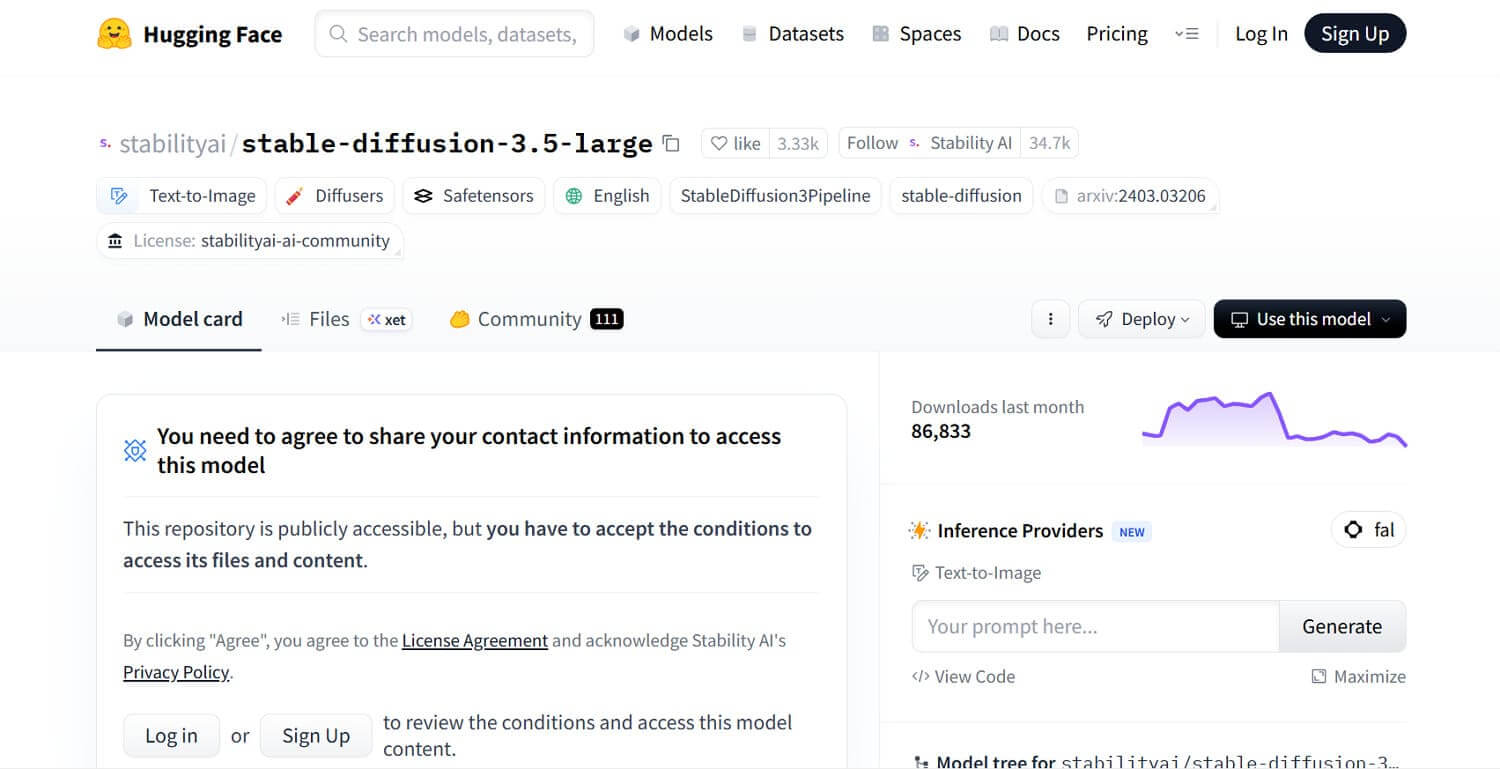
It's a powerful text‑to‑image AI model from Stability AI that turns written prompts into detailed, high‑quality images. It uses multiple pretrained text encoders (two CLIP encoders and a large T5 encoder), along with techniques such as QK‑normalization, to understand prompts. The model is distributed under the Stability Community License, which allows free use (including commercial use) for individuals and organizations.
Pros
- Better at rendering readable text and structured scenes than many earlier open models.
- I can run on my own GPU or server, giving more control over privacy and customization.
Cons
- Larger organizations must get an enterprise license, so it is not a completely unrestricted open‑source model.
- Developers need to add their own content filters and policy checks to avoid harmful or disallowed outputs.
2. Flux.2 Klein
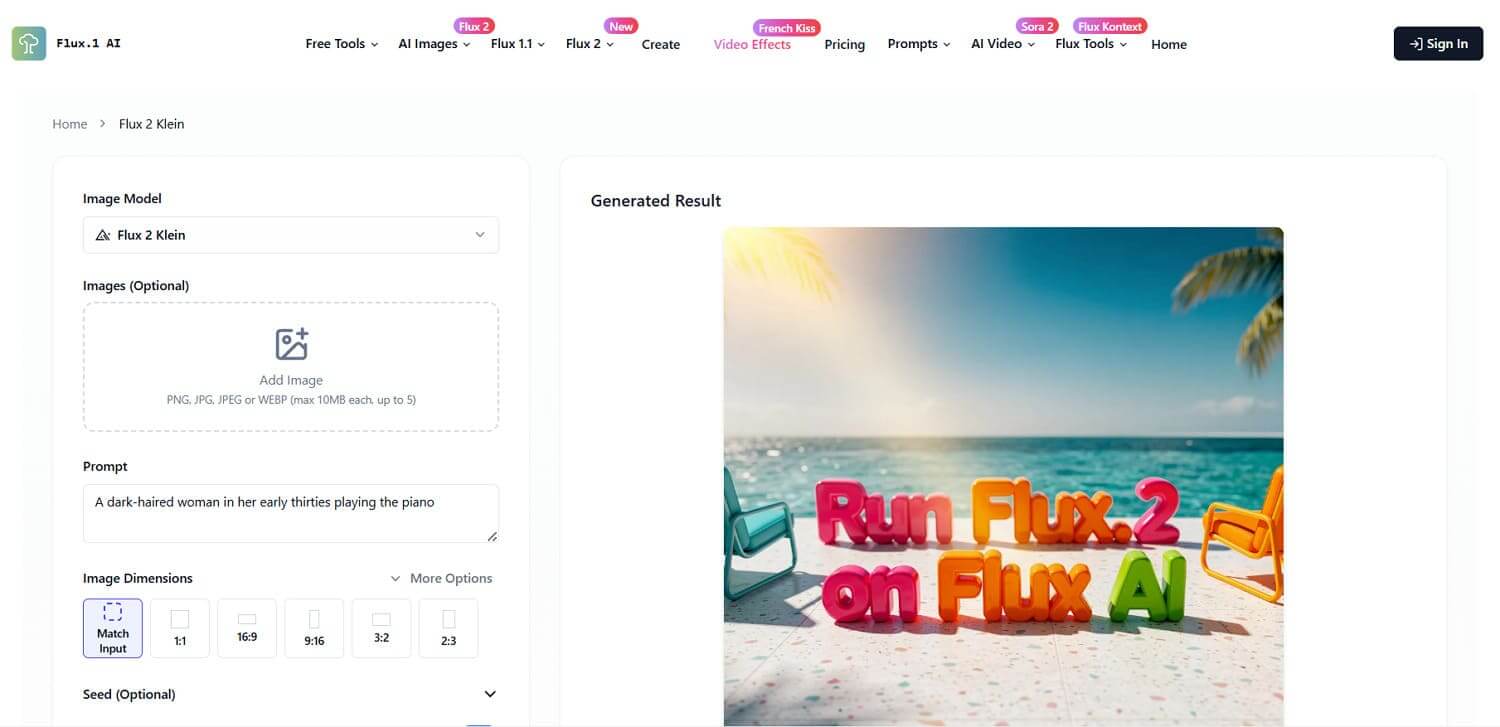
One of the fastest open-source image generation models, whose 4B model is released under Apache 2.0, making it fully open-source. Its distilled 4B variants can generate images in as few as 4 steps, giving a sub-second latency on modern GPUs. Flux.2 Klein 4B is a 4‑billion‑parameter rectified‑flow transformer model that turns text prompts into high‑quality images.
Pros
- Facilitates up to 10 reference images in a single generation with strong preservation of character identity.
- I can specify layout, composition rules, typography, and scene constraints more reliably compared to earlier diffusion models.
Cons
- 9B Klein variants are under a non-commercial license, so they cannot be freely used for all business cases.
- Image quality may be slightly lower than the largest open-source models in detailed or complex scenes.
3.WebUI
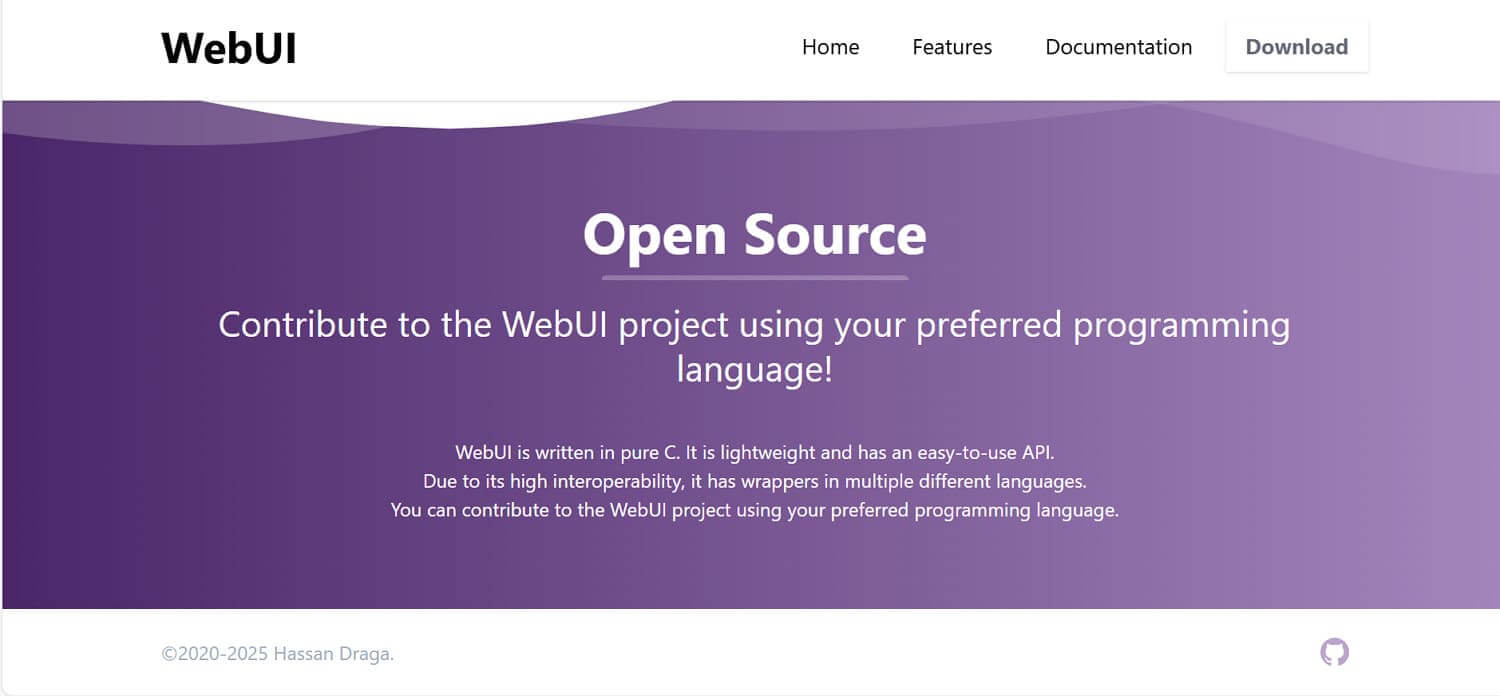
Another open-source AI image generator that provides a browser-based interface to run image-to-image outpainting and more using diffusion models. Works with many model versions, including SD, SDXL, and VAEs, so I can mix and customize image styles easily. Besides this, it has built-in support for RealESRGAN, LDSR, and other super-resolution models for upscaling generated images.
Pros
- Supports batch processing and “generate forever” modes for running many images or entire folders.
- Facilitates advanced prompt control, including negative prompts, prompt editing mid-generation, and a prompt matrix.
Cons
- License is AGPL‑3.0, which has stricter sharing requirements than permissive licenses.
- The interface is dense with options and tabs, which can feel overwhelming for users like me at first.
4. Fooocus
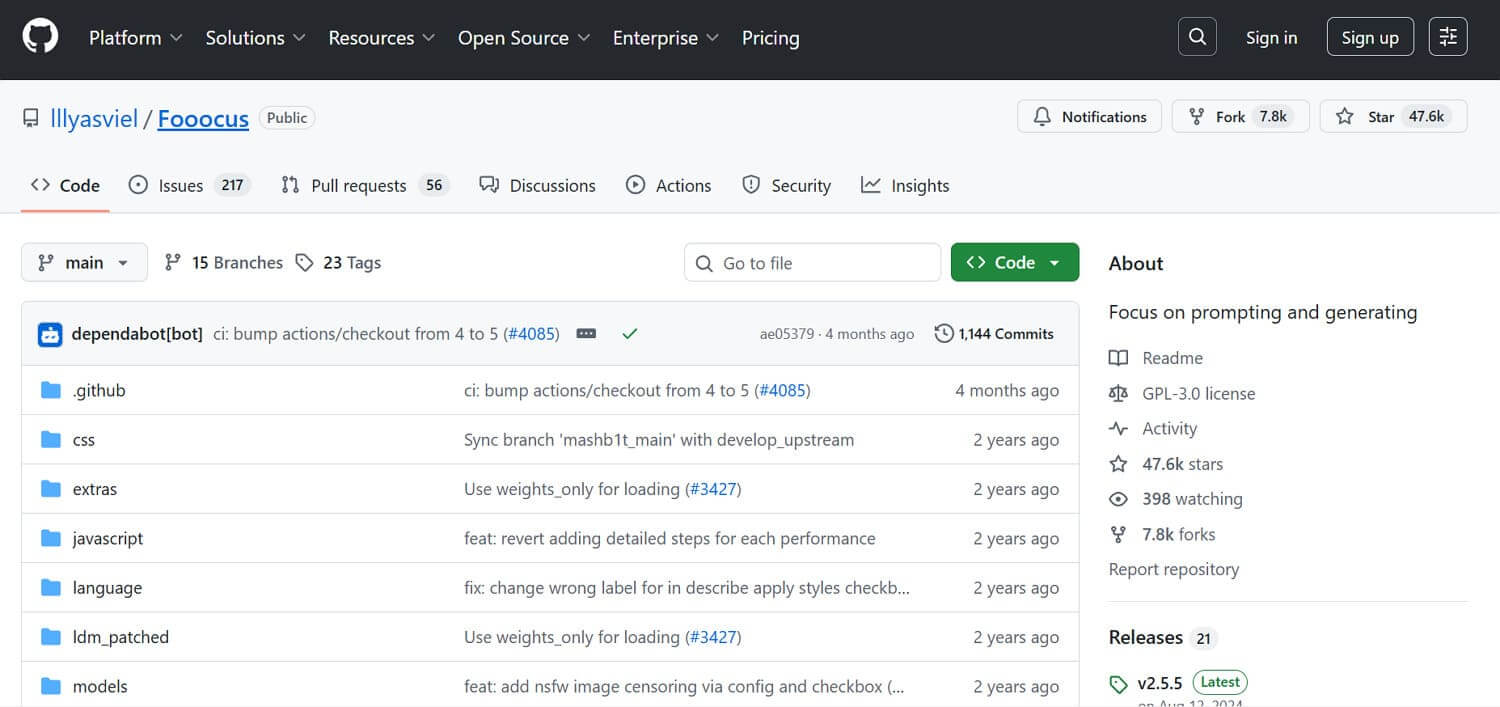
Fooocus is an SDXL-based image generator that tries to deliver professional-level images from short or long prompts. Moreover, it's an open-source, non-commercial generator under GPL-30 and includes its own GPT-2 prompt expansion. This open-source/local AI image generator provides built-in workflows for text-to-image, image-to-image, and inpainting, all wrapped in a simplified interface.
Pros
- Offers a straightforward, one-click process; I can start generating with only a few clicks.
- It also has its own prompt processing and sampling tricks with strong privacy and no usage fees.
Cons
- Limited expert-level customization options compared to other tools, limiting fine control for professionals like me.
- Locked to SDXL only, with no further plans to add newer model architecture.
5. InvokeAI
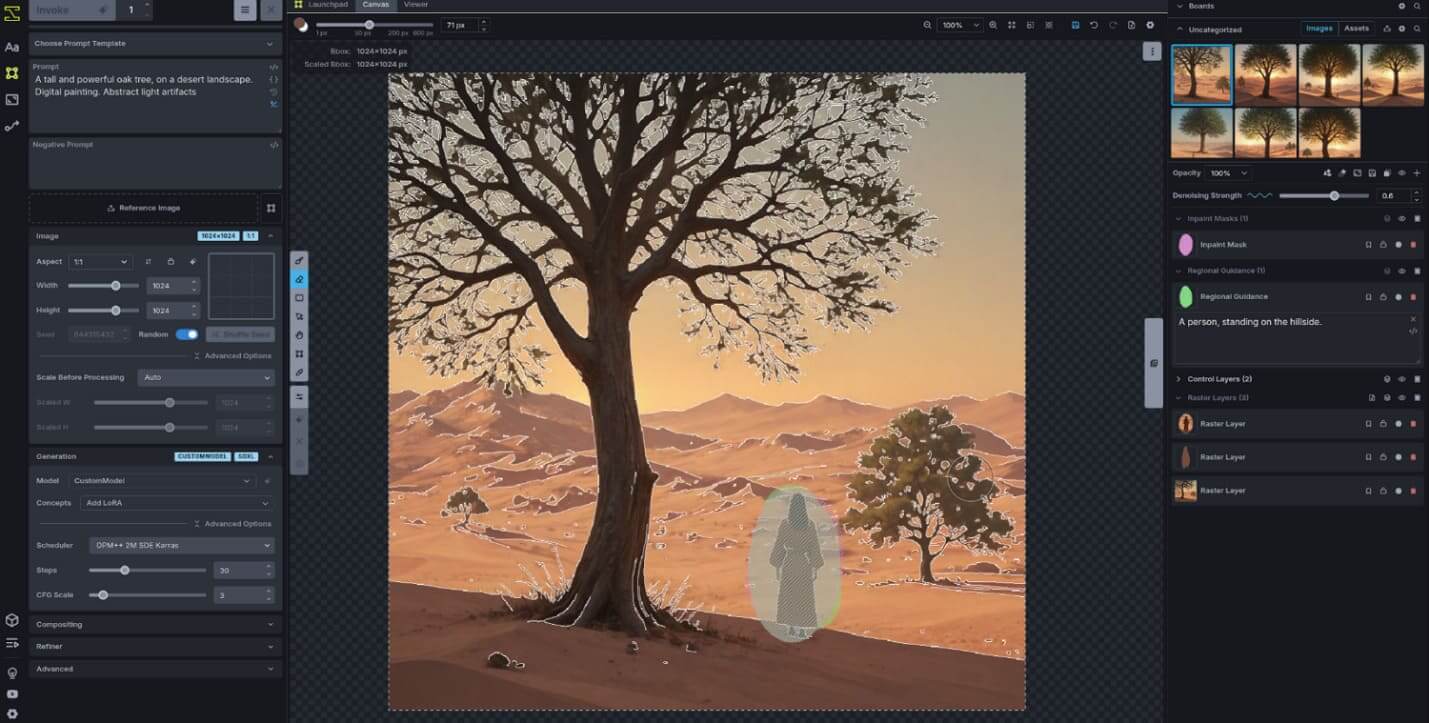
InvokeAI runs as a local web server with a React-based UI for text-to-image, using models like SDXL and FLUX. The generator provides a Unified Canvas where I can paint, mask, and generate or refine parts of an image. This node-based workflow editor lets you build custom image pipelines, save them, and reuse them for production tasks.
Pros
- Open‑source and Apache 2.0 licensed, suitable for both personal experiments and commercial products.
- It includes gallery/board management that stores images plus full metadata to easily recreate and modify previous outputs.
Cons
- Focuses mainly on image generation/editing; it is not a complete general-purpose AI hub for other tasks.
- I need to first self-host and maintain it (updates and backups), which adds more complexity to the usage.
Part 3. Don't like Open-Source AI Image Generators? Try InsMind Free AI Image Generator
If an open-source AI image generator feels too hard for me to set up, I just use insMind's free AI Image Generator as a hosted alternative. I only need to type a prompt and choose from 50+ styles to achieve a high-quality image in seconds. Personally, I also like that all the advanced settings for models, styles, and ratios are just one click away.
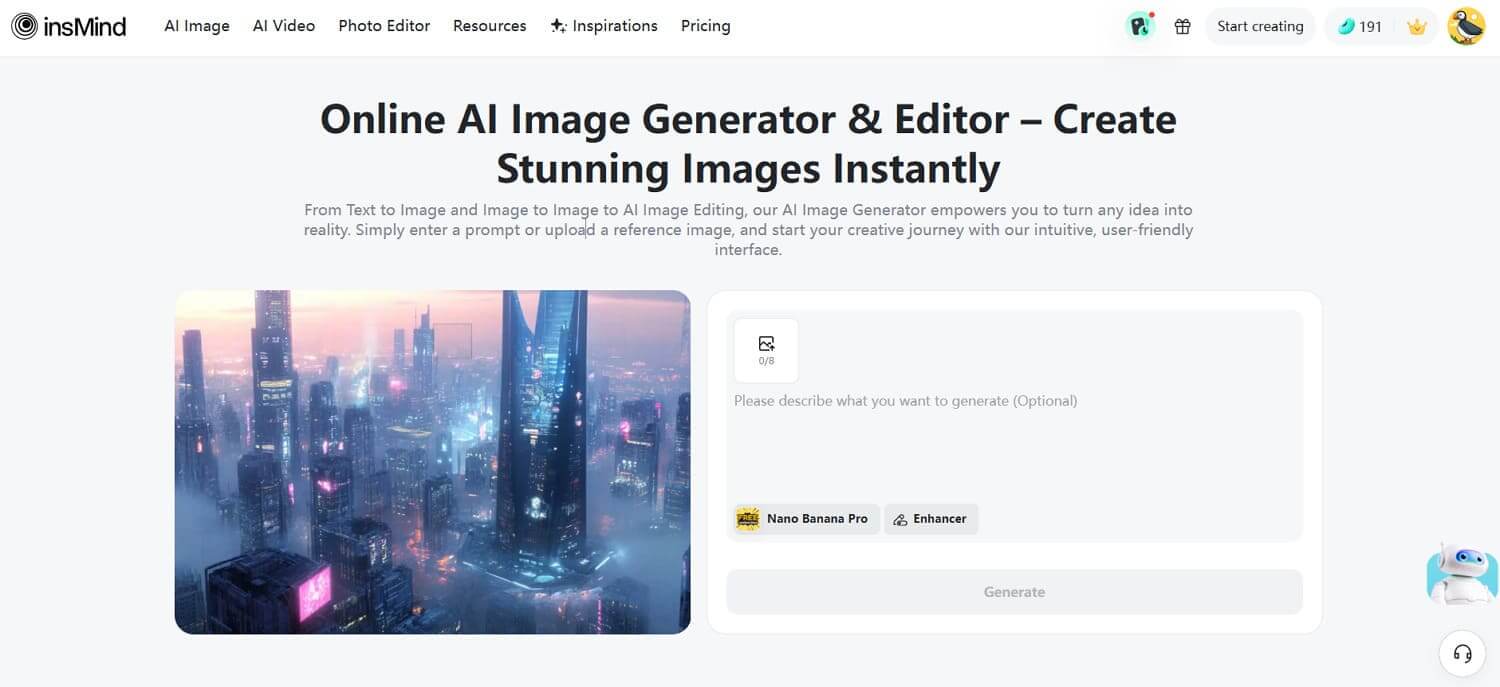
For me, as an indie creator or casual user who mainly wants fast, good‑looking results, using insMind for image generation is much easier. With its built-in Enhancer, I can improve my generated results to the highest quality. Most importantly, it allows me to adjust the aspect ratio and transparency of my images after generation.
Conclusion
Overall, local/open-Source AI image generators give me a great deal of control and creative freedom. I like being able to keep everything on my own device for better privacy and security, while freely fine-tuning the results. However, when I want to get high-quality output quickly, I tend to choose the insMind AI image generator, which lets me create effortlessly without sacrificing quality.

Jayson Harrington
I am the Chief Editor of insMind. I provide tips and skills to help users design better photos with insMind, whether for e-commerce, social media, or any other use.


![5 Best AI Kissing Video Generators of 2025 [Tested]](https://images.insmind.com/market-operations/market/side/8b445afb685e4957b11238f3ebad2b2b/1756093193517.jpg?x-oss-process=image/resize,w_690,h_460,type_6/interlace,1,image/format,webp "5 Best AI Kissing Video Generators of 2025 [Tested]")


![Top 5 AI Baby Podcast Generators in 2025 [Reviewed & Tested]](https://images.insmind.com/market-operations/market/side/9ed5a89e85ab457a9e8faace7bb25258/1750317475287.jpg?x-oss-process=image/resize,w_690,h_460,type_6/interlace,1,image/format,webp "Top 5 AI Baby Podcast Generators in 2025 [Reviewed & Tested]")


![Exploring the 10 Best AI Photo Editors for Your Needs [2025]](https://images.insmind.com/market-operations/market/side/05ccfa0da4d64b43ba07065f731cf586/1724393978325.jpg?x-oss-process=image/resize,w_690,h_460,type_6/interlace,1,image/format,webp "Exploring the 10 Best AI Photo Editors for Your Needs [2025]")


![Top 10 Face Swap Apps to Enhance Your Photo [Online, iOS, Android, Windows, Mac]](https://images.insmind.com/market-operations/market/side/e604368a99ee4a0fbf045e5dd42dca41/1723095740207.jpg?x-oss-process=image/resize,w_690,h_460,type_6/interlace,1,image/format,webp "Top 10 Face Swap Apps to Enhance Your Photo [Online, iOS, Android, Windows, Mac]")


