


Flying videos are getting very popular on social media, in advertisements, and in creative stories. You frequently see people floating up, floating forward, flying up, or floating in the sky in the sketches that easily attract people's attention. Today, anyone can have the ability to make a flying video from a photo without having to learn editing or animation skills. With an AI flying video generator, a single image can become a smooth flying motion in a matter of a few steps.
An AI flying video generator is an tool that adds motion and flying to photos. It produces motion such as floating, soaring, or diving in order to make the videos look fun and eye-catching. These videos are often used for social media short clips, creative profile videos, and fantasy or cinematic effects.
In this guide, you will learn about AI flying tools and the functionality of the tool. You will also see how to create flying videos step by step using insMind. Finally, you are going to explore some creative flying ideas you can try out to apply to your own flying effect AI video.
Table of Contents
What Is an AI Fly Video Generator?
An AI fly video generator is an easy tool to convert photos to flying animations. It captures a static photograph and adds motion to it so that the subject appears to be lifting off, floating, or moving through the air. This makes it easy to build stunning, eye-catching videos from a single picture.
The tool gives images direction, speed, and depth, making them feel more real and alive. Common effects include lifting off the ground, floating forward or upward, smooth flying face AI video motion that follows the subject naturally. These effects are effective on people and on things.
With fly AI tools, there is no requirement for any editing software or animation experience by the user. Everything is done in fewer clicks, which saves time as well as effort. This makes AI fly animation a fast way to make an AI photo into a flying video for social media or creative projects.
How to Create Flying Videos with insMind AI Fly Generator
Step 1: Go To The AI Fly Video Generator Page
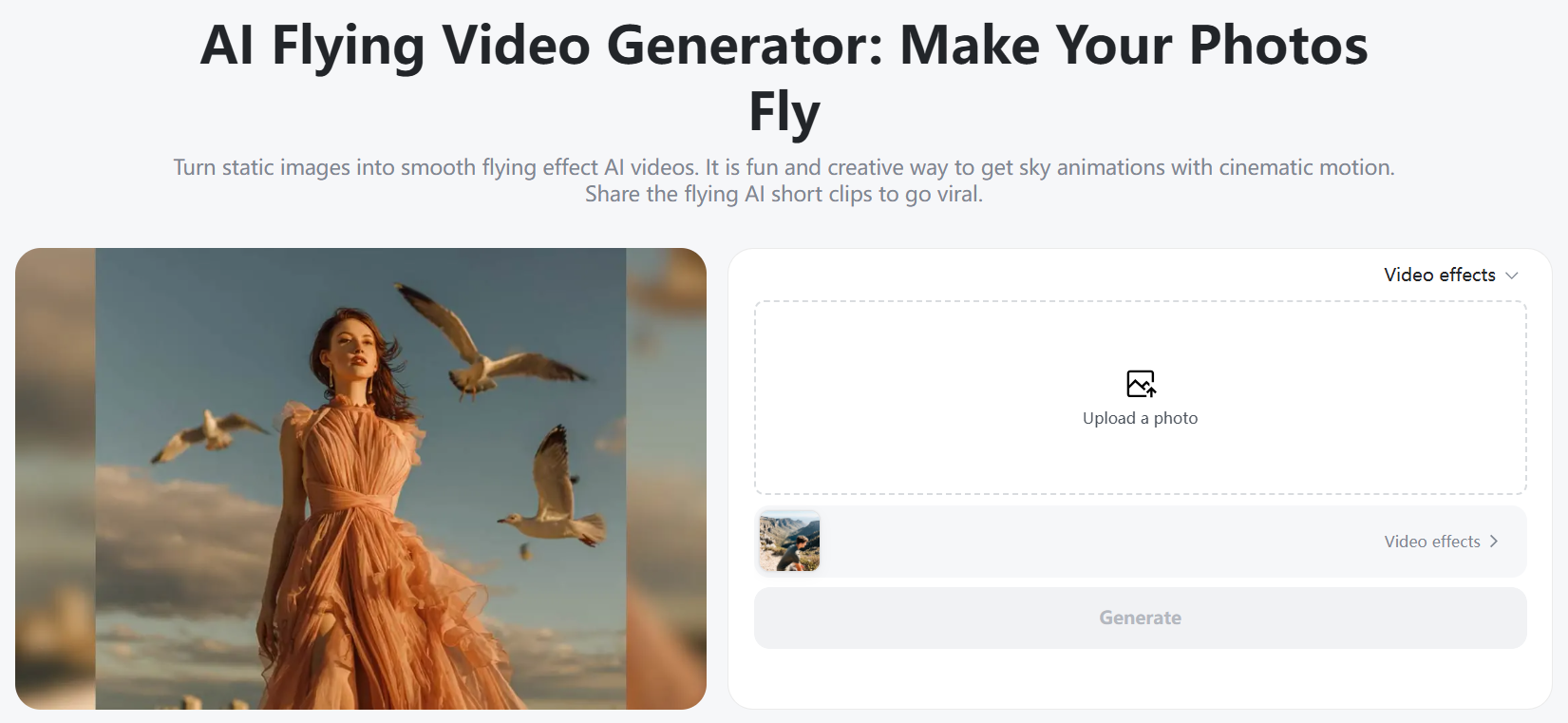
To get started, go to the page insMind AI Fly Video Generator. When opening the page, you will see that the layout is clean, simple, and easy to understand. The main buttons for action are well located, and you can immediately start without having to search for tools. This tool is designed with a special focus on creating a flying effect from photos. Everything is laid out so that you can take it by the scruff of the neck and start flying video in minutes.
Step 2: Upload Your Photo
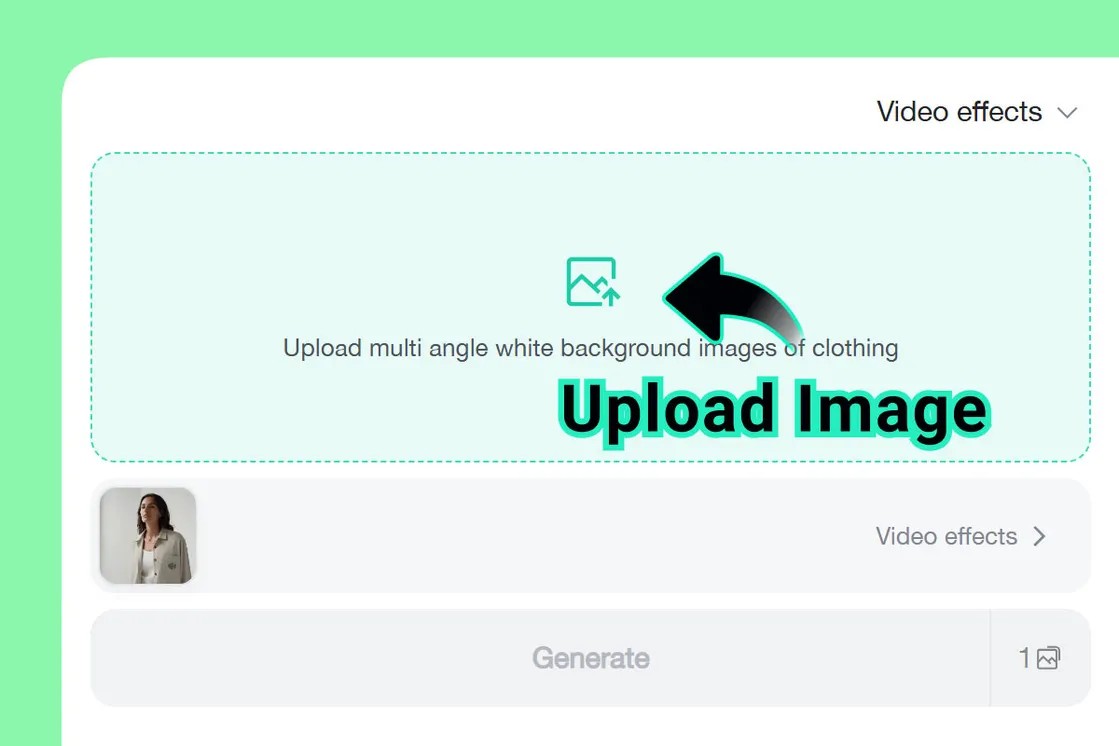
Next, upload your picture to begin the process. You should use a clear face or subject, and choose a simple background. This step is important in order to fly video from a photo smoothly, especially for a clean flying face AI video.
Step 3: Select The AI Flying Video Effect
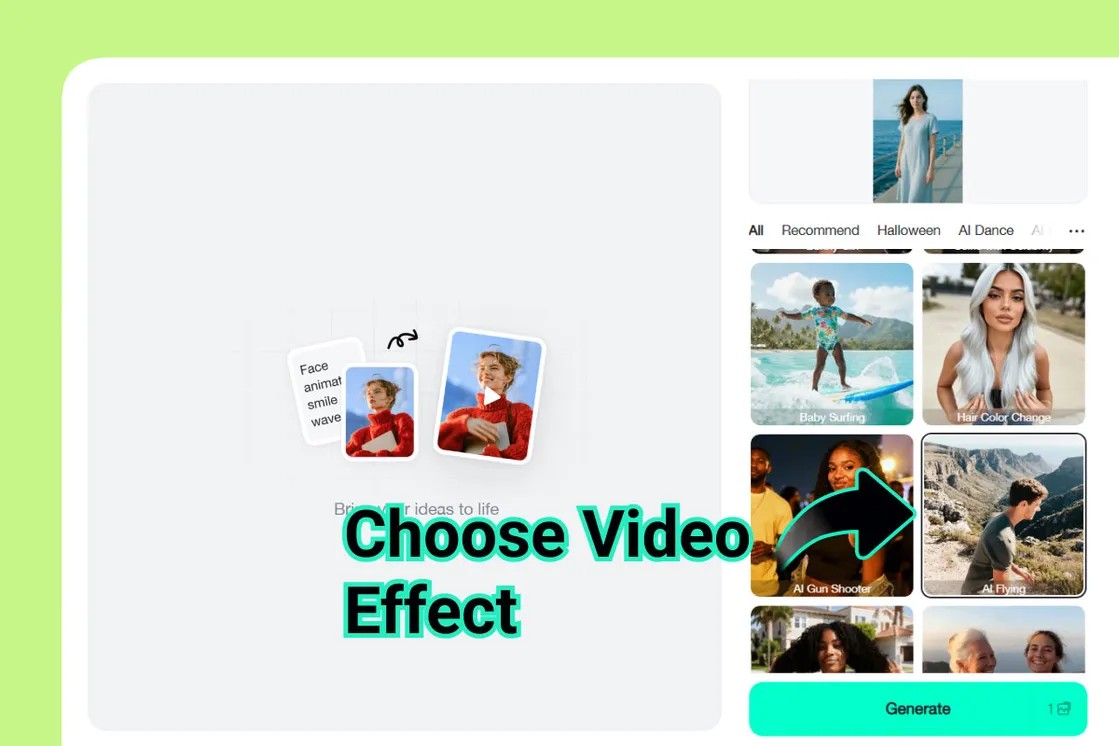
Once you upload your image, choose a flying effect to turn your picture into motion. As an image to video converter, insMind uses ready-made flying templates to control how the subject moves throughout the video. You can select a preset AI flying style or fine-tune the direction, angle, and speed to match your creative idea. Popular options include gentle floating, smooth upward lift, or a dynamic forward dive.
Step 4: Generate and Download
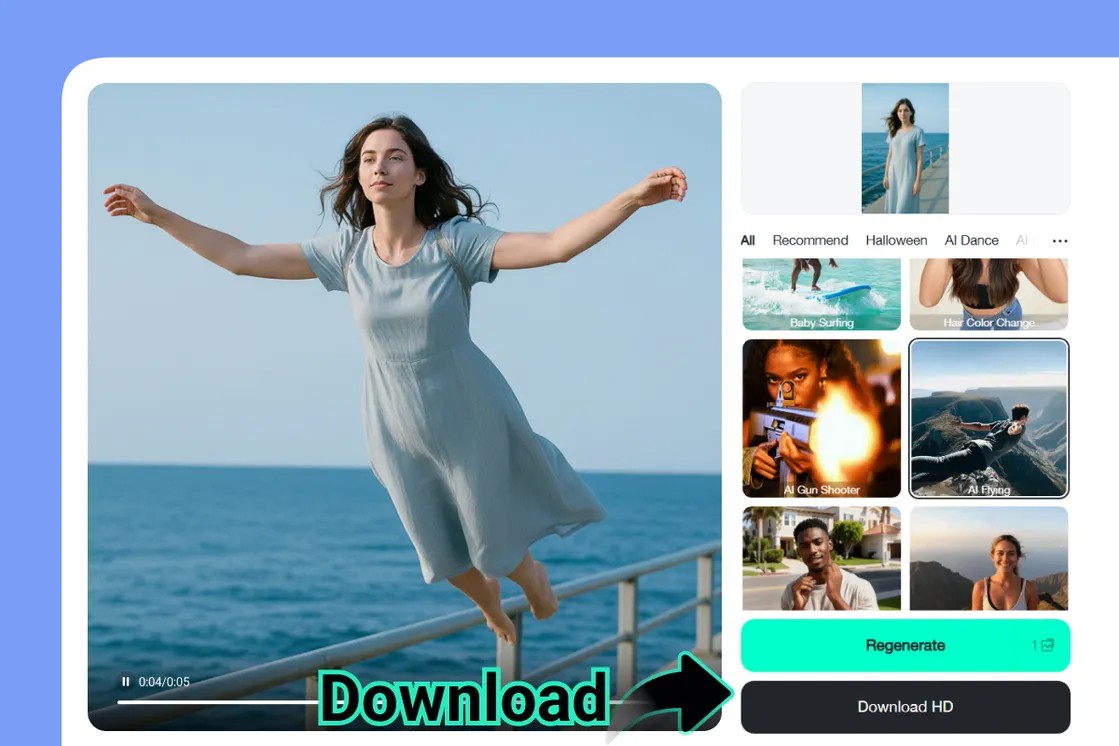
Once you are satisfied with your settings, click the Generate button to begin the creation of your video. The tool will process your request and display a preview so that you can check for the flying motion. If necessary, you can make minor changes to improve movement or timing. When you are satisfied with the result, download the final video to your device. You can then share your flying AI short clip-on social media or use it anywhere you like with the AI flying video generator.
Why Use an AI Fly Video Generator?
With the arrival of AI flying videos, it is easier than ever to produce content that people will take notice of and remember. A flying effect makes the motion, depth, and excitement more apparent and helps simple photos transform into something that makes a viewer stop scrolling. But what makes an AI flying video generator worth using?
· No Editing Skills Required - Simply upload a photo and select a style for the flying - and the tool creates the illusion for you!
· Shareable, Eye-Catching Videos - Ideal for social media short videos, profile videos, and videos for creative posts that stand out.
· Fast and Affordable - Create a flying effect AI video within minutes, without the need for expensive software or a long setup time.
· High Engagement Potential - Flying videos naturally gain attention and prompt people to like, share, and comment.
This type of style is perfect for the person who would like creative results without taking extra effort.
Creative AI Fly Ideas You Should Try
The Hero Landing
The Hero Landing reveals one's prowess in flying in or landing with power from the sky. The subject flies in fast and lands with confidence, creating an action-style moment. This AI fly animation is good for bold profiles, gaming content, or dramatic intros, which are good and cool.
Celestial Soar
Celestial Soar is about being softly moving through the sky or clouds. The subject is floating upward or forward in a cool and peaceful manner in order to give a dreamy mood. This AI flying effect video is perfect for soft visuals, an inspirational post, or creative storytelling with some light and airy feels.
Dreamy Flight
Slow motion flying with smooth and soft movement is the use of Dreamy Flight. The motion is calm and relaxing, making the video pleasant to watch. This style is great for artistic content, emotional stories, or aesthetic content where a gentle flying AI short clip helps to set the mood.
Digital Dive
Digital Dive Fast forward, flying or a falling motion with energy and speed. The subject is moving rapidly through space, which imparts a modern and dynamic look. This AI fly animation is excellent for the tech content, bold reels, or videos that require a powerful movement to capture attention immediately.
Fairy Tale Float
Fairy Tale Float is a gentle flying as you would see happen in a storybook. The subject slowly rises and floats hence, giving a magical and fantasy-like visual. This AI flying effect video is good for creative portraiture, themed content, and soft flying AI short clips with a whimsical and imaginative effect.
Conclusion
Making flying videos today is easier than ever, including for beginners. With simple tools, one photo becomes a smooth and catching flying effect composed of just a few steps. insMind makes the process simple due to the use of photo-based input, pre-existing flying templates, and straightforward step-by-step actions. You do not need editing skills or special software to get started. Whether you need to create content for social media, tell a creative story, or design visual marketing clips, flying videos can help make your ideas stand out. Now is the time to go ahead and experiment and see flying video effects on your next project.

Jayson Harrington
I am the Chief Editor of insMind. I provide tips and skills to help users design better photos with insMind, whether for e-commerce, social media, or any other use.


![How to Add Logo to Photos Online for Free [The Simplest Method]](https://static.xsbapp.com/market-operations/market/side/1718795949162.jpg?x-oss-process=image/resize,w_690,h_460,type_6/interlace,1,image/format,webp "How to Add Logo to Photos Online for Free [The Simplest Method]")
![How to Remove Tattoos from Photos [Ultimate Guide 2025]](https://static.xsbapp.com/market-operations/market/side/1718787534476.jpg?x-oss-process=image/resize,w_690,h_460,type_6/interlace,1,image/format,webp "How to Remove Tattoos from Photos [Ultimate Guide 2025]")


