


Cartoon videos are a simple and fun way to share stories online. Whether it is a short clip for social media or an animated greeting, almost anything can be made into a cartoon moment.
These days you don't need to know how to draw, use complex animation software or spend hours editing. You can turn text, pictures, or full scripts into lively cartoons in just a few minutes. This is true with tools like the insMind AI cartoon video generator.
Whether you want to tell cartoon stories, create animated characters for your brand, or just have fun with cartoon text to video ideas, insMind gives you everything you need in one easy to use place. This guide will show you how anyone can start making cartoon videos quickly.
Table of Contents
How to Make Cartoon Videos with insMind AI Video Generator?
insMind's cartoon AI video generator makes animation simple. You share your idea and the tool turns it into a moving cartoon clip. Here is how the whole process works step by step.
Step 1: Upload or Input Content
Before the AI can create your cartoon video, it needs something to work with. You can start with images, text, a full script or even a mix of all three. You can use whatever helps you to explain the video you want.
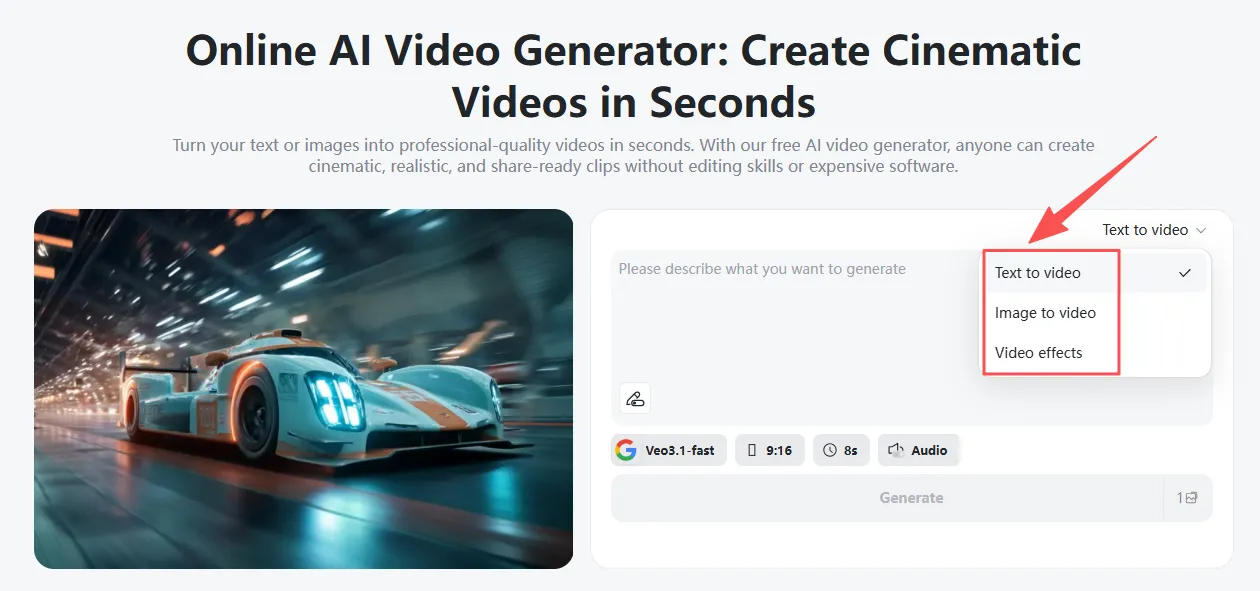
- Upload Images
If you are turning real photos into animation, you can upload a single picture or several images that act as beginning to end frames. These might be character photos, product shots, sketches, or any visual you want animated. The photo to video AI uses these images as the base for your cartoon style movement.
- Write a Text Prompt
You can also guide the video by writing a short description. This cartoon text to video AI may include the setting, characters, actions, mood, or the overall vibe you want. A simple idea like two kids walking through a magical forest with soft light and a playful mood is enough for the AI to build a full animated scene.
- Combine Images and Prompts
You can upload an image and add a prompt that explains what should happen next for even more control. For example, Use this picture and turn it into a Pixar style walking shot.
This approach gives you stronger accuracy without needing any editing or animation experience.
Step 2: Pick Your Cartoon Style with a Simple Description
This step helps set the mood and look of your cartoon. You can choose from different cartoon styles.
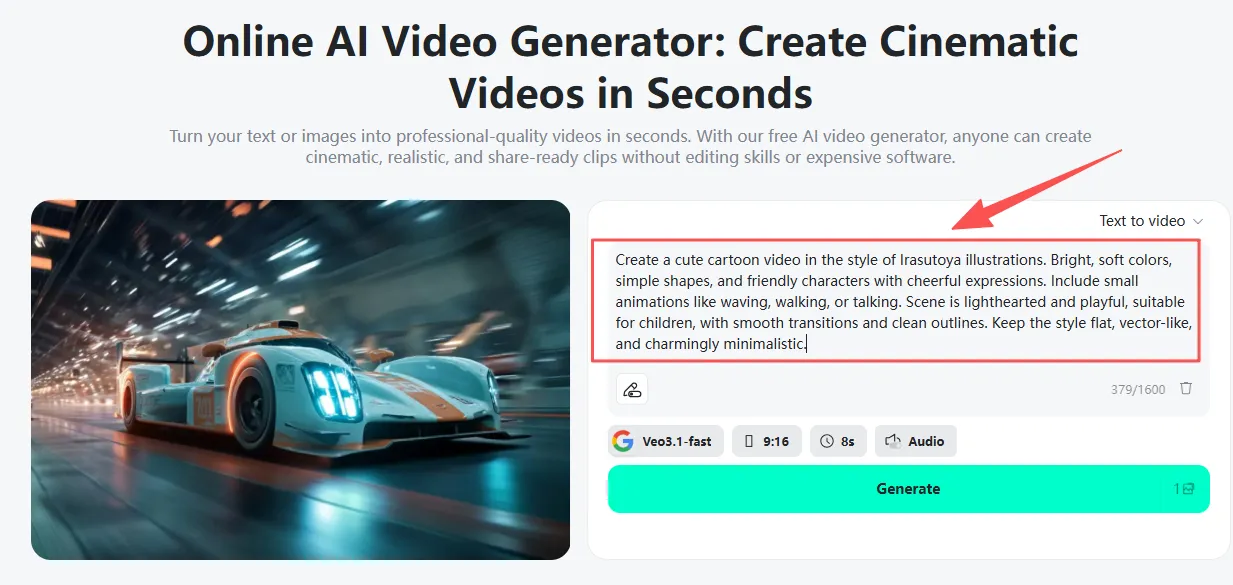
- Anime Style
Create a happy anime character dancing in the snow with bright expressions.
- Pixar Style
Begin with a Pixar-style boy waving from a city balcony at sunset.
- Chibi Style
Create a cute chibi cat chasing a butterfly in a garden with soft colors.
- Irasutoya Style
Create a cozy café scene with smiling characters and warm colors.
- Realistic Light Cartoon
Create a simple cartoon with smooth movement and soft shadows.
The style you pick shapes the animation’s personality and makes your video unique.
Step 3: Choose the AI Video Model
insMind has different AI models that create different kinds of cartoon videos. Pick the one that fits your style and the pace you want. Each model gives a unique feel, from calm storytelling to fast, lively action.
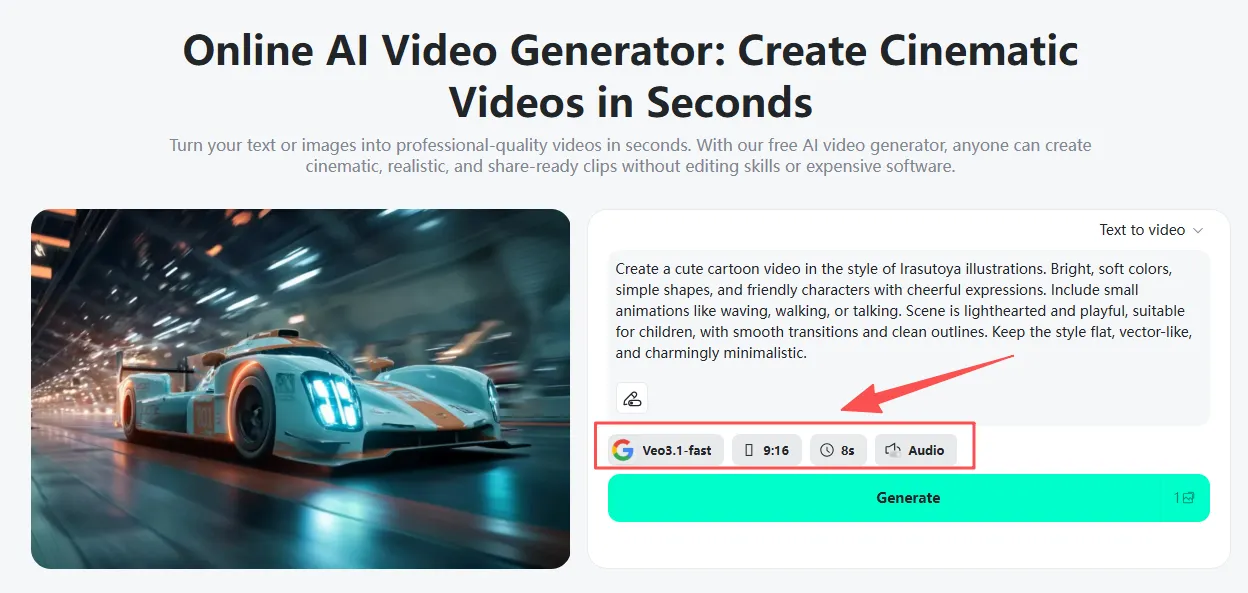
Google Veo 3.1
This is great for smooth movement and clean scene changes. It is perfect for wide shots, calm stories, and gentle character actions.
Sora 2
Focuses on showing emotions and adds an artistic touch. Ideal for anime style videos or scenes with expressive characters and detailed visuals.
Kling 2.5 Turbo
Best for sharp, bright scenes and quick movements. Great for marketing videos, product animations, or fast-paced cartoons.
Wan 2.5
Made for talking characters with natural lip-sync. Perfect for animated greetings, birthday videos, or any clip where characters speak directly to the camera.
Step 4: Create and Download Your Cartoon Video
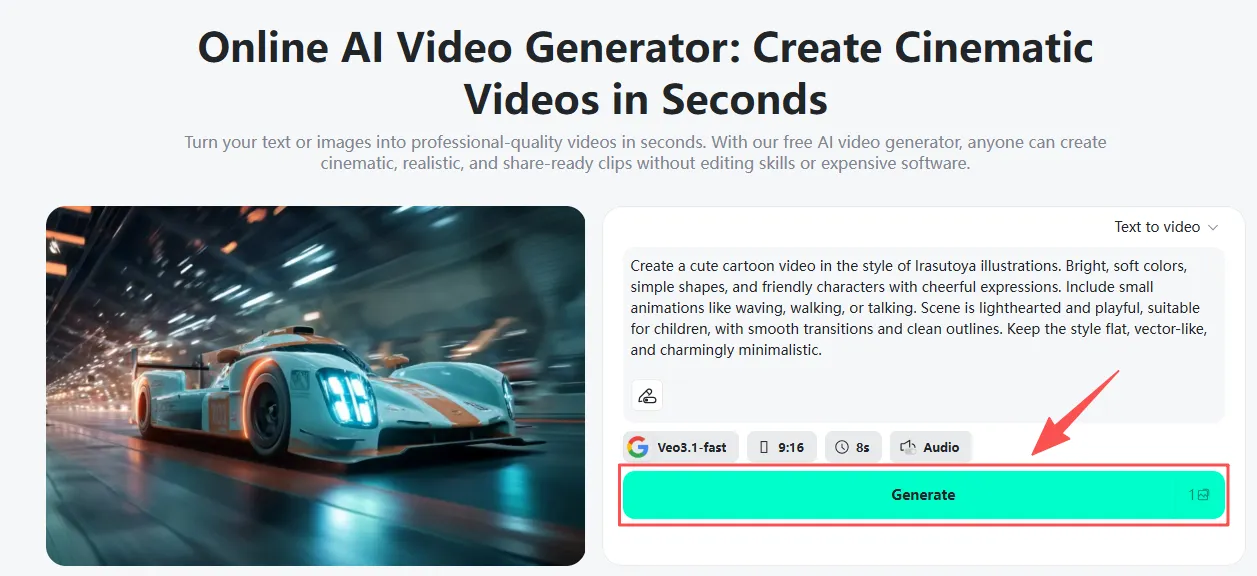
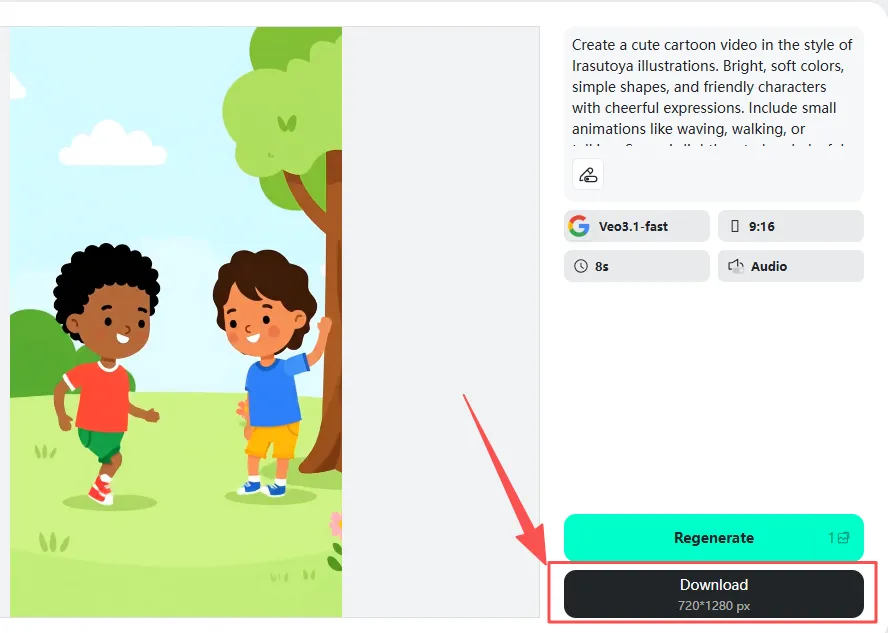
Once you have added your content and picked your style, making the video is super quick. Just click Generate and the AI will turn your idea into a cartoon clip. When the preview shows up, watch the animation, make any changes if you want, then download the video in HD.
Now your cartoon is ready to share on TikTok, Instagram, YouTube, school projects, presentations, marketing pages, or anywhere you like.
Example Prompts for Cartoon Videos
Here are some easy prompts you can use to describe full cartoon scenes. They include ideas for movement, mood, and style.
1. A happy anime-style girl skipping through a sunflower field. Gentle wind, warm light, bright colors, simple camera movement, and a joyful feeling.
2. A Pixar-style dad and son cooking in a bright kitchen. The camera moves slowly, they smile warmly, steam rises from the pot, and it feels like a friendly family moment.
3. A cute chibi puppy running in circles in the backyard. Big, expressive eyes, playful bouncing, soft grass moving, and gentle pastel shadows.
4. Two office workers in a simple cartoon style talking at a desk. Small hand movements, bright workspace, and a friendly atmosphere.
5. A magical forest with a young explorer walking on glowing steps. Anime-style colors, floating lights, and a calm, peaceful night.
Cartoon Video Ideas You Can Make with insMind
If you are looking for ideas, here are some fun videos you can create using the AI cartoon video generator or free cartoon video maker tools.
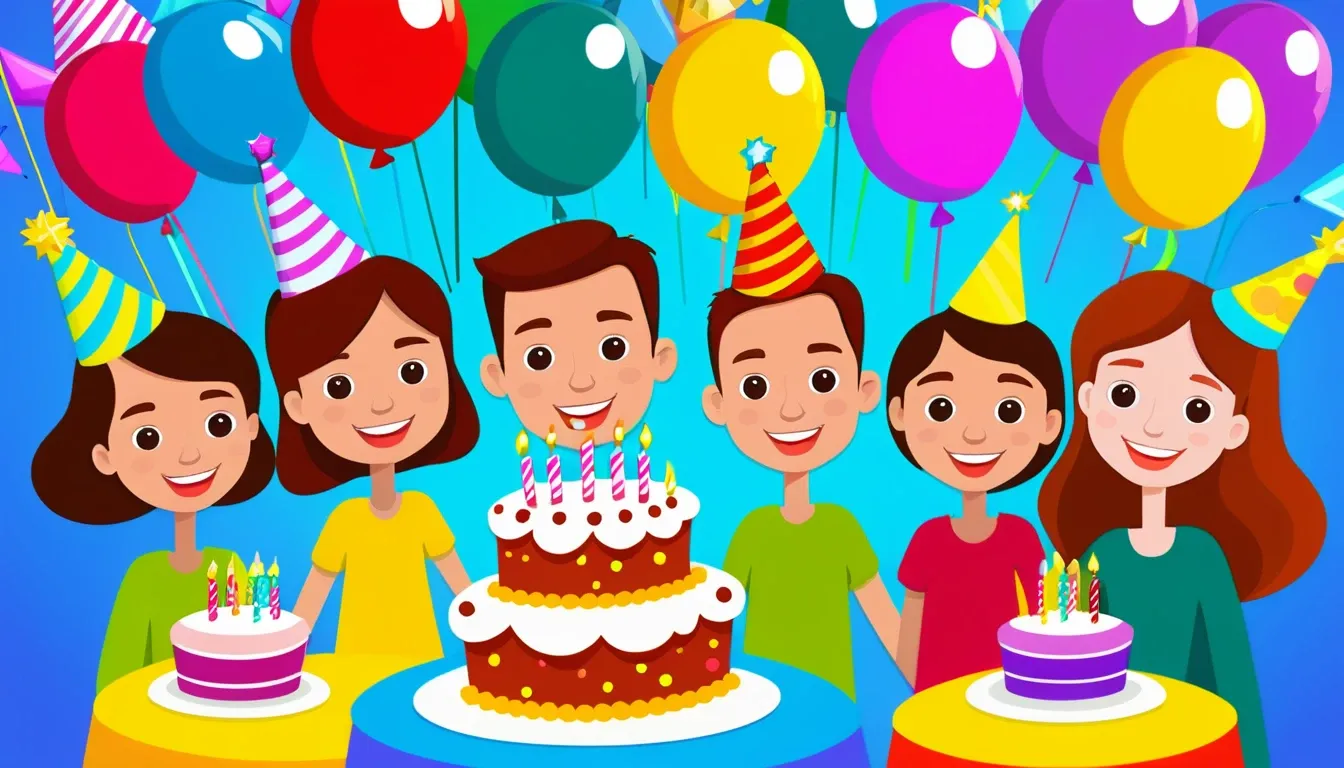
- Funny Animated Greetings
Make short and fun videos for birthdays, holidays, or surprise messages. These are perfect for friends, coworkers, or sharing on social media.
- Character Animation for Marketing
Bring your mascot or brand character to life with a lively cartoon clip. Great for ads, product introductions, and social media promos.

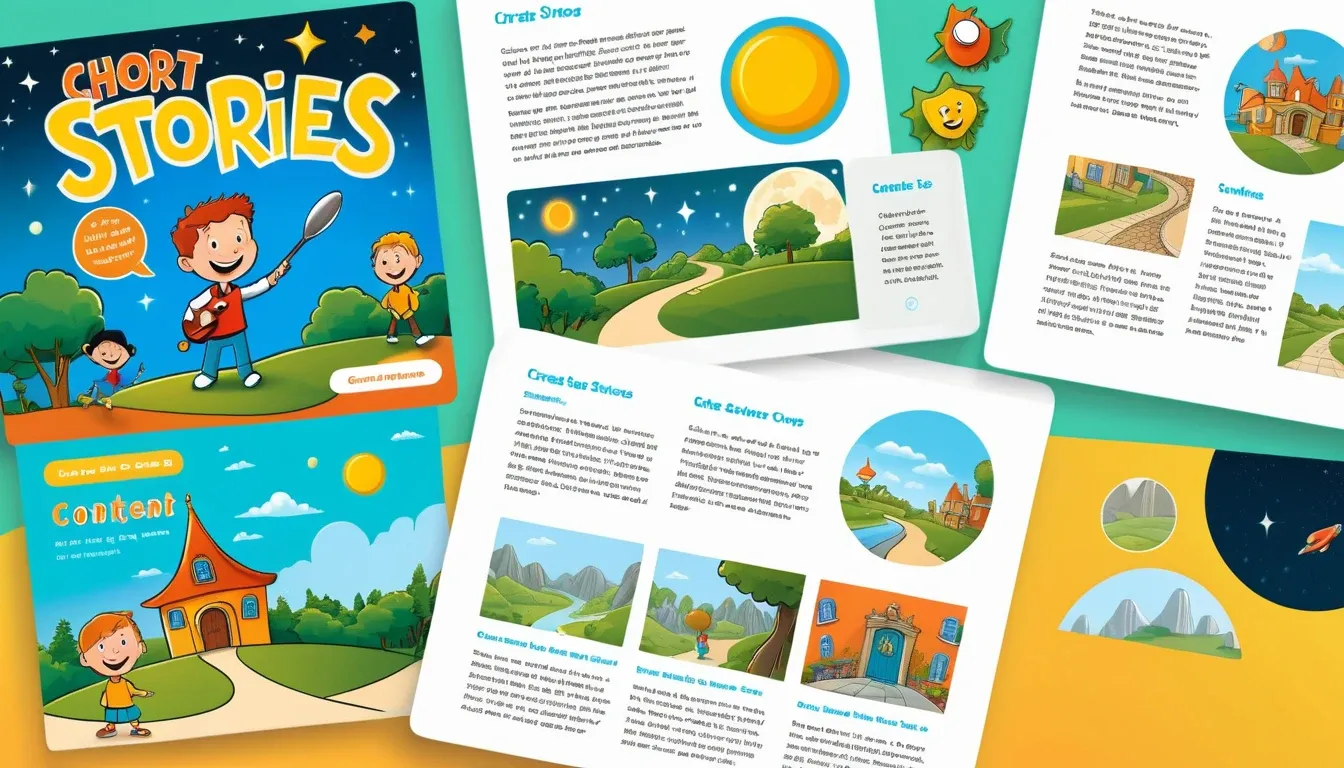
- Storytelling Animation
Create short stories, kids’ videos, educational content, or mini web series. Perfect for teachers, creators, and businesses who want to keep people engaged.
FAQs about AI cartoon video generator
How does the AI cartoon video generator work?
You give this cartoon AI generator a prompt, pictures, or a script. The AI then makes a cartoon video that fits your idea.
Can I make a cartoon video for free?
Yes. insMind offers an AI cartoon video generator free version that you can try. You can upgrade later if you want longer videos or extra features.
How can I customize my cartoon video?
You can change the style, add actions, upload your own images, pick an AI model, and adjust your prompts to shape each scene.
What kind of cartoon styles can I create?
Choose from anime, Pixar-like animation, chibi style, watercolor scenes, Irasutoya-style art, and many other unique looks.
Can I use these cartoon videos for commercial purposes?
Yes! You can use the videos for personal, social, school, business, or promotional projects.
Conclusion
You don't need drawing skills or special animation software to make cartoon videos anymore. With insMind's AI cartoon video generator, anyone can turn ideas into fun and animated clips in just minutes. Whether you want to use AI prompts, turn photos into videos, or create longer stories, the process is easy and creative from start to finish.
Are you ready to make your own cartoon video? Create your cartoon video now with insMind AI Cartoon Animation Maker.

Sid Buckley
I'm a professional writer and amateur photographer, and I author insightful articles at insMind to help you integrate AI into compelling image creation.


![How to Add Logo to Photos Online for Free [The Simplest Method]](https://static.xsbapp.com/market-operations/market/side/1718795949162.jpg?x-oss-process=image/resize,w_690,h_460,type_6/interlace,1,image/format,webp "How to Add Logo to Photos Online for Free [The Simplest Method]")
![How to Remove Tattoos from Photos [Ultimate Guide 2025]](https://static.xsbapp.com/market-operations/market/side/1718787534476.jpg?x-oss-process=image/resize,w_690,h_460,type_6/interlace,1,image/format,webp "How to Remove Tattoos from Photos [Ultimate Guide 2025]")


