


Fighting videos are getting so popular among social media reels and shorts, fan-made action clips, and entertaining creative content. From battles with superheroes to fun fights, these videos catch people's attention and keep them hooked. Today, anyone can make exciting fight scenes without having to film actors, set up cameras, and learn video editing. This is made possible with an AI fight generator, which converts photos into animated fight scenes in a simple manner.
An AI fight generator adds the effects of motion and action with the images, giving the characters the appearance of fighting or battling on screen. These videos are being used frequently for action-themed social media posts, fun character battles, and cinematic fight scenes made from photos.
In this guide, you will learn what an AI fight generator is and how it works. You will also see how to make AI fight videos step by step using insMind. Finally, you will learn some creative things to try with an AI fighting video generator for your own action clips.
Table of Contents
What Is an AI Fight Generator?
AI fight generator is a tool that transforms photos into animated fight scenes. It takes still images and includes motion, impact, and action effects to make the characters appear to be combating on screen. This can include things like fast movements, hits, and smooth action flow.
With fight AI and fighting AI tools, users can build various kinds of fight styles like punching and kicking, dramatic action poses, or full cinematic fight movement. These effects help make the scene feel exciting and alive. The tool works even if the photos were taken individually.
You do not require editing software, animation skills, or experience with fighting in order to use a fight generator. Everything is automatic, which saves time and effort. This makes an AI fight scene generator a quick and easy way for creators to create action videos from photos.
How to Create AI Fight Videos on insMind
Step 1: Open the AI Fight Video Generator Page
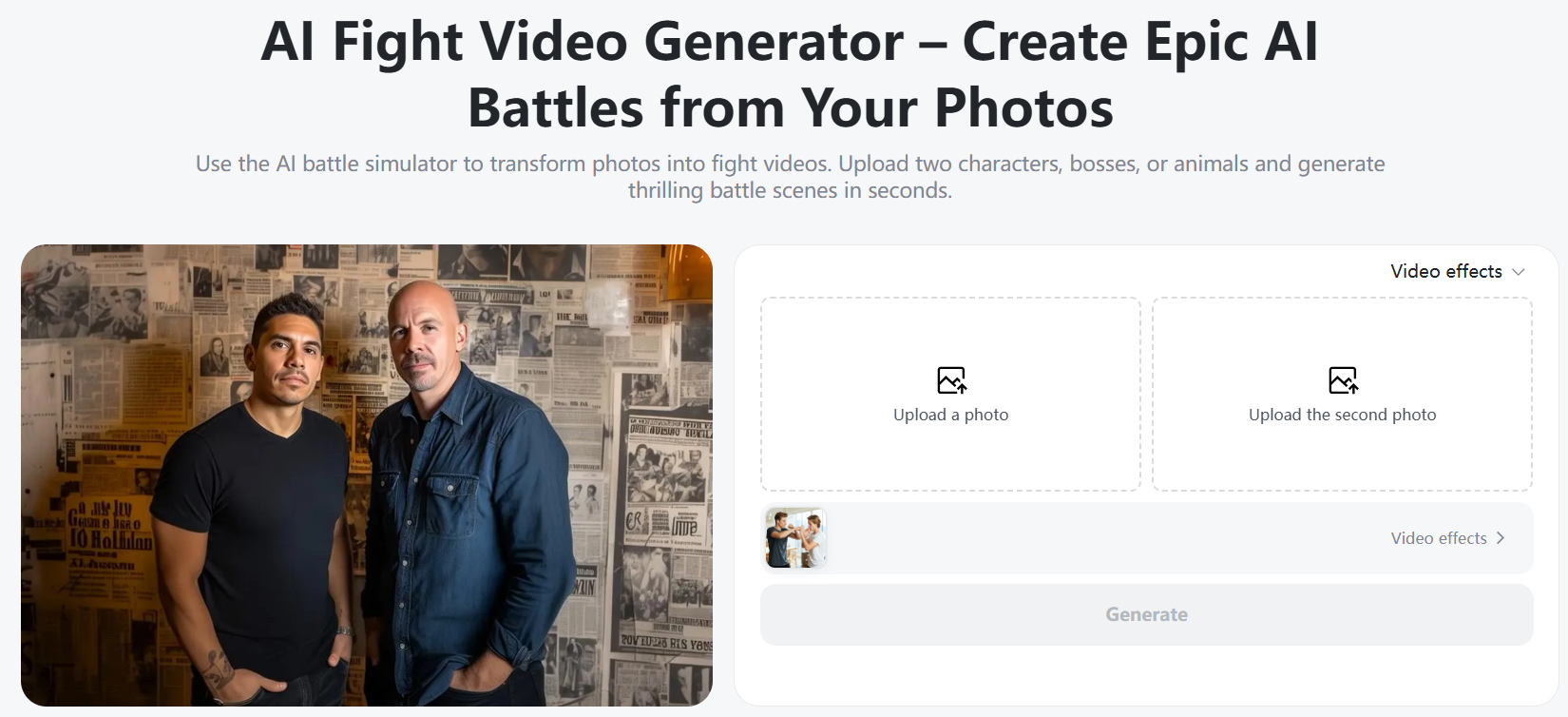
To get started, go to the page AI Fight Video Generator on insMind. When the page is loaded, you will get a simple layout with a start button in it, which will show you a clear starting point. The page is intended to enable the user to quickly jump in without confusion. This ai fight video generator is designed to make the creation of fight scenes easy to do, regardless of whether you want something fun and lighthearted, or something that is more cinematic and action-focused using an ai fighting video generator.
Step 2: Upload Your Photo(s)
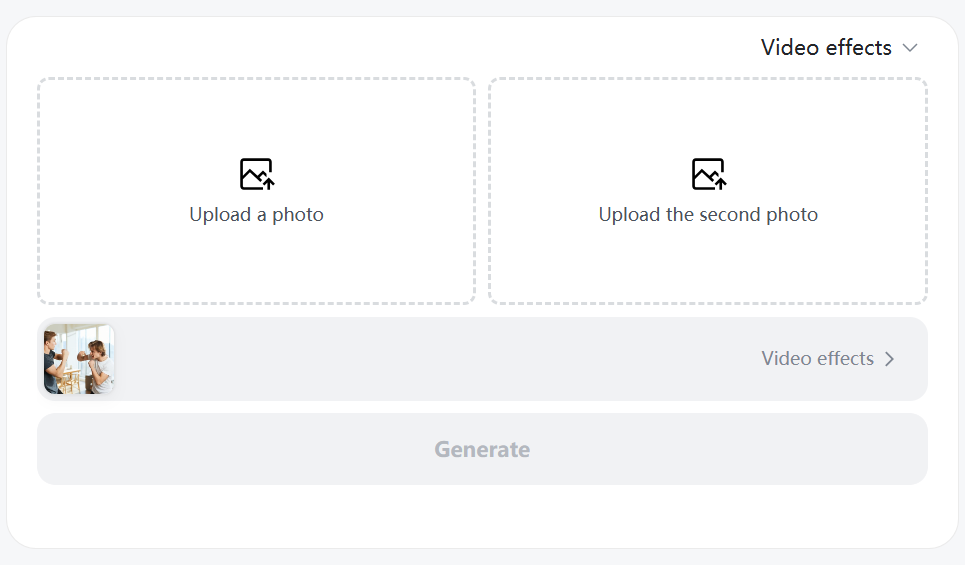
Next, upload the photos that you will be using for your fight scene. You can upload one photo already containing two people, or you can upload two photos with one person each, to create a face-off. For best results, please use photos with recognizable faces and a full to half body visible. Some simple background is also helpful to make the action look cleaner, too. This step is the setup for the AI fight, and what the fight scene generator will need to generate smooth action.
Step 3: Select AI Fight Template
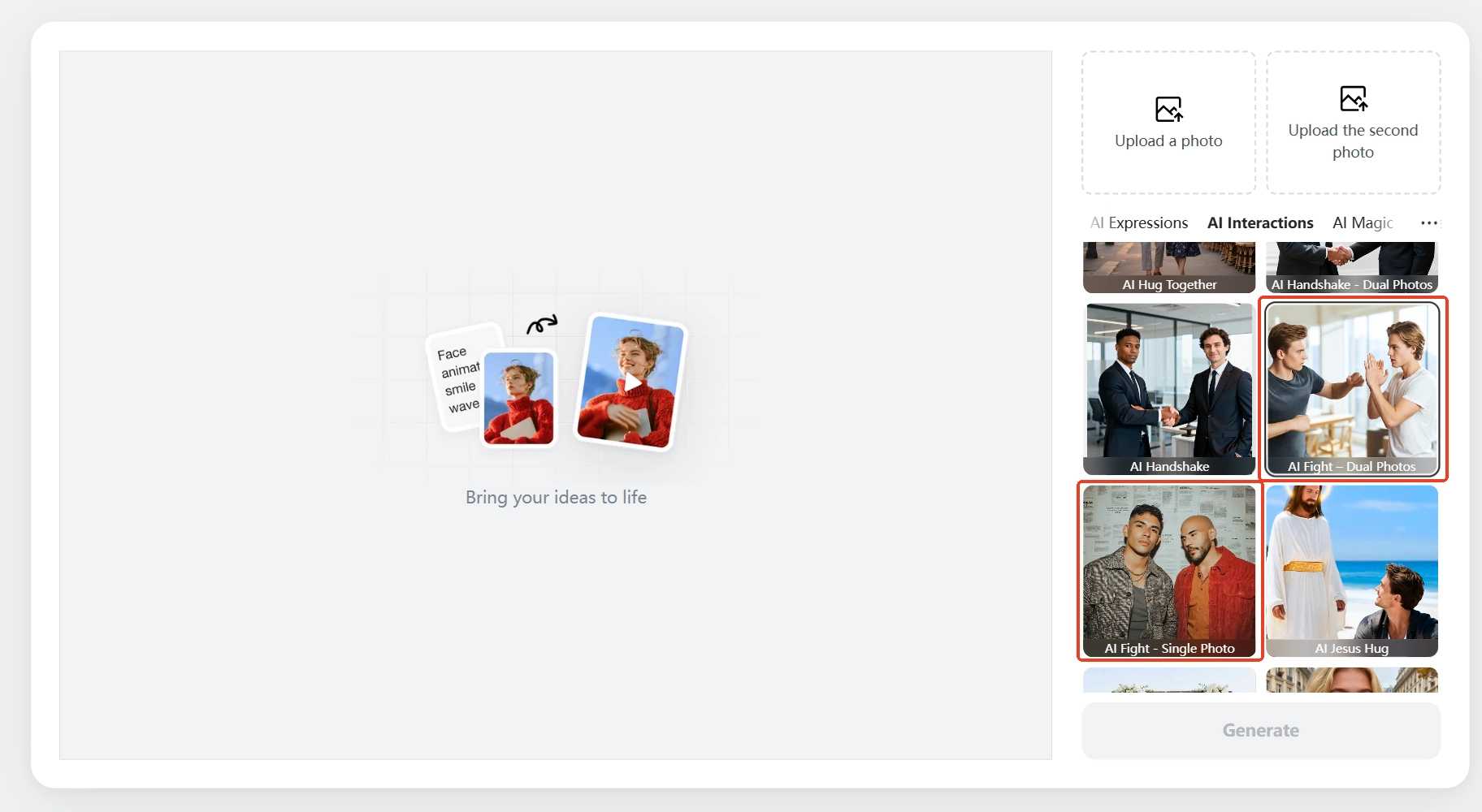
Once you have uploaded your photos, select an AI fight template. Fight templates are pre-built styles of action that dictate how the characters move and interact. You can choose between single-image mode, which works with one photo, or dual-image mode, which uses two separate images for a more dynamic fight.
Different templates have different fighting styles, such as an option to hand-to-hand fighting, action movie-styled battles, or boxing and fighting poses. These options will allow you to match the mood of your video, from jovial fights to intense action scenes.
Step 4: Generate and Download
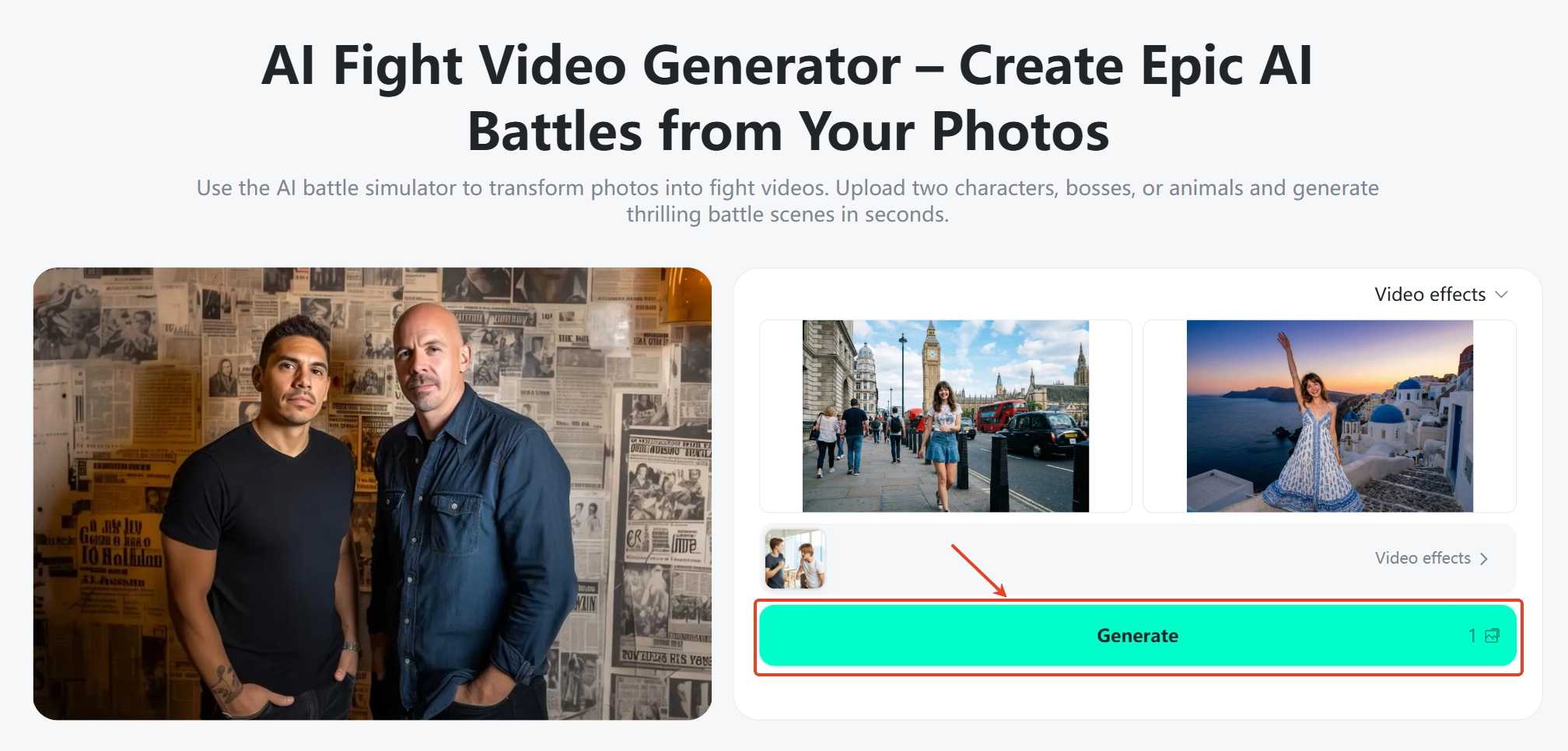
Once your template is chosen, click on the Generate button to begin the process. The tool will make you fight a video and show a preview so you will be able to check the action and movement. If necessary, you can make the small changes before completing. When you are satisfied with the result, download the video to your device. You can then share your cinematic fight clip on social media or employ it with creative projects with the aid of the AI battle simulator and AI fight video generator features.
AI Fight Video Ideas You Should Try
Inner Kung Fu Panda Comes Out
This idea is about having fun, staying martial arts-based, and fighting with some silly energy. The characters move with quick punches, kicks, and poses, and are lighthearted rather than serious. It works great to get a content of animation style on which the AI fighting will add humor, charm, and exaggerated action to keep the viewer entertained.
Star Wars Lightsaber Battle
A lightsaber-style fight adds a lot of sci-fi appeal and new movement to the action. Characters battle each other with glowing weapons and cinematic and intense swings. This is a perfect idea for fan-made action videos and will work especially well using an AI battle simulator for creating epic, space-inspired battle scenes.
Astronauts Throwing Their Hands in Space
This creative idea puts the fighters in a zero-gravity space environment. Movements are slow, floating, and unexpected, which makes the fight scene stick out. Using an AI fight scene generator to put a twist into a serious action film with an unusual space environment is humorous and adds surprise to a scene.
Spider-Man vs. Spider-Man
A mirror or clone fight is where the same character fights him/herself. This helps to create a fun and dramatic moment of being a superhero with fast movement and dynamic poses. It is great for clips that are related to superheroes fighting and bringing comic-style action in a simple form.
Baby Fight Club (But Cuter)
This notion makes fighting something funny and innocuous. Baby characters move in mischievous ways, somehow, with punches that are soft, and the reaction is exaggerated. It is meant for pure entertainment, and an AI fight scene generator helps to keep the action light, cute, and fun, as opposed to aggressive.
FAQs
What do you use an AI fight generator for?
A fight AI tool is used to transform photos into animated fight scenes. It is useful to make action videos for fun, storytelling, or social media purposes, without making a film.
Is it possible for beginners to use an AI fight generator?
Yes, it can be used easily by beginners. AI fighting tools are created with easy steps and easy-to-use templates.
Do I need to have special photos to make fight videos?
No special photos are required. Clear images with visible faces/bodies are the best for an AI fight simulator.
How long does it take to create a fight scene?
Most fight scenes are developed in a matter of moments. The process is rapid and does not consume a lot of effort.
Can I share AI fighting videos on social media?
Yes, you can share your videos on social platforms, reels, and short video apps.
Final Thoughts
Creating fight videos nowadays is easy and quick, even for beginners. With insMind photo to video tool, you are able to use photos, pre-made fight templates, and an easy step-by-step process to make action scenes a reality. There is no need to have editing skills or a complex setup. Whether your interests are to create social media action clips, creative stories, or fun entertainment videos, an AI fight generator would give you the freedom to experiment. Try out various fighting styles, check out new ideas, and with the help of an AI battle generator, create incredible effects of some fights that will stand out.

Sarah Michelle
I'm a freelance writer with a passion for editing and designing photos. Here at insMind, I strive to educate users on image creativity, photography, and enhancing product photos to help grow their businesses.


![How to Add Logo to Photos Online for Free [The Simplest Method]](https://static.xsbapp.com/market-operations/market/side/1718795949162.jpg?x-oss-process=image/resize,w_690,h_460,type_6/interlace,1,image/format,webp "How to Add Logo to Photos Online for Free [The Simplest Method]")
![How to Remove Tattoos from Photos [Ultimate Guide 2025]](https://static.xsbapp.com/market-operations/market/side/1718787534476.jpg?x-oss-process=image/resize,w_690,h_460,type_6/interlace,1,image/format,webp "How to Remove Tattoos from Photos [Ultimate Guide 2025]")


