Remove Watermark from Dreamstime Images
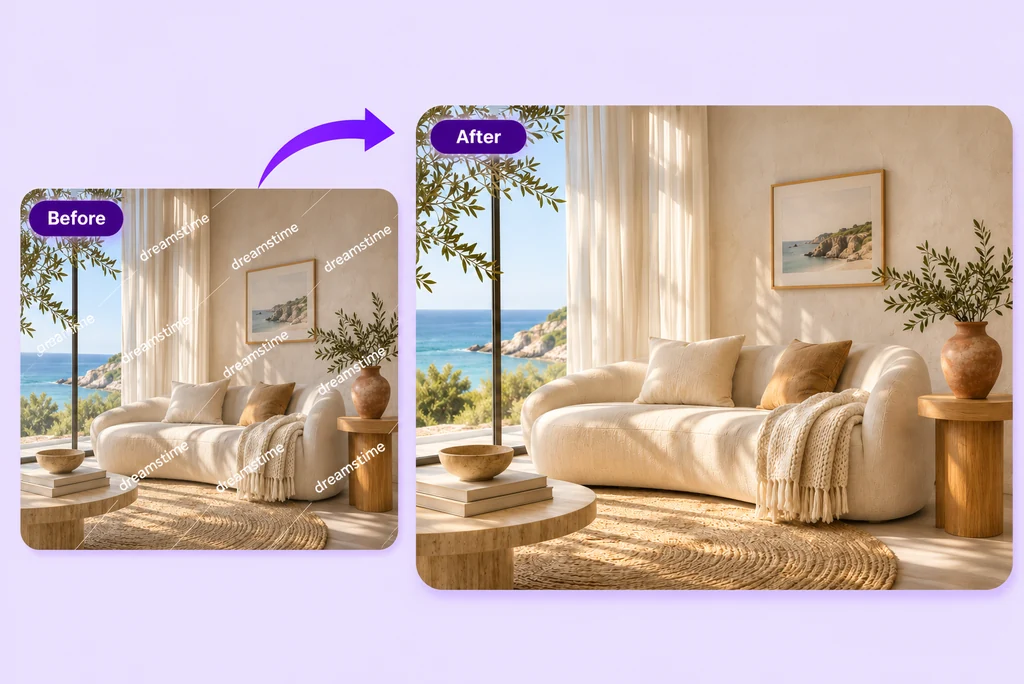
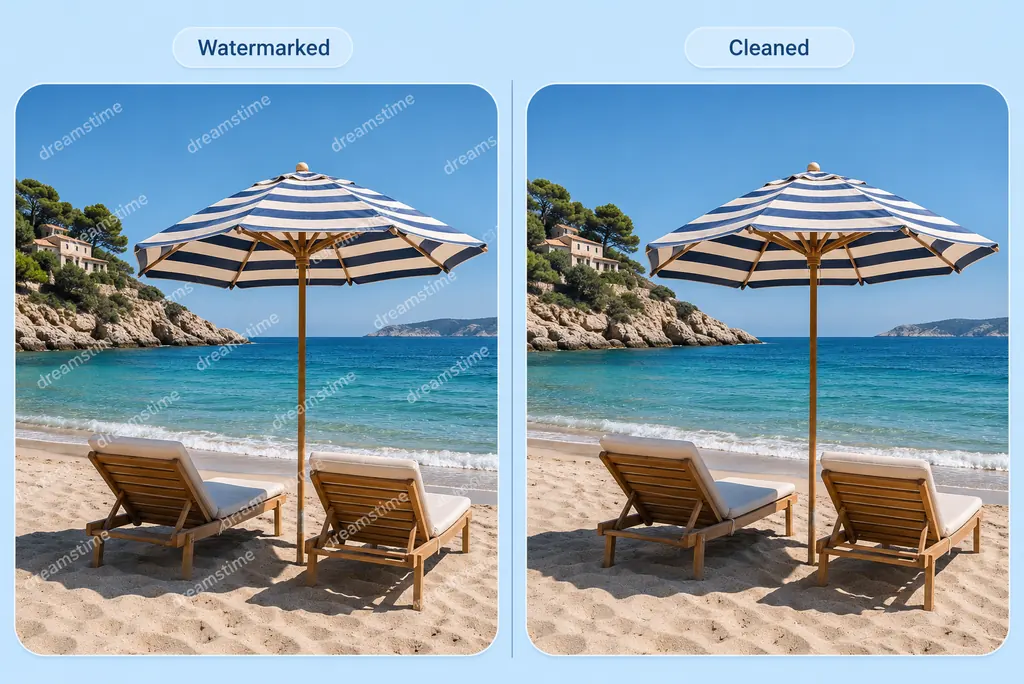
Bring the Focus Back to Your Photo
A watermark can get in the way of the picture you want to see. Upload your photo and use the ready-to-use prompt to remove Dreamstime lettering and overlay lines. You can adjust the wording to describe the marks in your image.
Ask AI to keep the subject, colors, and composition you like. Once the edit is ready, take a closer look at the areas where the watermark used to be. For other overlays, try our photo watermark remover.

Give Important Details a Closer Look
Sometimes a watermark crosses a face, a textured fabric, or the edge of a product. Tell AI which details you want to keep, then compare the edited image with your original.
If an area needs more work, adjust your prompt and try another version. Starting with a clear photo helps you see the difference. AI recreates the covered areas, so check fine textures and edges before choosing your favorite result.

Clean Up More Than Watermarks
Have a draft label, date stamp, or unwanted logo on an image you can edit? Describe what you want to remove and what you want to keep. Use the same workflow to explore a cleaner version of your photo.
For a specific cleanup task, try the text remover or use AI Magic Eraser for other small distractions. Choose the tool that suits the change you have in mind.
How to Remove a Dreamstime Watermark Online
Step 1: Add Your Photo
Use the plus button to upload your photo, or try the sample image already in the generator. Use an image you own or have permission to edit.
Step 2: Tell AI What to Remove
Start with the ready-to-use prompt, then adjust it for your image. Mention the watermark text and lines, along with any details you want to keep.
Step 3: Generate Your Edit
Click Generate to see an edited version. Compare it with the original and take a closer look at any areas where the watermark crossed the subject.
Step 4: Review and Save
Happy with the result? Download it for your project. If something needs another pass, refine your prompt and try a new version.
Why Use insMind for Watermark Cleanup?

A Prompt to Get You Started
Start with the ready-to-use cleanup prompt, then make it your own. Tell AI which marks to remove and which details matter to you.

Room to Refine Your Edit
Compare the result with your original and try a new instruction when you need to. Take your time finding a version you are happy with.

Edit Right in Your Browser
Upload a photo, describe your edit, and review the result online. No desktop photo-editing software to install.
FAQs About Removing Dreamstime Watermarks
How do I remove a Dreamstime watermark from an image?


I already licensed the image. Should I download it from Dreamstime?
Can I use an image after removing its watermark?
What if the watermark is repeated or transparent?
Will the photo look exactly like the original?
Can I remove other text or a logo too?
Do I need to install anything?
Can I use the Dreamstime watermark remover for free?
Explore More Photo Cleanup Tools
Clean up text, overlays, and small distractions in your next image.

AI Magic Eraser

Remove Glare from Photo

Remove Shadow from Photo
Remove Text from Photo

Remove People from Photo

Edit Text in Image

Remove Emoji and Stickers from Photo