


 Sid Buckley·July 24, 2026
Looking for video resume examples that sound confident without feeling rehearsed? A good video resume does not repeat every line of your written resume. It gives a recruiter a quick, human introduction to your strengths, proof, and direction.
This guide includes 12 adaptable scripts for graduates, career changers, technical candidates, creatives, and client-facing professionals. You will also learn how to turn your chosen video resume script into a polished video with insMind, even if you do not want to build every scene from scratch.
Table of Contents
What Makes a Strong Video Resume Example?
The best video resume example answers four questions quickly: Who are you? What do you do well? What proof supports that claim? What opportunity are you seeking?
Keep the answer focused. Most recruiters do not need your complete employment history on camera. They need a clear reason to continue to your written resume, portfolio, or interview.
A useful structure is:
- Identity: Your name and professional direction.
- Value: One or two strengths relevant to the role.
- Proof: A measurable result, project, or credible example.
- Fit: Why this kind of opportunity interests you.
- Close: A simple invitation to continue the conversation.
The delivery matters too. Speak slightly slower than you would in casual conversation, look toward the camera, and use short sentences. If a sentence is difficult to say naturally, simplify it before recording or generating the video.
12 Video Resume Script Templates and Examples
Use these scripts as starting points, not lines you must copy word for word. Replace bracketed details with specific evidence from your experience and adjust the vocabulary to sound like you.
1. Recent Graduate Video Resume Script
Hi, I am [Name], a recent [Degree] graduate from [School]. Through [internship, capstone, or student organization], I developed strong skills in [Skill 1] and [Skill 2]. One project I am especially proud of is [Project], where I [Action] and achieved [Result]. I am now looking for an entry-level [Role] position where I can bring curiosity, careful execution, and a strong learning mindset. Thank you for taking the time to learn more about me.
Why it works: this video resume script example does not apologize for limited experience. It turns academic and internship work into evidence of readiness while remaining a practical video resume sample.
2. Internship Applicant Script
Hello, I am [Name], a [Year] student studying [Major]. I am interested in [Field] because [one-sentence motivation]. In my recent [class, club, or volunteer project], I used [Tool or Skill] to [Action], which helped [Result]. I would love to bring that same energy and attention to detail to a [Type of Internship] internship. I am excited to learn from your team and contribute from day one.
This concise approach is useful when an employer asks for a short introduction alongside an application form.
3. Career Changer Video Resume Script
Hi, I am [Name]. After [Number] years in [Previous Field], I am moving into [Target Field]. My background has already taught me how to [Transferable Skill 1], [Transferable Skill 2], and [Transferable Skill 3]. To prepare for this transition, I completed [Course, Certification, or Project] and created [Relevant Work Sample]. In one recent project, I [Action] and [Result]. I am now seeking a [Target Role] where I can combine my industry perspective with these new technical skills.
Want a more memorable video resume idea? Briefly show the project or certificate while you mention it, rather than adding a long list of credentials.
4. Product Manager Video Resume Example
Hello, I am [Name], a product manager with [Number] years of experience turning customer problems into focused product decisions. In my current role, I led [Initiative] across design, engineering, and go-to-market teams. That work improved [Metric] by [Percentage] and gave me deeper experience in [Relevant Area]. I am known for asking clear questions, aligning stakeholders, and keeping teams close to user evidence. I am looking for a product role where I can help build [Type of Product or Outcome].
The script leads with impact, then explains how the candidate works. That balance makes the achievement feel credible rather than promotional.
5. Software Engineer Video Resume Script
Hi, I am [Name], a software engineer specializing in [Frontend, Backend, Mobile, Data, or Platform]. I recently built [Project or Feature] using [Technologies], helping [Users or Team] achieve [Result]. I care about readable code, practical testing, and working closely with product partners before implementation begins. I am particularly interested in [Technical Area] and would be excited to contribute to a team solving [Relevant Problem]. You can find additional projects and technical details in my portfolio.
Avoid reading a long stack of tools. Choose only the technologies that support the role, then direct viewers to your portfolio for depth.
6. Sales Professional Script
Hello, I am [Name], a [B2B or B2C] sales professional with experience in [Industry or Market]. During the past [Time Period], I reached [Percentage] of quota and helped close [Type or Value of Deals]. My approach combines careful discovery, clear follow-up, and honest expectation setting. I enjoy learning what matters to a customer and translating that need into a useful solution. I am now looking for a [Role] where I can grow strategic accounts and build durable customer relationships.
Numbers make sales claims concrete. Use one or two meaningful metrics, not a rapid list that becomes difficult to follow.
7. Digital Marketing Video Resume Example
Hi, I am [Name], a digital marketer focused on [Demand Generation, Content, Paid Media, SEO, or Lifecycle]. At [Company or Project], I developed [Campaign] for [Audience] and increased [Qualified Leads, Conversions, or Revenue] by [Percentage]. I enjoy combining customer insight with testing, measurement, and clear creative direction. I am looking for a [Target Role] where I can help a team build campaigns that are useful to customers and accountable to business goals.
This is a strong format for turning one campaign into a short professional story. Supporting visuals can show a dashboard, creative sample, or sanitized result.
8. Graphic or UX Designer Script
Hello, I am [Name], a [Graphic or UX] designer who helps [Audience] understand and use [Type of Product or Information]. My process starts with [Research or Discovery Method], then moves through [Key Design Steps]. In a recent [Project], I redesigned [Experience or Asset], which improved [Usability, Conversion, or Engagement Metric]. I value clear feedback, accessible design, and close collaboration with cross-functional teams. I would love to bring that approach to [Type of Company or Challenge].
Designers can make this video resume example more visual by cutting to two or three portfolio frames while keeping the spoken message focused.
9. Teacher Video Resume Script
Hi, I am [Name], an educator with [Number] years of experience teaching [Subject or Grade Level]. I create structured, inclusive lessons that help students participate confidently and connect ideas to real situations. In my recent classroom, I introduced [Method or Program], and [Student Outcome] improved by [Result]. I also value clear communication with families and colleagues. I am seeking a [Teaching Role] where I can support strong learning habits and contribute to a collaborative school community.
Keep student information private. Discuss outcomes in aggregate and avoid showing names, faces, or confidential records.
10. Healthcare Professional Script
Hello, I am [Name], a [Licensed Role] with experience in [Setting or Specialty]. I am committed to clear communication, careful documentation, and calm support for patients and families. In my current role, I [Responsibility or Improvement] while working closely with [Relevant Team]. Colleagues know me for [Professional Strength]. I am now looking for an opportunity where I can continue delivering safe, respectful care and grow in [Specialty or Responsibility].
Do not include patient stories that could identify someone. A professional video resume should demonstrate judgment as well as communication skill.
11. Freelancer or Consultant Video Resume Script
Hi, I am [Name], a freelance [Specialty] helping [Client Type] achieve [Outcome]. My work typically includes [Service 1], [Service 2], and [Service 3]. For a recent client, I [Action] and helped produce [Measurable Result]. Clients value my [Communication Habit, Speed, or Strategic Strength]. If you need support with [Specific Problem], I would be glad to discuss the scope, timeline, and result you are aiming for.
For client outreach, end with a relevant next step instead of saying that you are looking for a job.
12. 2 Minute Video Resume Script
Hello, I am [Name], a [Professional Title] with [Number] years of experience in [Field]. My work focuses on [Core Value or Problem]. In my current or most recent role at [Organization], I was responsible for [Scope]. One achievement I am proud of is [Situation]. I [Actions], collaborated with [Teams], and ultimately delivered [Measurable Result].
That experience strengthened my ability to [Skill 1] and [Skill 2], but it also taught me [Brief Lesson]. Outside that project, I have developed experience in [Two Relevant Areas]. My colleagues would describe me as [Two Credible Traits], especially when [Work Situation].
I am now interested in [Target Role or Company Type] because [Specific Motivation]. I believe my experience in [Relevant Strength] would help your team [Desired Outcome]. Thank you for watching. I would welcome the opportunity to discuss the role and share more examples of my work.
A 2 minute video resume script needs breathing room. Divide it into three visual beats: introduction, proof story, and role-specific close. If every sentence introduces a new claim, the result will feel crowded.
How to Write Your Own Video Resume Script
Not sure which template fits? Build your script in three passes.
First, collect evidence. Write down three outcomes, projects, or moments that show how you work. Then choose the one most relevant to the job. Relevance is more persuasive than a bigger achievement from an unrelated area.
Second, turn that evidence into spoken language. A sentence such as "Responsible for executing integrated marketing initiatives" sounds like a resume bullet. On video, say, "I plan campaigns across email, paid media, and content, then use the results to decide what we test next."
Third, read the draft aloud and cut anything that feels unnatural. Aim for roughly 110-140 spoken words per minute. That means a 60-second script usually contains about 120 words, while a two-minute version should rarely exceed 260 words.
For a faster production workflow, a script to video AI tool can help you turn a finished message into visual scenes. Keep the final wording conversational even when AI helps with production.
How to Turn a Video Resume Script into a Video with insMind
Ready to create the video? insMind lets you begin with a professional image, guide the result with your role and career story, choose video settings, and refine the generated clip.
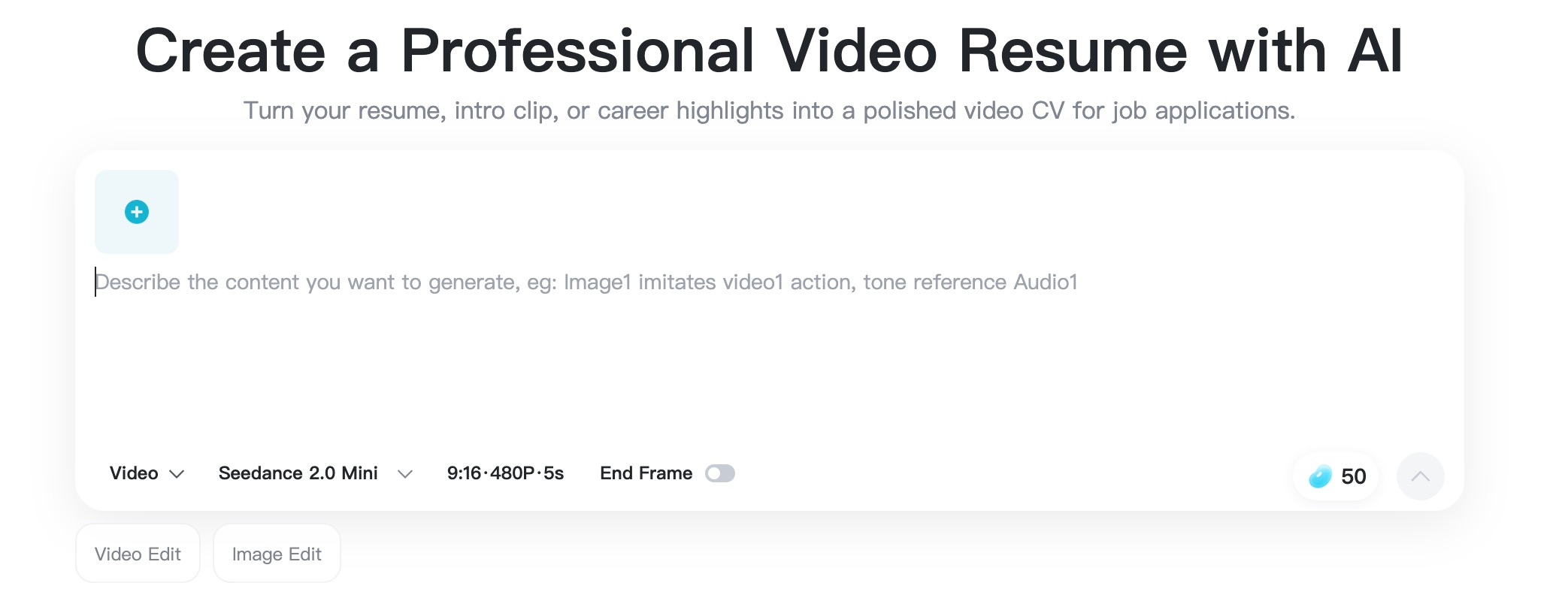
Step 1: Open the Video Resume Maker and Add a Professional Photo
Go to the AI video resume maker and choose Create from Photo. Add a clear, front-facing headshot with even lighting and a simple background. A natural expression and visible shoulders give the generated movement more useful visual information.
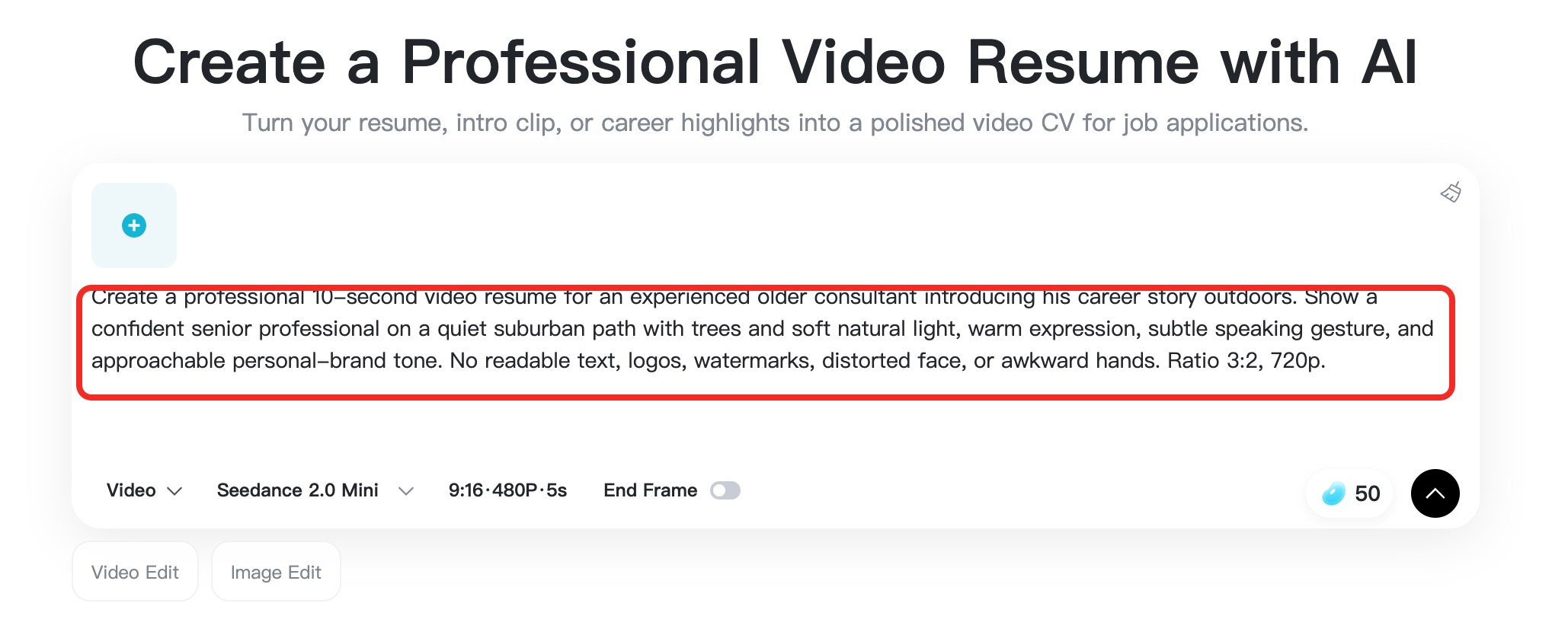
Step 2: Describe the Role, Proof, and Speaking Style
In the prompt area, summarize the script rather than pasting an unfocused employment history. Include your target role, one or two proof points, and the tone you want. For example: "Create a polished video resume for a product marketing manager. Mention six years in SaaS, a 32% lead increase, and cross-functional leadership. Use a confident, friendly tone."
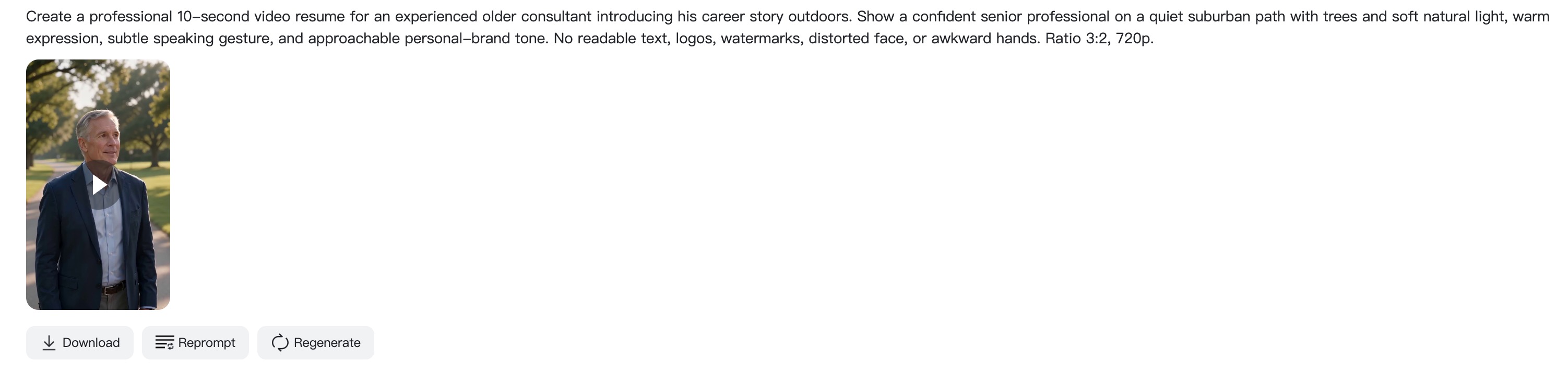
Step 3: Choose the Video Settings and Generate
Review the model, aspect ratio, duration, and resolution shown in the creation panel. Pick a format that matches where you will share the video: vertical for mobile-first channels or landscape for portfolio and application pages. Then click Generate and wait for insMind to create the clip.
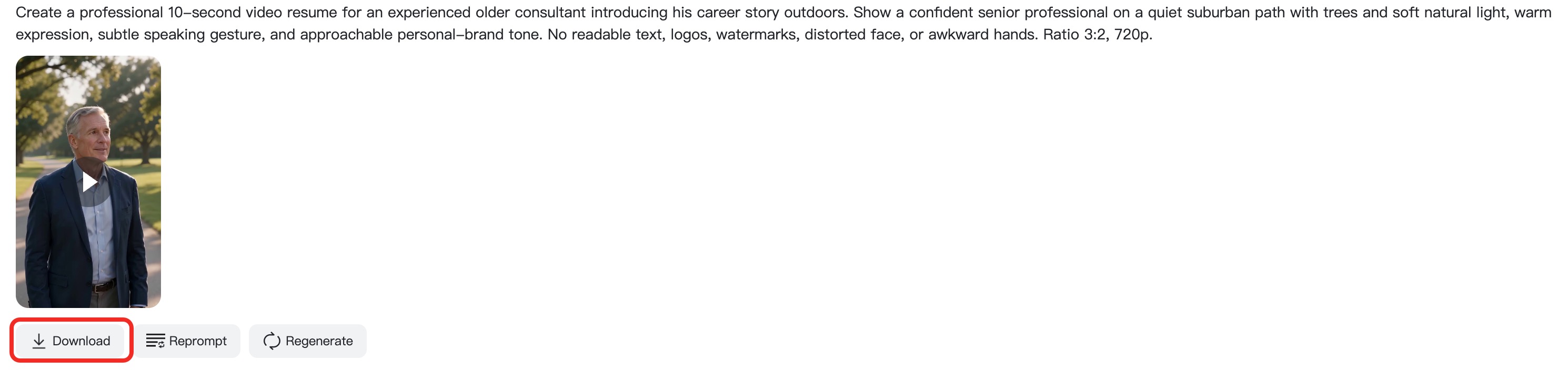
Step 4: Preview, Refine, and Download
Watch the result for facial consistency, pacing, framing, and professional tone. If the message or movement needs work, revise the prompt or use the editing options to adjust subtitles, text highlights, and presentation. When the clip is ready, download it for your application, LinkedIn post, recruiter message, or portfolio.
Video Resume Ideas That Look Professional
Your script carries the message, but presentation affects whether viewers stay with it. Try these practical video resume ideas:
- Use one visual theme. A clean office, neutral wall, or consistent set of portfolio images feels more deliberate than unrelated backgrounds.
- Add captions. Recruiters may watch without sound, especially on LinkedIn or mobile. Keep captions short and easy to scan.
- Show proof at the right moment. Display a project, dashboard, design, or public work sample when the script mentions it.
- Create two cuts. Use a 30-45 second version for outreach and a 60-90 second version for portfolio or application links.
- Match the frame to the destination. Vertical video works well for mobile messages, while landscape usually fits websites and presentation pages better.
If you need to refine the final clip, an AI video editor can help you adjust presentation without rebuilding the entire video. An AI video generator is also useful when your concept needs additional visual scenes beyond a single talking-head introduction.
FAQs About Video Resume Examples and Scripts
What should I say in a video resume?
Introduce your professional direction, name one or two relevant strengths, prove them with a result or project, and explain what role you want next. Close with a simple invitation to review your resume, portfolio, or application.
How long should a video resume be?
Most candidates should aim for 45-90 seconds. A 30-second cut can work for recruiter outreach, while a focused two-minute video is appropriate when the employer asks for more detail or your portfolio needs context.
Can I use the same video resume script for every job?
Reuse the structure, but change the proof, vocabulary, and motivation for each role. A role-specific video feels intentional and helps the recruiter connect your experience to the actual opening.
Should a video resume replace my written resume?
Usually, no. Treat the video as a short introduction that complements your written resume. The document remains easier for recruiters and applicant tracking systems to scan for dates, titles, education, and detailed skills.
Do I need professional recording equipment?
No. Clear sound, stable framing, even light, and a distraction-free background matter more than an expensive camera. AI-assisted tools can also help you build a polished clip from a strong photo and focused prompt.
Is it acceptable to use AI for a video resume?
Yes, when the content remains truthful and represents your real experience. Review every generated element, remove exaggerated claims, and make sure the final video still sounds like you.
I'm a professional writer and amateur photographer, and I author insightful articles at insMind to help you integrate AI into compelling image creation.
Keep reading

How to Use Seedance 2.5 for AI Videos
Learn how to use Seedance 2.5 for text-to-video and image-to-video, write stronger prompts, guide motion with references, and review results.

How to Make a Creepy Voice for Horror Content Step by Step
Learn how to make a creepy voice for horror videos, podcasts, and games with insMind.

How to Remove TikTok Watermark: 4 Easy Steps for Clean Videos
Learn how to remove TikTok watermark from videos in four practical steps with insMind.

Top 10 Seedance 2.5 Alternatives for AI Video in 2026
Compare top Seedance 2.5 alternatives and learn how to create AI videos with insMind.

Seedance 2.5 vs. MiniMax H3: Which AI Video Model Should You Use?
Compare Seedance 2.5 and MiniMax H3 for AI video creation.

30 Instagram Reels Prompts You Can Copy and Try
Copy-ready Instagram Reels prompts for products, fashion, creators, travel, food, pets, and lifestyle videos.

How to Write Instagram Reels Prompts for AI Videos
Learn to write Instagram Reels prompts for polished AI videos, product clips, creator posts, and lifestyle content.

30 TikTok Video Prompts You Can Copy and Try
Copy-ready TikTok video prompts for ads, creators, products, fashion, pets, travel, and more.

How to Create an AI Micro-drama: A Step-by-Step Guide
Learn how to create an AI micro-drama with insMind.

How to Create a Short Film Using AI in 2026
Learn how to create a short film using AI with insMind.

Instagram Reel Ads: Examples, Specs, Sizes, and Best Practices
Learn Instagram Reel ad specs, examples, safe zones, and best practices.

YouTube Ads Best Practices: How to Create Video Ads
Learn YouTube ads best practices and create video ads with insMind.

YouTube Channel Trailer Examples: 15 Inspiring Ideas for Your Channel
Explore YouTube channel trailer examples and create a polished trailer with insMind.

15 Best YouTube Ad Examples and Templates to Inspire Your Next Campaign
Explore YouTube ad examples and templates, then create video ads with insMind.

How to Make a Hype Video with AI: The Easy Guide
Learn how to make a hype video with AI using insMind.

Instagram Ad Templates for Feed, Stories, Reels, and Carousel Ads
Learn Instagram ad templates for Feed, Stories, Reels, and Carousel Ads.

Facebook Video Ad Specs: Sizes, Formats, and Lengths for 2026
Learn Facebook video ad specs, sizes, formats, and lengths for 2026, then make ad-ready videos with insMind fast.

How to Create Facebook Video Templates for Posts, Ads, Covers, and Live Video
Learn how to use Facebook video templates for posts, ads, covers, and live video with insMind.

Instagram Ad Examples: 15 Creative Ideas That Convert
Explore 15 Instagram ad examples and learn how to make them with insMind.

Instagram Ad Sizes and Specs: Complete 2026 Guide
Find Instagram ad sizes, specs, ratios, and dimensions for every major placement.

10+ Video Resume Examples with Scripts for Every Career Stage
Explore video resume examples and scripts, then create a polished video resume with insMind.

How to Make a Sports Hype Video with AI: A 4-Step Guide
Learn how to make a sports hype video with AI.

YouTube Ad Specs for 2026: Sizes, Formats, and Lengths
YouTube ad specs for sizes, formats, dimensions, and lengths, plus a four-step insMind workflow.

30 Best Grok Imagine Video Prompts You Can Copy and Try
Copy 30 Grok Imagine video prompts and learn how to write better prompts for creative AI videos.

50 Scroll-Stopping AI Brainrot Prompts for Viral Meme Videos
Copy 50 scroll-stopping AI brainrot prompts for chaotic meme videos.

How to Turn Any Photo into a Brainrot Meme Video
Learn how to turn any photo into a brainrot meme video with AI.

How to Make a Retirement Video with AI
Learn how to make a retirement video with AI.

How to Make Your Own Graduation Video from Photos with AI
Learn how to make a graduation video from photos with AI.

How to Make Your Own Outro Video
Learn how to make your own outro video with insMind.

Higgsfield vs Pollo AI: Which Video Platform Fits You?
Compare Higgsfield vs Pollo AI for cinematic control, model choice, ease of use, and pricing.

Pollo AI Review 2026: Features, Pros, Cons, and Verdict
Read our Pollo AI review for 2026 and explore its features, pricing, strengths, limitations, ideal users, and practical tips for better results.

How to Create Cute Baby Talking Videos from Photos
Learn how to create baby talking videos from photos with text, audio, and AI lip sync.

How to Make Your Own Talking Avatar with AI
Learn how to make your own talking avatar with AI from a portrait and script.

Seedance 2.0 Mini vs Seedance 2.0: Which Model Should You Use?
Compare Seedance 2.0 Mini and Seedance 2.0 for AI video creation.

How to Create Talking Animal Videos from Photos That Steal the Show
Learn how to create talking animal videos from photos with AI.

How to Turn a Character Image into a Consistent AI Video
Learn how to turn a character image into a consistent AI video with insMind.

10 Krea AI Alternatives for Creating and Editing AI Videos in 2026
Compare the best Krea AI alternatives for creating and editing AI videos, including insMind, Runway, Kling AI, Luma, Pika, VEED, and more.

Seedance 2.0 Mini Prompts to Copy: 20 Video Ideas
Copy Seedance 2.0 Mini prompts for cinematic AI videos with insMind.

Seedance 2.0 vs Seedance 2.5: What Changed?
Compare Seedance 2.0 and Seedance 2.5 with examples, prompts, and insMind workflow.

10 Best Pollo AI Alternatives for AI Video Creation in 2026
Compare the best Pollo AI alternatives for AI video creation, including insMind, Runway, Kling AI, Luma, Pika, VEED, and more.

How to Make an AI Video of Yourself That Actually Feels Like You
Create a realistic AI video of yourself from a photo and script.

How to Turn Old Photos into a Beautiful Tribute Video with AI
Turn old photos and memories into beautiful AI tribute videos.

How to Make a Daily Vlog with AI in Minutes
Create daily AI vlogs from photos, prompts, or ideas in minutes.

How to Create 2026 FIFA World Cup Highlights with AI
Create 2026 FIFA World Cup highlights, fan clips, and football videos with AI.

Best AI Video Extender for Creators: Top Tools Compared
Compare the best AI video extender tools for creators in 2026 and learn how to make short videos longer with insMind.

How to Edit YouTube Videos Faster with AI
Edit YouTube videos faster with AI background and style tools.

How to Create Training Videos with AI: A Complete Guide for Beginners
Create clear training videos from images and prompts with AI.

Create Product Reveal Videos with an AI Unboxing Video Maker
Learn how to create AI unboxing videos for product reveals, UGC, teasers, and ecommerce demos.

Create Smooth AI Video Transitions with Kling Start/End Frame
Learn how to create smooth AI video transitions with Kling Start/End Frame.

What Can You Choose for the Best InVideo Alternatives in 2026?
Compare the best InVideo alternatives and see why insMind is a strong AI video generator for creators and marketers.

10 Best Animaker Alternatives in 2026: New Trends in AI Video Creation
Compare the best Animaker alternatives for AI video creation, including free and open-source picks.

10 Best HeyGen Alternatives in 2026: Create AI Videos with More Freedom
Compare the best HeyGen alternatives for AI video creation, including free and open-source picks.

How to Make a Faceless YouTube Channel with AI
Make a faceless YouTube channel with AI tools, scripts, video ideas, and insMind.

Best CapCut Alternatives: 8 AI Video Editors Compared
Compare the best CapCut alternatives for iPhone, Android, PC, and AI video editing.

How Ecommerce Brands Replace Products in Videos with AI
Replace products in ecommerce videos with AI for ads, listings, and creative testing.

How to Change Video Background Without Green Screen: Step-by-Step Guide
Learn how to change video backgrounds without a green screen using simple AI editing steps.

How to Seamlessly Replace Objects in Videos with AI
Step-by-step guide on replace objects in videos with AI: how it works, best practices, and how to do it free with insMind.

How to Identify AI-Generated Videos: A Comprehensive Guide
Learn how to identify AI-generated videos using expert tips and insMind's tools for authenticity verification.

Can AI Really Edit Videos For You? A Deep Dive Into AI Video Editing
Discover how AI can edit videos effectively, using insMind and other top tools. Learn workflows, compare features, and explore future trends.

Crafting Viral Bigfoot AI Videos: A Step-by-Step Guide
Create viral Bigfoot AI videos with insMind. Learn how to optimize for TikTok and YouTube, avoid common mistakes, and more.

Discover the Versatility of Happy Horse 1.0 for AI Video Creation
Happy Horse 1.0 review explores AI video generation, integration with insMind, and practical applications for content creators.

Seedance 2.0 vs. Happy Horse 1.0: Which AI Video Generator Fits Your Needs?
Discover the differences between Seedance 2.0 and Happy Horse 1.0. Learn which AI video generator suits your needs best.

How to Make Educational Videos for Kids with AI (4 Easy Steps)
Write a structured script, choose model and audio, generate, and download—a step-by-step guide to making AI educational videos for kids with prompt templates.

Best AI Prompts for Explainer Videos (Proven Templates)
Four proven AI prompt templates for explainer videos—presenter, product demo, faceless brand, and tutorial—plus how to use insMind in 3 steps.

Best AI Explainer Video Generator for Business (2026 Guide)
Choose text-to-video or image-to-video, configure model and audio, generate and download—a complete 2026 guide to AI explainer videos for business with insMind.

Best Prompts for Wan 2.7: Multi-Shot Guide for Cinematic AI Video
Choose text or image mode, write scene-block prompts for Wan 2.7, set duration and audio, then download—plus 40+ language narrative tips.

How to Create Kids Videos with AI: A Parent-Friendly Guide
Upload art or start from text, write kid-safe prompts, pick Google Veo 3.1, generate and download—steps for parents and teachers.

From Script to Screen: How to Create Engaging Story Videos with AI Tools
Learn how to create story videos with AI: split scripts into scenes, optional reference images, generate clips in insMind, then merge. No pro editor required to start.

How to Make a Baby Dance Video with AI: Step-by-Step Guide
Turn a baby photo into a cute AI dance clip. Upload, write a motion prompt, pick model and duration, generate—no editing skills needed.

How to Make a Cat Dance Video with AI: Step-by-Step Guide
Turn a cat photo into a funny dance clip with AI image to video. Upload, write a motion prompt, generate, and download—no editing skills.

Best AI Tool for Pet Dance Videos (2026 Compared)
Compare top AI pet dance video tools with real screenshots, pros and cons, and a tested insMind image-to-video workflow plus copy-ready prompt.

Top 20 AI Fruit Video Prompts to Copy & Paste
Discover top AI fruit video prompts for creating engaging, trendy videos. Perfect for TikTok and other platforms, these prompts inspire creative content.

Funny AI Video Prompts That Work (Tested Examples)
Get 20+ tested funny AI video prompts that actually make people laugh. Copy-paste prompts for TikTok, Reels, and YouTube Shorts with step-by-step instructions.

Affordable AI Video Solutions for E-commerce Startups
Discover affordable AI video solutions for e-commerce startups. Learn about budget-friendly tools and maximize ROI with AI-generated content.

Transforming Marketing with AI Video Ads
Discover how AI video ads are transforming online marketing with personalized, efficient, and creative solutions. Learn techniques and examples.

Mastering Cinematic Ad Creation with Seedance 2.0
Create cinematic ads with Seedance 2.0, a powerful AI tool for video advertisements. Learn how to make stunning video ads using Seedance 2.0.

Mastering Viral Video Creation with Seedance 2.0
Discover how to create viral videos using Seedance 2.0 with tips, prompts, and insights on social media trends.

Close-Up Shot: Definition, Story Uses & Tighter Framing
What is a close-up shot? Definition, when to use tight framing for emotion and detail, and tips for shooting cleaner inserts on any camera.

YouTube Equipment for Beginners: Gear, AI Video & Your First Upload (2026)
Beginner YouTube equipment: priority order for mic, light, and camera; clear audio on a budget; phone vs dedicated camera; Shorts and 16:9 basics.

How to Create Anime Videos with AI (Step-by-Step Guide)
Learn how to create anime videos with AI step by step. Use text-to-video and image-to-video to generate stunning anime animations with insMind.

How to Make Viral Funny Videos with AI in 5 Minutes
Learn how to make viral funny videos with AI in minutes. Step-by-step guide to creating hilarious TikTok and Instagram clips using insMind AI funny video generator.

How to Create Talking Old Photo Videos with AI
Learn how to animate old photos with AI. Turn vintage portraits into talking videos with realistic motion using insMind free photo animation tool.

7 Best Sora 2 Alternatives for AI Video Generation in 2026
Discover the best Sora 2 alternatives for AI video generation. Compare insMind, Runway, Kling AI, Pika, and more to find the right tool for your needs.

AI Prompts for TikTok Video Generator: Complete Guide
Discover the best AI prompts for TikTok video generation. 20+ ready-to-use prompts plus a step-by-step guide to creating viral TikTok content with AI.

How to Upscale Anime Video to 4K with AI (Step-by-Step)
Learn how to upscale anime video to 4K using AI. Step-by-step guide to enhancing low-res anime with sharper lines and cleaner colors.

AI Marketing Video Generator: Create Promo Videos from Text
Learn how to turn text into professional marketing videos using AI. Step-by-step guide to creating promo videos in minutes.

Text-to-Video AI Ranked: Which Generator Wins in 2026?
Compare the 7 best text-to-video AI generators in 2026 including insMind, Sora 2, Runway, Kling AI, Pika, and more.

Animate Anime Images with AI: Turn Static Art into Dynamic Anime Videos
Learn how to animate anime images with AI. Turn static anime art into stunning animated videos easily.

How to Remove Kling Watermark from AI Videos
Explore the best ways to remove Kling AI watermark. Compare editing methods and discover watermark-free Kling generation options.

AI Video Editor: Edit Videos Instantly with Prompts
Use insMind AI Video Editor and prompts to edit videos, remove objects, change backgrounds and more.

Control the Narrative: Create Cinematic AI Videos with Start & End Frames
From start to finish, take control of AI video storytelling with Start & End Frames.

How to Create a Stranger Things Transition Video (Step-by-Step Guide)
Create a Stranger Things–style Upside Down transition with AI in just a few steps using insMind.

Transform Your Ideas: Generate Videos from Text Instantly
Turn text into videos in seconds with InsMind's AI—ideal for social media, ads, and presentations. No editing skills required.

Tralalero Tralala: How to Animate the Italian Shark Meme with AI Flair
Animate the viral “Tralalero Tralala” Italian Shark meme with AI for fun, shareable content.

Top TikTok Memes 2025: 'Tung Tung Tung Sahur' & Viral Trends You Can't Miss
2025 TikTok trends: AI-generated Italian Brainrot memes and creepy Tung Tung Tung Sahur dominate viral humor.