


Short AI videos are everywhere, but many of them end too soon. A product reveal cuts before the final close-up. A travel clip stops before the camera finishes its movement. A generated character scene looks promising, then fades right when the action gets interesting. That is where a tool that can extend any clip seamlessly becomes useful.
Instead of looping the same frames, slowing down footage, or adding a frozen ending, an AI video extender predicts what should happen next and generates new frames that continue the original shot. For creators, marketers, educators, and social media teams, this can turn a 5-second clip into a longer asset for Reels, TikTok, YouTube Shorts, ads, presentations, or a smoother edit.
In this comparison, we will look at the best AI video extender tools for creators in 2026, with insMind first because it gives you a direct prompt-guided workflow for extending clips online. You will also learn how to use insMind step by step, what to look for in a video extender, and how to avoid the common problems that make extended footage feel fake.
Table of Contents
What Is an AI Video Extender?
An AI video extender is a video editing tool that makes a short clip longer by generating new footage after the final frame. It studies motion, lighting, subject position, camera direction, color tone, and scene structure, then creates a continuation that looks like it belongs to the same video.
That is different from a loop. A loop repeats the same action. It is also different from slow motion, which stretches what is already there. A good video extender creates new content: the camera can keep moving, a person can continue walking, clouds can drift, a product can rotate, or a landscape can reveal more of the scene.
This matters because many AI video generators and social clips are short by default. If you need a few extra seconds for a voiceover, caption timing, platform length requirement, transition, or final visual beat, an online AI editing workspace with extension features can save the time and cost of reshooting.
Best AI Video Extender Tools for Creators
Not every AI video extender is built for the same user. Some are simple web tools for creators who want a longer clip fast. Others are model playgrounds for technical users. A few platforms focus on broader AI video generation and include extension as one feature. Here is a practical comparison.
| Tool | Best For | Key Strength | Pricing | Rating |
|---|---|---|---|---|
| insMind | Creators who want prompt-guided extension | Upload video, describe continuation, generate, download | Free trial and credit-based use | 5/5 |
| JoggAI | Quick social and marketing extensions | Simple upload and prompt flow | Free trial; paid plans vary | 4.6/5 |
| Fotor | Creators already using Fotor AI tools | Video expansion inside a broad creative suite | Freemium and paid subscriptions | 4.5/5 |
| BasedLabs | AI creators who want model-based generation | Canvas-style AI video workflow | Membership or credit-based options | 4.4/5 |
| WaveSpeedAI | Advanced users comparing video models | Access to multiple AI video models | Model-based pricing | 4.3/5 |
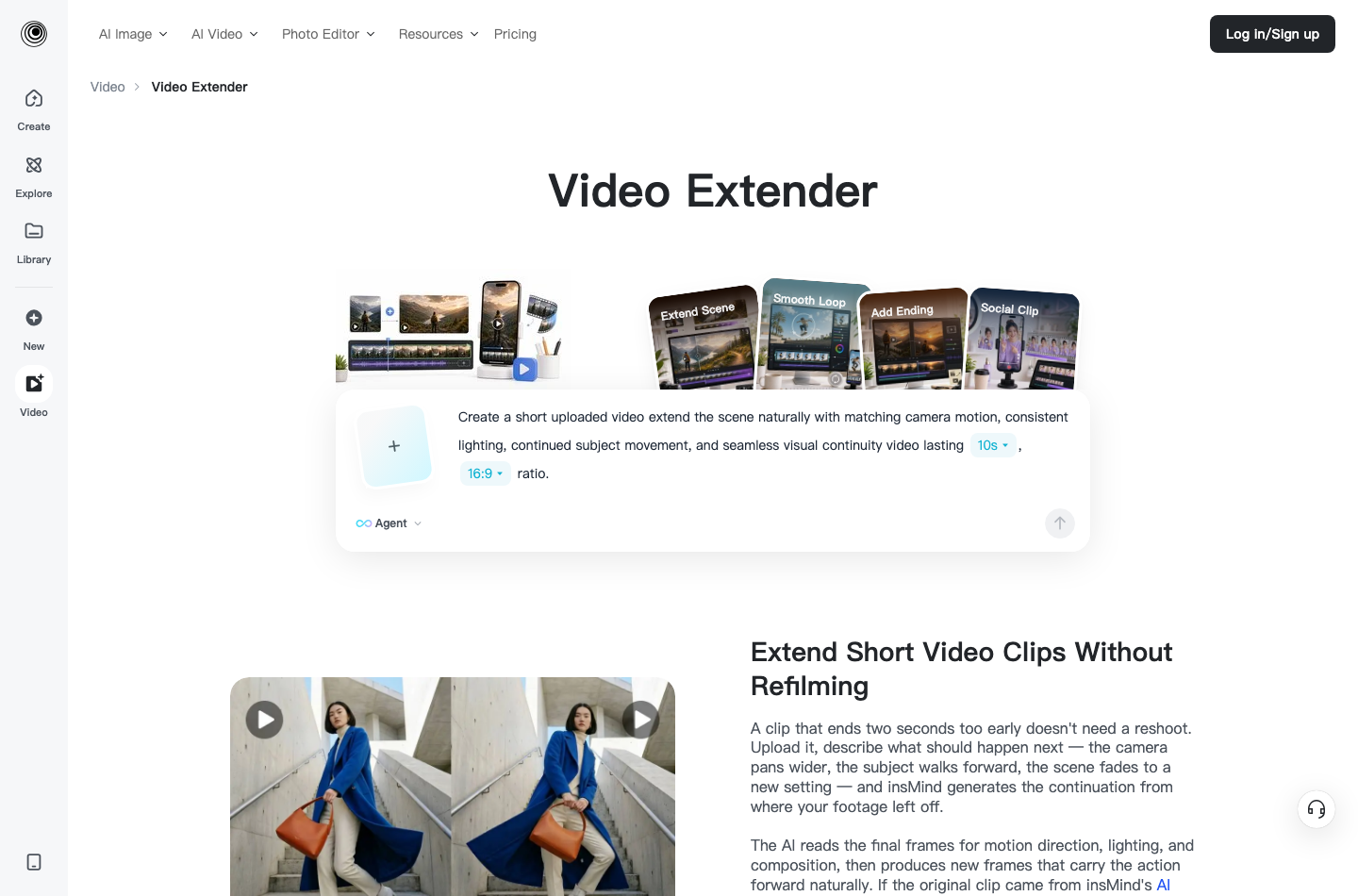
1. insMind: Best Overall AI Video Extender for Creators
insMind is the strongest choice for creators who want a direct, guided way to make short videos longer. The workflow is simple: upload the clip, describe what should happen after the final frame, generate the extension, preview it, and download the finished video. You do not need a professional timeline editor or a local GPU.
It is especially useful for AI-generated clips, social media posts, travel videos, product showcases, and personal footage that needs a smoother ending. Because the prompt controls the continuation, you can guide camera movement, subject action, mood, lighting, and background details instead of accepting a random extension.
 Pros
Pros
- Prompt-guided continuation gives creators more control
- Works for AI-generated videos, social clips, product demos, and real footage
- Simple browser workflow with no desktop editor required
- Good fit for making short clips longer without awkward loops
Cons
- Visual-only extension means you may add music or voiceover separately
- Very complex motion can still need prompt refinement
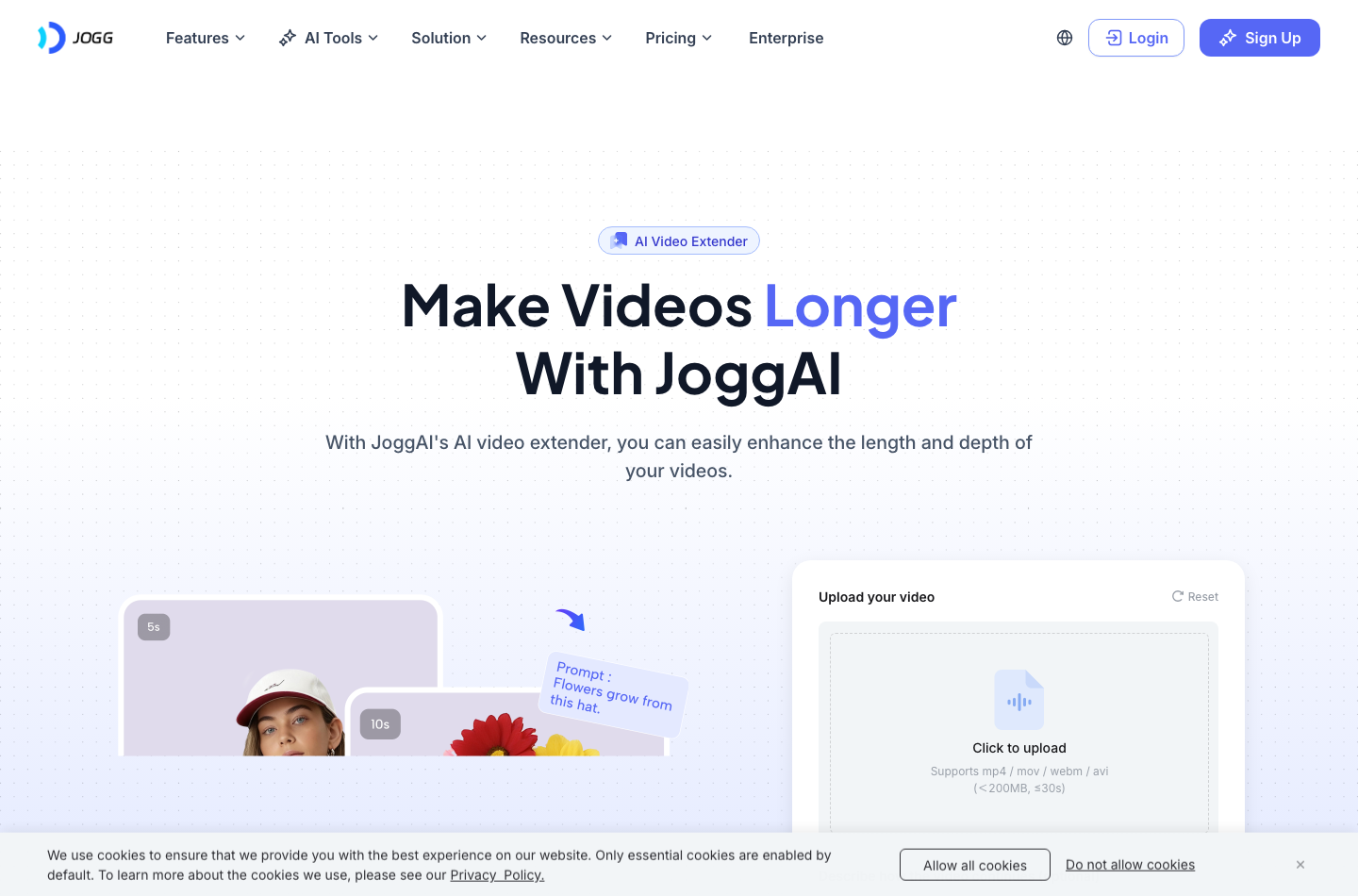
2. JoggAI: Best for Fast Social Video Extensions
JoggAI offers an AI video extender page built around a straightforward upload-and-prompt workflow. It is useful when you want to extend marketing clips, short social videos, or generated scenes without working through a complex editor. The page emphasizes uploading a video, describing how the clip should continue, and generating a longer result.
For creators, JoggAI is a practical option if speed is the top priority and the clip is already short, clean, and visually clear. It may be less ideal if you want a full editing environment around the extension, but it works well as a focused video expansion tool.
Pros
- Simple interface for extending short video clips
- Good match for marketing and social media video use cases
- Prompt box helps guide the next scene
Cons
- Less flexible than a broader video editor
- Best results depend heavily on clean source footage
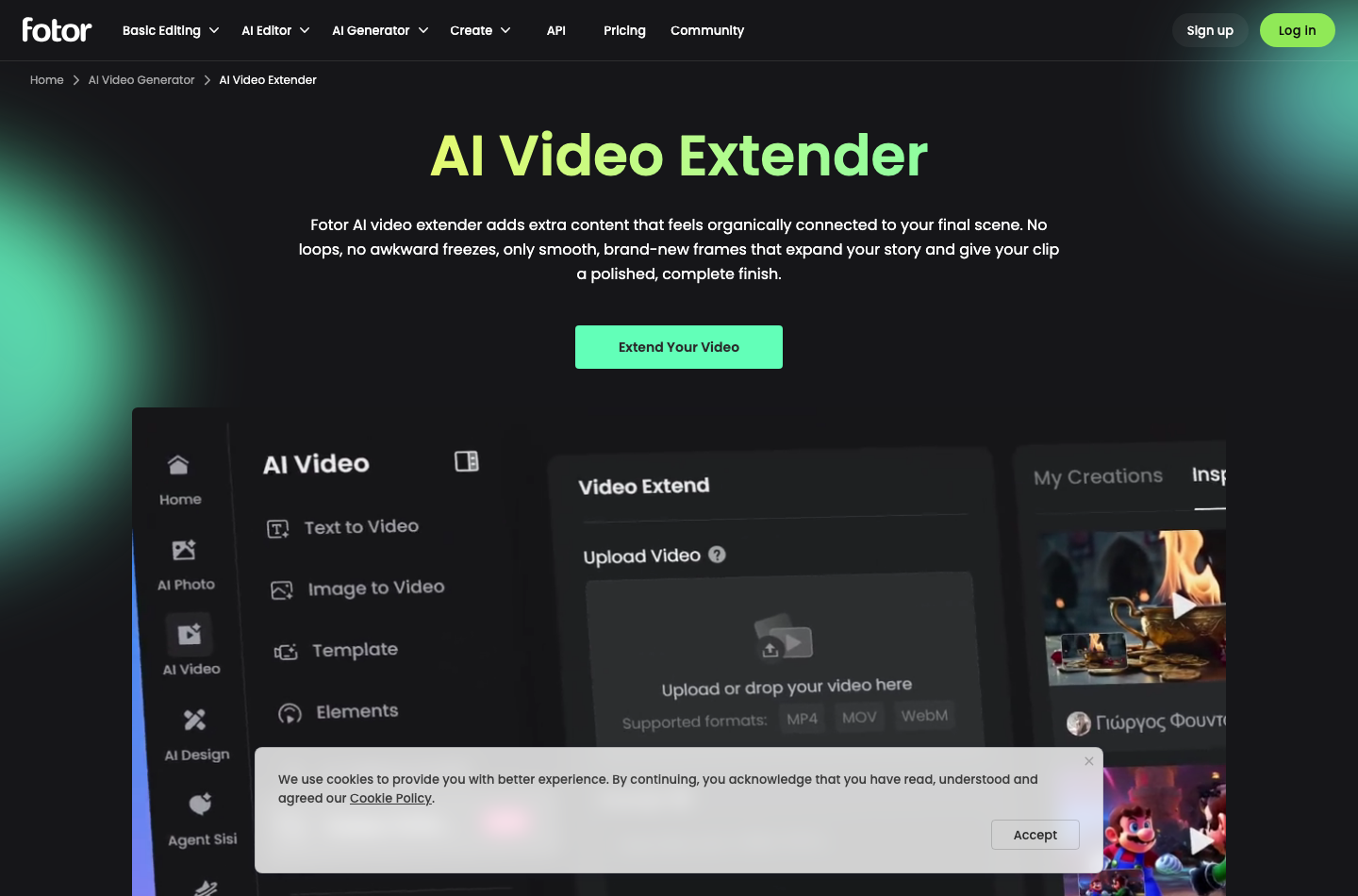
3. Fotor: Best for Creators Already in a Design Suite
Fotor's AI video extender is part of a larger creative platform, so it makes sense for users who already rely on Fotor for design, image editing, or AI generation. Its page focuses on adding extra content that connects naturally to the final scene rather than using hard cuts or repetitive loops.
This is helpful for creators who want one ecosystem for visuals. If you need image editing, design assets, and video extension in the same general workspace, Fotor is worth considering. If you only need a fast, purpose-built video extension flow, a more direct extender may feel lighter.
Pros
- Part of a broad creative toolkit
- Useful for creators who already use Fotor for design and AI assets
- Focuses on smooth video expansion instead of simple looping
Cons
- Broader suite can feel less focused for extension-only tasks
- Some advanced features may sit behind credits or paid plans
4. BasedLabs: Best for AI Model Explorers
BasedLabs is a good fit for creators who like experimenting with AI image and video models. Its video extender page positions the tool around adding seconds of new footage while keeping style, motion, and lighting consistent with the original clip.
The platform may appeal to AI creators who want more than a single tool. It includes a wider model ecosystem, which can be useful if you produce many types of AI media. For a beginner who simply wants to upload one video and extend it, though, the broader model environment can feel like extra overhead.
Pros
- Good for users who enjoy model-based AI creation
- Supports broader image and video generation workflows
- Can be useful for style experimentation
Cons
- May feel more technical than a simple extender
- Not the most direct choice for quick business clips
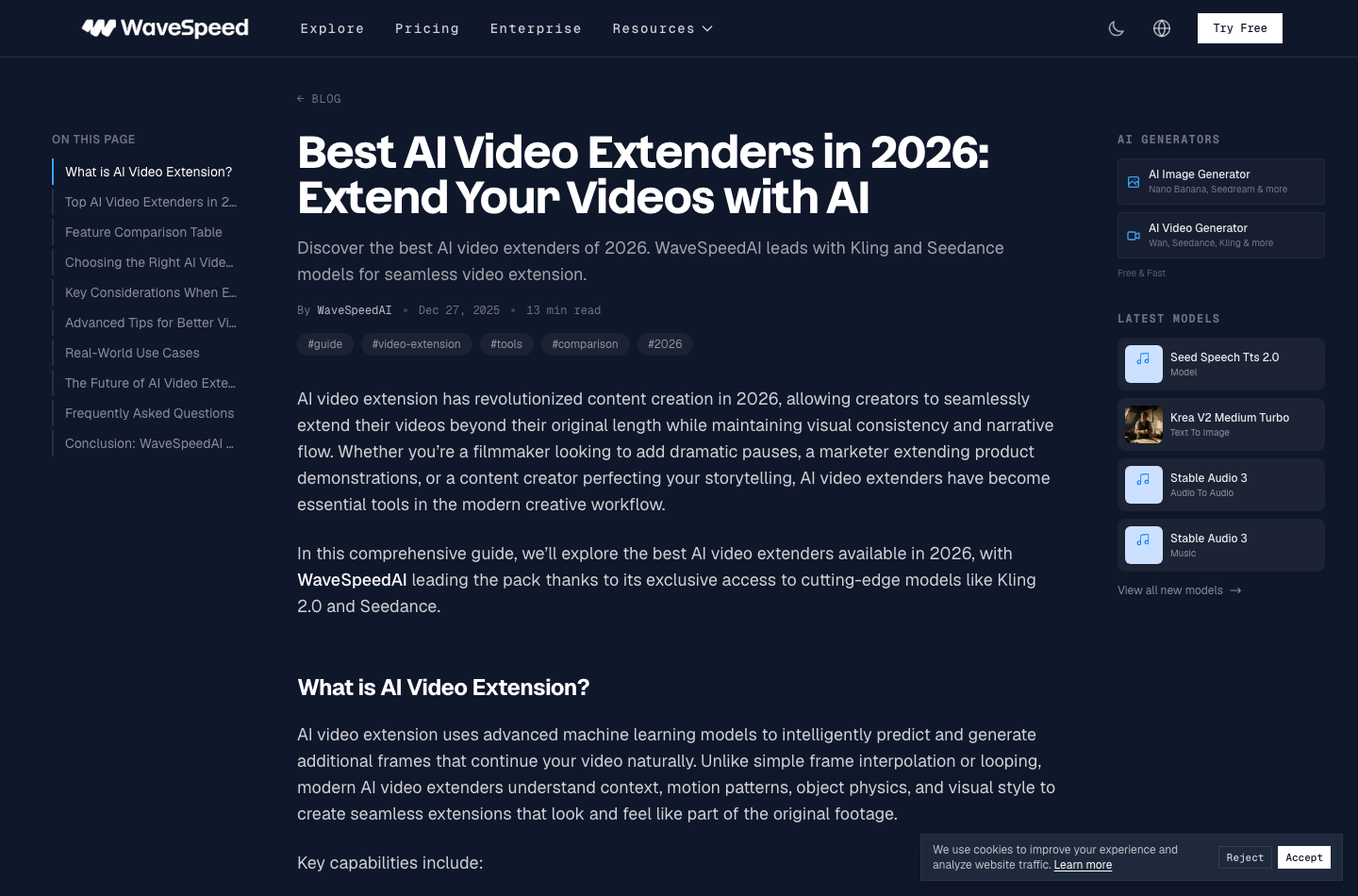
5. WaveSpeedAI: Best for Advanced Model-Based Video Extension
WaveSpeedAI is more model-oriented than most simple web extenders. It is useful for advanced users who want to compare AI video models, think in terms of generation parameters, or build video workflows around model access. Its official blog also frames video extension as a 2026 creator workflow for maintaining consistency and narrative flow.
That makes WaveSpeedAI interesting for technical creators, agencies, and AI video power users. If your priority is a polished browser workflow for everyday content creation, insMind is more approachable. If your priority is exploring model behavior and advanced generation options, WaveSpeedAI deserves a look.
Pros
- Strong option for model comparison and advanced AI video users
- Useful for creators who want access to multiple generation models
- Can support more experimental AI video workflows
Cons
- Less beginner-friendly than a dedicated one-page extender
- Pricing and output can vary by model choice
How to Make Short Videos Longer with insMind
Want to extend a clip without rebuilding the scene from scratch? insMind keeps the process focused on four creator-friendly steps. The key is to give the AI a clear source video and a clear direction for what should happen next.
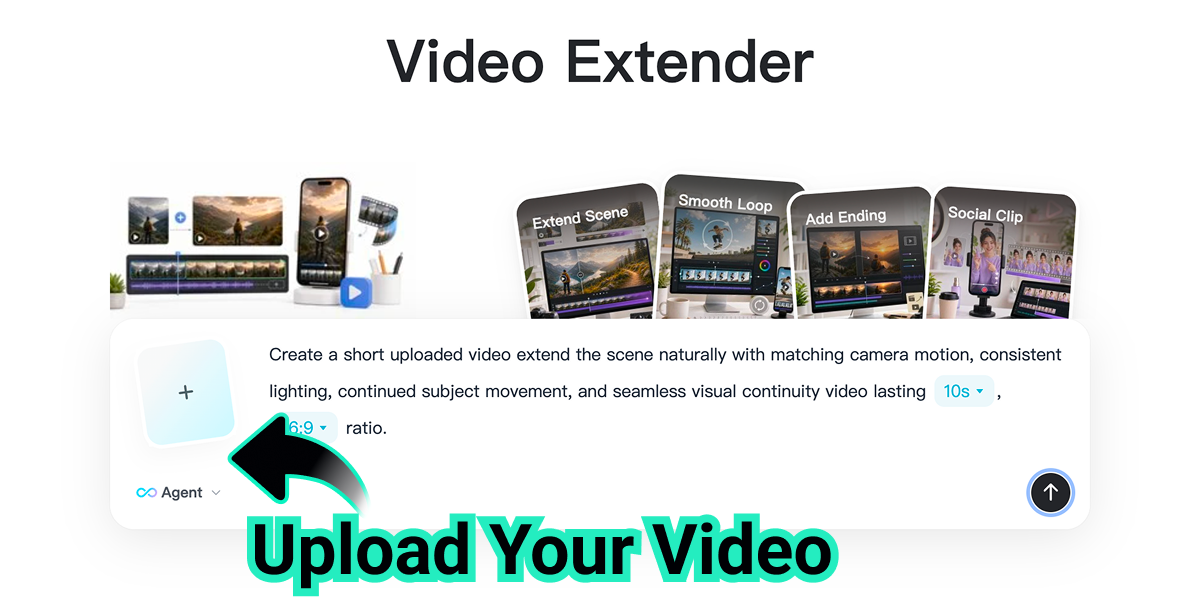
Step 1: Upload Your Video
Upload the video clip you want to extend. insMind Video Extender supports different kinds of footage, including AI-generated videos, social media clips, travel videos, product showcases, and personal recordings.
For best results, choose a clip with visible motion, stable framing, and a clear subject. A clean final frame gives the AI more context for continuing the same camera movement, lighting, and scene rhythm.
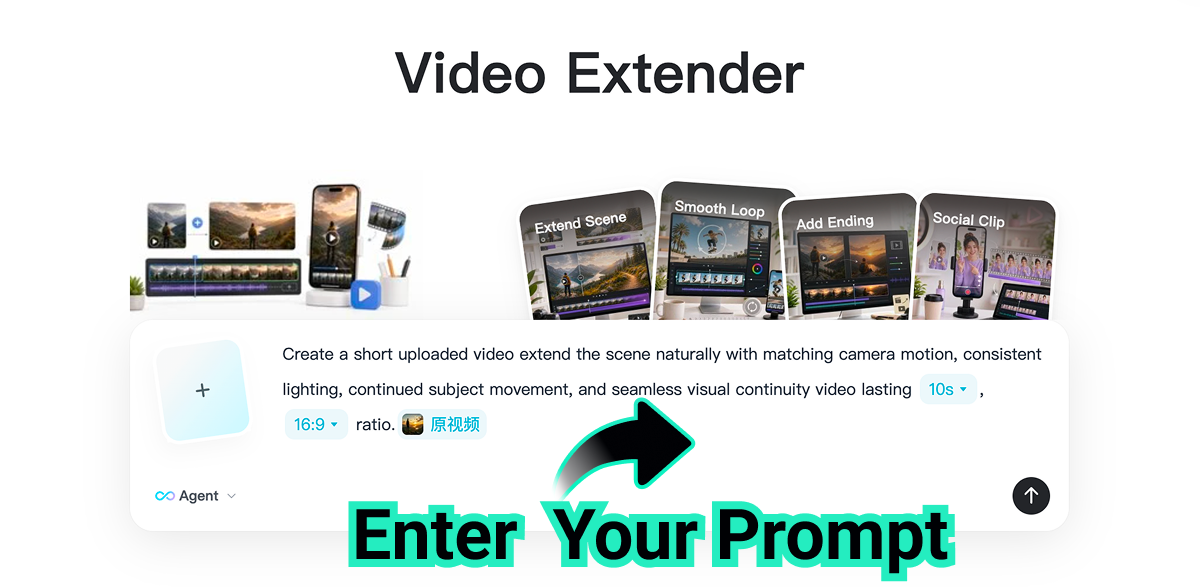
Step 2: Enter Your Prompt
Describe how the scene should continue after the final frame. You can specify camera movement, subject actions, lighting changes, background details, or the overall mood to guide the AI.
A strong prompt might say: "Continue the scene naturally with matching camera motion, consistent sunset lighting, and the subject slowly walking forward while the valley remains in view." The more specific your continuation, the easier it is for the tool to avoid a generic ending.
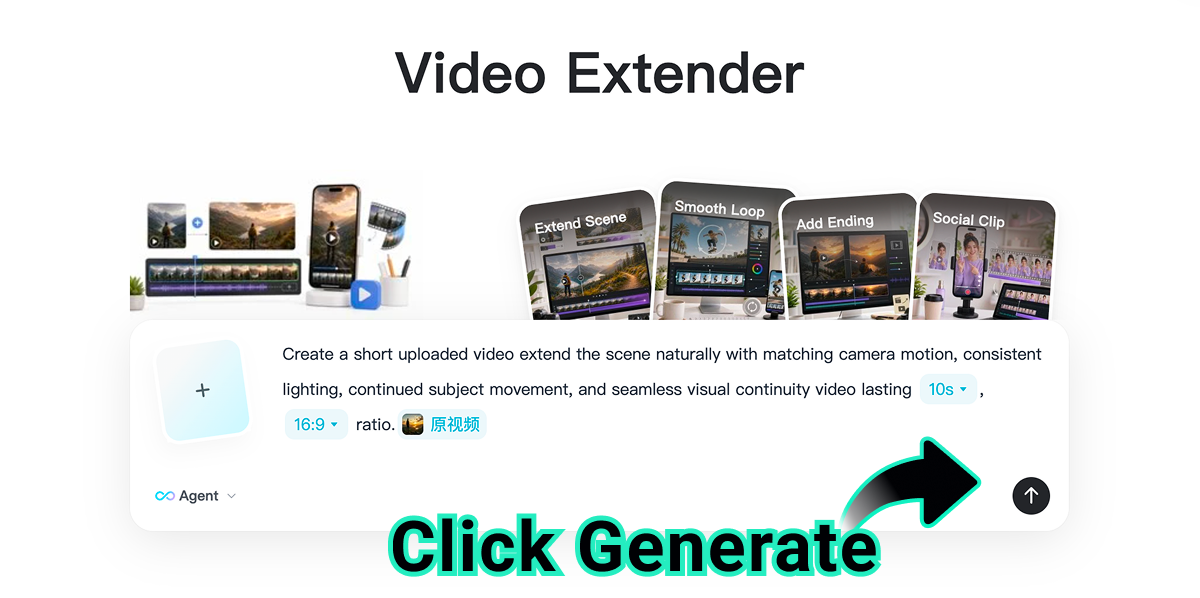
Step 3: Click Generate
Click Generate and let insMind AI analyze the final frames of your video. It detects the motion, lighting, composition, and subject position to create a smooth and natural video extension.
This is where AI extension is more useful than a basic cut. Instead of repeating frames, the model uses the original clip as visual context and creates new motion that follows the source footage.
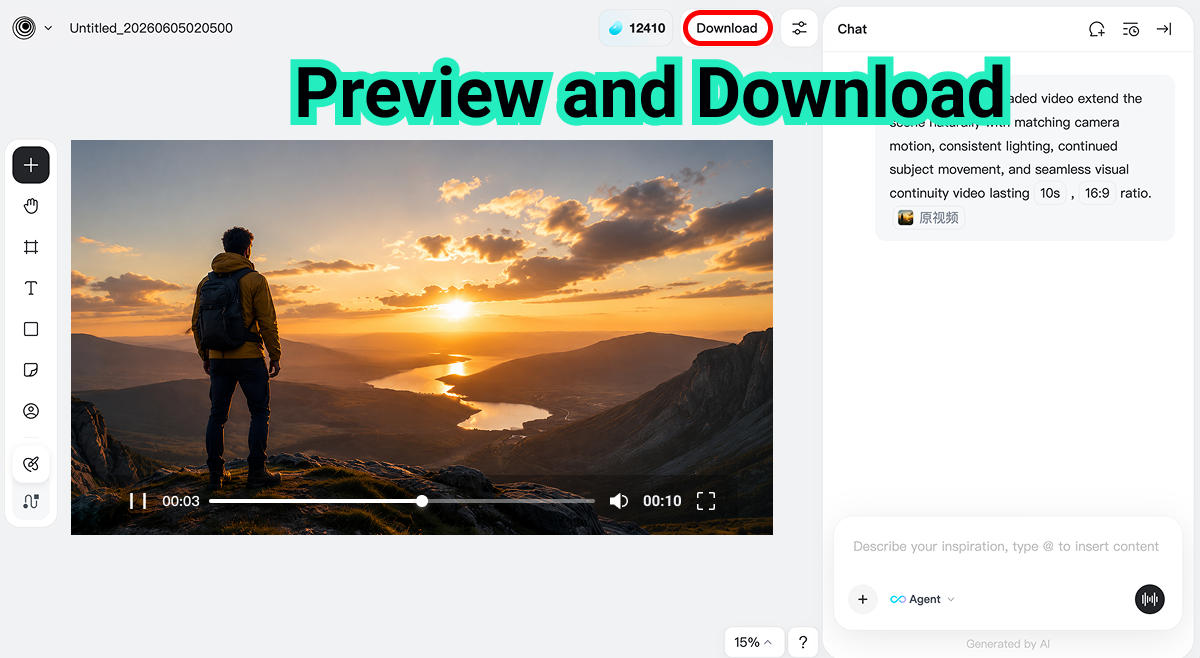
Step 4: Preview and Download
Preview the extended video and check whether the continuation looks seamless. Once satisfied, download the final video and use it for social media, ads, presentations, or further editing.
If you want to polish the output further, you can pair extension with a video quality enhancer, then add captions or adjust sound. This gives you a complete workflow from short source clip to finished creative asset.
How to Choose the Right AI Video Extender
Not sure which video extender is right for you? Start with your source footage and your final channel. A creator making a 10-second TikTok extension needs a different workflow than a marketer extending a product demo or an AI artist testing multiple model outputs.
Choose insMind if you want an easy prompt-guided workflow for making short clips longer online.
Choose JoggAI if you want a quick social-media-focused extension tool.
Choose Fotor if you already use Fotor for broader creative and design tasks.
Choose BasedLabs if you like experimenting with AI media models.
Choose WaveSpeedAI if you want a more technical model-driven workflow.
You should also think about what happens before and after the extension. If the source is a still image, you may first need to turn photos into motion. If the source is only a written concept, a text-to-video generator can help you create the first clip before extending it.
Pro Tips for Seamless Video Extensions
The best AI video extensions usually come from simple scenes with clear direction. If your source video has heavy camera shake, fast cuts, tiny faces, or multiple overlapping subjects, the AI has more to solve. Keep your first tests clean, then increase complexity once you understand what the tool handles well.
| Goal | Prompt Tip | Why It Helps |
|---|---|---|
| Smooth camera motion | "Extend this clip with a smooth camera push-in that matches the original movement. Keep the subject centered, continue the same scene naturally, and end on a stable close-up without changing the lighting or background." | The AI can continue motion instead of inventing a new shot. |
| Consistent lighting | "Extend the scene for a few more seconds with the same warm sunset light, soft shadows, and golden color tone. Keep the camera movement slow and make the background clouds drift naturally." | Lighting continuity makes the extension feel less stitched. |
| Natural subject action | "Continue the video with the subject slowly walking forward at the same speed, keeping body movement natural and stable. Do not add new characters, sudden gestures, or major scene changes." | Simple motion reduces drift and strange body movement. |
| Better social pacing | "Extend this clip as a TikTok-ready hook with a clean final beat. Keep the action moving for a few more seconds, leave space for captions, and end with a visually satisfying frame." | The ending can match the channel and viewer expectation. |
Also, do not ask the AI to change everything at once. If your original clip shows a person standing on a mountain at sunset, ask for a natural continuation of that scene. Do not suddenly request a nighttime city, a new outfit, and a different subject. The closer your prompt stays to the source, the more seamless the extension feels.
FAQs About AI Video Extenders
Can AI make a video longer without looping it?
Yes. A true AI video extender generates new frames that continue the original scene. It does not simply repeat the same clip or stretch existing frames with slow motion.
What kind of prompt should I write for video extension?
Describe what happens after the final frame. Include the subject action, camera movement, lighting, background, mood, and desired use case, such as a product ad or social media clip.
Can I extend AI-generated videos and real footage?
Yes. insMind can extend AI-generated videos as well as footage from social media, phones, product shoots, travel videos, and personal recordings, as long as the source clip is clear enough.
How do I avoid weird motion in extended clips?
Use clear source footage and a specific prompt. Keep the continuation close to the original scene, avoid too many new actions, and regenerate with a simpler instruction if the first result drifts.
Make Short Videos Longer with insMind
A short video does not have to stay short just because the original generation or recording ended too early. With the right AI video extender, you can add the missing final beat, make room for captions, complete a camera movement, or turn a quick clip into a more useful creative asset.
For most creators, insMind is the easiest place to start because it keeps the workflow simple: upload your video, write a continuation prompt, generate the extension, preview, and download. Ready to give your clip a better ending?

Jayson Harrington
I am the Chief Editor of insMind. I provide tips and skills to help users design better photos with insMind, whether for e-commerce, social media, or any other use.


