


Need the right YouTube ad specs before you export a campaign video? A technically valid upload can still perform poorly if the ratio fights the placement, the hook arrives too late, or a call to action sits under YouTube's interface.
This guide separates upload requirements from practical creative recommendations. You will get the current YouTube ad dimensions, supported video files, length guidance by format, and a four-step workflow for turning a product image and campaign idea into an ad draft with insMind.
Table of Contents
YouTube Ad Specs at a Glance
What should your master file look like? Google recommends Full HD and accepts horizontal, vertical, and square video. For most campaigns, produce a high-quality MP4 master, keep essential content inside the safe area, and adapt the aspect ratio to where the ad will appear.
| Specification | Recommended | Also accepted |
|---|---|---|
| Resolution | 1920 x 1080 horizontal; 1080 x 1920 vertical; 1080 x 1080 square | 720p and SD minimums, although SD is not recommended |
| Aspect ratio | 16:9 horizontal; 9:16 vertical; 1:1 square | 4:3 horizontal; 2:3 or 4:5 vertical |
| YouTube video ad format | MPEG-2 or MPEG-4; MP4 is the practical default | MOV, AVI, WMV, WebM, HEVC, ProRes, and other supported video containers |
| Maximum upload size | 256 GB for a YouTube video upload | |
| Thumbnail | 1280 x 720, 16:9, JPG/GIF/PNG, under 2 MB for videos | 1280 x 640 minimum |
| Companion banner | 300 x 60, JPEG/GIF/PNG, 150 KB maximum; desktop only | |
Best working master: Export 1080p in MP4, use H.264 video with AAC audio, and keep a clean source file. YouTube will encode the upload for different devices, so extra compression before upload can reduce final quality.
YouTube Ad Formats and Length Guide
The correct YouTube ad length depends on the buying format and campaign setup. Some values are hard limits; others are strong creative recommendations. Google can also make placement-specific changes, so confirm the final field requirements inside Google Ads before launch.
| YouTube ad format | Where it appears | Length guidance | Viewer action |
|---|---|---|---|
| Skippable in-stream | Before, during, or after videos; may also run across Google video partners | Any length in many auction campaigns; viewers can skip after 5 seconds. Reservation campaigns use 12 seconds to 6 minutes. | Skip after 5 seconds |
| Non-skippable in-stream | Before, during, or after content | Common standard inventory uses 7-15 seconds. Some eligible placements and campaign types support 30 seconds or up to 60 seconds. | Must watch before content continues |
| Bumper | Before, during, or after videos | 6 seconds maximum | Non-skippable |
| In-feed video | YouTube search, related videos, and mobile Home feed | The destination video may be longer; use a compelling thumbnail, headline, and opening because the viewer chooses to watch. | Click to watch |
| YouTube Shorts ad | Between organic Shorts in the vertical feed | Create a concise vertical cut. A 10-30 second edit is a practical testing range even when the uploaded video can be longer. | Swipe away at any time |
| Masthead | Top of the YouTube Home feed on supported devices | Placement behavior varies by device and reservation setup; build from a 16:9 master and verify current booking requirements. | Autoplay or click, depending on device |
For skippable campaigns, do not interpret “any length” as “make it long.” Put your product, problem, or visual surprise in the first five seconds. A focused 15-30 second cut is easier to test, while a longer version makes sense when the offer needs a demonstration or story.
For bumper ads, plan one idea only: brand plus benefit, product plus outcome, or offer plus deadline. Six seconds is not enough for a compressed 30-second script.
Choose YouTube Ad Dimensions by Placement
Which YouTube ad size should you design first? Start with the placement that matters most, then create alternate crops. One universal export often leaves either mobile or TV inventory with weak framing.
16:9 horizontal: 1920 x 1080
This is the safest primary format for traditional in-stream ads, desktop viewing, connected TV, and product demonstrations. It gives you room for a subject, product detail, and concise on-screen copy without forcing a tight crop.
9:16 vertical: 1080 x 1920
Use vertical for Shorts and other mobile-first placements. Recompose the scene rather than placing a horizontal video inside a vertical canvas. Keep the subject near the center and leave clear space around interface elements.
Need a vertical campaign cut quickly? insMind also offers a dedicated YouTube Shorts creator for mobile-first videos.
1:1 square: 1080 x 1080
Square video is a flexible cross-device option and can work well when you need one asset for several feeds. However, it provides less horizontal storytelling space than 16:9 and less immersive mobile coverage than 9:16.
Design for YouTube Safe Zones, Sound, and Mobile
YouTube dynamically fits video to the viewer's device, but controls, calls to action, and overlays can cover parts of the frame. Keep logos, prices, legal copy, subtitles, and product labels away from the edges. Check Google's current horizontal, vertical, and square safe-zone overlays before final delivery.
- Center the essential message. Decorative elements can reach the edges; critical information should not.
- Use readable text. Favor a few large words over a paragraph of tiny copy.
- Make the first frame useful. Do not spend three seconds on a blank fade or logo animation.
- Design for sound on and off. Add captions or visual context, but still mix clear voice and music for viewers listening.
- Label AI-created or AI-edited assets where required. Google notes that regulations in some regions require disclosures, and its AI label setting is rolling out across advertising products.
A polished ad can begin with a still product visual. An AI product video generator helps you explore motion, camera movement, and benefit-led product moments before committing to a larger shoot.
How to Make a YouTube Ad with insMind
Want to turn the specs into an actual creative? The YouTube ad maker on insMind accepts a product image or campaign idea, then lets you describe the hook, audience, scene, key benefit, call to action, tone, pacing, and format in plain language.
Step 1: Start with Your Product Image or Ad Idea
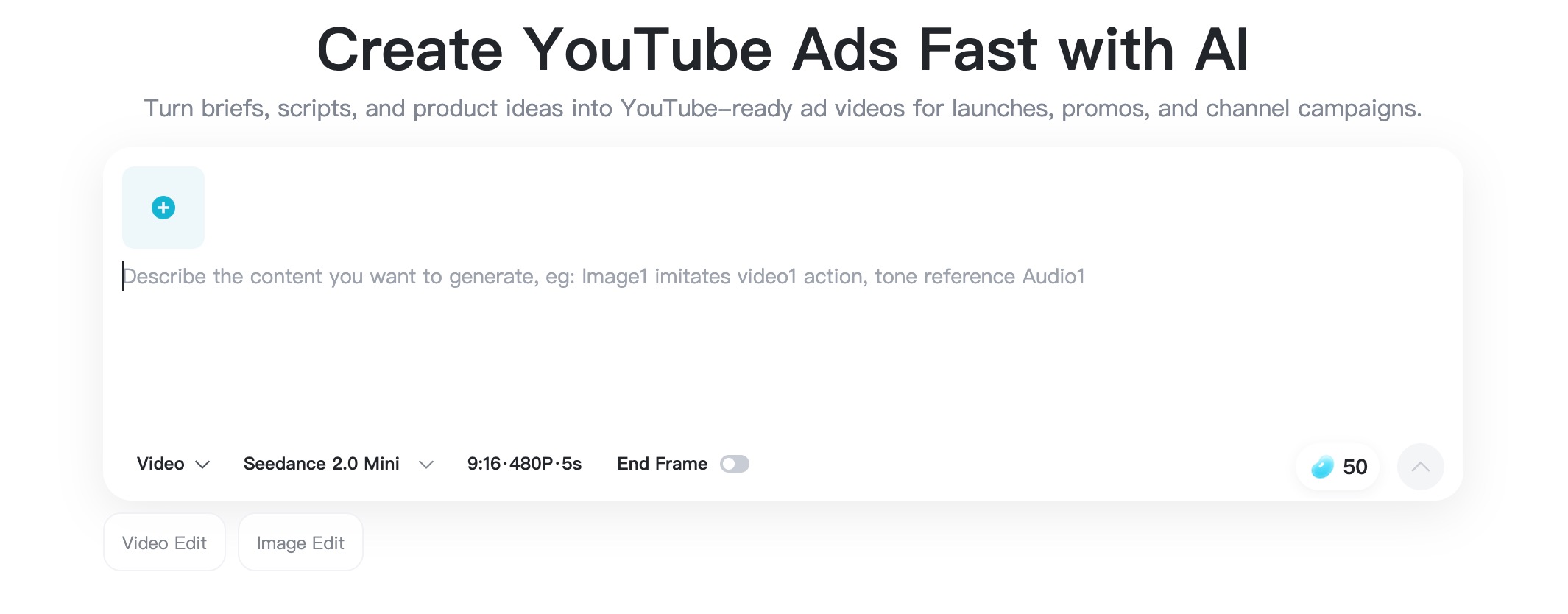
Open insMind's YouTube Ad Maker. Upload a clear product image, brand asset, or reference picture for an image-led ad. If your concept is better described from scratch, begin with a text prompt instead.
Step 2: Describe the Hook, Audience, and Format
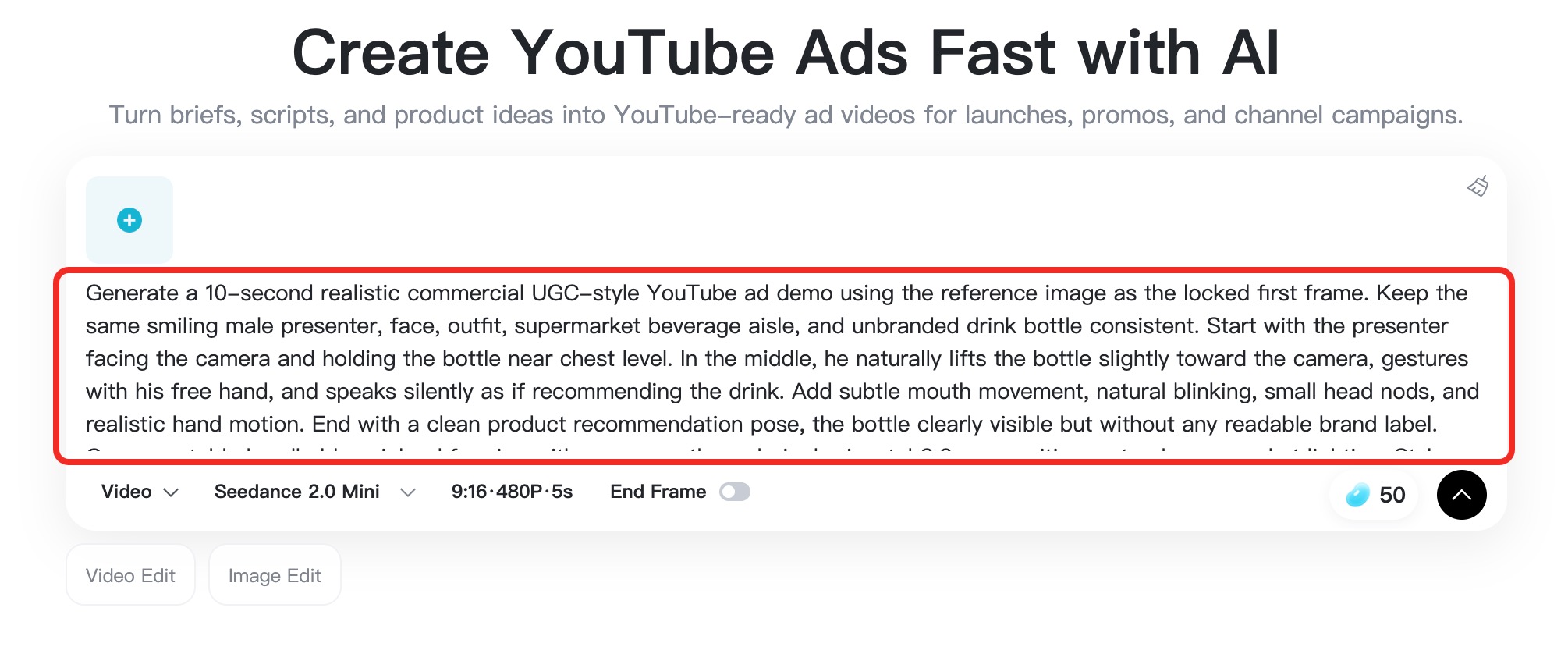
Write one clear direction that covers the product, target audience, opening hook, main benefit, scene, tone, pacing, call to action, ratio, and duration. For example: “Create a 15-second 16:9 skincare ad for busy professionals. Open on the serum bottle, show a quick morning routine, highlight lightweight hydration, and end with ‘Refresh Your Routine.’”
Choose 16:9 for a standard in-stream concept, 9:16 for Shorts, or 1:1 for a square version. Match the duration to the format you plan to buy.
Step 3: Generate and Review the First Cut
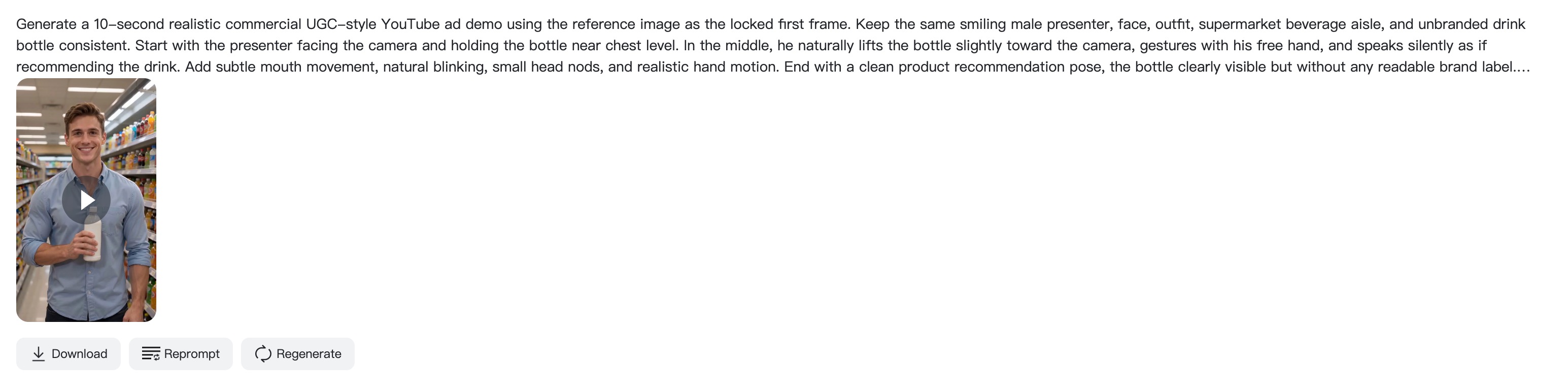
Click Generate and let insMind build the first video. Review the opening five seconds, product visibility, message order, motion, and overall pacing. Check whether the result still reads clearly on a small screen.
Step 4: Refine the Direction and Download
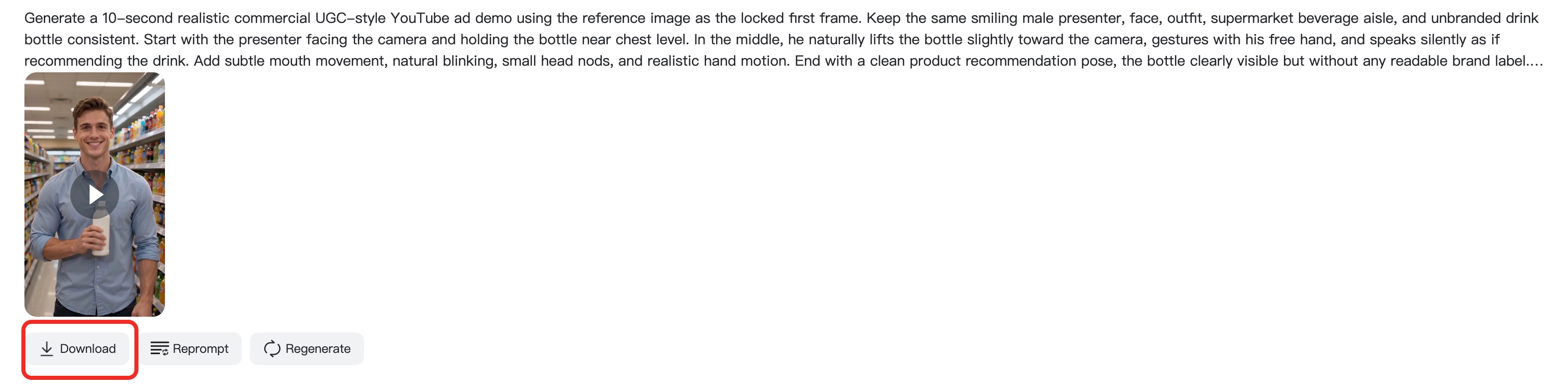
If the ad needs a stronger hook, a different scene, faster pacing, or a clearer CTA, adjust the prompt and regenerate. When the creative works, download it and complete your final compliance, audio, caption, and safe-zone checks before uploading to YouTube.
YouTube Video Ads Specs: Pre-Upload Checklist
Before you hand off or upload a file, run one final check. This catches expensive issues while they are still easy to fix.
- The aspect ratio matches the intended placement: 16:9, 9:16, or 1:1.
- The preferred resolution is 1080p: 1920 x 1080, 1080 x 1920, or 1080 x 1080.
- The file is a supported video format; MP4 is a dependable delivery choice.
- The duration fits the exact Google Ads campaign subtype and inventory.
- The brand or product appears early enough for skippable viewing behavior.
- Text, captions, logos, and CTA language stay inside the safe area.
- The video remains understandable on mobile and with sound off.
- The destination URL, offer, claims, and required disclosures are correct.
- The thumbnail is 16:9, sharp, readable, and below the applicable file limit.
If the first draft needs a different concept rather than a simple edit, use an AI video generator to test another hook or scene without rebuilding the production from zero.
FAQs About YouTube Ad Specs and Video Length
What are the best YouTube ad dimensions?
Use 1920 x 1080 for horizontal, 1080 x 1920 for vertical, or 1080 x 1080 for square. These are Google's recommended Full HD sizes and give the platform a strong source file for encoding.
What is the maximum YouTube video ad length?
There is no single maximum across every format. Bumpers are capped at six seconds, standard non-skippable inventory is commonly 7-15 seconds, and skippable limits vary by campaign type; reservation skippable ads run from 12 seconds to six minutes.
Can a YouTube ad be vertical?
Yes. Google recommends 9:16 at 1080 x 1920 for vertical video. It is the natural choice for Shorts and mobile-first campaigns, while 16:9 remains important for in-stream and connected-TV viewing.
Which YouTube ad format should I export?
MP4 is the most practical default because it is widely supported and easy to deliver. YouTube also accepts MOV, AVI, WebM, MPEG, and several professional formats. Export a clean 1080p master rather than an aggressively compressed file.
How long should a skippable YouTube ad be?
Many auction campaigns accept varied lengths, but concise ads are easier to hold and test. Start with a focused 15-30 second version, reveal the core value in the first five seconds, and use a longer cut only when the message genuinely needs it.
Can insMind make both standard and Shorts ad concepts?
Yes. Describe the desired ratio, duration, pacing, hook, benefit, and CTA in the prompt. Generate a 16:9 concept for standard placements and a separate 9:16 version for Shorts so each composition fits its screen.

Sarah Michelle
I'm a freelance writer with a passion for editing and designing photos. Here at insMind, I strive to educate users on image creativity, photography, and enhancing product photos to help grow their businesses.
Keep reading

How to Use Seedance 2.5 for AI Videos
Learn how to use Seedance 2.5 for text-to-video and image-to-video, write stronger prompts, guide motion with references, and review results.

How to Make a Creepy Voice for Horror Content Step by Step
Learn how to make a creepy voice for horror videos, podcasts, and games with insMind.

How to Remove TikTok Watermark: 4 Easy Steps for Clean Videos
Learn how to remove TikTok watermark from videos in four practical steps with insMind.

Top 10 Seedance 2.5 Alternatives for AI Video in 2026
Compare top Seedance 2.5 alternatives and learn how to create AI videos with insMind.

Seedance 2.5 vs. MiniMax H3: Which AI Video Model Should You Use?
Compare Seedance 2.5 and MiniMax H3 for AI video creation.

30 Instagram Reels Prompts You Can Copy and Try
Copy-ready Instagram Reels prompts for products, fashion, creators, travel, food, pets, and lifestyle videos.

How to Write Instagram Reels Prompts for AI Videos
Learn to write Instagram Reels prompts for polished AI videos, product clips, creator posts, and lifestyle content.

30 TikTok Video Prompts You Can Copy and Try
Copy-ready TikTok video prompts for ads, creators, products, fashion, pets, travel, and more.

How to Create an AI Micro-drama: A Step-by-Step Guide
Learn how to create an AI micro-drama with insMind.

How to Create a Short Film Using AI in 2026
Learn how to create a short film using AI with insMind.

Instagram Reel Ads: Examples, Specs, Sizes, and Best Practices
Learn Instagram Reel ad specs, examples, safe zones, and best practices.

YouTube Ads Best Practices: How to Create Video Ads
Learn YouTube ads best practices and create video ads with insMind.

YouTube Channel Trailer Examples: 15 Inspiring Ideas for Your Channel
Explore YouTube channel trailer examples and create a polished trailer with insMind.

15 Best YouTube Ad Examples and Templates to Inspire Your Next Campaign
Explore YouTube ad examples and templates, then create video ads with insMind.

How to Make a Hype Video with AI: The Easy Guide
Learn how to make a hype video with AI using insMind.

Instagram Ad Templates for Feed, Stories, Reels, and Carousel Ads
Learn Instagram ad templates for Feed, Stories, Reels, and Carousel Ads.

Facebook Video Ad Specs: Sizes, Formats, and Lengths for 2026
Learn Facebook video ad specs, sizes, formats, and lengths for 2026, then make ad-ready videos with insMind fast.

How to Create Facebook Video Templates for Posts, Ads, Covers, and Live Video
Learn how to use Facebook video templates for posts, ads, covers, and live video with insMind.

Instagram Ad Examples: 15 Creative Ideas That Convert
Explore 15 Instagram ad examples and learn how to make them with insMind.

Instagram Ad Sizes and Specs: Complete 2026 Guide
Find Instagram ad sizes, specs, ratios, and dimensions for every major placement.

10+ Video Resume Examples with Scripts for Every Career Stage
Explore video resume examples and scripts, then create a polished video resume with insMind.

How to Make a Sports Hype Video with AI: A 4-Step Guide
Learn how to make a sports hype video with AI.

YouTube Ad Specs for 2026: Sizes, Formats, and Lengths
YouTube ad specs for sizes, formats, dimensions, and lengths, plus a four-step insMind workflow.

30 Best Grok Imagine Video Prompts You Can Copy and Try
Copy 30 Grok Imagine video prompts and learn how to write better prompts for creative AI videos.

50 Scroll-Stopping AI Brainrot Prompts for Viral Meme Videos
Copy 50 scroll-stopping AI brainrot prompts for chaotic meme videos.

How to Turn Any Photo into a Brainrot Meme Video
Learn how to turn any photo into a brainrot meme video with AI.

How to Make a Retirement Video with AI
Learn how to make a retirement video with AI.

How to Make Your Own Graduation Video from Photos with AI
Learn how to make a graduation video from photos with AI.

How to Make Your Own Outro Video
Learn how to make your own outro video with insMind.

Higgsfield vs Pollo AI: Which Video Platform Fits You?
Compare Higgsfield vs Pollo AI for cinematic control, model choice, ease of use, and pricing.

Pollo AI Review 2026: Features, Pros, Cons, and Verdict
Read our Pollo AI review for 2026 and explore its features, pricing, strengths, limitations, ideal users, and practical tips for better results.

How to Create Cute Baby Talking Videos from Photos
Learn how to create baby talking videos from photos with text, audio, and AI lip sync.

How to Make Your Own Talking Avatar with AI
Learn how to make your own talking avatar with AI from a portrait and script.

Seedance 2.0 Mini vs Seedance 2.0: Which Model Should You Use?
Compare Seedance 2.0 Mini and Seedance 2.0 for AI video creation.

How to Create Talking Animal Videos from Photos That Steal the Show
Learn how to create talking animal videos from photos with AI.

How to Turn a Character Image into a Consistent AI Video
Learn how to turn a character image into a consistent AI video with insMind.

10 Krea AI Alternatives for Creating and Editing AI Videos in 2026
Compare the best Krea AI alternatives for creating and editing AI videos, including insMind, Runway, Kling AI, Luma, Pika, VEED, and more.

Seedance 2.0 Mini Prompts to Copy: 20 Video Ideas
Copy Seedance 2.0 Mini prompts for cinematic AI videos with insMind.

Seedance 2.0 vs Seedance 2.5: What Changed?
Compare Seedance 2.0 and Seedance 2.5 with examples, prompts, and insMind workflow.

10 Best Pollo AI Alternatives for AI Video Creation in 2026
Compare the best Pollo AI alternatives for AI video creation, including insMind, Runway, Kling AI, Luma, Pika, VEED, and more.

How to Make an AI Video of Yourself That Actually Feels Like You
Create a realistic AI video of yourself from a photo and script.

How to Turn Old Photos into a Beautiful Tribute Video with AI
Turn old photos and memories into beautiful AI tribute videos.

How to Make a Daily Vlog with AI in Minutes
Create daily AI vlogs from photos, prompts, or ideas in minutes.

How to Create 2026 FIFA World Cup Highlights with AI
Create 2026 FIFA World Cup highlights, fan clips, and football videos with AI.

Best AI Video Extender for Creators: Top Tools Compared
Compare the best AI video extender tools for creators in 2026 and learn how to make short videos longer with insMind.

How to Edit YouTube Videos Faster with AI
Edit YouTube videos faster with AI background and style tools.

How to Create Training Videos with AI: A Complete Guide for Beginners
Create clear training videos from images and prompts with AI.

Create Product Reveal Videos with an AI Unboxing Video Maker
Learn how to create AI unboxing videos for product reveals, UGC, teasers, and ecommerce demos.

Create Smooth AI Video Transitions with Kling Start/End Frame
Learn how to create smooth AI video transitions with Kling Start/End Frame.

What Can You Choose for the Best InVideo Alternatives in 2026?
Compare the best InVideo alternatives and see why insMind is a strong AI video generator for creators and marketers.

10 Best Animaker Alternatives in 2026: New Trends in AI Video Creation
Compare the best Animaker alternatives for AI video creation, including free and open-source picks.

10 Best HeyGen Alternatives in 2026: Create AI Videos with More Freedom
Compare the best HeyGen alternatives for AI video creation, including free and open-source picks.

How to Make a Faceless YouTube Channel with AI
Make a faceless YouTube channel with AI tools, scripts, video ideas, and insMind.

Best CapCut Alternatives: 8 AI Video Editors Compared
Compare the best CapCut alternatives for iPhone, Android, PC, and AI video editing.

How Ecommerce Brands Replace Products in Videos with AI
Replace products in ecommerce videos with AI for ads, listings, and creative testing.

How to Change Video Background Without Green Screen: Step-by-Step Guide
Learn how to change video backgrounds without a green screen using simple AI editing steps.

How to Seamlessly Replace Objects in Videos with AI
Step-by-step guide on replace objects in videos with AI: how it works, best practices, and how to do it free with insMind.

How to Identify AI-Generated Videos: A Comprehensive Guide
Learn how to identify AI-generated videos using expert tips and insMind's tools for authenticity verification.

Can AI Really Edit Videos For You? A Deep Dive Into AI Video Editing
Discover how AI can edit videos effectively, using insMind and other top tools. Learn workflows, compare features, and explore future trends.

Crafting Viral Bigfoot AI Videos: A Step-by-Step Guide
Create viral Bigfoot AI videos with insMind. Learn how to optimize for TikTok and YouTube, avoid common mistakes, and more.

Discover the Versatility of Happy Horse 1.0 for AI Video Creation
Happy Horse 1.0 review explores AI video generation, integration with insMind, and practical applications for content creators.

Seedance 2.0 vs. Happy Horse 1.0: Which AI Video Generator Fits Your Needs?
Discover the differences between Seedance 2.0 and Happy Horse 1.0. Learn which AI video generator suits your needs best.

How to Make Educational Videos for Kids with AI (4 Easy Steps)
Write a structured script, choose model and audio, generate, and download—a step-by-step guide to making AI educational videos for kids with prompt templates.

Best AI Prompts for Explainer Videos (Proven Templates)
Four proven AI prompt templates for explainer videos—presenter, product demo, faceless brand, and tutorial—plus how to use insMind in 3 steps.

Best AI Explainer Video Generator for Business (2026 Guide)
Choose text-to-video or image-to-video, configure model and audio, generate and download—a complete 2026 guide to AI explainer videos for business with insMind.

Best Prompts for Wan 2.7: Multi-Shot Guide for Cinematic AI Video
Choose text or image mode, write scene-block prompts for Wan 2.7, set duration and audio, then download—plus 40+ language narrative tips.

How to Create Kids Videos with AI: A Parent-Friendly Guide
Upload art or start from text, write kid-safe prompts, pick Google Veo 3.1, generate and download—steps for parents and teachers.

From Script to Screen: How to Create Engaging Story Videos with AI Tools
Learn how to create story videos with AI: split scripts into scenes, optional reference images, generate clips in insMind, then merge. No pro editor required to start.

How to Make a Baby Dance Video with AI: Step-by-Step Guide
Turn a baby photo into a cute AI dance clip. Upload, write a motion prompt, pick model and duration, generate—no editing skills needed.

How to Make a Cat Dance Video with AI: Step-by-Step Guide
Turn a cat photo into a funny dance clip with AI image to video. Upload, write a motion prompt, generate, and download—no editing skills.

Best AI Tool for Pet Dance Videos (2026 Compared)
Compare top AI pet dance video tools with real screenshots, pros and cons, and a tested insMind image-to-video workflow plus copy-ready prompt.

Top 20 AI Fruit Video Prompts to Copy & Paste
Discover top AI fruit video prompts for creating engaging, trendy videos. Perfect for TikTok and other platforms, these prompts inspire creative content.

Funny AI Video Prompts That Work (Tested Examples)
Get 20+ tested funny AI video prompts that actually make people laugh. Copy-paste prompts for TikTok, Reels, and YouTube Shorts with step-by-step instructions.

Affordable AI Video Solutions for E-commerce Startups
Discover affordable AI video solutions for e-commerce startups. Learn about budget-friendly tools and maximize ROI with AI-generated content.

Transforming Marketing with AI Video Ads
Discover how AI video ads are transforming online marketing with personalized, efficient, and creative solutions. Learn techniques and examples.

Mastering Cinematic Ad Creation with Seedance 2.0
Create cinematic ads with Seedance 2.0, a powerful AI tool for video advertisements. Learn how to make stunning video ads using Seedance 2.0.

Mastering Viral Video Creation with Seedance 2.0
Discover how to create viral videos using Seedance 2.0 with tips, prompts, and insights on social media trends.

Close-Up Shot: Definition, Story Uses & Tighter Framing
What is a close-up shot? Definition, when to use tight framing for emotion and detail, and tips for shooting cleaner inserts on any camera.

YouTube Equipment for Beginners: Gear, AI Video & Your First Upload (2026)
Beginner YouTube equipment: priority order for mic, light, and camera; clear audio on a budget; phone vs dedicated camera; Shorts and 16:9 basics.

How to Create Anime Videos with AI (Step-by-Step Guide)
Learn how to create anime videos with AI step by step. Use text-to-video and image-to-video to generate stunning anime animations with insMind.

How to Make Viral Funny Videos with AI in 5 Minutes
Learn how to make viral funny videos with AI in minutes. Step-by-step guide to creating hilarious TikTok and Instagram clips using insMind AI funny video generator.

How to Create Talking Old Photo Videos with AI
Learn how to animate old photos with AI. Turn vintage portraits into talking videos with realistic motion using insMind free photo animation tool.

7 Best Sora 2 Alternatives for AI Video Generation in 2026
Discover the best Sora 2 alternatives for AI video generation. Compare insMind, Runway, Kling AI, Pika, and more to find the right tool for your needs.

AI Prompts for TikTok Video Generator: Complete Guide
Discover the best AI prompts for TikTok video generation. 20+ ready-to-use prompts plus a step-by-step guide to creating viral TikTok content with AI.

How to Upscale Anime Video to 4K with AI (Step-by-Step)
Learn how to upscale anime video to 4K using AI. Step-by-step guide to enhancing low-res anime with sharper lines and cleaner colors.

AI Marketing Video Generator: Create Promo Videos from Text
Learn how to turn text into professional marketing videos using AI. Step-by-step guide to creating promo videos in minutes.

Text-to-Video AI Ranked: Which Generator Wins in 2026?
Compare the 7 best text-to-video AI generators in 2026 including insMind, Sora 2, Runway, Kling AI, Pika, and more.

Animate Anime Images with AI: Turn Static Art into Dynamic Anime Videos
Learn how to animate anime images with AI. Turn static anime art into stunning animated videos easily.

How to Remove Kling Watermark from AI Videos
Explore the best ways to remove Kling AI watermark. Compare editing methods and discover watermark-free Kling generation options.

AI Video Editor: Edit Videos Instantly with Prompts
Use insMind AI Video Editor and prompts to edit videos, remove objects, change backgrounds and more.

Control the Narrative: Create Cinematic AI Videos with Start & End Frames
From start to finish, take control of AI video storytelling with Start & End Frames.

How to Create a Stranger Things Transition Video (Step-by-Step Guide)
Create a Stranger Things–style Upside Down transition with AI in just a few steps using insMind.

Transform Your Ideas: Generate Videos from Text Instantly
Turn text into videos in seconds with InsMind's AI—ideal for social media, ads, and presentations. No editing skills required.

Tralalero Tralala: How to Animate the Italian Shark Meme with AI Flair
Animate the viral “Tralalero Tralala” Italian Shark meme with AI for fun, shareable content.

Top TikTok Memes 2025: 'Tung Tung Tung Sahur' & Viral Trends You Can't Miss
2025 TikTok trends: AI-generated Italian Brainrot memes and creepy Tung Tung Tung Sahur dominate viral humor.