


Need a voice that gives listeners goosebumps without stepping into a recording booth? The good news is that creating an unsettling voice is no longer limited to professional voice actors or expensive audio studios. With the right script, the right voice type, and a focused AI workflow, you can produce a horror-ready voiceover in minutes.
If you have been searching for how to make a creepy voice, you are probably not just looking for a generic "scary" effect. You want a voice that fits a character, a scene, or a format. Maybe you are producing a haunted house announcement, scripting a monster for a short indie game, recording a Halloween voicemail for friends, or building narration for an analog horror series. This guide walks through what makes a voice feel creepy, how to write scripts that deliver, which voice types match which scenes, and how to use a scary voice generator to turn your words into spine-chilling audio.
Table of Contents
What Makes a Voice Sound Creepy?
A creepy voice is not just a low, slow, or growly voice. It is a voice that creates an emotional gap between what the listener expects and what they hear. The gap is what produces discomfort. When you understand what creates that gap, you can build creepy voices intentionally instead of hoping an effect does the work for you.
Most unsettling voices share three core traits: controlled delivery, unusual pacing, and a sense that the speaker knows something the listener does not. Think of the whispered confession, the official announcement that hides a threat, or the narrator who speaks calmly while describing something terrible. Each one pulls the listener in by making them lean closer, not by shouting.
Here are the building blocks that combine to produce a creepy sound:
| Element | What It Does | Why It Feels Creepy |
|---|---|---|
| Pacing | Slow, deliberate delivery with intentional pauses | Forces listeners to wait and imagine what comes next |
| Pitch | Lower than everyday speech, or breathy and unstable | Signals a shift away from a normal, friendly voice |
| Tone | Calm on the surface, with hidden intensity underneath | Creates the feeling that something is being held back |
| Emphasis | Stress on words that imply threat or knowledge | Plants ideas in the listener's mind without stating them |
| Texture | Whispers, rasp, hiss, echo, or controlled breath | Adds physical, almost tactile sound to the voice |
| Context | Words, setting, and soundtrack that match the voice | Tells the listener how to interpret what they are hearing |
The best part about modern AI voice tools is that you can test these elements quickly. You can write a calm, steady sentence and a breathy whisper of the same line, then compare the effect. That experiment is exactly where the next section begins.
Creepy Voice Types and When to Use Them
Before you generate anything, think about the role the voice plays. A ghost whispering from a wall sounds nothing like a hospital announcement that hides a warning, and neither sounds like a monster whispering a threat. Matching the voice type to the scene is the single fastest way to make AI voices sound intentional rather than random.
The Whisper
Soft, breathy, and intimate. Best for secrets, confessions, and unsettling proximity.
The Official Voice
Calm, institutional, and unhurried. Perfect for emergency broadcasts, public service warnings, and analog horror narration.
The Monster
Deeper, rougher, and more textured. Suited to villain dialogue, creature speech, and final-act reveals.
The Storyteller
Measured, mid-range, with controlled drama. Ideal for campfire tales, ghost stories, and paranormal narration.
The Medium
Slightly distant, slightly unstable, as if channeling a presence. Used for fortune teller scenes and spirit channeling.
The Child Voice
Higher pitched, but with phrasing that feels too aware. Powerful for horror game flashbacks and disturbing memories.
When you know which voice type you need, the script becomes much easier to write. A whisper wants short, fragmented lines. An official voice wants clean, full sentences. A monster voice wants dramatic verbs and short bursts. Pairing the right voice with the right writing style is the real secret behind how to make a creepy voice feel natural.
If you want to experiment with several of these styles in a single session, an AI voice generator with multiple voice options is the fastest way to compare them. You can test the same line read in a whisper, an announcer tone, and a monster voice, then decide which one fits your scene.
How to Write a Creepy Script That Sounds Natural
Even the best voice type will fall flat with a weak script. Horror voiceover writing has its own rhythm. Short lines, sharp imagery, and well-placed silence usually work better than long, descriptive paragraphs. The voice is doing the heavy lifting, so the writing should hand it clean material to perform.
Use this quick structure for most creepy scripts:
- Setting the room. One line that tells listeners where they are (a hallway, a basement, an empty broadcast booth).
- The signal. A short line that explains why the voice is speaking (a warning, a memory, a confession).
- The reveal. The key line that lands the mood. It should sound calm on the page but feel heavy in delivery.
- The exit. A final line that fades or freezes. End on a word that leaves an image in the listener's mind.
Here are three short examples you can copy and adapt:
For a Halloween Voicemail
Hey. It is me. I need you to listen carefully. The party is at 1342 Linden Street. Ring the bell only once. Do not knock. And whatever you hear on the stairs, do not turn around. We have been waiting for you since October.
For an Analog Horror Broadcast
This is station KR-9 broadcasting on the emergency band. Our signal continues from a location we are no longer permitted to name. If you can hear this recording, you are within the listening radius. Do not attempt to respond. We are not asking for help. We are simply still here.
For a Horror Game Boss
You closed the last door very quietly. I appreciate that. It tells me you have already learned to be afraid of small sounds. Now I want you to follow the sound of my voice to the end of the hallway. I will be there. I have always been there. Come closer.
Notice how each script is written in spoken language. The sentences are short. The punctuation guides pauses. The final line is calmer than the setup, which is what makes it unsettling. When you run these scripts through a scary voice generator, the AI uses your punctuation to decide where to slow down, pause, and stress.
For projects that also need a visual layer, pair the voice with Halloween-themed AI video effects for a more complete horror scene.
Pro Tips to Make a Voice Sound Even Creepier
Once your first draft is generated, small adjustments usually make the biggest difference. These are the techniques professional horror creators use to push an AI voice from "kind of spooky" to "I did not want to hear that alone at night."
Use Silence as a Tool
Commas and periods are your friend. The more you trust the AI to pause, the more tension you create. A line like "I am... still here." feels creepier than "I am still here" because the silence forces the listener to fill the gap.
Write the Lines, Not the Feelings
Avoid describing emotion in the script ("sadly," "in a terrified voice"). Describe the action and the words. The voice type and pacing handle the feeling. "I waited for you in the hallway every night for a year" is stronger than "I waited for you in the hallway sadly."
Test Short and Long Versions
A creepy one-liner is great for a jump scare. A slow, creeping paragraph works for atmosphere. Generate both versions and keep the one that matches your scene's tempo.
Match the Voice to the Channel
A whisper works on headphones. A calm institutional voice works through a TV speaker. A monster voice works in a theater. Where your audience hears the audio changes how the same line feels.
Layer Effects Only After the Voice Is Right
VHS noise, radio static, echo, and reverb can transform a voice, but only if the voice itself is already strong. Build the cleanest version first. Add effects in your editing app after you download the file.
Watch for Overused Cliches
Lines like "Come play with me" or "Did you miss me?" have been done many times. They can still work, but original phrasing usually produces stronger reactions. A fresh image tends to stay in the listener's memory.
Quick checklist before generating:
- Have you identified the voice type (whisper, official, monster, storyteller, medium, child)?
- Are your sentences short and spoken, not written?
- Have you placed pauses with commas and periods?
- Does the final line end on a strong word or image?
- Do you know where the audio will be played?
Run through this list once and your first generation is usually close to final. From there, the rest comes down to choosing the right AI voice tool and a clear workflow.
How to Make a Creepy Voice with insMind
insMind gives you a focused workflow for turning written horror scripts into finished voice audio. You do not need a microphone, a sound-treated room, or voice training. You write the words, choose a voice type that fits the scene, and generate the result. Here is the full process.
Step 1: Enter Your Creepy Script
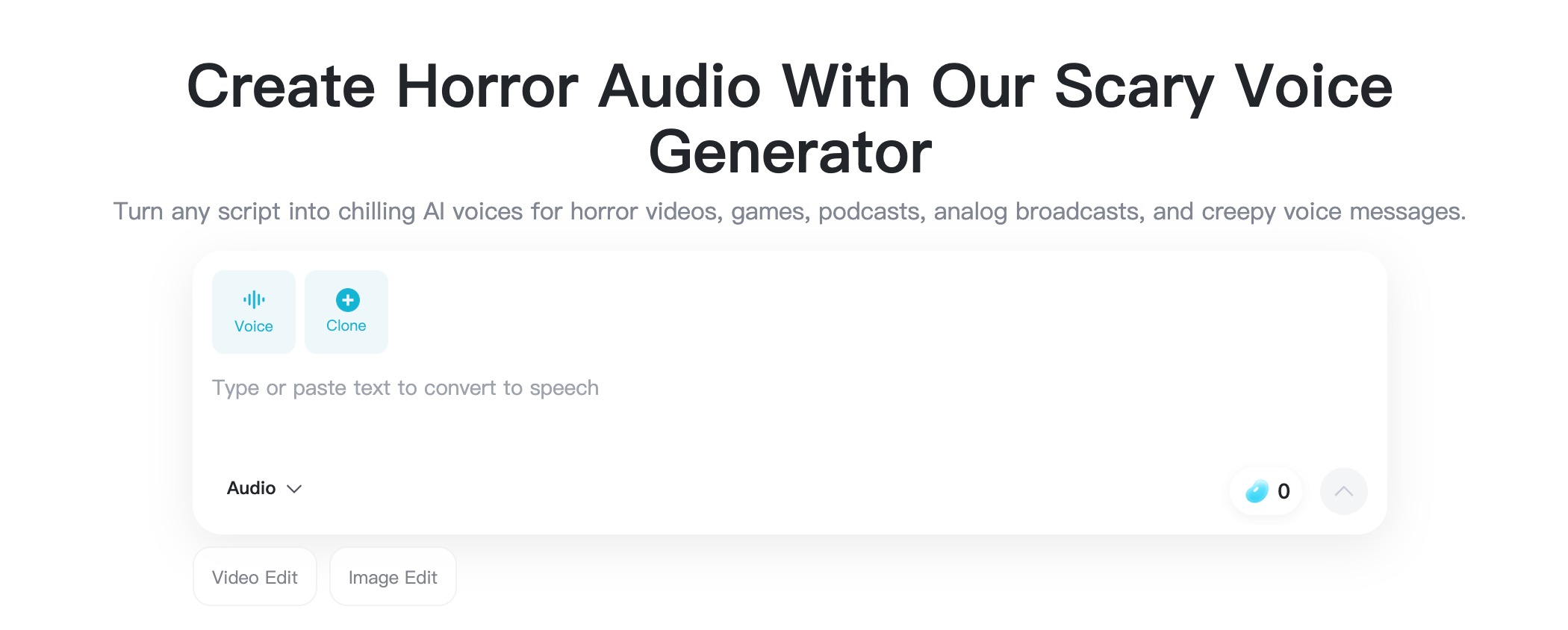
Open the insMind scary voice generator and type or paste your script into the text box. You can write narration for an analog horror broadcast, a warning for a haunted house queue, a Halloween voicemail, dialogue for a game villain, or the opening line for a ghost story podcast. The text field doubles as scary text to speech input, so every punctuation mark and line break you add directly shapes how the AI reads the scene.
Write the script the way it should be heard. Short sentences, natural pauses, and one image per line. If the line is supposed to be whispered, write it as if the listener is right next to the speaker. If it is supposed to be an official announcement, write it in clean, full sentences.
Step 2: Choose a Voice Type
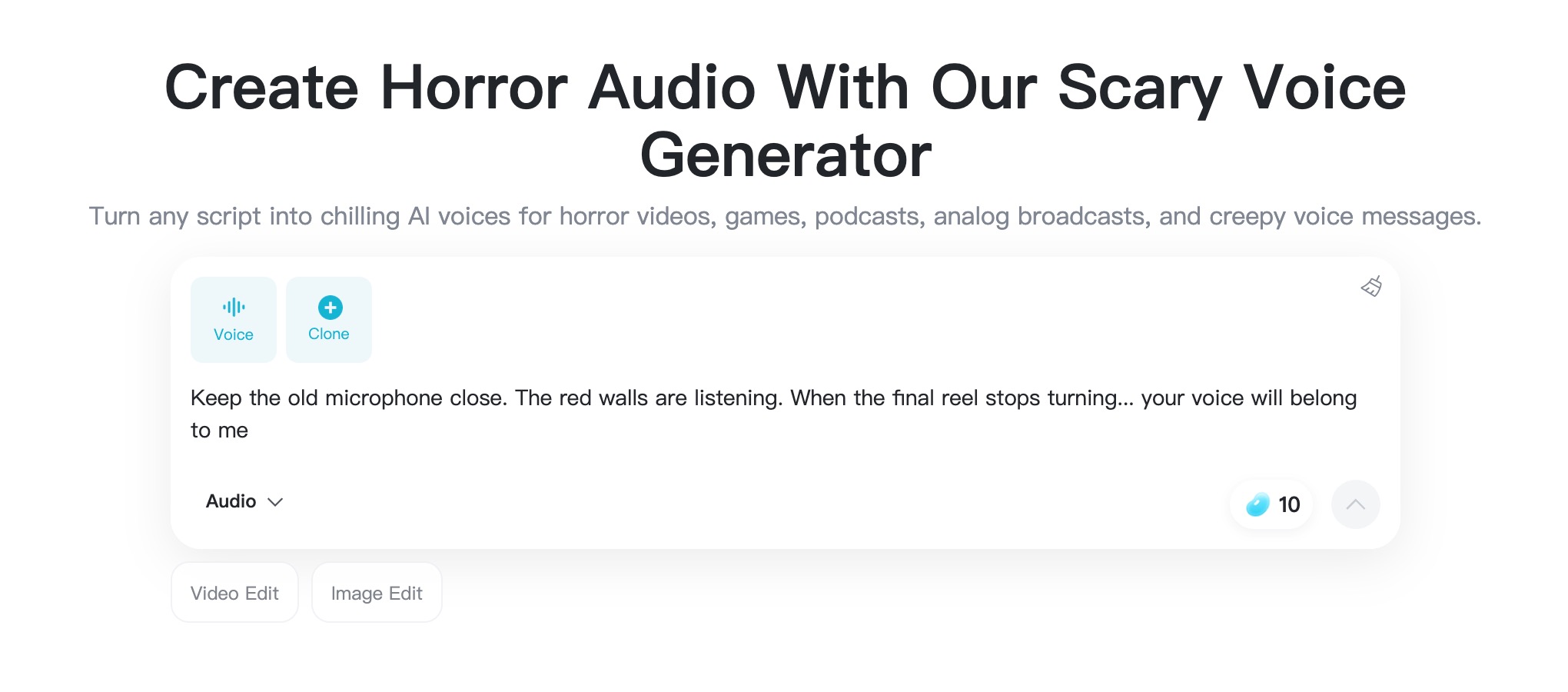
Once your script is in the box, it is time to pick the voice style that fits the role. A whisper works for confessions and secrets. An official, calm voice works for broadcasts and institutional warnings. A deeper, rougher voice works for monster dialogue and creature threats. A measured narrator voice works for ghost stories and paranormal series.
Match the voice type to the script, not the other way around. If your script is built around a calm emergency broadcast, a whisper voice will fight it. If your script is built around a creature confronting the listener, an official voice will feel wrong. The combination of script and voice type is what creates the final mood.
Step 3: Generate the Scary Voice
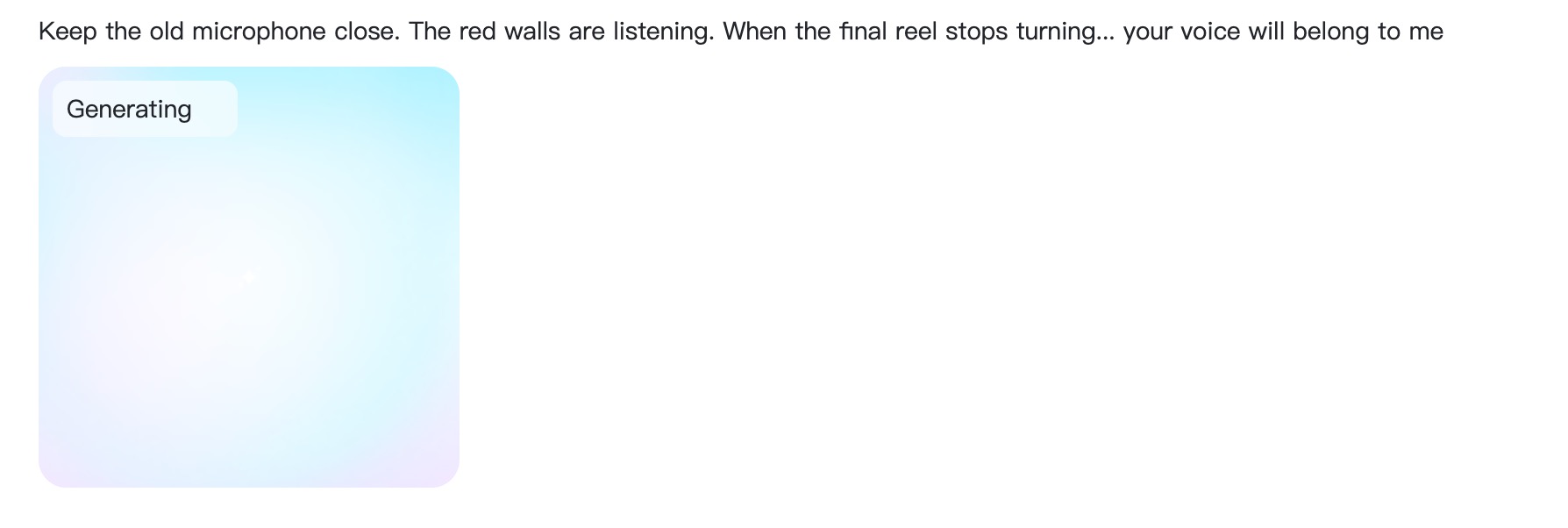
Click Generate and let insMind turn the text into creepy speech using your selected voice type. The first generation usually gives you a strong starting point. Play it through once without stopping to feel the overall mood, then play it again and listen for pacing, emphasis, and clarity.
If something is off, change one thing at a time. Try a different voice type. Add a comma to slow a line. Replace a long word with a shorter one. Make the final line more direct. Most of the time, a small edit in the script is enough to push the audio into the mood you want.
Step 4: Preview, Edit, and Download
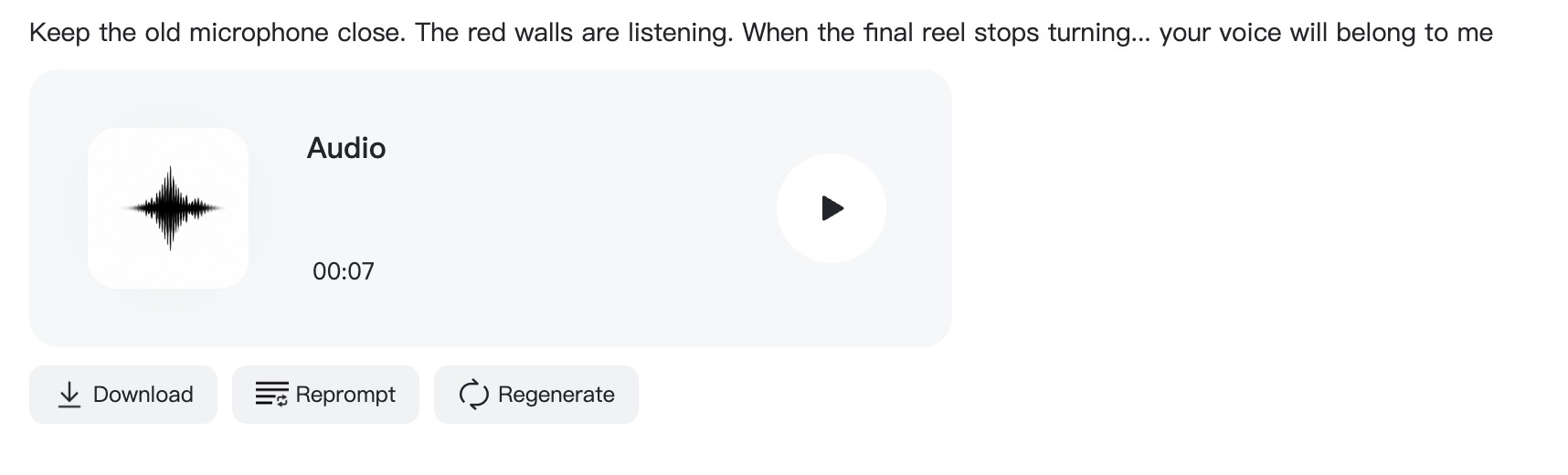
Use the preview to confirm the result is ready for your project. Check whether the first line hooks attention, whether the middle holds mood, and whether the final line lands. If needed, revise the text or switch the voice type and regenerate.
When the voiceover is ready, download the audio. You can drop it directly into a video edit, a podcast intro, a game prototype, a Halloween message, or an audio-only announcement. If you want to add VHS noise, echo, or static, layer those effects in your editing app so the original voice stays clean underneath.
FAQs About Making a Creepy Voice
What is the easiest way to make a creepy voice?
The easiest method is to write a short horror script, choose a voice type that fits the scene (whisper, official, monster, or narrator), generate the audio with an AI voice tool, and download the result. You can complete the entire workflow in a few minutes without recording equipment.
Can AI really make a voice sound creepy?
Yes. Modern AI voice tools are trained on a wide range of delivery styles, including horror-friendly tones such as whispers, calm institutional voices, and rougher creature voices. When you pair the right voice type with a focused script, the result can sound genuinely unsettling.
Do I need a microphone to make a creepy voice?
No. AI text-to-speech tools let you create creepy voices from written text, so you do not need a microphone, a quiet room, or voice acting experience. You only need a clear script and a good voice type.
What should I write in a horror voiceover script?
Write in spoken language with short sentences, clear punctuation, and one strong image per line. Describe actions and statements, not emotions. Let the voice type and pacing do the emotional work. A final line that ends on a single image usually lands best.
Which voice type is best for analog horror?
An institutional, calm, official voice usually works best for analog horror because it sounds like a transmission rather than a performance. Pair it with deliberate pacing, controlled pauses, and a final line that hints at something the listener should not know.
Can I use creepy AI voices in videos, podcasts, or games?
Yes, but review the platform's terms, licensing rules, and any content policies before publishing. Avoid using AI voices for harassment, impersonation, threats, or misleading messages. For commercial projects, confirm that your account plan covers the intended use.
Can I add effects like static or echo after generating?
Yes. Most creators download the clean AI voice first and then layer VHS noise, radio static, echo, or reverb in a video or audio editor. Keeping the original voice clean makes it easier to control the final mix and keeps the words understandable.
Keep reading

How to Use Seedance 2.5 for AI Videos
Learn how to use Seedance 2.5 for text-to-video and image-to-video, write stronger prompts, guide motion with references, and review results.

How to Make a Creepy Voice for Horror Content Step by Step
Learn how to make a creepy voice for horror videos, podcasts, and games with insMind.

How to Remove TikTok Watermark: 4 Easy Steps for Clean Videos
Learn how to remove TikTok watermark from videos in four practical steps with insMind.

Top 10 Seedance 2.5 Alternatives for AI Video in 2026
Compare top Seedance 2.5 alternatives and learn how to create AI videos with insMind.

Seedance 2.5 vs. MiniMax H3: Which AI Video Model Should You Use?
Compare Seedance 2.5 and MiniMax H3 for AI video creation.

30 Instagram Reels Prompts You Can Copy and Try
Copy-ready Instagram Reels prompts for products, fashion, creators, travel, food, pets, and lifestyle videos.

How to Write Instagram Reels Prompts for AI Videos
Learn to write Instagram Reels prompts for polished AI videos, product clips, creator posts, and lifestyle content.

30 TikTok Video Prompts You Can Copy and Try
Copy-ready TikTok video prompts for ads, creators, products, fashion, pets, travel, and more.

How to Create an AI Micro-drama: A Step-by-Step Guide
Learn how to create an AI micro-drama with insMind.

How to Create a Short Film Using AI in 2026
Learn how to create a short film using AI with insMind.

Instagram Reel Ads: Examples, Specs, Sizes, and Best Practices
Learn Instagram Reel ad specs, examples, safe zones, and best practices.

YouTube Ads Best Practices: How to Create Video Ads
Learn YouTube ads best practices and create video ads with insMind.

YouTube Channel Trailer Examples: 15 Inspiring Ideas for Your Channel
Explore YouTube channel trailer examples and create a polished trailer with insMind.

15 Best YouTube Ad Examples and Templates to Inspire Your Next Campaign
Explore YouTube ad examples and templates, then create video ads with insMind.

How to Make a Hype Video with AI: The Easy Guide
Learn how to make a hype video with AI using insMind.

Instagram Ad Templates for Feed, Stories, Reels, and Carousel Ads
Learn Instagram ad templates for Feed, Stories, Reels, and Carousel Ads.

Facebook Video Ad Specs: Sizes, Formats, and Lengths for 2026
Learn Facebook video ad specs, sizes, formats, and lengths for 2026, then make ad-ready videos with insMind fast.

How to Create Facebook Video Templates for Posts, Ads, Covers, and Live Video
Learn how to use Facebook video templates for posts, ads, covers, and live video with insMind.

Instagram Ad Examples: 15 Creative Ideas That Convert
Explore 15 Instagram ad examples and learn how to make them with insMind.

Instagram Ad Sizes and Specs: Complete 2026 Guide
Find Instagram ad sizes, specs, ratios, and dimensions for every major placement.

10+ Video Resume Examples with Scripts for Every Career Stage
Explore video resume examples and scripts, then create a polished video resume with insMind.

How to Make a Sports Hype Video with AI: A 4-Step Guide
Learn how to make a sports hype video with AI.

YouTube Ad Specs for 2026: Sizes, Formats, and Lengths
YouTube ad specs for sizes, formats, dimensions, and lengths, plus a four-step insMind workflow.

30 Best Grok Imagine Video Prompts You Can Copy and Try
Copy 30 Grok Imagine video prompts and learn how to write better prompts for creative AI videos.

50 Scroll-Stopping AI Brainrot Prompts for Viral Meme Videos
Copy 50 scroll-stopping AI brainrot prompts for chaotic meme videos.

How to Turn Any Photo into a Brainrot Meme Video
Learn how to turn any photo into a brainrot meme video with AI.

How to Make a Retirement Video with AI
Learn how to make a retirement video with AI.

How to Make Your Own Graduation Video from Photos with AI
Learn how to make a graduation video from photos with AI.

How to Make Your Own Outro Video
Learn how to make your own outro video with insMind.

Higgsfield vs Pollo AI: Which Video Platform Fits You?
Compare Higgsfield vs Pollo AI for cinematic control, model choice, ease of use, and pricing.

Pollo AI Review 2026: Features, Pros, Cons, and Verdict
Read our Pollo AI review for 2026 and explore its features, pricing, strengths, limitations, ideal users, and practical tips for better results.

How to Create Cute Baby Talking Videos from Photos
Learn how to create baby talking videos from photos with text, audio, and AI lip sync.

How to Make Your Own Talking Avatar with AI
Learn how to make your own talking avatar with AI from a portrait and script.

Seedance 2.0 Mini vs Seedance 2.0: Which Model Should You Use?
Compare Seedance 2.0 Mini and Seedance 2.0 for AI video creation.

How to Create Talking Animal Videos from Photos That Steal the Show
Learn how to create talking animal videos from photos with AI.

How to Turn a Character Image into a Consistent AI Video
Learn how to turn a character image into a consistent AI video with insMind.

10 Krea AI Alternatives for Creating and Editing AI Videos in 2026
Compare the best Krea AI alternatives for creating and editing AI videos, including insMind, Runway, Kling AI, Luma, Pika, VEED, and more.

Seedance 2.0 Mini Prompts to Copy: 20 Video Ideas
Copy Seedance 2.0 Mini prompts for cinematic AI videos with insMind.

Seedance 2.0 vs Seedance 2.5: What Changed?
Compare Seedance 2.0 and Seedance 2.5 with examples, prompts, and insMind workflow.

10 Best Pollo AI Alternatives for AI Video Creation in 2026
Compare the best Pollo AI alternatives for AI video creation, including insMind, Runway, Kling AI, Luma, Pika, VEED, and more.

How to Make an AI Video of Yourself That Actually Feels Like You
Create a realistic AI video of yourself from a photo and script.

How to Turn Old Photos into a Beautiful Tribute Video with AI
Turn old photos and memories into beautiful AI tribute videos.

How to Make a Daily Vlog with AI in Minutes
Create daily AI vlogs from photos, prompts, or ideas in minutes.

How to Create 2026 FIFA World Cup Highlights with AI
Create 2026 FIFA World Cup highlights, fan clips, and football videos with AI.

Best AI Video Extender for Creators: Top Tools Compared
Compare the best AI video extender tools for creators in 2026 and learn how to make short videos longer with insMind.

How to Edit YouTube Videos Faster with AI
Edit YouTube videos faster with AI background and style tools.

How to Create Training Videos with AI: A Complete Guide for Beginners
Create clear training videos from images and prompts with AI.

Create Product Reveal Videos with an AI Unboxing Video Maker
Learn how to create AI unboxing videos for product reveals, UGC, teasers, and ecommerce demos.

Create Smooth AI Video Transitions with Kling Start/End Frame
Learn how to create smooth AI video transitions with Kling Start/End Frame.

What Can You Choose for the Best InVideo Alternatives in 2026?
Compare the best InVideo alternatives and see why insMind is a strong AI video generator for creators and marketers.

10 Best Animaker Alternatives in 2026: New Trends in AI Video Creation
Compare the best Animaker alternatives for AI video creation, including free and open-source picks.

10 Best HeyGen Alternatives in 2026: Create AI Videos with More Freedom
Compare the best HeyGen alternatives for AI video creation, including free and open-source picks.

How to Make a Faceless YouTube Channel with AI
Make a faceless YouTube channel with AI tools, scripts, video ideas, and insMind.

Best CapCut Alternatives: 8 AI Video Editors Compared
Compare the best CapCut alternatives for iPhone, Android, PC, and AI video editing.

How Ecommerce Brands Replace Products in Videos with AI
Replace products in ecommerce videos with AI for ads, listings, and creative testing.

How to Change Video Background Without Green Screen: Step-by-Step Guide
Learn how to change video backgrounds without a green screen using simple AI editing steps.

How to Seamlessly Replace Objects in Videos with AI
Step-by-step guide on replace objects in videos with AI: how it works, best practices, and how to do it free with insMind.

How to Identify AI-Generated Videos: A Comprehensive Guide
Learn how to identify AI-generated videos using expert tips and insMind's tools for authenticity verification.

Can AI Really Edit Videos For You? A Deep Dive Into AI Video Editing
Discover how AI can edit videos effectively, using insMind and other top tools. Learn workflows, compare features, and explore future trends.

Crafting Viral Bigfoot AI Videos: A Step-by-Step Guide
Create viral Bigfoot AI videos with insMind. Learn how to optimize for TikTok and YouTube, avoid common mistakes, and more.

Discover the Versatility of Happy Horse 1.0 for AI Video Creation
Happy Horse 1.0 review explores AI video generation, integration with insMind, and practical applications for content creators.

Seedance 2.0 vs. Happy Horse 1.0: Which AI Video Generator Fits Your Needs?
Discover the differences between Seedance 2.0 and Happy Horse 1.0. Learn which AI video generator suits your needs best.

How to Make Educational Videos for Kids with AI (4 Easy Steps)
Write a structured script, choose model and audio, generate, and download—a step-by-step guide to making AI educational videos for kids with prompt templates.

Best AI Prompts for Explainer Videos (Proven Templates)
Four proven AI prompt templates for explainer videos—presenter, product demo, faceless brand, and tutorial—plus how to use insMind in 3 steps.

Best AI Explainer Video Generator for Business (2026 Guide)
Choose text-to-video or image-to-video, configure model and audio, generate and download—a complete 2026 guide to AI explainer videos for business with insMind.

Best Prompts for Wan 2.7: Multi-Shot Guide for Cinematic AI Video
Choose text or image mode, write scene-block prompts for Wan 2.7, set duration and audio, then download—plus 40+ language narrative tips.

How to Create Kids Videos with AI: A Parent-Friendly Guide
Upload art or start from text, write kid-safe prompts, pick Google Veo 3.1, generate and download—steps for parents and teachers.

From Script to Screen: How to Create Engaging Story Videos with AI Tools
Learn how to create story videos with AI: split scripts into scenes, optional reference images, generate clips in insMind, then merge. No pro editor required to start.

How to Make a Baby Dance Video with AI: Step-by-Step Guide
Turn a baby photo into a cute AI dance clip. Upload, write a motion prompt, pick model and duration, generate—no editing skills needed.

How to Make a Cat Dance Video with AI: Step-by-Step Guide
Turn a cat photo into a funny dance clip with AI image to video. Upload, write a motion prompt, generate, and download—no editing skills.

Best AI Tool for Pet Dance Videos (2026 Compared)
Compare top AI pet dance video tools with real screenshots, pros and cons, and a tested insMind image-to-video workflow plus copy-ready prompt.

Top 20 AI Fruit Video Prompts to Copy & Paste
Discover top AI fruit video prompts for creating engaging, trendy videos. Perfect for TikTok and other platforms, these prompts inspire creative content.

Funny AI Video Prompts That Work (Tested Examples)
Get 20+ tested funny AI video prompts that actually make people laugh. Copy-paste prompts for TikTok, Reels, and YouTube Shorts with step-by-step instructions.

Affordable AI Video Solutions for E-commerce Startups
Discover affordable AI video solutions for e-commerce startups. Learn about budget-friendly tools and maximize ROI with AI-generated content.

Transforming Marketing with AI Video Ads
Discover how AI video ads are transforming online marketing with personalized, efficient, and creative solutions. Learn techniques and examples.

Mastering Cinematic Ad Creation with Seedance 2.0
Create cinematic ads with Seedance 2.0, a powerful AI tool for video advertisements. Learn how to make stunning video ads using Seedance 2.0.

Mastering Viral Video Creation with Seedance 2.0
Discover how to create viral videos using Seedance 2.0 with tips, prompts, and insights on social media trends.

Close-Up Shot: Definition, Story Uses & Tighter Framing
What is a close-up shot? Definition, when to use tight framing for emotion and detail, and tips for shooting cleaner inserts on any camera.

YouTube Equipment for Beginners: Gear, AI Video & Your First Upload (2026)
Beginner YouTube equipment: priority order for mic, light, and camera; clear audio on a budget; phone vs dedicated camera; Shorts and 16:9 basics.

How to Create Anime Videos with AI (Step-by-Step Guide)
Learn how to create anime videos with AI step by step. Use text-to-video and image-to-video to generate stunning anime animations with insMind.

How to Make Viral Funny Videos with AI in 5 Minutes
Learn how to make viral funny videos with AI in minutes. Step-by-step guide to creating hilarious TikTok and Instagram clips using insMind AI funny video generator.

How to Create Talking Old Photo Videos with AI
Learn how to animate old photos with AI. Turn vintage portraits into talking videos with realistic motion using insMind free photo animation tool.

7 Best Sora 2 Alternatives for AI Video Generation in 2026
Discover the best Sora 2 alternatives for AI video generation. Compare insMind, Runway, Kling AI, Pika, and more to find the right tool for your needs.

AI Prompts for TikTok Video Generator: Complete Guide
Discover the best AI prompts for TikTok video generation. 20+ ready-to-use prompts plus a step-by-step guide to creating viral TikTok content with AI.

How to Upscale Anime Video to 4K with AI (Step-by-Step)
Learn how to upscale anime video to 4K using AI. Step-by-step guide to enhancing low-res anime with sharper lines and cleaner colors.

AI Marketing Video Generator: Create Promo Videos from Text
Learn how to turn text into professional marketing videos using AI. Step-by-step guide to creating promo videos in minutes.

Text-to-Video AI Ranked: Which Generator Wins in 2026?
Compare the 7 best text-to-video AI generators in 2026 including insMind, Sora 2, Runway, Kling AI, Pika, and more.

Animate Anime Images with AI: Turn Static Art into Dynamic Anime Videos
Learn how to animate anime images with AI. Turn static anime art into stunning animated videos easily.

How to Remove Kling Watermark from AI Videos
Explore the best ways to remove Kling AI watermark. Compare editing methods and discover watermark-free Kling generation options.

AI Video Editor: Edit Videos Instantly with Prompts
Use insMind AI Video Editor and prompts to edit videos, remove objects, change backgrounds and more.

Control the Narrative: Create Cinematic AI Videos with Start & End Frames
From start to finish, take control of AI video storytelling with Start & End Frames.

How to Create a Stranger Things Transition Video (Step-by-Step Guide)
Create a Stranger Things–style Upside Down transition with AI in just a few steps using insMind.

Transform Your Ideas: Generate Videos from Text Instantly
Turn text into videos in seconds with InsMind's AI—ideal for social media, ads, and presentations. No editing skills required.

Tralalero Tralala: How to Animate the Italian Shark Meme with AI Flair
Animate the viral “Tralalero Tralala” Italian Shark meme with AI for fun, shareable content.

Top TikTok Memes 2025: 'Tung Tung Tung Sahur' & Viral Trends You Can't Miss
2025 TikTok trends: AI-generated Italian Brainrot memes and creepy Tung Tung Tung Sahur dominate viral humor.