


 Sarah Michelle·August 5, 2026
A good Instagram ad template is not just a pretty layout. It is a repeatable creative structure: a hook, a visual promise, a proof point, and a call to action that fits the placement.
That matters because Feed, Stories, Reels, and Carousel ads all ask viewers to behave differently. If you are looking for an Instagram ad template free of complicated design work, this guide gives you practical frameworks you can reuse.
You will learn what to include in each format, how to avoid common placement mistakes, and how to use insMind to create video-ready assets from a product image or prompt. For faster production, open the Instagram ad maker, describe the ad you want, and generate a short creative clip you can adapt for your campaign tests.
What Makes Instagram Ad Templates Work?
Ever wondered why two ads with the same product can perform completely differently? The difference is often structure. Strong Instagram ad templates make the viewer understand the offer before they decide to scroll away.
- What am I looking at? The product, service, or result is visible right away.
- Why should I care? The hook names a need, desire, or pain point.
- Can I believe it? The ad adds proof through a demo, review, result, or comparison.
- What should I do next? The CTA is direct and matched to the campaign goal.
That structure is more useful than copying someone else's design. Once you understand it, you can make a free Instagram ad template for a product launch, a seasonal sale, a UGC-style video, or a carousel campaign without starting from a blank page.
Instagram Ad Templates by Placement
Each placement has a different viewing behavior. Feed ads are scanned beside other posts. Stories are tapped through quickly. Reels need instant motion. Carousel ads reward curiosity and sequence. Use the template that matches the moment.
Problem, product, payoff
Open with a clean product shot and a short line that names the problem. Use the middle frame for the product in action, then close with the payoff and CTA. This Instagram ad template works well for ecommerce, beauty, home goods, and business tools because the layout is simple enough for square or 4:5 feed viewing.
Question, quick proof, swipe
A strong Instagram Stories ads template starts with a question the viewer can answer in their head. Add one proof point, such as a before-and-after, review snippet, or quick demo. Keep the bottom area clean for the CTA sticker or link, and make every word readable without sound.
Motion hook, demo, result
An Instagram reel ad template should move immediately. Start with a camera slide, product reveal, hand interaction, or visual transformation. Then show the result before the viewer loses interest. This is a natural fit for short video creative made with an AI video generator.
Hook, educate, compare, close
An Instagram carousel ad template turns one idea into a sequence. Card one earns the swipe, cards two and three explain the value, card four adds proof or comparison, and the final card asks for the click. Use this when your offer needs more context than a single frame can carry.
| Placement | Best template angle | Recommended creative | CTA idea |
|---|---|---|---|
| Feed | Clear product benefit | 4:5 product demo or square video | Shop Now |
| Stories | Fast question and answer | 9:16 vertical video with safe zones | Learn More |
| Reels | Visual motion and payoff | Short vertical clip with captions | Try It |
| Carousel | Step-by-step persuasion | Five connected cards or mixed media | See Details |
Template Building Blocks for Better Ads
Want your Instagram ads template to feel polished instead of generic? Build it from reliable creative blocks. You can mix these blocks across Feed, Stories, Reels, and Carousel ads.
The first second matters most
The opening should make a viewer pause before they know every detail. Try a bold product close-up, a question like “Still editing product videos manually?”, or a movement prompt such as “camera pushes in as the label catches studio light.”
Show the result early
Show what the viewer gets. For a skincare brand, that may be glowing texture and clean packaging. For a SaaS offer, it may be a before-and-after screen or a simple workflow.
Give one reason to believe
Proof can be a customer quote, a stat, a visible transformation, a quick comparison, or a specific use case. Keep it short. One strong proof point beats three tiny claims competing for attention.
Match the placement
Use “Shop Now” when the viewer is ready to buy, “See How It Works” when the ad teaches, and “Try It Free” when the product has a low-friction entry point. A free Instagram ad template becomes much more useful when the CTA matches the user's level of awareness.
If you want a product-first creative workflow, an AI product video generator style setup is often the fastest way to get from concept to testable ad.
How to Create Instagram Ads with insMind
So how do you turn these templates into real creative? With insMind, you can move from a product image or text idea to an Instagram ad video template in a few practical steps.
Open the Instagram ad maker and choose your input
Start from the insMind Instagram ad maker page. Upload a clear product photo when you already have a hero image, or begin with a text prompt if you are still exploring the ad concept. For product ads, clean lighting and a simple background make the generated motion easier to control.
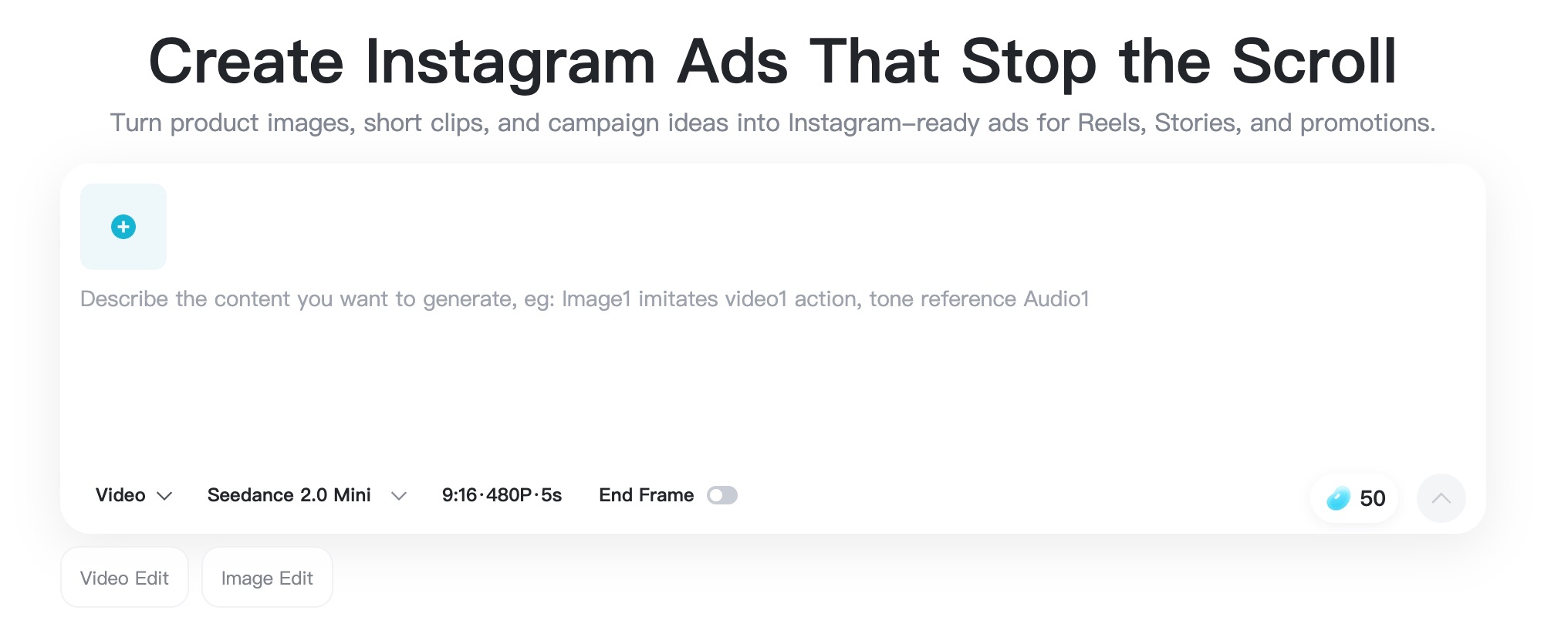
Operation image showing where to start the Instagram ad workflow.
Write the hook, motion, and placement direction
Describe the exact ad you want to generate. Include the product, audience, motion, lighting, and placement. For example: “Vertical Instagram Reel ad for a matte black travel mug, slow camera push-in, morning kitchen light, text space at top, premium but practical mood.” This keeps the prompt tied to the chosen Instagram ad template.
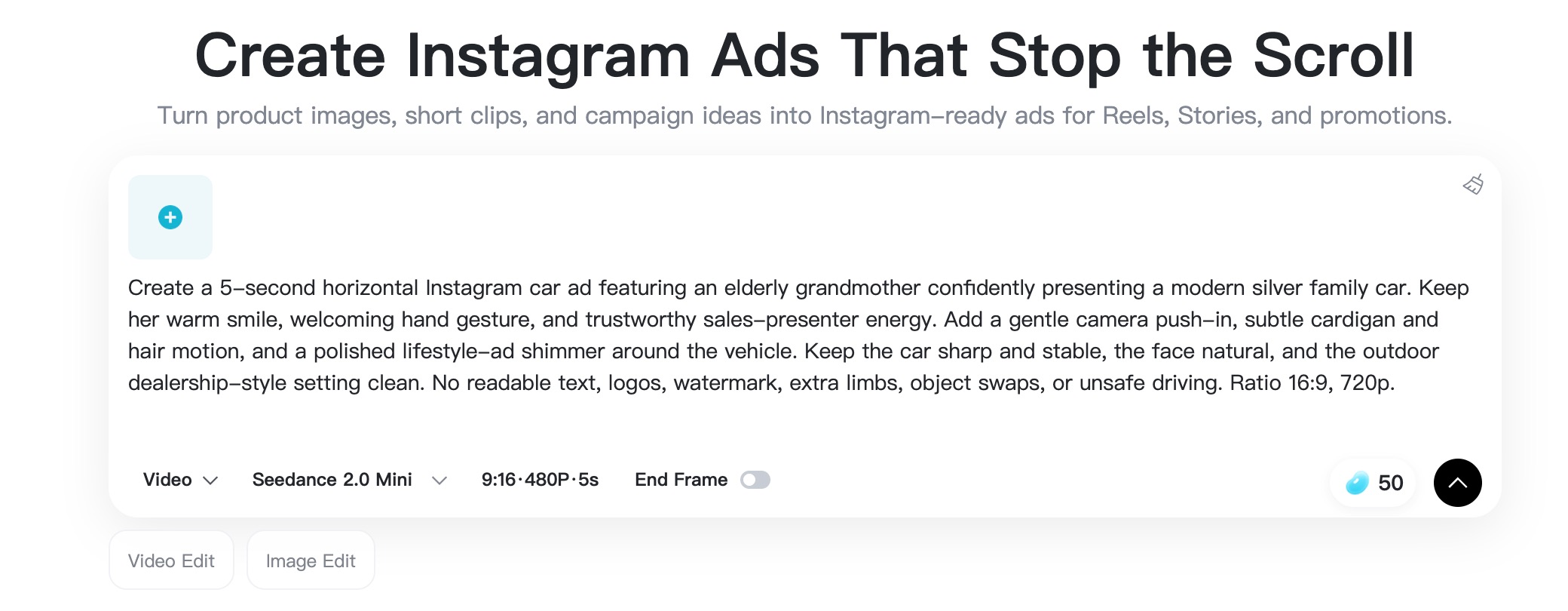
Operation image showing a completed Instagram ad prompt and generation settings.
Set the video format for Instagram
Open the video settings before you generate. Choose the model, aspect ratio, duration, and quality available in the tool. Use 9:16 for Instagram Stories ads template and Reels creative, then adapt the concept later for Feed or Carousel if needed.
Operation image showing the Instagram ad while it is generating.
Generate, review, and download your ad
Click Generate and review the result carefully. Check product shape, logo clarity, safe-zone spacing, and whether the first second matches your hook. If the motion is too complex, simplify the prompt and generate again. Once the clip looks clean, download it and pair it with your caption, CTA, and campaign settings.
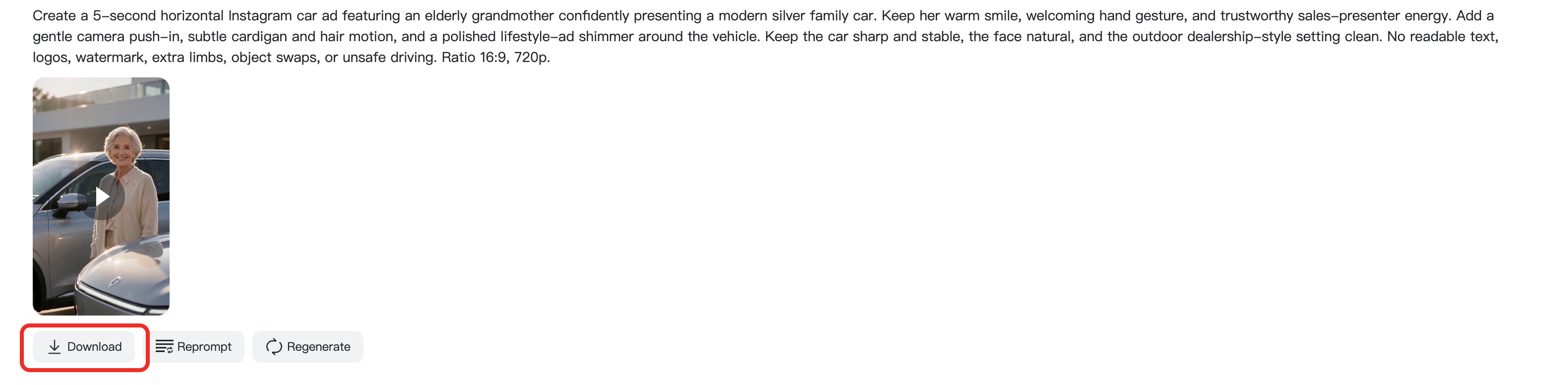
Operation image showing the finished Instagram ad and download button.
Tips for Testing Instagram Ads Templates
A template becomes valuable when it helps you test faster. Instead of changing everything at once, create a small batch of variations and learn from the numbers.
- Test one hook at a time. Keep the offer the same and compare a question hook, product reveal, and before-and-after opening.
- Make one version for each placement. A Feed crop rarely works perfectly as a Story ad without safe-zone adjustments.
- Keep captions short. Your visual should explain the offer even when sound is off.
- Use UGC when trust matters. For testimonial-style campaigns, an AI UGC video generator workflow can help you plan creator-style motion and messaging.
- Track more than clicks. Watch thumb-stop rate, three-second views, saves, click-through rate, and conversions together.
Not sure which template to test first? Start with the placement that has the strongest connection to your offer. Reels are great for motion-led product discovery. Stories are useful for direct response. Feed ads help with clean product framing. Carousel ads work when you need to explain, compare, or educate before the click.
FAQs About Instagram Ad Templates
What is an Instagram ad template?
An Instagram ad template is a repeatable structure for an ad creative. It usually includes a hook, visual layout, message hierarchy, proof point, and call to action for a specific placement.
Can I use one Instagram ad template for Feed and Stories?
You can reuse the core idea, but you should adapt the format. Stories usually need 9:16 vertical framing, more safe-zone space, and faster copy than Feed ads.
What should an Instagram story ad template include?
Use a clear opening question, one visual proof point, readable text, and a CTA area that does not fight the native Story interface. Keep the first frame simple.
Are free Instagram ad templates enough for paid campaigns?
Free templates are useful for planning, but performance depends on your offer, hook, audience, landing page, and testing process. Treat templates as a starting framework, not a guaranteed result.
How do I make an Instagram ad video template with insMind?
Open the Instagram ad maker, upload a product photo or start from text, write a placement-specific prompt, set the video format, generate the clip, and download the version you want to test.
Which is better: Reels ads or carousel ads?
Use Reels when motion and discovery matter most. Use carousel ads when you need to explain several benefits, compare options, or guide the viewer through a sequence.
Start Building Better Instagram Ads
The best Instagram ad templates for Feed, Stories, Reels, and Carousel Ads give you structure without locking you into one design. Pick a placement, choose one promise, write a sharp hook, and let the visual do the heavy lifting.
Ready to turn your next idea into motion? Use insMind to create a polished Instagram ad video, then test the template across your campaign placements.
I'm a freelance writer with a passion for editing and designing photos. Here at insMind, I strive to educate users on image creativity, photography, and enhancing product photos to help grow their businesses.
Keep reading

How to Use Seedance 2.5 for AI Videos
Learn how to use Seedance 2.5 for text-to-video and image-to-video, write stronger prompts, guide motion with references, and review results.

How to Make a Creepy Voice for Horror Content Step by Step
Learn how to make a creepy voice for horror videos, podcasts, and games with insMind.

How to Remove TikTok Watermark: 4 Easy Steps for Clean Videos
Learn how to remove TikTok watermark from videos in four practical steps with insMind.

Top 10 Seedance 2.5 Alternatives for AI Video in 2026
Compare top Seedance 2.5 alternatives and learn how to create AI videos with insMind.

Seedance 2.5 vs. MiniMax H3: Which AI Video Model Should You Use?
Compare Seedance 2.5 and MiniMax H3 for AI video creation.

30 Instagram Reels Prompts You Can Copy and Try
Copy-ready Instagram Reels prompts for products, fashion, creators, travel, food, pets, and lifestyle videos.

How to Write Instagram Reels Prompts for AI Videos
Learn to write Instagram Reels prompts for polished AI videos, product clips, creator posts, and lifestyle content.

30 TikTok Video Prompts You Can Copy and Try
Copy-ready TikTok video prompts for ads, creators, products, fashion, pets, travel, and more.

How to Create an AI Micro-drama: A Step-by-Step Guide
Learn how to create an AI micro-drama with insMind.

How to Create a Short Film Using AI in 2026
Learn how to create a short film using AI with insMind.

Instagram Reel Ads: Examples, Specs, Sizes, and Best Practices
Learn Instagram Reel ad specs, examples, safe zones, and best practices.

YouTube Ads Best Practices: How to Create Video Ads
Learn YouTube ads best practices and create video ads with insMind.

YouTube Channel Trailer Examples: 15 Inspiring Ideas for Your Channel
Explore YouTube channel trailer examples and create a polished trailer with insMind.

15 Best YouTube Ad Examples and Templates to Inspire Your Next Campaign
Explore YouTube ad examples and templates, then create video ads with insMind.

How to Make a Hype Video with AI: The Easy Guide
Learn how to make a hype video with AI using insMind.

Instagram Ad Templates for Feed, Stories, Reels, and Carousel Ads
Learn Instagram ad templates for Feed, Stories, Reels, and Carousel Ads.

Facebook Video Ad Specs: Sizes, Formats, and Lengths for 2026
Learn Facebook video ad specs, sizes, formats, and lengths for 2026, then make ad-ready videos with insMind fast.

How to Create Facebook Video Templates for Posts, Ads, Covers, and Live Video
Learn how to use Facebook video templates for posts, ads, covers, and live video with insMind.

Instagram Ad Examples: 15 Creative Ideas That Convert
Explore 15 Instagram ad examples and learn how to make them with insMind.

Instagram Ad Sizes and Specs: Complete 2026 Guide
Find Instagram ad sizes, specs, ratios, and dimensions for every major placement.

10+ Video Resume Examples with Scripts for Every Career Stage
Explore video resume examples and scripts, then create a polished video resume with insMind.

How to Make a Sports Hype Video with AI: A 4-Step Guide
Learn how to make a sports hype video with AI.

YouTube Ad Specs for 2026: Sizes, Formats, and Lengths
YouTube ad specs for sizes, formats, dimensions, and lengths, plus a four-step insMind workflow.

30 Best Grok Imagine Video Prompts You Can Copy and Try
Copy 30 Grok Imagine video prompts and learn how to write better prompts for creative AI videos.

50 Scroll-Stopping AI Brainrot Prompts for Viral Meme Videos
Copy 50 scroll-stopping AI brainrot prompts for chaotic meme videos.

How to Turn Any Photo into a Brainrot Meme Video
Learn how to turn any photo into a brainrot meme video with AI.

How to Make a Retirement Video with AI
Learn how to make a retirement video with AI.

How to Make Your Own Graduation Video from Photos with AI
Learn how to make a graduation video from photos with AI.

How to Make Your Own Outro Video
Learn how to make your own outro video with insMind.

Higgsfield vs Pollo AI: Which Video Platform Fits You?
Compare Higgsfield vs Pollo AI for cinematic control, model choice, ease of use, and pricing.

Pollo AI Review 2026: Features, Pros, Cons, and Verdict
Read our Pollo AI review for 2026 and explore its features, pricing, strengths, limitations, ideal users, and practical tips for better results.

How to Create Cute Baby Talking Videos from Photos
Learn how to create baby talking videos from photos with text, audio, and AI lip sync.

How to Make Your Own Talking Avatar with AI
Learn how to make your own talking avatar with AI from a portrait and script.

Seedance 2.0 Mini vs Seedance 2.0: Which Model Should You Use?
Compare Seedance 2.0 Mini and Seedance 2.0 for AI video creation.

How to Create Talking Animal Videos from Photos That Steal the Show
Learn how to create talking animal videos from photos with AI.

How to Turn a Character Image into a Consistent AI Video
Learn how to turn a character image into a consistent AI video with insMind.

10 Krea AI Alternatives for Creating and Editing AI Videos in 2026
Compare the best Krea AI alternatives for creating and editing AI videos, including insMind, Runway, Kling AI, Luma, Pika, VEED, and more.

Seedance 2.0 Mini Prompts to Copy: 20 Video Ideas
Copy Seedance 2.0 Mini prompts for cinematic AI videos with insMind.

Seedance 2.0 vs Seedance 2.5: What Changed?
Compare Seedance 2.0 and Seedance 2.5 with examples, prompts, and insMind workflow.

10 Best Pollo AI Alternatives for AI Video Creation in 2026
Compare the best Pollo AI alternatives for AI video creation, including insMind, Runway, Kling AI, Luma, Pika, VEED, and more.

How to Make an AI Video of Yourself That Actually Feels Like You
Create a realistic AI video of yourself from a photo and script.

How to Turn Old Photos into a Beautiful Tribute Video with AI
Turn old photos and memories into beautiful AI tribute videos.

How to Make a Daily Vlog with AI in Minutes
Create daily AI vlogs from photos, prompts, or ideas in minutes.

How to Create 2026 FIFA World Cup Highlights with AI
Create 2026 FIFA World Cup highlights, fan clips, and football videos with AI.

Best AI Video Extender for Creators: Top Tools Compared
Compare the best AI video extender tools for creators in 2026 and learn how to make short videos longer with insMind.

How to Edit YouTube Videos Faster with AI
Edit YouTube videos faster with AI background and style tools.

How to Create Training Videos with AI: A Complete Guide for Beginners
Create clear training videos from images and prompts with AI.

Create Product Reveal Videos with an AI Unboxing Video Maker
Learn how to create AI unboxing videos for product reveals, UGC, teasers, and ecommerce demos.

Create Smooth AI Video Transitions with Kling Start/End Frame
Learn how to create smooth AI video transitions with Kling Start/End Frame.

What Can You Choose for the Best InVideo Alternatives in 2026?
Compare the best InVideo alternatives and see why insMind is a strong AI video generator for creators and marketers.

10 Best Animaker Alternatives in 2026: New Trends in AI Video Creation
Compare the best Animaker alternatives for AI video creation, including free and open-source picks.

10 Best HeyGen Alternatives in 2026: Create AI Videos with More Freedom
Compare the best HeyGen alternatives for AI video creation, including free and open-source picks.

How to Make a Faceless YouTube Channel with AI
Make a faceless YouTube channel with AI tools, scripts, video ideas, and insMind.

Best CapCut Alternatives: 8 AI Video Editors Compared
Compare the best CapCut alternatives for iPhone, Android, PC, and AI video editing.

How Ecommerce Brands Replace Products in Videos with AI
Replace products in ecommerce videos with AI for ads, listings, and creative testing.

How to Change Video Background Without Green Screen: Step-by-Step Guide
Learn how to change video backgrounds without a green screen using simple AI editing steps.

How to Seamlessly Replace Objects in Videos with AI
Step-by-step guide on replace objects in videos with AI: how it works, best practices, and how to do it free with insMind.

How to Identify AI-Generated Videos: A Comprehensive Guide
Learn how to identify AI-generated videos using expert tips and insMind's tools for authenticity verification.

Can AI Really Edit Videos For You? A Deep Dive Into AI Video Editing
Discover how AI can edit videos effectively, using insMind and other top tools. Learn workflows, compare features, and explore future trends.

Crafting Viral Bigfoot AI Videos: A Step-by-Step Guide
Create viral Bigfoot AI videos with insMind. Learn how to optimize for TikTok and YouTube, avoid common mistakes, and more.

Discover the Versatility of Happy Horse 1.0 for AI Video Creation
Happy Horse 1.0 review explores AI video generation, integration with insMind, and practical applications for content creators.

Seedance 2.0 vs. Happy Horse 1.0: Which AI Video Generator Fits Your Needs?
Discover the differences between Seedance 2.0 and Happy Horse 1.0. Learn which AI video generator suits your needs best.

How to Make Educational Videos for Kids with AI (4 Easy Steps)
Write a structured script, choose model and audio, generate, and download—a step-by-step guide to making AI educational videos for kids with prompt templates.

Best AI Prompts for Explainer Videos (Proven Templates)
Four proven AI prompt templates for explainer videos—presenter, product demo, faceless brand, and tutorial—plus how to use insMind in 3 steps.

Best AI Explainer Video Generator for Business (2026 Guide)
Choose text-to-video or image-to-video, configure model and audio, generate and download—a complete 2026 guide to AI explainer videos for business with insMind.

Best Prompts for Wan 2.7: Multi-Shot Guide for Cinematic AI Video
Choose text or image mode, write scene-block prompts for Wan 2.7, set duration and audio, then download—plus 40+ language narrative tips.

How to Create Kids Videos with AI: A Parent-Friendly Guide
Upload art or start from text, write kid-safe prompts, pick Google Veo 3.1, generate and download—steps for parents and teachers.

From Script to Screen: How to Create Engaging Story Videos with AI Tools
Learn how to create story videos with AI: split scripts into scenes, optional reference images, generate clips in insMind, then merge. No pro editor required to start.

How to Make a Baby Dance Video with AI: Step-by-Step Guide
Turn a baby photo into a cute AI dance clip. Upload, write a motion prompt, pick model and duration, generate—no editing skills needed.

How to Make a Cat Dance Video with AI: Step-by-Step Guide
Turn a cat photo into a funny dance clip with AI image to video. Upload, write a motion prompt, generate, and download—no editing skills.

Best AI Tool for Pet Dance Videos (2026 Compared)
Compare top AI pet dance video tools with real screenshots, pros and cons, and a tested insMind image-to-video workflow plus copy-ready prompt.

Top 20 AI Fruit Video Prompts to Copy & Paste
Discover top AI fruit video prompts for creating engaging, trendy videos. Perfect for TikTok and other platforms, these prompts inspire creative content.

Funny AI Video Prompts That Work (Tested Examples)
Get 20+ tested funny AI video prompts that actually make people laugh. Copy-paste prompts for TikTok, Reels, and YouTube Shorts with step-by-step instructions.

Affordable AI Video Solutions for E-commerce Startups
Discover affordable AI video solutions for e-commerce startups. Learn about budget-friendly tools and maximize ROI with AI-generated content.

Transforming Marketing with AI Video Ads
Discover how AI video ads are transforming online marketing with personalized, efficient, and creative solutions. Learn techniques and examples.

Mastering Cinematic Ad Creation with Seedance 2.0
Create cinematic ads with Seedance 2.0, a powerful AI tool for video advertisements. Learn how to make stunning video ads using Seedance 2.0.

Mastering Viral Video Creation with Seedance 2.0
Discover how to create viral videos using Seedance 2.0 with tips, prompts, and insights on social media trends.

Close-Up Shot: Definition, Story Uses & Tighter Framing
What is a close-up shot? Definition, when to use tight framing for emotion and detail, and tips for shooting cleaner inserts on any camera.

YouTube Equipment for Beginners: Gear, AI Video & Your First Upload (2026)
Beginner YouTube equipment: priority order for mic, light, and camera; clear audio on a budget; phone vs dedicated camera; Shorts and 16:9 basics.

How to Create Anime Videos with AI (Step-by-Step Guide)
Learn how to create anime videos with AI step by step. Use text-to-video and image-to-video to generate stunning anime animations with insMind.

How to Make Viral Funny Videos with AI in 5 Minutes
Learn how to make viral funny videos with AI in minutes. Step-by-step guide to creating hilarious TikTok and Instagram clips using insMind AI funny video generator.

How to Create Talking Old Photo Videos with AI
Learn how to animate old photos with AI. Turn vintage portraits into talking videos with realistic motion using insMind free photo animation tool.

7 Best Sora 2 Alternatives for AI Video Generation in 2026
Discover the best Sora 2 alternatives for AI video generation. Compare insMind, Runway, Kling AI, Pika, and more to find the right tool for your needs.

AI Prompts for TikTok Video Generator: Complete Guide
Discover the best AI prompts for TikTok video generation. 20+ ready-to-use prompts plus a step-by-step guide to creating viral TikTok content with AI.

How to Upscale Anime Video to 4K with AI (Step-by-Step)
Learn how to upscale anime video to 4K using AI. Step-by-step guide to enhancing low-res anime with sharper lines and cleaner colors.

AI Marketing Video Generator: Create Promo Videos from Text
Learn how to turn text into professional marketing videos using AI. Step-by-step guide to creating promo videos in minutes.

Text-to-Video AI Ranked: Which Generator Wins in 2026?
Compare the 7 best text-to-video AI generators in 2026 including insMind, Sora 2, Runway, Kling AI, Pika, and more.

Animate Anime Images with AI: Turn Static Art into Dynamic Anime Videos
Learn how to animate anime images with AI. Turn static anime art into stunning animated videos easily.

How to Remove Kling Watermark from AI Videos
Explore the best ways to remove Kling AI watermark. Compare editing methods and discover watermark-free Kling generation options.

AI Video Editor: Edit Videos Instantly with Prompts
Use insMind AI Video Editor and prompts to edit videos, remove objects, change backgrounds and more.

Control the Narrative: Create Cinematic AI Videos with Start & End Frames
From start to finish, take control of AI video storytelling with Start & End Frames.

How to Create a Stranger Things Transition Video (Step-by-Step Guide)
Create a Stranger Things–style Upside Down transition with AI in just a few steps using insMind.

Transform Your Ideas: Generate Videos from Text Instantly
Turn text into videos in seconds with InsMind's AI—ideal for social media, ads, and presentations. No editing skills required.

Tralalero Tralala: How to Animate the Italian Shark Meme with AI Flair
Animate the viral “Tralalero Tralala” Italian Shark meme with AI for fun, shareable content.

Top TikTok Memes 2025: 'Tung Tung Tung Sahur' & Viral Trends You Can't Miss
2025 TikTok trends: AI-generated Italian Brainrot memes and creepy Tung Tung Tung Sahur dominate viral humor.