


From June 11 to July 19, 2026, the FIFA World Cup will pull global attention toward football content again. That means creators, sports pages, small brands, football clubs, fan accounts, and marketers will all be looking for faster ways to make short, exciting videos. A smart football video maker can help you turn a match idea, player photo, brand image, or simple prompt into a scroll-stopping clip before the trend cools down.
insMind gives you an AI-powered way to create football videos, World Cup hype clips, and highlight-style visuals without starting from a blank editing timeline. Whether you want a dramatic goal celebration, a matchday poster brought to life, or a quick football highlight reel for social media, you can build it with a few focused steps.
Table of Contents
Find Inspiration for Better World Cup Highlights
A strong World Cup highlight starts with one clear moment: the goal, the save, the celebration, the fan reaction, or the final whistle. If you do not want to build every highlight idea from a blank prompt, insMind gives you ready-made football and World Cup references directly inside the creation interface.
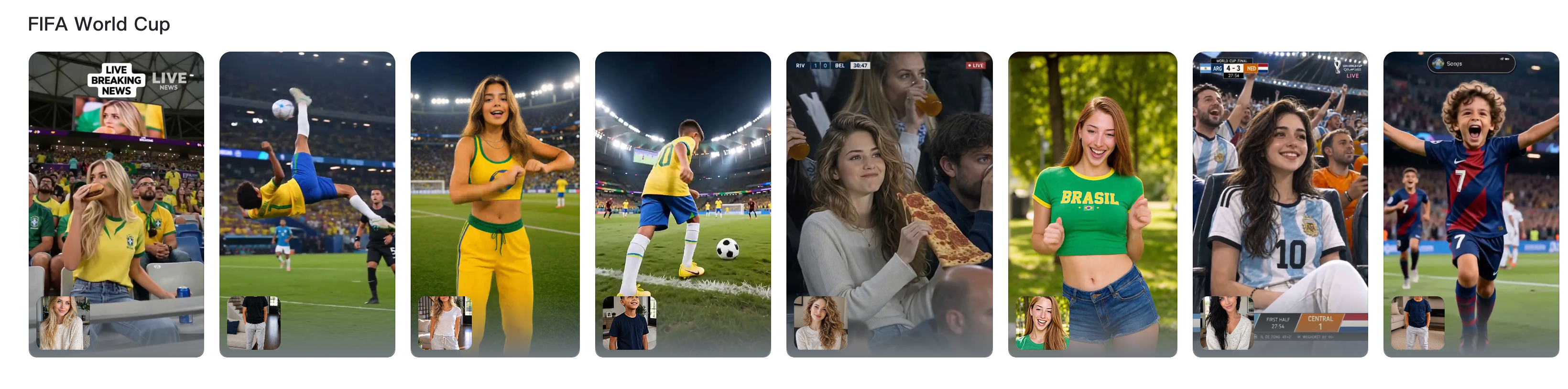
These materials help you choose the highlight angle before you generate. You might start with a stadium entrance, a fan hype clip, a matchday promo, or a broadcast-style celebration scene. Pick the reference that matches the emotion you want, then turn it into your own highlight prompt by changing the player, action, camera movement, and match atmosphere.
To make the final clip feel like a real highlight instead of a generic football video, use the reference as a starting point and sharpen the details below.
Make the highlight action visual
A vague prompt like "exciting football moment" gives the AI too little to work with. A prompt such as "a striker scores in stoppage time, slides toward the corner flag, and teammates rush in under falling confetti" creates a clearer highlight moment with stronger timing and emotion.
Use camera direction to build drama
Highlights feel more intense when the camera follows the action. Add phrases like "broadcast replay angle," "low-angle tracking shot," "slow push-in on the celebration," or "quick zoom toward the cheering player" to guide the motion.
Match each highlight to the channel
Choose the video format before you generate. A 9:16 highlight works well for TikTok, Reels, and Shorts, while a 16:9 version is better for YouTube intros, website banners, and presentation screens. If your content plan includes social video, you can also explore an AI YouTube Shorts generator workflow for short-form publishing ideas.
Keep tournament content brand-safe
World Cup excitement is powerful, but commercial content needs extra care. Avoid unauthorized official logos, protected marks, and real player likenesses unless you have permission. You can still create strong football visuals with stadiums, flags, crowds, matchday energy, and fictional players.
Generate multiple highlight cuts
Do not stop at the first result. Generate two or three highlight versions with different camera moves, pacing, or moods. One version may work as a teaser, another as a main social post, and another as a campaign visual.
How to Make a Football Highlight Video with insMind
So, how to make a football highlight video when you do not have hours to edit? The best approach is to treat the clip like a short sports story: choose your moment, describe the motion, set the format, and generate the final video.
Step 1: Choose the right football video entry
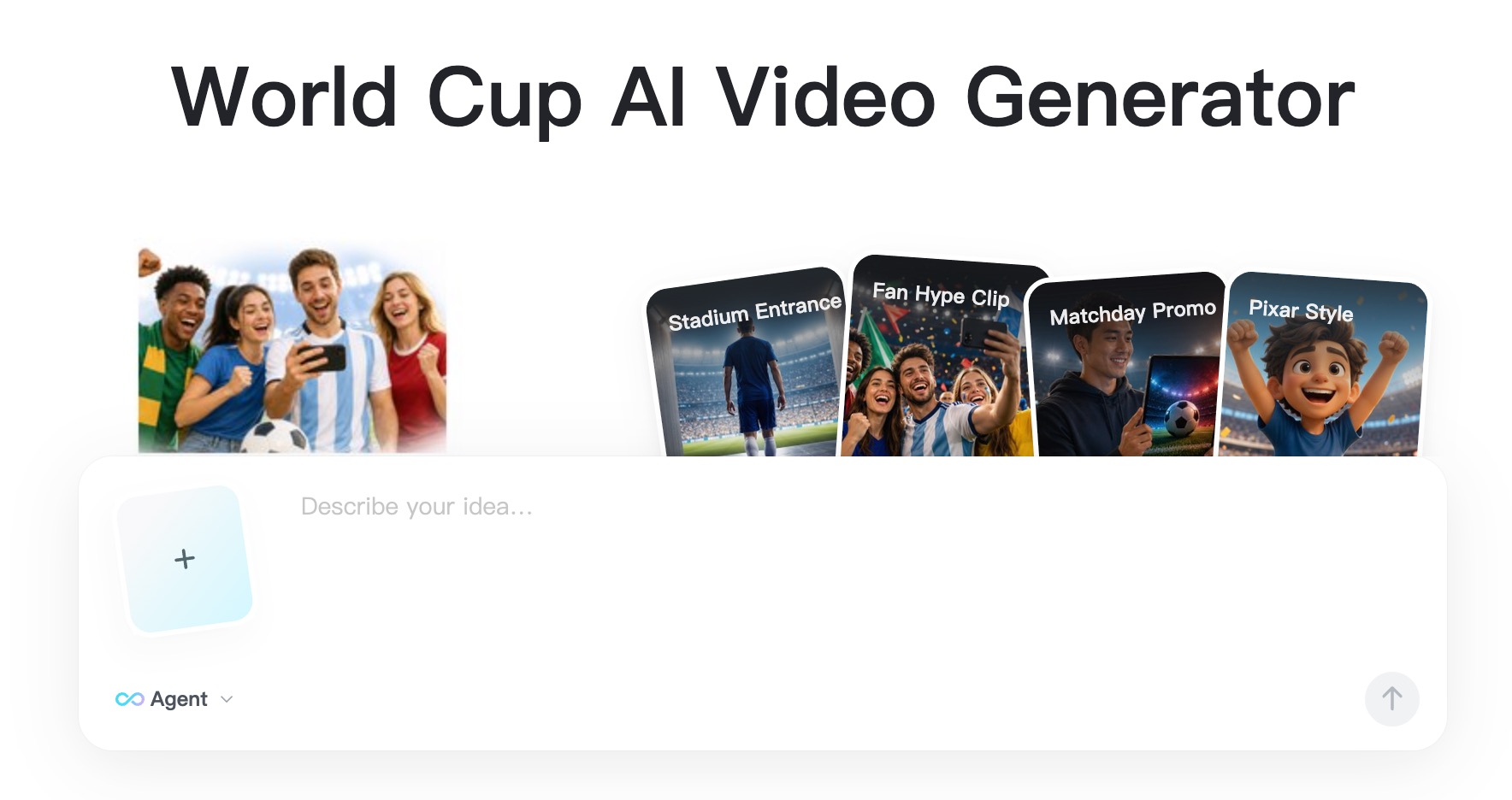
Open the insMind AI video tool and choose the workflow that fits your idea. If you already have a player image, team poster, product shot, or fan graphic, use an image-to-video style workflow. If you want to generate the whole scene from scratch, start with the football video maker.
For World Cup content, think about the final use first. A vertical fan edit needs different framing from a website banner or a wide stadium intro. Choosing the right entry keeps the rest of the workflow cleaner.
Step 2: Add your football prompt or reference image
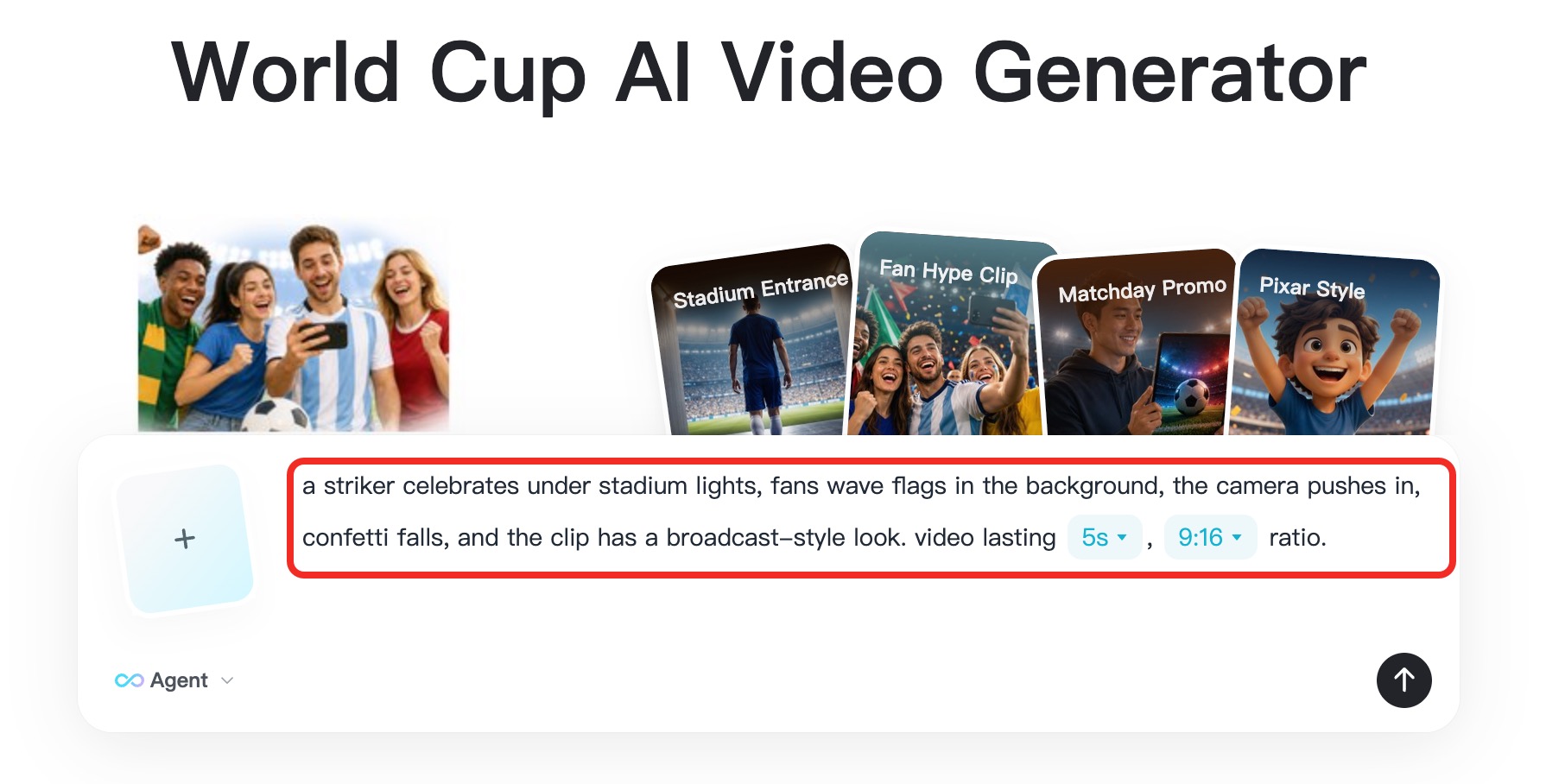
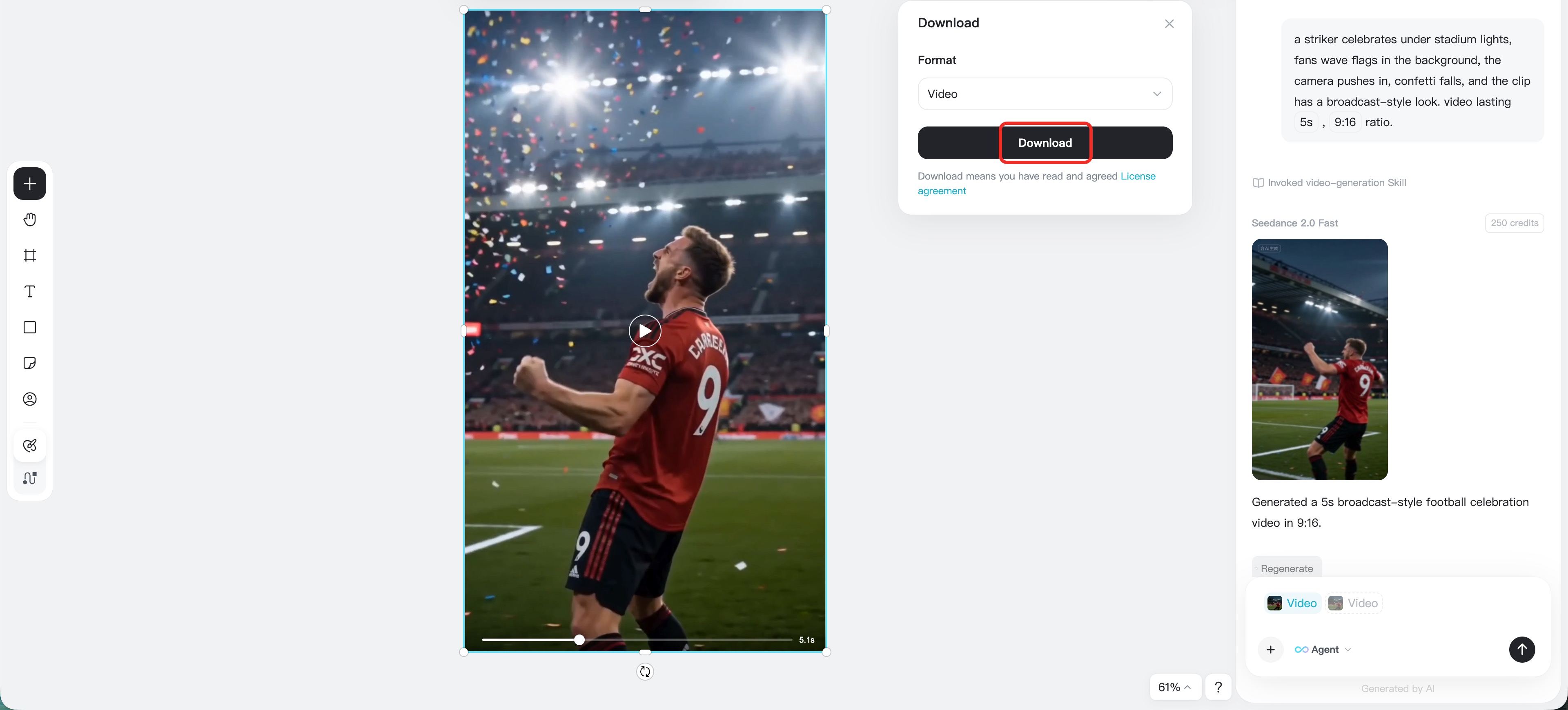
Next, upload your image or write a prompt that describes the football moment. Be specific. Instead of writing "football highlight," describe the scene: a striker celebrates under stadium lights, fans wave flags in the background, the camera pushes in, confetti falls, and the clip has a broadcast-style look.
This is where your video starts to feel original. You can mention the mood, camera movement, color palette, pace, and subject action. Want a cinematic World Cup opener? Say so. Want a quick social edit with high energy? Put that into the prompt.
Step 3: Adjust video settings for your platform
Open the video settings and choose the model, aspect ratio, duration, and quality options available on the page. For social posts, vertical formats often work well. For thumbnails, hero visuals, or blog banners, horizontal formats may be better.
This step matters because football videos are usually watched quickly. If the clip is too slow, the energy drops. If the frame is wrong, the action may not fit the platform. Use settings that match where the video will be published.
Step 4: Generate, preview, and download your football clip
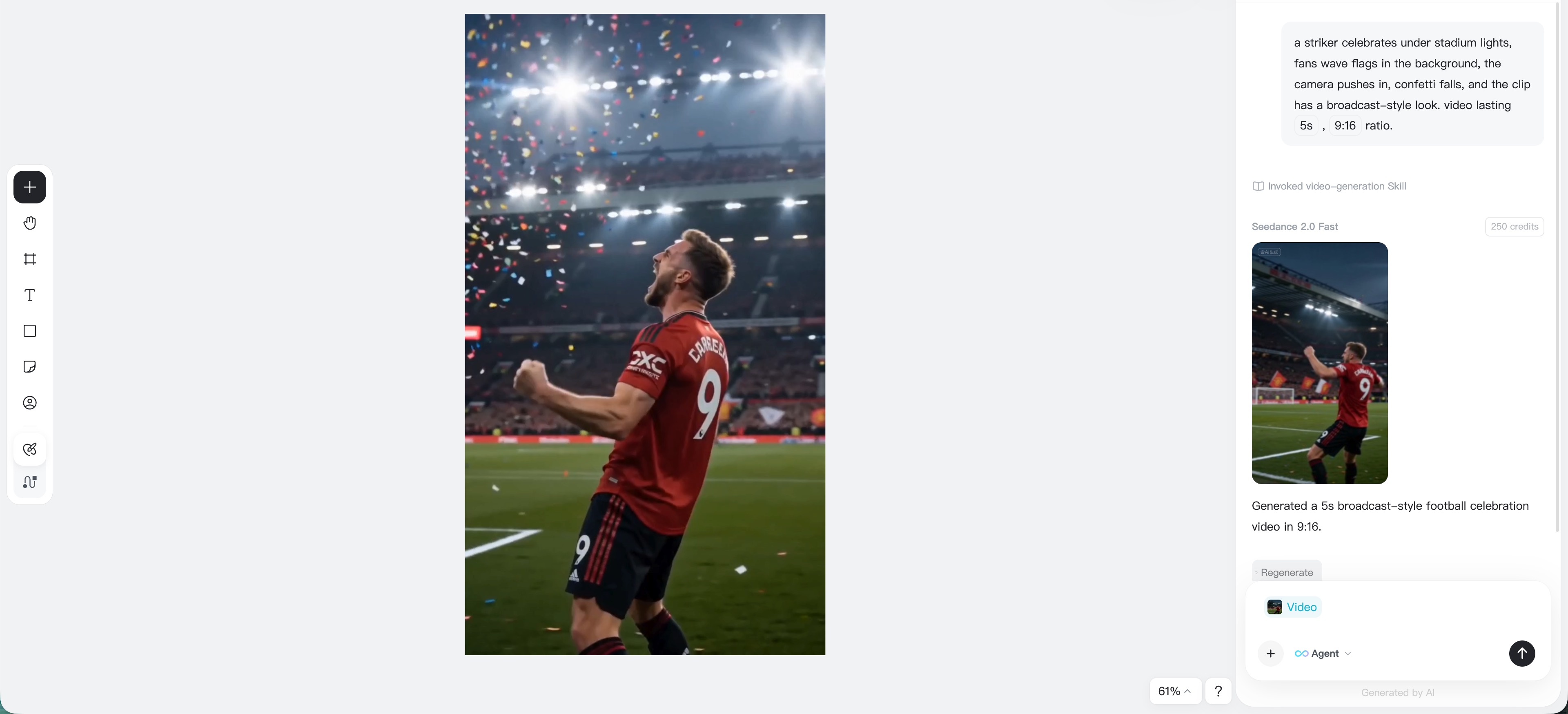
Click Generate and let insMind create the football video. Once the result is ready, preview the motion, check whether the subject and camera movement match your goal, and download the finished clip.
If you want a stronger result, refine the prompt and generate another version. Small changes often make a big difference. Try adding "slow-motion goal celebration," "close-up boot strike," "wide stadium reveal," or "fans erupting after the final whistle" to shape the action.
What Can You Create with an AI Football Video Maker?
Want to promote a World Cup watch party? Need a football highlight intro for a local club? Want to make a fan edit before kickoff? AI opens up more creative routes than a traditional template-only workflow.
With insMind, you can create different kinds of football and World Cup content, including:
- World Cup countdown clips for social media
- Football highlight-style videos for player moments
- Goal celebration videos from a prompt or image
- Matchday hype videos for teams, brands, or fan pages
- Football-themed product promos and event announcements
- Stadium atmosphere videos with lights, flags, and crowd energy
- Short clips for Reels, TikTok, Shorts, and story posts
If your goal is a fast highlight reel, start with the football highlight video maker page. If you want a broader football-themed generation workflow, the upcoming football video maker page is built for that intent. For tournament-specific prompts and fan visuals, use the upcoming World Cup video generator.
The main advantage is speed. You do not have to manually cut every frame, stack transitions, or search for the perfect motion effect. You can focus on the moment you want the audience to feel.
Football Highlight Video Ideas for World Cup Content
Need inspiration before you generate? Here are football video ideas that fit the World Cup season and work well for social media, ads, and fan engagement.
| Video idea | Best for | Prompt angle |
|---|---|---|
| Matchday hype clip | Clubs, fan pages, venues | Stadium lights, flags, kickoff countdown |
| Goal celebration edit | Social posts, reels | Player sliding on grass, crowd explosion |
| Watch party promo | Bars, restaurants, event hosts | Fans cheering, big screen, neon football graphics |
| Player spotlight | Coaches, sports pages | Hero shot, jersey detail, dramatic camera push |
| Prediction video | Creators, influencers | Split-screen teams, bold score text, tense atmosphere |
| Brand football ad | Ecommerce, campaigns | Product with football field, motion, celebration energy |
The trick is to keep each video focused. Do not ask one clip to show five moments. A strong football highlight video usually works because it has one clear emotional beat: anticipation, impact, celebration, heartbreak, or victory.
If you are wondering how to make a highlight video for football that feels more professional, start with a tighter prompt. Mention the visual details you would expect in real sports coverage: broadcast lens, pitch-level camera, floodlights, packed stadium, slow-motion grass spray, flag colors, and dramatic crowd sound implied through the visuals.
FAQs About Football Video Maker Workflows
Can I make a football highlight video without real match footage?
Yes. With an AI football video workflow, you can generate football-themed scenes from text prompts or animate a reference image. If you have real match clips, you can use them as inspiration, but you do not always need original footage to create hype visuals, intros, or fan edits.
How to make a football highlight video for social media?
Start with a short, specific idea, such as a goal celebration or matchday countdown. Use a vertical aspect ratio for Reels, TikTok, and Shorts, describe the football action clearly, generate the video, and download the best version for posting.
Can I use AI football videos for marketing?
You can use AI football videos for marketing, but keep rights and brand safety in mind. Avoid unauthorized official logos, protected tournament marks, and real player likenesses unless you have permission. Football-themed scenes, fictional players, and generic stadium visuals are safer for commercial use.

Jayson Harrington
I am the Chief Editor of insMind. I provide tips and skills to help users design better photos with insMind, whether for e-commerce, social media, or any other use.


