


As video content creation continues to evolve, AI video generation tools like Seedance 2.0 and Happy Horse 1.0 are gaining traction among digital marketers and content creators. Both models offer unique capabilities, but deciding which one suits your needs best can be challenging. In this article, we'll dive into a detailed comparison of Seedance 2.0 vs. Happy Horse 1.0 to help you make an informed choice.
Table of Contents
- 01 Understanding Seedance 2.0 and Happy Horse 1.0
- 02 Key Differences Between Seedance 2.0 and Happy Horse 1.0
- 03 How to Use Seedance 2.0 and Happy Horse 1.0
- 04 Choosing the Right Tool for Your Needs
- 05 Tips for Maximizing AI Video Generation
- 06 FAQs about Seedance 2.0 vs. Happy Horse 1.0
- 07 Conclusion
Understanding Seedance 2.0 and Happy Horse 1.0
To make an informed decision, it's essential to understand what Seedance 2.0 and Happy Horse 1.0 bring to the table. Here, we'll explore their features, use cases, and unique selling points.
What is Seedance 2.0?
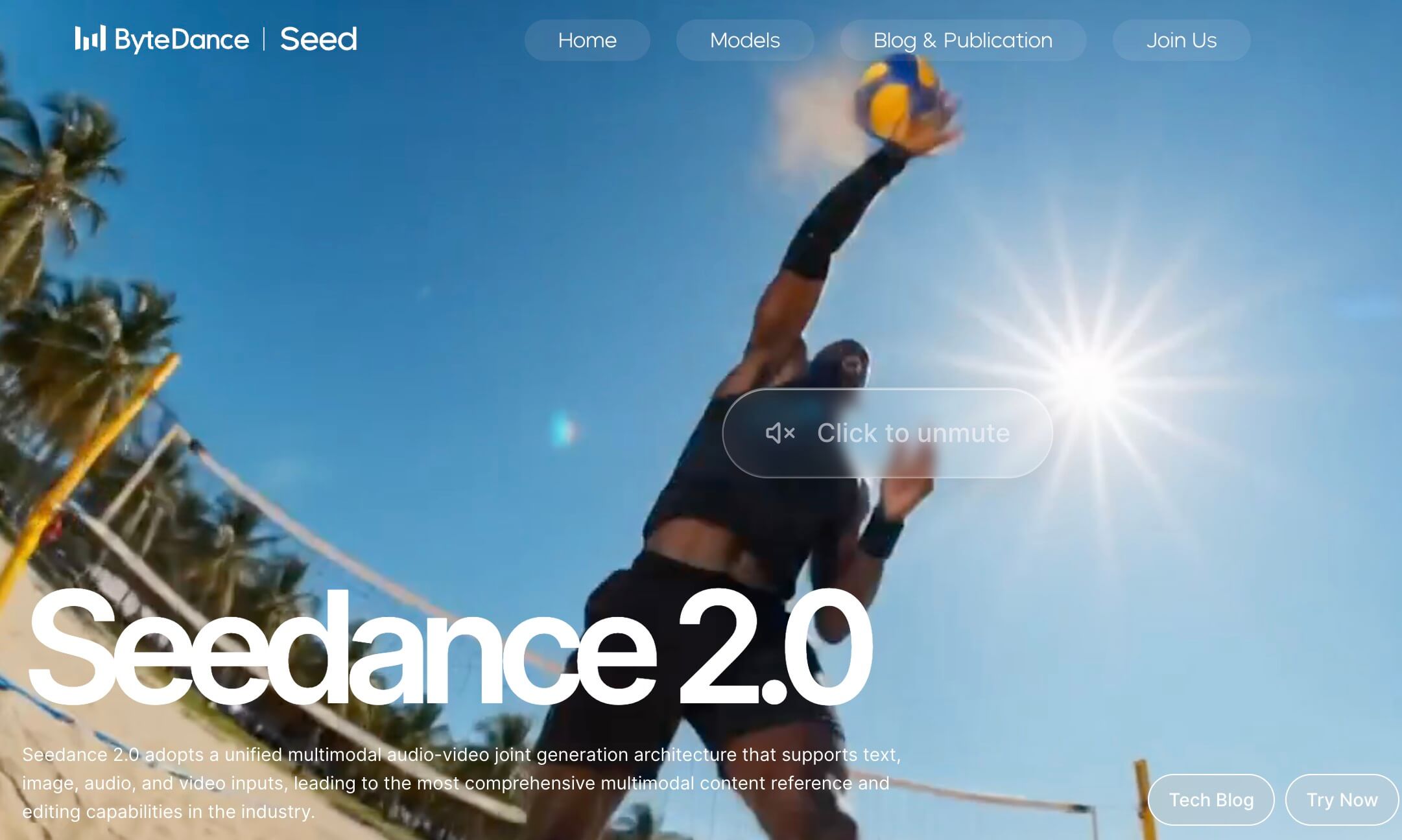
Seedance 2.0 is a video model known for its cinematic motion control and high-quality video outputs. Developed by ByteDance, it's designed to transform text, images, and references into cinematic videos with stable motion and consistent characters. Popular among creators who prioritize high-quality effects, it's especially useful for commercial video production and projects requiring precise control. The unique selling point of Seedance 2.0 is its ability to deliver predictable results quickly, making it ideal for professional video content creators.
What is Happy Horse 1.0?
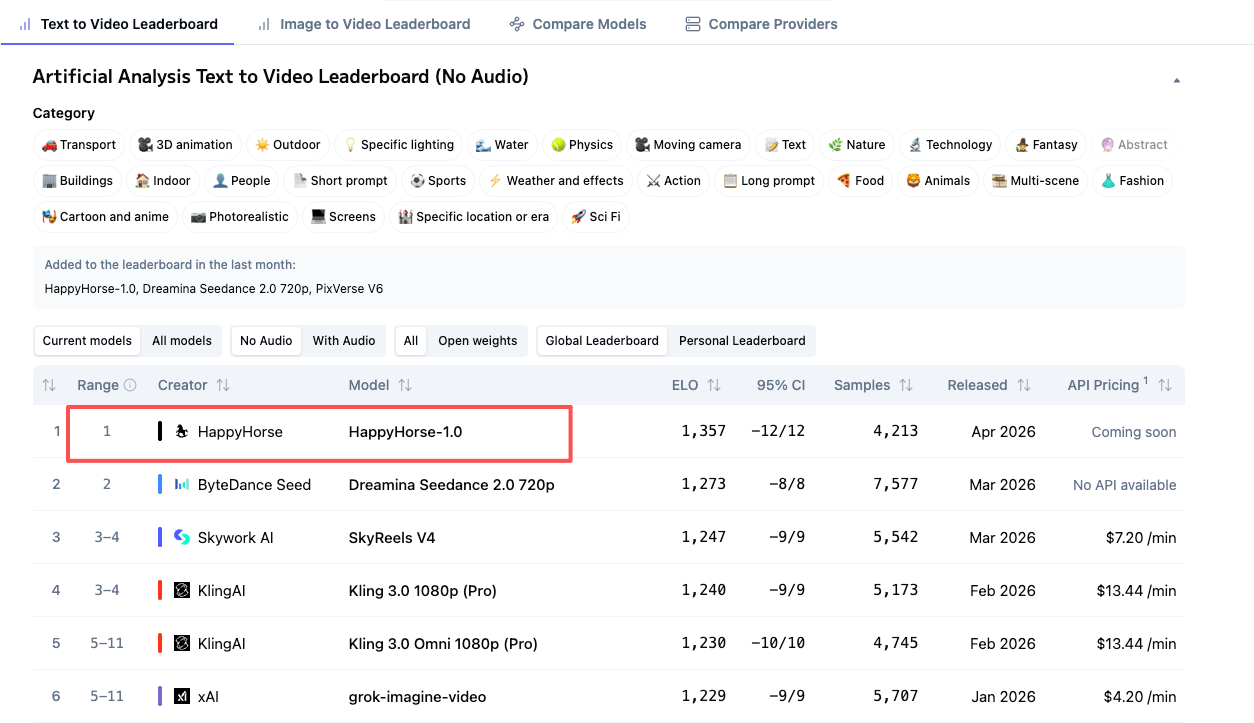
Happy Horse 1.0, on the other hand, is tailored for those seeking simplicity and efficiency in video generation. While it might not match Seedance 2.0 in terms of cinematic quality, it compensates by being incredibly user-friendly. Known for its straightforward interface, Happy Horse 1.0 excels in generating quick videos without the need for extensive setup or learning curves. Its unique selling point is its speed and ease of use, making it suitable for projects where time and simplicity are of the essence.
Key Differences Between Seedance 2.0 and Happy Horse 1.0
When comparing Seedance 2.0 and Happy Horse 1.0, several differences in features and performance stand out. Let's examine these distinctions to better understand which tool might suit your needs.
Feature Comparison
The following table highlights the key features of Seedance 2.0 and Happy Horse 1.0, helping you see where they excel and where they differ.
| Feature | Seedance 2.0 | Happy Horse 1.0 |
|---|---|---|
| AI Capabilities | Advanced cinematic motion control | Basic video generation |
| Video Quality | High-quality, stable videos | Good quality, quick outputs |
| User Interface | Moderate learning curve | Very user-friendly |
| Integration Options | Seamless with various platforms | Limited integration capabilities |
If you need advanced controls and high-quality effects, Seedance 2.0 might be the better choice. However, for quick and simple projects, Happy Horse 1.0 could be more suitable.
Performance and Output Quality
Seedance 2.0 is renowned for its efficiency in rendering detailed and cinematic videos, often completing tasks swiftly without compromising on quality. Its ability to maintain consistent video quality is a major draw for professional creators. In contrast, Happy Horse 1.0 prioritizes speed, generating videos faster albeit with less intricate detail. Users often appreciate its reliability for simpler projects, but some feedback suggests it lacks the depth seen in Seedance 2.0's outputs.
How to Generate Videos with insMind
Creating videos with Seedance 2.0 or Happy Horse 1.0 via insMind is straightforward. Here's a step-by-step guide to using these models on the platform.
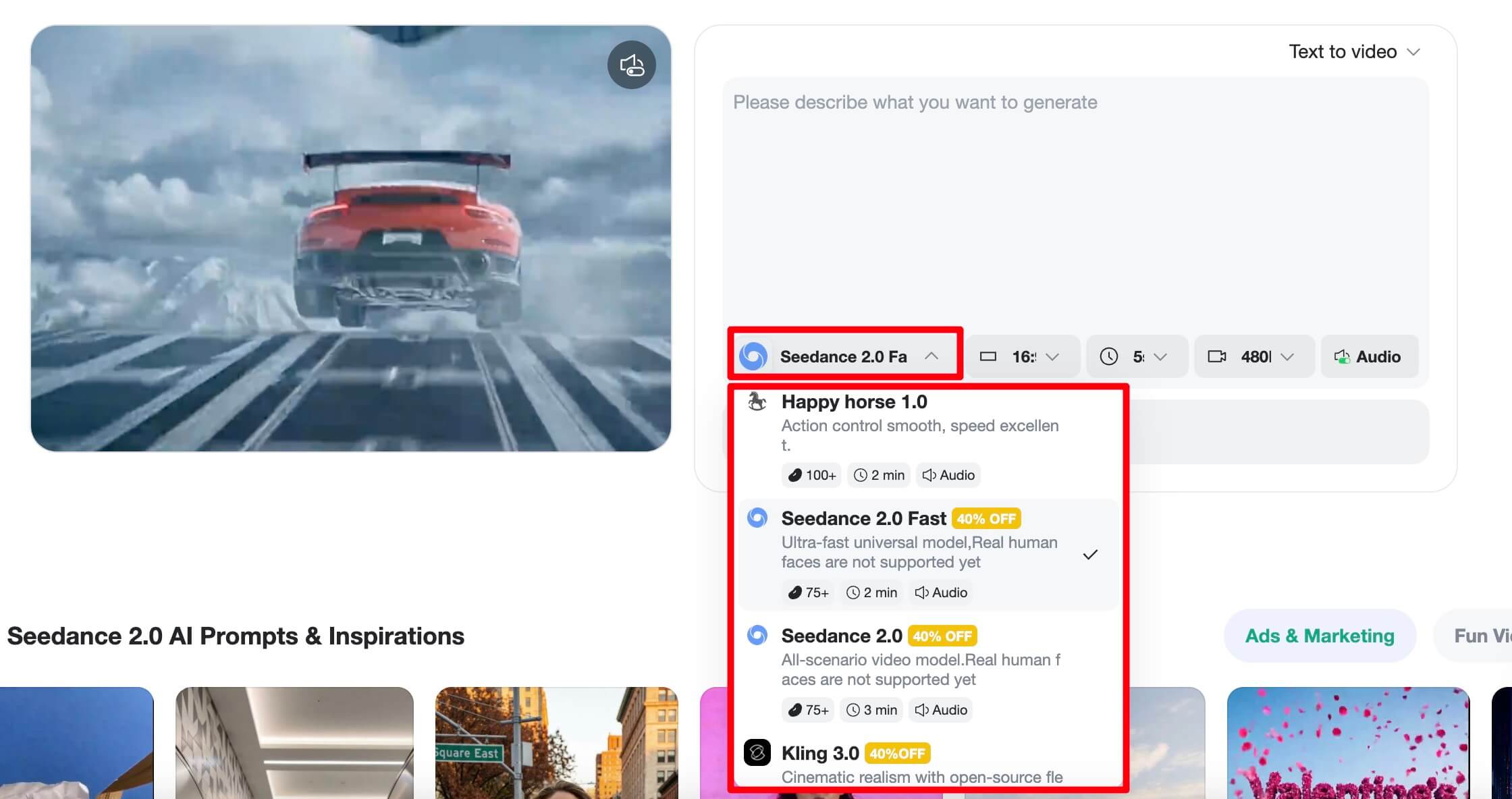
Step 1: Choose the Model
First, log in to your insMind account and navigate to the video models section. You'll see options to select Seedance 2.0 or Happy Horse 1.0. Your choice should depend on your project's needs — opt for Seedance 2.0 if you require high-quality cinematic effects, or Happy Horse 1.0 for quicker, simpler projects.
Step 2: Enter Your Prompt
Next, input your prompt, or if you have specific visual references, upload those photos. The more detailed your prompt, the more effectively the model will generate your desired video effect. Take time to craft prompts that accurately depict the video's intended atmosphere and style.
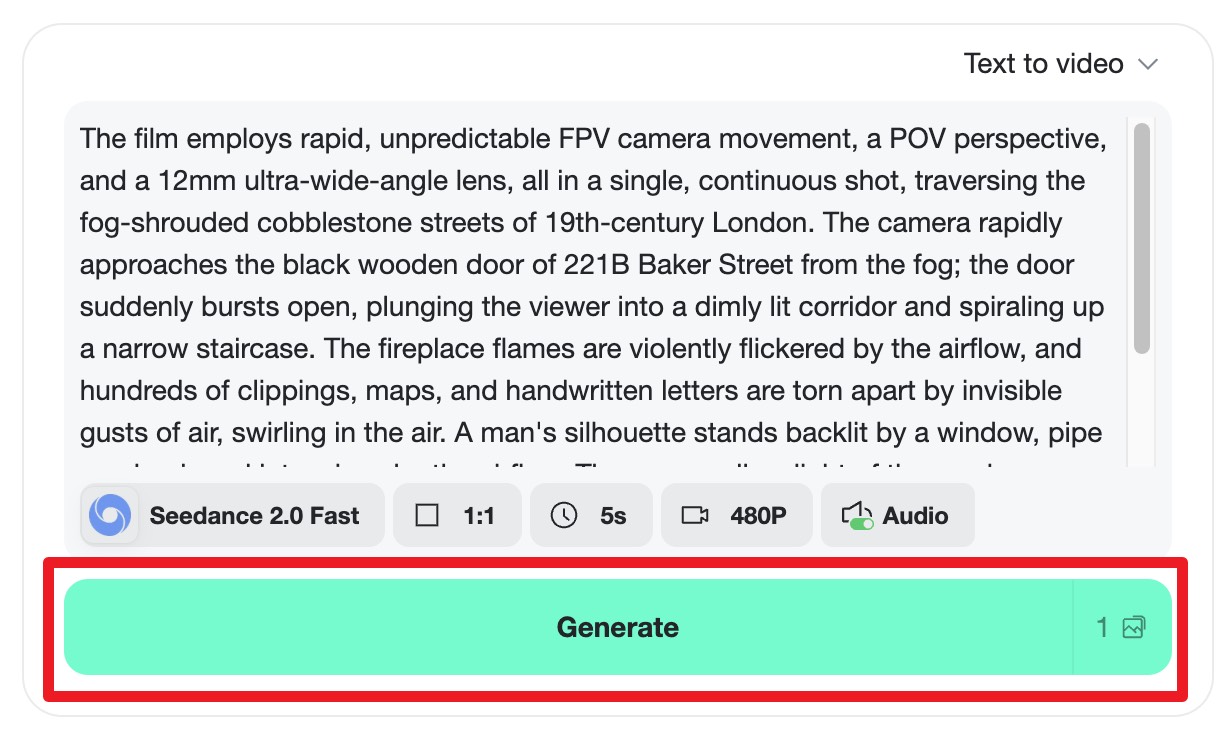 Step 3: Generate the Video
After setting up your prompt, click the Generate button. The platform typically takes about 1 to 2 minutes to process and deliver the video. Once ready, you can download the video for future use, ensuring it aligns with your creative vision.
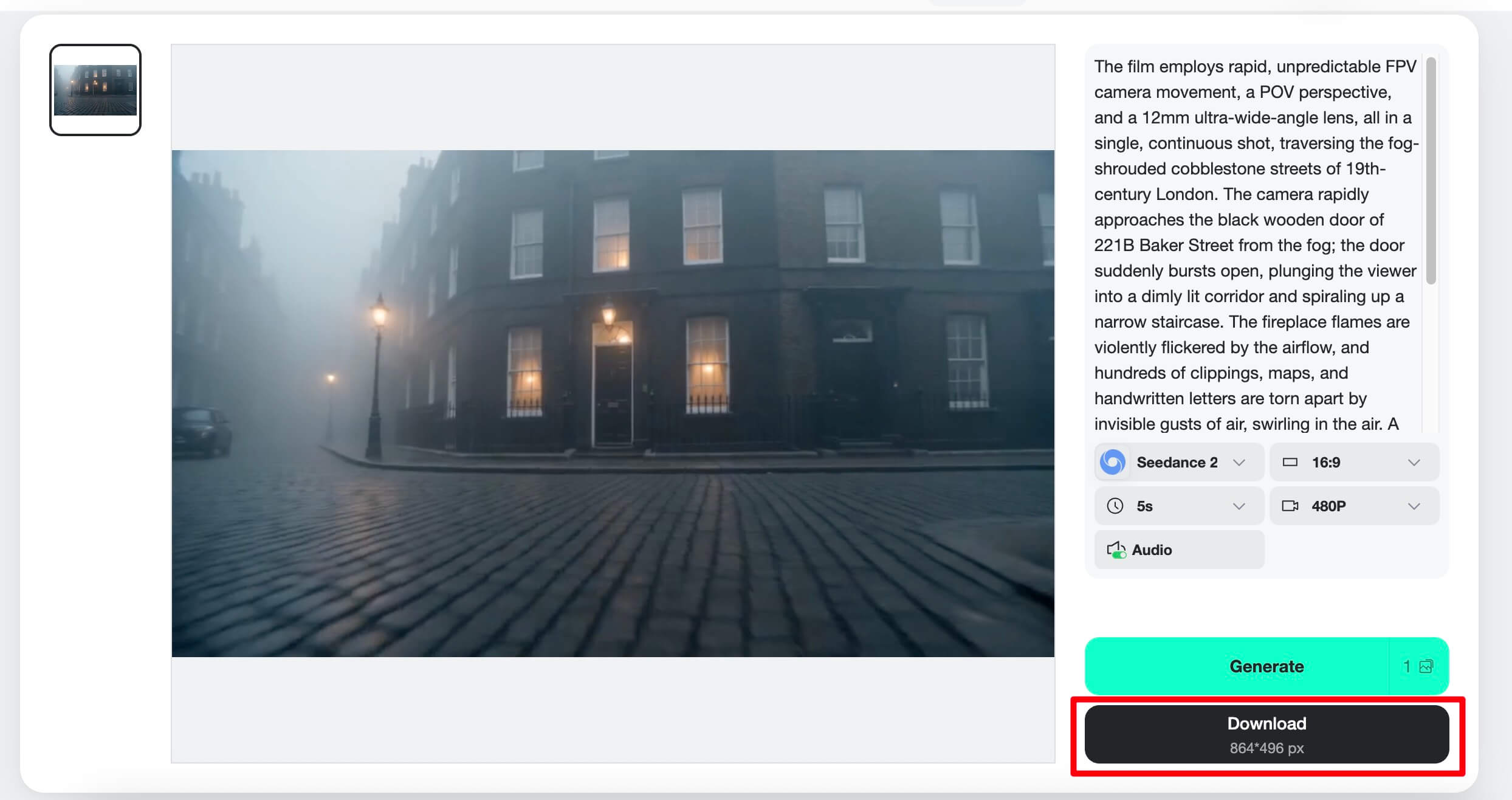
For those interested in exploring more capabilities, insMind also offers an AI horse riding tool and a detailed Seedance 2.0 review to deepen your understanding of its potential.
Choosing the Right Tool for Your Needs
Deciding between Seedance 2.0 and Happy Horse 1.0 involves understanding what each tool offers relative to your specific goals.
When to Choose Seedance 2.0
Seedance 2.0 is ideal for those who need high-quality and precise video generation. Here are some pros and cons to consider:
- Pros
- High-quality effects
- Advanced AI capabilities
- Great for professional use
- Cons
- Requires a learning curve
- Not as fast as simpler tools
When to Choose Happy Horse 1.0
Happy Horse 1.0 suits users who prefer ease of use and speed. Consider these pros and cons:
- Pros
- Very easy to use
- Quick video generation
- Ideal for simple projects
- Cons
- Less control over video quality
- Limited advanced features
Tips for Maximizing AI Video Generation
To fully leverage AI video tools for your projects, it's essential to refine your approach in crafting prompts and enhancing video quality.
Crafting Effective Prompts
Clear and detailed prompts are crucial for optimal video generation. For example, when creating a lifestyle video, a prompt like "Sun-drenched living room with modern furniture, slow pan across a cozy sofa and a sleek coffee table" can yield high-quality results. Avoid vague descriptions as they often lead to less satisfactory outputs.
Enhancing Video Quality
Using reference photos can significantly guide AI in producing the desired video effect. Adjusting settings like lighting and motion intensity can also enhance output quality. Additionally, post-processing, such as color correction and adding effects, can further refine the final product, ensuring it meets your creative standards.
FAQs about Seedance 2.0 vs. Happy Horse 1.0
Is Seedance 2.0 better than Happy Horse 1.0?
It depends on your needs. Seedance 2.0 excels in high-quality, cinematic outputs, making it ideal for professional projects. Happy Horse 1.0, however, is better for quick and easy video generation.
Can I use both Seedance 2.0 and Happy Horse 1.0 on insMind?
Yes, both models are available on insMind, allowing you to choose the one that best fits your project requirements.
What are the main advantages of using Seedance 2.0?
Seedance 2.0 offers advanced motion control, high-quality video outputs, and is ideal for detailed, cinematic video creation.
Does Happy Horse 1.0 support advanced video effects?
Happy Horse 1.0 focuses on speed and simplicity, so it offers limited advanced effects compared to Seedance 2.0.
How long does it take to generate a video on insMind?
Video generation on insMind typically takes 1 to 2 minutes, depending on the complexity of the prompt and the chosen model.
Conclusion
Choosing between Seedance 2.0 and Happy Horse 1.0 depends on your specific needs. Seedance 2.0 is ideal for those requiring high-quality and cinematic effects, while Happy Horse 1.0 is perfect for users prioritizing speed and simplicity. Explore both on insMind to see which best fits your video production goals.

Sarah Michelle
I’m a freelance writer with a passion for editing and designing photos. Here at insMind, I strive to educate users on image creativity, photography, and enhancing product photos to help grow their businesses.


