


AI video generation in 2026 has matured beyond the "wow factor". Most leading models can produce visually impressive clips from simple prompts. The real question today is not whether an AI video looks cinematic — it's whether you can control it.
This review evaluates Seedance 2.0 through a practical creator lens:
- How controllable is it?
- How stable is character continuity?
- How well does it follow motion and camera instructions?
- How does it compare to Kling 3.0, Sora 2, Google Veo 3.1, and Wan 2.6?
Rather than focusing on hype, we assess where Seedance 2.0 genuinely performs well — and where it still shares industry-wide limitations.
Table of Contents
Part 1: What Seedance 2.0 Is Designed to Do?
Seedance 2.0 is positioned as a reference-first, multimodal AI video model.
Instead of relying solely on text prompts, it allows creators to combine:
- Text instructions
- Reference images
- Reference video clips
- Audio tracks
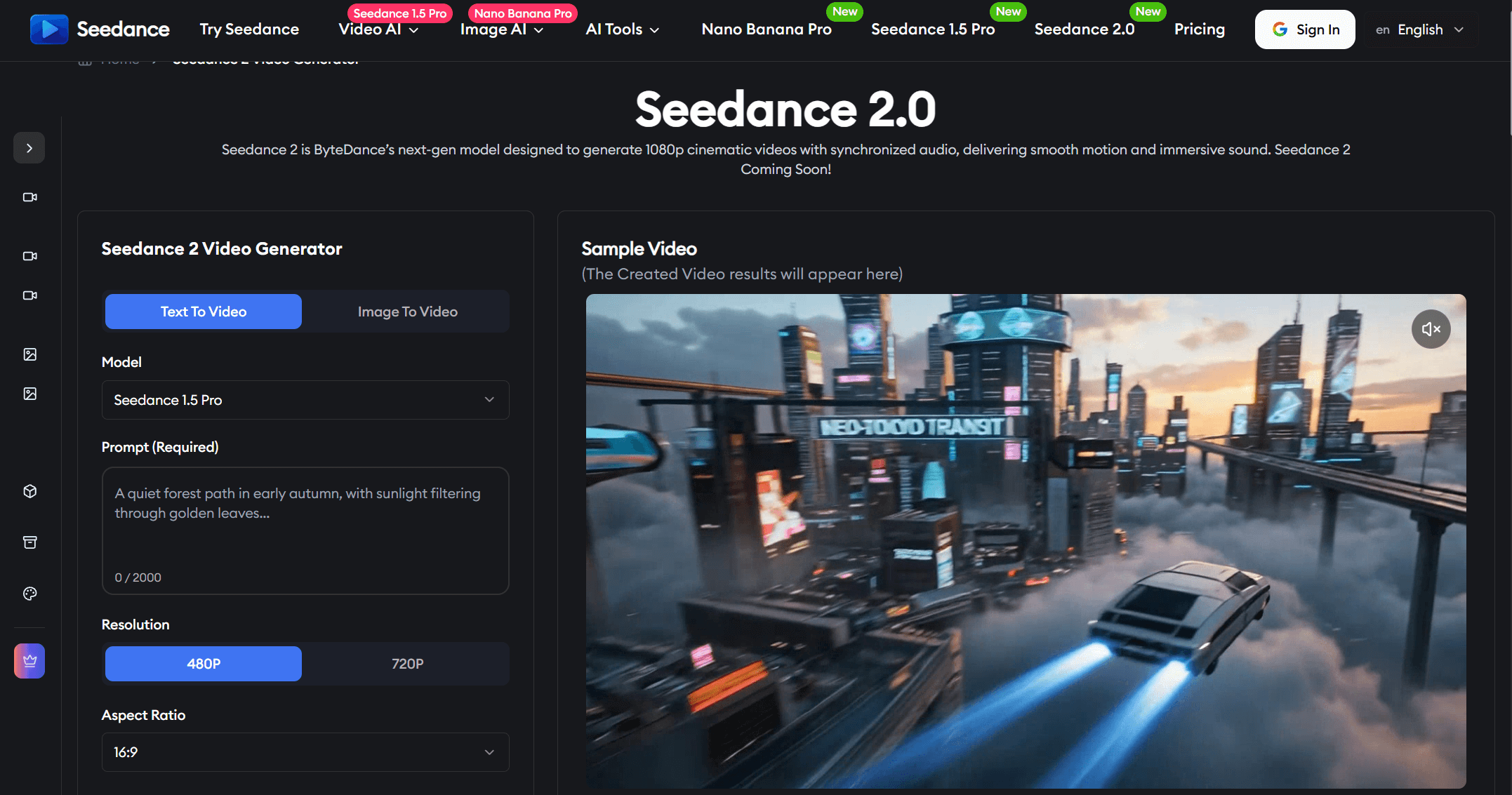
Publicly described configurations commonly mention:
- Up to 12 total reference assets per project
- Often described as up to 9 images + 3 videos
- Short-form clip generation in the 4–15 second range
The key distinction is not simply "more inputs," but structured input control. Images help stabilize identity and style. Video clips guide motion and camera behavior. Audio can influence rhythm and mood. Text defines intent and constraints.
Seedance 2.0 performs best when treated like a production brief — structured and intentional — rather than a single creative sentence.
Part 2: Where Seedance 2.0 Performs Strongly?
1. Multimodal Reference Control
The strongest differentiator is layered input control.
Instead of rerolling prompts repeatedly, creators can define:
- What it looks like
- How it moves
- When it moves
Compared to purely text-driven models, this improves predictability and reduces randomness.
This is particularly effective for:
- Brand campaigns requiring visual consistency
- Recurring characters
- Product visuals
- Music-driven short clips
2. Character and Style Continuity
Identity drift remains one of AI video's biggest issues.
Seedance 2.0 improves stability when:
- A single clear identity image anchors the character
- Lighting references remain consistent
- Motion references are simple and controlled
It is not immune to drift, but it performs more reliably than purely prompt-driven systems.
3. Audio-Visual Synchronization
Seedance 2.0 emphasizes synchronized audio layers generated alongside visuals.
Depending on integration platform, this may include:
- Dialogue synchronization
- Background sound layers
- Music-aligned timing
This reduces post-production layering for short-form content.
4. Previsualization and Iteration Speed
Even when not final-ready, Seedance 2.0 works well for:
- Storyboard testing
- Camera experimentation
- Trailer drafts
- Mood validation
For small creative teams, this speeds up concept validation significantly.
Part 3: Realistic Limitations of Seedance 2.0
No AI video model eliminates production constraints.
1. Short-Form Focus
Seedance 2.0 is optimized for short, controlled clips. Longer single-pass storytelling may feel more natural in tools designed for extended narrative sequences.
2. Reference Conflicts
If lighting, character proportions, or cinematic styles conflict, the model may blend them unpredictably. Reference hygiene is critical.
3. Detail Sensitivity
Like most AI video tools in 2026, small hands, thin typography, and rapid micro-motions can degrade.
4. Structured Prompting Required
Best results follow a structured format:
Subject → Action → Camera → Scene → Constraints
Casual prompting rarely unlocks its full capability.
Part 4: Seedance 2.0 vs Major AI Video Models
To evaluate Seedance 2.0 properly, we compare both capabilities and pricing structure.
Table 1: Capability Comparison (2026)
|
Category |
Seedance 2.0 |
Kling 3.0 |
Sora 2 |
Google Veo 3.1 |
Wan 2.6 |
|
Max Clip Length |
4–15s |
Up to ~15s (longer via chaining) |
Short cinematic clips (varies by tier) |
Short-form realistic motion |
~15–16s narrative beats |
|
Multimodal Inputs |
Up to ~12 assets (image + video + audio) |
Text + reference inputs |
Primarily text-driven (image optional) |
Text-first realism |
Text + reference workflows |
|
Continuity Strength |
Strong with curated references |
Strong in structured scenes |
Moderate |
Moderate–Strong |
Strong within short arcs |
|
Motion Control |
Guided by video references |
Emphasis on storyboard logic |
Text-inferred motion |
Physics-focused realism |
Balanced narrative pacing |
|
Audio Support |
Emphasized AV sync (platform dependent) |
Native audio supported |
Varies by access tier |
Platform dependent |
Limited / platform dependent |
|
Best For |
Reference-heavy ads & recurring characters |
Dialogue & structured scenes |
Cinematic text-based generation |
Realistic environmental shots |
Short narrative sequences |
The numbers above reflect commonly described limits in public reviews and platform documentation.
Table 2: Pricing Overview (2026)
|
Plan |
Seedance 2.0 |
Kling 3.0 |
Sora 2 |
Google Veo 3.1 |
Wan 2.6 |
|
Free tier |
Limited credits (platform dependent) |
Limited free tier |
No standalone free tier |
No public free tier |
Limited free tier |
|
Entry access |
Credit-based |
~ $10/mo entry tier |
~ $20/mo consumer tier |
Enterprise / premium tier |
~ $10–20/mo entry tier |
|
Advanced tier |
Credit packages |
~ $50/mo tier |
Up to ~ $200/mo advanced tier |
Enterprise-tier pricing |
~ $20–50/mo higher tier |
Important note: pricing varies by platform integration and access model. The ranges above reflect common publicly available subscription tiers rather than official global pricing.
Part 5: Try to Use Seedance 2.0 on insMind
Using insMind's Seedance 2.0 AI Video Generator provides direct access to the Seedance 2.0 model while also allowing multi-model switching within the same dashboard.
InsMind supports:
This enables creators to:
- Run identical prompts across models
- Compare motion realism
- Compare continuity strength
- Optimize output quality vs generation cost
- Select the strongest result without switching platforms
Instead of locking into one ecosystem, creators gain strategic flexibility.
How to Use Seedance 2.0 on insMind
Below is a step-by-step overview of how to generate AI videos using insMind's Seedance 2.0 AI Video Generator.
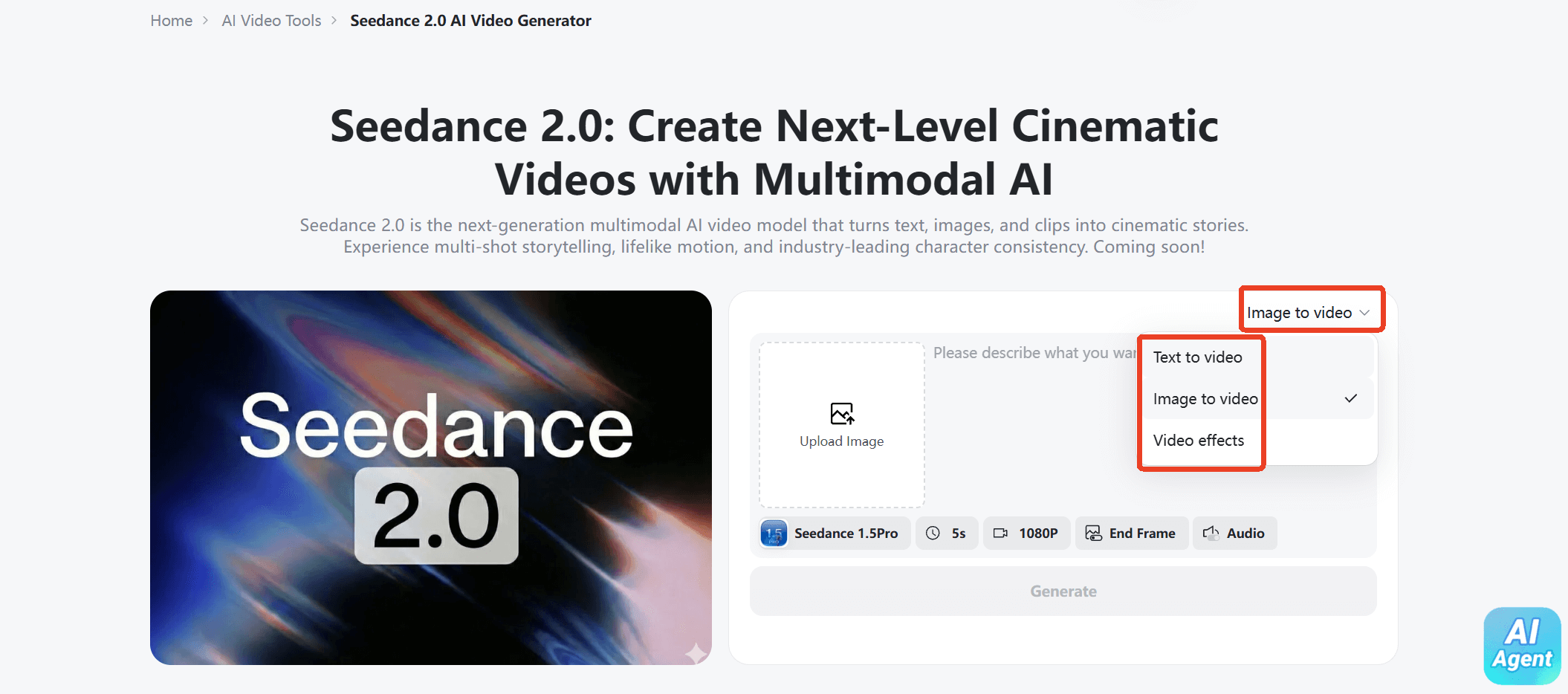
Step 1: Choose Your Input Type
Upon accessing the insMind's "Seedance 2.0 AI Video Generator" website. Choose your input method: Text to Video or Image to Video.
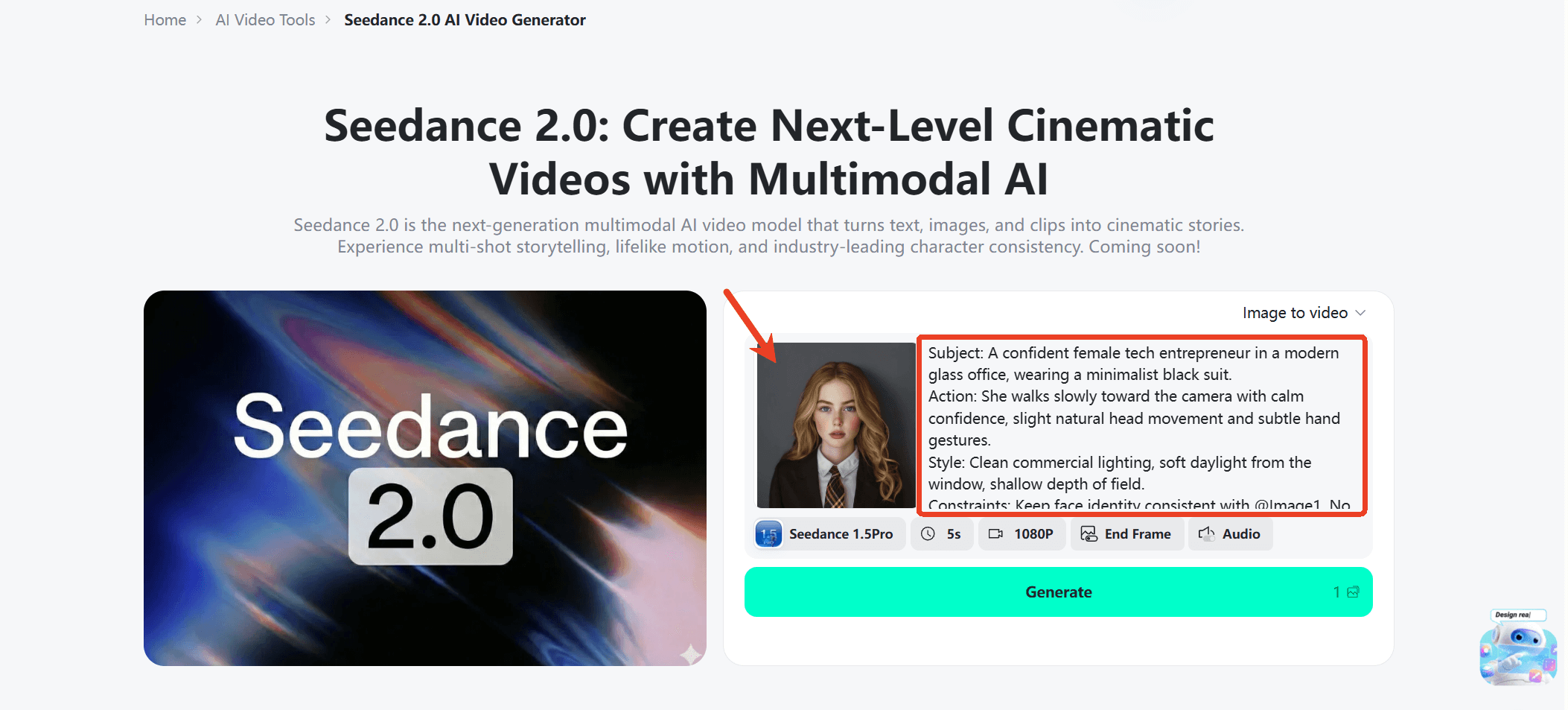
Step 2: Enter a Prompt or Upload an Image
Describe your idea clearly or upload a reference image. The more detailed your prompt, the more accurate and professional your results will be.
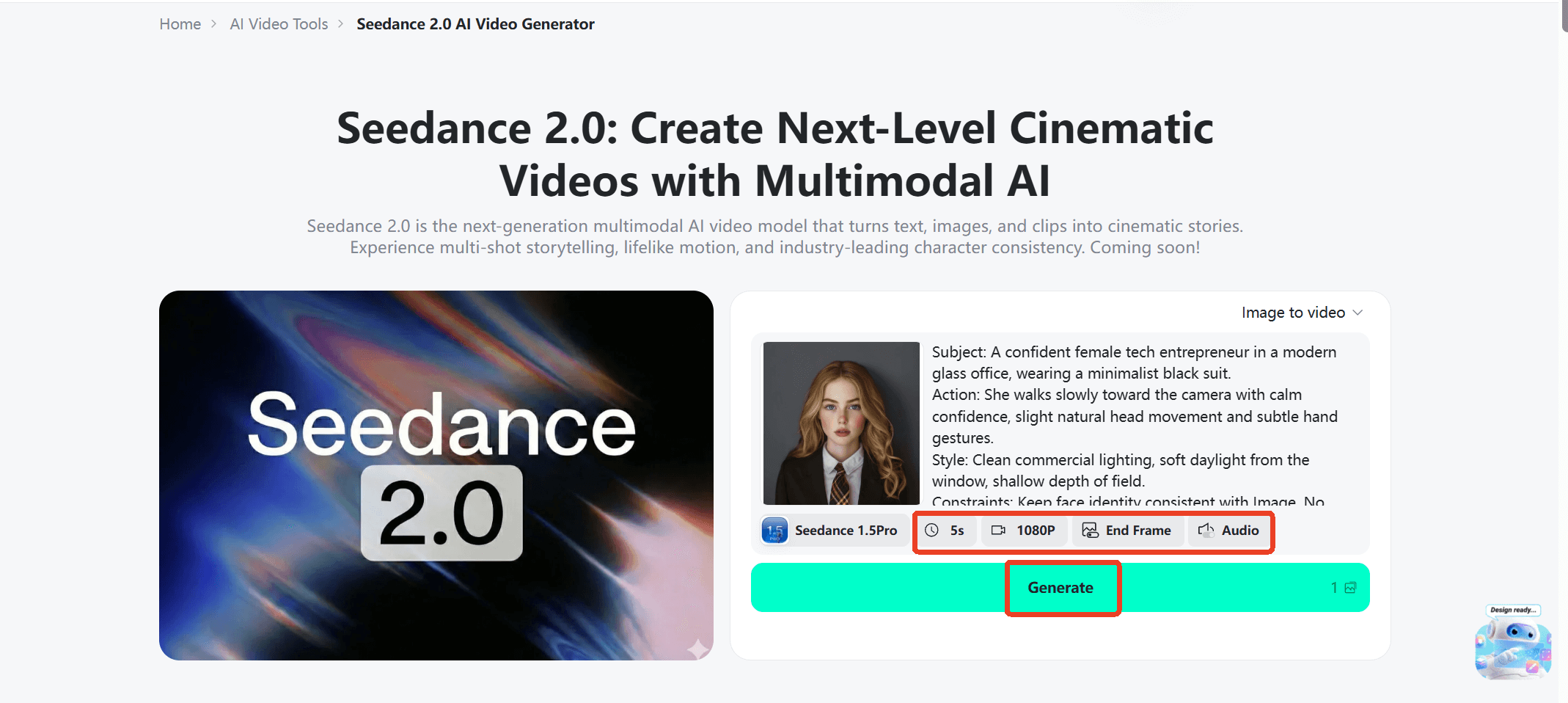
Step 3: Generate Your Video
You can adjust the video length and quality to suit your needs. And then click the Generate button to start. Seedance 2.0 will process your input and automatically create a cinematic video in seconds.
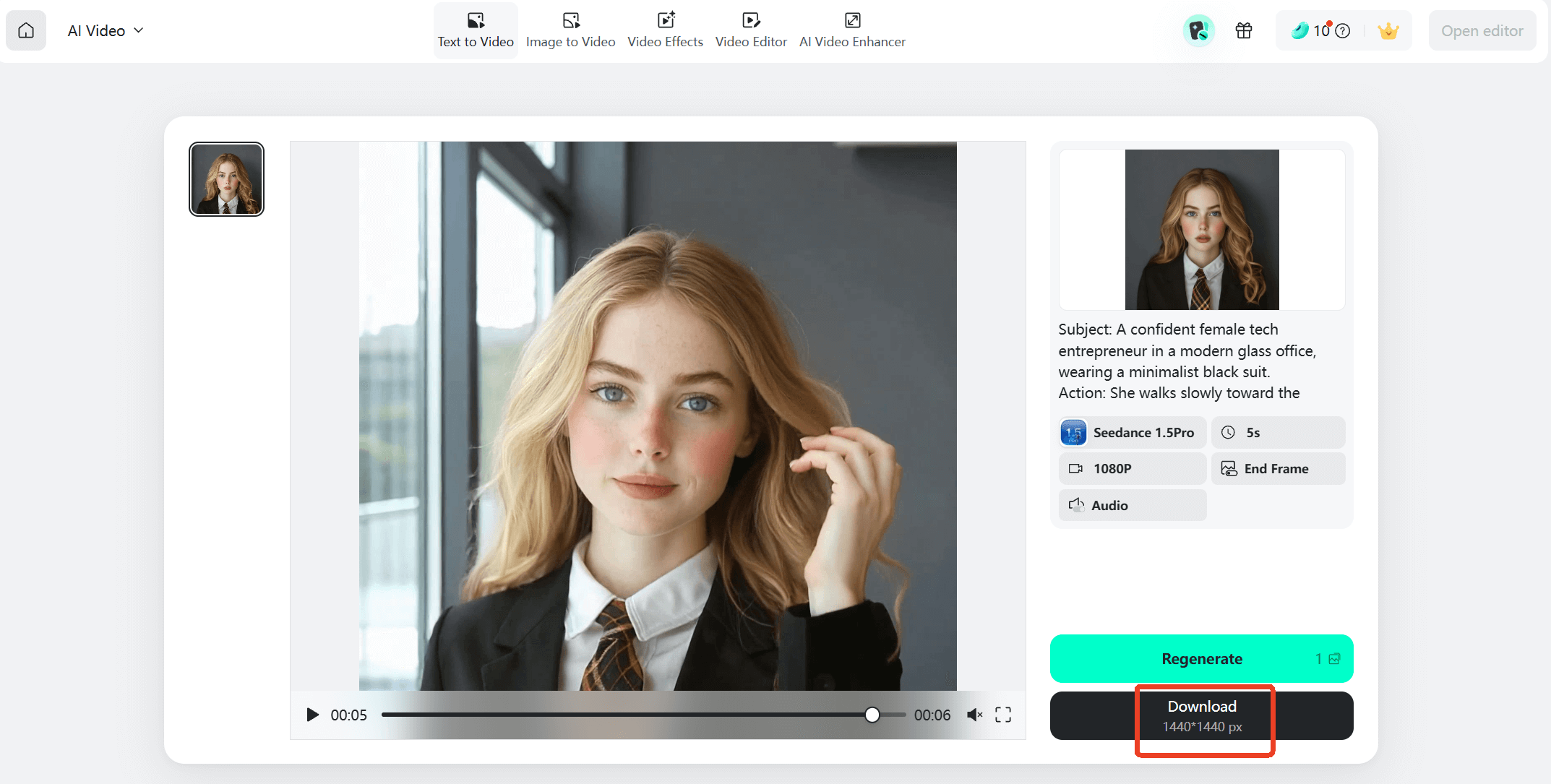
Step 4: Preview & Download
Review your video, and then download it instantly. Your video is ready to share on social media, ads, or any platform.
Conclusion
Seedance 2.0 does not attempt to win purely on cinematic spectacle. Its competitive strength lies in:
- Multimodal reference control
- Continuity across short sequences
- Structured creative workflows
- Flexible usage-based pricing
It still shares industry-wide AI limitations, particularly in fine detail stability and long-form storytelling.
In 2026, the real advantage in AI video is not surprise — it is controllability.
Seedance 2.0 competes strongest in that controllability layer, especially when combined with multi-model platforms like insMind that allow side-by-side optimization.
For creators who value direction over randomness, it is worth serious testing.

Ryan Barnett
I'm a tech enthusiast and writer who loves exploring AI, digital tools, and the latest tech trends. I break down complex topics to make them simple and useful for everyone.


![5 Best AI Kissing Video Generators of 2025 [Tested]](https://images.insmind.com/market-operations/market/side/8b445afb685e4957b11238f3ebad2b2b/1756093193517.jpg?x-oss-process=image/resize,w_690,h_460,type_6/interlace,1,image/format,webp "5 Best AI Kissing Video Generators of 2025 [Tested]")


![Top 5 AI Baby Podcast Generators in 2025 [Reviewed & Tested]](https://images.insmind.com/market-operations/market/side/9ed5a89e85ab457a9e8faace7bb25258/1750317475287.jpg?x-oss-process=image/resize,w_690,h_460,type_6/interlace,1,image/format,webp "Top 5 AI Baby Podcast Generators in 2025 [Reviewed & Tested]")


![Exploring the 10 Best AI Photo Editors for Your Needs [2025]](https://images.insmind.com/market-operations/market/side/05ccfa0da4d64b43ba07065f731cf586/1724393978325.jpg?x-oss-process=image/resize,w_690,h_460,type_6/interlace,1,image/format,webp "Exploring the 10 Best AI Photo Editors for Your Needs [2025]")


![Top 10 Face Swap Apps to Enhance Your Photo [Online, iOS, Android, Windows, Mac]](https://images.insmind.com/market-operations/market/side/e604368a99ee4a0fbf045e5dd42dca41/1723095740207.jpg?x-oss-process=image/resize,w_690,h_460,type_6/interlace,1,image/format,webp "Top 10 Face Swap Apps to Enhance Your Photo [Online, iOS, Android, Windows, Mac]")


