


Looking for the best Sora 2 alternative for AI video generation? You are not alone. While OpenAI's Sora 2 introduced an exciting way to turn text prompts into cinematic video clips, many creators have found that high pricing, geographic restrictions, and strict content moderation make it difficult to use for everyday projects.
Whether you are a content creator making TikTok videos, a marketer producing ads, or a filmmaker experimenting with AI, there are now several powerful AI video generators that match — and in many cases surpass — what Sora 2 offers. Some provide access to multiple AI models in one platform, while others specialize in speed, affordability, or professional-grade controls.
In this guide, we compare the 7 best Sora 2 alternatives for AI video generation in 2026. You will find detailed pros and cons for each tool, a pricing comparison, and a step-by-step tutorial on how to create AI videos without relying on Sora.
Table of Contents
Why Look for a Sora 2 Alternative?
Sora 2 is a remarkable piece of AI technology. It can generate highly realistic video from nothing more than a text description, and the results often feel cinematic. However, the real-world experience of using Sora 2 comes with significant limitations that push many creators toward alternatives:
-
High cost: Sora 2 requires ChatGPT Plus ($20/month) for basic access or ChatGPT Pro ($200/month) for priority generation and longer clips.
-
Geographic restrictions: Sora is not available in many countries, forcing users to rely on VPNs.
-
Strict content moderation: The built-in filter frequently rejects creative prompts that are perfectly acceptable, making it unpredictable for production workflows.
-
Short video length: Each clip maxes out at roughly 20–25 seconds, which limits its usefulness for full scenes or ads.
-
Slow generation time: Videos can take several minutes to render, especially during peak hours.
-
Single-model lock-in: You are restricted to OpenAI's model with no option to switch between different AI engines.
For these reasons, many creators now prefer multi-model platforms that offer more flexibility, better pricing, and fewer restrictions. The alternatives below address one or more of these pain points while delivering comparable — or even superior — video quality.
7 Best Sora 2 Alternatives for AI Video Generation
We tested and compared the top AI video generators available in 2026. Here is our ranking of the best Sora 2 alternatives, with detailed pros, cons, and use cases for each tool.
1. insMind — Best All-in-One AI Video Platform
insMind is the standout Sora 2 alternative because it gives you access to multiple cutting-edge AI video models through a single interface. Instead of being locked into one model, you can choose from Veo 3.1, Sora 2, Kling AI, Wan AI, Hailuo AI, and OmniVideo 2 depending on your project needs.
Need photorealistic output? Use Veo 3.1. Want fast social clips? Switch to Kling 3.0. This model-switching flexibility is something no other platform offers, making insMind the most versatile text-to-video tool on the market.
insMind supports both text-to-video and image-to-video workflows, multiple aspect ratios (16:9, 9:16, 1:1), and clips up to 10 seconds with AI-generated audio. It works entirely in the browser, requires no installation, and offers free credits for new users.
 Pros
Pros
- Access to 6+ AI video models in one platform
- Both text-to-video and image-to-video support
- Free credits for new users — no credit card required
- All aspect ratios supported (16:9, 9:16, 1:1)
- Simple, beginner-friendly interface
- AI audio generation included
Cons
- Credits-based pricing system
- Maximum clip length varies by model
2. Runway Gen-4 — Best for Professional Filmmakers
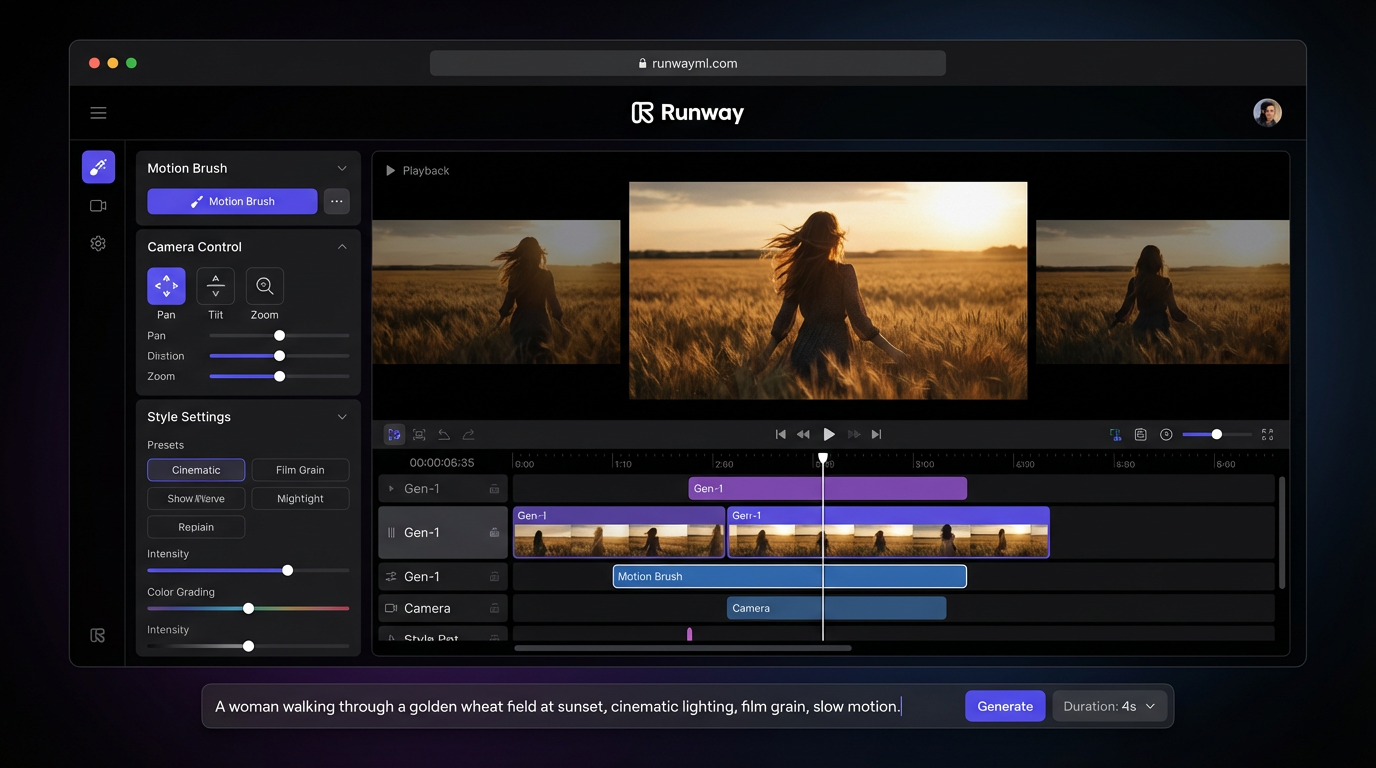
Runway has long been the industry standard for AI-assisted video production. Gen-4 introduces advanced motion brush controls, precise camera movement settings, and style transfer capabilities that give filmmakers granular control over every frame.
The interface resembles a professional editing suite, which makes it familiar to experienced video editors. Runway excels at controlled, cinematic camera work — slow pans, dolly zooms, and tracking shots feel polished and intentional. However, its learning curve is steeper than simpler tools, and the pricing starts at $12/month with limited generation credits.
Pros
- Professional-grade creative controls
- Motion brush for precise animation
- Excellent cinematic camera movement
- Integrated editing tools
Cons
- Expensive for casual creators ($12+/month)
- Steeper learning curve
- Slower generation speed
- Limited free tier
3. Kling AI — Best Value for Money
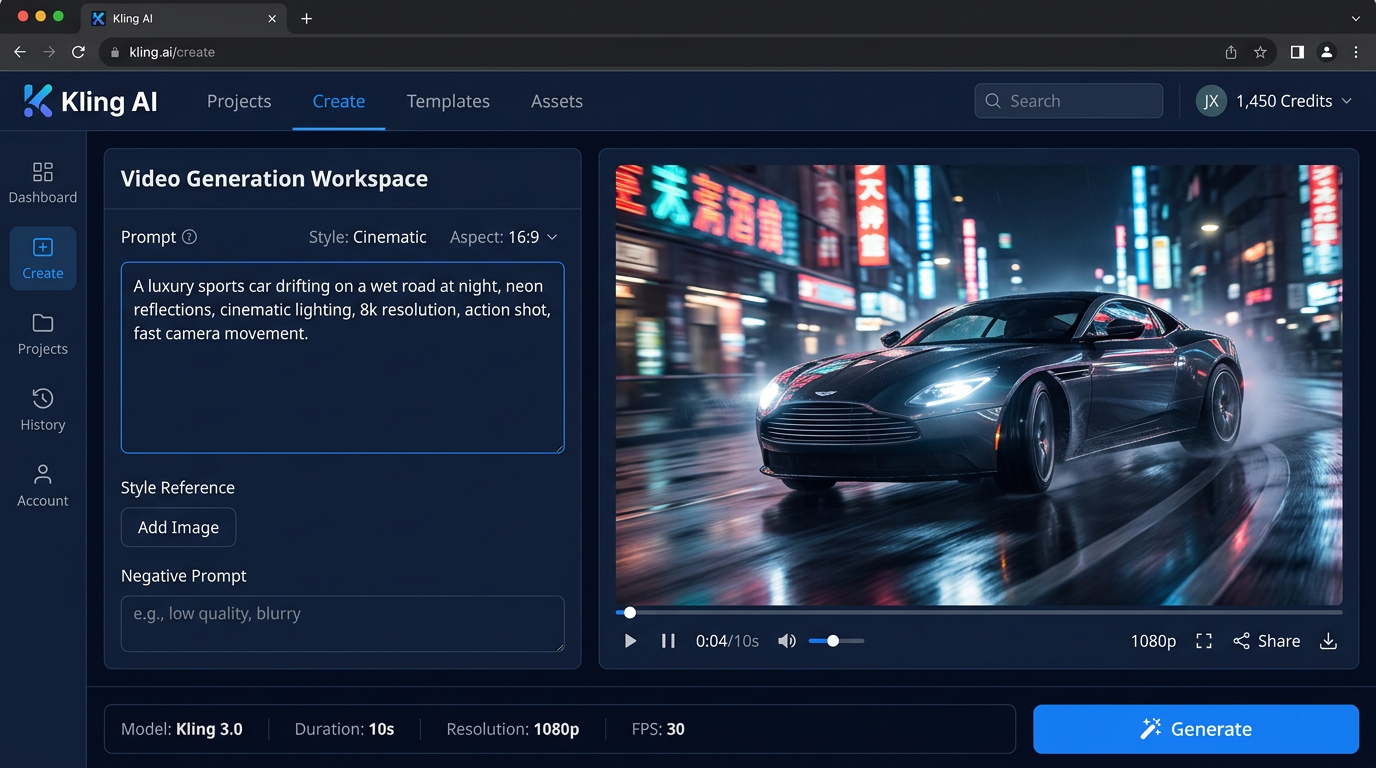
Kling AI delivers impressive video quality at a fraction of the cost of most competitors. Starting at just $8/month, it supports longer video clips (up to 3 minutes with Kling 3.0) and produces remarkably consistent human motion and facial expressions.
Kling 3.0 is particularly strong at temporal consistency — characters and objects maintain their appearance throughout the video without the morphing artifacts common in other tools. The physics simulation is among the best in the industry, making it a solid alternative to Sora 2 for realistic scenes.
Pros
- Excellent value at $8/month
- Supports clips up to 3 minutes
- Strong physics simulation
- Consistent facial expressions
Cons
- Occasional text rendering issues
- Server queues during peak hours
- Some content restrictions
4. Pika — Best for Social Media Creators
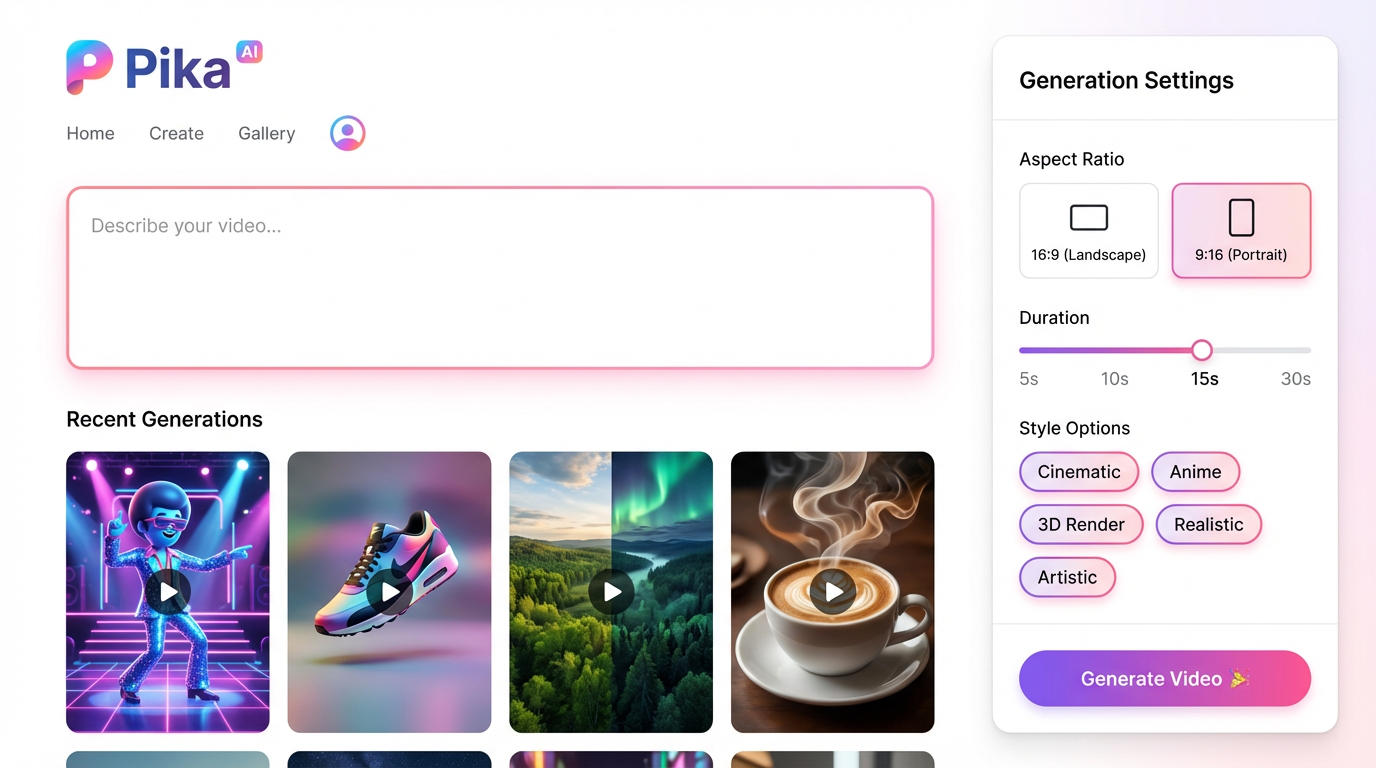
Pika dominates the social media content space with its quick generation times and vibrant, creative output style. The free tier is one of the most generous in the industry, and the entire interface is built for speed — you can go from an idea to a finished clip in under a minute.
Pika is ideal for TikTok creators, Instagram Reels, and anyone who needs rapid ideation and iteration. The style options include cinematic, anime, 3D render, and artistic modes. While the resolution is lower than premium competitors, the tradeoff is speed and accessibility.
Pros
- Generous free tier
- Very fast generation speed
- Social-media-optimized aspect ratios
- Fun creative style options
Cons
- Lower resolution than premium tools
- Limited camera controls
- Shorter maximum clip length
5. Hailuo AI — Best for Fast Generation
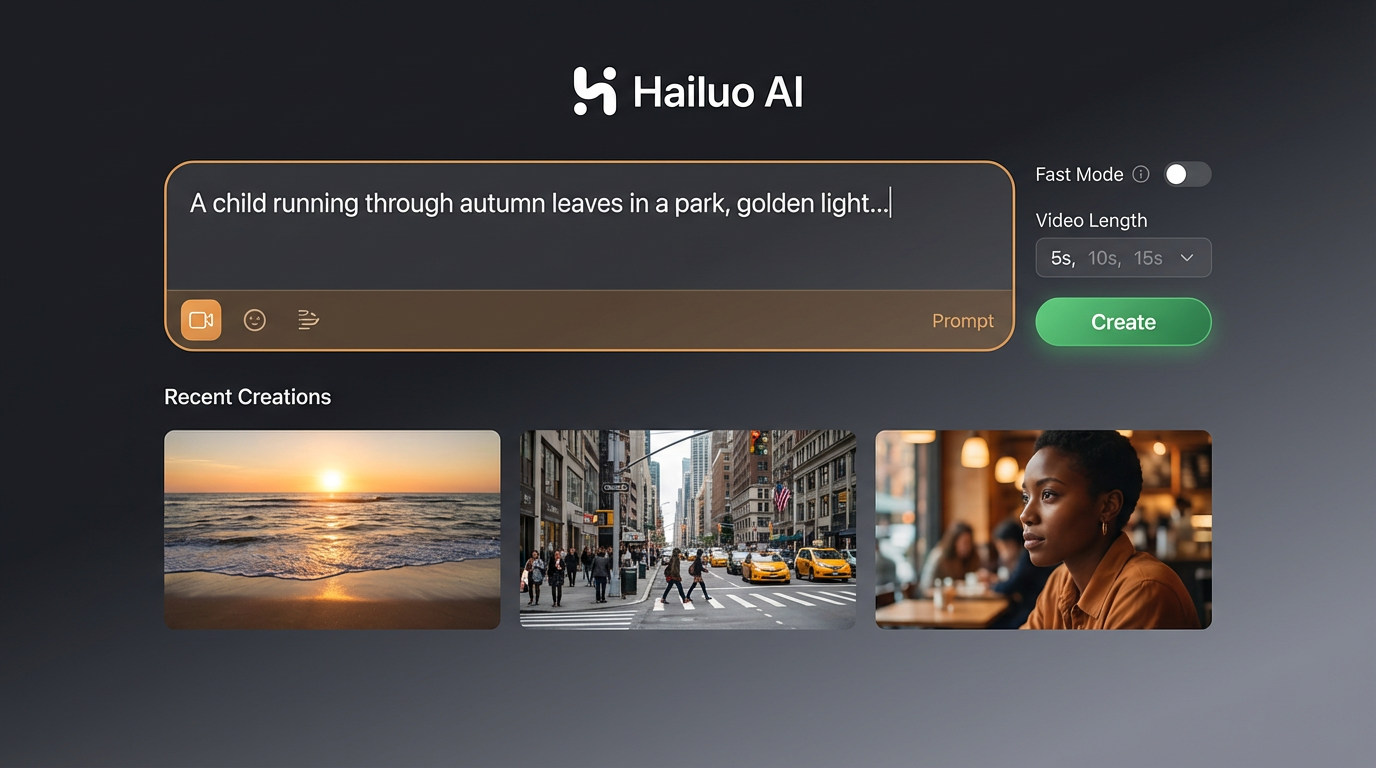
Hailuo AI (by MiniMax) is the speed champion among Sora 2 alternatives. It generates remarkably natural-looking videos in a fraction of the time other tools take. Human motion and facial expressions appear particularly lifelike, and the free tier includes no watermarks — a rare benefit in this space.
The platform is straightforward to use with a clean prompt-based interface and minimal settings. If your priority is getting quality results quickly without fussing over parameters, Hailuo AI is an excellent choice.
Pros
- Fastest generation speed in the category
- Natural-looking human motion
- No watermark on free clips
- Generous free tier
Cons
- Fewer customization options
- Limited resolution choices
- Less control over camera movement
6. Google Veo 3.1 — Best for Photorealistic Output
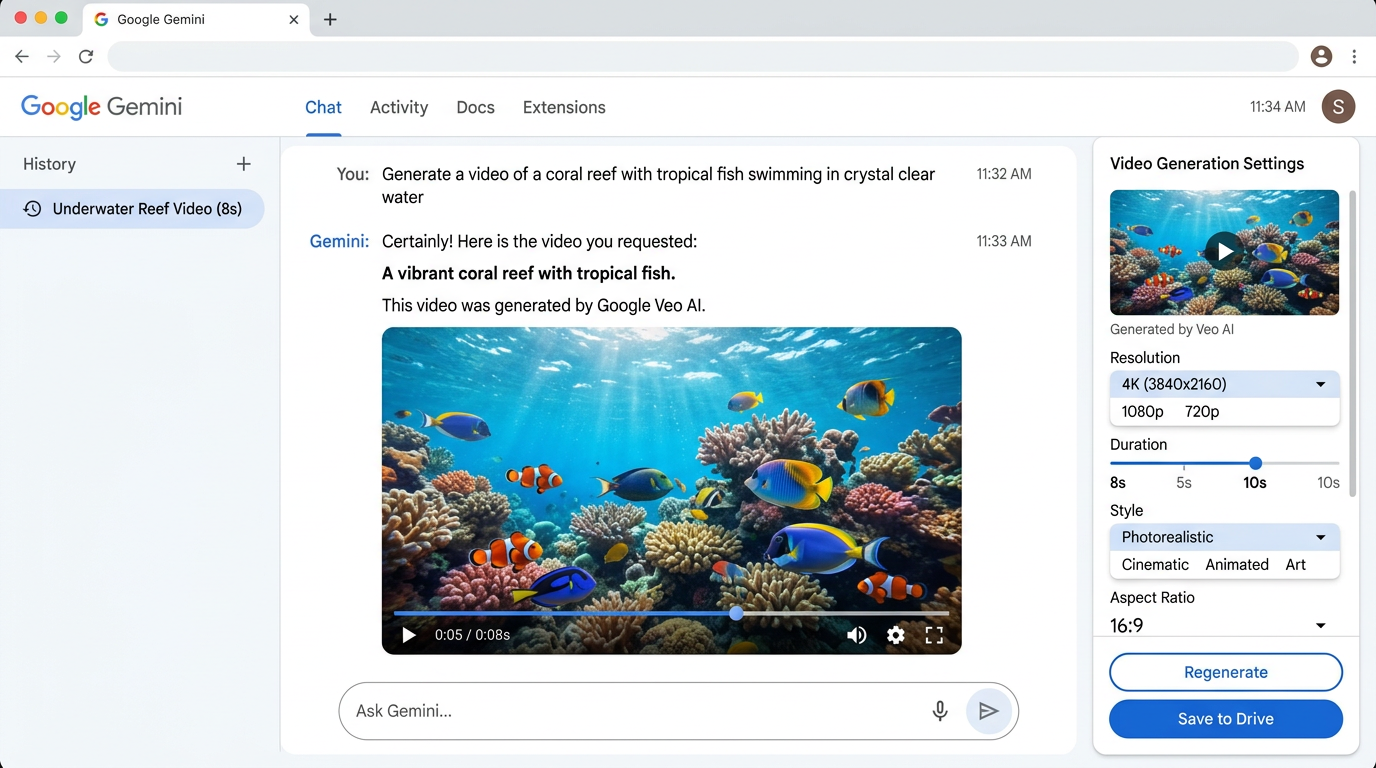
Google Veo 3.1 produces the highest-resolution AI video currently available: native 4K at 60fps with integrated audio generation in a single pass. The physics accuracy and technical realism are consistently rated best in class, making it the top choice when visual fidelity matters most.
Veo 3.1 is accessed through Gemini Advanced, which means you need a Google subscription. There is no standalone app, and creative controls are more limited compared to Runway. Still, if photorealistic quality is your priority, nothing matches Veo's output right now.
Pros
- Native 4K resolution at 60fps
- Best physics accuracy
- Integrated audio generation
- Google ecosystem integration
Cons
- Requires paid Gemini Advanced subscription
- Limited creative controls
- No standalone app
- Google ecosystem lock-in
How to Generate AI Videos with insMind (Best Sora 2 Alternative)
Ready to try the top-rated Sora 2 alternative? Here is a step-by-step guide to creating AI videos with insMind — no filming equipment, no editing skills, and no software installation required.
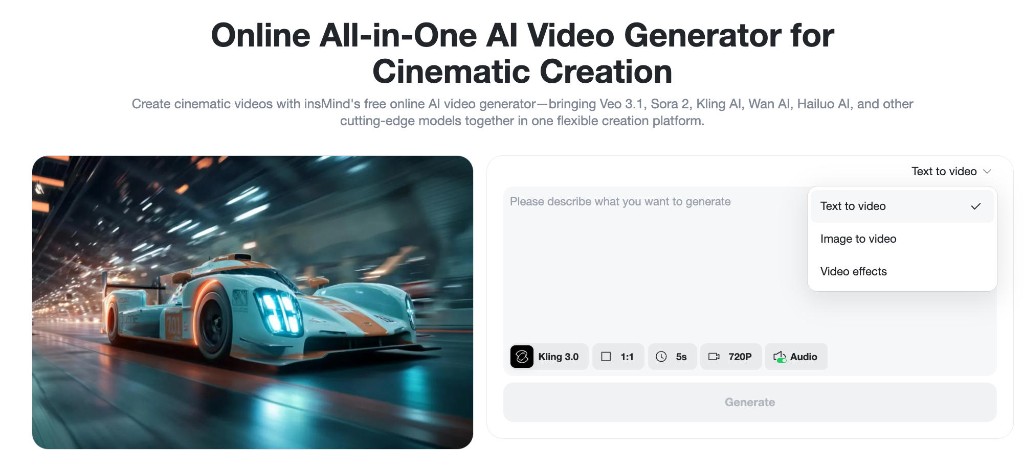
Step 1. Open the AI Video Generator on insMind
Go to the insMind website and access the AI Video Generator tool. insMind provides an all-in-one workflow to create videos without complex editing, making it a practical replacement for OpenAI Sora.
Step 2. Choose Your Input Mode
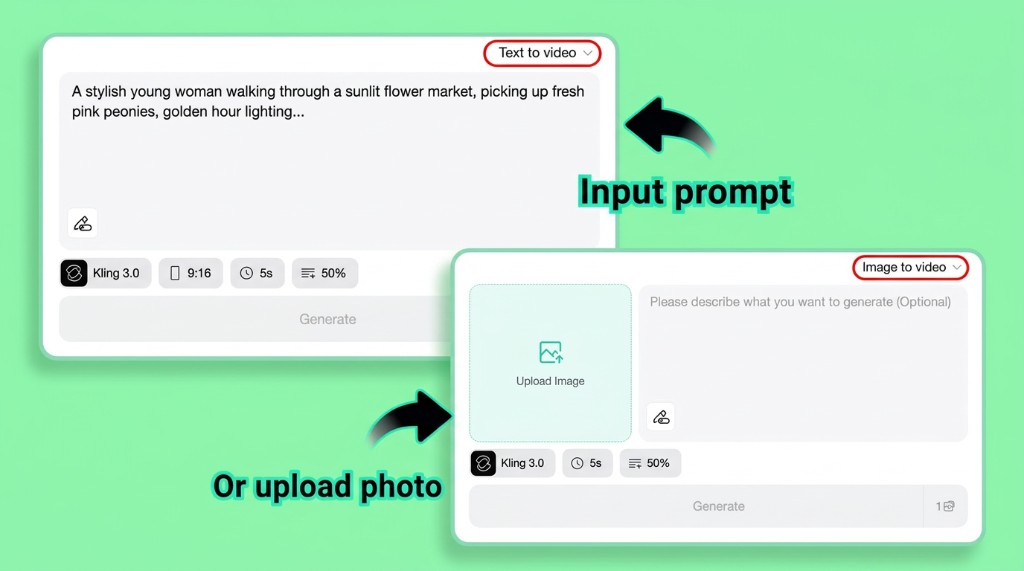
Select how you want to generate your video. insMind supports two input methods:
-
Text-to-Video: Describe your idea in natural language. Example: “A cinematic shot of a futuristic city at sunset, flying cars, warm lighting, ultra-realistic, smooth camera movement.”
-
Image-to-Video: Upload an image to animate it. This is ideal for product videos, anime content, and social media visuals where you want precise control over the starting frame.
Step 3. Enter Your Prompts
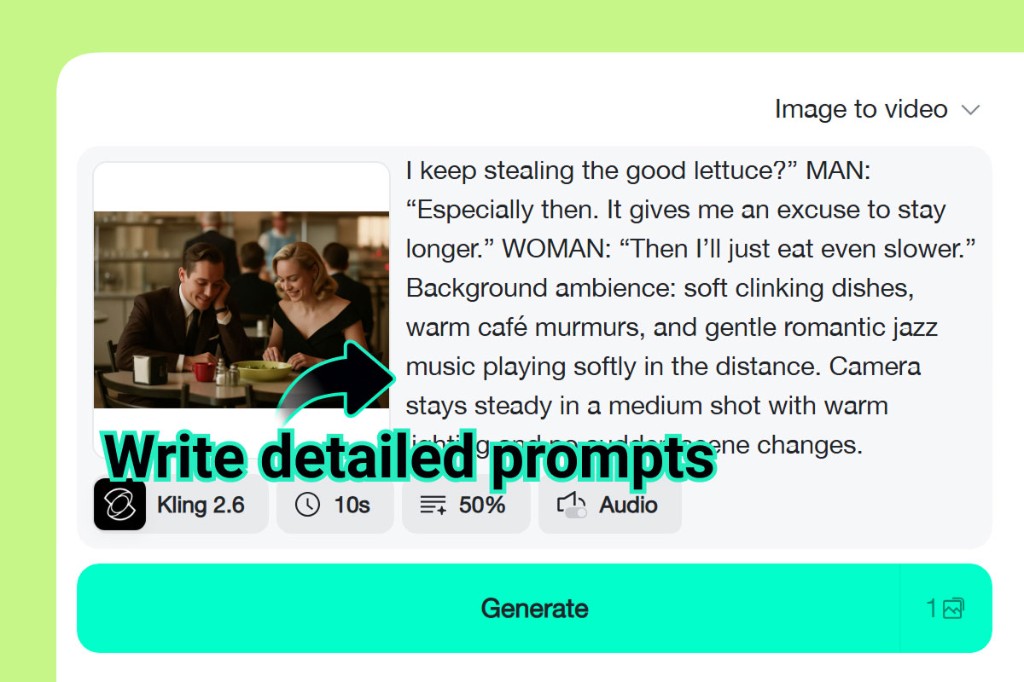
Write a detailed prompt describing the scene, style, and camera movement you want. The more specific your description, the better the result. Include details about lighting, color mood, subject action, and camera angle for the best output.
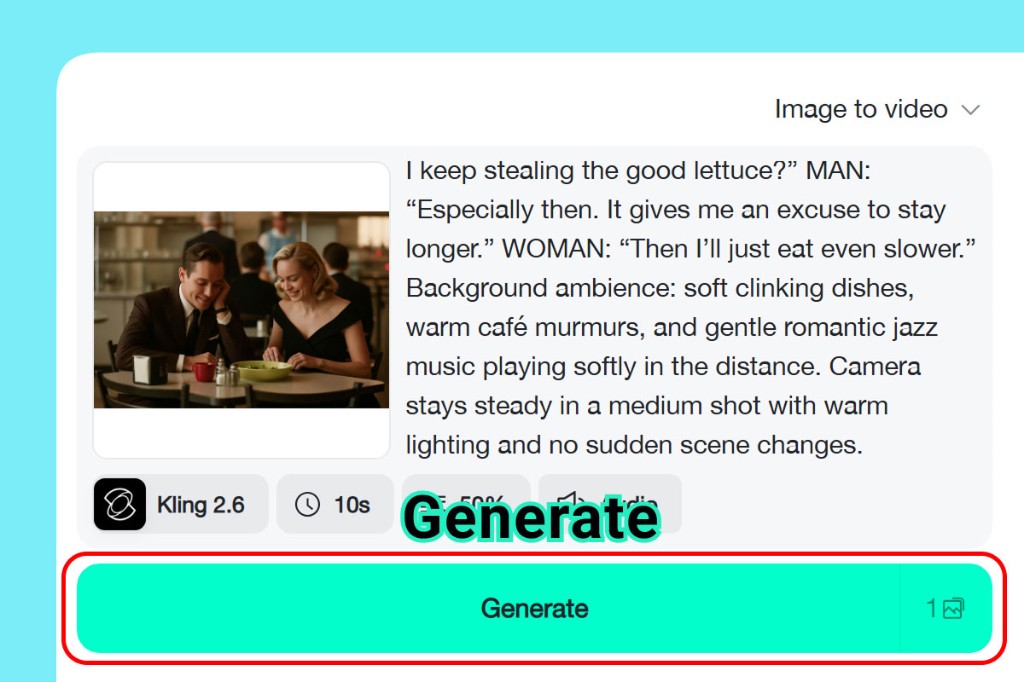
Step 4. Generate the Video with AI
Click Generate, and insMind will interpret your input, create scenes automatically, apply motion and transitions, and render a high-quality AI video. No filming or editing skills are required — the AI handles everything from scene composition to final rendering.
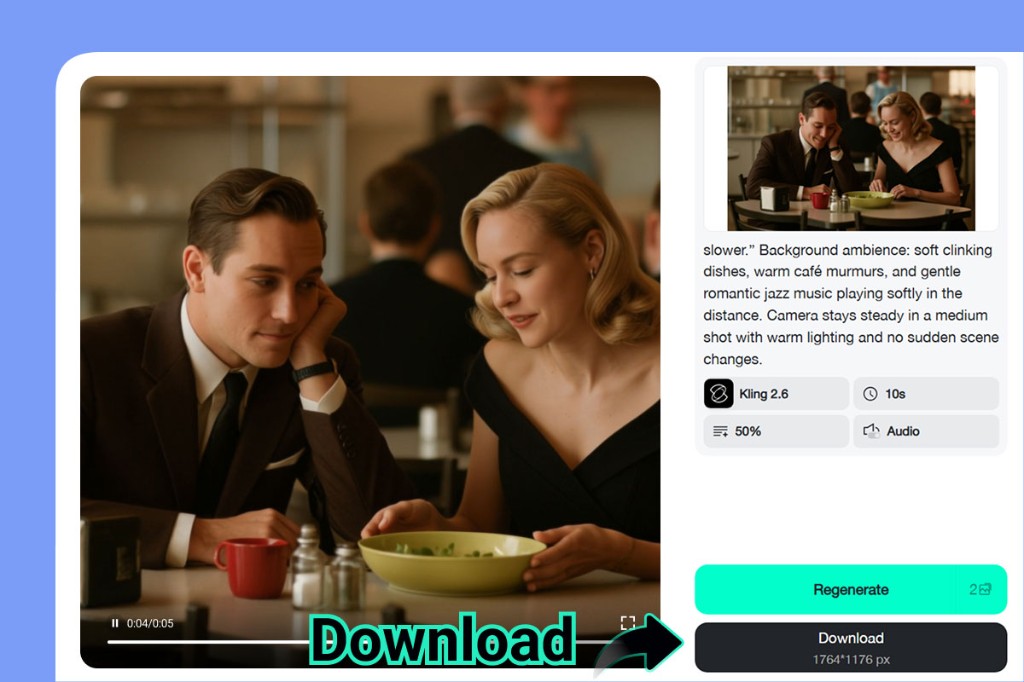
Step 5. Download and Share Your Video
Once the video is ready, preview the result and download it instantly. You can use it directly for TikTok, YouTube, Instagram, marketing campaigns, or product landing pages — no additional editing needed.
Sora 2 Alternatives Comparison Table
Here is a side-by-side comparison of all six Sora 2 alternatives to help you choose the right tool for your workflow:
| Tool | Best For | Key Feature | Pricing | Rating |
|---|---|---|---|---|
| insMind | All-in-one creation | 6+ AI models in one platform | Free tier available | ⭐⭐⭐⭐⭐ |
| Runway Gen-4 | Professional filmmakers | Motion brush & camera control | From $12/month | ⭐⭐⭐⭐ |
| Kling AI | Budget-friendly projects | 3-minute clips, strong physics | From $8/month | ⭐⭐⭐⭐ |
| Pika | Social media content | Fast generation, free tier | Free / $8/month | ⭐⭐⭐⭐ |
| Hailuo AI | Speed-focused workflows | Fastest rendering, no watermark | Free / $10/month | ⭐⭐⭐⭐ |
| Google Veo 3.1 | Maximum visual fidelity | Native 4K at 60fps | Gemini Advanced | ⭐⭐⭐⭐ |
How to Choose the Right Sora 2 Alternative
With so many options available, choosing the right tool depends on your specific needs. Here are a few questions to guide your decision:
-
Need maximum flexibility? Choose insMind. Its multi-model approach means you can use the best AI engine for each project without switching platforms.
-
Working on professional film projects? Runway Gen-4 gives you the most granular creative controls, including motion brush and precise camera settings.
-
On a tight budget? Kling AI offers the best quality-to-price ratio, with plans starting at $8/month and support for longer clips.
-
Creating social media content? Pika's fast generation and generous free tier make it perfect for rapid content creation.
-
Need results fast? Hailuo AI generates videos faster than any other tool on this list.
-
Prioritize visual quality above all else? Google Veo 3.1 delivers native 4K resolution that no competitor can match.
For most users, insMind provides the best balance of quality, flexibility, and affordability — especially if you want the freedom to experiment with different AI models without managing multiple subscriptions.
Frequently Asked Questions
What is the best free alternative to Sora 2?
insMind offers free credits for new users and gives you access to multiple AI video models at no cost. Pika and Hailuo AI also have generous free tiers if you want to compare outputs across tools.
Can I still use Sora 2 through other platforms?
No. Sora 2 is no longer available for use. However, insMind provides access to multiple advanced AI video models, including Kling 3.0 and Veo 3.1, which deliver comparable or even stronger results for video generation—all within a single platform.
Which Sora 2 alternative has the best video quality?
Google Veo 3.1 currently produces the highest-resolution output (native 4K at 60fps). For the best balance of quality and flexibility, insMind lets you choose the ideal model for each project.
Is there a Sora 2 alternative that supports image-to-video?
Yes. insMind, Runway Gen-4, and Kling AI all support image-to-video generation. Upload a photo and the AI will animate it into a full video clip with motion, transitions, and camera effects.
What is the cheapest Sora 2 alternative for professional use?
Kling AI offers professional-quality video generation starting at $8/month — significantly cheaper than Sora 2's $20/month minimum. insMind also provides a cost-effective option with its multi-model free tier.
Final Verdict: The Best Sora 2 Alternative in 2026
Sora 2 set a high bar for AI video generation, but it is no longer the only — or the best — option for most creators. Tools like insMind, Runway, Kling AI, and others now deliver equal or better results with more flexibility, lower costs, and fewer restrictions.
If you want to try the most complete Sora 2 alternative available today, insMind gives you access to multiple AI video models in one platform — including Sora 2 itself. Start for free and create your first AI-generated video in minutes.

Ryan Barnett
I'm a tech enthusiast and writer who loves exploring AI, digital tools, and the latest tech trends. I break down complex topics to make them simple and useful for everyone.
Keep reading

How to Use Seedance 2.5 for AI Videos
Learn how to use Seedance 2.5 for text-to-video and image-to-video, write stronger prompts, guide motion with references, and review results.

How to Make a Creepy Voice for Horror Content Step by Step
Learn how to make a creepy voice for horror videos, podcasts, and games with insMind.

How to Remove TikTok Watermark: 4 Easy Steps for Clean Videos
Learn how to remove TikTok watermark from videos in four practical steps with insMind.

Top 10 Seedance 2.5 Alternatives for AI Video in 2026
Compare top Seedance 2.5 alternatives and learn how to create AI videos with insMind.

Seedance 2.5 vs. MiniMax H3: Which AI Video Model Should You Use?
Compare Seedance 2.5 and MiniMax H3 for AI video creation.

30 Instagram Reels Prompts You Can Copy and Try
Copy-ready Instagram Reels prompts for products, fashion, creators, travel, food, pets, and lifestyle videos.

How to Write Instagram Reels Prompts for AI Videos
Learn to write Instagram Reels prompts for polished AI videos, product clips, creator posts, and lifestyle content.

30 TikTok Video Prompts You Can Copy and Try
Copy-ready TikTok video prompts for ads, creators, products, fashion, pets, travel, and more.

How to Create an AI Micro-drama: A Step-by-Step Guide
Learn how to create an AI micro-drama with insMind.

How to Create a Short Film Using AI in 2026
Learn how to create a short film using AI with insMind.

Instagram Reel Ads: Examples, Specs, Sizes, and Best Practices
Learn Instagram Reel ad specs, examples, safe zones, and best practices.

YouTube Ads Best Practices: How to Create Video Ads
Learn YouTube ads best practices and create video ads with insMind.

YouTube Channel Trailer Examples: 15 Inspiring Ideas for Your Channel
Explore YouTube channel trailer examples and create a polished trailer with insMind.

15 Best YouTube Ad Examples and Templates to Inspire Your Next Campaign
Explore YouTube ad examples and templates, then create video ads with insMind.

How to Make a Hype Video with AI: The Easy Guide
Learn how to make a hype video with AI using insMind.

Instagram Ad Templates for Feed, Stories, Reels, and Carousel Ads
Learn Instagram ad templates for Feed, Stories, Reels, and Carousel Ads.

Facebook Video Ad Specs: Sizes, Formats, and Lengths for 2026
Learn Facebook video ad specs, sizes, formats, and lengths for 2026, then make ad-ready videos with insMind fast.

How to Create Facebook Video Templates for Posts, Ads, Covers, and Live Video
Learn how to use Facebook video templates for posts, ads, covers, and live video with insMind.

Instagram Ad Examples: 15 Creative Ideas That Convert
Explore 15 Instagram ad examples and learn how to make them with insMind.

Instagram Ad Sizes and Specs: Complete 2026 Guide
Find Instagram ad sizes, specs, ratios, and dimensions for every major placement.

10+ Video Resume Examples with Scripts for Every Career Stage
Explore video resume examples and scripts, then create a polished video resume with insMind.

How to Make a Sports Hype Video with AI: A 4-Step Guide
Learn how to make a sports hype video with AI.

YouTube Ad Specs for 2026: Sizes, Formats, and Lengths
YouTube ad specs for sizes, formats, dimensions, and lengths, plus a four-step insMind workflow.

30 Best Grok Imagine Video Prompts You Can Copy and Try
Copy 30 Grok Imagine video prompts and learn how to write better prompts for creative AI videos.

50 Scroll-Stopping AI Brainrot Prompts for Viral Meme Videos
Copy 50 scroll-stopping AI brainrot prompts for chaotic meme videos.

How to Turn Any Photo into a Brainrot Meme Video
Learn how to turn any photo into a brainrot meme video with AI.

How to Make a Retirement Video with AI
Learn how to make a retirement video with AI.

How to Make Your Own Graduation Video from Photos with AI
Learn how to make a graduation video from photos with AI.

How to Make Your Own Outro Video
Learn how to make your own outro video with insMind.

Higgsfield vs Pollo AI: Which Video Platform Fits You?
Compare Higgsfield vs Pollo AI for cinematic control, model choice, ease of use, and pricing.

Pollo AI Review 2026: Features, Pros, Cons, and Verdict
Read our Pollo AI review for 2026 and explore its features, pricing, strengths, limitations, ideal users, and practical tips for better results.

How to Create Cute Baby Talking Videos from Photos
Learn how to create baby talking videos from photos with text, audio, and AI lip sync.

How to Make Your Own Talking Avatar with AI
Learn how to make your own talking avatar with AI from a portrait and script.

Seedance 2.0 Mini vs Seedance 2.0: Which Model Should You Use?
Compare Seedance 2.0 Mini and Seedance 2.0 for AI video creation.

How to Create Talking Animal Videos from Photos That Steal the Show
Learn how to create talking animal videos from photos with AI.

How to Turn a Character Image into a Consistent AI Video
Learn how to turn a character image into a consistent AI video with insMind.

10 Krea AI Alternatives for Creating and Editing AI Videos in 2026
Compare the best Krea AI alternatives for creating and editing AI videos, including insMind, Runway, Kling AI, Luma, Pika, VEED, and more.

Seedance 2.0 Mini Prompts to Copy: 20 Video Ideas
Copy Seedance 2.0 Mini prompts for cinematic AI videos with insMind.

Seedance 2.0 vs Seedance 2.5: What Changed?
Compare Seedance 2.0 and Seedance 2.5 with examples, prompts, and insMind workflow.

10 Best Pollo AI Alternatives for AI Video Creation in 2026
Compare the best Pollo AI alternatives for AI video creation, including insMind, Runway, Kling AI, Luma, Pika, VEED, and more.

How to Make an AI Video of Yourself That Actually Feels Like You
Create a realistic AI video of yourself from a photo and script.

How to Turn Old Photos into a Beautiful Tribute Video with AI
Turn old photos and memories into beautiful AI tribute videos.

How to Make a Daily Vlog with AI in Minutes
Create daily AI vlogs from photos, prompts, or ideas in minutes.

How to Create 2026 FIFA World Cup Highlights with AI
Create 2026 FIFA World Cup highlights, fan clips, and football videos with AI.

Best AI Video Extender for Creators: Top Tools Compared
Compare the best AI video extender tools for creators in 2026 and learn how to make short videos longer with insMind.

How to Edit YouTube Videos Faster with AI
Edit YouTube videos faster with AI background and style tools.

How to Create Training Videos with AI: A Complete Guide for Beginners
Create clear training videos from images and prompts with AI.

Create Product Reveal Videos with an AI Unboxing Video Maker
Learn how to create AI unboxing videos for product reveals, UGC, teasers, and ecommerce demos.

Create Smooth AI Video Transitions with Kling Start/End Frame
Learn how to create smooth AI video transitions with Kling Start/End Frame.

What Can You Choose for the Best InVideo Alternatives in 2026?
Compare the best InVideo alternatives and see why insMind is a strong AI video generator for creators and marketers.

10 Best Animaker Alternatives in 2026: New Trends in AI Video Creation
Compare the best Animaker alternatives for AI video creation, including free and open-source picks.

10 Best HeyGen Alternatives in 2026: Create AI Videos with More Freedom
Compare the best HeyGen alternatives for AI video creation, including free and open-source picks.

How to Make a Faceless YouTube Channel with AI
Make a faceless YouTube channel with AI tools, scripts, video ideas, and insMind.

Best CapCut Alternatives: 8 AI Video Editors Compared
Compare the best CapCut alternatives for iPhone, Android, PC, and AI video editing.

How Ecommerce Brands Replace Products in Videos with AI
Replace products in ecommerce videos with AI for ads, listings, and creative testing.

How to Change Video Background Without Green Screen: Step-by-Step Guide
Learn how to change video backgrounds without a green screen using simple AI editing steps.

How to Seamlessly Replace Objects in Videos with AI
Step-by-step guide on replace objects in videos with AI: how it works, best practices, and how to do it free with insMind.

How to Identify AI-Generated Videos: A Comprehensive Guide
Learn how to identify AI-generated videos using expert tips and insMind's tools for authenticity verification.

Can AI Really Edit Videos For You? A Deep Dive Into AI Video Editing
Discover how AI can edit videos effectively, using insMind and other top tools. Learn workflows, compare features, and explore future trends.

Crafting Viral Bigfoot AI Videos: A Step-by-Step Guide
Create viral Bigfoot AI videos with insMind. Learn how to optimize for TikTok and YouTube, avoid common mistakes, and more.

Discover the Versatility of Happy Horse 1.0 for AI Video Creation
Happy Horse 1.0 review explores AI video generation, integration with insMind, and practical applications for content creators.

Seedance 2.0 vs. Happy Horse 1.0: Which AI Video Generator Fits Your Needs?
Discover the differences between Seedance 2.0 and Happy Horse 1.0. Learn which AI video generator suits your needs best.

How to Make Educational Videos for Kids with AI (4 Easy Steps)
Write a structured script, choose model and audio, generate, and download—a step-by-step guide to making AI educational videos for kids with prompt templates.

Best AI Prompts for Explainer Videos (Proven Templates)
Four proven AI prompt templates for explainer videos—presenter, product demo, faceless brand, and tutorial—plus how to use insMind in 3 steps.

Best AI Explainer Video Generator for Business (2026 Guide)
Choose text-to-video or image-to-video, configure model and audio, generate and download—a complete 2026 guide to AI explainer videos for business with insMind.

Best Prompts for Wan 2.7: Multi-Shot Guide for Cinematic AI Video
Choose text or image mode, write scene-block prompts for Wan 2.7, set duration and audio, then download—plus 40+ language narrative tips.

How to Create Kids Videos with AI: A Parent-Friendly Guide
Upload art or start from text, write kid-safe prompts, pick Google Veo 3.1, generate and download—steps for parents and teachers.

From Script to Screen: How to Create Engaging Story Videos with AI Tools
Learn how to create story videos with AI: split scripts into scenes, optional reference images, generate clips in insMind, then merge. No pro editor required to start.

How to Make a Baby Dance Video with AI: Step-by-Step Guide
Turn a baby photo into a cute AI dance clip. Upload, write a motion prompt, pick model and duration, generate—no editing skills needed.

How to Make a Cat Dance Video with AI: Step-by-Step Guide
Turn a cat photo into a funny dance clip with AI image to video. Upload, write a motion prompt, generate, and download—no editing skills.

Best AI Tool for Pet Dance Videos (2026 Compared)
Compare top AI pet dance video tools with real screenshots, pros and cons, and a tested insMind image-to-video workflow plus copy-ready prompt.

Top 20 AI Fruit Video Prompts to Copy & Paste
Discover top AI fruit video prompts for creating engaging, trendy videos. Perfect for TikTok and other platforms, these prompts inspire creative content.

Funny AI Video Prompts That Work (Tested Examples)
Get 20+ tested funny AI video prompts that actually make people laugh. Copy-paste prompts for TikTok, Reels, and YouTube Shorts with step-by-step instructions.

Affordable AI Video Solutions for E-commerce Startups
Discover affordable AI video solutions for e-commerce startups. Learn about budget-friendly tools and maximize ROI with AI-generated content.

Transforming Marketing with AI Video Ads
Discover how AI video ads are transforming online marketing with personalized, efficient, and creative solutions. Learn techniques and examples.

Mastering Cinematic Ad Creation with Seedance 2.0
Create cinematic ads with Seedance 2.0, a powerful AI tool for video advertisements. Learn how to make stunning video ads using Seedance 2.0.

Mastering Viral Video Creation with Seedance 2.0
Discover how to create viral videos using Seedance 2.0 with tips, prompts, and insights on social media trends.

Close-Up Shot: Definition, Story Uses & Tighter Framing
What is a close-up shot? Definition, when to use tight framing for emotion and detail, and tips for shooting cleaner inserts on any camera.

YouTube Equipment for Beginners: Gear, AI Video & Your First Upload (2026)
Beginner YouTube equipment: priority order for mic, light, and camera; clear audio on a budget; phone vs dedicated camera; Shorts and 16:9 basics.

How to Create Anime Videos with AI (Step-by-Step Guide)
Learn how to create anime videos with AI step by step. Use text-to-video and image-to-video to generate stunning anime animations with insMind.

How to Make Viral Funny Videos with AI in 5 Minutes
Learn how to make viral funny videos with AI in minutes. Step-by-step guide to creating hilarious TikTok and Instagram clips using insMind AI funny video generator.

How to Create Talking Old Photo Videos with AI
Learn how to animate old photos with AI. Turn vintage portraits into talking videos with realistic motion using insMind free photo animation tool.

7 Best Sora 2 Alternatives for AI Video Generation in 2026
Discover the best Sora 2 alternatives for AI video generation. Compare insMind, Runway, Kling AI, Pika, and more to find the right tool for your needs.

AI Prompts for TikTok Video Generator: Complete Guide
Discover the best AI prompts for TikTok video generation. 20+ ready-to-use prompts plus a step-by-step guide to creating viral TikTok content with AI.

How to Upscale Anime Video to 4K with AI (Step-by-Step)
Learn how to upscale anime video to 4K using AI. Step-by-step guide to enhancing low-res anime with sharper lines and cleaner colors.

AI Marketing Video Generator: Create Promo Videos from Text
Learn how to turn text into professional marketing videos using AI. Step-by-step guide to creating promo videos in minutes.

Text-to-Video AI Ranked: Which Generator Wins in 2026?
Compare the 7 best text-to-video AI generators in 2026 including insMind, Sora 2, Runway, Kling AI, Pika, and more.

Animate Anime Images with AI: Turn Static Art into Dynamic Anime Videos
Learn how to animate anime images with AI. Turn static anime art into stunning animated videos easily.

How to Remove Kling Watermark from AI Videos
Explore the best ways to remove Kling AI watermark. Compare editing methods and discover watermark-free Kling generation options.

AI Video Editor: Edit Videos Instantly with Prompts
Use insMind AI Video Editor and prompts to edit videos, remove objects, change backgrounds and more.

Control the Narrative: Create Cinematic AI Videos with Start & End Frames
From start to finish, take control of AI video storytelling with Start & End Frames.

How to Create a Stranger Things Transition Video (Step-by-Step Guide)
Create a Stranger Things–style Upside Down transition with AI in just a few steps using insMind.

Transform Your Ideas: Generate Videos from Text Instantly
Turn text into videos in seconds with InsMind's AI—ideal for social media, ads, and presentations. No editing skills required.

Tralalero Tralala: How to Animate the Italian Shark Meme with AI Flair
Animate the viral “Tralalero Tralala” Italian Shark meme with AI for fun, shareable content.

Top TikTok Memes 2025: 'Tung Tung Tung Sahur' & Viral Trends You Can't Miss
2025 TikTok trends: AI-generated Italian Brainrot memes and creepy Tung Tung Tung Sahur dominate viral humor.