


If you have ever watched a cat moonwalk on TikTok and wondered, “How did they do that?” the answer is almost always AI pet dance video tools. The hard part is picking the best AI tool for pet dance videos — one that keeps your pet recognizable, respects motion, and still feels funny instead of creepy.
This guide compares the top options side by side, shows real product homepages so you know what you are signing up for, and walks you through a tested workflow on insMind using AI image to video plus a copy-ready prompt. Whether you post on TikTok, Reels, or Shorts, you will leave with a clear pick and a repeatable process.
Table of Contents
Best AI Tools for Pet Dance Videos Compared
When people search for the best AI tool for pet dance videos, they usually want three things: a recognizable pet, believable motion, and export settings that match TikTok or Reels. Some apps specialize in dog-only templates; others give you a blank canvas and a prompt box. Below we stack the leading names against those criteria using hands-on testing and official positioning from each vendor.
Before you spend money on credits, skim the comparison table — then read each tool section for the nuance that tables always miss.
Why Pet Dance AI Went Mainstream
Short-form algorithms reward novelty in the first two seconds. A static pet photo is cute; the same pet doing a silly two-legged shuffle with a mood swing is scroll-stopping. AI removes the barrier of filming choreography — you only need a clear photo and a decent prompt.
Creators also pair pet clips with trending audio. That is why tools that support AI video generator workflows with optional sound or easy re-import into CapCut tend to win repeat usage.
Finally, meme culture loves “after work energy” arcs: tired subject, beat drop, chaos. Your prompt can mirror that structure even when the subject is a cat.
Quick Comparison Table
| Tool | Best for | Input | Standout | Ideal user |
|---|---|---|---|---|
| insMind | Custom motion from any pet photo | Image + rich text prompt | Full creative control, multiple models | Creators who want unique routines |
| PetGroove | Fast template dances | Pet photo | Pet-first marketing, simple flow | Casual pet parents |
| AI Dog Dancing | Dog-focused meme clips | Dog photo | Vertical exports, template library | Dog-only households |
| Pet.Video | Style variety (K-Pop, disco) | Dog photo / prompt | Many dance genres | Trend-chasers |
| My Talking Pet | Talking + dancing combos | Pet photo | Motion control positioning | Humor-first accounts |
Screenshots below were captured from each brand’s public website in April 2026 so you can match the interface to the name.
Tool-by-Tool Breakdown
1. insMind — Best overall for custom pet dance clips
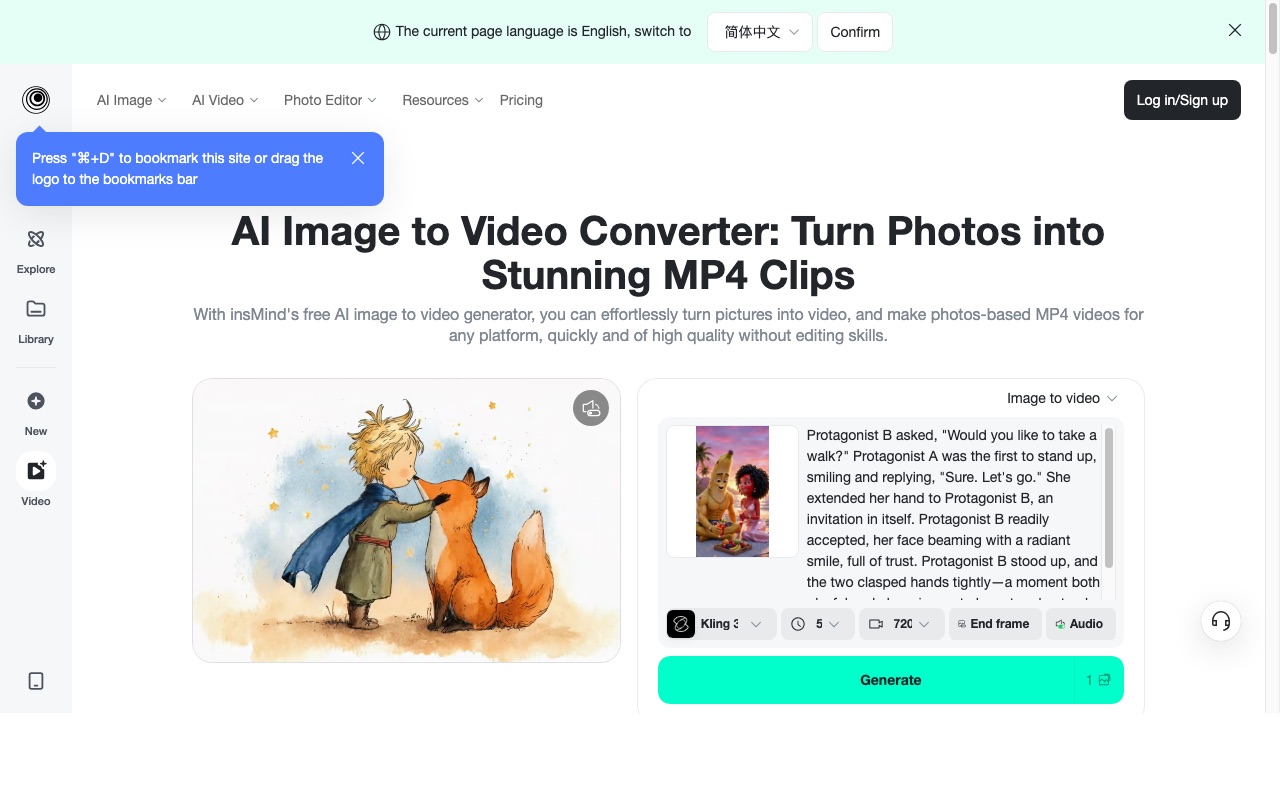
insMind treats pet dance videos as an image-to-video problem: you upload a sharp photo, describe motion, camera, lighting, and tone, then let models like Kling handle temporal consistency. That makes it the most flexible pick when you want a meme arc (“bored → beat drop → proud pose”) instead of a preset boogie.
If your pet photo needs cleanup first, run it through a cartoonize photo pass for stylized content, or keep it realistic for maximum relatability.
 Pros
Pros
- Works with cats, dogs, or any clear pet subject
- Prompt-level control over camera, lighting, and comedy beats
- Pairs naturally with broader insMind editing and AI video workflows
Cons
- Requires thoughtful prompting for best comedic timing
- You choose models and duration manually
2. PetGroove — Template-first pet dances
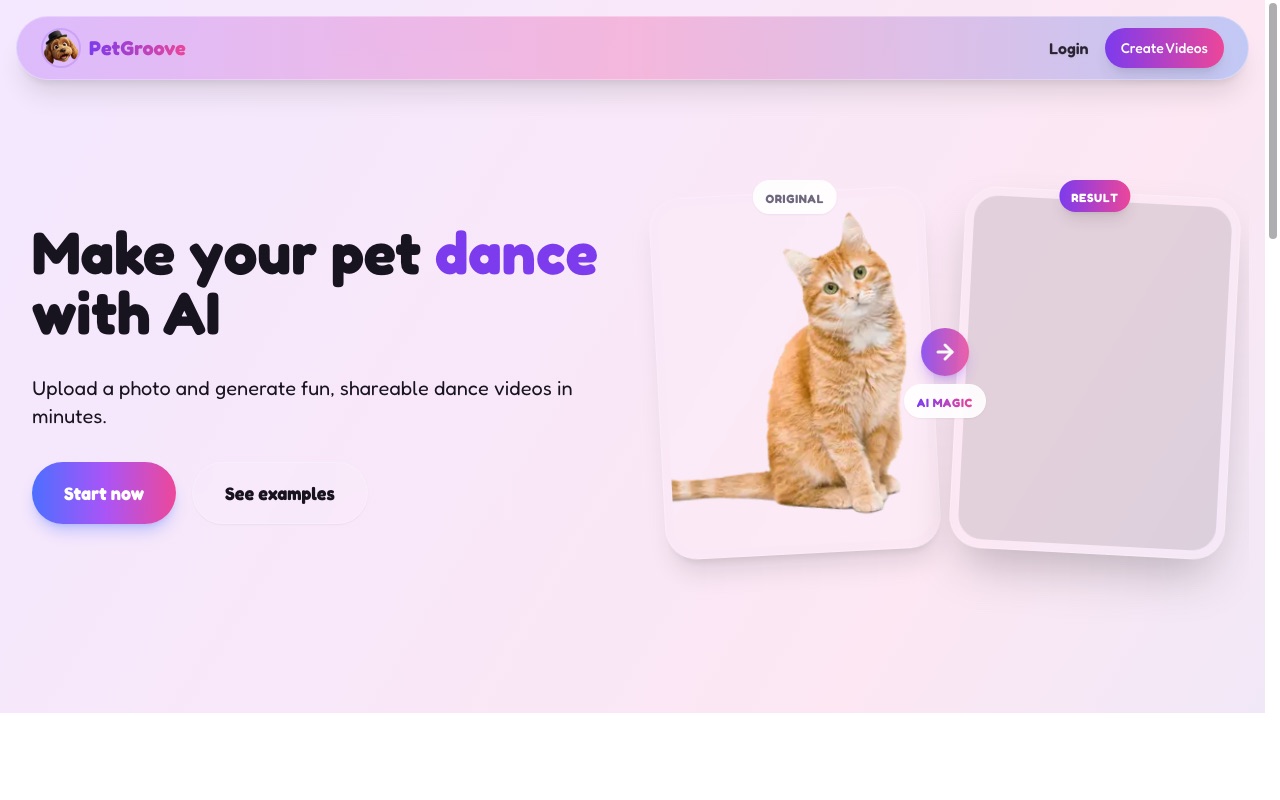
PetGroove markets a streamlined flow: upload a pet photo, pick a dance style, generate. It is excellent when you want speed over bespoke choreography. Below is its live homepage hero as rendered in a desktop browser.
Pros
- Very approachable for first-time users
- Strong positioning around TikTok-ready clips
- Supports multiple pet types in messaging
Cons
- Less room for fine-grained motion instructions compared to full prompting
3. AI Dog Dancing Generator — Dog-centric templates
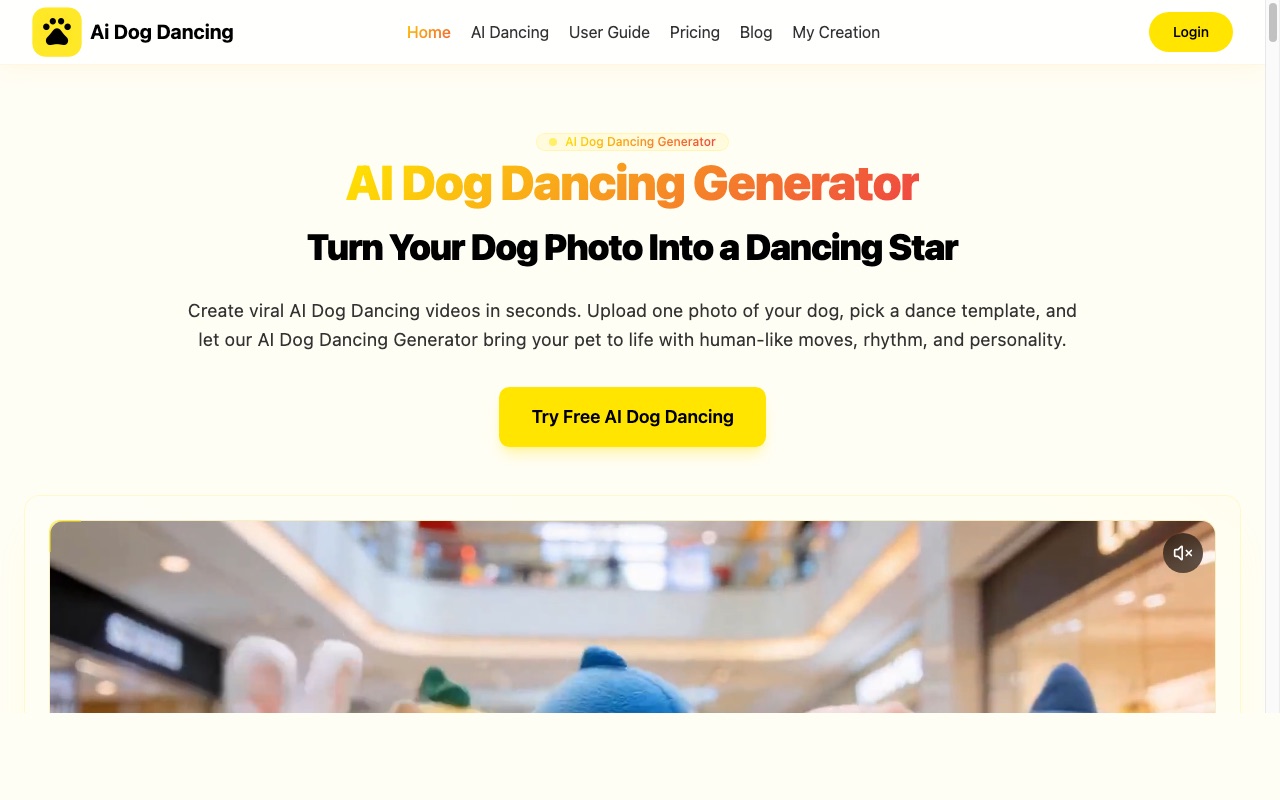
As the name implies, this experience is optimized for dogs. If you only create golden-retriever content, the template library and vertical export pitch are convenient. Homepage screenshot:
Pros
- Clear dog-first positioning
- Emphasis on fast template picks
- Vertical video framing for Shorts and TikTok
Cons
- Not built for cats or exotic pets
- Less flexibility if you want a custom narrative arc
4. Pet.Video — Genre variety
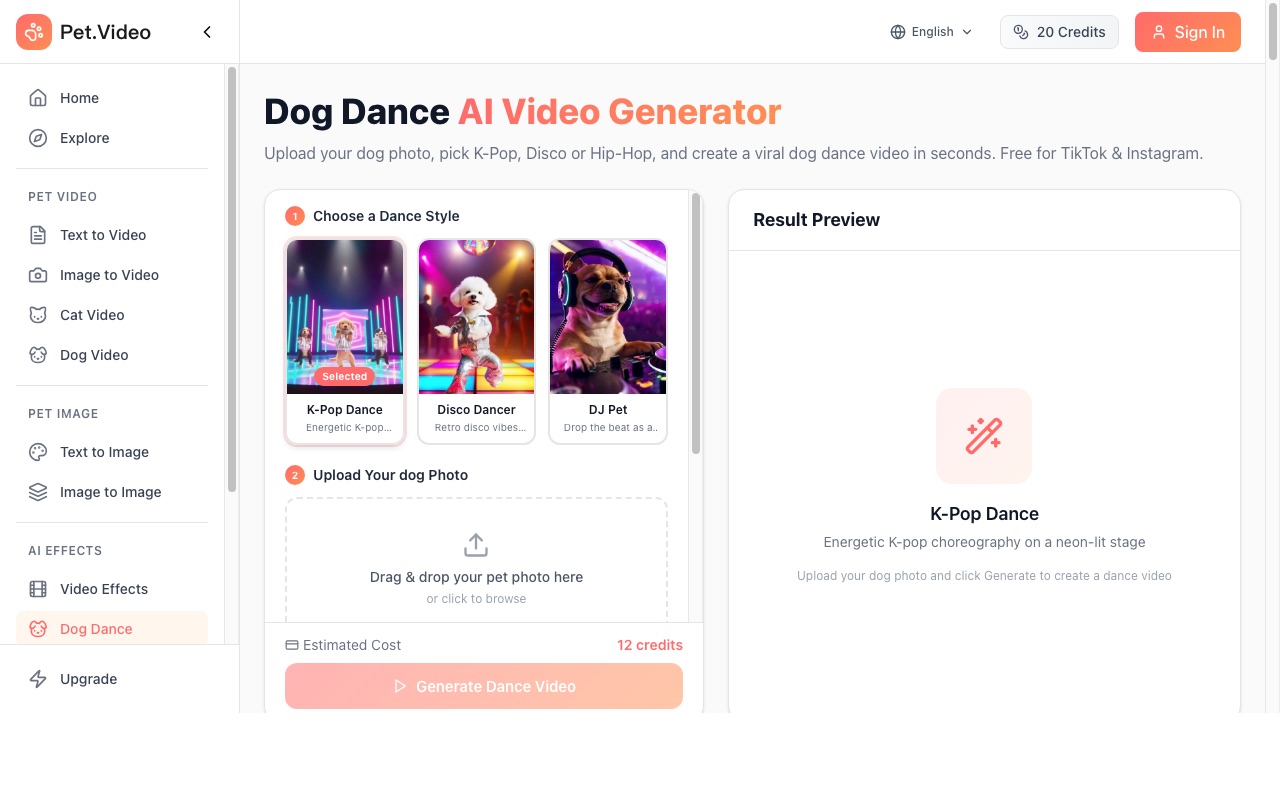
Pet.Video highlights many dance genres and social proof around dog dance clips. Useful when you want K-pop or disco aesthetics without writing a long prompt yourself.
Pros
- Large style library in marketing materials
- Free-to-start positioning
- Strong TikTok storytelling
Cons
- Still dog-forward; cat creators should verify quality
- Less transparent on underlying model options
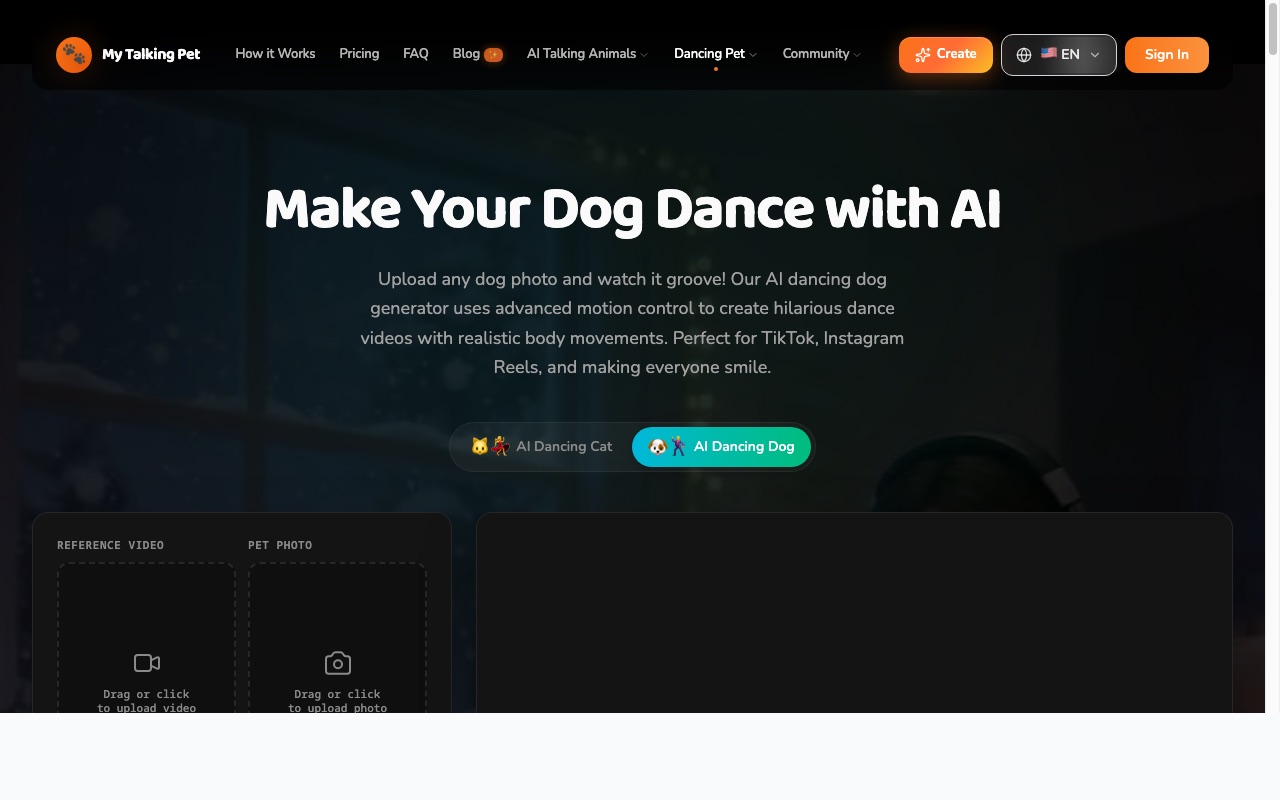
5. My Talking Pet — Dancing dog specialty
My Talking Pet blends humor positioning with motion-control language. It is a good fit when you want a playful brand voice and simple upload-to-generate storytelling.
Pros
- Simple story: upload, pick dance, share
- Multiple dance styles advertised
- Fast generation claims
Cons
- Narrower scope than general-purpose AI video suites
- Pricing tiers may apply for unlimited exports
How to Create Pet Dance Videos with insMind
Ready to recreate the viral cat arc? Follow the same three beats shown in your screenshots: upload, prompt, generate.
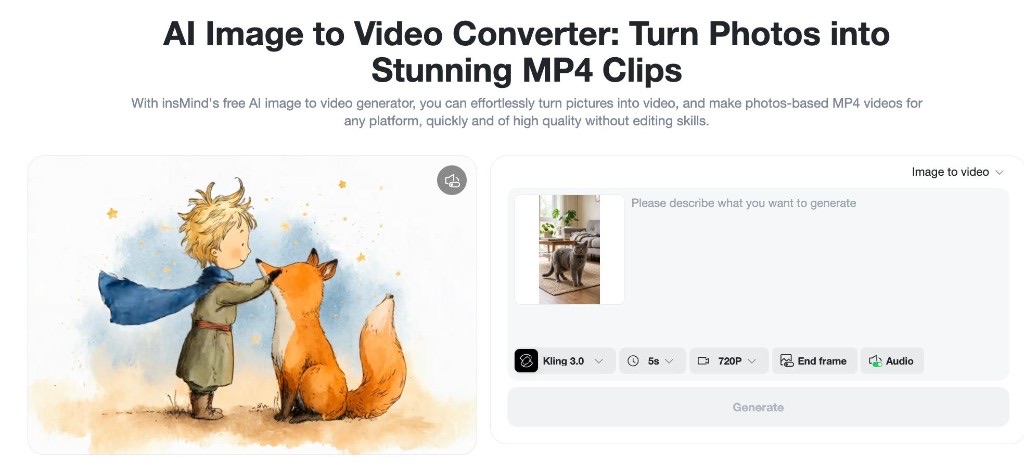
Step 1: Upload a clear pet photo
Open AI image to video, switch to Image to video, and drop in a front-facing or three-quarter shot with visible paws. Good lighting beats filters every time. If you only have a messy background, consider insMind background tools before generation so the model focuses on motion, not clutter.
Step 2: Paste a motion-first prompt
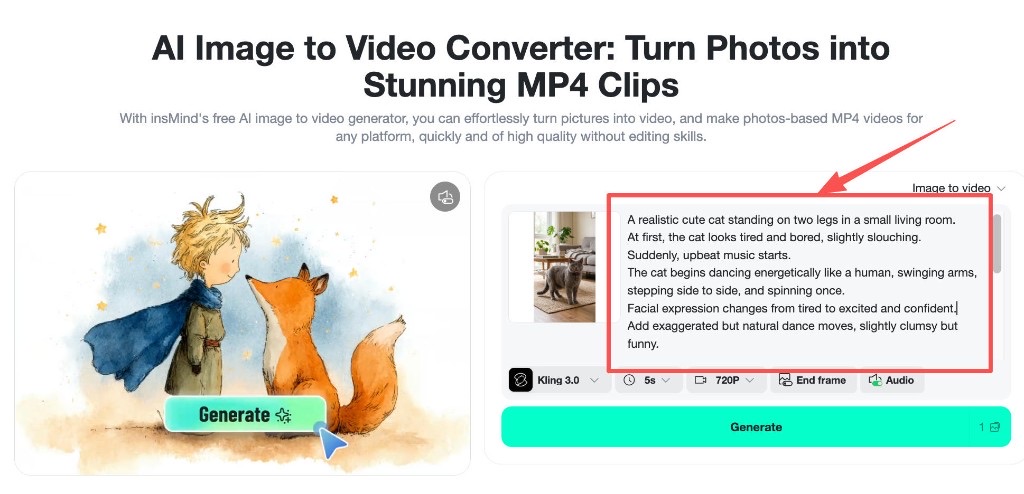
Describe beats, not vibes. Mention posture changes, music cues, camera moves, and the final pose. Below is a tested example you can adapt for dogs or cats (swap the subject line and keep the structure):
A realistic cute cat standing on two legs in a small living room.
At first, the cat looks tired and bored, slightly slouching.
Suddenly, upbeat music starts.
The cat begins dancing energetically like a human, swinging arms, stepping side to side, and spinning once.
Facial expression changes from tired to excited and confident.
Add exaggerated but natural dance moves, slightly clumsy but funny.
Camera: medium shot at first, then quick zoom-in during the best dance move.
Lighting: warm indoor lighting.
Meme tone, relatable “after work energy”.
End with the cat striking a dramatic pose and looking proud.
Duration: 6–8 seconds, fast-paced, smooth animation, no distortion.
Step 3: Tune model, audio, and generate
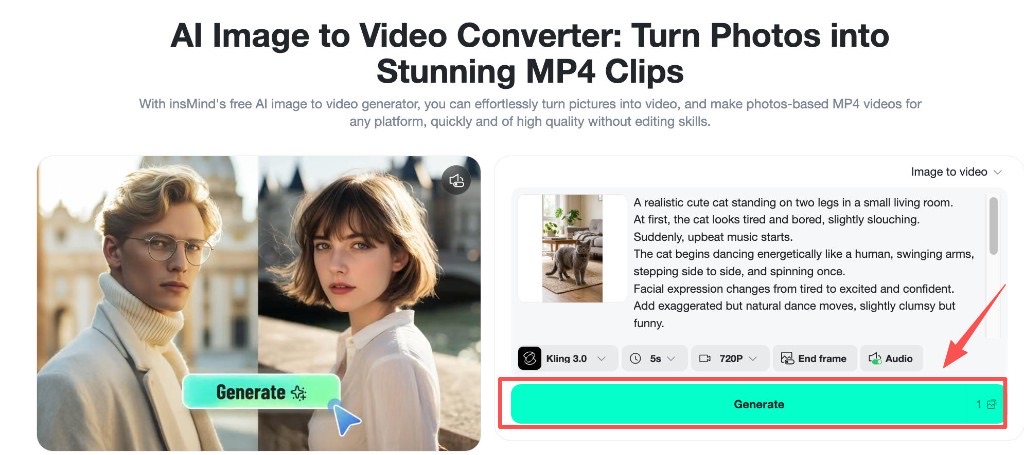
Pick a model that balances speed and motion quality (Kling 3.0 is a solid default in our test). Set duration to match your punchline — five seconds works if you tighten the beats; extend only if the motion needs breathing room. Enable audio when you want the tool to help carry the joke, then hit Generate and download an MP4 for TikTok or Reels.
Prompt Tips That Actually Work
-
Storyboard three beats: setup, drop, payoff. AI comedy lands when each beat has a visual change.
-
Call the camera: medium shot to quick zoom sells energy better than generic “cinematic” alone.
-
Keep limbs readable: mention paw visibility so the model does not melt legs into the floor.
-
Polish stills first: a quick pass through an AI photo editor removes sensor noise that can confuse motion models.
If you batch content, store winning prompts in a note template — only swap the subject line and music adjectives.
Frequently Asked Questions
What is the best AI tool for pet dance videos?
It depends on your goal. For fully custom comedy arcs and any pet species, insMind’s image-to-video workflow wins on flexibility. For plug-and-play dog dances, template-first apps like PetGroove or AI Dog Dancing can be faster.
Can AI pet dance videos look natural?
Yes, when you supply a sharp photo, explicit limb motion, and realistic lighting notes. Avoid contradictory instructions (“hyper realistic” plus “rubber hose limbs”) unless that is the joke.
Do I need a vertical video format?
TikTok and Reels prefer 9:16. Export from your generator in vertical when available, or letterbox in an editor afterward.
Are pet dance AI tools safe for my pet’s likeness?
Read each vendor’s privacy policy. In general, treat pet photos like personal media: avoid uploading sensitive documents in the same session and delete drafts you do not need.
Pick Your Tool and Start Dancing
You now have a ranked view of the best AI tools for pet dance videos, real homepage proof for each competitor, and a tested insMind prompt structure. Start with the workflow above, post the clip with a trending sound, and iterate on the punchline timing.
Want the most creative control? Build your next viral pet clip with insMind today.

Sid Buckley
I'm a professional writer and amateur photographer, and I author insightful articles at insMind to help you integrate AI into compelling image creation.


