


Want a faster way to test AI video concepts without rewriting every prompt from scratch? This guide gives you copy-ready seedance 2.0 mini prompts for cinematic shots, product promos, UGC ads, anime scenes, pet videos, food clips, and social content.
Seedance 2.0 Mini is often discussed as a lightweight option for faster, more affordable video generation. That makes it especially useful for prompt testing. You can quickly explore subject motion, camera style, lighting, pacing, and short-form concepts before polishing the best idea in a stronger render workflow. With insMind, you can turn those ideas into videos through an AI video generator, adjust model settings, and download clips for ads, social posts, product pages, or creative experiments.
Table of Contents
Seedance 2.0 Mini Prompt Formula You Can Reuse
Not sure how to structure a prompt? Use this formula:
[Subject] + [action] + [setting] + [camera movement] + [visual style] + [lighting] + [duration/format intent] + [negative constraints].
Here is a reusable template:
A [subject] [action] in [setting], [camera movement], [visual style], [lighting], smooth realistic motion, short-form video pacing, high detail, no warped hands, no distorted faces, no unreadable text.
This works because it tells the model what to animate, how to frame it, and what problems to avoid. If you are using a text to video ai workflow, the prompt carries the whole visual direction. If you are using image to video, the image supplies identity and composition while the prompt controls motion, mood, and camera behavior.
5 Seedance 2.0 Mini Prompts with Visual Examples
Start with these five examples if you want to see how a clear prompt can translate into a strong visual direction. Copy the prompt into insMind, then adjust the subject, brand, product, color, or scene details to match your project.
More Prompts to Try Yourself
Want more ideas? The prompts below do not include sample images yet, which makes them perfect for your own tests. Copy one into insMind, generate a video, then compare how different camera moves, ratios, and lighting styles change the result.
A sharp dessert knife slowly cuts into a glossy chocolate cake on a dark ceramic plate, revealing a warm, soft interior as steam rises and crumbs fall naturally. Use a macro lens, shallow depth of field, soft side lighting, rich chocolate texture, restaurant commercial style, smooth slow-motion slicing, appetizing close-up composition, clean tabletop, no messy background, no warped knife, no unnatural crumbs. Render as a 5-second food commercial clip with a satisfying start-to-finish slicing action, stable focus, and an appetizing final close-up.
A golden retriever wearing a tiny colorful bandana runs happily through a sunny park toward the camera, ears bouncing and tail wagging. The camera tracks backward at dog-eye level, with bright natural light, green grass, soft background bokeh, playful social media energy, smooth paw motion, joyful expression, realistic fur movement, short upbeat pacing, no distorted body shape, no extra legs, no warped face. Render as a 5-second vertical pet video with joyful forward motion, stable dog anatomy, and a final frame that works as a social thumbnail.
An athlete crouches on a running track at sunrise, tightens their shoelaces, then launches into a powerful sprint. Start with a low-angle close-up of the shoes, then follow the runner forward with dynamic motion blur and crisp body movement. Motivational sports commercial style, sunrise backlight, sweat highlights, energetic pacing, clean track lines, strong posture, no distorted limbs, no unstable shoes, no flickering background. Render as a 5-second motivational sports clip with a clear beginning, explosive middle action, and a sharp final running frame.
A modern empty living room gradually transforms into a beautifully staged interior with a sofa, coffee table, plants, wall art, and warm decor appearing in a smooth sequence. Use a wide-angle lens and gentle interior walkthrough camera movement, natural window light, premium real estate video style, clean architectural lines, polished floor reflections, calm pacing, no flickering furniture, no warped walls, no clutter, no unstable objects. Render as a 6-second real estate transformation clip with smooth staging changes, stable room geometry, and a clean final interior reveal.
A singer performs on a dark stage under moving neon blue and magenta lights, holding a microphone while the camera slowly orbits around them. Use glossy pop music video style, high contrast lighting, light haze, expressive face, rhythmic body movement, dramatic shadows, energetic but controlled pacing, cinematic close-up moments, no lip distortion, no warped microphone, no flickering lights, no extra fingers. Render as a 5-second music performance clip with believable rhythm, stable facial details, and a final frame that feels like a polished album teaser.
A hand pours sparkling ice cubes into a clear glass on a clean tabletop, with water droplets and tiny reflections catching the light. Use a close-up macro view, slow satisfying motion, soft studio lighting, crisp texture, subtle condensation, sound-implied detail, polished ASMR commercial mood, shallow depth of field, no warped fingers, no broken glass, no floating ice, no messy background. Render as a 5-second ASMR-style product clip with slow controlled pouring, stable glass shape, and crisp detail in the final frame.
A lively night street market glows with warm lanterns as people walk between food stalls, steam rises from cooking stations, and colorful decorations sway gently overhead. Use a gentle crane shot that moves above the crowd, documentary travel style, warm night lighting, natural crowd movement, rich atmosphere, lively but not overcrowded, realistic depth, no unreadable signs, no distorted faces, no flickering lanterns. Render as a 6-second travel scene with smooth camera height, natural crowd pacing, and a final frame that captures the market atmosphere.
A futuristic smartphone slowly rises from a matte black platform while subtle glowing particles move around it. The camera performs a sleek commercial push-in, revealing polished metal edges, glass reflections, and a clean premium product silhouette. Cool blue lighting, dark studio background, smooth reveal pacing, high-tech launch mood, sharp reflections, no broken screen, no warped phone shape, no unreadable interface text. Render as a 5-second tech launch clip with smooth product elevation, stable screen reflections, and a premium final hero shot.
A majestic silver dragon glides low over a misty mountain lake at sunrise, its wings moving slowly and gracefully as fog curls above the water. Use an epic wide shot, cinematic fantasy style, glowing horizon, detailed water reflections, distant peaks, soft golden light, smooth flight path, powerful scale, no extra wings, no distorted body, no jittery wing motion, no flickering water. Render as a 6-second fantasy trailer clip with stable dragon anatomy, smooth wing beats, and an epic final wide frame.
A clean 3D educational scene shows solar panels on a small modern home collecting sunlight and sending glowing energy lines toward the house battery. Use a simple camera pan, bright daylight, clear objects, friendly explainer style, smooth animated energy flow, minimal background, no readable text required, no clutter, no broken geometry, no flickering labels, no confusing icons. Render as a 5-second explainer clip with clean object separation, stable energy lines, and a final frame that clearly shows the home powered by solar panels.
A couple walks through a rainy city crosswalk under one umbrella, moving slowly past glowing storefronts and wet street reflections. Use a slow side tracking shot, romantic cinematic style, soft bokeh lights, gentle rain, natural hand placement, subtle wind, emotional quiet mood, realistic walking pace, no distorted hands or faces, no warped umbrella, no flickering reflections. Render as a 5-second romantic city clip with natural walking rhythm, stable umbrella shape, and a final frame with soft rain reflections.
A cyberpunk motorbike speeds through a futuristic tunnel lined with neon lights, leaving bright blue and pink streaks behind it. Use a fast chase camera from behind and slightly above the rider, high-energy game trailer style, controlled motion blur, sharp vehicle silhouette, reflective road surface, intense speed, dramatic lighting, no warped wheels, no broken rider pose, no flickering tunnel lights. Render as a 5-second vertical action clip with consistent vehicle shape, strong speed feeling, and a final frame that looks like a game trailer thumbnail.
A butterfly gently lands on a purple flower covered in morning dew, slowly opening and closing its wings as sunlight catches the tiny droplets. Use a macro close-up, soft green background, gentle natural motion, shallow depth of field, detailed wing texture, calm nature documentary mood, realistic flower movement, no jittering antennae, no extra wings, no distorted petals. Render as a 5-second nature macro clip with gentle wing motion, stable flower detail, and a calm final frame suitable for a relaxing social post.
A startup founder walks confidently through a bright modern office while team members collaborate in the background on laptops and whiteboards. Use a smooth gimbal tracking shot, modern brand film style, optimistic daylight, glass walls, natural expressions, subtle background activity, professional but approachable mood, steady pacing, no distorted faces, no unreadable screens, no flickering office lights. Render as a 5-second brand video clip with smooth walking pace, stable team background, and a confident final frame for a startup promo.
A plain white sneaker transforms into a bold custom design as paint strokes, glowing accents, and textured details appear across the shoe in a satisfying reveal. Use vertical short-form framing, clean studio lighting, smooth transition motion, crisp product detail, energetic social ad style, stable shoe shape, polished final look, no messy edges, no warped sole, no flickering color changes. Render as a 5-second vertical product transformation clip with a clear before-to-after arc, stable sneaker shape, and a polished final reveal.
How to Use Seedance 2.0 Mini Video Prompts with insMind
Ready to turn one of the prompts into a real clip? The workflow is simple. Use insMind to choose your video generation mode, paste a prompt, set the output format, and download the result.
Step 1: Open the video generator and choose your mode
Start in the insMind video workspace. Choose text-to-video when you want the prompt to create the full scene from scratch. Choose image-to-video when you already have a product image, portrait, pet photo, character art, or brand visual that you want to animate.
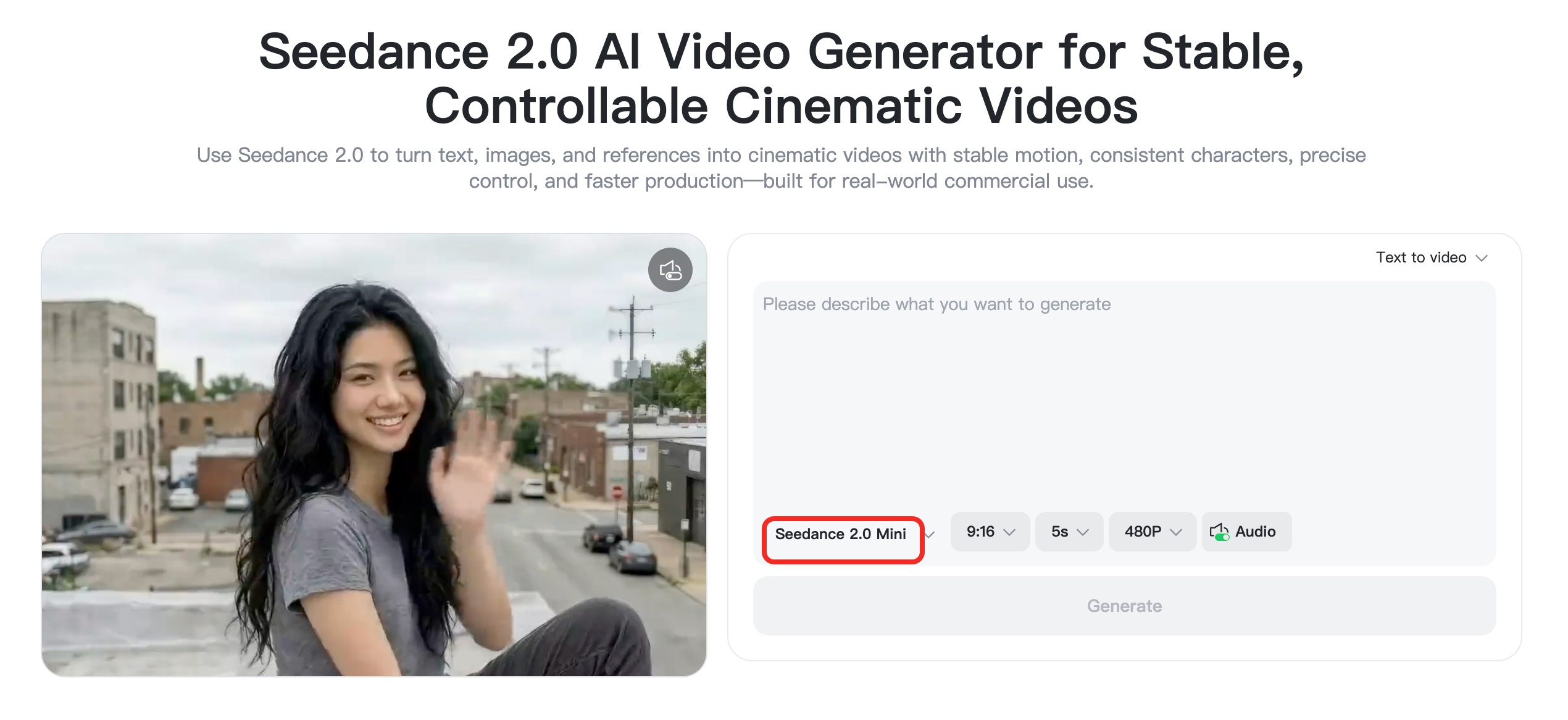
Step 2: Paste a Seedance 2.0 Mini prompt
Copy one prompt from this guide and paste it into the prompt box. Replace generic details with your exact subject, brand, scene, product, color palette, or video goal.
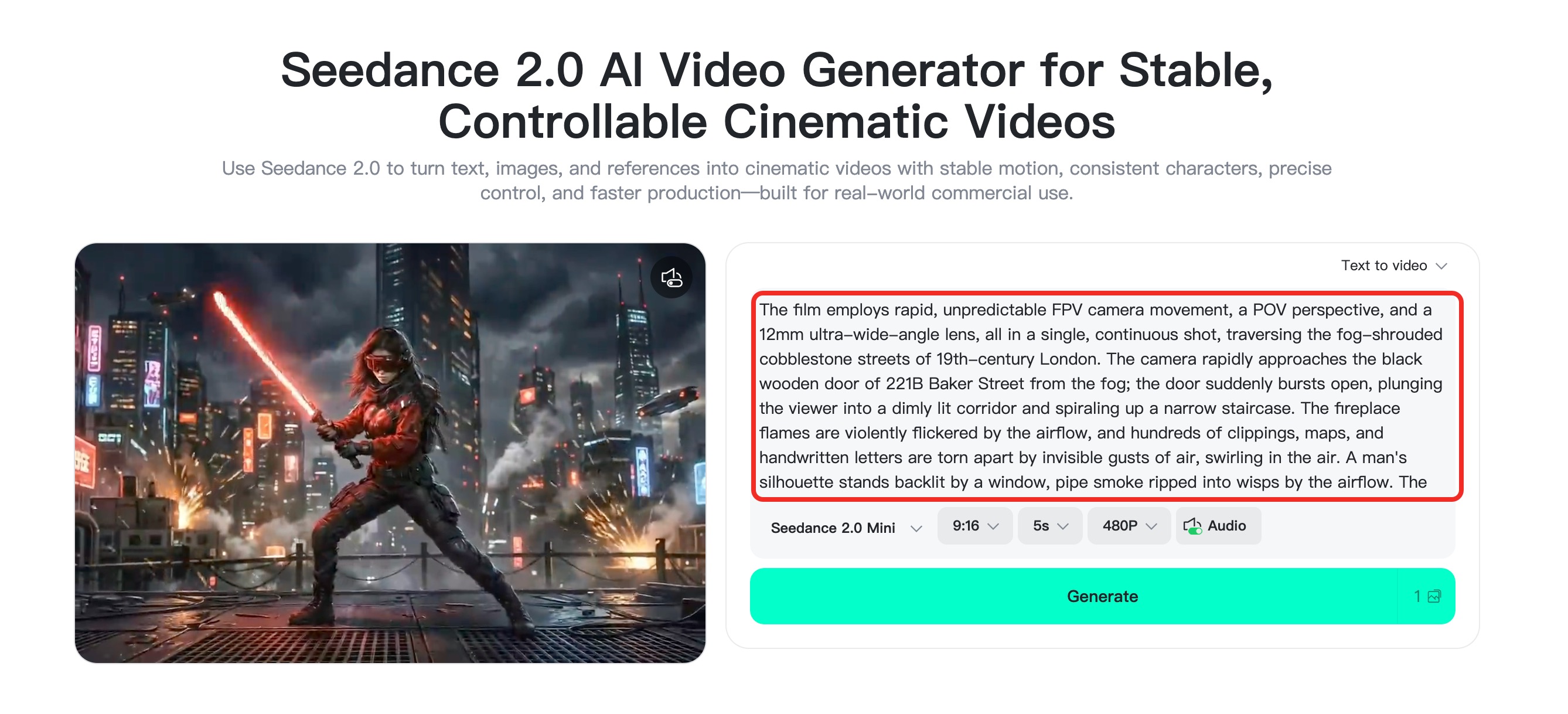
Step 3: Adjust model, ratio, duration, and quality
Open the video settings and choose the model option that fits your workflow. Use vertical ratio for TikTok, Reels, and Shorts, square for feed posts, and landscape for website or presentation clips. Keep duration short when you are testing prompt ideas.
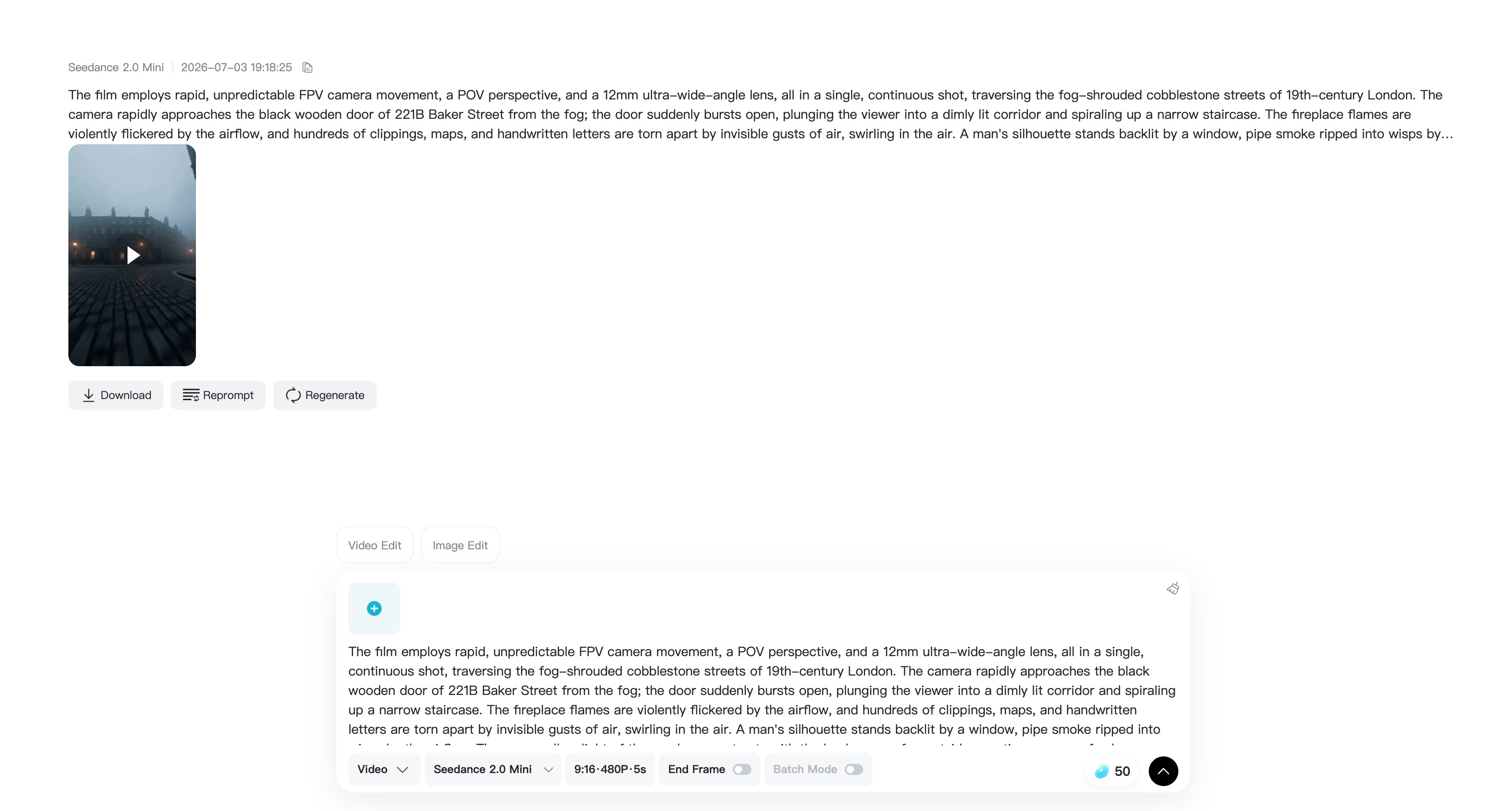
Step 4: Generate, review, refine, and download
Click generate and review the clip. Check subject consistency, camera movement, lighting, and whether the action is clear. If the output is close, refine one part of the prompt instead of rewriting everything. When it looks right, download the finished video.
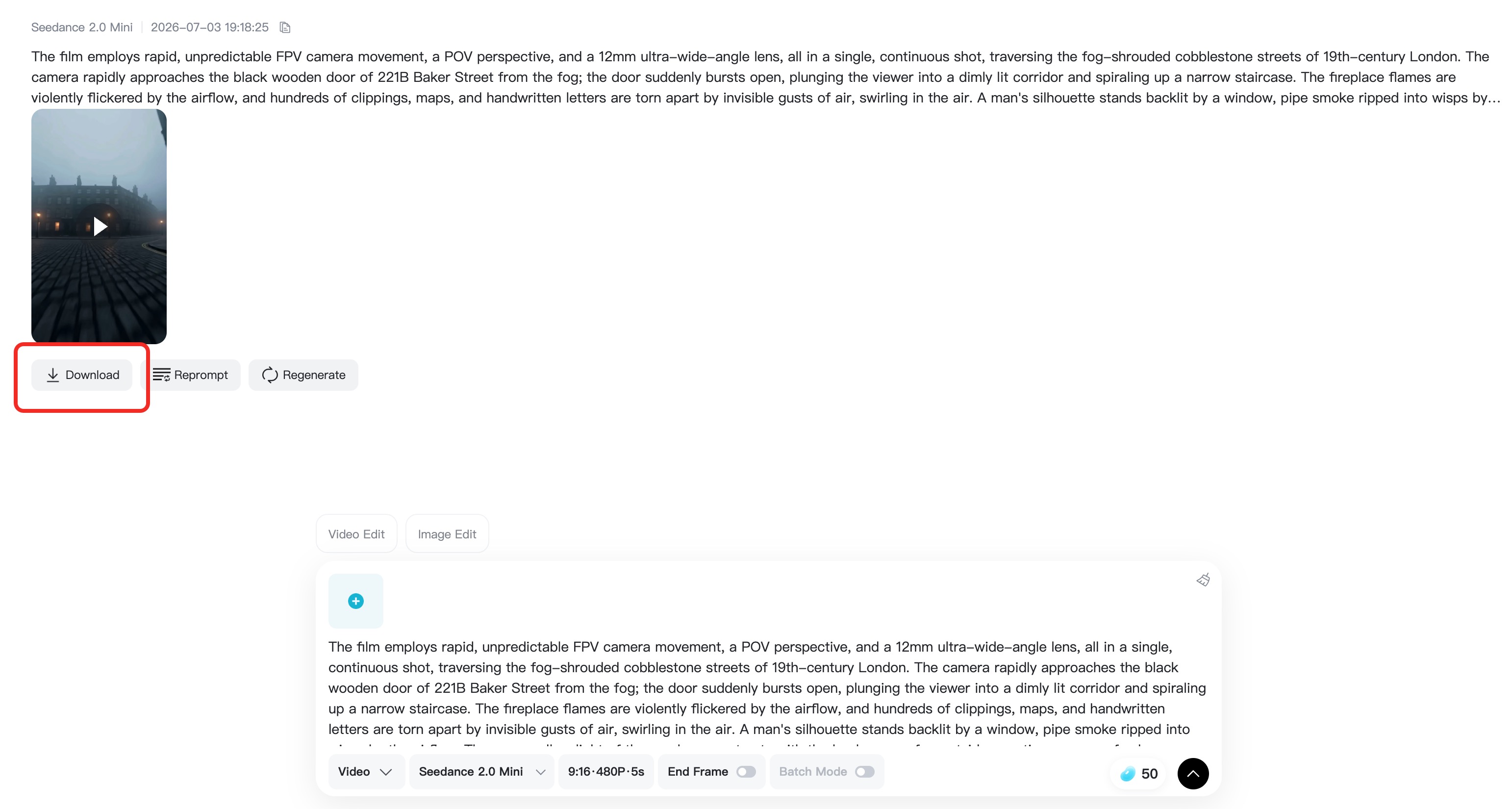
FAQs About Seedance 2.0 Mini Prompts
What is seedance 2.0 mini best for?
Seedance 2.0 Mini is best for quick video drafts, prompt testing, short-form concepts, ad variations, and creative exploration. Use it when you want to compare several ideas before choosing the best one to polish.
Can I use these prompts for product videos?
Yes. The product ad prompts work well for skincare, gadgets, fashion items, food, and home goods. Replace the product description, background, lighting, and camera style so the output matches your brand.
Should I use text-to-video or image-to-video?
Use text-to-video when you want to create a scene from imagination. Use image-to-video when you need visual consistency for a product, person, pet, logo, or character. Image inputs usually help preserve identity and composition.
How long should a Seedance 2.0 Mini prompt be?
Aim for one focused paragraph. Include subject, action, setting, camera movement, style, lighting, and a few negative constraints. Avoid long scripts unless the tool specifically supports scripted multi-scene generation.
Can I make viral social videos with these prompts?
You can create social-ready clips, but virality still depends on the idea, hook, pacing, caption, and audience fit. Use Mini-style prompt testing to generate more options, then choose the clip with the clearest first two seconds.

I'm a professional writer and amateur photographer, and I author insightful articles at insMind to help you integrate AI into compelling image creation.
Keep reading

How to Use Seedance 2.5 for AI Videos
Learn how to use Seedance 2.5 for text-to-video and image-to-video, write stronger prompts, guide motion with references, and review results.

How to Make a Creepy Voice for Horror Content Step by Step
Learn how to make a creepy voice for horror videos, podcasts, and games with insMind.

How to Remove TikTok Watermark: 4 Easy Steps for Clean Videos
Learn how to remove TikTok watermark from videos in four practical steps with insMind.

Top 10 Seedance 2.5 Alternatives for AI Video in 2026
Compare top Seedance 2.5 alternatives and learn how to create AI videos with insMind.

Seedance 2.5 vs. MiniMax H3: Which AI Video Model Should You Use?
Compare Seedance 2.5 and MiniMax H3 for AI video creation.

30 Instagram Reels Prompts You Can Copy and Try
Copy-ready Instagram Reels prompts for products, fashion, creators, travel, food, pets, and lifestyle videos.

How to Write Instagram Reels Prompts for AI Videos
Learn to write Instagram Reels prompts for polished AI videos, product clips, creator posts, and lifestyle content.

30 TikTok Video Prompts You Can Copy and Try
Copy-ready TikTok video prompts for ads, creators, products, fashion, pets, travel, and more.

How to Create an AI Micro-drama: A Step-by-Step Guide
Learn how to create an AI micro-drama with insMind.

How to Create a Short Film Using AI in 2026
Learn how to create a short film using AI with insMind.

Instagram Reel Ads: Examples, Specs, Sizes, and Best Practices
Learn Instagram Reel ad specs, examples, safe zones, and best practices.

YouTube Ads Best Practices: How to Create Video Ads
Learn YouTube ads best practices and create video ads with insMind.

YouTube Channel Trailer Examples: 15 Inspiring Ideas for Your Channel
Explore YouTube channel trailer examples and create a polished trailer with insMind.

15 Best YouTube Ad Examples and Templates to Inspire Your Next Campaign
Explore YouTube ad examples and templates, then create video ads with insMind.

How to Make a Hype Video with AI: The Easy Guide
Learn how to make a hype video with AI using insMind.

Instagram Ad Templates for Feed, Stories, Reels, and Carousel Ads
Learn Instagram ad templates for Feed, Stories, Reels, and Carousel Ads.

Facebook Video Ad Specs: Sizes, Formats, and Lengths for 2026
Learn Facebook video ad specs, sizes, formats, and lengths for 2026, then make ad-ready videos with insMind fast.

How to Create Facebook Video Templates for Posts, Ads, Covers, and Live Video
Learn how to use Facebook video templates for posts, ads, covers, and live video with insMind.

Instagram Ad Examples: 15 Creative Ideas That Convert
Explore 15 Instagram ad examples and learn how to make them with insMind.

Instagram Ad Sizes and Specs: Complete 2026 Guide
Find Instagram ad sizes, specs, ratios, and dimensions for every major placement.

10+ Video Resume Examples with Scripts for Every Career Stage
Explore video resume examples and scripts, then create a polished video resume with insMind.

How to Make a Sports Hype Video with AI: A 4-Step Guide
Learn how to make a sports hype video with AI.

YouTube Ad Specs for 2026: Sizes, Formats, and Lengths
YouTube ad specs for sizes, formats, dimensions, and lengths, plus a four-step insMind workflow.

30 Best Grok Imagine Video Prompts You Can Copy and Try
Copy 30 Grok Imagine video prompts and learn how to write better prompts for creative AI videos.

50 Scroll-Stopping AI Brainrot Prompts for Viral Meme Videos
Copy 50 scroll-stopping AI brainrot prompts for chaotic meme videos.

How to Turn Any Photo into a Brainrot Meme Video
Learn how to turn any photo into a brainrot meme video with AI.

How to Make a Retirement Video with AI
Learn how to make a retirement video with AI.

How to Make Your Own Graduation Video from Photos with AI
Learn how to make a graduation video from photos with AI.

How to Make Your Own Outro Video
Learn how to make your own outro video with insMind.

Higgsfield vs Pollo AI: Which Video Platform Fits You?
Compare Higgsfield vs Pollo AI for cinematic control, model choice, ease of use, and pricing.

Pollo AI Review 2026: Features, Pros, Cons, and Verdict
Read our Pollo AI review for 2026 and explore its features, pricing, strengths, limitations, ideal users, and practical tips for better results.

How to Create Cute Baby Talking Videos from Photos
Learn how to create baby talking videos from photos with text, audio, and AI lip sync.

How to Make Your Own Talking Avatar with AI
Learn how to make your own talking avatar with AI from a portrait and script.

Seedance 2.0 Mini vs Seedance 2.0: Which Model Should You Use?
Compare Seedance 2.0 Mini and Seedance 2.0 for AI video creation.

How to Create Talking Animal Videos from Photos That Steal the Show
Learn how to create talking animal videos from photos with AI.

How to Turn a Character Image into a Consistent AI Video
Learn how to turn a character image into a consistent AI video with insMind.

10 Krea AI Alternatives for Creating and Editing AI Videos in 2026
Compare the best Krea AI alternatives for creating and editing AI videos, including insMind, Runway, Kling AI, Luma, Pika, VEED, and more.

Seedance 2.0 Mini Prompts to Copy: 20 Video Ideas
Copy Seedance 2.0 Mini prompts for cinematic AI videos with insMind.

Seedance 2.0 vs Seedance 2.5: What Changed?
Compare Seedance 2.0 and Seedance 2.5 with examples, prompts, and insMind workflow.

10 Best Pollo AI Alternatives for AI Video Creation in 2026
Compare the best Pollo AI alternatives for AI video creation, including insMind, Runway, Kling AI, Luma, Pika, VEED, and more.

How to Make an AI Video of Yourself That Actually Feels Like You
Create a realistic AI video of yourself from a photo and script.

How to Turn Old Photos into a Beautiful Tribute Video with AI
Turn old photos and memories into beautiful AI tribute videos.

How to Make a Daily Vlog with AI in Minutes
Create daily AI vlogs from photos, prompts, or ideas in minutes.

How to Create 2026 FIFA World Cup Highlights with AI
Create 2026 FIFA World Cup highlights, fan clips, and football videos with AI.

Best AI Video Extender for Creators: Top Tools Compared
Compare the best AI video extender tools for creators in 2026 and learn how to make short videos longer with insMind.

How to Edit YouTube Videos Faster with AI
Edit YouTube videos faster with AI background and style tools.

How to Create Training Videos with AI: A Complete Guide for Beginners
Create clear training videos from images and prompts with AI.

Create Product Reveal Videos with an AI Unboxing Video Maker
Learn how to create AI unboxing videos for product reveals, UGC, teasers, and ecommerce demos.

Create Smooth AI Video Transitions with Kling Start/End Frame
Learn how to create smooth AI video transitions with Kling Start/End Frame.

What Can You Choose for the Best InVideo Alternatives in 2026?
Compare the best InVideo alternatives and see why insMind is a strong AI video generator for creators and marketers.

10 Best Animaker Alternatives in 2026: New Trends in AI Video Creation
Compare the best Animaker alternatives for AI video creation, including free and open-source picks.

10 Best HeyGen Alternatives in 2026: Create AI Videos with More Freedom
Compare the best HeyGen alternatives for AI video creation, including free and open-source picks.

How to Make a Faceless YouTube Channel with AI
Make a faceless YouTube channel with AI tools, scripts, video ideas, and insMind.

Best CapCut Alternatives: 8 AI Video Editors Compared
Compare the best CapCut alternatives for iPhone, Android, PC, and AI video editing.

How Ecommerce Brands Replace Products in Videos with AI
Replace products in ecommerce videos with AI for ads, listings, and creative testing.

How to Change Video Background Without Green Screen: Step-by-Step Guide
Learn how to change video backgrounds without a green screen using simple AI editing steps.

How to Seamlessly Replace Objects in Videos with AI
Step-by-step guide on replace objects in videos with AI: how it works, best practices, and how to do it free with insMind.

How to Identify AI-Generated Videos: A Comprehensive Guide
Learn how to identify AI-generated videos using expert tips and insMind's tools for authenticity verification.

Can AI Really Edit Videos For You? A Deep Dive Into AI Video Editing
Discover how AI can edit videos effectively, using insMind and other top tools. Learn workflows, compare features, and explore future trends.

Crafting Viral Bigfoot AI Videos: A Step-by-Step Guide
Create viral Bigfoot AI videos with insMind. Learn how to optimize for TikTok and YouTube, avoid common mistakes, and more.

Discover the Versatility of Happy Horse 1.0 for AI Video Creation
Happy Horse 1.0 review explores AI video generation, integration with insMind, and practical applications for content creators.

Seedance 2.0 vs. Happy Horse 1.0: Which AI Video Generator Fits Your Needs?
Discover the differences between Seedance 2.0 and Happy Horse 1.0. Learn which AI video generator suits your needs best.

How to Make Educational Videos for Kids with AI (4 Easy Steps)
Write a structured script, choose model and audio, generate, and download—a step-by-step guide to making AI educational videos for kids with prompt templates.

Best AI Prompts for Explainer Videos (Proven Templates)
Four proven AI prompt templates for explainer videos—presenter, product demo, faceless brand, and tutorial—plus how to use insMind in 3 steps.

Best AI Explainer Video Generator for Business (2026 Guide)
Choose text-to-video or image-to-video, configure model and audio, generate and download—a complete 2026 guide to AI explainer videos for business with insMind.

Best Prompts for Wan 2.7: Multi-Shot Guide for Cinematic AI Video
Choose text or image mode, write scene-block prompts for Wan 2.7, set duration and audio, then download—plus 40+ language narrative tips.

How to Create Kids Videos with AI: A Parent-Friendly Guide
Upload art or start from text, write kid-safe prompts, pick Google Veo 3.1, generate and download—steps for parents and teachers.

From Script to Screen: How to Create Engaging Story Videos with AI Tools
Learn how to create story videos with AI: split scripts into scenes, optional reference images, generate clips in insMind, then merge. No pro editor required to start.

How to Make a Baby Dance Video with AI: Step-by-Step Guide
Turn a baby photo into a cute AI dance clip. Upload, write a motion prompt, pick model and duration, generate—no editing skills needed.

How to Make a Cat Dance Video with AI: Step-by-Step Guide
Turn a cat photo into a funny dance clip with AI image to video. Upload, write a motion prompt, generate, and download—no editing skills.

Best AI Tool for Pet Dance Videos (2026 Compared)
Compare top AI pet dance video tools with real screenshots, pros and cons, and a tested insMind image-to-video workflow plus copy-ready prompt.

Top 20 AI Fruit Video Prompts to Copy & Paste
Discover top AI fruit video prompts for creating engaging, trendy videos. Perfect for TikTok and other platforms, these prompts inspire creative content.

Funny AI Video Prompts That Work (Tested Examples)
Get 20+ tested funny AI video prompts that actually make people laugh. Copy-paste prompts for TikTok, Reels, and YouTube Shorts with step-by-step instructions.

Affordable AI Video Solutions for E-commerce Startups
Discover affordable AI video solutions for e-commerce startups. Learn about budget-friendly tools and maximize ROI with AI-generated content.

Transforming Marketing with AI Video Ads
Discover how AI video ads are transforming online marketing with personalized, efficient, and creative solutions. Learn techniques and examples.

Mastering Cinematic Ad Creation with Seedance 2.0
Create cinematic ads with Seedance 2.0, a powerful AI tool for video advertisements. Learn how to make stunning video ads using Seedance 2.0.

Mastering Viral Video Creation with Seedance 2.0
Discover how to create viral videos using Seedance 2.0 with tips, prompts, and insights on social media trends.

Close-Up Shot: Definition, Story Uses & Tighter Framing
What is a close-up shot? Definition, when to use tight framing for emotion and detail, and tips for shooting cleaner inserts on any camera.

YouTube Equipment for Beginners: Gear, AI Video & Your First Upload (2026)
Beginner YouTube equipment: priority order for mic, light, and camera; clear audio on a budget; phone vs dedicated camera; Shorts and 16:9 basics.

How to Create Anime Videos with AI (Step-by-Step Guide)
Learn how to create anime videos with AI step by step. Use text-to-video and image-to-video to generate stunning anime animations with insMind.

How to Make Viral Funny Videos with AI in 5 Minutes
Learn how to make viral funny videos with AI in minutes. Step-by-step guide to creating hilarious TikTok and Instagram clips using insMind AI funny video generator.

How to Create Talking Old Photo Videos with AI
Learn how to animate old photos with AI. Turn vintage portraits into talking videos with realistic motion using insMind free photo animation tool.

7 Best Sora 2 Alternatives for AI Video Generation in 2026
Discover the best Sora 2 alternatives for AI video generation. Compare insMind, Runway, Kling AI, Pika, and more to find the right tool for your needs.

AI Prompts for TikTok Video Generator: Complete Guide
Discover the best AI prompts for TikTok video generation. 20+ ready-to-use prompts plus a step-by-step guide to creating viral TikTok content with AI.

How to Upscale Anime Video to 4K with AI (Step-by-Step)
Learn how to upscale anime video to 4K using AI. Step-by-step guide to enhancing low-res anime with sharper lines and cleaner colors.

AI Marketing Video Generator: Create Promo Videos from Text
Learn how to turn text into professional marketing videos using AI. Step-by-step guide to creating promo videos in minutes.

Text-to-Video AI Ranked: Which Generator Wins in 2026?
Compare the 7 best text-to-video AI generators in 2026 including insMind, Sora 2, Runway, Kling AI, Pika, and more.

Animate Anime Images with AI: Turn Static Art into Dynamic Anime Videos
Learn how to animate anime images with AI. Turn static anime art into stunning animated videos easily.

How to Remove Kling Watermark from AI Videos
Explore the best ways to remove Kling AI watermark. Compare editing methods and discover watermark-free Kling generation options.

AI Video Editor: Edit Videos Instantly with Prompts
Use insMind AI Video Editor and prompts to edit videos, remove objects, change backgrounds and more.

Control the Narrative: Create Cinematic AI Videos with Start & End Frames
From start to finish, take control of AI video storytelling with Start & End Frames.

How to Create a Stranger Things Transition Video (Step-by-Step Guide)
Create a Stranger Things–style Upside Down transition with AI in just a few steps using insMind.

Transform Your Ideas: Generate Videos from Text Instantly
Turn text into videos in seconds with InsMind's AI—ideal for social media, ads, and presentations. No editing skills required.

Tralalero Tralala: How to Animate the Italian Shark Meme with AI Flair
Animate the viral “Tralalero Tralala” Italian Shark meme with AI for fun, shareable content.

Top TikTok Memes 2025: 'Tung Tung Tung Sahur' & Viral Trends You Can't Miss
2025 TikTok trends: AI-generated Italian Brainrot memes and creepy Tung Tung Tung Sahur dominate viral humor.