


Daily vlogs move fast. One day you have a cafe moment, a travel photo, a quick outfit shot, or a behind-the-scenes idea. The next day it is buried in your camera roll. With an AI Vlog Maker, you can turn those everyday moments into short vlog-style videos without filming every scene from scratch.
The idea is simple: start with a photo, a prompt, or a daily story, then let AI create realistic motion, scene energy, and a social-ready vlog feel. For creators, students, travelers, small businesses, and lifestyle bloggers, this makes content creation feel less like a full production day and more like a quick creative habit.
In this guide, you will learn how to make a daily vlog with AI using insMind. We will cover what an AI vlog tool does, why it is useful for short-form content, how to generate a vlog step by step, and how to write prompts that look natural on TikTok, Instagram Reels, YouTube Shorts, and other social platforms.
Table of Contents
What Is an AI Vlog Maker?
An AI vlog maker is a video generation tool that helps you create short vlog-style clips from a photo, a prompt, or a simple daily idea. Instead of recording a full video, planning B-roll, trimming clips, and adding transitions manually, you describe the scene and let AI build a short moving result.
The best use case is not replacing your personality. It is filling the gap between still content and full video production. A single street photo can become a travel vlog opener. A food image can become a short cafe vlog. A product photo can become a quick unboxing-style scene. A quiet daily routine idea can become a visual clip for social content.
This is especially helpful when you want to post consistently but do not have time to film every angle. You can still guide the look with your prompt: camera movement, lighting, background, outfit, mood, pacing, and platform style.
Why Make Daily Vlogs with AI?
Daily vlogging is popular because it feels personal and immediate. Viewers like small moments: walking through a city, making coffee, opening a package, packing a bag, studying at a desk, or trying a new meal. The challenge is that these moments still require filming, lighting, retakes, and editing.
AI makes the process lighter. You can use one image or one written idea as the base, then generate a short vlog clip for the platform you care about. This is useful when you need a visual hook, a content filler, a mood clip, or a quick concept before shooting a full video.
For travel creators, an AI Travel Video Maker can turn vacation images into moving destination clips. For brands and creators testing social proof content, an AI UGC video generator can support product-style scenes. A daily vlog sits between those two needs: personal enough to feel human, but fast enough to publish often.
How to Make a Daily Vlog with AI Using insMind
insMind keeps the workflow direct. You can upload a photo or start from a vlog idea, choose the type of vlog you want, write a prompt, generate the video, and download it for social sharing.
Step 1: Upload a Photo or Start with an Idea
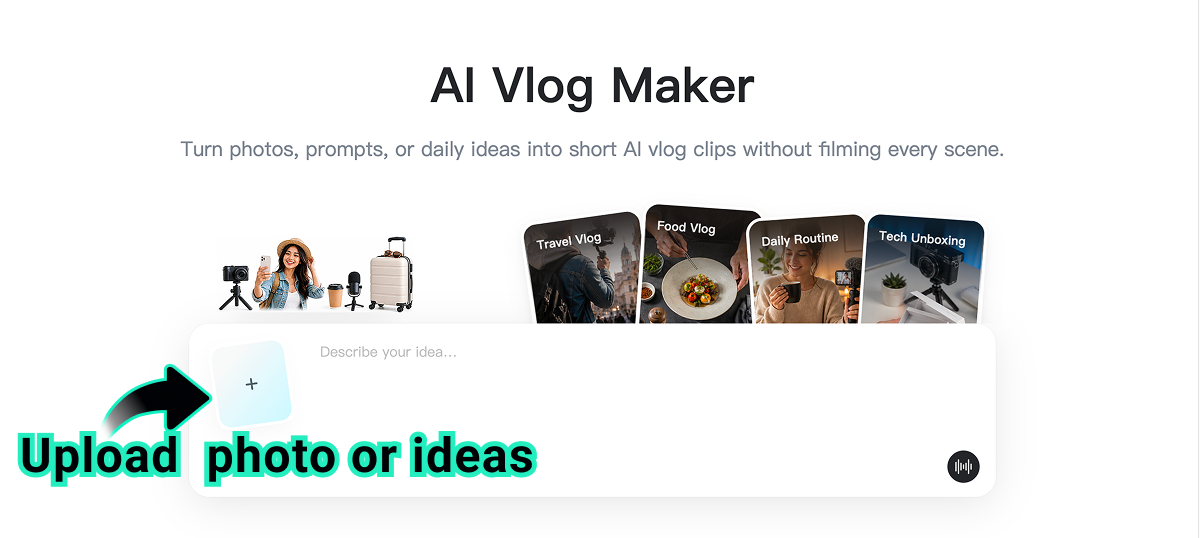
Start by uploading a photo that matches your daily vlog idea. This can be a travel portrait, lifestyle image, street shot, food photo, outfit picture, room scene, desk setup, product image, or any everyday moment you want to turn into motion.
You can also begin with a simple idea if you do not want to use a photo. For example, you might create a morning coffee vlog, a Kyoto street walk, a study desk routine, a food tasting clip, or a quick unboxing moment. The clearer your starting point is, the easier it is for AI to create a focused vlog scene.
Step 2: Choose a Vlog Type and Add Your Prompt
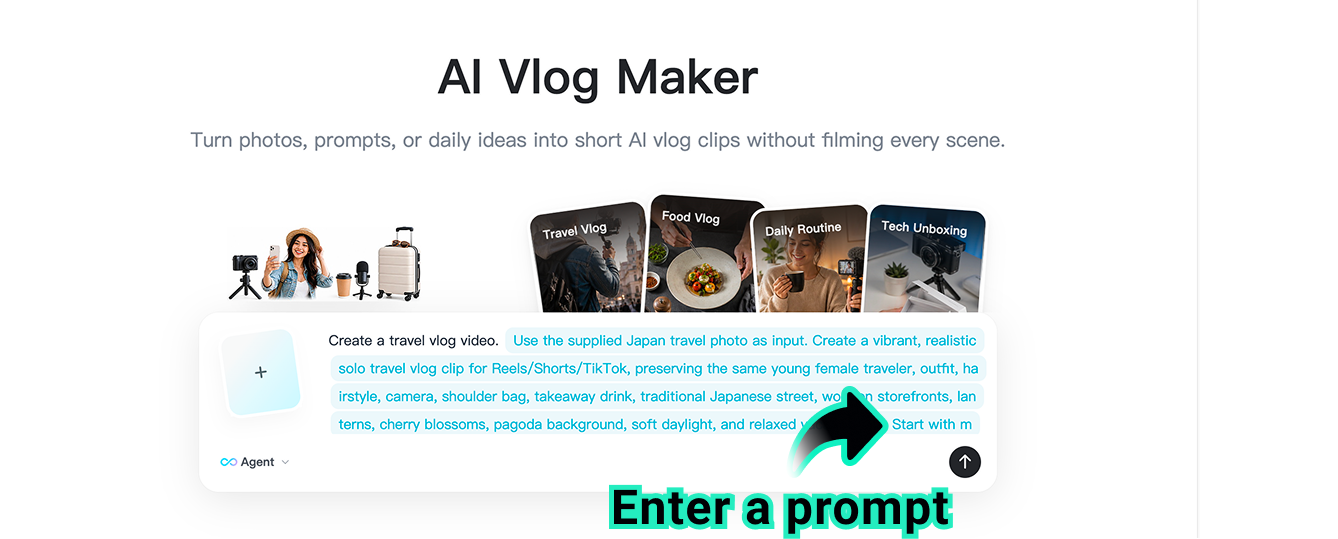
Next, select a vlog type from the page. Common options include travel vlog, food vlog, daily routine, and unboxing. This gives the AI a creative direction before you add details.
Then write your prompt. Include the scene, mood, camera movement, outfit, lighting, background, and platform style. A strong prompt might say: Create a vibrant solo travel vlog clip from this Japan street photo. Keep the same young female traveler, outfit, hairstyle, camera, shoulder bag, takeaway drink, wooden storefronts, lanterns, cherry blossoms, pagoda background, soft daylight, and relaxed vacation mood. Use a natural handheld vlog camera movement for Reels, Shorts, and TikTok.
Step 3: Click Generate
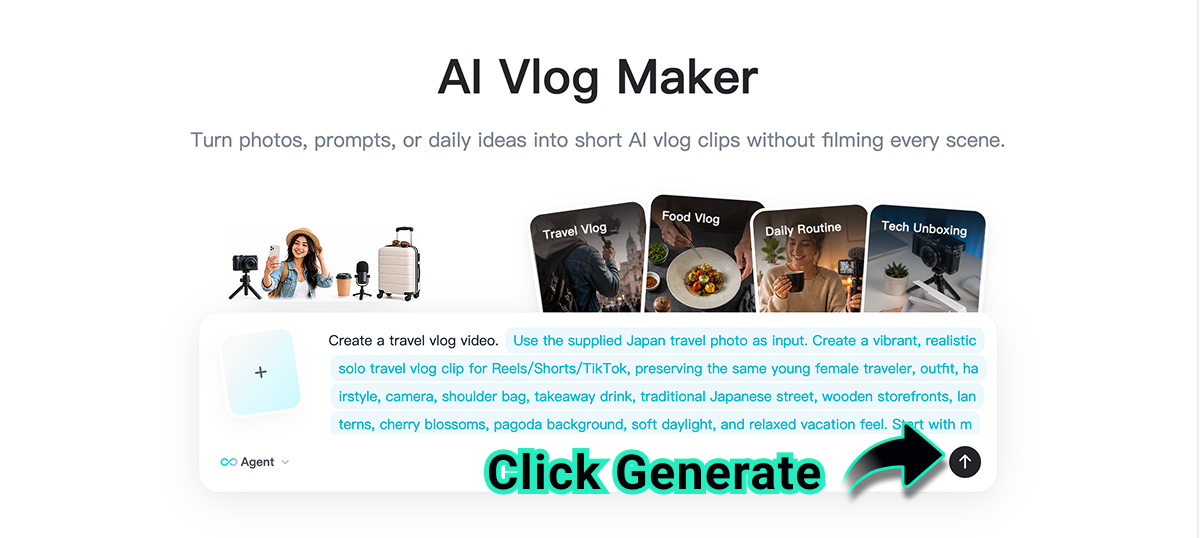
Click Generate and let insMind turn your selected vlog type, photo, and prompt into a short AI vlog. The tool creates realistic motion, natural scene transitions, and a dynamic short-form video feel.
At this stage, keep the result focused. If you want a daily routine vlog, ask for one natural action. If you want a travel vlog, ask for one camera movement. If you want a food vlog, ask for one clear serving or tasting moment. Simple direction often looks more realistic than asking for too many actions in one clip.
Step 4: Download and Share
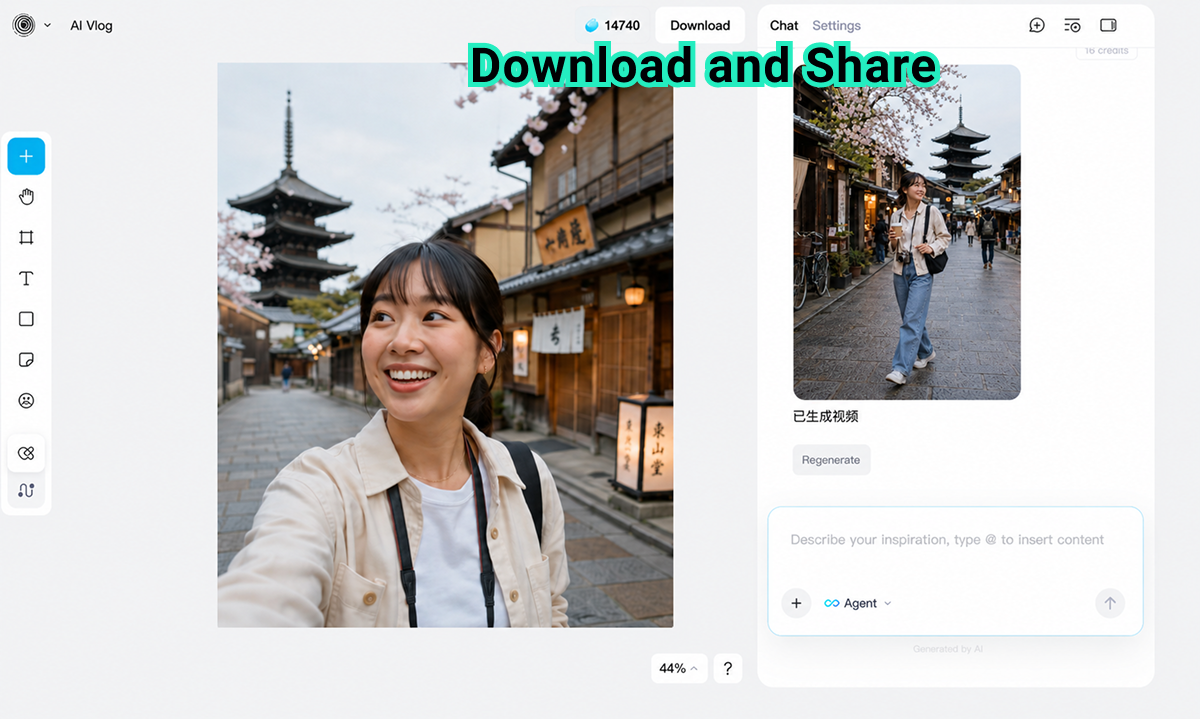
When the video is ready, preview the generated AI vlog. Check the first second, subject consistency, camera motion, background, and overall mood. If the movement feels too intense or too quiet, revise your prompt and generate another version.
Once you are satisfied, download the video and share it on TikTok, Instagram Reels, YouTube Shorts, Facebook, Discord, or other social channels. If you want a Shorts-specific version, you can also use an AI Shorts maker to shape the clip around vertical pacing and quick hooks.
Daily Vlog Ideas and Complete Prompt Examples
Not every vlog needs the same prompt. The best prompt depends on the daily moment, platform, and visual style you want. Use the examples below as complete starting points, then swap in your own subject, location, and mood.
| Vlog Type | Complete Prompt Example | Best For |
|---|---|---|
| Travel Vlog | Create a 9:16 travel vlog clip from this Japan street photo. Keep the same traveler, outfit, hairstyle, shoulder bag, camera, takeaway drink, wooden storefronts, lanterns, cherry blossoms, and pagoda background. Use a relaxed handheld walking camera movement, soft daylight, natural tourist energy, and a warm vacation mood for Reels, Shorts, and TikTok. | Vacation posts, city walks, trip recaps |
| Food Vlog | Create a cozy food vlog scene from this cafe table photo. Show a smooth close-up camera push toward the meal, gentle steam rising, warm indoor lighting, soft background blur, and a relaxed weekend brunch mood. Keep the food realistic, appetizing, and suitable for a short Instagram Reel or TikTok food diary. | Restaurants, cafes, food diaries |
| Daily Routine | Create a calm daily routine vlog from this bedroom or desk photo. Add a gentle morning camera movement, soft natural window light, subtle hand movement, tidy lifestyle details, and a peaceful productive mood. Make the clip feel like a realistic day-in-the-life opener for YouTube Shorts or Instagram Reels. | Lifestyle creators, students, productivity posts |
| Unboxing Vlog | Create a short unboxing vlog from this product photo. Use a clean tabletop setup, soft studio lighting, a smooth camera tilt, natural hand motion opening the package, and a satisfying reveal of the product. Keep the brand look polished, simple, and ready for a social media product teaser. | Product launches, creator reviews, ecommerce videos |
| Coffee Shop Day | Create a cozy coffee shop vlog from this lifestyle photo. Use a slow handheld camera move across the table, warm latte tones, soft background movement, realistic cafe lighting, and a calm afternoon mood. Keep the subject natural and leave room for text captions at the top of the frame. | Lifestyle reels, personal blogs, mood clips |
If your starting asset is a still image, you can also make image clips from photos before building a broader vlog series. The trick is to keep each clip focused on one moment, then combine several clips later if you want a longer story.
Prompt Tips for More Natural AI Vlogs
A daily vlog should feel casual, but the prompt still needs structure. You are giving AI a mini production brief, so include the details that matter most.
Name the vlog style: Travel vlog, food vlog, daily routine, study vlog, unboxing, shopping vlog, or cozy day-in-life.
Use one camera move: Try handheld follow, slow push-in, gentle pan, close-up tilt, selfie-style movement, or natural walking shot.
Preserve identity and details: Ask AI to keep the same person, outfit, object, food, product, background, and lighting when those details matter.
Make the platform clear: Mention TikTok, Instagram Reels, YouTube Shorts, or a presentation opener so the pacing fits the format.
Avoid crowded action: One clean action usually looks better than several competing movements in a short clip.
For the most natural result, describe continuity. Instead of "make it cinematic," say what should continue: the traveler walks forward, the camera gently follows, the background stays consistent, the lighting remains soft, and the subject keeps the same expression.
Common Mistakes to Avoid
Using a vague prompt
A prompt like "make a vlog" does not give the AI enough direction. Add the scene, camera movement, mood, subject action, lighting, and platform.
Asking for too many actions
A short vlog clip should usually focus on one clear moment. If you ask for walking, waving, eating, camera orbit, outfit change, and background transition all at once, the result may look unstable.
Ignoring the source image
If you upload a photo, write a prompt that respects what is already in the frame. Keep the same subject, lighting direction, location, and important objects unless you truly want a transformation.
Skipping the preview
Always preview the clip before posting. Check subject consistency, hands, face details, object shape, background motion, and whether the first second is strong enough for social feeds.
FAQs About AI Vlog Makers
Can I make a daily vlog without filming?
Yes. You can start from a photo or a written idea, then use AI to generate a short vlog-style video. For best results, provide a clear prompt with the scene, mood, camera movement, and platform.
What photos work best for AI vlogs?
Clear lifestyle, travel, food, outfit, desk, product, or street photos work well. Choose images with a visible subject and enough background detail for natural motion.
Can I post AI vlogs on TikTok or Instagram Reels?
Yes. Download the finished video and share it on TikTok, Instagram Reels, YouTube Shorts, or other platforms. Review the result first to make sure it matches your content style and rights.
How long should an AI daily vlog be?
Short clips often work best. A 5- to 10-second AI vlog can create a strong hook, show one daily moment, or support a longer edit made from multiple generated clips.
How do I make an AI vlog look realistic?
Keep the prompt simple, preserve the subject and setting, name one camera movement, and choose natural lighting. Realistic motion usually comes from clear direction rather than dramatic changes.
Start Making AI Vlogs with insMind
A daily vlog does not need to start with a full shoot. If you have a photo, a moment, or a simple idea, you can use AI to create a short vlog-style video in minutes. This is a practical way to test content ideas, keep social feeds active, and turn small everyday moments into shareable clips.
Open insMind's AI Vlog Maker, upload a photo or type your idea, choose the vlog type, add a detailed prompt, generate the clip, and download the result. Whether you are making a travel vlog, food vlog, daily routine, or unboxing clip, AI can help you move from idea to post-ready video faster.

Sid Buckley
I'm a professional writer and amateur photographer, and I author insightful articles at insMind to help you integrate AI into compelling image creation.


