


Old photos carry more than faces. They hold birthdays, family dinners, weddings, graduations, retirements, quiet moments, and people we want to remember well. With an AI Tribute Video Maker, you can turn a meaningful photo, text memory, or life milestone into a short tribute video that feels warm, polished, and easy to share.
Instead of building a slideshow by hand, you can describe the mood you want and let AI add natural motion, gentle camera movement, warm expressions, and a cinematic tribute-video feel. This is useful when you want something more emotional than a static picture but do not have time to edit clips in a traditional video editor.
In this guide, you will learn how to turn old photos into a beautiful tribute video with AI using insMind. We will walk through the full workflow, share complete prompt examples, and show how to create birthday videos, wedding memories, retirement tributes, memorial videos, and other heartfelt clips from photos and memories.
Table of Contents
- 01 What Is an AI Tribute Video Maker?
- 02 When Should You Create a Tribute Video?
- 03 How to Make a Tribute Video with AI Using insMind
- 04 Tribute Video Ideas and Complete Prompt Examples
- 05 Prompt Tips for Emotional Tribute Videos
- 06 Common Mistakes to Avoid
- 07 FAQs About AI Tribute Videos
- 08 Create a Beautiful Tribute Video with insMind
What Is an AI Tribute Video Maker?
An AI tribute video maker is a video generation tool that helps you transform photos, text, and personal memories into short emotional videos. Instead of manually choosing transitions, adding keyframes, and arranging every clip, you give AI a scene direction and emotional tone. The tool then creates a moving result from your input.
A tribute video can be joyful, nostalgic, peaceful, celebratory, or reflective. It can honor a birthday, celebrate a wedding, recognize a retirement, remember a loved one, or turn an old family photo into a gentle video moment. The goal is not to make the image look unrealistic. The goal is to make the memory feel alive enough to share.
For old-photo projects, you can also explore Animate Old Photos when your main goal is to bring a vintage portrait or family picture to life. For tribute videos, the stronger focus is story, mood, and occasion.
When Should You Create a Tribute Video?
A tribute video works best when a photo or memory deserves more emotional space than a single image. You might want to make a short clip for a birthday dinner, anniversary post, wedding reception, graduation party, retirement ceremony, memorial slideshow, family reunion, or social media tribute.
AI can also help when you have limited materials. Maybe you only have one old photo, a short message, or a few words about the person or moment. A well-written prompt can turn that small input into a polished video with warm lighting, subtle motion, and a thoughtful tone.
For celebratory moments, a dedicated birthday tribute video maker can help you create joyful birthday scenes. For romance and family milestones, a wedding memory video creator is a good fit for wedding memories, anniversary clips, and sentimental couple videos.
How to Make a Tribute Video with AI Using insMind
insMind keeps the process simple: upload a meaningful photo, choose the tribute type, write a prompt, generate the video, preview the result, and download the final clip.
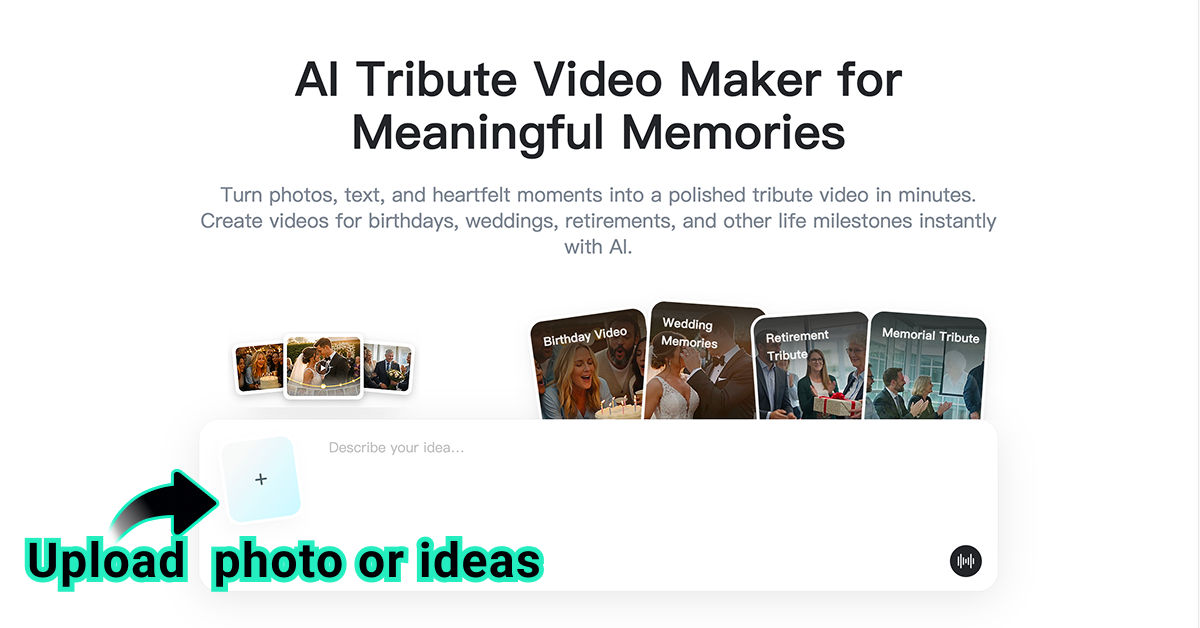
Step 1: Upload a Photo or Start with an Idea
Upload a meaningful photo, text, or memory you want to turn into a tribute video. It can be a birthday moment, wedding memory, retirement celebration, memorial tribute, or any heartfelt life milestone.
A clear photo usually gives the AI a better starting point. Choose an image where the main person, group, or scene is easy to see. If you are starting from text, write the memory in plain language, such as "a warm birthday tribute for my grandmother surrounded by family" or "a peaceful retirement tribute for a teacher after 30 years of service."
Step 2: Choose a Tribute Type and Add Your Prompt
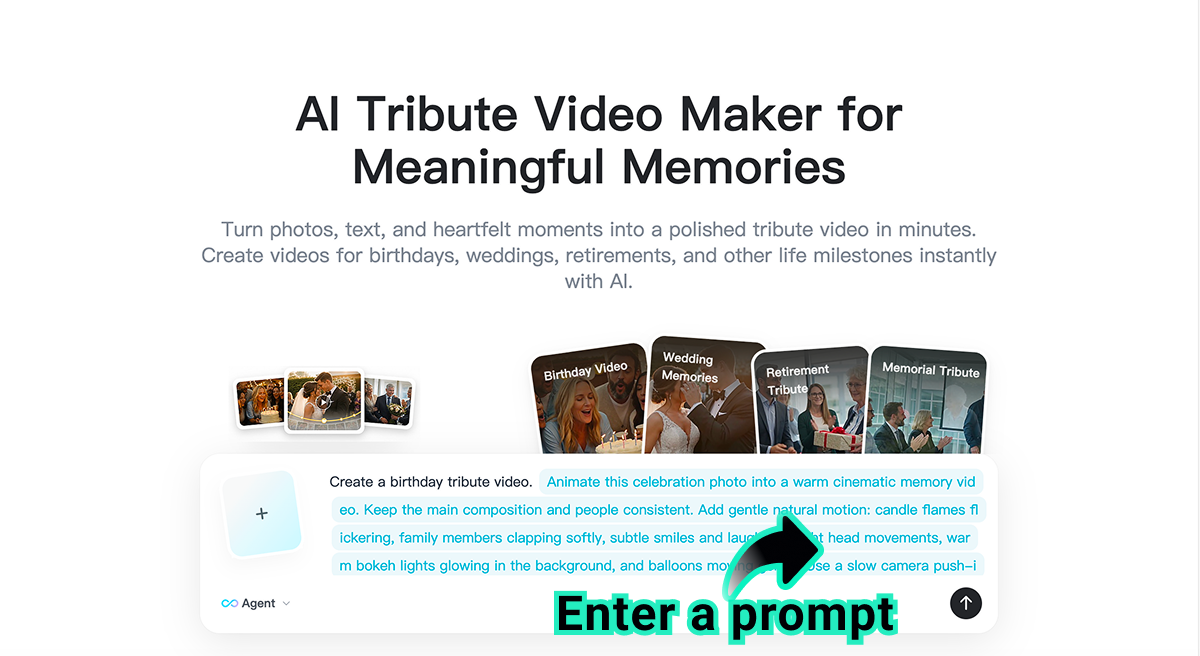
Select the tribute video type you want from the page, such as Birthday Video, Wedding Memories, Retirement Tribute, or Memorial Tribute. Then add a prompt to describe the mood, motion, people, scene details, camera style, and emotional tone.
You can also skip the preset type and write your own prompt from scratch. For example: Create a warm birthday tribute video from this old family photo. Keep the grandmother's face natural and kind, add soft candlelight, gentle smiles from family members, slow cinematic camera movement, warm indoor lighting, and a joyful but heartfelt celebration mood.
Step 3: Click Generate
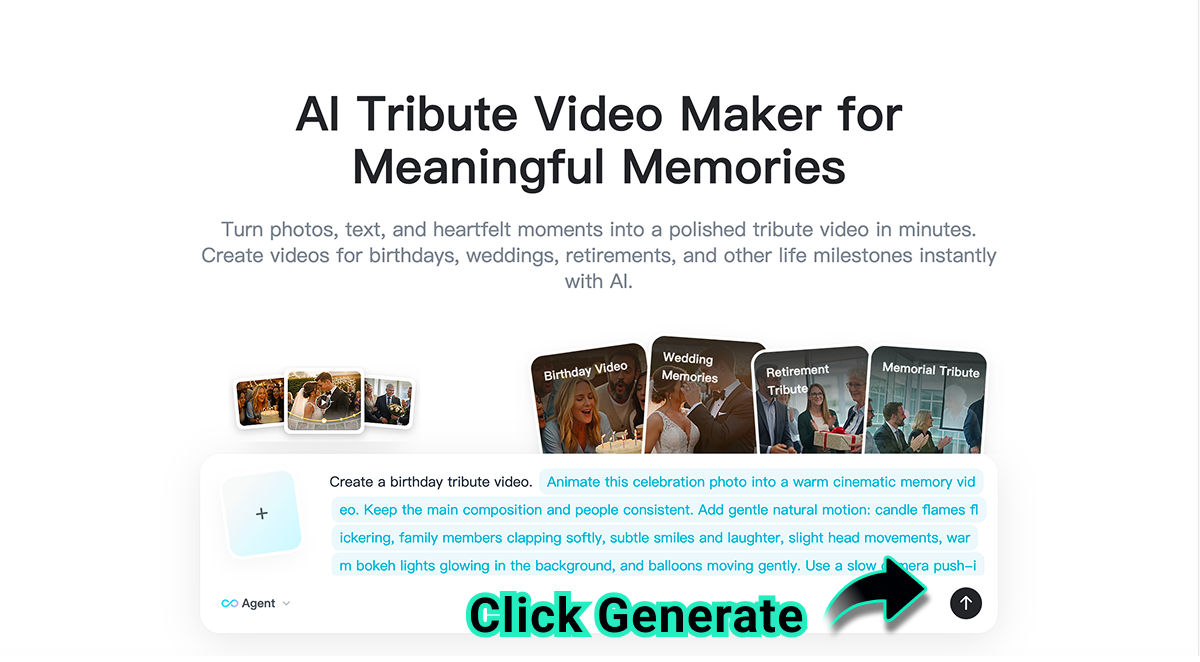
Click the generate button to let AI create your tribute video. The tool will animate the photo or memory with natural motion, warm expressions, gentle camera movement, and a polished tribute-video feel.
For emotional videos, simple motion often works best. A slow push-in, soft pan, subtle smile, candle flicker, gentle hand movement, or warm background movement can feel more respectful than dramatic effects. Let the memory stay central.
Step 4: Download and Share
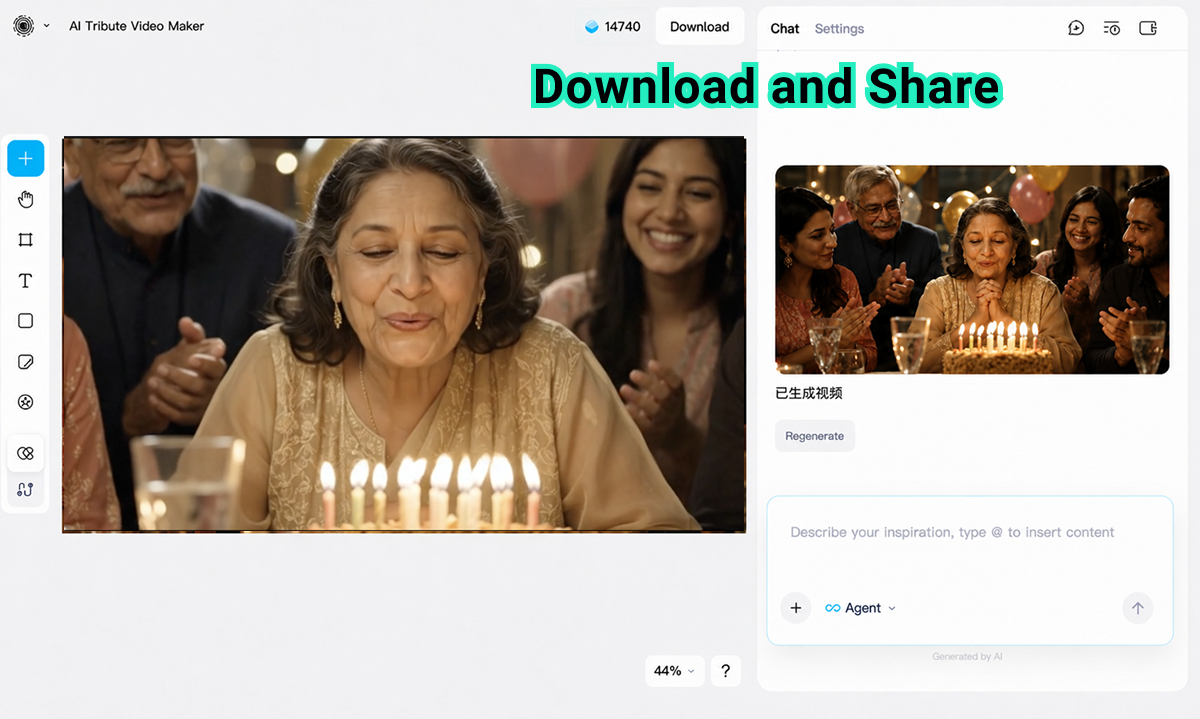
Preview the generated tribute video, then download it when you are satisfied. Check whether the motion, expressions, lighting, and emotional tone match the occasion. If needed, revise the prompt and generate another version.
You can share the final video with family, friends, or guests on social media, messaging apps, or during special events. It can work as a birthday message, event opener, wedding memory, retirement thank-you, or memorial tribute.
Tribute Video Ideas and Complete Prompt Examples
The best tribute videos begin with a clear occasion. A birthday tribute should feel different from a retirement video. A wedding memory should feel different from a memorial clip. Use the complete prompts below as starting points.
| Tribute Type | Complete Prompt Example | Best For |
|---|---|---|
| Birthday Tribute | Create a warm birthday tribute video from this old family photo. Keep the main person's face natural and recognizable, add gentle candlelight, soft smiles, family clapping in the background, slow cinematic camera movement, warm indoor colors, and a joyful but heartfelt celebration mood. | Family birthdays, milestone ages, party messages |
| Wedding Memories | Create a romantic wedding memories tribute from this couple photo. Add a soft camera push-in, warm golden lighting, subtle floral movement, gentle smiles, elegant background blur, and a nostalgic anniversary mood. Preserve the couple's identity, outfit, pose, and natural expression. | Weddings, anniversaries, couple memory videos |
| Retirement Tribute | Create a respectful retirement tribute video for a beloved teacher from this portrait. Use gentle office or classroom lighting, a slow cinematic pan, soft applause in the scene, proud and calm expressions, and a grateful celebration mood. Keep the person natural, dignified, and recognizable. | Teachers, coworkers, team leaders, career milestones |
| Memorial Tribute | Create a peaceful memorial tribute video from this old portrait. Use soft natural light, very gentle camera movement, calm background warmth, a respectful reflective mood, and subtle motion that honors the memory without changing the person's identity or expression dramatically. | Remembrance videos, family keepsakes, memorial slideshows |
| Family Milestone | Create a heartfelt family milestone tribute from this group photo. Add a slow zoom toward the family, warm home lighting, subtle background movement, natural smiles, and a nostalgic but hopeful mood. Make the video feel like a short family memory clip for sharing with relatives. | Reunions, graduations, anniversaries, family archives |
If you want to build several scenes from separate pictures, an image to video workflow can help you animate each photo first, then arrange the clips into a longer tribute edit.
Prompt Tips for Emotional Tribute Videos
A tribute prompt should be specific, gentle, and respectful. You are not only asking AI to animate a photo. You are shaping the feeling of the memory.
Name the occasion: Birthday, wedding memory, retirement tribute, memorial tribute, anniversary, family milestone, or celebration of life.
Preserve the person: Ask AI to keep the face, identity, expression, clothing, and natural appearance recognizable.
Choose gentle motion: Use slow push-in, soft pan, subtle smile, candle flicker, background warmth, or calm camera movement.
Describe the emotional tone: Warm, joyful, nostalgic, grateful, peaceful, reflective, dignified, or celebratory.
Avoid over-editing: Tribute videos usually feel better with restrained movement and natural lighting than dramatic transitions.
A practical prompt formula is: Create a [tribute type] from this [photo or memory]. Preserve [important details]. Add [camera movement], [lighting], [subtle motion], and [emotional tone]. Keep the result respectful, natural, and shareable.
Common Mistakes to Avoid
Changing the person too much
For tribute videos, identity matters. Ask AI to preserve the person's face, expression, age, clothing, and natural look. Avoid prompts that transform the person into a different style unless that is truly your goal.
Using dramatic effects for emotional moments
Not every tribute needs sweeping camera moves or fantasy lighting. A gentle push-in, warm light, and subtle background motion can feel more sincere.
Writing a prompt without context
AI needs to know the occasion. A birthday tribute, retirement message, and memorial video should not have the same tone. Mention the event and the feeling you want viewers to have.
Skipping the preview
Always preview the final video before sharing it publicly or showing it at an event. Look for expression changes, unnatural motion, background errors, or anything that feels too far from the original memory.
FAQs About AI Tribute Videos
Can I make a tribute video from one old photo?
Yes. A single meaningful photo can become a short tribute video when you add a clear prompt describing the occasion, mood, camera movement, and emotional tone.
What kind of photos work best for tribute videos?
Clear portraits, family group photos, wedding images, birthday moments, retirement portraits, and milestone photos work well. Choose an image where the main person or scene is easy to see.
Can I create a memorial tribute video with AI?
Yes. Use a respectful prompt with calm motion, soft lighting, and a peaceful tone. Ask AI to preserve the person's identity and avoid dramatic changes.
Do I need video editing experience?
No. The workflow is designed for simple creation. Upload a photo or memory, choose a tribute type, write a prompt, generate, preview, and download the result.
Can I share the finished tribute video with family?
Yes. After downloading, you can share it through social media, messaging apps, family groups, or display it during birthdays, weddings, retirement events, or memorial gatherings.
Create a Beautiful Tribute Video with insMind
Old photos deserve more than being stored in a folder. With the right AI prompt, one meaningful image can become a warm birthday message, a wedding memory, a retirement thank-you, a family milestone clip, or a peaceful memorial tribute.
Open insMind's AI Tribute Video Maker, upload your photo or memory, choose a tribute type, add a prompt, generate the video, and download the result. In a few minutes, you can turn a still memory into a moving video that feels personal, polished, and easy to share.

Ryan Barnett
I'm a freelance writer with a passion for editing and designing photos. Here at insMind, I strive to educate users on image creativity, photography, and enhancing product photos to help grow their businesses.


