 Ryan Barnett·June 2, 2026
AI images can look impressive in two very different ways. Some are clearly imaginative: glowing fantasy worlds, impossible fashion, surreal landscapes, and polished concept art. Others need to feel like they were captured by a real camera. That second group is harder. A realistic photo has messy light, believable texture, natural framing, and enough imperfection to avoid the plastic AI look.
That is where a strong Midjourney realistic photo prompt makes all the difference. Instead of asking for "a realistic portrait" and hoping for the best, you can guide the AI like a photographer: define the subject, place it in a real environment, describe the light, choose a lens feel, and add constraints that protect realism.
In this guide, you will learn how to write Midjourney realistic prompts for portraits, products, lifestyle images, food, real estate, and social content. You will also see how to test a Midjourney prompt for realistic images with insMind's browser-based photorealistic AI image generator, so you can move from prompt idea to usable visual faster.
What Makes a Midjourney Realistic Photo Prompt Work?
A realistic prompt is not just a long prompt. It is a prompt where every detail supports the same visual truth. If you write "studio portrait, natural window light, flash photography, harsh noon sun, cinematic night street," the model receives conflicting instructions. The result may still be pretty, but it will not feel like a real photograph.
A good Midjourney realistic photo prompt usually includes:
- Subject: who or what appears in the photo.
- Action or pose: what the subject is doing, how they stand, or what moment is being captured.
- Environment: room, street, cafe, kitchen, office, beach, studio, store, or outdoor location.
- Light behavior: side light, window light, backlight, soft shade, overhead light, golden hour, cloudy daylight, or mixed indoor light.
- Camera language: 35mm lens, 50mm lens, macro photo, handheld frame, eye-level shot, shallow depth of field, or wide documentary composition.
- Texture and imperfections: skin texture, fabric wrinkles, dust, fingerprints, condensation, scratches, uneven reflections, slight motion blur, realistic grain.
- Negative constraints: no waxy skin, no plastic texture, no extra fingers, no warped hands, no fake HDR, no oversharpening, no watermark.
Think of the prompt as a tiny photo brief. The more naturally the details fit together, the more believable your Midjourney realistic photos will look.
A Simple Formula for Midjourney Photorealistic Prompts
Use this formula when you want repeatable results:
[Subject] in [real environment], [action or pose], [lighting direction and quality],
[camera/lens/framing], [texture and imperfections], [mood or use case],
[negative constraints], [aspect ratio or style parameter]
Here is a filled-in example:
A small-batch skincare serum bottle on a bathroom counter, morning window light from the left, soft shadows, slight condensation on the glass, water droplets near the sink, realistic ceramic texture, shot with a 50mm lens at eye level, shallow depth of field, natural color, no plastic shine, no text, no watermark --ar 4:5 --style raw
Why does this work? It gives the model a physical scene. The bottle is not floating in a perfect ad render. It sits on a counter, catches window light, reflects imperfectly, and has small environmental details around it. That is the difference between "product image" and a realistic product photo.
For quicker work, use a compact version:
[Subject], [location], [natural light], [lens/framing], [real-world texture], [avoid AI artifacts]
That structure is especially useful when you are generating social posts, campaign drafts, blog images, or ecommerce visuals with a photorealistic AI image generator.
Midjourney Realistic Prompts for Different Photo Styles
Use these Midjourney photography prompts as starting points. Replace the subject, location, brand, colors, and camera details with your own creative direction.
Documentary Portrait
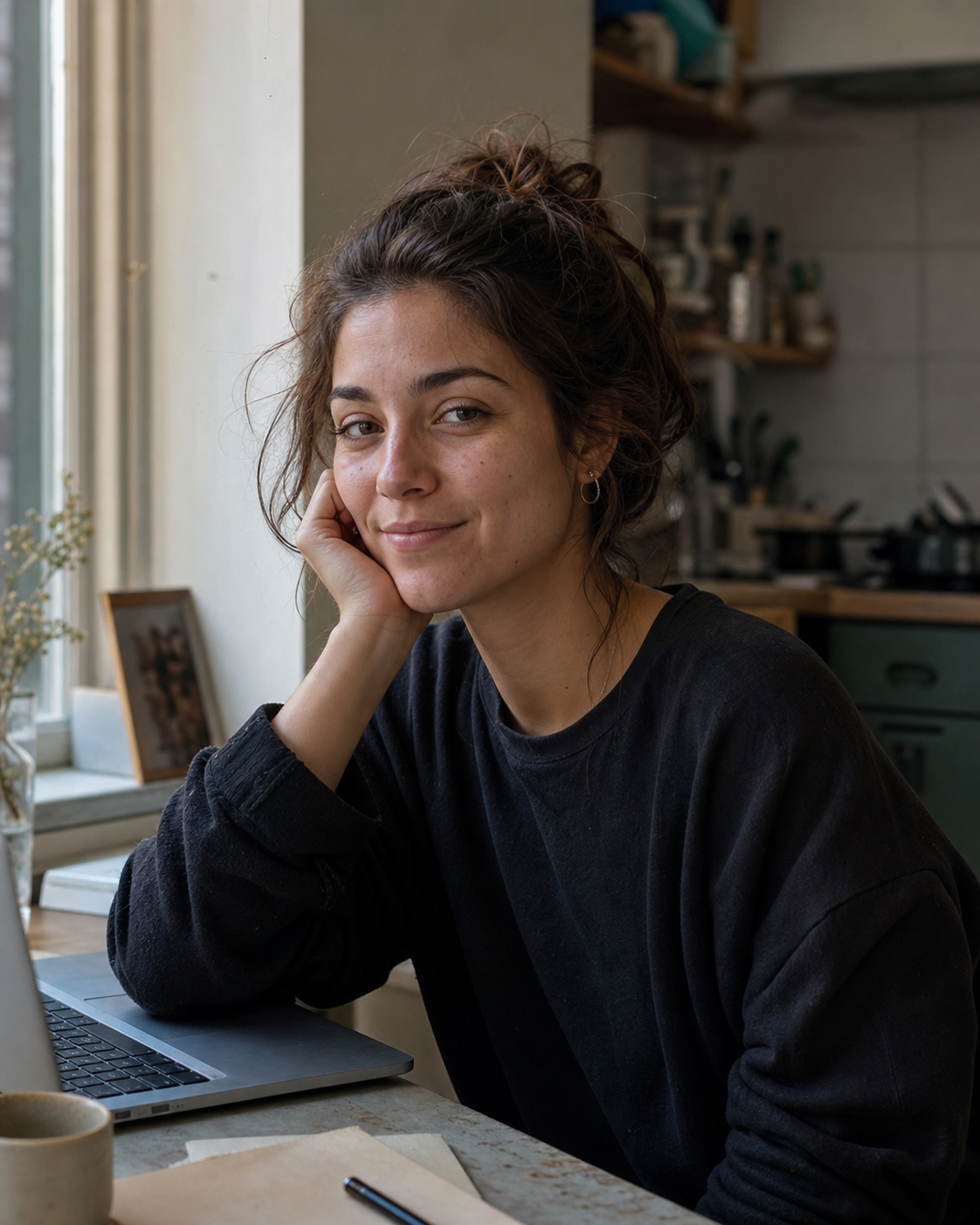
Documentary portrait of a freelance designer sitting near a kitchen window, relaxed posture, natural morning light from camera left, soft shadow on one side of the face, visible skin texture, slightly messy hair, 50mm lens, shallow depth of field, muted home background, no beauty filter, no plastic skin --ar 4:5 --style raw
Chef Portrait
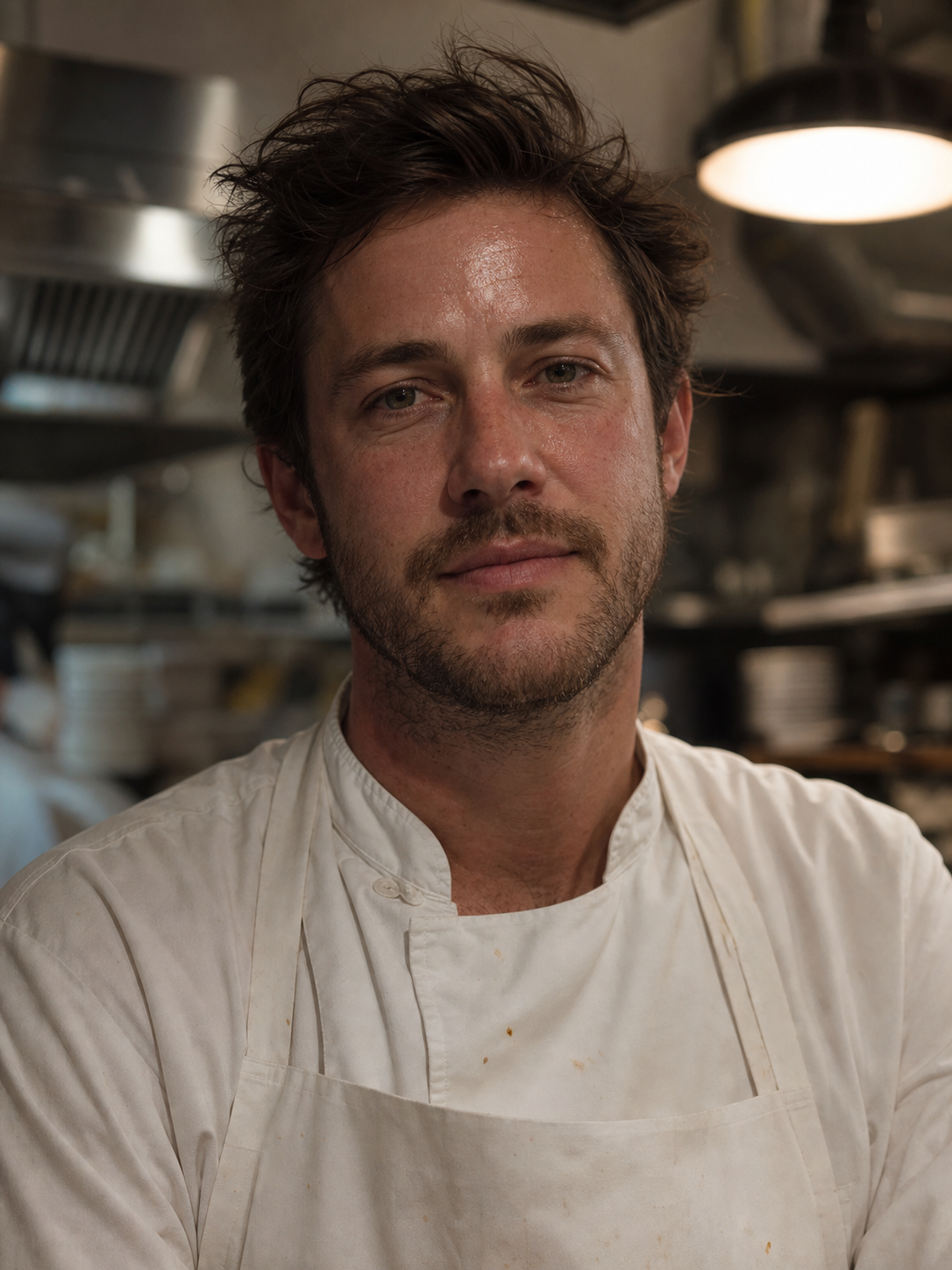
Close-up portrait of a chef after a busy dinner service, white apron with small sauce marks, warm restaurant light overhead, stainless steel kitchen behind them, natural face texture, slight shine on forehead, handheld editorial photography, 85mm lens, realistic grain, no airbrushed skin --ar 3:4
Blue Hour Lifestyle
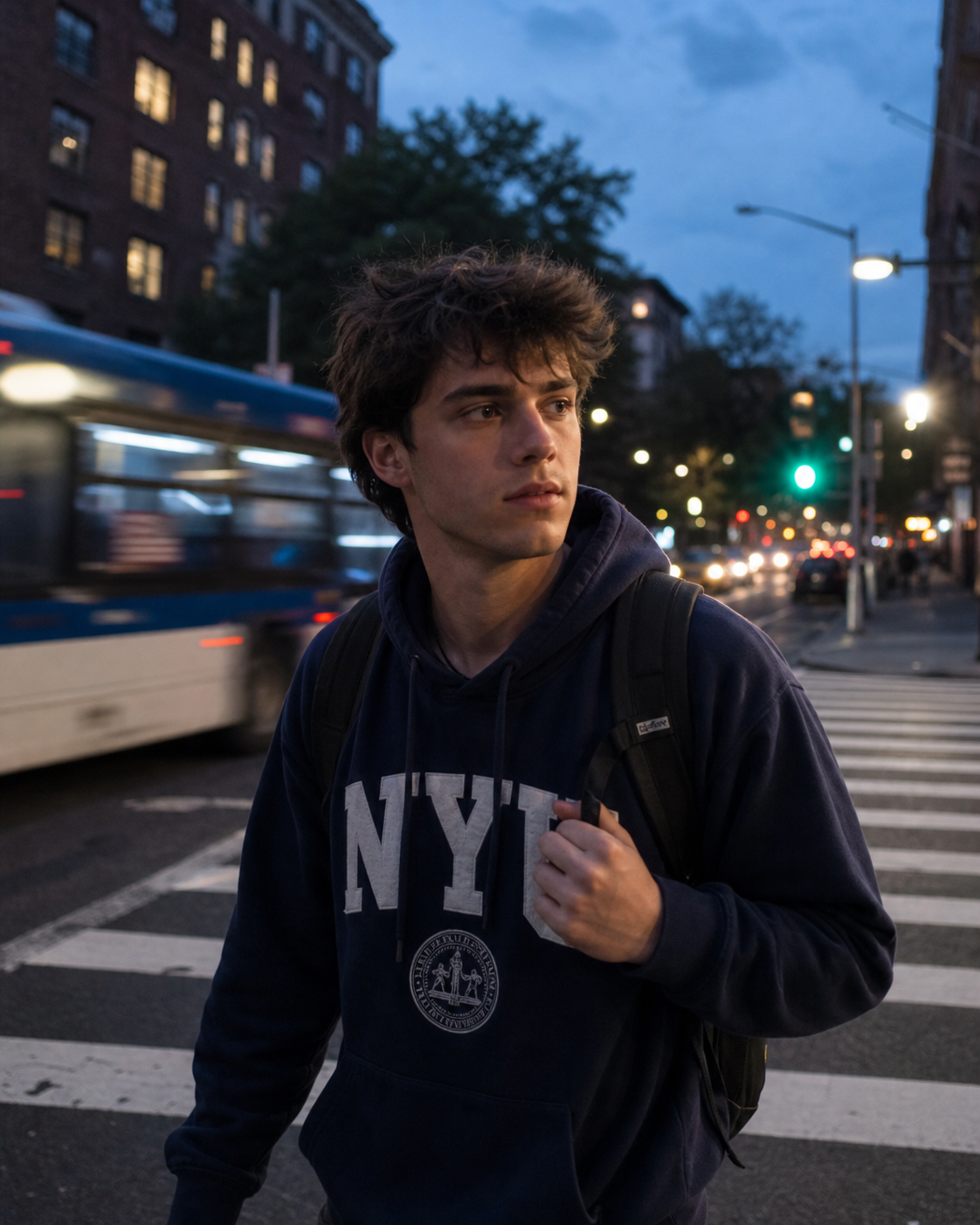
Outdoor lifestyle portrait of a college student crossing a city street at blue hour, soft motion blur in passing cars, streetlights beginning to glow, candid expression, 35mm lens, realistic shadows, natural skin tones, no fake bokeh, no distorted hands --ar 4:5
Founder Headshot
Professional headshot of a startup founder in a modern office, window light mixed with soft overhead light, neutral background with glass reflections, relaxed smile, real skin texture, 70mm lens, clean but not over-polished, no waxy face, no extra teeth --ar 1:1

Headphones Product
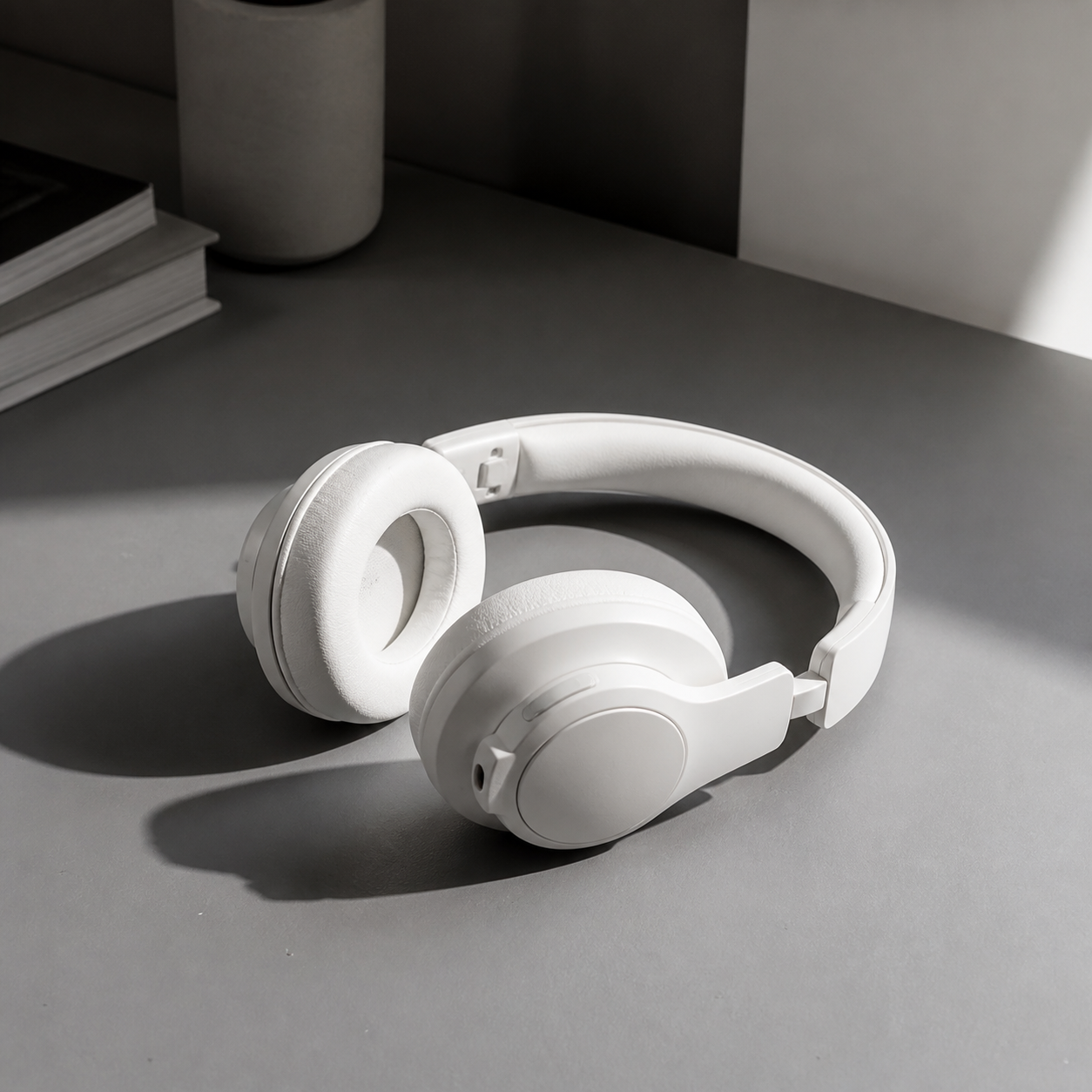
Realistic ecommerce photo of white wireless headphones on a matte gray desk, side hard light from the right, soft shadow falling left, small dust specks visible on the surface, 50mm lens, crisp focus on product, natural reflection, no floating object, no exaggerated shine --ar 1:1
Ceramic Mug
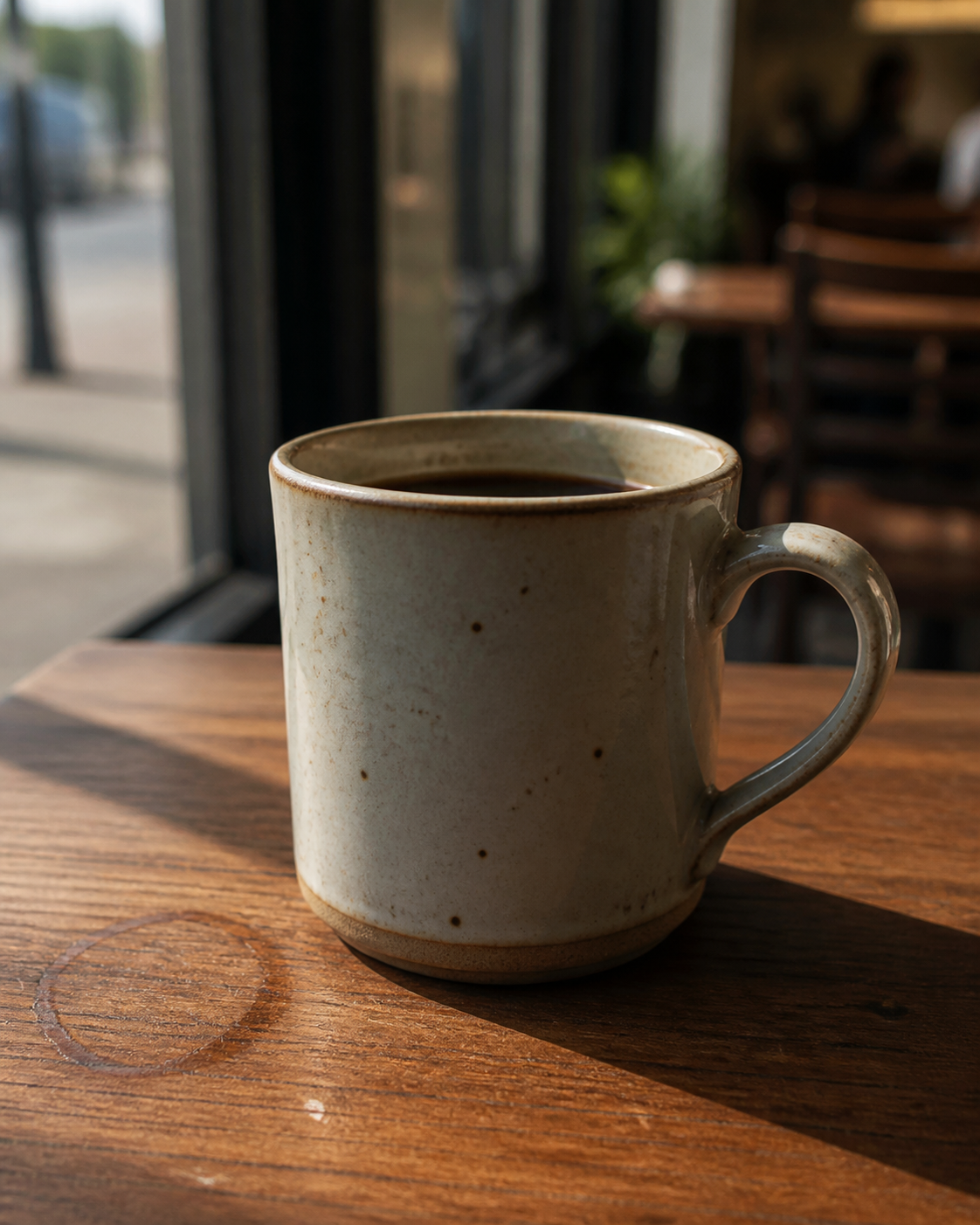
Photorealistic image of a handmade ceramic mug on a wooden cafe table, late afternoon window light, coffee stain ring near the cup, uneven glaze reflection, shallow depth of field, warm natural tones, 60mm lens, realistic tabletop texture, no perfect studio render --ar 4:5
Perfume Bottle
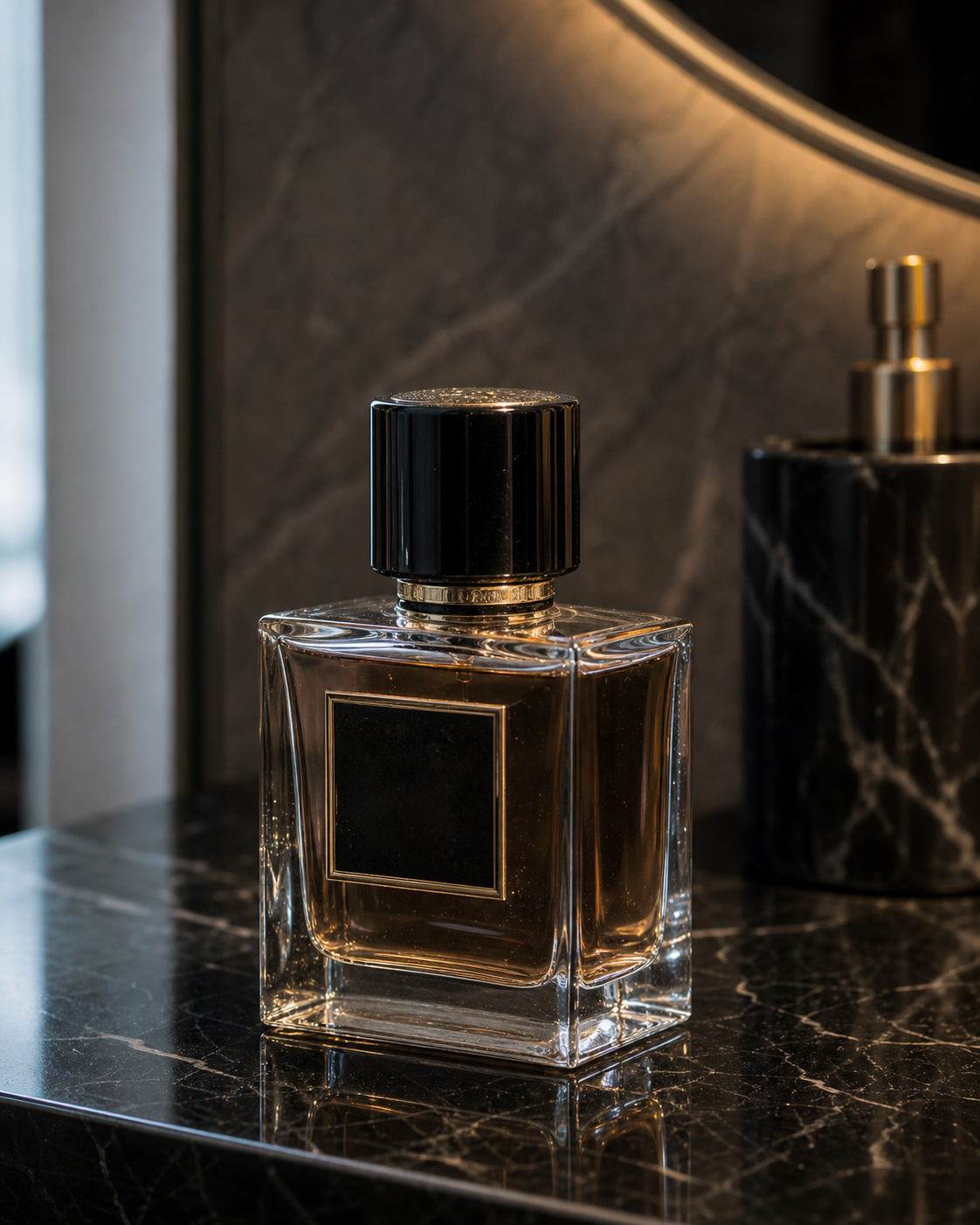
Luxury perfume bottle on a black stone vanity, mixed daylight from the left and warm indoor light from above, slight glare on glass edges, imperfect reflections, subtle fingerprints, editorial product photography, 90mm macro lens, no overexposed highlights, no fake label text --ar 4:5
Fitness Shoe
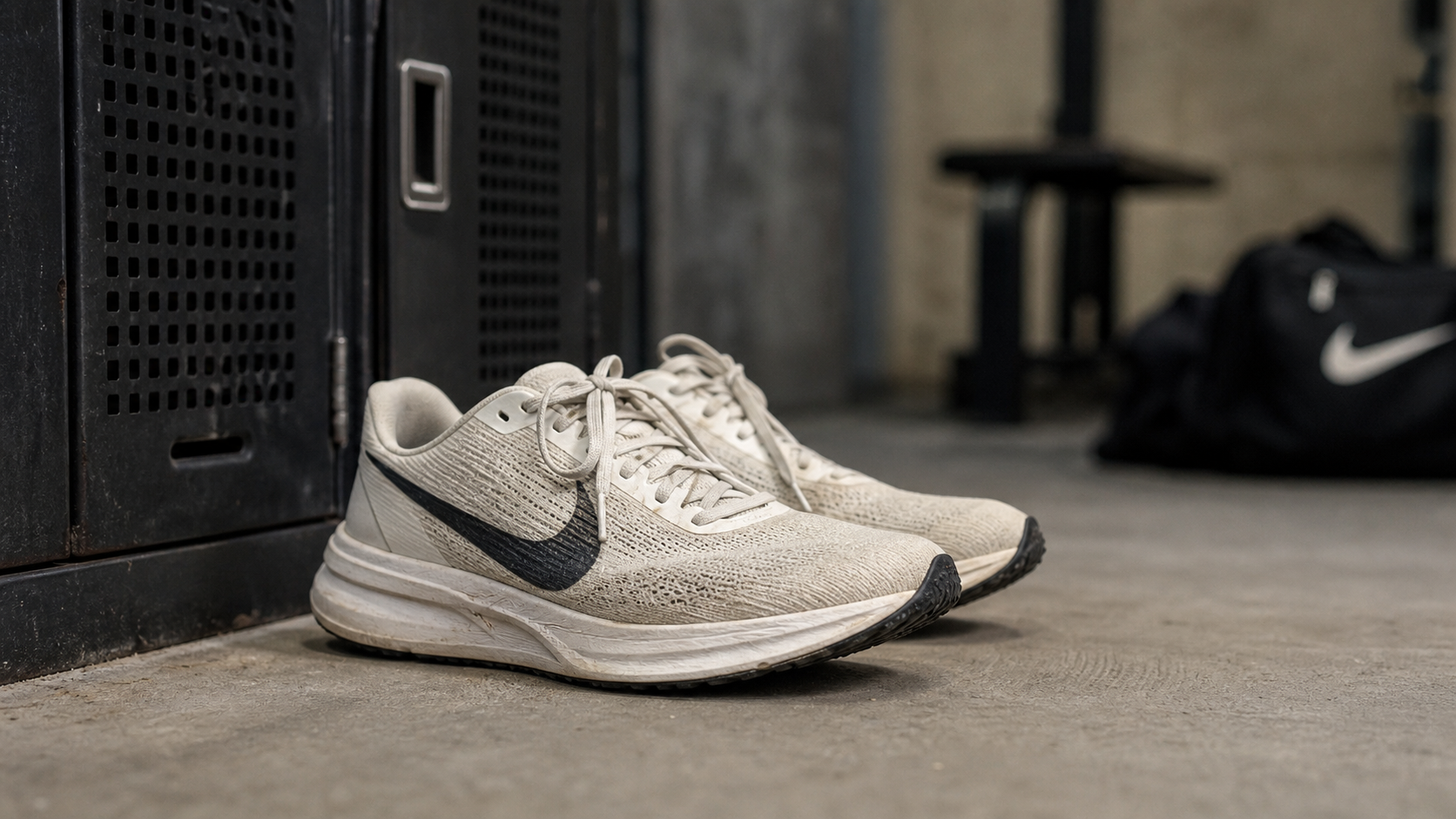
Realistic shoe product photo on a concrete floor near a gym locker, natural scuffs on the sole, soft overhead fluorescent light, slight shadow under the heel, low camera angle, 35mm lens, commercial lifestyle photography, no plastic texture, no warped laces --ar 16:9
Croissant Cafe
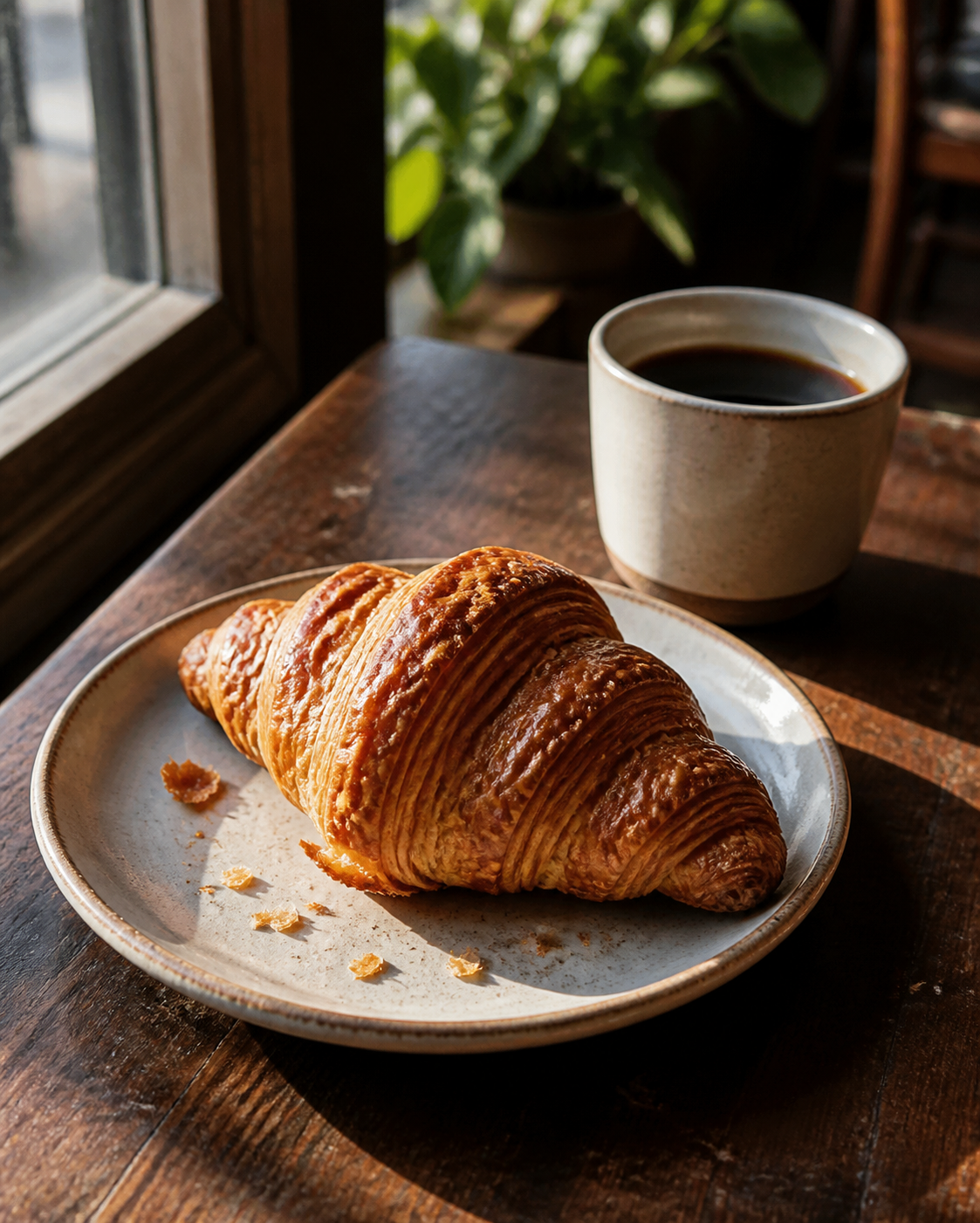
Fresh croissant on a small ceramic plate beside a cup of black coffee, window light from the left, flaky crumbs scattered naturally, warm highlights, shallow depth of field, realistic cafe table scratches, 50mm lens, no perfect symmetry, no artificial gloss --ar 4:5
Homemade Pasta
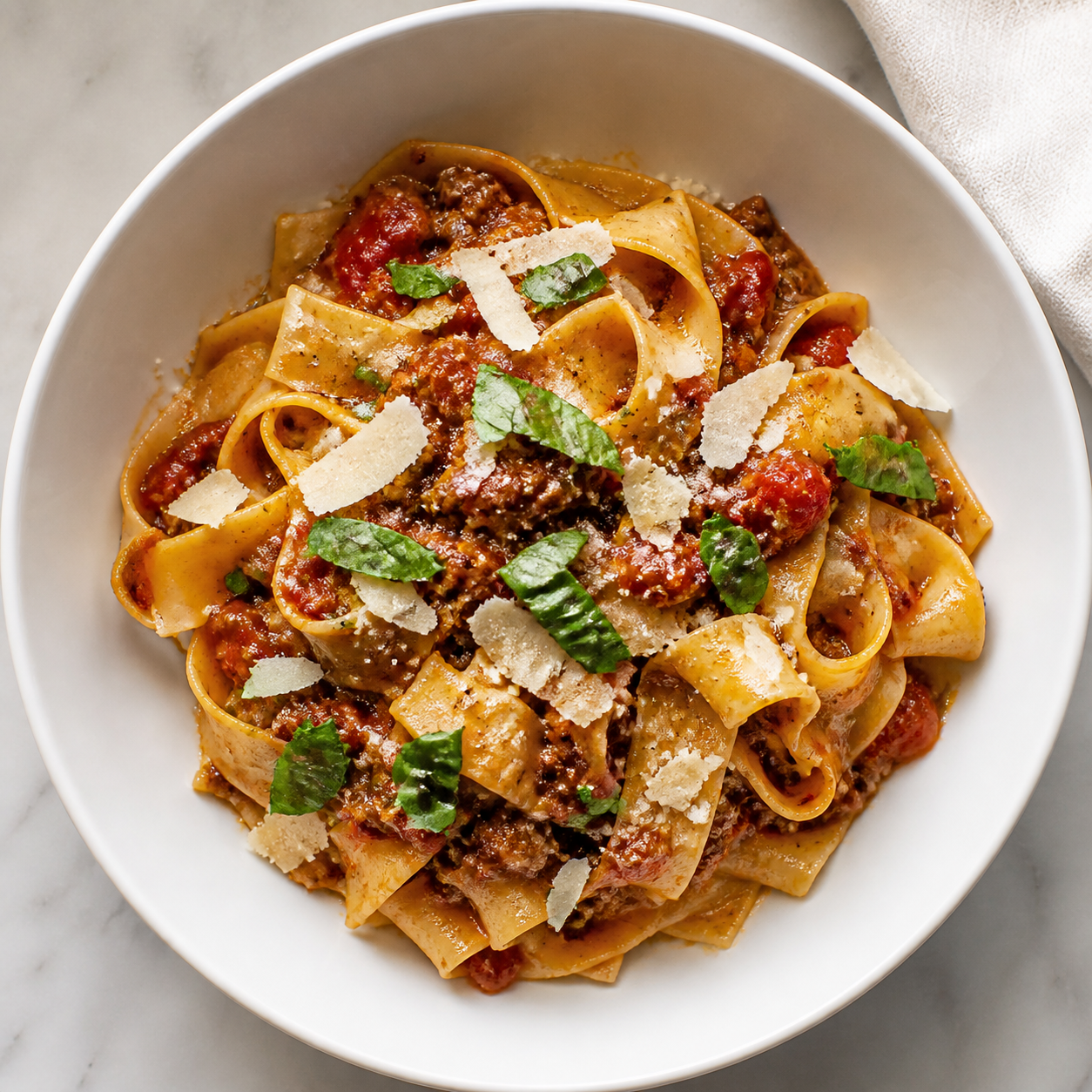
Realistic overhead photo of homemade pasta in a white bowl, parmesan flakes unevenly spread, basil leaves slightly wilted, soft kitchen light, linen napkin at the edge of frame, natural shadows, true food photography color, no plastic sauce, no extra utensils --ar 1:1
More Realistic Photo Prompts to Try
Need more ideas before you start generating? We prepared another set of realistic photo prompts you can copy, adapt, and test in insMind. Use them as quick starting points for food shots, lifestyle scenes, interiors, nature images, ads, and creator visuals.
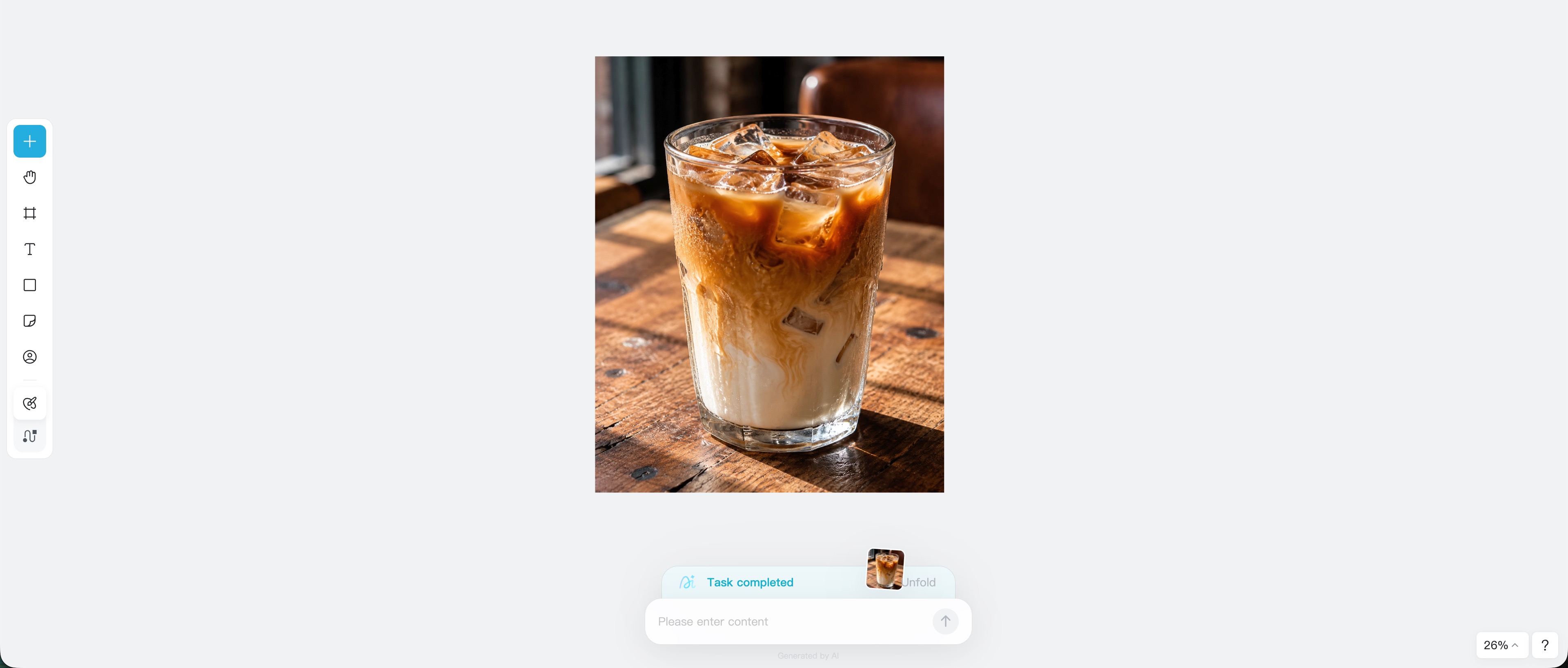
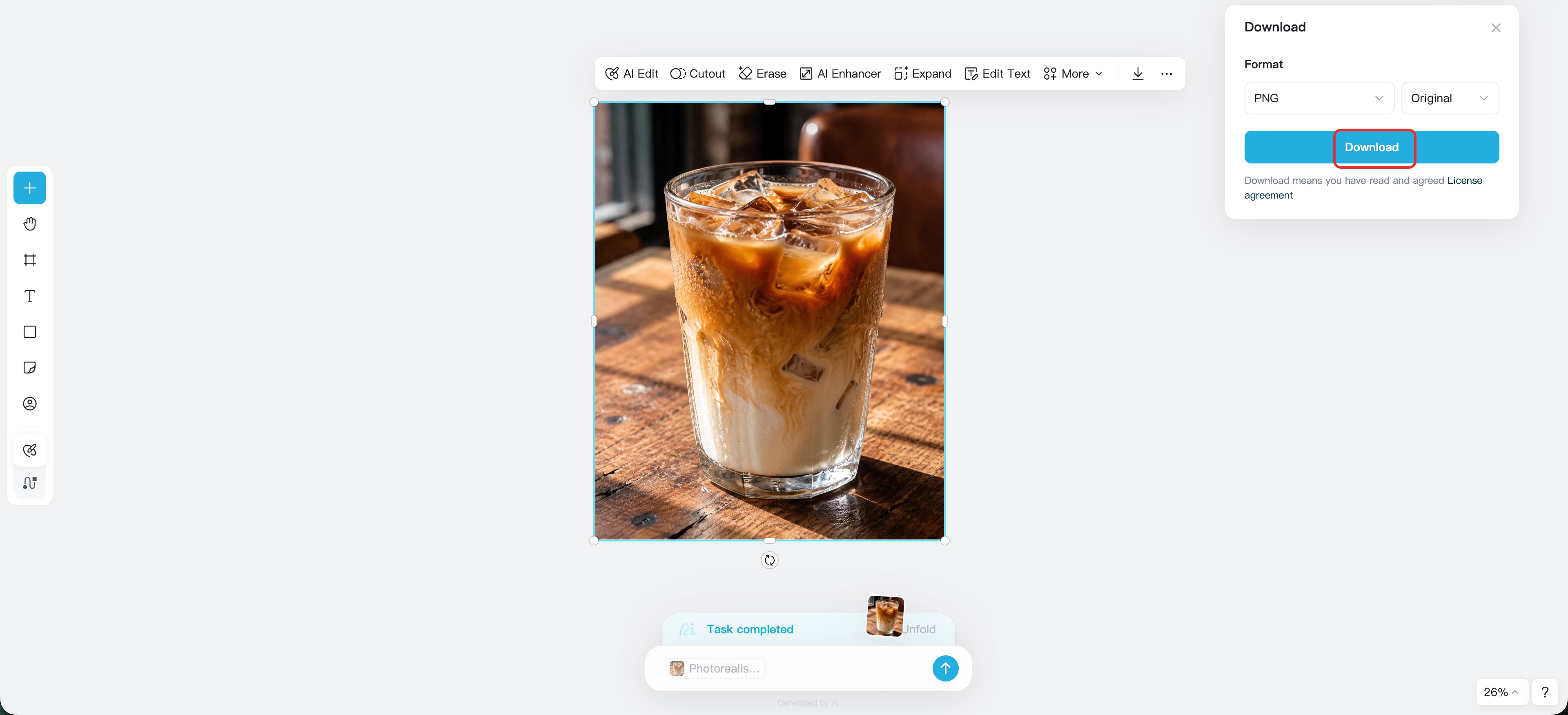
Close-up of an iced latte on a scratched wooden table, irregular condensation droplets on glass, mixed daylight and warm ceiling light, mild glare, realistic shadow softness, 70mm lens, subtle grain in darker areas, no fake foam pattern --ar 4:5
Street food photo of grilled corn at a night market, warm vendor light, smoke drifting in background, charred kernels with uneven texture, handheld frame, 35mm lens, natural motion blur in people behind, no over-sharpened details --ar 3:2
Candid lifestyle photo of a person packing an order at a small home business desk, cardboard boxes, tape dispenser, handwritten notes, afternoon window light, slightly cluttered but organized workspace, 35mm lens, documentary feel, no staged stock-photo smile --ar 16:9
Realistic travel photo of a backpack resting on a train seat, rainy window with blurred city lights outside, cool ambient light, fabric texture and small scuffs visible, eye-level framing, 50mm lens, quiet cinematic mood, no surreal reflections --ar 4:5
Fitness lifestyle photo of a runner tying shoes on a sidewalk before sunrise, cool blue morning light, damp pavement, slight motion blur in hands, realistic fabric folds, low angle, 35mm lens, no perfect studio lighting --ar 4:5
Realistic workspace photo of a laptop, notebook, and coffee cup on a desk near a window, soft backlight, screen reflection faintly visible, cable slightly tangled, dust on black keyboard, 50mm lens, natural color response, no fake UI text --ar 16:9
Photorealistic interior photo of a small sunlit apartment living room, morning light entering from a side window, linen sofa with natural wrinkles, hardwood floor with subtle scratches, eye-level 24mm lens, realistic exposure, no stretched furniture, no impossible windows --ar 16:9
Modern kitchen photographed at dusk, warm under-cabinet lighting mixed with cool window light, stone countertop with faint reflections, a few everyday items near the sink, 28mm lens, realistic real estate photography, no ultra-wide distortion --ar 16:9
Cozy bedroom in a rented city apartment, soft lamp light, blanket slightly uneven, books on nightstand, muted wall color, natural shadows in corners, 35mm lens, realistic lived-in styling, no showroom perfection --ar 4:5
Realistic forest trail after light rain, low morning mist between trees, wet leaves catching soft daylight, muddy footprints on path, wide 28mm lens, natural color, subtle grain in shadows, no fantasy glow, no oversaturated greens --ar 16:9
Mountain road at golden hour, warm sunlight hitting guardrail, long shadows, dust in the air, distant hills slightly hazy, documentary landscape photography, 35mm lens, realistic dynamic range, no fake HDR --ar 16:9
Quiet beach photo after sunset, blue hour sky, wet sand reflecting small pools of light, scattered footprints, soft wave motion, 50mm lens, understated color, no tropical postcard exaggeration --ar 3:2
Backyard garden close-up after watering, tomato leaves with small droplets, soil texture visible, soft cloudy daylight, macro photography, shallow depth of field, natural imperfections, no plastic plant texture --ar 1:1
Realistic UGC-style photo of a person holding a skincare product near a bathroom mirror, phone partially visible, natural window light, slight mirror smudges, casual hand position, 35mm lens, believable social ad style, no perfect model pose, no fake label text --ar 9:16
Photorealistic thumbnail image of a creator filming at a desk, small LED light reflected in glasses, camera on tripod, notes and cables on table, warm room light, shallow depth of field, realistic creator studio, no cartoon colors --ar 16:9
Editorial campaign photo of a reusable water bottle in a commuter bag, city bench background, soft overcast daylight, fabric texture, small scratches on metal bottle, 50mm lens, natural lifestyle advertising, no floating product --ar 4:5
Realistic photo of a handmade jewelry display at a weekend market, uneven tablecloth, price cards slightly out of focus, afternoon outdoor light, 70mm lens, soft background crowd blur, authentic small business mood, no fake text --ar 3:2
Realistic brand photo of a coffee subscription box opened on a kitchen island, kraft packaging, coffee beans scattered unevenly, morning window light, small tape crease on the box, 50mm lens, cozy home setting, no perfect catalog styling --ar 4:5
Photorealistic app launch promo image with a phone on a messy founder desk, sticky notes, charging cable, soft monitor glow, late evening room light, shallow depth of field, believable startup workspace, no fake screen text, no plastic reflections --ar 16:9
Realistic flat lay of a travel planning setup, passport, notebook, map, sunglasses, and half-full coffee cup on a wooden table, soft daylight from the top left, imperfect spacing, natural paper texture, 35mm lens, no overly staged composition --ar 3:2
How to Create Realistic Photos with insMind?
You do not need a complicated workflow to test Midjourney photorealistic prompts. With insMind, you can open the photorealistic image generator, paste a detailed prompt, generate results, and keep refining until the image feels believable.
Step 1: Open the photorealistic image generator
Go to insMind's photorealistic AI image generator and start from the prompt input area. Think about the image you want before typing. Is it a portrait, product shot, food image, interior scene, or social ad? Picking a use case first helps you write a prompt that behaves like a real photo brief.

Step 2: Add your Midjourney-style realistic photo prompt
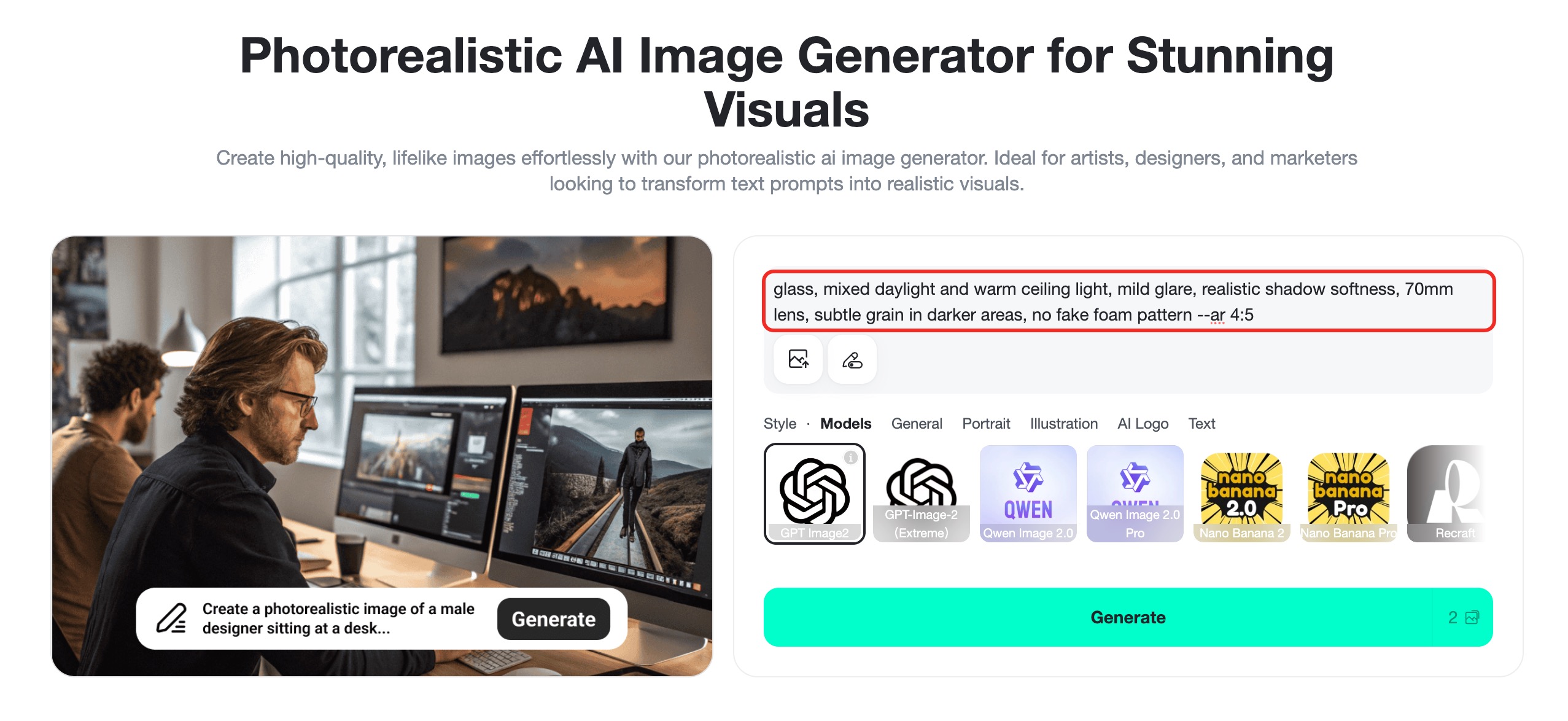
Paste a prompt that includes the subject, setting, lighting, camera feel, realistic texture, and what to avoid. For example, do not stop at "realistic product photo." Write where the product sits, how the light hits it, what imperfections make it real, and what artifacts should be excluded.
Step 3: Generate and refine the result
Click Generate and compare the first results. If the image looks too artificial, adjust one variable at a time. Add a more natural lens cue, soften the lighting, remove glossy plastic texture, ask for visible surface detail, or add a negative phrase such as "no waxy skin" or "no fake HDR."
Step 4: Download or continue editing
When the result is ready, download the finished realistic image. You can use it for product visuals, blog headers, landing page tests, ads, social posts, thumbnails, and creative references. If the image needs more polish, continue editing it inside insMind before exporting.
Frequently Asked Questions
What is the best Midjourney realistic photo prompt formula?
The best formula is: subject, real environment, action, lighting, lens or framing, texture, imperfections, mood, and negative constraints. This gives the AI enough context to create an image that feels photographed instead of rendered.
What words make Midjourney photos look realistic?
Useful words include photorealistic, natural light, real skin texture, shallow depth of field, documentary photography, candid, 35mm lens, 50mm lens, soft shadows, realistic grain, imperfect reflections, and no plastic texture.
Are Midjourney photorealistic prompts good for products?
Yes. Product prompts work well when you place the product in a believable scene. Mention the surface, light direction, reflections, texture, small imperfections, and use case. For ecommerce, include "no fake label text" when text accuracy matters.
Can I use these Midjourney photography prompts in insMind?
Yes. You can paste Midjourney-style realistic prompts into insMind's photorealistic AI image generator, generate results, and refine the prompt based on what you see. It is a simple way to test prompt ideas for portraits, products, ads, and social visuals.
How do I avoid the AI-looking glossy style?
Ask for natural texture, controlled highlights, realistic grain, soft shadows, and imperfect surfaces. Avoid stacking too many terms like ultra-perfect, flawless, glossy, and hyper-sharp unless you truly want a polished render.
Start Creating Realistic Photos with Better Prompts
A realistic AI photo begins before you click Generate. The prompt needs a subject, a real place, believable light, camera behavior, texture, and a few carefully chosen constraints. Once those pieces work together, Midjourney realistic photos start to look less generic and more useful for real creative work.
Ready to test your own prompt? Open insMind's photorealistic AI image generator, paste one of the examples above, and adjust the subject, light, lens, and imperfections until it fits your brand or project.
Ryan Barnett
I'm a tech enthusiast and writer who loves exploring AI, digital tools, and the latest tech trends. I break down complex topics to make them simple and useful for everyone.
SEO package
Meta title: Midjourney Realistic Photo Prompts Guide | insMind
Meta description: Learn Midjourney realistic photo prompt formulas, examples, and how to create photorealistic AI images with insMind.
Article code: midjourney-realistic-photo-prompts


