


 Ryan Barnett·May 26, 2026
Have you ever pictured a scene perfectly in your head, only to get an AI image that feels flat, random, or nothing like your story? That usually does not mean the idea is weak. It means the prompt needs to work more like a storyboard direction.
AI storyboard prompts help you provide detailed scene descriptions that an AI image tool can turn into accurate visual frames. Instead of leaving the AI to guess, you give it the subject, setting, action, camera angle, lighting, mood, and style for each moment in your story.
In this guide, you will find practical storyboard prompt examples you can adapt, learn what makes those prompts easier for AI to understand, and see how to use insMind to generate vivid storyboard images from your finished prompts.
Table of Contents
What Are AI Storyboard Prompts?
Storyboard prompts are structured text descriptions used to create one image at a time for a visual sequence. A normal image prompt might describe a single attractive picture. A storyboard prompt explains the purpose of the shot inside a larger story.
For example, "a woman in a city" is too vague. A better storyboard prompt would be:
Wide shot of a young woman standing alone at a rainy crosswalk at night, neon signs reflecting on the wet street, camera at eye level, quiet and suspenseful mood, cinematic thriller style.
This version gives AI a subject, location, shot type, weather, lighting, mood, and style. It also feels like a usable storyboard frame because the image has a clear story beat.
Strong AI prompts for storyboards are especially useful for creators planning short films, YouTube intros, product ads, explainer videos, social campaigns, animations, game scenes, and pitch decks.
Why Detailed Storyboard Prompts Matter
AI can generate beautiful visuals, but beautiful does not always mean useful. If your prompt is too broad, the image may look polished while missing the scene you actually need. Storyboards require control. You need the right subject, the right action, and the right visual continuity from one frame to the next.
Detailed storyboard prompts help you:
-
Turn a script or idea into visual frames
-
Keep characters, locations, outfits, and style consistent
-
Test camera angles before production
-
Explain ideas clearly to clients or teammates
-
Build visual references for video generation
-
Reduce repeated regenerations caused by vague prompts
The goal is not to write a long paragraph for the sake of length. The goal is to provide the details that directly affect the generated image.
Storyboard Prompt Examples You Can Adapt
This is the most useful part of the workflow: choosing or preparing the right prompt before generation. A strong storyboard prompt should read like a compact art direction note. It tells the AI what to draw, how to frame it, and what emotion the frame should carry.
You can copy the examples below, replace the subject and setting, and then paste the revised prompt into insMind to generate your storyboard image. For multi-frame stories, keep the character, outfit, location, color palette, and style consistent while changing the action and camera angle from frame to frame.
1. Product Ad Scene
Close-up shot of a skincare serum bottle on a wet marble counter, a hand reaches into frame to pick it up, soft morning window light, clean luxury beauty ad style, pastel color palette, shallow depth of field. Please create six storyboard panels and combine them into one horizontal image on a white background.
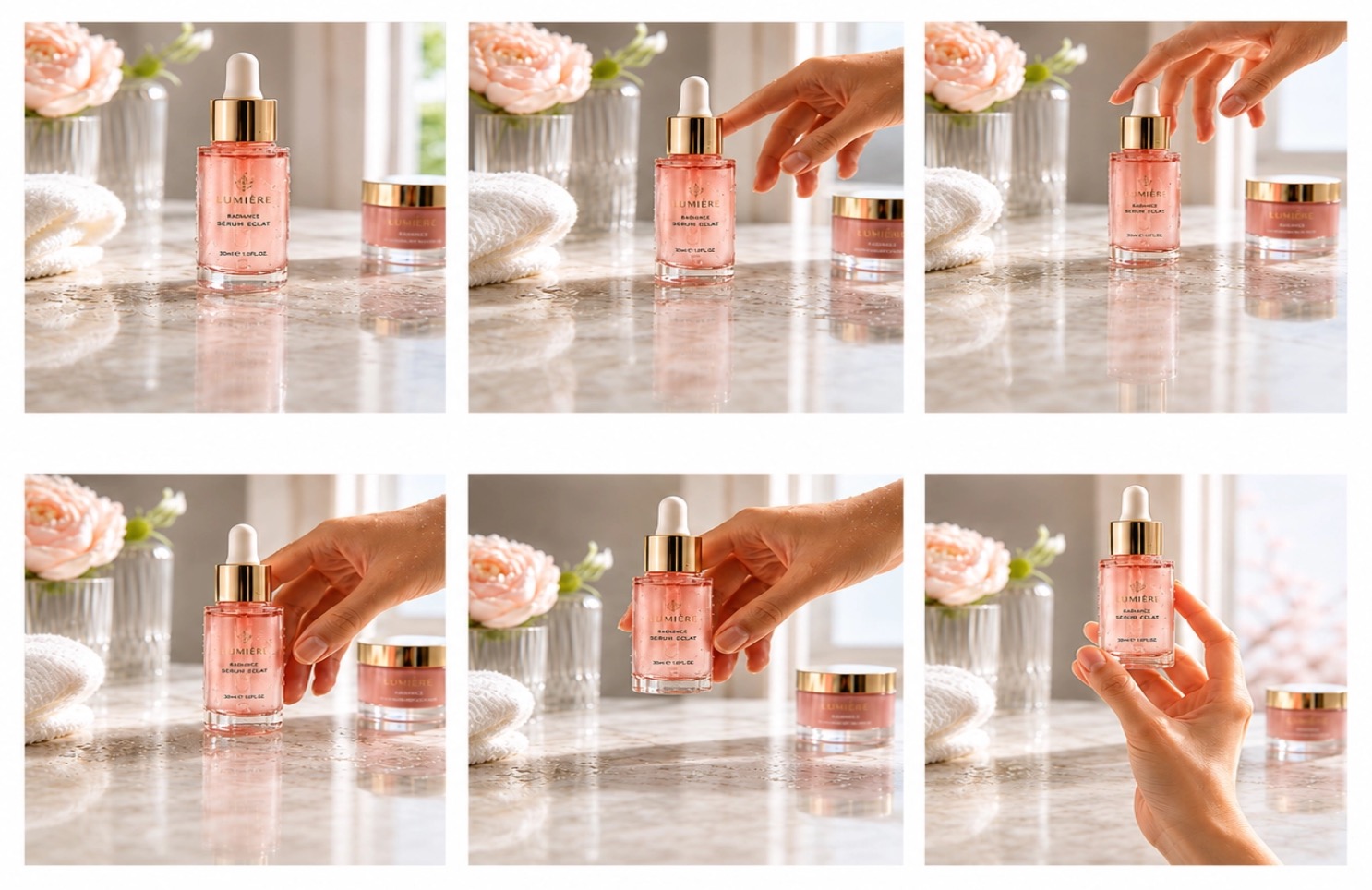
This prompt works for product campaigns because it gives the AI a hero object, an action, a surface texture, lighting, brand mood, and composition. If you need a second frame, keep the same bottle and lighting, then change the action to "the bottle is applied to the skin" or "the product sits beside fresh ingredients."
2. Short Film Suspense Moment
Over-the-shoulder shot of a detective studying an old photograph under a flickering desk lamp, rain visible on the window behind him, moody noir lighting, tense atmosphere, cinematic thriller style. Generate six connected storyboard panels and place them together as a single horizontal image with a clean white background.
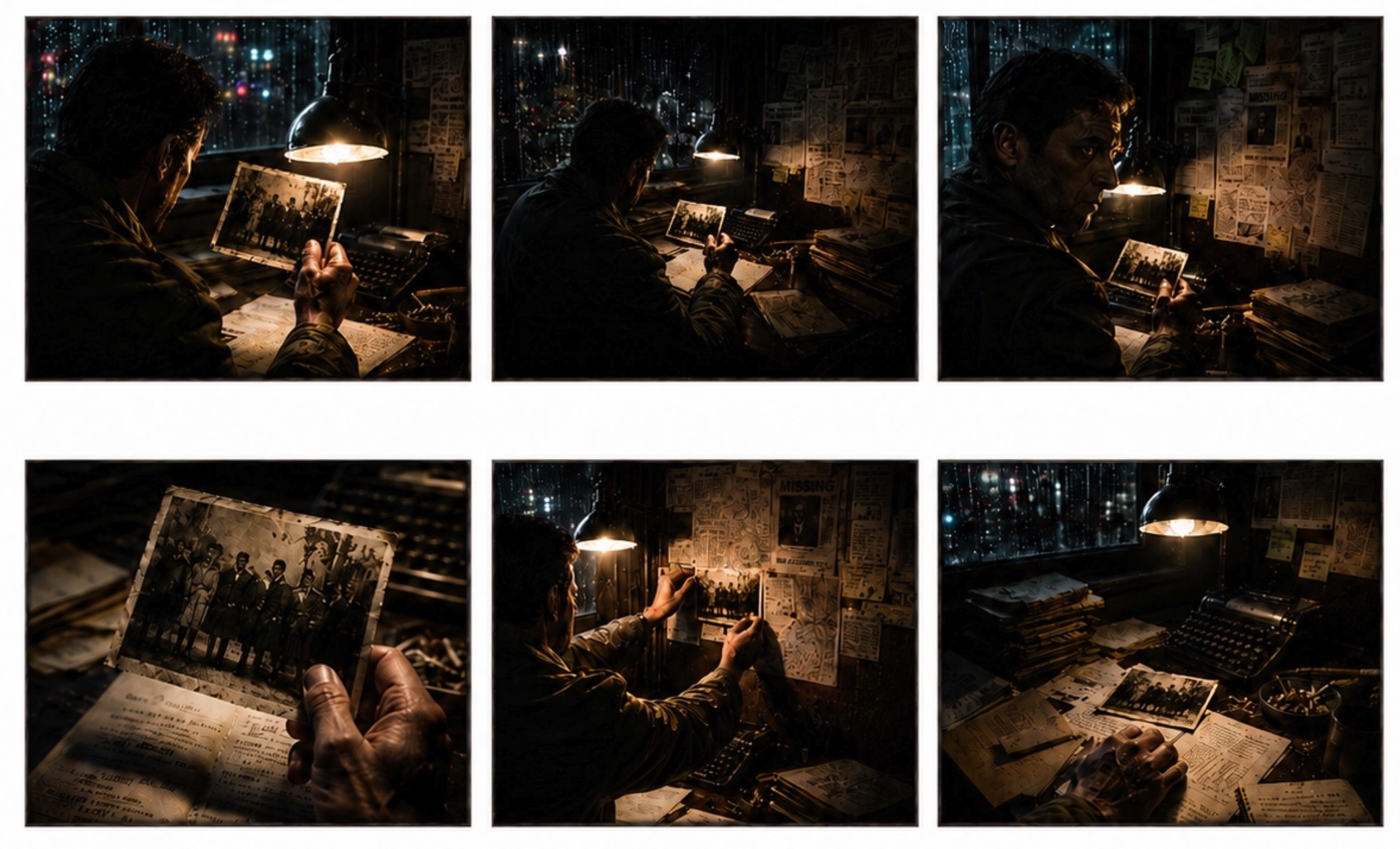
This prompt is useful for narrative scenes because it includes character perspective, prop, weather, lighting, and genre. The AI can understand that this is not just a portrait; it is a suspenseful story moment.
3. Social Video Opening Shot
Vertical 9:16 frame of a fitness coach demonstrating a quick morning stretch in a bright apartment, camera slightly low and close, natural sunlight, upbeat wellness mood, clean social media video style. Turn this idea into six storyboard panels arranged in one wide horizontal image on a white background.
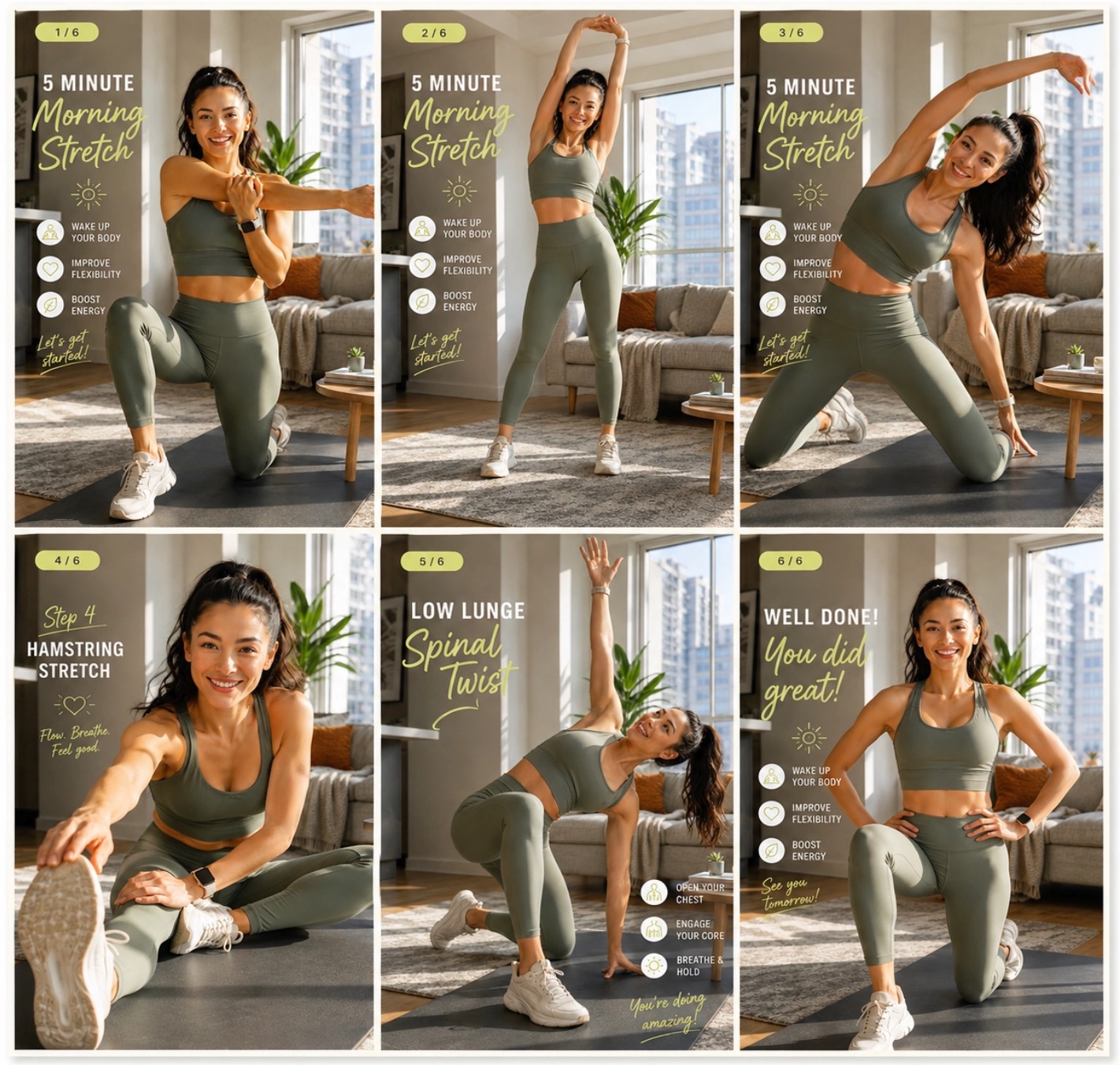
This prompt is built for Reels, TikTok, and Shorts. It tells the AI to generate a mobile-first frame and keeps the action simple enough for viewers to understand quickly.
4. Animated Adventure Frame
Medium wide shot of a small robot standing at the edge of a glowing forest, looking up at floating fireflies, soft blue and green lighting, magical adventurous mood, stylized 3D animation look, expressive character pose. Create six storyboard frames from this scene and merge them into one horizontal white-background layout.
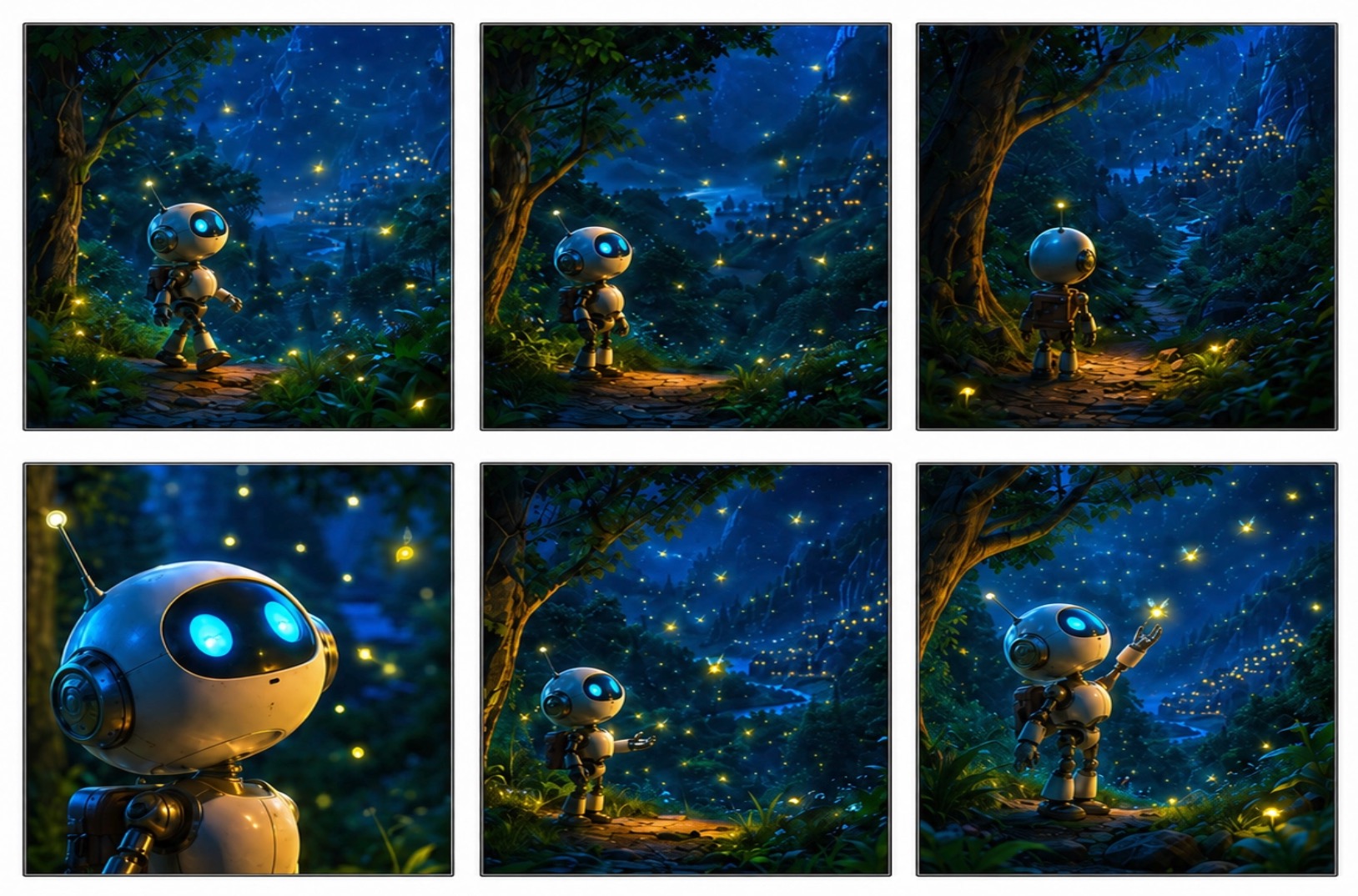
For animation planning, emotional poses and environmental details matter. This prompt gives the AI a clear character, setting, visual palette, and sense of wonder.
5. Explainer Video Problem Scene
Wide shot of a small business owner looking at a messy desk covered with invoices, laptop open, afternoon office light, slightly overwhelmed mood, clean modern explainer video style, simple composition with clear negative space. Make six storyboard panels that show this moment clearly, combined into one horizontal image on a white background.
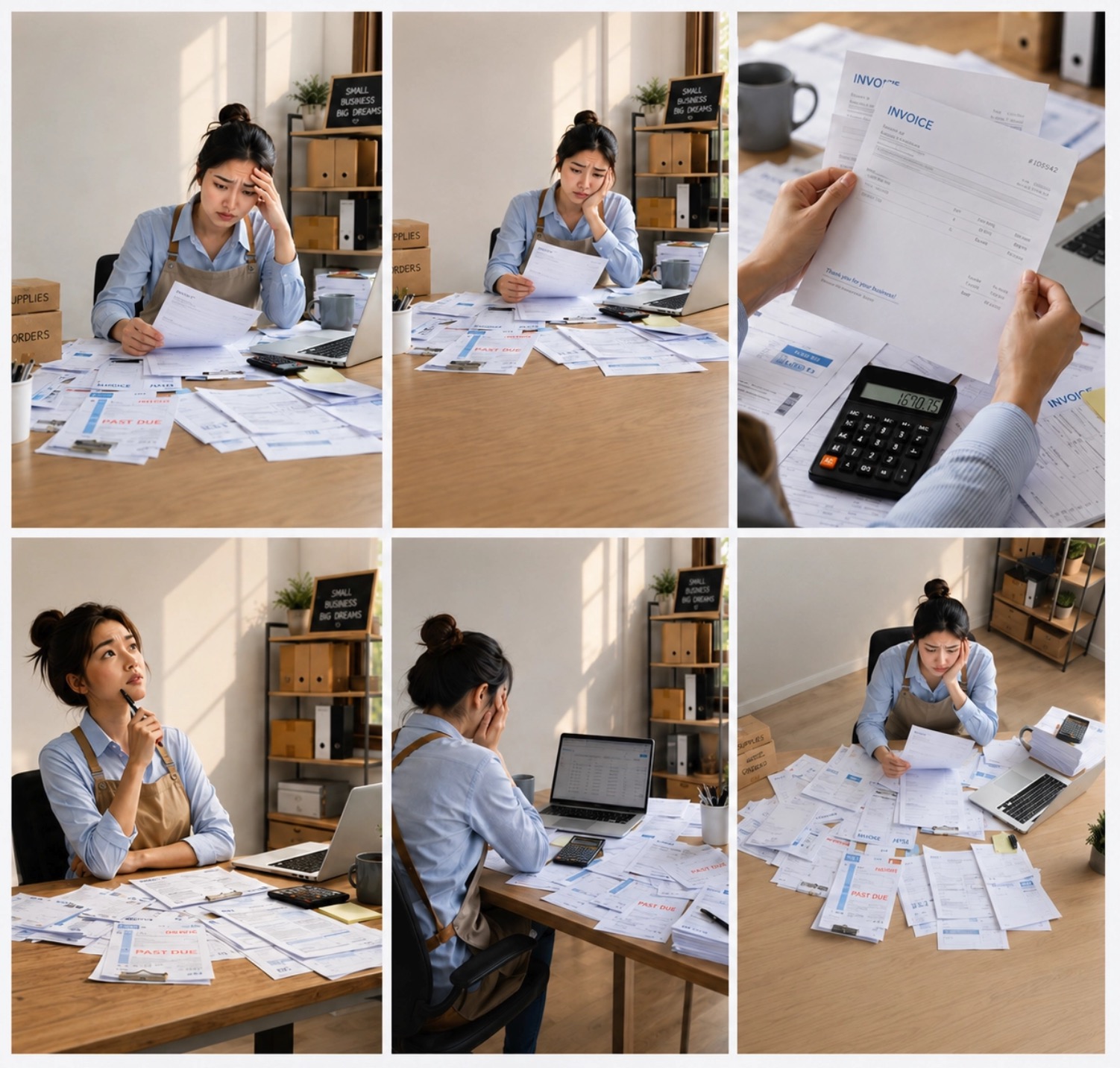
This type of prompt is good for problem-solution storytelling. It shows the audience a pain point before the solution appears in the next frame.
6. Fantasy World-Building Shot
Low-angle shot of a young archer standing before a giant stone gate covered in glowing runes, wind moving through her cloak, moonlight across the mountains, epic fantasy adventure style, determined mood. Build six cinematic storyboard panels and arrange them as one horizontal composition with a white background.
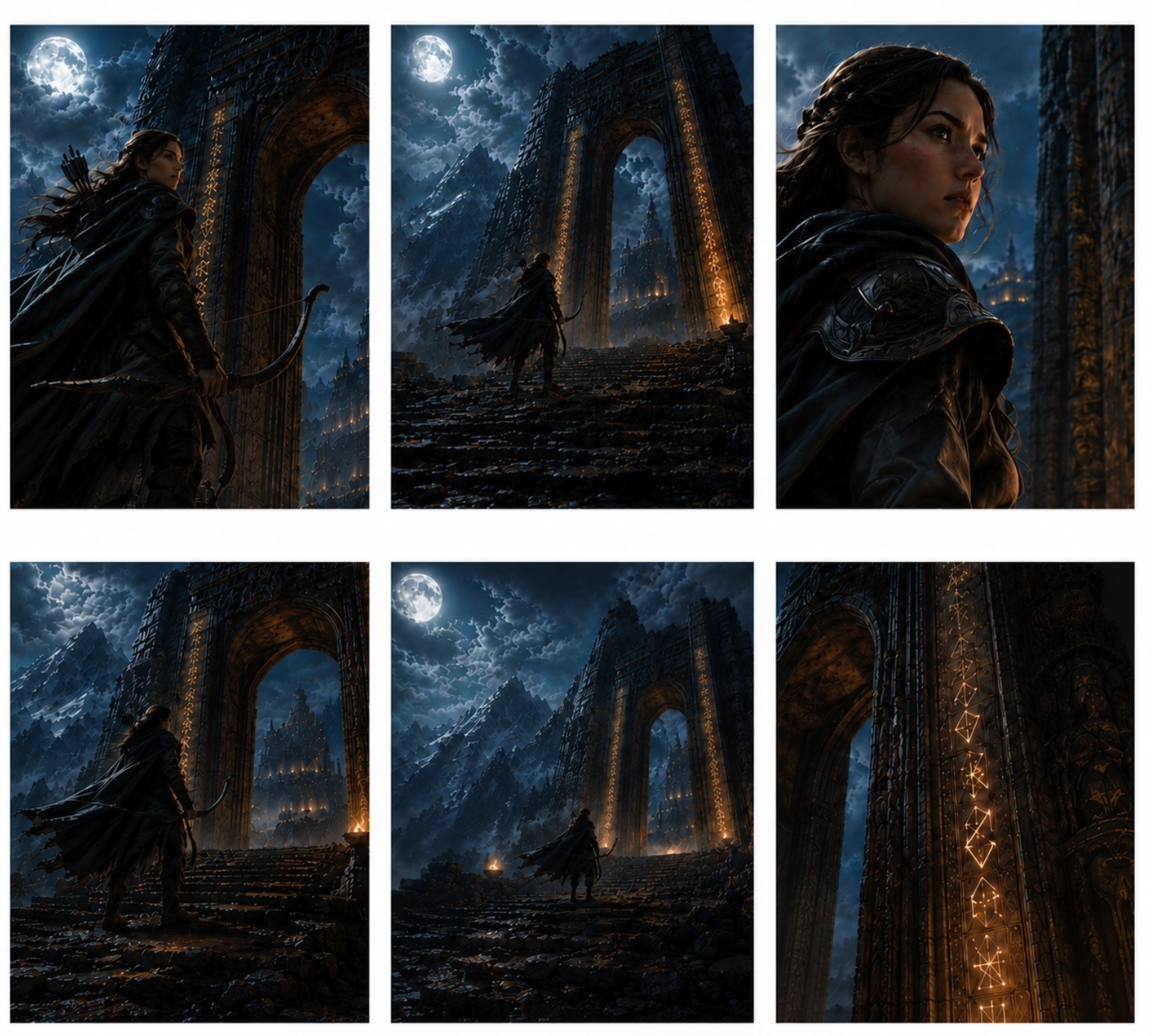
Fantasy prompts benefit from world-building details. The gate, runes, moonlight, costume movement, and low camera angle all help the AI create a more dramatic story frame.
7. Brand Launch Reveal
Medium shot of a founder unveiling a new device on a minimal white table, audience silhouettes in the foreground, spotlight on the product, polished tech launch style, confident and inspiring mood. Produce six storyboard panels for this launch sequence and combine them into a single horizontal image on a white background.
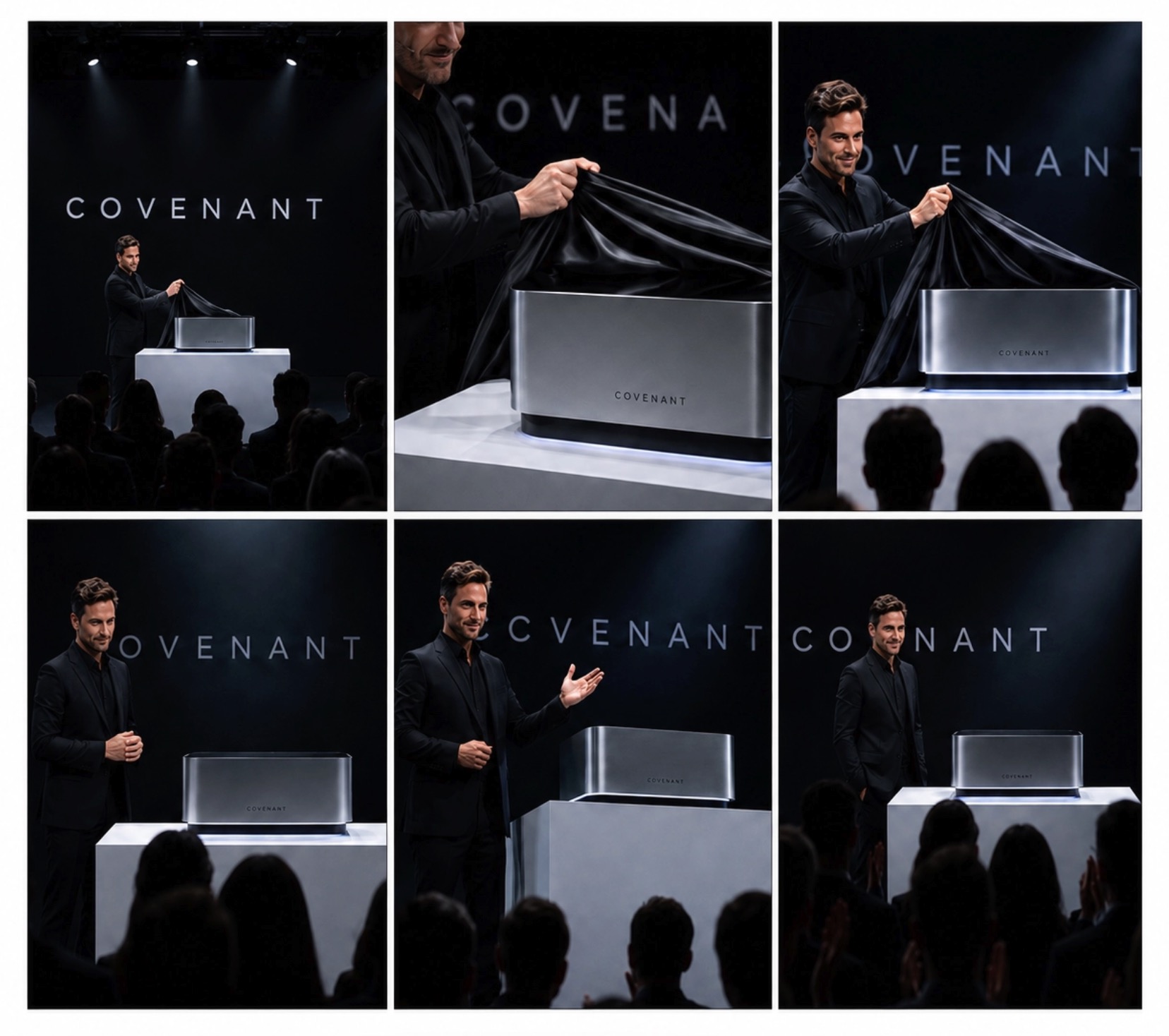
This is useful for pitch decks, launch videos, and campaign planning because it combines product reveal, audience context, and professional lighting.
A Simple Storyboard Prompt Formula
Use this formula when you need a repeatable structure:
[Shot type] of [subject] in [setting], [action or story beat], [camera angle or composition], [lighting], [mood], [visual style], [continuity details].
Here is a complete example:
Close-up shot of a nervous chef placing the final garnish on a dessert in a small restaurant kitchen, camera at counter height, warm overhead light, focused premium mood, cinematic food commercial style, same white chef jacket and copper kitchen background.
The prompt works because it is specific. It tells AI what to show, how to frame it, and why the moment matters.
20 More Storyboard Prompts to Try
Wide shot of a student opening a notebook in a quiet library, golden afternoon light across the desk, camera at eye level, focused learning mood, clean educational video style. Create six storyboard panels and combine them into one horizontal image on a white background.
Close-up shot of a chef flipping noodles in a busy street food stall at night, steam rising under warm lantern light, handheld camera feel, energetic documentary food style. Turn this into six storyboard frames arranged as one horizontal white-background image.
Medium shot of a traveler stepping out of a train station with a small suitcase, early morning city fog, soft backlight, curious adventure mood, cinematic travel vlog style. Generate six connected storyboard panels in a single horizontal layout on a white background.
Low-angle shot of a basketball player tying their shoes before a championship game, locker room lights overhead, intense pre-game mood, sports commercial style, shallow depth of field. Build six storyboard panels and merge them into one wide image on a clean white background.
Top-down shot of a designer sketching app screens on paper beside a laptop and coffee cup, bright studio light, calm startup planning mood, modern productivity video style. Create six storyboard panels and place them together horizontally on a white background.
Over-the-shoulder shot of a child looking through a telescope at a bright moon from a bedroom window, soft blue night lighting, dreamy science-learning mood, family animation style. Make six storyboard frames and combine them into one horizontal image with a white background.
Wide shot of a rescue volunteer carrying supplies through a flooded street, cloudy sky, reflective water, hopeful humanitarian documentary mood, realistic cinematic style. Produce six storyboard panels arranged as one horizontal white-background composition.
Medium close-up shot of a musician adjusting headphones in a small recording studio, colored LED lights, focused creative mood, indie music video style, soft grain. Create six storyboard panels from this scene and combine them into one horizontal image on white.
Wide shot of a futuristic delivery drone landing on a rooftop garden, sunset skyline in the background, sleek product-tech mood, polished sci-fi commercial style. Generate six storyboard panels and arrange them in one horizontal image with a clean white background.
Close-up shot of a pet owner clipping a leash onto a happy dog before a morning walk, soft natural light, cozy lifestyle mood, warm social media ad style. Turn this moment into six storyboard frames combined into one horizontal white-background layout.
Medium shot of a doctor explaining a tablet screen to an elderly patient in a bright clinic, gentle daylight, reassuring healthcare explainer mood, clean realistic style. Create six storyboard panels and merge them into one wide image on a white background.
Wide shot of a gamer entering a neon-lit virtual arena, glowing interface elements around them, dynamic camera angle, high-energy esports trailer style. Build six storyboard frames and place them together as a single horizontal image on white.
Close-up shot of a handmade ceramic mug being packed into a branded box, kraft paper texture, soft window light, cozy small-business mood, clean e-commerce product style. Produce six storyboard panels in one horizontal white-background composition.
Medium shot of a teacher drawing a simple solar system diagram on a classroom board, students watching, bright morning light, friendly educational animation style. Create six connected storyboard panels and combine them into one horizontal image with a white background.
Wide shot of a family setting up a picnic blanket in a green park, sunlight through trees, relaxed weekend mood, cheerful lifestyle commercial style. Make six storyboard panels arranged horizontally on a clean white background.
Low-angle shot of an electric car charging beside a modern house at dusk, blue accent lights, quiet sustainable technology mood, premium automotive ad style. Generate six storyboard frames and combine them into one horizontal white-background image.
Over-the-shoulder shot of a journalist typing breaking news in a crowded newsroom, monitors glowing, fast-paced editorial mood, realistic documentary style. Create six storyboard panels and arrange them as one wide image on a white background.
Medium wide shot of a fashion model walking through a minimalist studio set, fabric moving in slow motion, soft spotlight, elegant editorial mood, high-end fashion campaign style. Build six storyboard panels and merge them into one horizontal white-background layout.
Close-up shot of a scientist placing a glowing sample into a glass chamber, cool laboratory lighting, tense discovery mood, cinematic science fiction style. Produce six storyboard frames and combine them into one horizontal image on a white background.
Wide shot of a community garden opening event with neighbors planting flowers together, warm morning sunlight, optimistic local campaign mood, natural documentary style. Create six storyboard panels and place them in a single horizontal white-background image.
Tips for Better AI Prompts for Storyboards
Write one prompt per shot. A storyboard is a sequence, so each frame should focus on one clear moment. If you include too many actions in one prompt, AI may merge them into a confusing image.
Use camera language. Words like wide shot, close-up, over-the-shoulder, low angle, top-down, and side profile help AI understand how the scene should be framed.
Control mood through lighting. "Soft golden-hour light" creates a very different feeling from "cold fluorescent light." Lighting often gives the AI a clearer signal than abstract emotion words alone.
Repeat continuity details. If a character appears across multiple frames, mention the same age, hairstyle, outfit, color palette, and location. This is especially important when using a storyboard prompt generator or generating frames in batches.
Avoid conflicting styles. Do not ask for cinematic, watercolor, anime, photorealistic, claymation, and comic-book style all at once. Choose one main visual style and support it with specific details.
How to Generate Storyboard Images from Prompts with insMind
Once your prompt is ready, insMind helps you turn it into an actual storyboard image. The workflow is not about writing prompts from scratch inside the tool; it is about pasting or adapting your prepared storyboard prompt and generating a visual result from it.
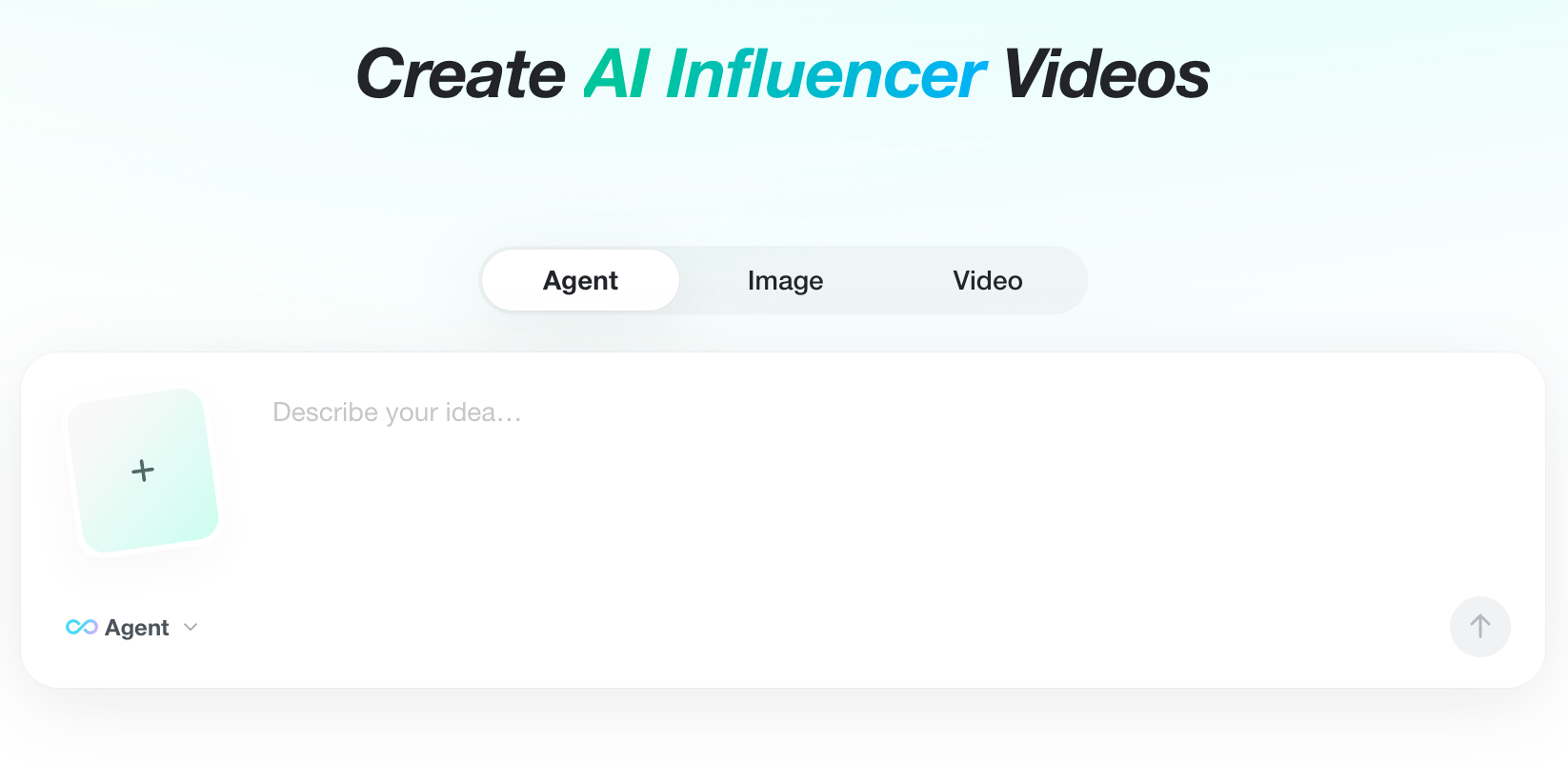
Step 1: Open insMind and Start from AI Agent
Open insMind and choose the AI Agent or image generation workspace. This is where you can generate visuals from existing storyboard prompts. Before pasting your prompt, decide which frame you want to create first: opening shot, problem scene, product reveal, emotional beat, or ending frame.
Step 2: Paste or Customize Your Storyboard Prompt
Paste one prepared storyboard prompt into the prompt box. If needed, make small adjustments for the exact output you want: change the camera angle, add a stronger lighting cue, define the style, or include continuity details such as the same outfit, room, product color, or character appearance.
For example, instead of a broad idea like A startup founder launches a product, use a generation-ready description like Medium wide shot of a young startup founder walking into a bright studio while holding a sleek product prototype, camera slightly low, soft morning light, hopeful cinematic commercial style, clean modern background.
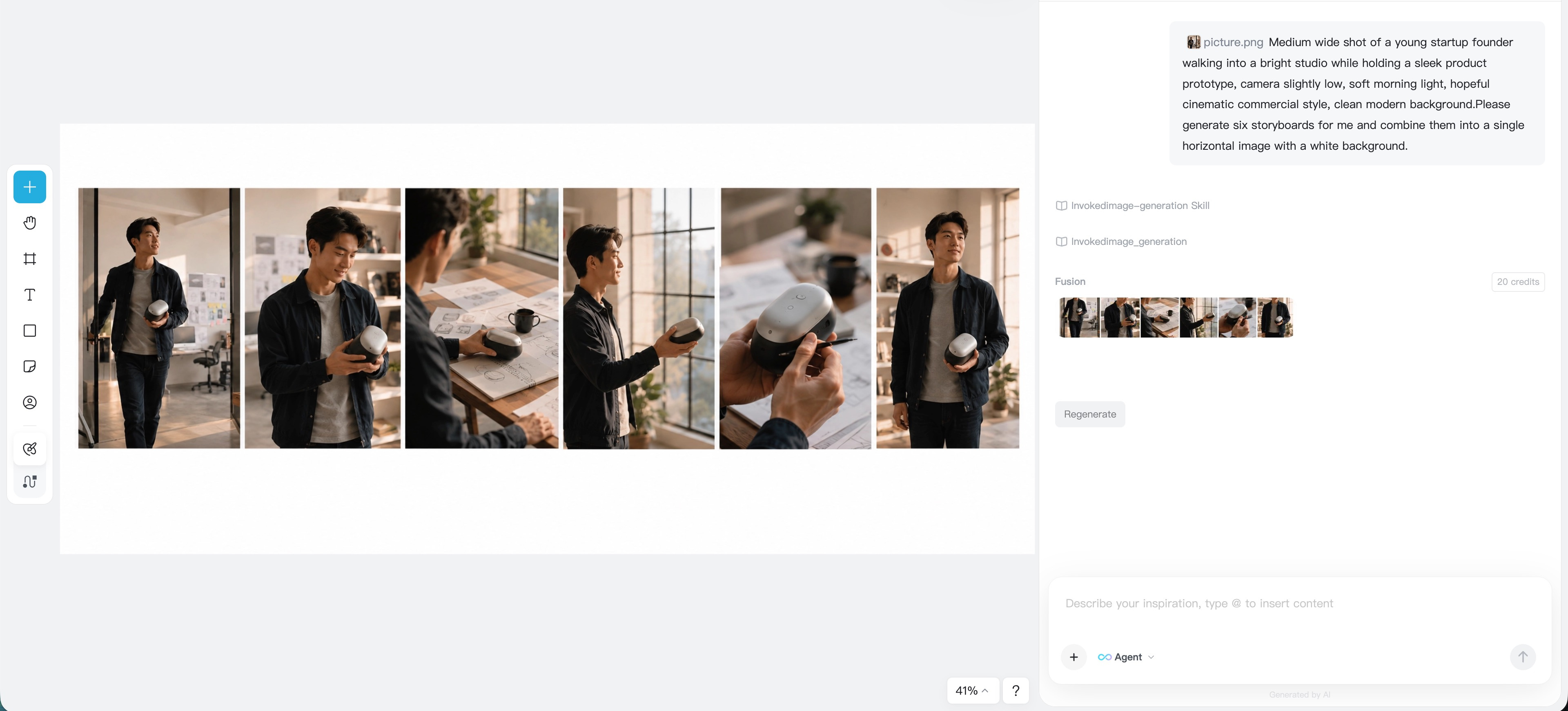
Step 3: Choose Style, Ratio, and Generate
Choose the image ratio based on where the storyboard will be used. A 16:9 frame works well for films, YouTube videos, presentations, and video planning. A 9:16 frame is better for TikTok, Reels, Shorts, and mobile-first ads.
Then select a style that matches your prompt. You might use cinematic realism for a brand film, sketch style for a rough production board, anime style for animation planning, or clean product photography for advertising. Click generate and let insMind create the storyboard image from your prompt.
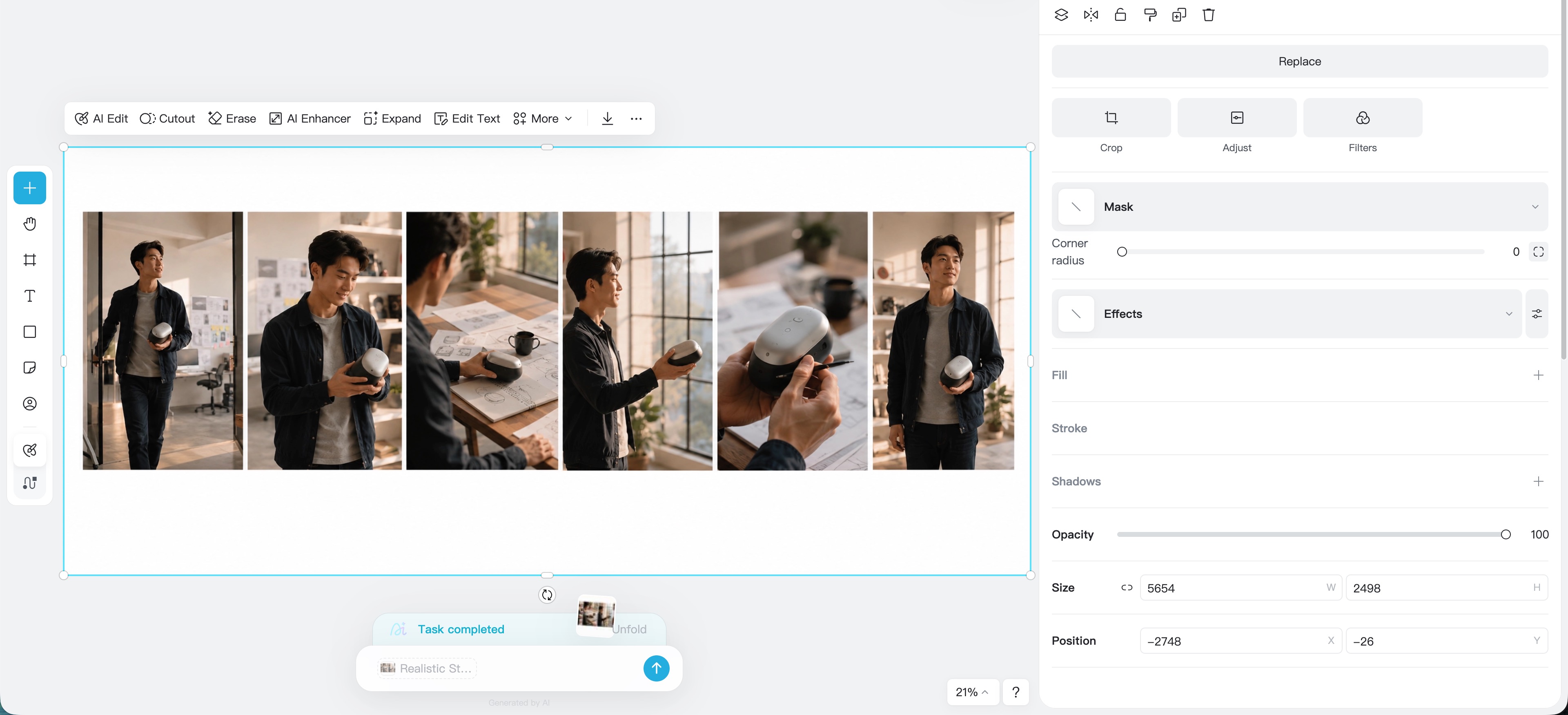
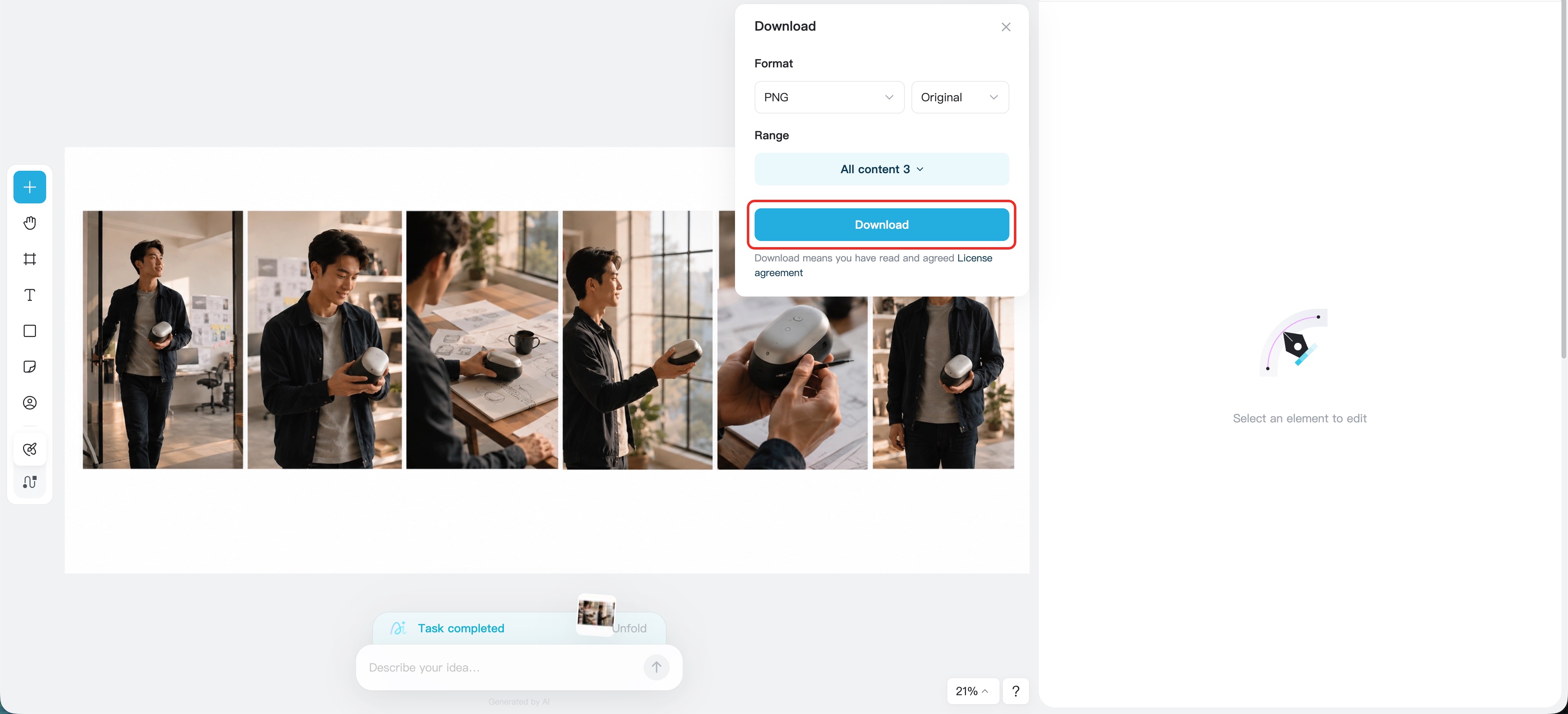
Step 4: Download and Build the Next Scene
When the image matches your prompt, download it. You can place it in a pitch deck, production brief, storyboard document, ad plan, or video generation workflow.
For the next frame, paste the next prompt in your sequence. Keep the same character, setting, color palette, and style, then change the action or camera angle. That is how you turn a set of storyboard prompts into a connected visual story.
Common Mistakes to Avoid
The first mistake is using prompts that are too vague. "A cool car scene" does not tell AI what kind of car, where it is, what is happening, or how the camera should view it.
The second mistake is forgetting the story beat. Every storyboard frame should do a job. It might introduce a character, show a problem, reveal a product, create tension, or close a scene.
The third mistake is changing important details across frames. If the same character has a red jacket in one frame and a black hoodie in the next, your storyboard will feel disconnected.
The fourth mistake is treating the first result as final. AI storyboarding works best when you revise like a creative director. Add clearer action, adjust the camera angle, or specify the mood more precisely.
FAQ About Storyboard Prompts
What should storyboard prompts include?
A storyboard prompt should include shot type, subject, setting, action, camera angle, lighting, mood, visual style, and continuity details. These elements help AI generate a frame that supports your story.
Are storyboard prompts different from regular AI image prompts?
Yes. Regular image prompts often focus on one attractive image. Storyboard prompts focus on visual storytelling, shot planning, and continuity across multiple frames.
Can I use insMind as a storyboard prompt generator?
You can use insMind to turn detailed scene descriptions into visual frames and refine prompts as you go. For best results, prepare one scene beat at a time and keep recurring details consistent.
How many prompts do I need for one storyboard?
A short social ad may need 3 to 5 prompts. A longer explainer, film scene, or product launch video may need 8 to 12 or more. Start with the key beats: opening, problem, action, reveal, and ending.
What is the best way to make storyboard images consistent?
Repeat the same character description, outfit, location, color palette, aspect ratio, and visual style. Then change the action and camera direction for each new frame.
Start Creating Better AI Storyboards
Great storyboard prompts do more than describe pictures. They give AI direction, context, and purpose. When your prompt includes the subject, action, shot type, camera angle, lighting, mood, and style, insMind can turn that text into a clearer visual frame.
Whether you are planning a product ad, short film, explainer video, animation, or social campaign, insMind can help you turn prepared prompts into vivid storyboard images. Start with one clear scene, paste the prompt, generate the image, and keep building the next frame.
Ryan Barnett
I'm a freelance writer with a passion for editing and designing photos. Here at insMind, I strive to educate users on image creativity, photography, and enhancing product photos to help grow their businesses.
Keep reading

FIFA World Cup Poster Prompts: 30+ Examples to Create Football Posters
FIFA World Cup poster prompts for football posters, thumbnails, and campaign visuals.

Magical Lighting: Midjourney Lighting Prompts for Better AI Creations
Midjourney lighting prompts for cinematic, photography, and studio AI images.

Midjourney Prompt for Realistic Photo: 30+ Prompts You Can Try
Learn Midjourney realistic photo prompts and create photorealistic images with insMind.

10+ Fun and Beautiful Midjourney Word Art Prompts: A Practical Guide
Explore fun Midjourney word art prompts and create text art with insMind.

How to Generate Midjourney Logos You Love: 10+ Prompt Examples
Generate Midjourney logos you love with prompt examples and insMind.

Use 25+ Wide-ranging Prompts to Create Your Unique Storyboard Images
Explore 25+ AI storyboard prompts for creating vivid storyboard images.

Best AI UGC Scripts for Beauty, Fitness, and Ecommerce Ads
Create AI UGC scripts and turn product images into beauty, fitness, and ecommerce videos.

GPT Image 2 vs Nano Banana 2: Which AI Image Generator Is Right for You?
Compare GPT Image 2 and Nano Banana 2 for content creation. Learn which AI model suits your needs and how to use them on insMind.

Master GPT Image 1.5 Prompts: Tips, Tricks, and Best Examples
Discover the hotttest GPT Image 1.5 prompts, and learn the tips, tricks and examples of this new AI model.

GPT Image 1.5 vs. Nano Banana Pro: The Battle for AI Visual Supremacy
Compare GPT Image 1.5 vs Nano Banana Pro in this article, and learn which AI model wins the visual war.

Turn Your Pet into a Christmas Star: AI-Powered Holiday Videos Made Easy
Transform your pet into a Christmas star with AI-powered holiday videos. Create unforgettable, festive moments with insMind’s easy-to-use tool!

Discover the Harry Potter Maker: Turn Your Imagination into Magical AI Creations
Discover how the Harry Potter Maker uses AI to transform your photo into a magical wizard portrait and bring your own Hogwarts world to life.

The Best Photo to Video Converter for Educators: Enhance Teaching with AI
Transform your teaching with the best AI photo-to-video converter. Create captivating lessons in minutes with insMind!

How to Create Seamless AI Video Transitions with the Start-End Frame Generator
Learn how to use the Start-End Frame Generator for smooth AI video transitions and enhance your editing workflow. Read more on insMind!

Pixie Cuts for Women: 2025 Trends and How to Try Them with AI
Need to change your look, but also confused about trying the trending hairstyle? Read this article to learn about the best Pixie Cuts for women and picture yourself in one.

How to Become a VTuber in 2025: Step-by-Step Beginner's Guide
Become a VTuber in 2025 with this step-by-step guide. Learn about AI tools, cost-effective setups, and tips for success as a digital creator!

Best 15 Hottest Nano Banana AI Prompts for Instant Inspiration
Create popular Gemini AI image effects today! This article brings you the 15 hottest Nano Banana AI model prompts to try and spark your creativity.

Matching PFP Ideas for Couple You Haven't Seen Before
Matching couple PFPs are a fun way to show your bond online. From anime to custom AI avatars, discover unique ideas to stand out.

How to Make Viral AI Cat Videos: The Ultimate Guide for 2025
Learn to create viral AI cat videos with insMind. Turn your cat’s photos or prompts into funny, cute, and shareable clips fast.

What Is "Ruby Chan Hai"? Explaining the TikTok Memes
Make your own Ruby Chan Hai TikTok trend video easily with AI tools

What Is Italian Brainrot? Animal Memes & How to Create Your Own with AI
Discover the Italian brainrot meme craze—AI animals, absurd humor, and Gen Z internet chaos.

Top 10 Anime Tattoo Ideas for Anime Lovers Worldwide
If you’re unable to decide which anime tattoo to get, read this article. It will provide you with the best 10 anime tattoo ideas and a tattoo generator.