00:00
00:00

Turn Rough Ideas into Complete Videos

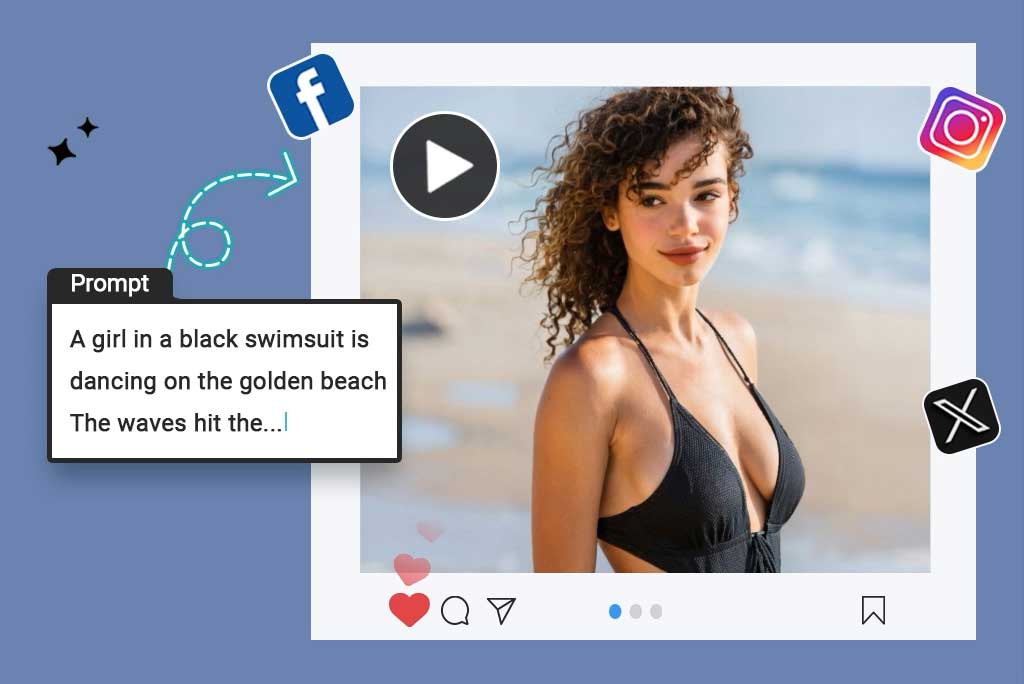
You do not need a polished prompt to begin. Share a goal, scene, product note, or loose story, then let the AI video agent ask for missing details and shape the direction. It can organize tone, scene order, format, and visual intent before generation.
Generate AI Video
00:00
00:00

Leading AI Video and Image Models in One Agent

A capable AI agent video generator often needs both image creation and motion generation. insMind gives access to model combinations such as GPT Image 2 + Seedance 2.0 or Nano Banana Pro + Kling 3. Choose the model path that fits the visual source and motion style.
Start With AI Video Agent
00:00
00:00

AI Video Agent with Built-In Skills

insMind's AI video agent is more than a one-shot video generator. It includes trained video generation skills for workflows like AI talking head, AI storyboard, and product scenes. Add the right intent words to your prompt, and the agent can trigger the matching skill to guide a more relevant result.

Create AI Video

How to Use the AI Video Agent

Step 1. Type Your Ideas

Open the agent chat and type a rough scene, product idea, story beat, campaign concept, or short script. You can start with plain language instead of a finished production brief.

Step 2. Discuss With AI Video Agent

After you send the idea, the AI video agent analyzes the request and asks follow-up questions. Answer with details about scene, style, motion, audience, or format so the direction becomes clear.

Step 3. Generate the Video

When the requirements are ready, ask the agent to generate the video and choose Generate. The wait is usually short, often around one to two minutes depending on the request and settings.

Step 4. Preview, Edit, and Download

Preview the result in the insMind canvas. If something feels off, enter follow-up prompts to revise the video, then use Download when the finished version is ready.

What Creators Say About insMind AI Video Agent

Why Choose insMind as Your AI Agent Video Editor

No Timeline Skills

No Timeline Skills

Create and revise videos without learning timeline tools. Tell the AI agent what to change, such as background, object, camera angle, color mood, or pacing.

Promptless Creation

Promptless Creation

Start from an unfinished idea and let the agent ask what is missing. It can help clarify audience, story, format, scene order, and visual direction before generation.
Model Pairing in One Agent

Model Pairing in One Agent

Access image and video model pairings in one place, including examples like Midjourney + Veo 3.1 or Recraft + Wan 2.7.

Skill-Triggered Workflows

Skill-Triggered Workflows

Use trained skills for video types like talking head, storyboard, product scenes, social ads, and explainers. The agent can recognize intent words and route the task more clearly.
Guided Iteration

Guided Iteration

Keep improving the result through chat after the first generation. Ask for changes to motion, style, format, scene focus, or visual details before downloading.
From Idea to Finished Clip

From Idea to Finished Clip

Move from rough notes to a usable video direction faster because planning, generation, editing, and download live inside one agent workflow.

Who Should Use an AI Video Agent?

Product Marketers

Launch notes often start as feature bullets, not a video brief. The AI video agent chat can turn the message, audience, and product moment into a short demo concept. You get a clearer sequence for announcement pages, sales decks, or campaign drafts before production begins.

Social Creators

Short clips rarely land on the first pass, especially when the hook or visual mood feels off. An AI agent video editor lets you revise direction through follow-up prompts without rebuilding the idea from zero. Use it to reshape captions, scene focus, pacing, or visual style for your next post.

E-commerce Sellers

Product photos and selling points do not always translate into a clear promo video. An agent AI video generator can organize the item, offer, use case, and visual angle into a shoppable-style product clip concept. You can move from scattered notes to a cleaner product video direction.

Marketers and Ad Planners

Campaign briefs often contain goals, channels, and audience notes but no finished video structure. A video agent can shape those details into brand explainers, onboarding clips, product ads, and launch variations. Teams get a shared creative direction before committing time to production.

Frequently Asked Questions

What is an AI video agent?

insmind expand icon
An AI video agent is a conversational tool for turning ideas into video directions and generated clips. Instead of relying on one finished prompt, you can describe the goal, discuss the missing details, create the video, and refine it through follow-up instructions.

How is an AI video agent different from a traditional AI video generator?

insmind expand icon
A traditional generator usually starts with one prompt and returns one result. An AI agent video generator adds chat-based clarification, planning, and guided revisions before the final output, so the video direction can mature as you work.

Can I use the AI video agent for video editing?

insmind expand icon
Yes, you can use the AI agent for video editing by entering follow-up prompts for background, object, angle, or color changes.

Do I need to write detailed video prompts?

insmind expand icon
No, rough ideas are enough to begin because the agent can ask questions and fill in missing direction through chat.

What models can I access with the AI video agent?

insmind expand icon
You can access leading image and video models in one agent workflow, including examples such as GPT Image 2 with Seedance 2.0 or Nano Banana Pro with Kling 3. Availability and results may vary by selected workflow.

How long does AI video generation take?

insmind expand icon
AI video generation often takes a short wait, commonly around 1–2 minutes, depending on prompt detail and selected settings.

Can I download videos made with the AI video agent?

insmind expand icon
Yes, after previewing and making any needed edits, you can download the finished video from insMind.

Explore Other Hot Video Tools from insMind