
Square an Image with the Easiest Square Image Converter
Convert Rentabgle Images to Square with AI
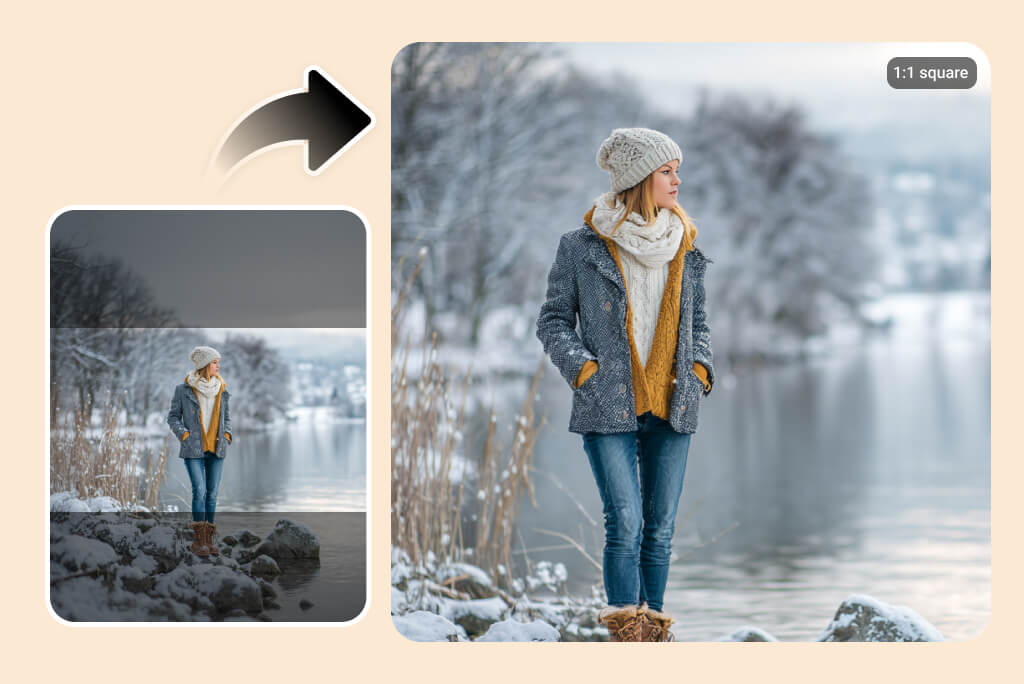
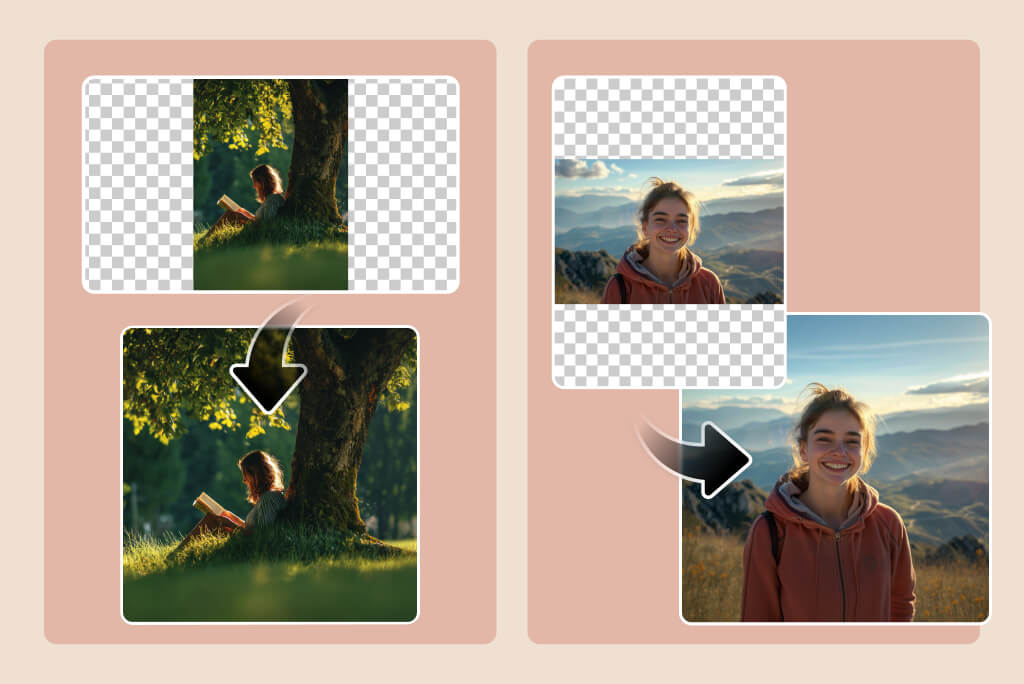
Using AI, you can make pictures square instantly without manual editing. The AI extender fills the outer areas naturally and blends everything into a smooth, balanced layout. It keeps important details intact while helping you create a polished square image in seconds.
- Access insMind AI Image Expander in your browser, and it works on any device.
- Upload your photo from your computer or phone.
- Select the 1:1 aspect ratio so the AI knows how much extra space to generate.
- Click generate. The AI expands and blends the background to deliver a clean square image instantly.
Crop Images into a Square with the Square Image Cropper
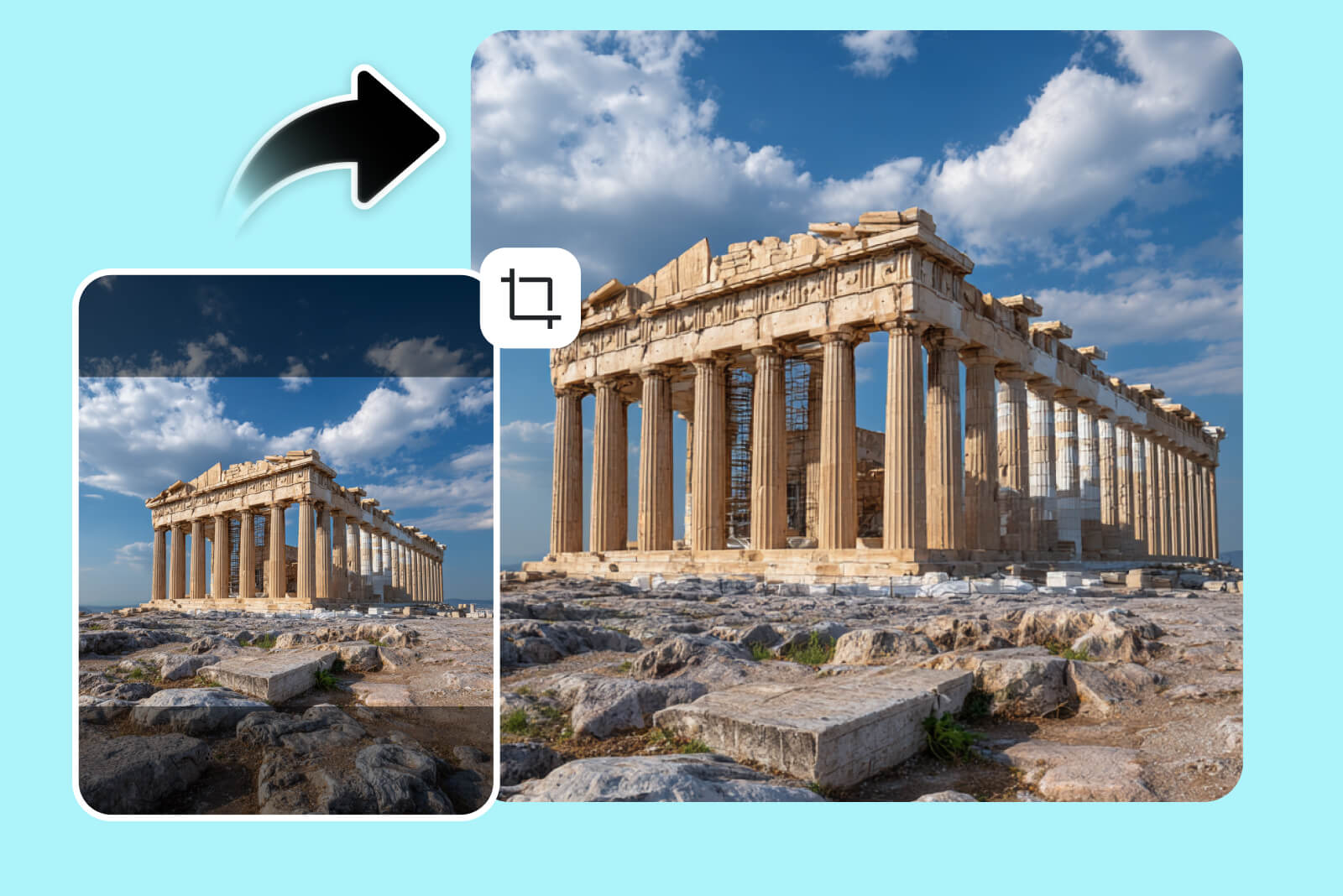
If you prefer more control, the square image cropper helps you frame your subject exactly how you want it. This is ideal when your photo already has a strong focal point and only needs a cleaner, tighter composition.
- Open the insMind Image Cropper directly in your browser.
- Upload your photo and view how it appears within the frame.
- Select the 1:1 preset or manually position the crop box to focus on the subject.
- Download your cropped square image in high quality.
Make Images Square Without Cropping
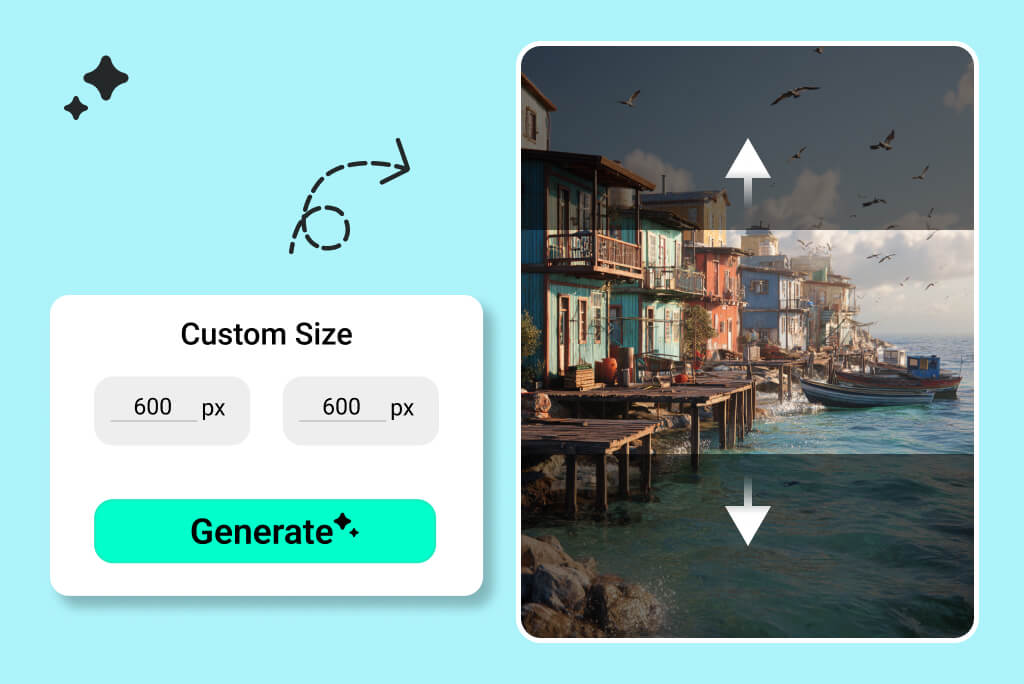
When you want to keep every part of the photo, the smart resize tool helps you fit your image into a square layout without trimming anything away. It adjusts spacing and alignment so the final result still looks natural and visually balanced.
- Access the insMind Smart Resize Tool online with no installation required.
- Upload your photo and preview how it fits on the adjustable canvas.
- Choose a square size or enter your own dimensions in px, cm, or mm.
- Make any small adjustments needed, then export your refined square image.
How to Square an Image with AI Easily
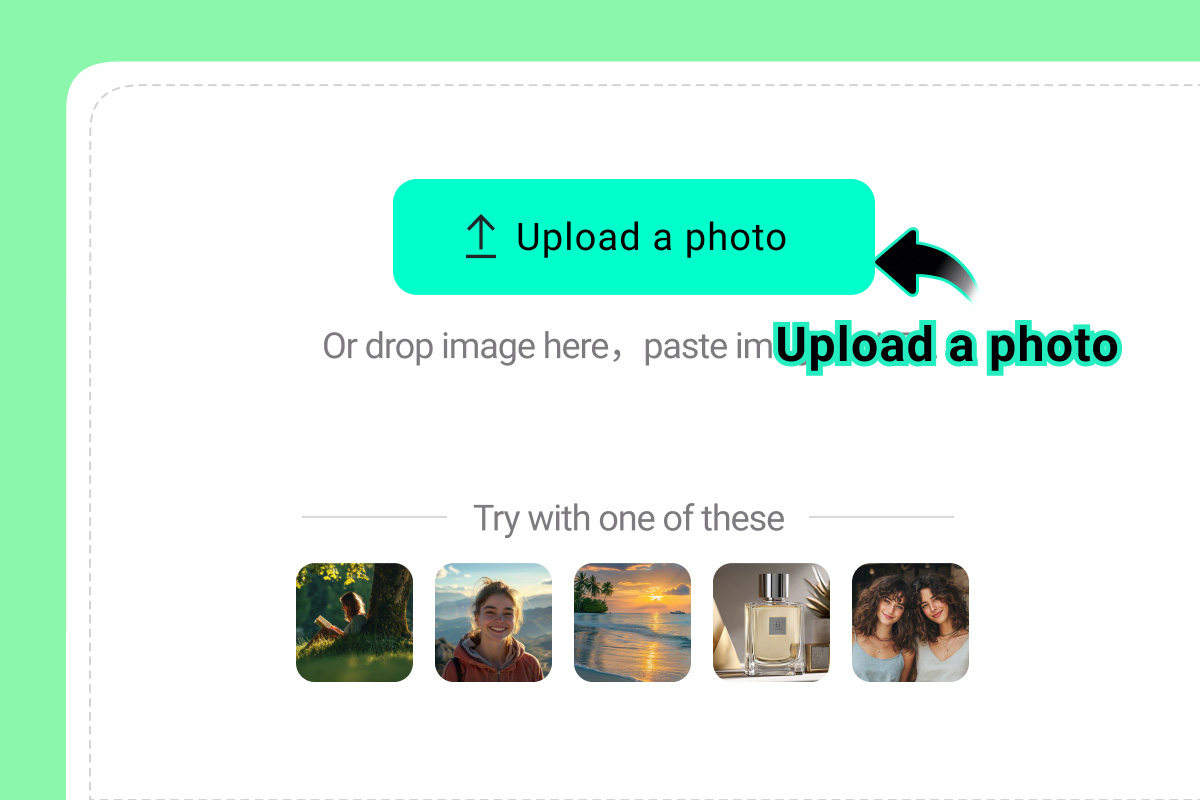
1 Step 1: Upload your photo
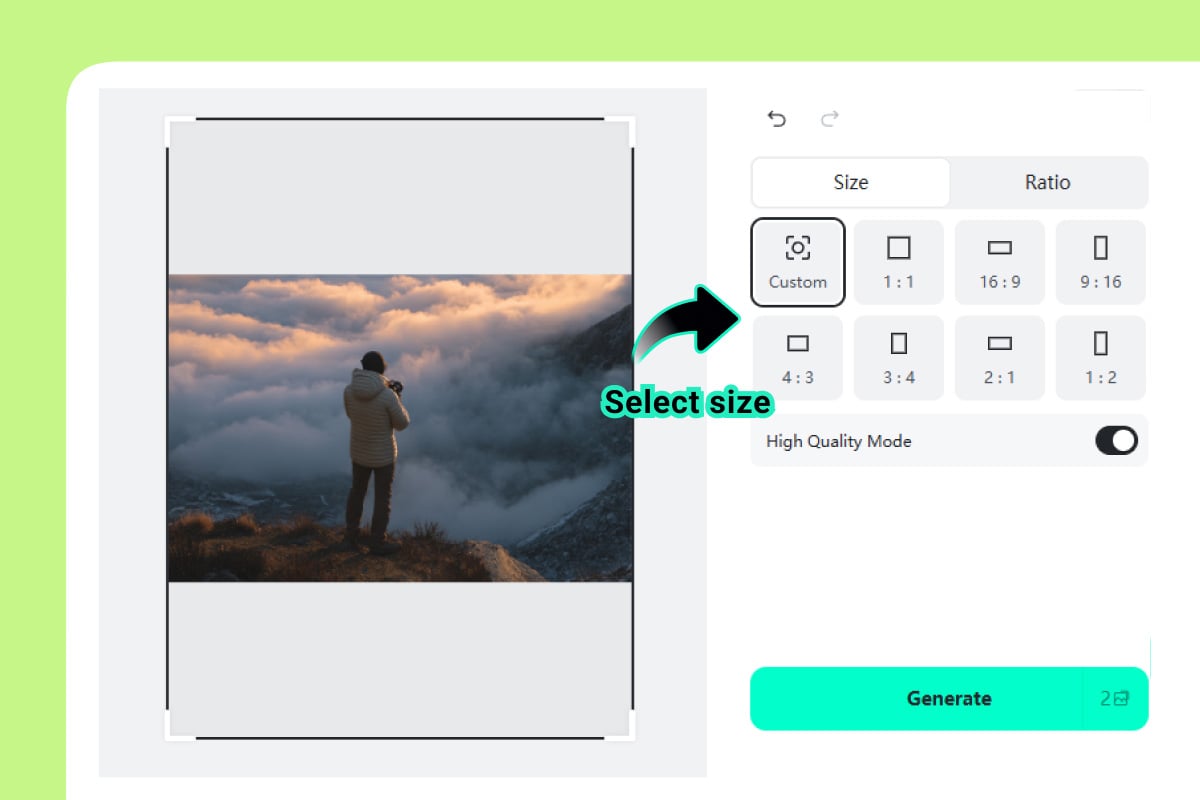
2 Step 2: Select the 1:1 ratio
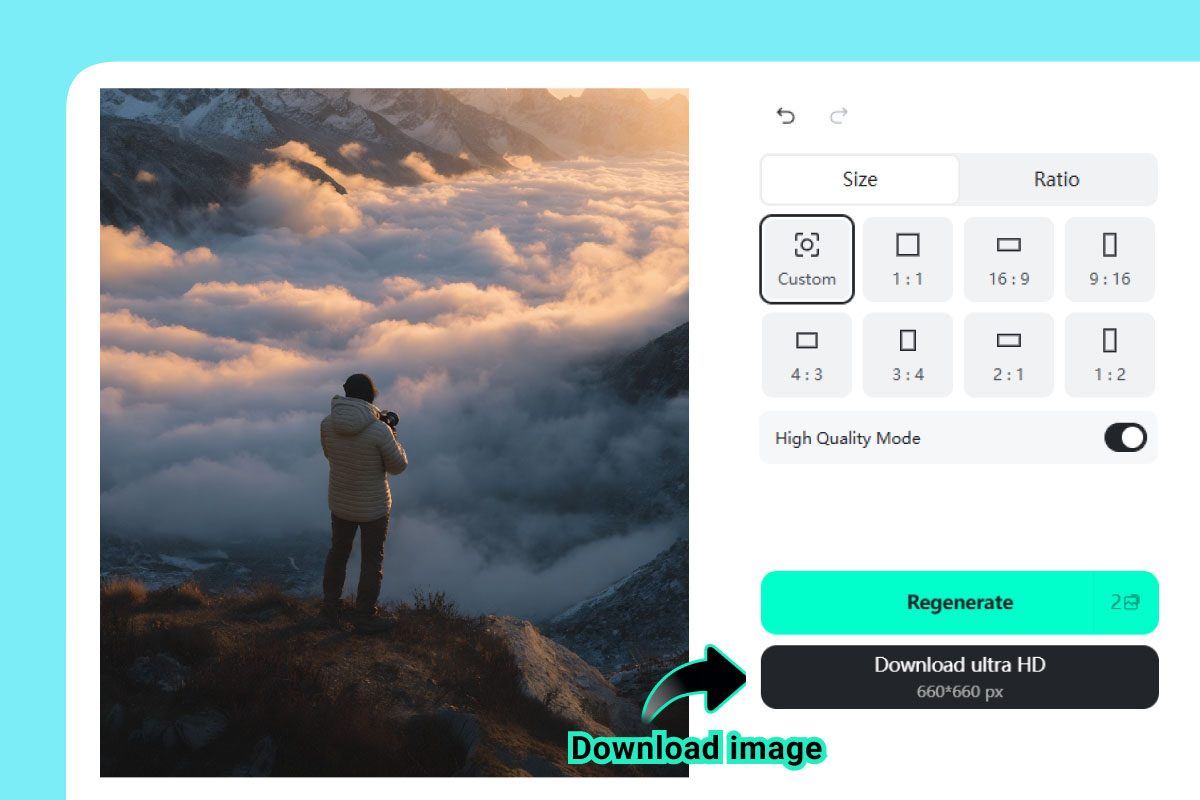
3 Step 3: Square your image
Why Convert an Image to a Square Format?
Square Pictures for Social Media
A square image displays more consistently across feeds. Converting your photo helps keep it centered without unexpected cropping, making it ideal for Instagram posts, profile images, product previews, and platform-friendly layouts.
Square Images for Printing and Framing
Square formats work well for posters, print projects, and framed artwork. Converting your image ensures clean borders and eliminates distortion, so the final print looks balanced and visually appealing.
Square Photos for Thumbnails
Square thumbnails look uniform and professional across blogs, portfolios, and e-commerce stores. Converting helps maintain a consistent visual structure and improves how your content appears in grids or galleries.
Convert Rectangle to Square for Design Layouts
Many templates and design tools use fixed square blocks. Turning your rectangle into a square helps your photo fit smoothly into layouts without manual adjustments or awkward repositioning.
Why Choose Our Square Image Cropper?

Square Images Without Losing Quality
Our AI blends extended areas smoothly and preserves detail, helping you create a natural square composition without quality loss, distortion, or visible edits.
3 Ways to Create a Square Image
Choose AI extension, manual cropping, or smart resizing depending on what your photo needs. Each method gives you the flexibility to achieve the result you want with minimal effort.

Flexible Format Adjustments
Easily move between square and rectangular formats without stretching the photo. The tool adjusts spacing and layout intelligently to maintain a natural look.
Explore More AI Image Editing Tools
Frequently Asked Questions
How do I convert a rectangular image into a square?


Can I square an image without cropping?
How do I make a landscape or portrait photo square?
Can I square an image on my phone?
Will converting to a square reduce image quality?
Can I create a square photo for Instagram?
Can AI help reshape my image into a square?
Can I convert a square image to a rectangle?