
AI Clothing Virtual Try-On Video Generator
Turn clothing and model photos into moving try-on clips for outfits, lookbooks, and product pages.
00:00
00:00
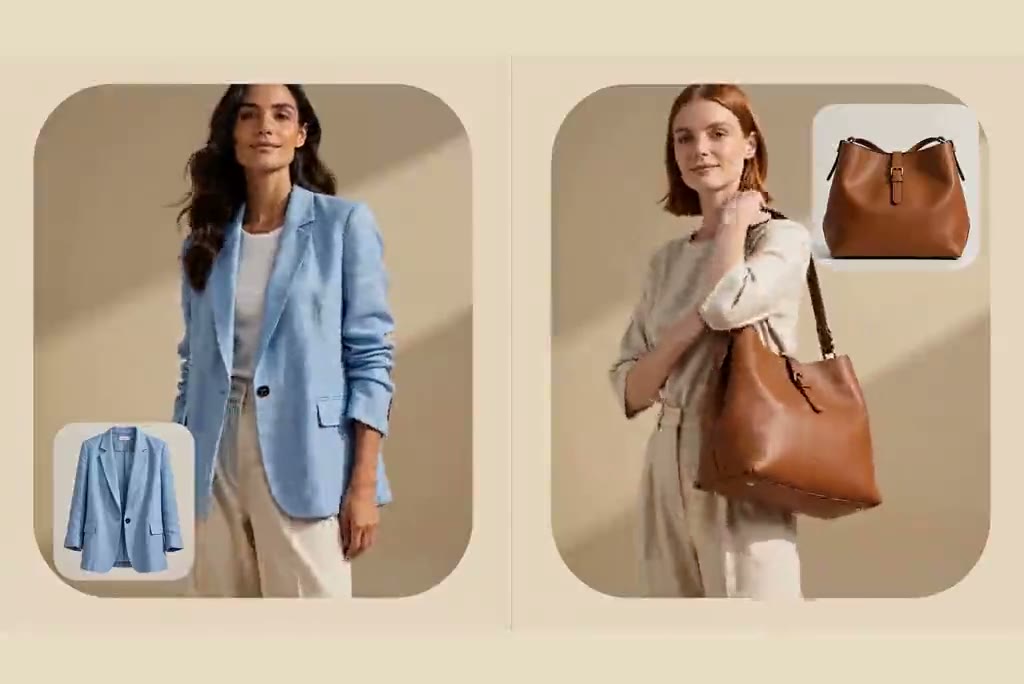
Turn a Clothing Photo Into an On-Model Video
00:00
00:00
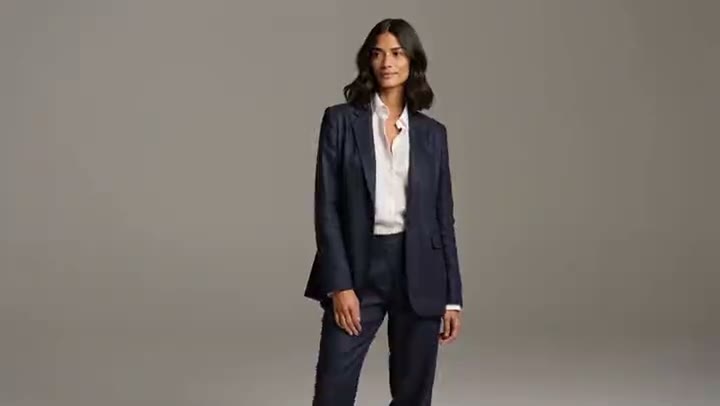
See How Clothes Look in Motion
00:00
00:00
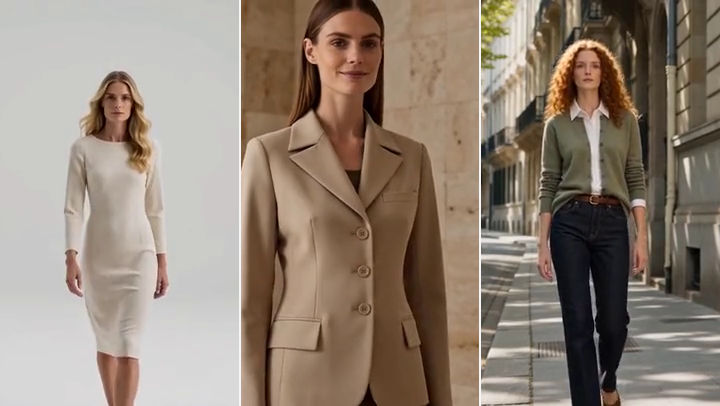
Show Dresses, Jackets, and Complete Outfits
00:00
00:00
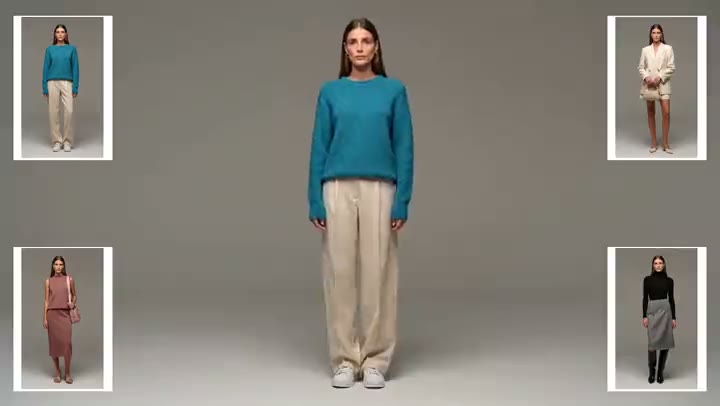
Build a Lookbook That Feels Connected
How to Create Clothing Virtual Try-On Videos
Step 1. Add a clear clothing photo
Upload a garment image where the shape, color, and key details are easy to see. A clean product shot gives you a useful reference when you review the video.
Step 2. Add a model photo if you have one
Use a model image when you want to show the clothing on a particular person. If you do not have one, describe the model and setting you want in the prompt.
Step 3. Describe the movement
Ask for a short, natural action, such as a gentle turn or a few steps. Select an available video model and format that suits your destination.
Step 4. Generate and review the clip
Preview the result and compare the garment with your source image. If a detail looks wrong, adjust the image or prompt and try again before downloading.
Where to Use Clothing Virtual Try-On Videos
Explore clothing video ideas for stores, collections, social posts, and ads.

Give a Product Page Another View
Show a dress or jacket on a moving model beside the usual product photos. Shoppers can see the styling and silhouette from another angle before they look through the rest of the listing.

Introduce a Seasonal Collection
Put several related looks into a short fashion lookbook. A consistent setting lets the color palette and outfit changes carry the story across a collection page or launch campaign.

Make a Short Fashion Social Clip
Turn one outfit into a quick post for a feed or story. Use a simple walk or turn so the clothing stays visible even when someone watches without sound.

Test a Clothing Ad Concept
Try a few visual takes for one featured garment before choosing an ad clip. If your campaign includes products beyond clothing, the AI product video generator covers that broader use.
Why Use insMind for Clothing Try-On Videos?

Quick First Drafts
Start with a garment photo and a short motion prompt. A draft lets you judge the framing before you plan a larger set of clips.

Easy to Start
You do not need to film a try-on session. Upload your image, describe the scene in plain words, and review the generated result.

More Model Choices
Try an available video model that suits your idea. Compare a few takes when motion or clothing details matter to the final clip.

Space for Your Ideas
Keep product images, references, and video ideas together on insMind's Infinite Canvas as you explore looks for the same collection.

Photo and Video Tools
Work on still styling and video in one studio. Use image to video to animate an existing on-model photo.

Create Clothing Try-On Videos with AI
Try core features for free, then decide which clothing clips you want to refine. Available features and usage limits may vary by account and permissions.
FAQs About Clothing Virtual Try-On Videos
How does an AI clothing virtual try on video generator work?


Add a clothing photo and describe how the item should appear on a model. You can provide a model image when you want a specific person in the clip. AI generates a short moving preview. Check it against the original garment photo before you download or share it.
Do I need a model photo to make a clothing try-on video?
No. A model photo is optional in the clothing try-on setup. Add one when you want a particular person or pose as a reference. Otherwise, describe the model and scene you want. Review the result carefully, since a prompt alone may give you a different person or styling than you pictured.
What kind of clothing photo should I upload?
Choose an image that clearly shows the garment and its important details. Good lighting, a simple background, and enough space around the item make the source easier to judge. If you have several angles, start with the view that best represents the piece you want to show.
Can I create videos for different types of clothes?
Yes. You can try tops, jackets, dresses, and complete outfits. Match the prompt and framing to the item: a full-length dress needs more space than a shirt detail. Generate a separate clip for each look, then keep the strongest results for your product page or lookbook.
Can the model turn or walk in the video?
You can ask for a gentle turn, a short walk, or another simple action in your prompt. Natural movement can show more of the garment than a still front view. Keep the request short and clear, then check whether the motion and clothing details look right in the generated clip.
Will the video show the exact size and fit of the garment?
No. An AI try-on video is a visual styling preview, not a measurement or fitting tool. It can help you see a garment on a moving model, but it cannot confirm how a real item will fit a particular body. Use actual size charts and product measurements for fit decisions.
How do I check whether the clothing details stayed accurate?
Compare the video with the source garment photo. Look at the color, pattern, neckline, sleeves, hem, and any logo or trim. If something important changes, revise the input image or simplify the motion prompt and generate another take. Use the clip only after those visible details are acceptable.
Can I use the clips on product pages and social media?
The clips are suited to product-page previews, lookbooks, and fashion social posts. Download a result after you review it, then prepare the size and format required by your destination. Check the current insMind usage terms and the rules of the platform where you plan to post.
Can I try clothing virtual try-on videos for free?
You can try this tool online for free. Available features and usage limits may vary by account and permissions.
Can I use a generated try-on video in a commercial campaign?
Check the current insMind terms and your account plan before using a clip commercially. You should also confirm that you have the rights to the garment photos, model images, logos, and any other material you upload. The page does not promise a commercial license for every input or output.
Explore More Fashion and Product Video Tools
00:00
00:00
Image to Video
Create custom videos from your photos with AI.
00:00
00:00
AI Photo Animator
Animate your still photo with AI online and try it for free
00:00
00:00
Instagram Video Generator
Create Instagram Reels, Stories, and posts with AI.

00:00
00:00
AI Product Demo Generator
Create clear product demo videos from photos and prompts.
00:00
00:00
AI UGC Video Generator
Create authentic UGC-style video ads with AI in minutes.
00:00
00:00
AI Catwalk Video Generator
Transform a photo into a stunning AI catwalk video instantly.
00:00
00:00
180° Turn Video Generator
Turn any photo into a smooth, professional 180° spin video.
00:00
00:00
Seedance 1.5 Pro
Create videos with native audio and visuals, perfectly synced.