
Remove Background From Signature Online in One Click



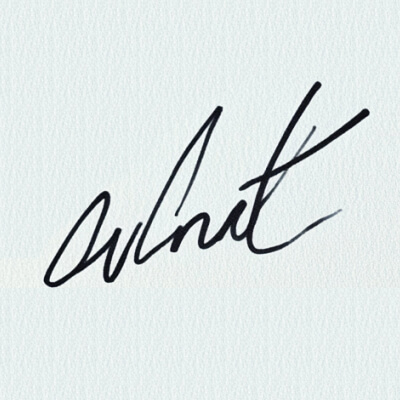



Automatically Create A Transparent Signature Online
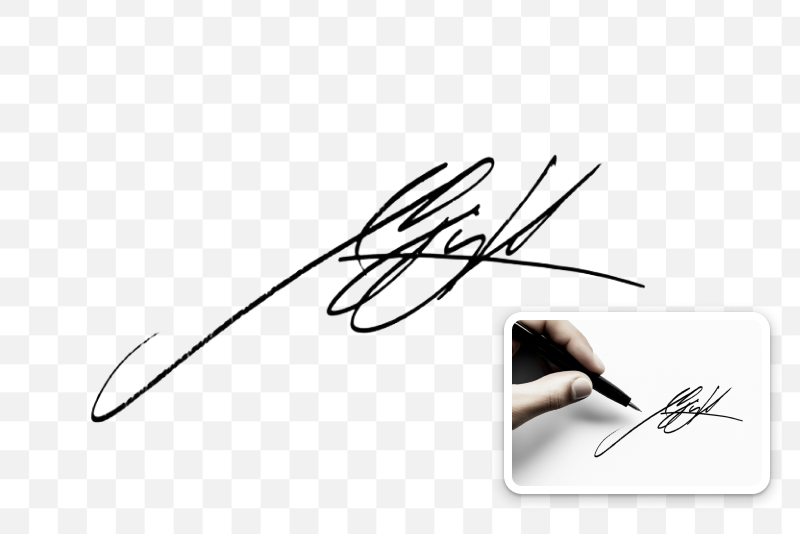
Instantly and effortlessly sign your documents with your digital signature, making them look highly polished. Our signature background remover online can easily remove all unwanted portions from your signature image, creating a clean and transparent signature instantly.
Just give us your signature image and choose our popular and flexible model. With our sophisticated software, your signature can be captured and extracted in seconds. Enjoy the efficiency of automated background removal, and never sacrifice quality or efficiency again.

Remove Background from Signature While Keeping the Quality Intact
Maintain the authenticity of your signature using insMind's technology. Our digital signature background remover is selective and precise in capturing signatures from any image possible. The final product is a clean, precise cutout that preserves your signature's depth and fine features.
The tool facilitates enhanced editing tools to improve the shape and look, allowing you to fine-tune the cutout and resize or rotate your signature effortlessly. Get to experience the accurate and efficient background removal of insMind.

Download Your Signatures Easily In Transparent PNG Format
Get your signature in a more flexible PNG format. Once the background has been erased from your signature by our tool, it is easy to save the signature as a high-quality transparent PNG image.
This easily recognizable file format suits a lot of platforms, documents, emails, and websites. If you are to sign contracts, design business cards, or make other official documents more impressive, we'll assist you in adding your signature quickly and without any difficulties.

More Than Just Removing Signature Backgrounds
This tool has more to provide than just the removal of the background. Besides generating transparent digital signatures and open signatures, Easily removes backgrounds from signatures, portraits, animals, products, cars, icons, graphics, and much more.
Our platform offers a variety of tools to enhance your images. Easily toggle between different background colors with a single click. After removing backgrounds from logos or other elements, you can enhance your pictures using our AI Image Enhancer tool. Additionally, expand the size of your images with our AI expander feature.
Explore More Signature Background Remover Features
How To Remove Background From Signature Using insMind

1 Step 1: Upload Your Signature Image

2 Step 2: Utilize the AI Signature Background Remover Online

3 Step 3: Download Your Signature


Get Ready To Use Your Transparent Digital Signature For Multiple Uses
Creating an online signature for professional purposes will take a few seconds. Integrating your signature into various applications with our tool is easy, helping you improve your company's image and save time.

E-commerce
Using our unique signature background remover, you can bring a personal touch to the packaging and promotional materials by adding your signatures. Incorporation of this simple addition can add value to your products by developing the required sense of credibility with your customers. Finally, this can result in customer loyalty, which is crucial for success.

Business
With our tool, you can make your official documents and contracts look more professional by using clean, transparent digital signatures. It makes business processes more efficient and enables you to align your branding using icons across different papers.
Personal
Why Choose insMind Signature Background Remover

Fast and Efficient
insMind's advanced technology quickly removes background from signature images online, saving you time.

Accurate and High-Quality
Our tool produces transparent signature results while maintaining the quality of your original handwritten signature.

Versatile and Convenient
The PNG signature created by insMind makes it easy to use your signature in many digital projects.
FAQs About Signature Background Remover
What is the Ideal Signature Image Size?


How Quickly Can I Remove the Background?
Can I Change My Signature After Removing the Background?
Is There a Limit to How Many Signatures I Can Process?
How Can I Use My Transparent Signature?
You might be interested in
Make your pictures pop with creative AI tools you can explore during a free trial.

Black Background Remover
White Background Remover

Remove Background From Logo

Remove Image Background

Photo to Sticker Maker

Remove Color from Image

Signature Maker
"I use insMind's Signature Background Remover to clean up signatures for our corporate documents. The tool is quick and efficient, and the final signatures always look sharp and professional. It's become a must-have in our office."
@Tom A