The Midjourney AI Text to Image Generator is known for its signature artistic style, producing images that feel cinematic, dream-like, and visually distinctive. With just a simple prompt, the Midjourney AI Image Generator can transform abstract ideas into highly expressive visuals.
Unlike standard tools, this AI Image Generator Midjourney focuses on aesthetic composition and storytelling, making it ideal for creative concepts, branding visuals, and imaginative scenes. Whether you're exploring fantasy, fashion, or cinematic ideas, Midjourney AI Image Generation delivers results that stand out instantly.

Create Artistic Visuals with Midjourney AI Image Generator


Create Artistic Visuals with Midjourney AI Text to Image Generator

Generate Reference-Guided Results with Midjourney AI Image to Image Generator
The Midjourney AI Image to Image Generator allows you to upload reference images and guide the output more precisely. Instead of starting from scratch, you can use existing visuals to control composition, style, and overall direction.
This feature makes the Midjourney AI Image Generator especially powerful for designers and creators who want more consistency. By combining prompts with reference images, Midjourney AI Image Generation becomes more predictable while still maintaining its signature artistic quality.

Explore Diverse Styles with Midjourney AI Image Generator
One of the biggest strengths of the Midjourney AI Image Generator is its ability to explore a wide range of visual styles. From anime and illustration to cinematic realism and surreal art, it adapts easily to different creative directions.
This flexibility makes AI Image Generator Midjourney suitable for various use cases, including concept design, social media content, and digital art. With Midjourney AI Image Generation, you can quickly experiment with styles and discover new visual possibilities without switching tools.

Achieve High-Quality and Realistic Outputs with Midjourney AI Image Generation
The Midjourney AI Image Generator stands out for its high visual quality and refined details. It produces images with natural lighting, realistic textures, and well-balanced compositions that feel polished and professional.
From skin details to environmental lighting, Midjourney AI Image Generation delivers results that closely resemble real-world visuals while maintaining artistic appeal. This makes it ideal for projects that require both realism and strong visual impact.

Refine and Edit Images Faster with Midjourney AI Image Generation
A key advantage of the Midjourney AI Image Generator is its fast iteration workflow. Each prompt generates four image variations, allowing users to compare options and quickly choose the best direction.
With AI editor feature, Midjourney AI Image Generation enables continuous refinement without starting over. This process makes it easier to experiment, improve results, and achieve the desired output efficiently.
How to Use Midjourney AI Image Generator

1
1 Enter Your Prompt
Enter a clear prompt describing your idea. The more specific your description, the better the AI can match your vision. Then you can click the "generate" button.

2
2 Add a Reference Image
If you are not satisfied with the generated images, you can add a reference image with the Midjourney AI Image to Image Generator to guide style and composition.

3
3 Choose Your Favourite Image
The Midjourney AI Image Generator creates four image variations. Choose the one that best fits your vision.

4
4 Edit and Download
You can further edit the image with AI or download the final result directly in high-quality resolution.


More Than Just Midjourney AI — Unlock More Creative Possibilities
Real User Reviews – What People Are Saying About Our Midjourney AI Image Generation
Why Choose insMind's Midjourney AI Image Generator?

Lower Cost
insMind provides a cost-efficient way to use Midjourney. You can create stunning images without paying for expensive plans.

Multiple Models in One Place
insMind lets you switch beyond Midjourney to other powerful models like Nano Banana 2, Recraft, and GPT-Image-1.5. This gives you more creative options without leaving the same platform.

Signature Artistic Style
With Midjourney integrated into insMind, you can create distinctive, artistic visuals with ease. From cinematic scenes to dream-like images, your results stand out with a unique visual style.

High-Quality Results
Generate high-quality images with sharp details, clean textures, and well-balanced lighting. insMind ensures consistent and refined outputs that are suitable for both creative and professional use.

Faster Generation
insMind helps you move from prompt to result much faster. This makes it easier to test ideas, refine outputs, and keep your creative workflow efficient.

User-Friendly Interface
insMind offers a clean and intuitive interface that makes AI image generation easy to use. Even beginners can quickly get started without a steep learning curve.
FAQs About Midjourney AI Image Generator
What is Midjourney AI Image Generator?


The Midjourney AI Image Generator is an advanced tool that creates images from text prompts or reference images. It focuses on artistic quality and creative visual generation.
Can I upload images to Midjourney?
Yes, the Midjourney AI Image to Image Generator allows users to upload reference images to guide style and composition.
What makes Midjourney different from other AI image generators?
AI Image Generator Midjourney stands out for its artistic style, high-quality visuals, and flexible prompt-based workflow, making it ideal for creative projects.
Who is Midjourney AI Image Generator suitable for?
Midjourney is suitable for designers, marketers, content creators, and anyone who needs high-quality visuals. It works well for both beginners exploring ideas and professionals creating production-ready images.
What types of images can I create with Midjourney?
You can create a wide range of visuals, including concept art, product images, social media graphics, illustrations, and more. It supports both creative and practical use cases.
Do I need design skills to use Midjourney?
No, you don't need professional design skills. With simple prompts and intuitive controls, beginners can easily create visually appealing images.
You might be interested in
Make your pictures pop with features that are completely free.

AI Photo Editor
Discover insMind, the all-in-one tool that meets all your photo editing needs for free!

AI Image Enhancer
Transform photos with insMind AI Photo Enhancer, boosting quality, resolution, and detail effortlessly

AI Filter
Unlock a multitude of AI filters that effortlessly turn any photo into captivating art with insMind

AI Shadows
Enhance product photos with insMind AI, adding shadows and reflections instantly for a professional studio look

AI Replace
Enhance your photos with insMind's AI Replace features.
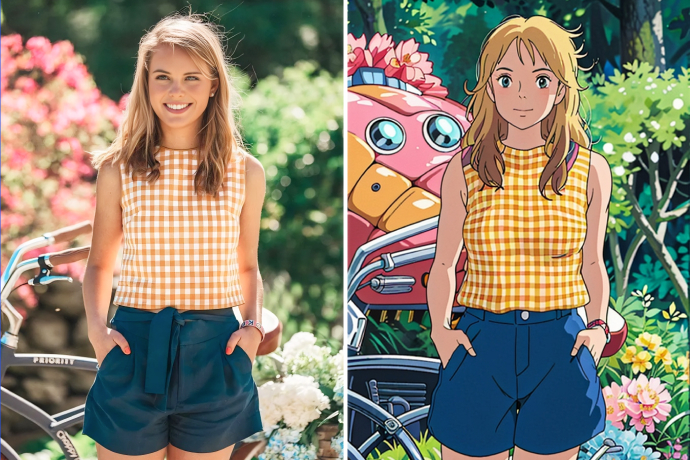
Studio Ghibli Filter
Transform your photo into Studio Ghibli-style art with one click.
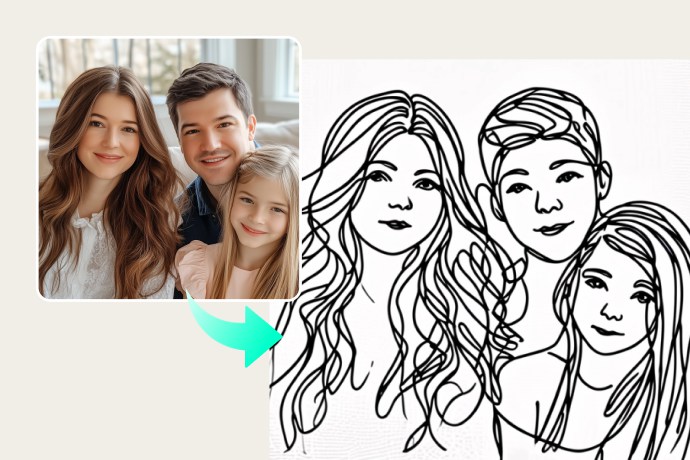
Photo to Line Drawing
Easily turn photos into minimalistic line drawings for creative or professional use.
@Sofia, Designer