
TIFF to JPG Converter – Change Image Formats Online


Quick and Simple TIFF to JPG Conversion
With the insMind TIFF to JPG Converter, turning TIFF files into JPG format is incredibly straightforward. Just one click is all it takes to complete the process.
This intuitive tool is built for speed and simplicity, letting you convert TIFF images to JPG in mere seconds. Whether you're working with a single image or an entire batch of files, our converter has your needs covered.

Versatile Support for Multiple Formats
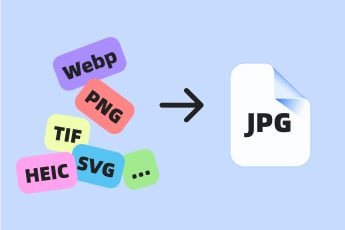
Our tool goes beyond TIFF to JPG conversions. It supports a broad array of image formats, including WebP, PNG, GIF, HEIC, SVG, and more, giving you the flexibility to work with various file types.
No matter the format of your images, you can rely on our converter for seamless and efficient conversions. Easily switch TIFF files to JPG or handle other formats with just a few clicks.

Works Flawlessly on Any Device
The insMind TIFF to JPG Converter is designed for versatility and ease of use across devices. Whether you're on a smartphone or PC, you can convert TIFF to JPG online effortlessly.
Thanks to its user-friendly interface, this tool ensures a smooth and hassle-free experience. Perform image conversions anytime, anywhere, with the convenience of multi-device compatibility.
Explore More JPG Converter Features
How to Convert TIFF to JPG Using insMind?

1 Access insMind

2 Upload Your TIFF Image

3 Convert TIFF to JPG

4 Download and Share Your JPG Image


Why Choose insMind TIFF to JPG Converter?

Streamline TIFF Files into JPG Format
insMind TIFF to JPG Converter simplifies the process of converting large, complex TIFF files into the more versatile JPG format. This is ideal for easier sharing and usage across various platforms and devices.

Maintain Image Clarity
Despite the conversion, insMind ensures the quality of your images is preserved, delivering crisp and vibrant JPG files perfect for both professional and personal use.

Convert TIFF to JPG online with insMind
Accessible directly from your browser, you can try this tool without downloads or installations, making it a hassle-free solution for converting TIFF to JPG anytime, anywhere during a free trial.
Frequently Asked Questions
What is a TIFF file?


How do I convert a TIFF image to JPG?
Why use the insMind TIFF to JPG Converter?
Is the insMind TIFF to JPG Converter free to use?
What are the benefits of converting TIFF to JPG?
You might be interested in
Make your pictures pop with creative AI tools you can explore during a free trial.
Convert Image to JPG

Convert HEIC to JPG

Convert WEBP to JPG

Convert GIF to JPG

Convert SVG to JPG

"I had a lot of TIFF files to convert for a project, and this tool handled bulk conversion effortlessly."
@Emma