
SVG to JPG Converter Online


Fast and Effortless SVG to JPG Conversion
The insMind SVG to JPG Converter simplifies the process of converting SVG files into JPG format. With just one click, you can complete the conversion quickly and efficiently.
This intuitive tool is designed to save you time and effort. Whether you're converting a single SVG image or multiple files, our SVG to JPG converter is up to the task, making it the perfect choice for hassle-free transformations.

Expand Your Options with Multiple Format Support
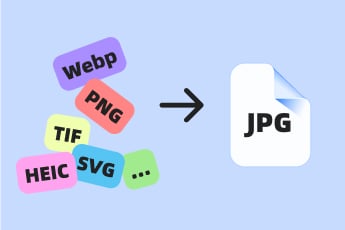
Our converter is not limited to SVG files—it supports an extensive range of image formats. You can easily convert WebP, PNG, GIF, TIFF, HEIC, and more into high-quality JPGs.
This versatility ensures that no matter the format of your images, our tool can handle the job with ease. Quickly switch SVG files to JPG or manage other format conversions in a straightforward process.

Compatible Across All Your Device
The insMind SVG to JPG Converter is designed for flexibility, allowing you to perform conversions on any device. Whether you're using a smartphone or PC, you can convert SVG to JPG online without any technical challenges.
With its user-friendly interface, this tool ensures a smooth and seamless experience. Enjoy the convenience of converting images anytime and anywhere, no matter which device you prefer to use.
Explore More JPG Converter Features
How to Convert SVG to JPG Using insMind?

1 Access insMind

2 Upload Your SVG Image

3 Convert SVG to JPG

4 Download and Share Your JPG Image


Why Choose insMind SVG to JPG Converter?

Convert Scalable Vectors to Universal Format
insMind SVG to JPG Converter makes it easy to turn SVG files into JPG format, ensuring compatibility with a broader range of platforms and applications.

Preserve Design Integrity
The tool maintains the design clarity and color integrity of your SVG files, ensuring the converted JPG images reflect the original artwork beautifully.

Perfect for Non-Vector Applications
If your application or device doesn't support vector graphics, this tool provides a quick solution by converting SVG files into high-quality JPG images.
Frequently Asked Questions
What is an SVG file?


How do I convert an SVG file to JPG?
Why use the insMind SVG to JPG Converter?
Is the insMind SVG to JPG Converter free to use?
What are the benefits of converting SVG to JPG?
You might be interested in
Make your pictures pop with creative AI tools you can explore during a free trial.

Convert PNG to JPG
Convert Image to JPG

Convert HEIC to JPG

Convert TIFF to JPG

Convert GIF to JPG

"I was amazed at how well the details in my SVG files were preserved in the JPG conversion process."
@Natalie