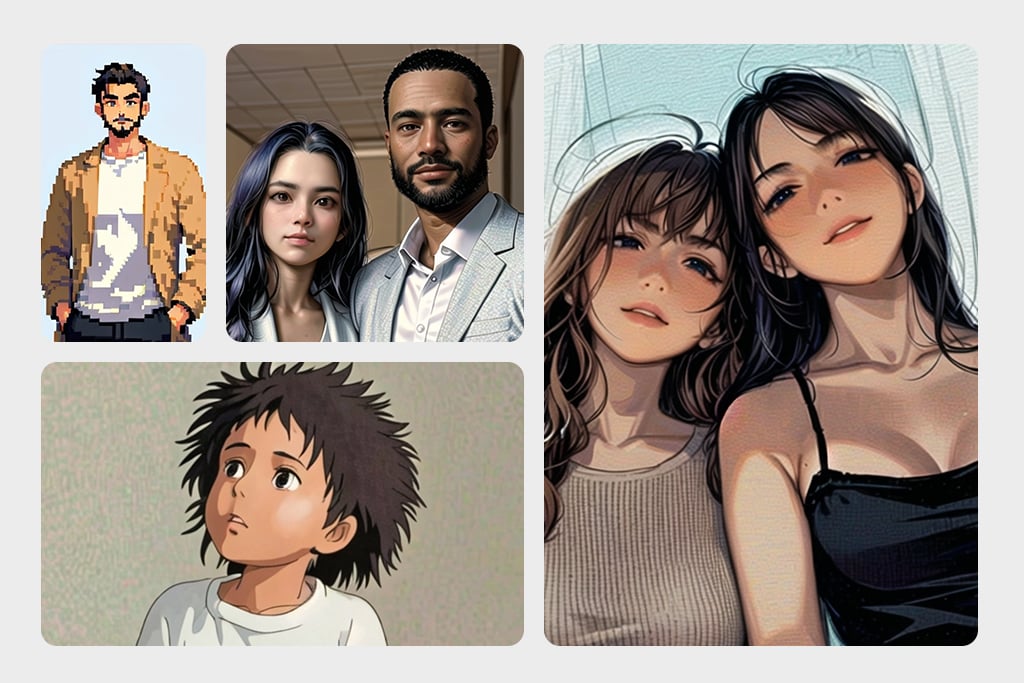
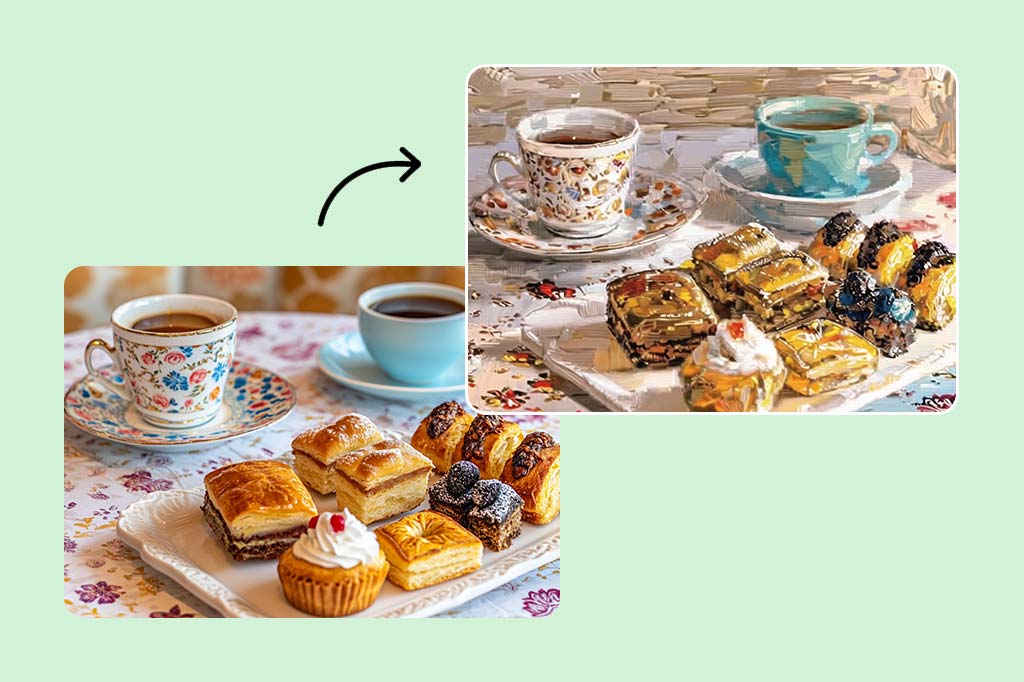
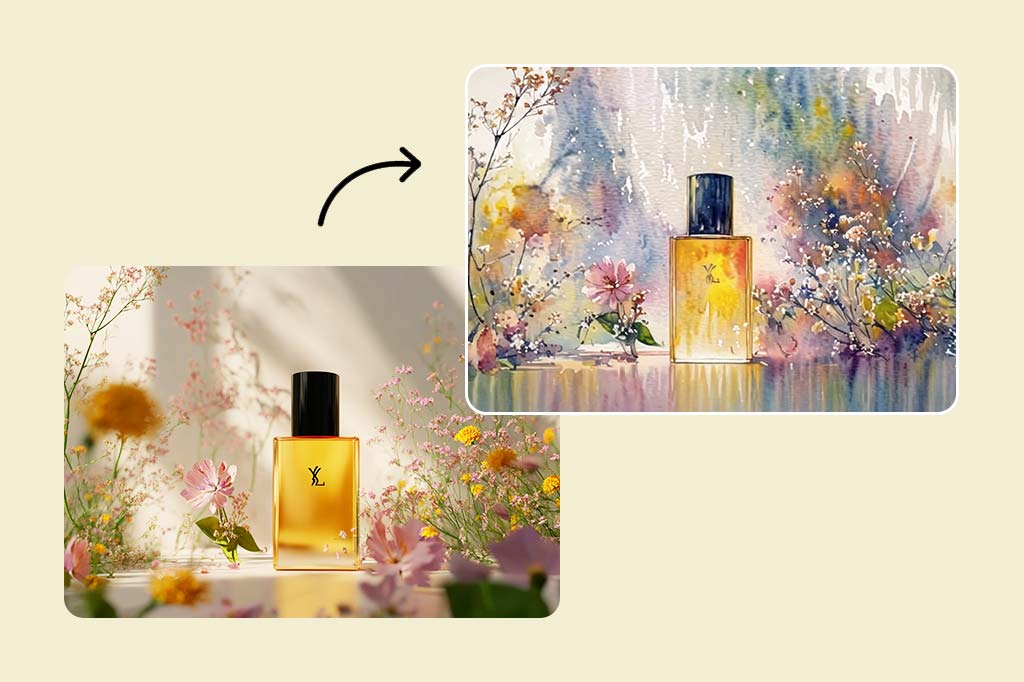
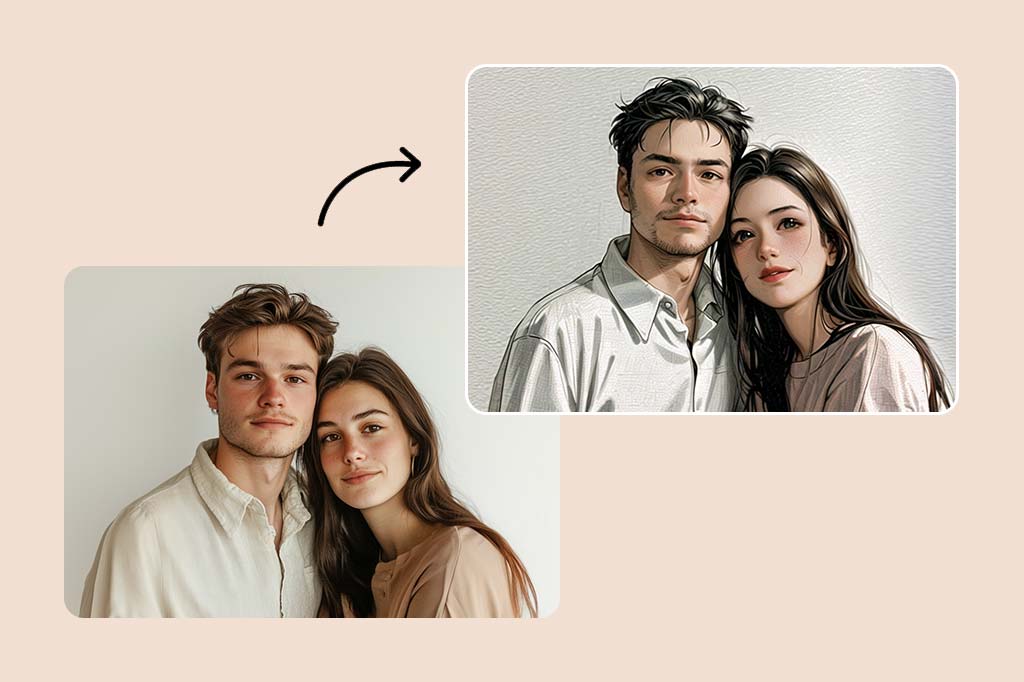
Transform your ordinary photos into stunning works of art with our free online photo-to-painting converter. Apply a variety of oil painting filters and effects to create beautiful masterpieces instantly.
After
Before
Or drop image here, paste image or URL
Try with one of these
Create Similar
Subject: The main character in the picture.
Expression: An anthropomorphic expression, with the mouth wide open, revealing teeth, canine teeth and tongue. The eyes are narrowed, looking disdainfully at the camera.
Style: An exaggerated portrait painting in a digital painting style, combining expressionist brushstrokes.
Texture: Has distinct brushstroke textures, as if it was quickly applied with rough oil paints or acrylic brushes.
Detail depiction: The details are very realistic, such as hair, teeth, a moist nose and the inside of the mouth, but the overall structure and expression are highly exaggerated to achieve a humorous effect.
Posture: Frontal shot, profile view
Background: Solid color background
Subject: The main character in the picture.
Expression: Extremely angry / Exaggerated anger. Furrowed brows, wrinkled forehead, dilated nostrils, mouth wide open and revealing clenched teeth, facial muscles completely contracted. Looking at the camera.
Pose: One-to-one replication of the main character in the picture.
Costume: One-to-one replication of the character's costume.
Style: Exaggerated portrait painting in a digital painting style, combining expressionist brushstrokes.
Texture: Has distinct brushstroke textures, as if it was quickly applied with rough oil painting or acrylic brushes, especially the background and clothing parts.
Character style: Satirical caricature style, extremely exaggerated features (big mouth, big teeth, big eyes, big nose), funny expression, proportion: The head is significantly enlarged, the proportion is distorted, while the body is relatively smaller. Facial features: The facial muscles are extremely exaggerated, there are deep expressive lines around the eyes and mouth.
Detail depiction: Skin texture, pores, teeth and other details are depicted very realistically, but the overall proportion and expression are exaggerated to a great extent.
Lighting: Uses dramatic and intense contrast of light and shadow, highlighting the three-dimensionality of the character's face and the tension of the emotions.
Posture: Frontal, portrait
Background: Abstract and rough blue-green and orange/brown brushstrokes form the background, without specific environmental depiction, completely focusing on the character.
Character: The main figure in the picture.
Core: An exaggerated comic with a wedding photo theme.
Style: A highly exaggerated cartoon comic style, presented through digital painting. Head: Both of their heads are significantly enlarged, with distorted proportions, while the bodies are relatively smaller. Facial features: The facial muscles are extremely exaggerated, with deep expressive lines around the eyes and mouth, a very large and prominent nose, and very large teeth.
Expression: An extremely exaggerated and joyful wide-open mouth laugh, with bulging eyes, fully matching the joyful mood in the reference image. Both are looking directly at the camera. Light and details: Sharp highlights on the forehead, nose, and cheekbones, contrasting with deep, smooth shadows to emphasize the exaggerated contours. Clean, smooth digital brush strokes.
Background: A pure white background, with two red hearts decorating the gap between the two heads.
Appearance: A one-to-one replica of the main character in the picture.
Costume: The bride is wearing a white strapless wedding dress with a veil, and the groom is wearing a black tuxedo with a bow tie.
Posture: Full body, both looking at the camera, the groom holding the bride like a princess, and the bride holding a red rose bouquet of flowers.
Main character: The person in the picture
Art style: Exaggerated cartoon style. Bright colors, bold outlines. Character blush.
Proportion: The heads are significantly enlarged and the proportions are distorted.
Facial features: Exaggerated processing based on the facial features of the reference figure, exaggerated facial muscles, extremely exaggerated facial features (big mouth, big teeth, big eyes, big nose), funny expressions.
Expression: Reproduce the main character's expression in the picture and exaggerate it. Facing the camera.
Hair: Reproduce the hairstyle of the main character in the picture.
Clothing: Exactly the same as the main character's clothing in the picture.
Background: Solid color background.
Light and details: Styled highlights and shadows, highlighting the facial contours, with the typical smooth texture of digital painting.
Posture: Affectionate action, head touching head, looking at the camera, half-length portrait
Subject: The main figure in the picture.
Core: A high-resolution real photo showing a couple standing beside a framed painting hanging on the wall. The center of the picture features a large black-framed portrait. The content is an exaggerated caricature style of the main character: extremely exaggerated facial features (big mouth, big teeth, big eyes, big nose), with a funny expression.
Portrait: Black simple border (no white border), style: highly exaggerated cartoon comic style, presented by digital painting. Head: Both people's heads are significantly enlarged, with distorted proportions, while the body is relatively smaller. Facial features: Facial muscles are extremely exaggerated, there are deep expressive lines around the eyes and mouth, the nose is very large and prominent, and the teeth are also very big. Comic expression: Extremely exaggerated, joyful mouth wide open laughter, eyes bulging, fully matching the joyful mood in the reference image. Both are looking directly at the camera. Light and details: Sharp highlights on the forehead, nose, and cheekbones, contrasting with the deep, smooth shadows to emphasize the exaggerated contours. Clean, smooth digital brushstroke texture. Low saturation blue as the background of the portrait.
Style: One-to-one replication of the main figure in the picture
Clothing: One-to-one replication of the main character's clothing
Photo scene: Indoor, with warm decoration, warm yellow background wall
Posture: The main figure stands in front of the portrait, looking at the camera, with one hand raised in front of the chest pointing at the portrait on the wall. Warm lighting, natural integration of light and shadow, clear image quality, 8K
Subject: The main character in the picture.
Art style: Exaggerated cartoon style.
Head: The head is enlarged while the body is relatively small.
Facial features: Exaggerated facial muscles, exaggerated facial lines, and a large nose.
Expression: Reproduce the expression of the main character in the picture and exaggerate it. Looking at the camera.
Family name: Exactly the same as the appearance of the main character in the picture.
Attire: One-to-one reproduction of the main character's outfit in the picture.
Background: Solid color background.
Lighting and details: Stylized highlights and shadows, highlighting the facial contours, with a smooth feel typical of digital painting.
Pose: Frontal half-length portrait
Retain all the details of the image and convert it to color.
Use the character from the uploaded image exactly as it appears — keep all features, colors, proportions, and style unchanged.
Create a four-panel comic/storyboard with each panel showing a different scene of the character.
Maintain the same cartoon art style as the reference image.
Add speech bubbles/dialogues for the character in each panel, appropriate to the story.
Ensure visual continuity: same background style, color palette, and lighting consistent across all panels.
Focus on clear composition, expressive poses, and readable dialogue.
Output: four distinct panels forming a coherent story.
Refer to Figure 2 and convert the style of Figure 1
Generate a set of powerful 3-panel Japanese anime storyboards by referring to the image
Polaroid 2:3 photo: IMG1 person and IMG2 cartoon character hugging like friends, smiling and laughing, heads close together, looking at the camera, hips-up; original clothes; white-curtain background; cartoon character’s arms naturally around person, proportions adjusted for natural interaction; subtle shadowing for depth; strong flash, slight overall blur, soft light vignette, no omissions; no face-swap, no distortion; classic white-border Polaroid, flat on white table, back flush, 90° top-down, zero tilt, no extras.
Optimize the line drawing, transform it into a Japanese anime style and color it to add a campus background
A girl in a blue shirt and black jacket sitting at a table with coffee and drinks, A steampunk-style background featuring intricate gears, brass pipes and glowing lights illuminating the scene. A desk with mechanical tools is in sharp focus while surrounding walls display vintage timepieces and cogs.
depicting futuristic cities with towering skyscrapers made from metallic gold and green hues. Include flying cars and high-tech elements to create a sense of wonder in space and cyberpunk aesthetics.
Create Similar
Effortlessly transform your photos into oil paintings with AI
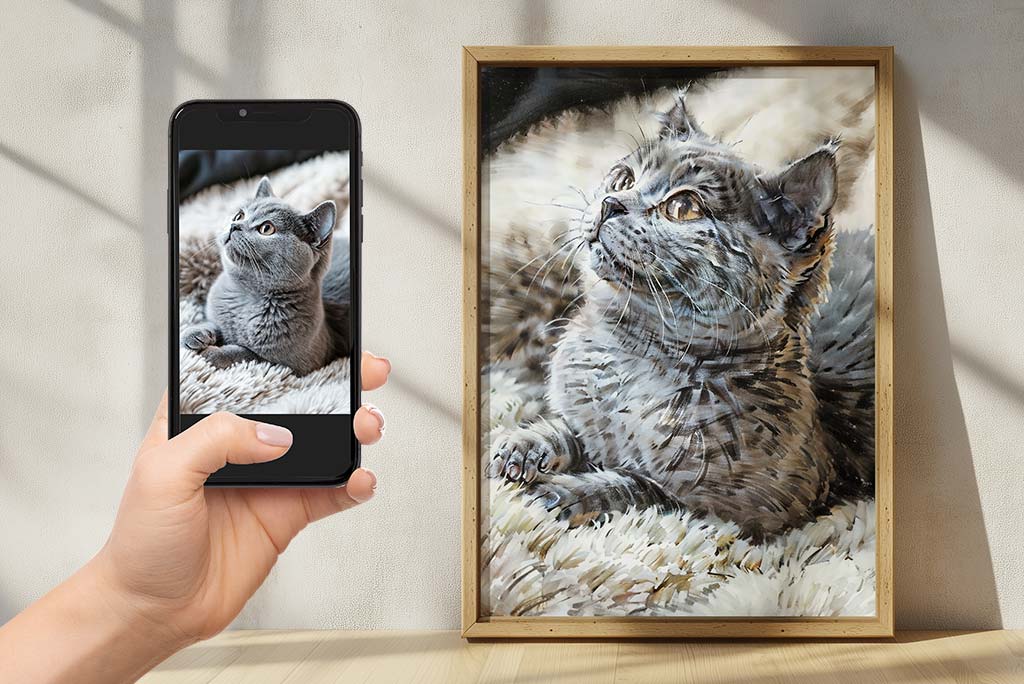
Want to turn your favorite photos into amazing oil paintings? Our photo to painting converter makes it easy to make realistic oil paintings from any photo. Whether it's a natural scene or a treasured portrait, our tool recreates the feel and colors of traditional oil paintings.
Try converting your regular photos to stunning artwork using our AI-based online photo to canvas painting tool. Our intelligent AI analyzes your picture and applies the oil painting effects with the realistic feeling of art in a modern manner. Perfect for landscapes and portraits, our converter lets you easily and freely add a dash of vintage glamor to your favorite photos.
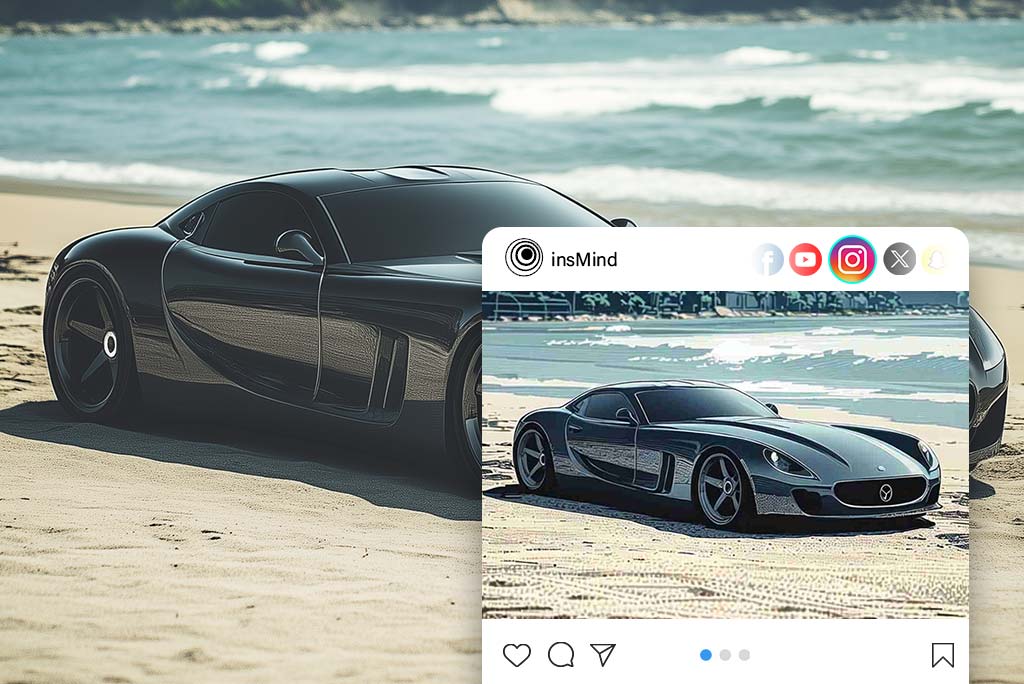
Boost Your Social Media Marketing with Our Painting Filter
Transform your photos into stunning artwork with our AI-powered painting filter, perfect for enhancing your brand's marketing efforts. Whether you're showcasing products, promoting events, or highlighting customer stories, these eye-catching illustrations will help you stand out.
By turning ordinary images into visually engaging content, you'll capture attention, boost engagement, and strengthen your presence across social media platforms. Use the painting filter to create memorable marketing visuals that connect with your audience and elevate your brand's appeal.
Express your feelings with gifts made of photographs that are special to you. Our photograph-to-art service enables you to convert photos to paintings that will be cherished for a lifetime. Whether it’s a portrait of a dear one, a beautiful landscape, or just any beautiful moment that freezes in the frame, our engraved gifts are perfect for communicating with people.
Watch as your photos are reimagined by a pro artist with our Van Gogh art filter. Want to know how your favorite memories would look if painted by Van Gogh himself? Our clever filter takes your photos into his iconic "Starry Night" setting, adding the swirls and colors he is famous for. Simply apply the filter and watch your everyday photos become extraordinary images that recall Van Gogh's timeless beauty and elegance. Explore the world of art and see your photos in a whole new light with our art filter from the master painter.
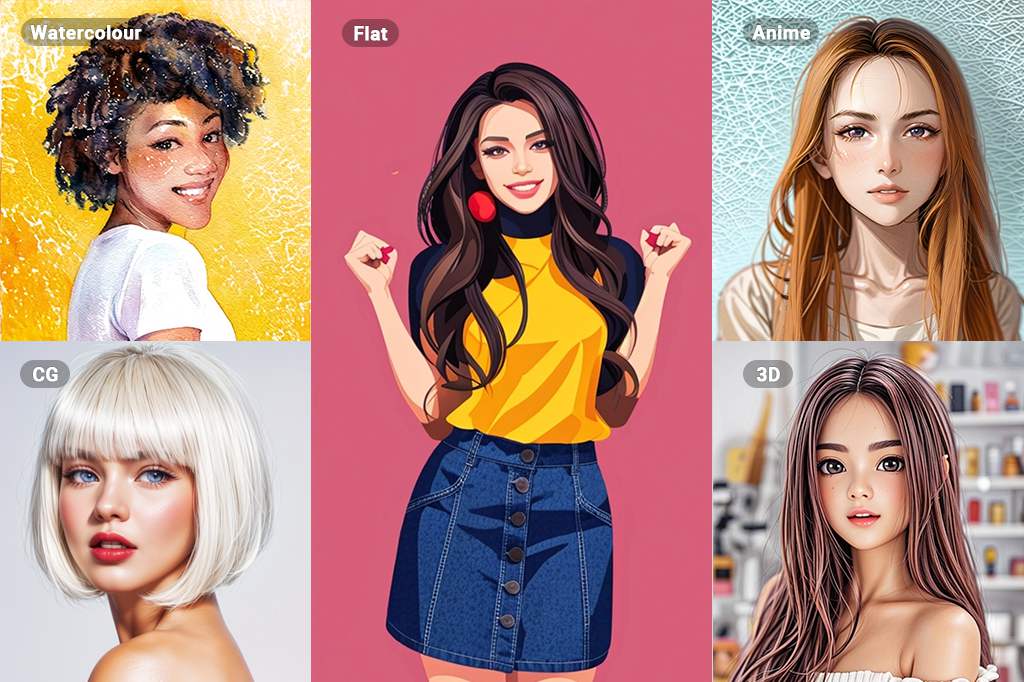
Experience art on an entirely new level with our vast options of AI photo filters. With filters ranging from watercolor and line drawing all the way to sketching, oil painting, and anime, the opportunities are virtually limitless when it comes to your creativity and the results it will bring to your photos. Don't be afraid to try out various styles and techniques to explore the perfect creative outlet for you.
Whether you want to turn your images into CG masterpieces or captivating 3D art, insMind has the perfect filter for you. Our advanced AI technology ensures each transformation is high-quality and visually appealing. Explore the endless possibilities with insMind's diverse filter options, and bring your artistic vision to life effortlessly.
First, visit the insMind website and find the AI Painting Converter tool. This easy-to-use tool is made to be simple.
2
2 Upload your image
After you find the tool, upload the photo you want to change.
3
3 Convert photo to painting
Next select the oil painting filter from the insMind filters menu. This filter was created to give your photo that traditional oil painting look and feel, with the same texture and brushstrokes.
4
4 Download and share
When you're happy with your creation, save the painting in the format you want. Then, you can share it with friends and family or on social media to show off your art skills.
We can use the insMind AI photo painting tool for various purposes, including artistic, personal, and professional use.
Social Media
Improve your online presence and learn how to attract people by posting more attractive and eye-catching content on the site. Create distinct profile pictures, cover images, and status updates that capture attention.
Marketing
Create distinct visuals for marketing objects such as advertisements, social media promotion, banners on official websites, and the like. Capture the attention of your target clients and leave an indelible impression of the beauty of content.
Personal
Preserve memorable moments by turning photos into pieces of art that will not fade away. Place artwork on the wall so as to enhance the creativity and uniqueness of your home. Paint using various techniques and be as creative as possible.
"I'm amazed at how realistic the paintings created by insMind look. It's almost like magic!"
@Emily
"I love using insMind to turn my photos into beautiful paintings. It's so easy to use, and the results are amazing!"
@Sarah
"I'm always looking for new ways to express myself creatively, and insMind is the perfect tool for me. I can easily turn my photos into unique and personalized artwork."
@David
"I'm amazed at how realistic the paintings created by insMind look. It's almost like magic!"
@Emily
"I love using insMind to turn my photos into beautiful paintings. It's so easy to use, and the results are amazing!"
@Sarah
"I'm always looking for new ways to express myself creatively, and insMind is the perfect tool for me. I can easily turn my photos into unique and personalized artwork."
@David
"I'm amazed at how realistic the paintings created by insMind look. It's almost like magic!"
@Emily
Why Choose insMind Picture to Painting Converter?
Easy to Use
The simple interface and detailed instructions let anyone take any collection of photos and craft art out of it within moments.
High Definition Output
The small details and the bright colors of your original photo are preserved with our high-definition output.
Many Different Painting Styles
For your photo, you can find a broad selection of artistic styles, including conventional oil painting and contemporary abstract.
Frequently Asked Questions
How do I change my photos into painting art?
Just upload your photo to insMind's AI painting tool, choose the painting style you want, and let our intelligent computer change your image into a beautiful work of art.
Do I need any special skills to use insMind's photo to painting tool?
No, you don't need any past art experience. Our easy-to-use tool and helpful tools make it simple for anyone to create beautiful paintings.
What are the benefits of using Photo to Painting?
Using Photo to Painting lets you keep special memories, make unique and personalized gifts, and show your artistic side.
Is insMind Photo to Painting free?
Our primary features for a photo to oil painting are free to use. For advanced features and high-resolution outputs, we offer affordable premium plans.
How to make a photo look like a painting?
insMind can convert any photo into an oil painting - simply upload your photo to the platform and select the oil painting filter from the menu. Settings: adjust the intensity of the painting effect if desired. Once satisfied with the output, download your transformed image.
Can the results from photos to paintings be used in professional purposes?
Yes, you can use the paintings made with insMind for different professional purposes, like marketing materials, social media content, and product designs.
You might be interested in
Make your pictures pop with features that are completely free.
"I'm amazed at how realistic the paintings created by insMind look. It's almost like magic!"
@Emily