
100+ Best Musician Image Prompts for AI Photoshoots
How to Use Musician Image Prompts in insMind
Step 1. Choose a Musician Image Prompt
Choose a text-to-image example for a fictional artist or an image-to-image prompt for a photoshoot based on your own portrait. Pick the scene that best matches the genre, instrument, mood, or promotional image you need.
Step 2. Make the Prompt Fit Your Artist
Copy the prompt and swap in the details that define your artist: genre, instrument, wardrobe, venue, lighting, and crop. For a consistent image series, keep the core look fixed and change one detail at a time.
Step 3. Generate with GPT Image 2
Open insMind's AI image generator, choose GPT Image 2, and paste your customized prompt. Upload a clear adult portrait only when you are using an image-to-image musician prompt for a specific person.
Step 4. Preview, Refine, and Download
Review the face, hands, instrument, and composition. If something feels off, change one instruction and generate again. Download the final image for an album cover, press kit, poster, thumbnail, or social post.
FAQs About Musician Image Prompts
What is a musician image prompt?


A musician image prompt is a written visual brief for an artist photo. It can define the adult subject, genre, wardrobe, instrument, action, setting, lighting, camera framing, mood, image style, and aspect ratio. The more concrete the visual direction is, the easier it is to generate a coherent musician image.
How do I use these musician image prompts?
Choose an example, copy its prompt, and replace the genre, artist styling, instrument, setting, lighting, or framing with details from your project. When comparing the best musician image prompt maker options, look for detailed prompt control, reference-photo support, and follow-up editing. In insMind, you can generate with GPT Image 2 and refine one visual detail at a time.
Do I need to upload a photo to create a musician image?
No. The text-to-image prompts on this page create fictional adult musicians without an input photo. Upload a clear portrait when you want an image-to-image edit that keeps a particular person's face and identity recognizable.
How do I write AI musician photo prompts?
Start with the result you want, then specify the genre, wardrobe, instrument or studio equipment, pose, environment, lighting, camera framing, mood, aspect ratio, and exclusions. Browse more <a href="/photo-effects/ai-image-prompts">AI image prompts</a> to compare reusable prompt structures.
How can I keep my face recognizable in a musician photoshoot AI edit?
Use a sharp, well-lit source portrait and tell the model to preserve facial structure, skin tone, hairstyle, age, expression, and natural body proportions. Keep the face visible, avoid extreme angles, and change the wardrobe and setting without asking for another person's likeness.
Can musician image prompts create album cover artwork?
Yes. Define the focal point, visual concept, color palette, composition, and clean negative space for typography added later. Generate the artwork without readable text, then finish the title and credits with insMind's <a href="/design/ai-album-cover-generator">AI album cover generator</a>.
Can I make musician images for different music genres?
Yes. Genre can guide the wardrobe, instrument, venue, palette, pose, and camera language. A jazz portrait may use intimate amber light, while an electronic artist campaign may use hard colored practicals and a wider studio composition. Keep the direction specific without copying a real performer.
Can I create a band or music duo from a reference photo?
Yes. State the exact number of adults, preserve each person as a separate identity, keep every face visible, and describe coordinated but distinct wardrobe, instruments, and poses. Exclude extra people and overlapping limbs for a cleaner group result.
How do I avoid distorted instruments, hands, or microphones?
Describe how the subject holds or uses the instrument, keep both hands visible, and use one primary instrument per person. Ask for natural anatomy and realistic equipment proportions. If one area fails, revise only that detail in a follow-up prompt.
Can I use AI musician images for promotional content?
Musician images can support press kits, social posts, event graphics, fictional album concepts, and mood boards. Before commercial use, confirm that you have rights to every source photo, likeness, logo, brand element, and other protected material included in the final design.
More AI Tools for Musician Photos and Artwork

AI Album Cover Generator
Create cover artwork for singles, albums, and playlists.

AI Image Prompts
Browse copy-ready prompts for portraits, products, ads, and edits.

GPT Image 2 Prompts
Explore image prompts written for GPT Image 2.

ChatGPT Image Prompts
Find prompt ideas for portraits, photo edits, and creative images.
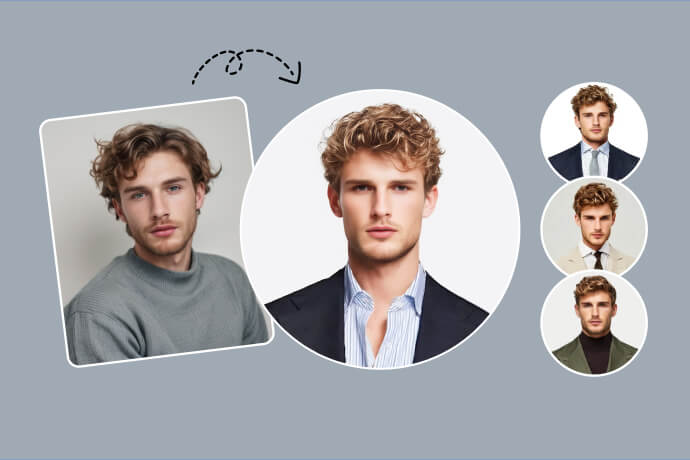
AI Headshot Generator
Create polished portrait and profile images with AI.

Profile Picture Maker
Prepare profile images for artist and social accounts.
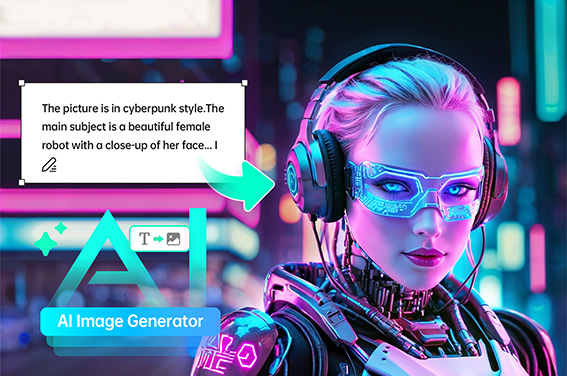
AI Image Generator
Generate original images from a detailed text prompt.

AI Replace
Replace wardrobe, objects, and scene details with AI.