
Discover the Harry Potter Maker: Turn Your Imagination into Magical AI Creations
Start Your Magic Now

AI today makes it easier than ever to picture yourself inside the Harry Potter universe. With just a few clicks, you can turn your selfie into a Hogwarts student, try different wizard looks, or place yourself in magical scenes from the films. Thanks to the rise of free Harry Potter filters online, you can create a personalized wizard version of yourself in seconds. It feels playful, nostalgic, and almost like stepping into a story you have loved for years.
Table of Contents
Key Takeaways
Before we get deeper into the magic, here is a quick overview of what this guide will help you explore.
- Why so many people enjoy seeing themselves as Hogwarts students
- How AI transforms your photo into a wizard-style portrait
- A step-by-step guide to generating your Harry Potter avatar
- Ways to build full Hogwarts scenes using insMind
- Useful tips for designing and sharing your wizard world
Why Fans Love Seeing Their Wizard Selves
The Harry Potter world holds a special place in many people's hearts. For years, fans grew up reading the books, watching the movies, and imagining what it might feel like to walk through the Great Hall or hear the Sorting Hat call their name. That same childhood wonder still exists today, and AI tools make it easier than ever to step into that fantasy.
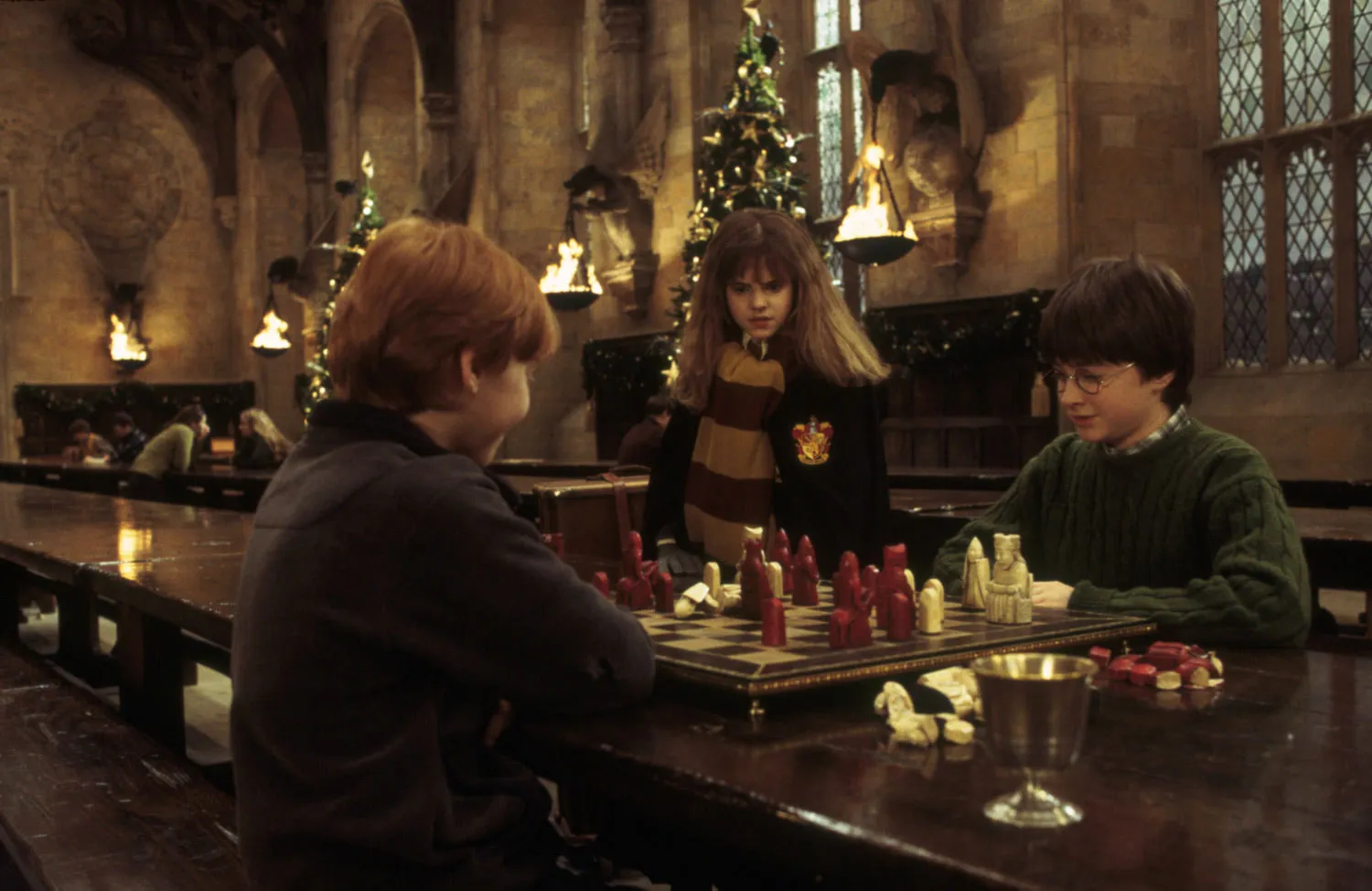
Becoming a wizard version of yourself is more than cosplay. It is a creative way to enter the story and explore a world that feels comforting and familiar. With AI, you can see yourself in Hogwarts robes, carrying a wand, or standing inside iconic locations without needing advanced editing skills.
And, of course, Hogwarts houses remain a huge part of the experience. Gryffindor represents bravery, Hufflepuff kindness, Ravenclaw wisdom, and Slytherin ambition. Many fans enjoy discovering which house suits their personality and how they would look wearing its colors.
AI Hogwarts portraits are very popular on social media because they look cinematic and magical. With a simple selfie and a short prompt, anyone can generate detailed wizard portraits. It is quick, fun, and incredibly easy—which explains why Harry Potter-style AI images spread so widely today.
Character Ideas: Create Your Own Wizard Identity
Want to try building your own wizard identity? Whether you dream of being a first-year student, a wise professor, or a daring Auror, now you can bring that vision to life with the help of advanced AI tools like Insmind. Using this harry potter character generator, you can design a look that matches your house colours, wand style, and personality.
Creative ideas to try
- As a student: Imagine joining Hogwarts as a new student, carrying books, waiting for sorting, and choosing your house colours and wand style to start your own story.
- As a professor or potion master: Picture yourself teaching spells or brewing potions in dark dungeons, creating a character with a secret past, strong magic, and mysterious flowing robes.
- As a seeker, witch, or wizard: See yourself catching the golden snitch or leading your Quidditch team, creating a wizard avatar with matching gear, pose, and magical energy.
- Original Character for cosplay or fan fiction: Imagine building a full backstory with your chosen house, special skill, and magical creature friend, making a personal wizard character only you can create.
How to Generate Your Harry Potter Avatar
The insMind's harry potter character generator makes it very simple. With only a few steps, you can turn your normal photo into a magical portrait that feels part of the wizarding world. Here is how you can begin.
Step 1. Open the AI Tool
Visit the insMind AI Image Generator. This is your creative space where you can build your wizard look with your own ideas and style.
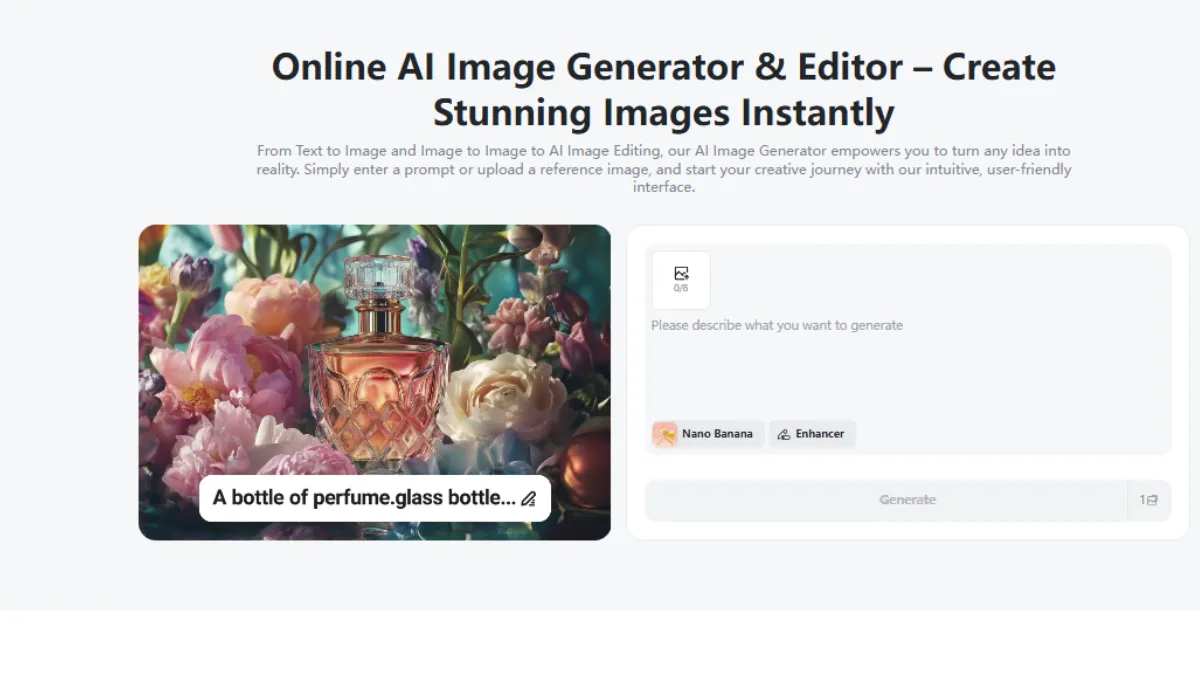
Step 2. Upload Your Photo
Choose a clear selfie or a full-body picture. A bright photo helps the AI read your face and create a more detailed wizard version.
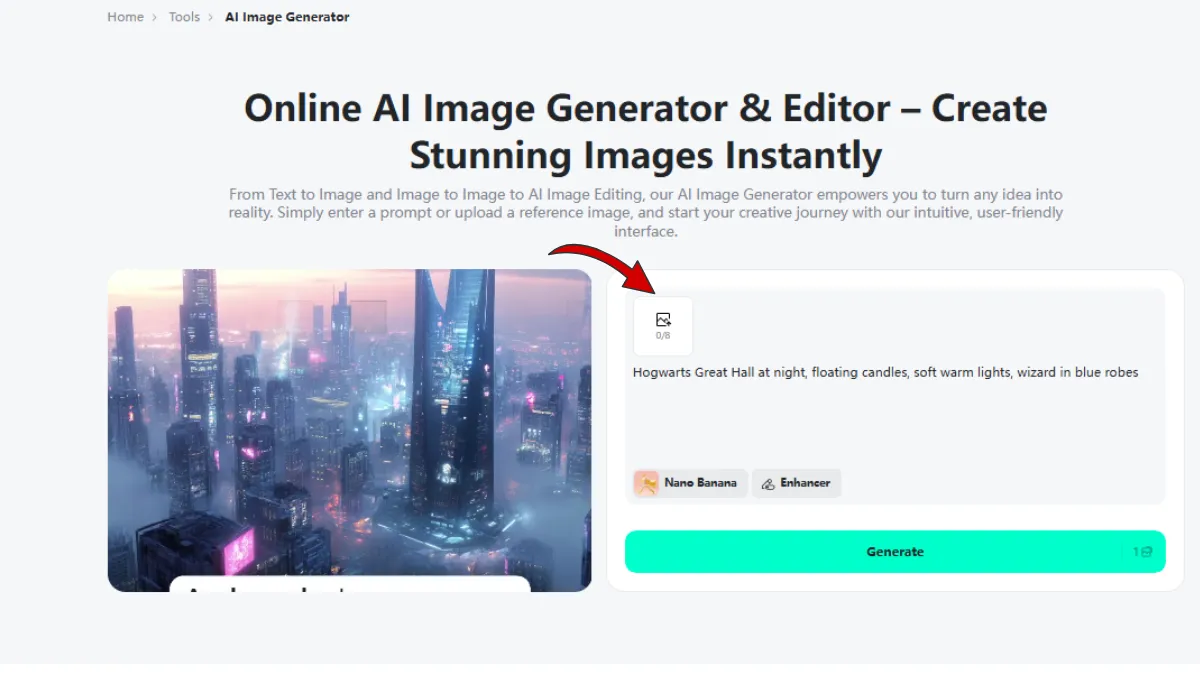 Step 3. Enter Your Prompt
Now write a few lines about how you want to appear. You can mention your Hogwarts house, your robe colour, wand type, hairstyle, pet companion, or even a spell effect around you.
Example prompt: "Gryffindor student with red and gold robes, holding a wand with glowing sparks, standing inside the Great Hall."
Step 4. Generate and Preview
Press the generate button and let the AI work. In a few seconds, you will see your wizard portrait appear. Check the result and adjust your prompt if you want a different look.
Step 5. Download and Share
When you are happy with your magical portrait, download it to your device. Share your wizard identity with friends or post it online to show your new Hogwarts self.
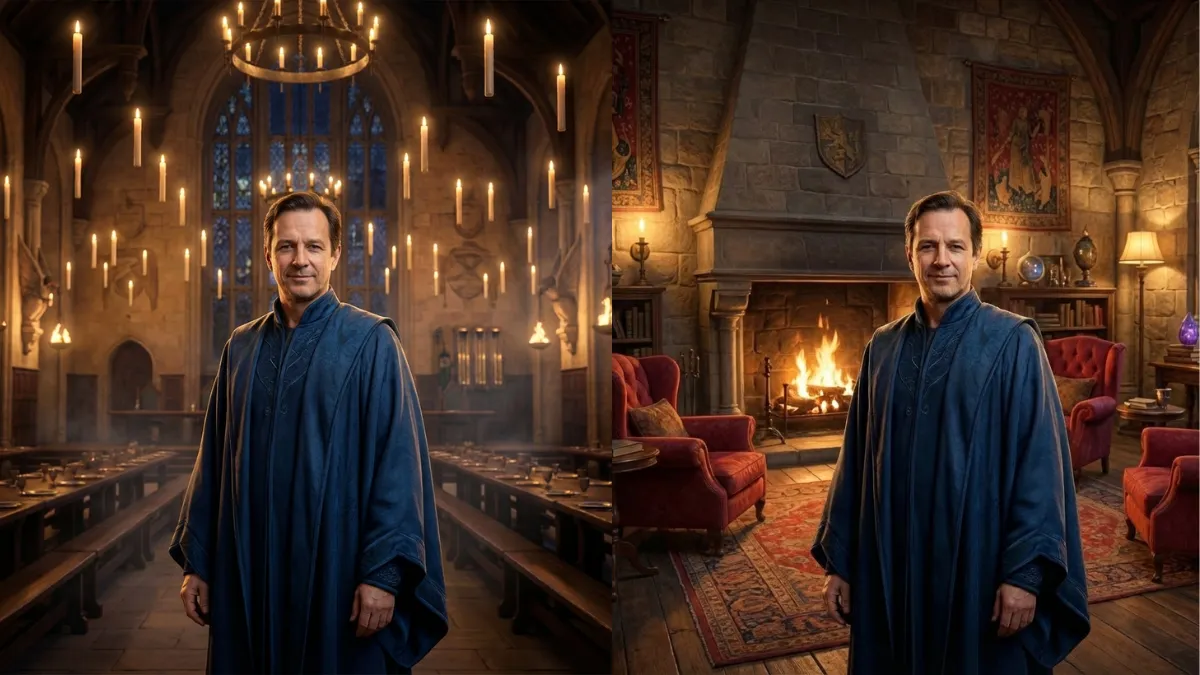
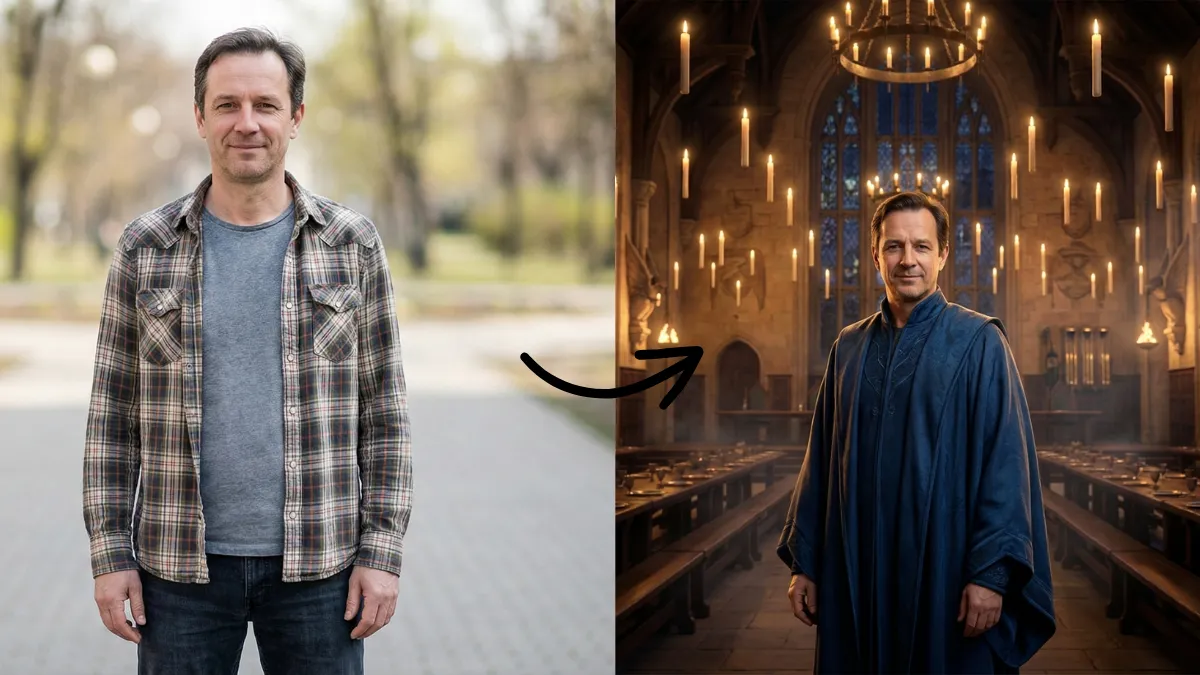
Before and After:
Magical Scene Ideas for Your Wizard Portrait
Once you've created your wizard persona, it's time to step fully into the magic. With the right AI prompts, you can place yourself in iconic wizarding locations filled with atmosphere, warm light, and a touch of enchantment. Here are a few immersive scene ideas:
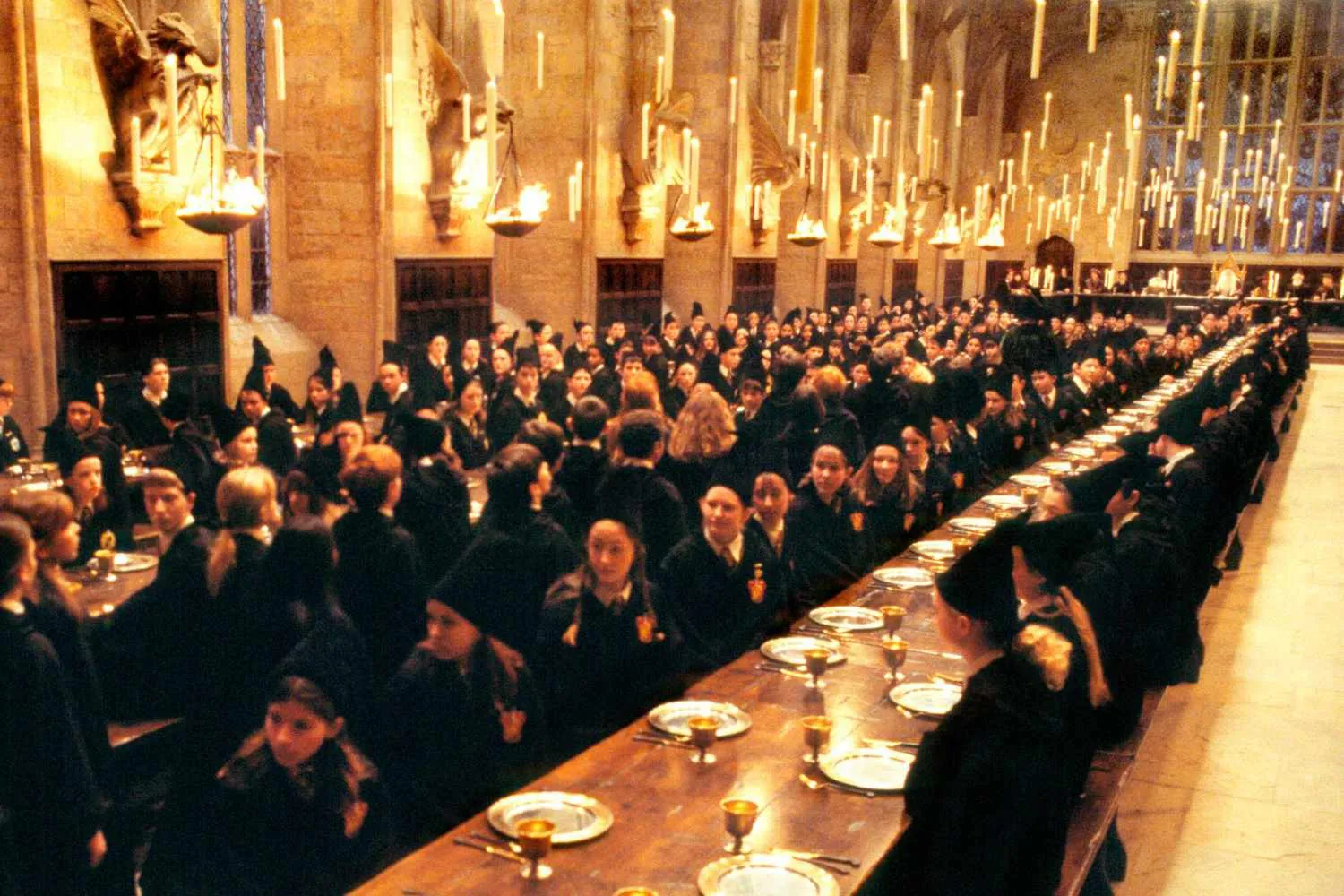
1. The Great Hall Under Floating Candlelight
Stand among long wooden tables glowing with warm amber light, candles drifting high above like tiny stars — a perfect setting for a wizard portrait filled with Hogwarts charm.
2. A Cozy Common Room Filled with House Spirit
Imagine yourself curled up beside a fireplace, surrounded by soft armchairs, enchanted portraits, and the warm colors of your Hogwarts house — the perfect place for a magical evening.
3. The Quidditch Pitch on a Wind-Swept Afternoon
Pose with your broom under a wild sky as wind whips your robes — capturing the excitement, speed, and heroic energy of a true Quidditch player.
4. The Hogwarts Library Alive With Whispering Magic
Stand among towering bookshelves as spellbooks float gently around you, pages flipping on their own — a scene filled with ancient wisdom and quiet wonder.
5. Dramatic Spell Effects and Swirling Light
Add bright magical flares around your wand — glowing sparks, swirling lines of magic, or soft bursts of radiant energy that make your portrait feel alive.
These scenes help transform your AI portrait from a simple image into a story — a moment caught inside the wizarding world you love.
How to Build Your Hogwarts Scene
Here is a simple guide to help you create your magical background using the insMind tool. With these steps, you can place yourself inside any Hogwarts-style setting you want.
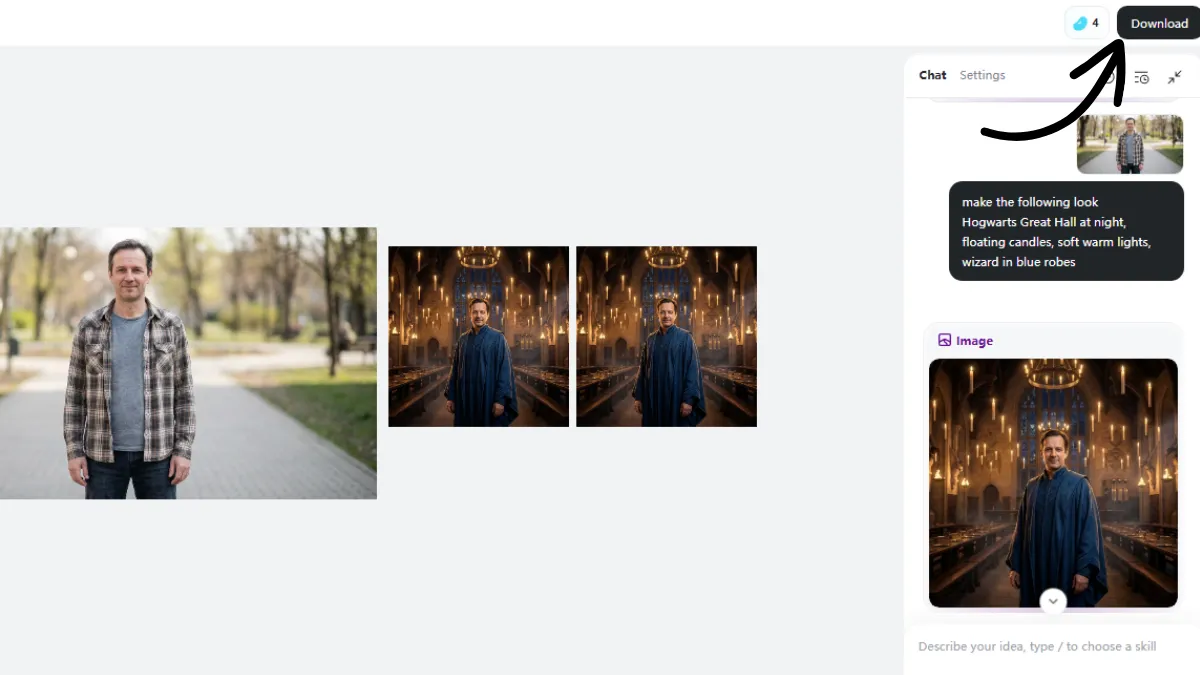
Creating your full magical background is simple. The steps are the same as before. All you need to do is enter a prompt and describe the scene you want.
You can mention the Hogwarts location, house colours, magical effects, or the mood of the picture. Example prompts:
- "Hogwarts Great Hall at night, floating candles, soft warm lights, wizard in blue robes."
- "Quidditch field background, windy sky, Gryffindor seeker holding broom with golden spark lights."
- "Hufflepuff common room, cozy lights, flying books, gentle magic glow around wand."
With just a few words, you can place yourself inside any Hogwarts-style setting and create a scene that feels magical, cinematic, and uniquely yours.
Conclusion
Many people dream about stepping into the Hogwarts world, and now AI makes that feeling closer than ever. With the Harry Potter Maker, you can see yourself as a real wizard, create your own character, and build scenes that feel full of magic and imagination. It is a simple way to enjoy the stories you love in a new and personal style.
All you need is a photo and a small idea, and the AI brings your wizard look to life in seconds. If you want to explore your own magical version and design your place inside the Hogwarts universe, try insMind and start creating your Harry Potter world today.

Jayson Harrington
I am the Chief Editor of insMind. I provide tips and skills to help users design better photos with insMind, whether for e-commerce, social media, or any other use.


