
The Best Photo to Video Converter for Educators: Enhance Teaching with AI
Try Photo to Video Converter Free

Teaching has changed a lot in 2025. Classrooms are more digital, lessons are visual, and students expect learning to be exciting and interactive. Instead of just sticking to old textbooks or still pictures to keep their classroom, teachers are now relying on motion-based content to help them get attention and make concepts easier for students to grasp.
Short clips and simple animations can help students remember information better, especially younger students who respond well to movement. This is why photo-to-video tools are gaining so much popularity in schools. With apps such as insMind, teachers can take photos and videos in seconds and do class activities, digital lessons, storytelling, science demos, history timelines, and a lot more. It's an easy way to learn to come alive.
Table of Contents
- 01 Why Educators Are in Need of AI Photo-to-Video Tools
- 02 How to Turn Classroom Photos into Educational Videos
- 03 Engage Students Like Never Before: Top Photo-to-Video Ideas for Teachers
- 04 How to Write Effective Prompts for AI Video Creation
- 05 Why is insMind the Best Photo-to-Video Converter for Teachers
- 05 Conclusion
Why Educators Are in Need of AI Photo-to-Video Tools
Teachers today are faced with many challenges in the classroom. Students have shorter attention spans, lessons move more rapidly, and for many topics, it is easier to grasp the concepts visually rather than only being described in text. This is why photo-to-video has become so helpful for modern classrooms. When teachers are able to flip images to video, they provide students with a better visual of what is happening, how things are working, and why something is important.
These tools make it possible for an educator to take a simple picture and transform it into a short motion clip, which students can easily follow. A science teacher can make photos into video demonstrations of plant growth or the water cycle. A history teacher can use an image-to-video converter to bring life to old maps, ancient structures, or events.
How to Turn Classroom Photos into Educational Videos
Turning classroom photos into little educational videos is easy, quick, and ideal for teachers looking to add more life to their lessons. Tools such as insMind make it easy, even if you have never made a video before.
Step 1: Upload Photo(s)
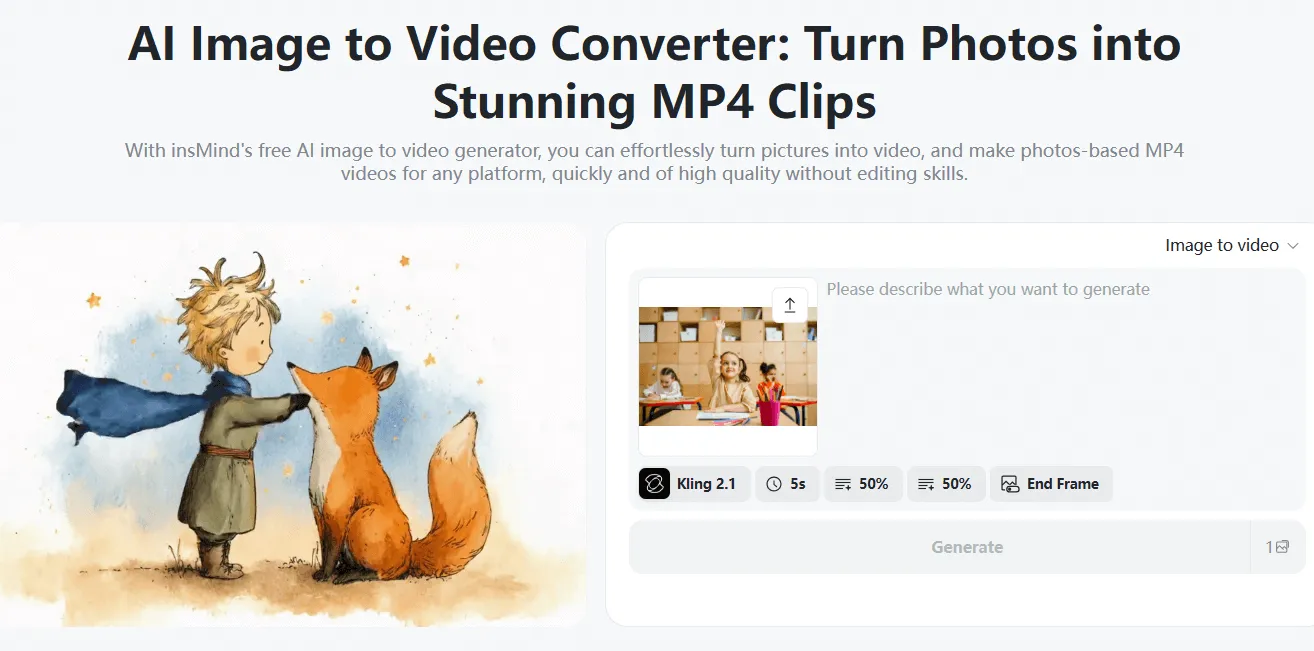
Begin by selecting images that you wish to use. These can be pictures from your classroom, diagrams from the board, student work, pages from textbooks, or photos from a field trip. The tool allows you to upload just one picture and make a video from image content.
You can also show multiple photos and images merged together, so that the video flows like a mini slideshow. This is particularly useful in lessons that indicate steps of a process, timelines, and processes.
Step 2: Add Simple Instructions
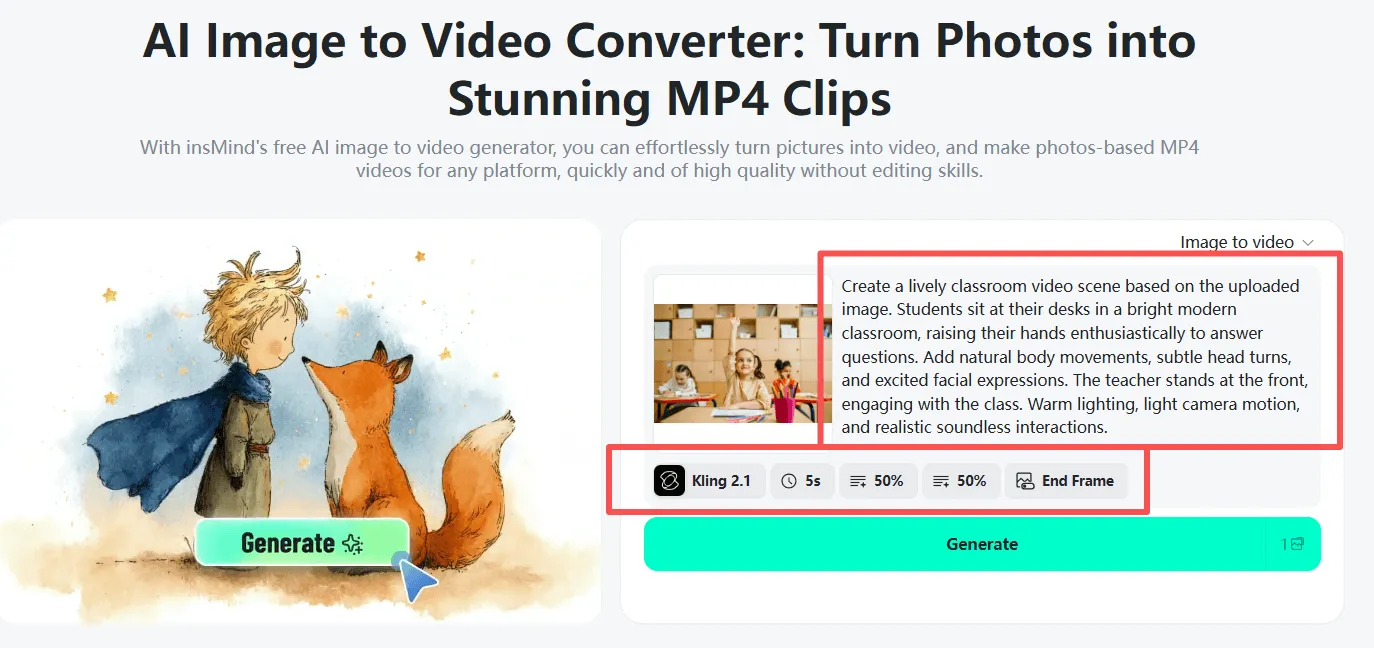
Next, add a little instruction on how you would like to see the video look. Teachers don't need complicated prompts-simple descriptions of what is needed, such as "smooth zoom," "slow pan," "bright classroom style," or "soft storytelling tone," work just fine. You can pick and choose what kind of style, motion, background, mood, and so on. These little changes help convert photos to video clips to correspond with the theme of your lesson.
Step 3: Generate & Download
After you have defined your style, click Generate. In seconds, your video is created with the tool. You can export the final result in the form of pictures into MP4 format and insert it into your lesson pictures, digital worksheets, assignments, or class presentations. Many of the platforms also provide free image-to-video options, so teachers can easily create quick videos without having to pay anything.
Engage Students Like Never Before: Top Photo-to-Video Ideas for Teachers
Photo-to-video tools open up the world of creative teaching possibilities. When pictures transform into video with the teacher's help, even the simplest of classroom materials could become exciting moments to learn more. Short clips of motion are used to help the student concentrate, grasp lessons faster, and have fun with new ideas. Here are some of the best ways that educators can put these tools to use in various subjects and grade levels.
Science Lessons
Science is a lot easier to grasp when students can actually "see" an ongoing process. A teacher can take a diagram of the water cycle or solar system and turn photos to video showing movement. Watching water evaporate or planets turning helps students to remember steps better. Even a pretty simple experiment in the classroom can be photographed as an image and created into a mini-animation that can then be reviewed later.
History and Social Studies
History is somehow more real if images are moving. Teachers can snap images of maps, timelines, and historical figures or events, and make little clips that show the changes over time. A quick pic to video animation of a timeline - the Industrial Revolution or ancient civilizations, for example - helps students follow what is happening in sequence. These motion clips keep the students engaged, especially during long units.
Language Arts and Telling Stories
Photo-to-video tools are wonderful to use for reading and writing lessons. Teachers can bring to life story scenes, vocabulary images, or moments from the stories to stimulate imagination. This works well when students are doing creative writing, where they need a prompt that is moving to help inspire them to write longer, more thoughtful writing. When students ask, "How do I make a picture video for my assignment?" they can add to the idea with the same simple steps to make their ideas come to life.
Math Concepts
Shapes, symmetry, patterns, and geometry become so much more obvious with motion. Teachers can convert photos to video to demonstrate how shapes rotate, reflect, or change. Watching a pattern grow by increments helps visual learners learn math concepts better than static diagrams.
Classroom Memories and Celebrations
End-of-year recaps, highlights of events, celebrations of reading, science fairs, and field trips can all be made into short videos for the class. Teachers could combine images and create a video for students to watch together.
Student-Created Projects
Students can also use the tools for an assignment. They can create a video from collections of images for book reports, science projects, art displays, or digital portfolios. Turning their own pictures into video is something that gives them control, creativity, and confidence.
How to Write Effective Prompts for AI Video Creation
Enhancing Tools for Critical Thinking During Video Creation: Teachers can write mini and simple prompts to help guide video creation. Here's how to do it right:
Step 1: Be Clear About the Scene
Tell the tool what the photo stands for.
Examples:
- "Create the water cycle diagram in slow motion."
- "Point out the main parts of the plant."
- "Animate this historical map with a slow zoom in."
Step 2: Include Style or Tone
Select a mood that is appropriate to the lesson.
Examples:
- "Calm and simple for a classroom-friendly look."
- "Bright colors with a cartoon look for young students."
- "Realistic lighting for an explanation in science."
Step 3: Add Optional Narration/Dialogue
Teachers can add some lines to help guide learning.
Examples:
- "Include quiet narration of each step."
- "Present little captions of vocabulary words."
- "Point out labels for the parts of the diagrams."
Step 4: Define Motion or Duration
Tell the tool how much movement is needed and for how long the video should be.
Examples:
- "Soft zoom for 8 seconds."
- “Turn the shape around slowly, and turn around the edges of the shape.”
- “Make a short animation in the MP4 which could be suitable for the classroom.”
These are the steps that help teachers make decent, helpful animations with any image-to-video converter. The goal is not perfect - just move, and move for the understanding.
Why is insMind the Best Photo-to-Video Converter for Teachers
insMind is one of the easiest tools for teachers, as it is fast-working and requires no editing skills. During busy school days, some simple steps are required from teachers: Upload, select motion, and download. insMind has built in templates for the educational field to help teachers quickly turn photos to video clips for educational lessons, stories, and recaps.
The tool helps convert pictures to MP4, photos to video, and multi-image transitions for the topics that need steps or timelines. It works very well with diagrams, maps, vocabulary pictures, science illustrations, history moments, and reading scenes. Because it produces videos in a short amount of time, teachers can prepare lessons even at the last moment. This makes insMind a favorite photo-to-video tool among educators who want to create high-quality learning content without spending hours editing it.
Conclusion
Photo-to-video tools are revolutionizing classrooms in 2025. They help teachers construct clearer, visual, and interesting lessons. With these tools, any basic classroom photo can transform into an animation to help explain the concepts in a way that will capture students' attention. Whether it's science, history, math, or reading, taking images and turning them into video helps students better understand ideas at a faster pace and enjoy learning in the process.
The way insMind manages to make this process simple is that Teachers can turn classroom photos into classroom-ready clips in seconds that can help them teach smarter, not harder. These short videos help with better memory, greater understanding, and better participation. With tools such as insMind, both teachers and students enjoy the power of motion-based learning.

Jayson Harrington
I am the Chief Editor of insMind. I provide tips and skills to help users design better photos with insMind, whether for e-commerce, social media, or any other use.


