


Kling AI has quickly become one of the most talked-about AI video generators in the market. Its cinematic motion, high realism, and strong text-to-video performance make it a popular choice for creators. However, one common concern appears again and again in search results: how to remove Kling AI watermark.
Many users generate videos using the free or lower-tier plans and later realize the exported clips contain a visible watermark. This can limit professional use, brand publishing, and commercial distribution.
In this guide, we'll break down:
- Why Kling adds watermarks
- Whether removing them is allowed
- Different ways to remove a Kling watermark
- A smarter alternative that avoids watermarks entirely
If you are searching for practical, safe, and effective solutions, this article covers everything.
Table of Contents
Part 1: Why Does Kling AI Add a Watermark?
Before trying to remove a watermark, it's important to understand why it exists.
Most AI video platforms, including Kling, apply watermarks to:
- Free plan exports
- Trial accounts
- Lower-tier subscriptions
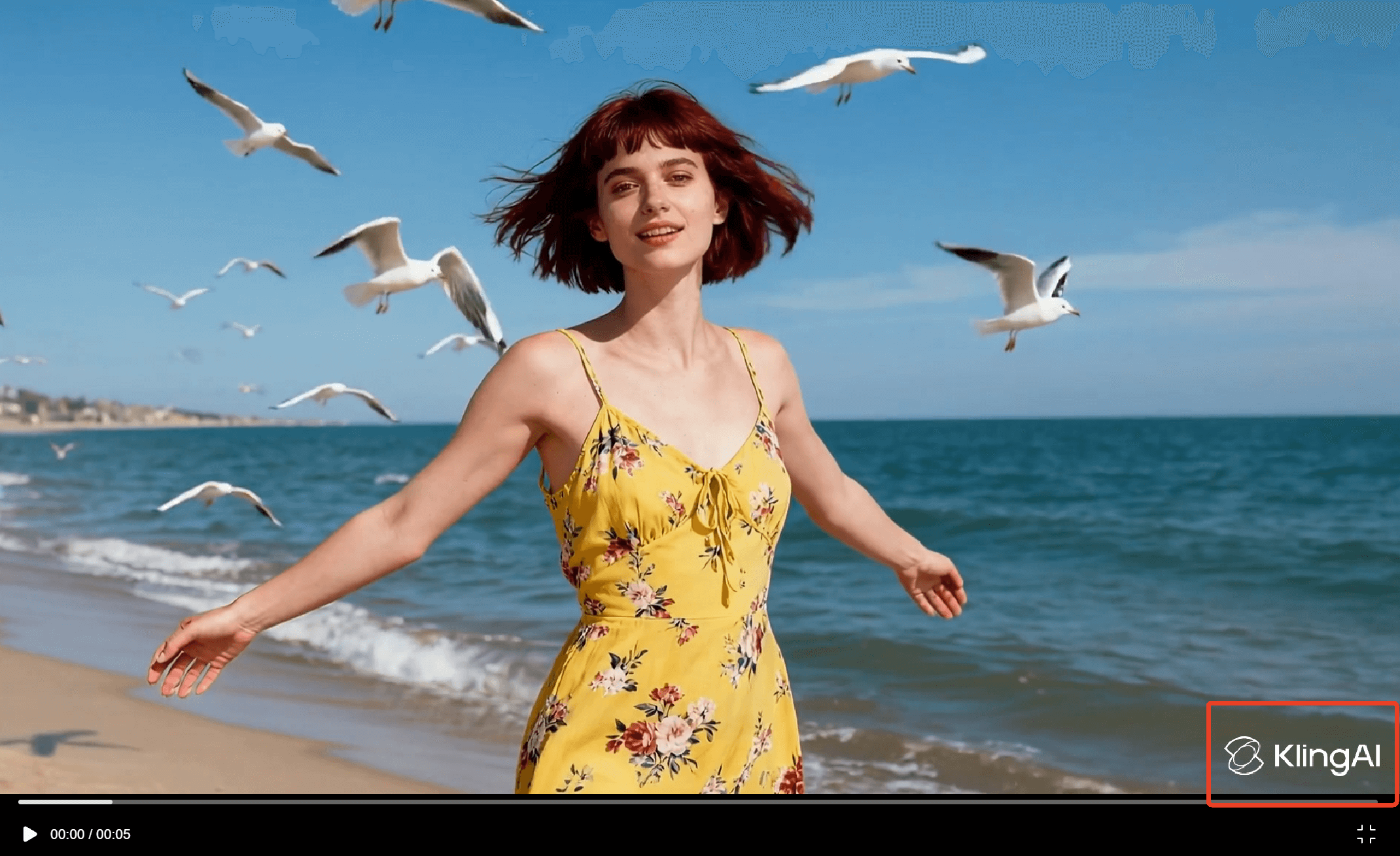
This serves multiple purposes:
- Protects the platform's intellectual property
- Encourages paid upgrades
- Prevents unauthorized commercial redistribution
Typically, Kling watermarks appear in a corner of the video or as a subtle overlay during playback.
Can You Legally Remove It?
This depends on your usage rights. If you are the creator of the video and have usage permission, removing a watermark for editing or branding purposes may be acceptable. However, removing branding from content you do not own could violate terms of service.
Always review the licensing terms before proceeding.
Part 2: Common Methods to Remove Kling Watermark
Users typically search for three main solutions.
Method 1: Cropping the Video
The simplest method is cropping the frame to remove the watermark area.
 Pros
Pros
- Easy
- No special tools required
Cons
- Changes aspect ratio
- May cut important visual elements
- Reduces video composition quality
This method works only if the watermark sits near the edge and doesn't overlap critical content.
Method 2: Blurring or Covering the Watermark
Some creators place logos, stickers, or blur effects over the watermark.
Pros
- Keeps original resolution
- Easy for quick social uploads
Cons
- Looks unprofessional
- May still appear modified
- Not ideal for commercial use
This approach is more of a workaround than a true removal.
Method 3: AI Video Watermark Removal Tools
The most advanced method uses AI video editors that intelligently detect and reconstruct the background behind the watermark.
This technique analyzes surrounding pixels and fills in the removed area naturally. Unlike cropping, it preserves the full frame.
That leads to the most practical and professional solution.
Part 3: Remove Kling Watermark with insMind AI Video Editor
If you are looking for a clean and reliable way to remove the Kling watermark, insMind's AI Video Editor provides a powerful solution.
InsMind's AI Video Editor is an online tool designed to:
- Remove unwanted objects from videos
- Erase logos and watermarks
- Maintain background continuity
- Preserve original video quality
- Work directly in the browser (no software download required)
Unlike basic editors, insMind uses intelligent frame reconstruction to restore the visual area behind the watermark. This ensures the result looks natural rather than patched or blurred.
Key Advantages of insMind AI Video Editor
- AI-Powered Object Removal
The tool detects watermark areas and intelligently fills them using contextual pixel reconstruction. - No Quality Compression
Videos remain sharp after export. - Beginner-Friendly Interface
No professional editing skills required. - Cloud-Based Editing
Works on Windows and Mac without installation.
How to Remove Kling Watermark Using insMind
Step 1: Upload Your Kling Video
Upon accessing the insMind's "AI Video Editor" website and upload your video file.

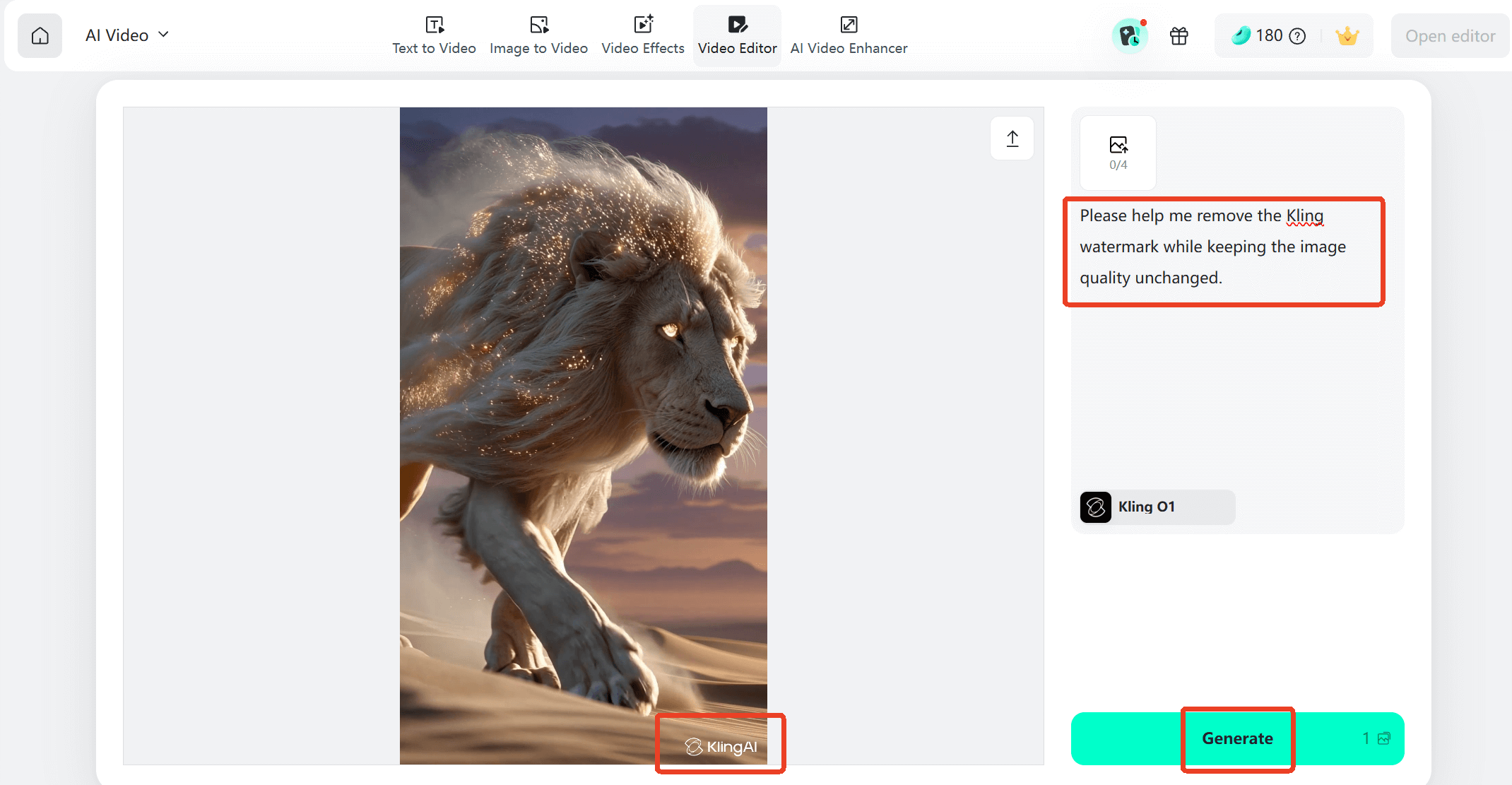
Step 2: Enter a Prompt
Then, enter a prompt, such as: Please remove the Kling watermark from the video. You can also remind the AI to maintain the original image quality and aspect ratio so that the AI-generated video will have a better effect. Next, click the "generate" button to let AI generate your video.
Step 3: Preview and Download
Review the result and download your watermark-free video.
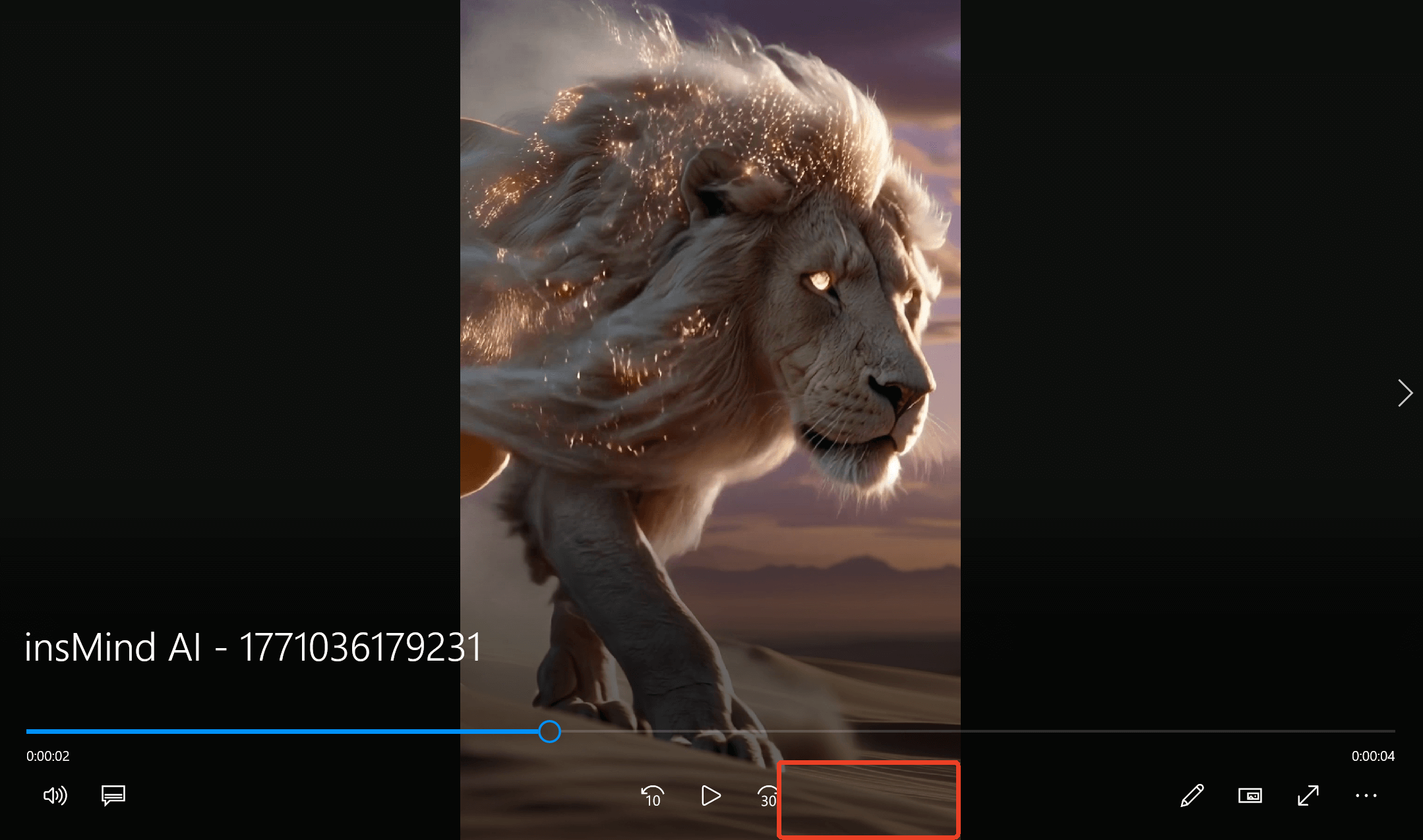
The entire process takes just minutes and produces much cleaner results compared to cropping or covering methods.
Part 4: A Smarter Alternative — Generate Kling 3.0 Videos Without Watermarks
If you frequently use Kling and want to avoid watermark removal entirely, there is an even better approach.
InsMind now integrates the Kling 3.0 model directly inside its platform. That means you can generate videos using Kling 3.0 without the watermark issue from the start.
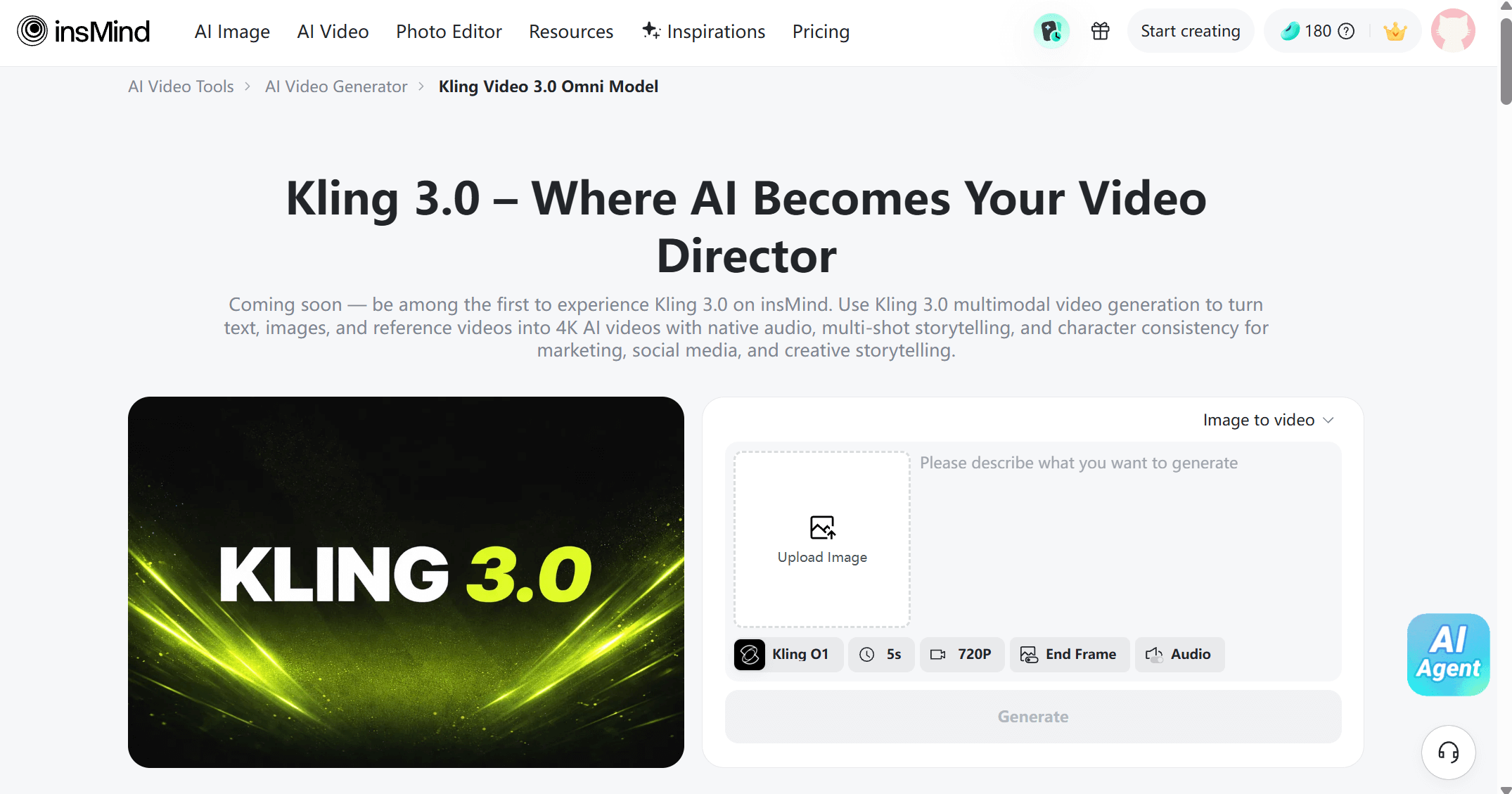
Here's why this matters:
- Watermark-Free Exports
Videos generated via insMind's Kling 3.0 AI Video Generator are clean and ready for publishing. - Lower Pricing Compared to Kling's Official Platform
Users often find insMind offers more competitive pricing options. - Multi-Model Flexibility
InsMind allows switching between different AI video models depending on your needs. - Unified Editing Environment
Generate and edit in one place.
Instead of generating on Kling, exporting with watermark, and then removing it — you can directly create usable, professional-ready content inside insMind.
For creators producing commercial ads, YouTube content, or client work, this workflow saves time and avoids unnecessary editing.
Conclusion
Searching for how to remove Kling AI watermark usually means one thing: you want professional, clean video output.
While cropping and covering methods exist, they reduce visual quality and look unpolished. AI-based video editing tools provide a more advanced solution by reconstructing the background intelligently.
InsMind's AI Video Editor offers a fast and effective way to remove watermarks while preserving video quality. Even better, if you generate Kling 3.0 videos directly within insMind, you can skip the watermark problem entirely and export ready-to-use videos from the start.
Whether you prefer fixing existing videos or preventing the issue altogether, choosing the right workflow makes all the difference.
If your goal is clean, professional AI video content in 2026, working smarter is always better than patching later.

Sid Buckley
I'm a professional writer and amateur photographer, and I author insightful articles at insMind to help you integrate AI into compelling image creation.


