



Want to choose between seedance 2.0 mini seedance 2.0 without getting lost in model names, pricing hints, and platform claims? You are not alone. Creators, agencies, ecommerce teams, and social marketers are all asking the same question: should you use the lighter Mini model for fast drafts, or the full Seedance 2.0 model for polished production?
The short answer is simple. Seedance 2.0 Mini is usually the better fit for quick previews, lower-cost creative testing, and short social concepts. Seedance 2.0 is the stronger choice when you need higher resolution, longer scenes, more refined motion, and a final clip that needs to look campaign-ready. Better yet, you can explore Seedance-style creation on insMind, whether you start with a prompt or upload an image to turn ideas, product shots, and visual references into AI-generated videos.
Table of Contents
Seedance 2.0 Mini vs Seedance 2.0: Quick Comparison
Which one should you use first? Start with the goal of the clip. Are you exploring an idea, or are you preparing something to publish? The table below gives you the practical view.
| Feature | Seedance 2.0 Mini | Seedance 2.0 |
|---|---|---|
| Best for | Fast drafts, prompt testing, ad hook variations, social previews | Finished videos, campaign clips, product stories, polished creative |
| Typical output length | Short previews, often 4-5 seconds depending on platform | Longer generation options on supported platforms |
| Resolution focus | Often positioned around preview-friendly resolutions such as 480p or 720p | Higher-quality output, with some platforms listing 720p, 1080p, or 2K options |
| Speed | Faster generation and iteration | Standard processing, usually slower than Mini |
| Cost | Lower-cost testing and volume creation | Higher-cost, higher-quality generation |
| Text-to-video | Supported on many access platforms | Supported |
| Image-to-video | Supported on many access platforms | Supported, often with stronger reference workflows |
| Reference control | Useful for simple reference-based scenes | Better for complex references and final composition |
| Best decision | Use when testing concepts quickly | Use when the creative direction is approved |
Here is the easiest way to remember it: use Mini when you are still asking "Does this idea work?" Use Seedance 2.0 when you are ready to ask "How good can this final clip look?"
Feature-by-Feature Breakdown: Seedance 2.0 Mini vs Seedance 2.0
The practical difference between Seedance 2.0 Mini and Seedance 2.0 is not only output quality. It is how much generation budget, prompt complexity, reference control, and review time you should spend on each shot. Mini works best as a fast validation model: use it to test whether the subject, camera path, composition, and pacing are worth keeping. Seedance 2.0 works better as a production model: use it when the prompt is already locked and the output needs stronger temporal stability, cleaner detail, and fewer visible artifacts.
1. Generation Speed and Iteration Depth
Seedance 2.0 Mini is more useful when the task is still in the exploration stage. At this point, you are usually not judging the final pixel quality. You are checking whether the video logic works: does the product enter the frame at the right time, does the camera move feel too aggressive, does the subject stay readable in a vertical crop, and does the first second create enough visual interest for a social ad?
For that kind of testing, Mini lets you run more prompt branches. A practical workflow is to keep the same base scene and change only one variable at a time: camera move, background, lighting, action, or aspect ratio. For example, generate one version with a slow push-in, one with a 30-degree orbit, and one with a locked-off product shot. You can then compare motion readability before spending a higher-quality generation on the winner.
Seedance 2.0 should be used later in the pipeline, after the shot direction is already selected. It is less efficient for broad trial because every failed concept costs more time and budget. But when you already know the winning composition, the full model is the better place to spend compute on motion smoothness, surface detail, lighting consistency, and final polish.
2. Temporal Stability and Motion Control
Video generation quality is not just about sharp frames. The harder part is temporal consistency: whether the subject keeps the same shape across frames, whether hands or product edges deform during movement, whether reflections flicker, and whether the camera path feels physically continuous instead of jumping between poses.
Mini can handle simple motion well when the instruction is constrained. It is a good fit for one subject, one action, and one camera move: a bottle rotating, a sneaker sliding into frame, a character turning their head, or a food shot with a slow push-in. The more moving parts you add, the more likely you are to see drift, warping, or inconsistent object boundaries.
Seedance 2.0 is the safer choice when the shot depends on continuity. Use it for multi-step actions, more cinematic camera movement, scenes with foreground and background depth, or clips where product identity must remain stable from the first frame to the last. If the model needs to maintain a logo shape, packaging silhouette, face structure, fabric texture, or object geometry while the camera moves, Seedance 2.0 gives you a stronger quality ceiling.
3. Prompt Complexity and Instruction Following
Mini performs best with compact prompts that separate the core variables clearly. A strong Mini prompt should usually contain: subject, action, scene, camera movement, style, lighting, duration goal, and two or three constraints. If you add too many style references, background details, character actions, and negative instructions in one prompt, the model has less room to prioritize what matters.
A useful technical rule is to give Mini a single shot objective. For example: "A clear glass skincare bottle rotates slowly on wet black stone, macro push-in, soft rim light, premium beauty ad style, keep the bottle centered, avoid warped label text." That prompt is narrow enough for fast testing and specific enough to reveal whether the motion direction works.
Seedance 2.0 can carry heavier prompts. It is better when you need layered scene control: exact camera language, stronger art direction, more detailed lighting, subject-background separation, reference-image preservation, and consistent style across multiple clips. If your prompt includes several dependent requirements, such as "keep the product label shape stable while the camera orbits and the background lights move," Seedance 2.0 is the more appropriate model.
4. Reference Images, Product Identity, and Brand Assets
For ecommerce, brand, and UGC-style production, image-to-video control often matters more than text-to-video creativity. A text prompt can describe a product, but a reference image anchors the product shape, color, packaging, and composition. That is why Mini is useful for quick image-to-video tests: upload the product image, test several movements, and decide whether the product should rotate, slide, float, zoom, or stay locked while the background moves.
However, Mini should not be treated as the final option for every product shot. If the asset contains readable packaging, detailed logos, jewelry edges, fabric patterns, UI screens, or small typography, inspect the output frame by frame. Look for label bending, melted edges, texture crawling, and unwanted object changes. These are exactly the areas where a stronger model becomes useful.
Seedance 2.0 is better for brand-sensitive assets because the tolerance for identity drift is lower. A paid product video cannot simply "look close." The silhouette, material, color, and hero angle need to remain believable. For landing pages, ads, client presentations, and marketplace creatives, use Mini to find the motion idea, then use Seedance 2.0 to regenerate the approved shot with higher fidelity.
5. Resolution, Review Standards, and Final Delivery
The right model also depends on where the clip will be used. For internal storyboards, creative review, TikTok hook testing, or short social previews, Mini can be enough because the review criteria are directional: pacing, framing, subject readability, and basic motion. The clip does not need to survive close inspection on a large screen.
For final delivery, the review criteria change. You need to check edge quality, object stability, lighting continuity, background cleanliness, compression tolerance, and whether the clip still looks good after cropping or platform upload. Seedance 2.0 is usually the better fit for this stage, especially when you need higher-resolution output, more polished camera movement, or a clip that will be reused across ads, product pages, and email campaigns.
The most efficient production strategy is a two-pass workflow. First, use Mini for breadth: generate 6-10 low-risk variations with controlled prompt changes. Score them on composition, motion, hook strength, and product readability. Second, move only the best 1-2 prompts or reference setups into Seedance 2.0 for the final pass. This keeps the expensive generation stage focused on shots that already have creative approval.
Why Use Seedance 2.0 Mini for Quick Video Previews?
Seedance 2.0 Mini is the model you reach for when speed matters more than maximum polish. Need to test five versions of a TikTok ad hook? Want to see whether a product bottle should rotate, float, or slide into frame? Trying to compare cinematic, anime, UGC, and documentary styles before choosing one direction? Mini is built for that kind of exploration.
Mini is especially useful for marketers and creators who need many small experiments. A UGC team might test different intros for the same product. A creator might test several visual styles before making a final Reel. An ecommerce team might explore seasonal backgrounds before choosing one hero product video.
Mini does have limits. It is not always the best option for detailed cinematic storytelling, long continuity, or complex multi-character scenes. If the shot needs premium detail, careful motion, and a higher-resolution finish, treat Mini as the draft stage rather than the final stop.
Seedance 2.0 Mini Pros
- Faster for testing prompts and visual directions
- More cost-friendly for high-volume creative exploration
- Useful for short social clips, ad hooks, and preview videos
- Good starting point for creators who need quick options
Seedance 2.0 Mini Cons
- Lower quality ceiling than the full Seedance 2.0 model
- Less ideal for long or highly detailed scenes
- May require a final render in a stronger model for campaign use
How to Write Strong Seedance 2.0 Mini Prompts
Great AI video prompts are not just longer. They are clearer. If your Seedance result feels random, the prompt probably needs a stronger structure.
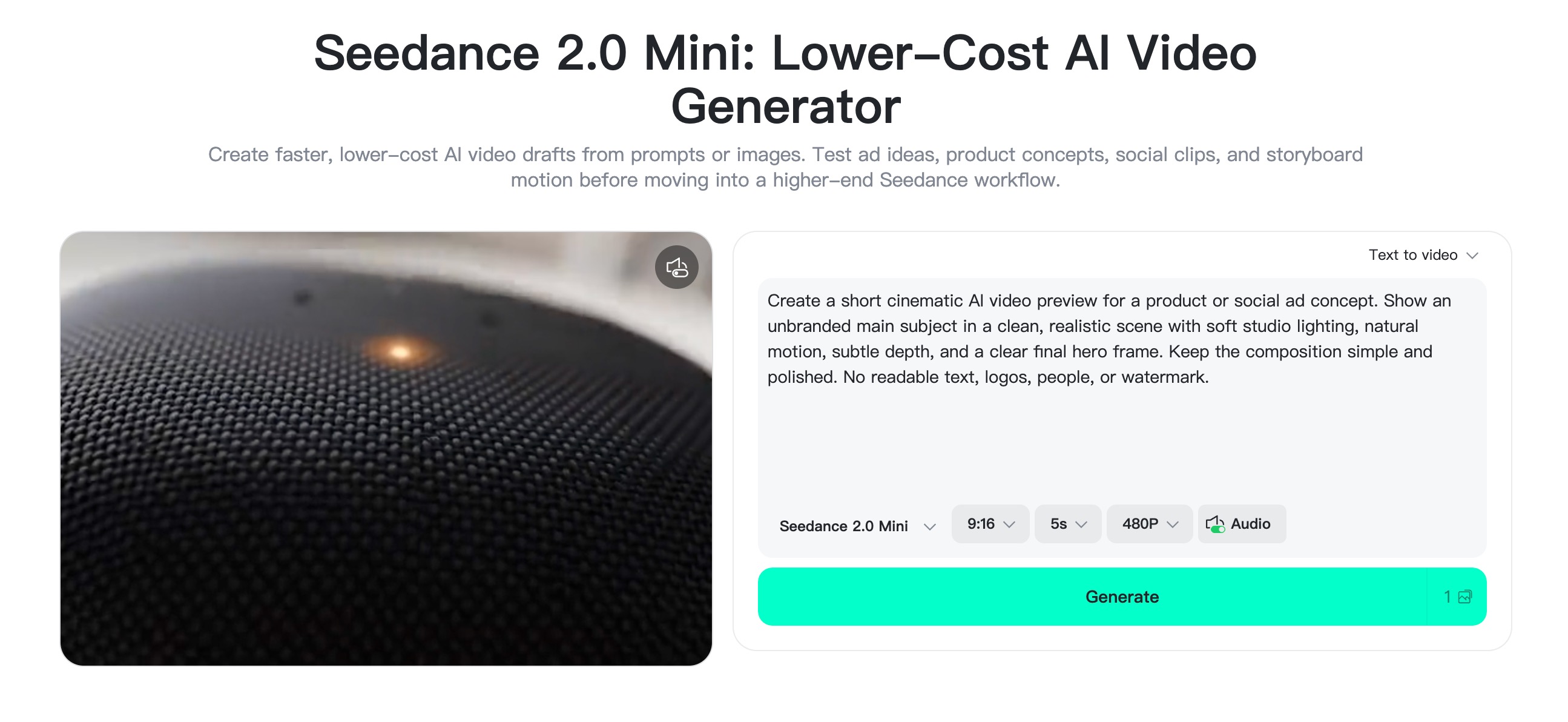
To make that workflow easier, insMind has configured a dedicated Seedance 2.0 Mini page for creators who want to test lower-cost AI video ideas directly online. You can start from text or images, choose Seedance 2.0 Mini, set the aspect ratio, duration, and resolution, then generate quick previews for ads, product concepts, social clips, and storyboard motion before moving into a higher-end production workflow.
Try this formula:
Subject + action + setting + camera movement + style + lighting + output goal + constraints.
For example:
A clear glass skincare bottle rotates slowly on wet black stone, tiny water droplets catching the rim light as the camera makes a smooth macro push-in. The scene should feel like a premium luxury beauty ad, with soft studio rim lighting, subtle reflections, shallow depth of field, clean negative space, and a calm 5-second product reveal pace. Keep the bottle centered and stable, preserve the label shape without forcing readable text, avoid warped reflections, extra objects, flickering shadows, messy background details, or unnatural liquid movement.
Here are a few practical ways to improve your results:
- Name the camera move: push-in, pan, orbit, drone pullback, handheld, close-up.
- Keep the action simple for short clips.
- Use one clear visual style instead of five competing styles.
- Mention the platform format early if you need vertical output.
- Add constraints only for common problems, such as distorted faces or unreadable text.
- Use the same prompt across models when comparing Mini and Seedance 2.0.
If you are starting from a still image, let the image handle identity and composition. Use the prompt for motion, mood, and camera direction. That usually produces cleaner results than trying to describe everything from scratch.
FAQs About Seedance 2.0 Mini and Seedance 2.0
Is Seedance 2.0 Mini better than Seedance 2.0?
Not exactly. Seedance 2.0 Mini can be better for speed, cost, and early creative testing, but Seedance 2.0 is better for final quality and more polished video production. The right choice depends on whether you are drafting or finishing.
What is Seedance 2.0 Mini best for?
Seedance 2.0 Mini is best for short previews, prompt testing, social media ideas, ad hook variations, and fast creative exploration. It is useful when you want to compare several directions before choosing one to polish.
What is Seedance 2.0 best for?
Seedance 2.0 is best for higher-quality output, final video concepts, product ads, brand stories, and more complex scenes. Use it when the clip needs to look polished enough for publishing or client review.
Can I create Seedance-style videos on insMind?
Yes. insMind offers AI video generation workflows where you can create from prompts or images, adjust settings, generate clips, and download the result. You can use it to test Seedance-style product videos, social clips, UGC concepts, and creative visuals.
Should I use text-to-video or image-to-video for Seedance?
Use text-to-video when the scene exists only in your imagination. Use image-to-video when you need to preserve a product, person, pet, or brand visual. For ecommerce and brand content, image-to-video often gives you more control because the input image anchors the subject.
How do I compare Seedance 2.0 Mini and Seedance 2.0 fairly?
Use the same prompt, aspect ratio, duration, and subject for both tests. Then compare motion stability, visual detail, prompt accuracy, generation speed, and whether the result is good enough for your final use case.


