


Want to create scroll-stopping marketing videos without a film crew, expensive software, or weeks of production time? You're not alone. In 2026, AI marketing video generators have made it possible to turn a simple text description into a polished, professional promotional clip in minutes.
Whether you're launching a product, running social media ads, or building a brand presence on TikTok and Instagram, AI-powered video tools can handle the heavy lifting. All you need is a text prompt — a short description of what you want your video to show — and the AI takes care of the rest.
In this guide, you'll learn exactly how to turn text into a marketing video, step by step. We'll walk through the entire process using insMind's AI text-to-video tool, share tips for writing better prompts, and explore the best use cases for AI-generated marketing videos.
Table of Contents
- 01 What Is an AI Marketing Video Generator?
- 02 Why Use AI to Create Marketing Videos?
- 03 How to Turn Text into a Marketing Video with insMind
- 04 Tips for Writing Better Video Prompts for Marketing
- 05 Best Use Cases for AI Marketing Videos
- 06 Frequently Asked Questions
- 07 Start Creating Marketing Videos Today
What Is an AI Marketing Video Generator?
An AI marketing video generator is a tool that uses artificial intelligence to create videos directly from text input. Instead of manually filming, editing, and rendering footage, you type a description of the scene you want — and the AI produces a ready-to-use video clip.
These tools analyze your text prompt, understand the visual elements you're describing, and generate motion, lighting, camera angles, and transitions automatically. The result? Studio-quality marketing content created in seconds, not days.
Modern platforms like insMind's AI video generator support advanced features like multiple AI models (Kling 3.0, for example), adjustable aspect ratios for different social platforms, and customizable video duration — giving you full creative control without the technical complexity.
Why Use AI to Create Marketing Videos?
So why should your marketing team care about AI video generation? Here are the biggest advantages:
Speed that matches your content calendar. Traditional video production can take days or weeks. With an AI marketing video generator, you can go from idea to finished clip in under a minute. That means you can react to trends, test multiple ad variations, and keep your content pipeline full — all without burning out your creative team.
No production budget required. Forget hiring videographers, renting studios, or licensing stock footage. AI video tools eliminate most production costs, making professional video content accessible to solo creators, startups, and small businesses.
Consistent brand quality. AI models produce clean, polished output every time. Whether you're creating one video or fifty, the visual quality stays consistent — which matters when you're building brand recognition across platforms.
Easy A/B testing. Want to test two different product angles? Just change your prompt. AI makes it trivially easy to generate multiple video variations for split testing on ad platforms.
Platform-ready formats. Most AI video generators let you choose your aspect ratio (16:9 for YouTube, 9:16 for TikTok and Reels, 1:1 for Instagram feed), so your videos are ready to publish the moment they're generated.
How to Turn Text into a Marketing Video with insMind
Ready to create your first AI marketing video? Here's exactly how to do it with insMind — in four simple steps.
Step 1: Enter Your Text Prompt
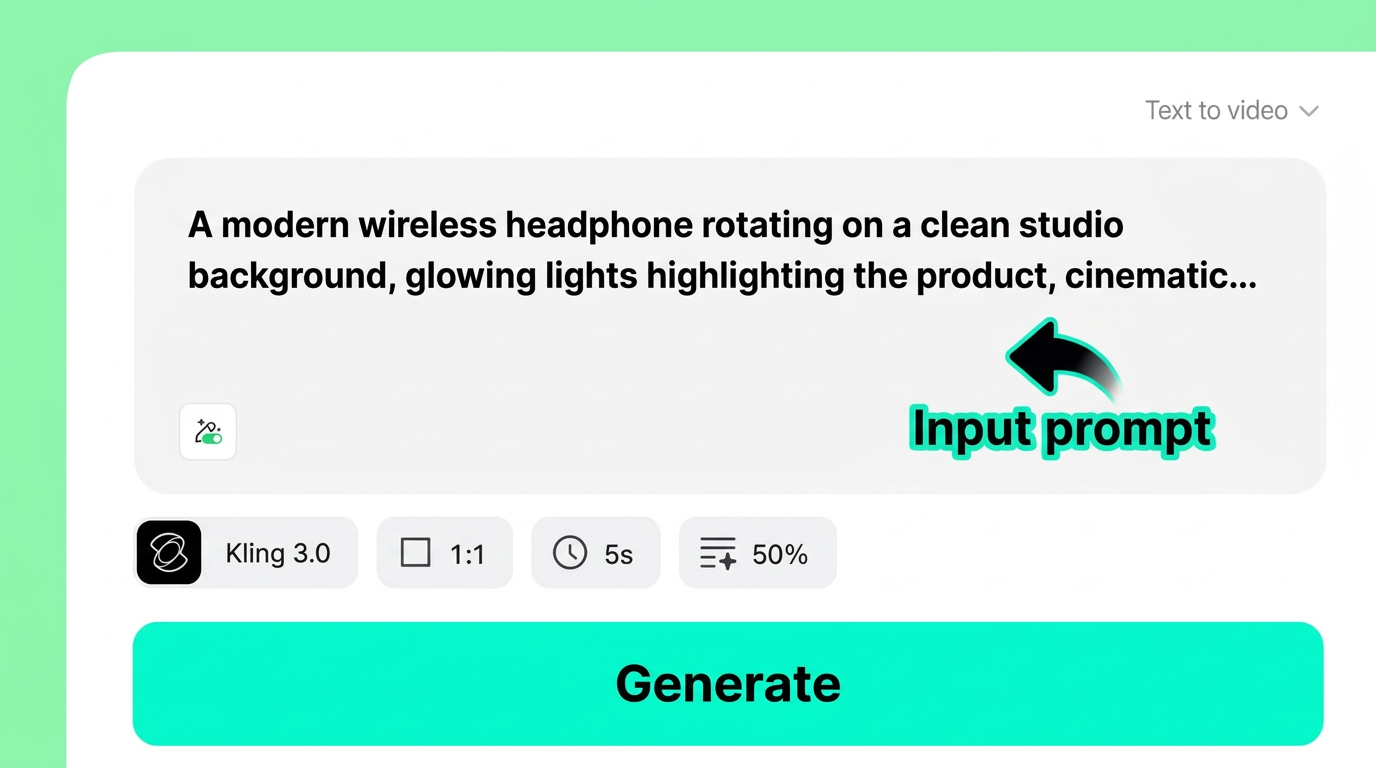
Start by writing a short marketing script that describes what you want the video to show. Be specific about the product, setting, lighting, and mood. For example:
"A modern wireless headphone rotating on a clean studio background, glowing lights highlighting the product, cinematic lighting, product close-ups showing details."
The more descriptive your prompt, the better the result. Include details about camera movement, visual style, and atmosphere to guide the AI.
Step 2: Customize Your Video Settings
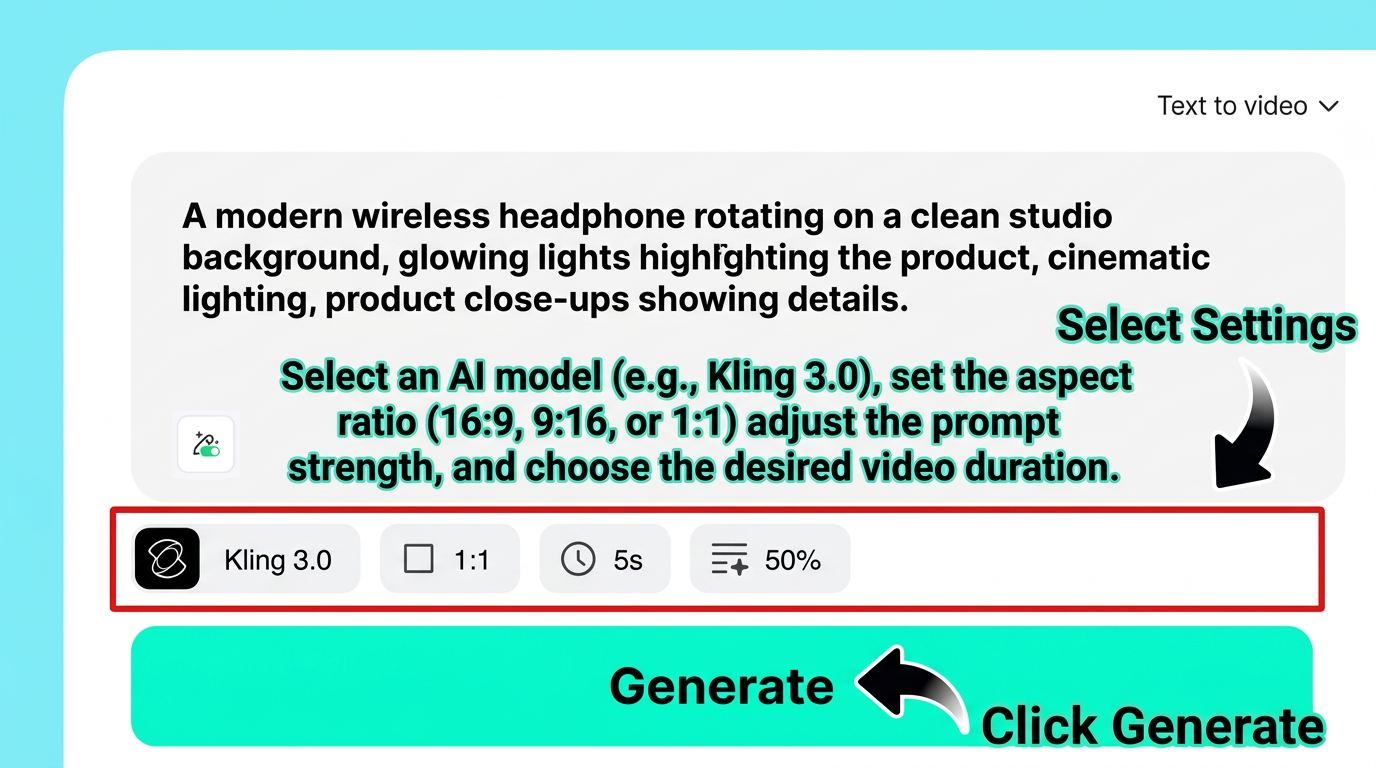
Next, adjust the video settings to match your marketing goals:
-
AI Model: Choose from available models like Kling 3.0 for the best visual quality
-
Aspect Ratio: Select 9:16 for TikTok and Instagram Reels, 16:9 for YouTube ads, or 1:1 for Instagram feed posts
-
Video Duration: Pick a length that fits your ad format — short clips for social or longer videos for landing pages
-
Prompt Strength: Control how closely the AI follows your text description
You can also upload a product image to help the AI generate a more accurate representation of your item.
Step 3: Generate Your Video
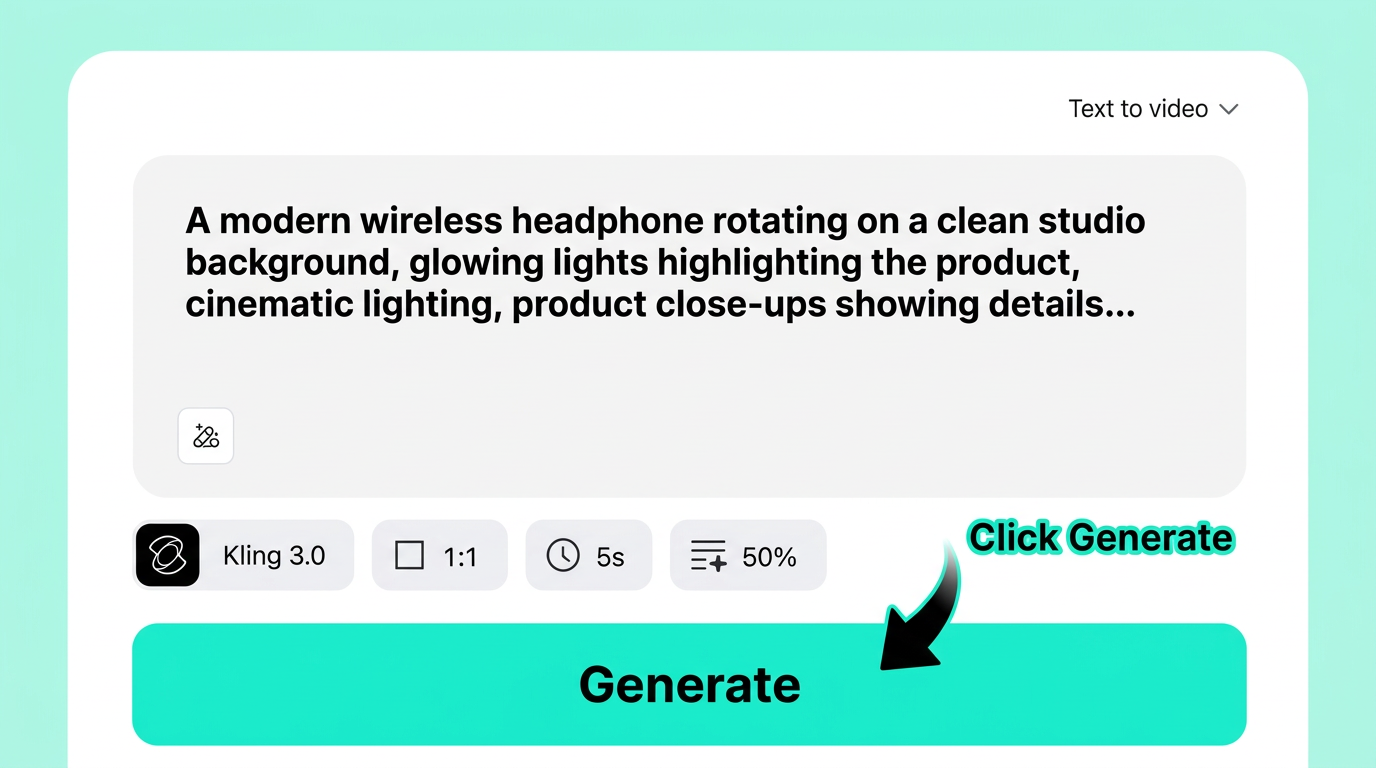
Click the Generate button, and insMind's AI engine gets to work. The platform processes your text prompt and settings, then renders a fully animated video clip.
Generation typically takes just seconds — far faster than any traditional video production workflow.
Step 4: Download and Share
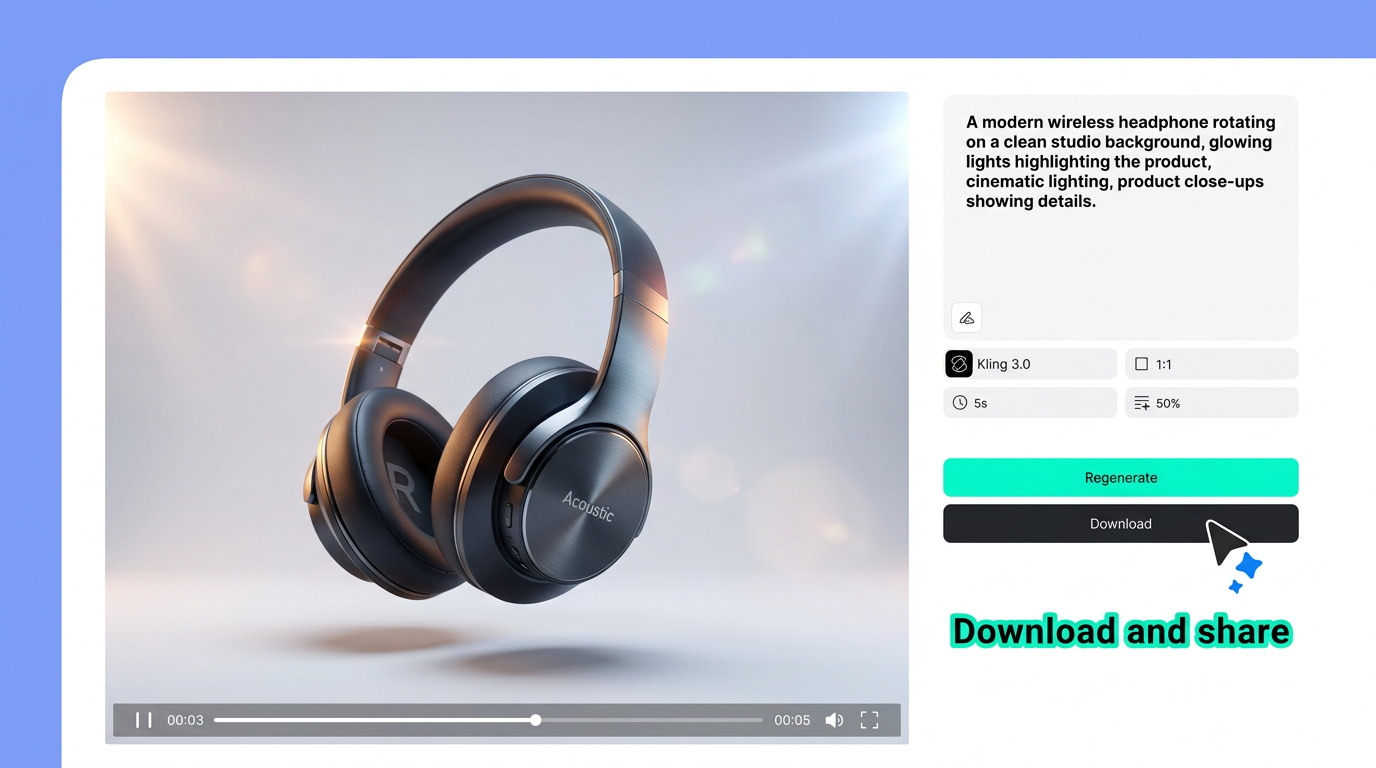
Once your video is ready, preview it right in the browser. If you're happy with the result, download it directly. If you want a different take, hit Regenerate with the same or a modified prompt.
Your finished marketing video is ready to use for:
-
YouTube ads and pre-roll
-
TikTok and Instagram Reels
-
Product landing pages
-
Email marketing campaigns
-
Facebook and LinkedIn sponsored posts
Tips for Writing Better Video Prompts for Marketing
The quality of your AI marketing video depends heavily on your prompt. Here's how to write prompts that deliver professional results:
Be specific about the product. Instead of "a headphone," write "a sleek black wireless headphone with rose gold accents." The more detail you give, the more accurate the AI's output.
Describe the camera movement. Words like "rotating," "slow zoom," "pan left," and "dolly in" help the AI create dynamic, professional-looking footage.
Set the mood with lighting. Mention "cinematic lighting," "soft studio lights," "golden hour glow," or "neon accent lights" to control the atmosphere.
Specify the background. A "clean white studio" produces very different results from a "busy urban street." Always define the setting.
Keep it focused. Each prompt should describe one clear scene. If you need multiple scenes, generate them separately and combine. You can also turn your photos into videos for more precise control over the visual starting point.
Best Use Cases for AI Marketing Videos
Not sure where AI video fits into your marketing strategy? Here are the most impactful use cases:
Product showcase videos. Generate rotating product shots, unboxing animations, or feature highlight clips — perfect for e-commerce listings and social ads.
Social media content. Create eye-catching Reels, TikToks, and Shorts at scale. You can even create YouTube Shorts with AI optimized for vertical viewing.
Ad creative testing. Generate dozens of ad variations from different prompts, then test them against each other to find what converts best.
Landing page hero videos. Replace static hero images with looping product videos that grab attention and increase time-on-page.
Email campaign visuals. Embed short video clips or animated GIFs in emails to boost click-through rates. Studies show video in email can increase CTR by up to 300%.
Event and launch teasers. Build hype for upcoming product launches with quick teaser videos. Need a full script-based approach? You can convert scripts into video with insMind's dedicated script-to-video feature.
Frequently Asked Questions
Can AI really generate professional marketing videos from text?
Yes. Modern AI video generators like insMind use advanced models (such as Kling 3.0) that produce high-quality, cinematic video from text prompts. While they may not replace a full production team for every use case, they're more than capable of creating polished product videos, social ads, and promotional clips.
What's the best aspect ratio for marketing videos?
It depends on the platform. Use 9:16 (vertical) for TikTok, Instagram Reels, and YouTube Shorts. Use 16:9 (landscape) for YouTube ads, website hero videos, and presentations. Use 1:1 (square) for Instagram feed posts and Facebook ads.
How long should an AI marketing video be?
For social media ads, 5 to 15 seconds is the sweet spot. For product showcases and landing page videos, 15 to 30 seconds works well. For explainer or demo content, you can go up to 60 seconds. Shorter videos typically see higher completion rates.
Is it free to create marketing videos with AI?
Many AI video generators offer free tiers with basic features. insMind lets you get started at no cost, with options to upgrade for higher resolution, longer clips, and advanced AI models. Most marketers find the free tier sufficient for testing and light production.
What kind of text prompts work best for marketing videos?
The best prompts are specific, visual, and action-oriented. Describe the product clearly, specify camera movement (rotating, zooming, panning), set the lighting and mood, and define the background. Avoid vague descriptions — the more detail you provide, the better the result.
Start Creating Marketing Videos Today
Ready to turn your next marketing idea into a stunning video? With insMind's AI marketing video generator, you don't need a production budget, editing skills, or weeks of lead time. Just type your vision, customize the settings, and let AI do the rest.
Whether you're creating product ads, social content, or promotional teasers, insMind makes it fast, easy, and free to get started.

Ryan Barnett
I'm a tech enthusiast and writer who loves exploring AI, digital tools, and the latest tech trends. I break down complex topics to make them simple and useful for everyone.


