


Want your video intro, sports highlight, event promo, product launch, or breaking-news segment to sound more official? That polished "coming up next" voice is not only for radio booths and broadcast studios anymore. With an AI announcer voice generator, you can write a short script, pick a voice style, generate the audio, and use it in your content without recording from scratch.
If you are searching for how to make an announcer voice, the goal is probably not just "make text speak." You want authority, clean pacing, strong emphasis, and a tone that feels ready for a show, channel, brand message, or live event. This guide explains what makes an announcer voice work, how to write better announcer scripts, how to get news reporter voice effects, and how to use insMind to create broadcast-style voiceovers online.
What Is an Announcer Voice?
An announcer voice is a clear, confident speaking style designed to guide attention. It is used in radio, TV, news segments, sports intros, event openings, trailers, product demos, podcasts, and social media videos. The sound is usually crisp and intentional. Every line has a job: introduce, build energy, deliver a fact, or move the audience to the next moment.
Unlike casual narration, an announcer voice has more structure. It often uses shorter phrases, cleaner pauses, and stronger word stress. A sports announcer voice may feel dramatic and energetic. A news reporter voice may sound calm, precise, and objective. A product announcer voice may feel polished, upbeat, and brand-friendly.
The good news is that you do not need a studio microphone or years of voice training to start. You can use the insMind announcer voice generator to test scripts, choose a voice type, and export audio for your project.
How to Make an Announcer Voice Sound Professional
Before you generate audio, shape the script. AI voice tools can add polish, but the script still controls pacing, clarity, and mood. If the writing sounds messy, the final voiceover will also feel unfocused.
Use this simple formula:
| Script Part | What It Does | Example |
|---|---|---|
| Hook | Grabs attention immediately | "Tonight, the final match begins." |
| Context | Tells listeners what is happening | "Two teams, one trophy, and one last chance." |
| Energy cue | Adds momentum or importance | "The crowd is ready. The lights are on." |
| Payoff | Ends with a strong reveal | "Welcome to the championship night." |
For a clean announcer style, write in spoken language. Use direct sentences. Keep one idea per line. Avoid overloaded paragraphs with too many names, dates, and clauses. The best announcer scripts often look simple on the page because they are built for the ear.
If you want an easy starting point, try this structure:
[Time or setting]. [Main event or subject]. [Reason it matters]. [Short dramatic finish].
For example:
This Friday night, the city gathers for one unforgettable launch. New music, live energy, and a stage built for the moment. The countdown starts now.
That is already much easier for an AI announcer voice to deliver than a long paragraph with no rhythm.
How to Get News Reporter Voice for Broadcast-Style Content
Wondering how to get news reporter voice without hiring a presenter? Think less about drama and more about control. A news reporter voice is steady, neutral, and clear. It should sound informed, not exaggerated.
To create this style, write scripts with facts first:
- Start with the most important information.
- Use short sentences that are easy to follow.
- Avoid slang, hype words, and emotional overstatement.
- Add names, numbers, and locations only when they matter.
- Use punctuation to guide pauses.
Here is a quick example:
Today, local organizers announced a new community art festival for downtown residents. The event opens on Saturday morning and will include live workshops, food vendors, and outdoor performances.
For a stronger broadcast effect, choose a voice type that sounds clear, composed, and professional. Then preview the result. If the audio feels too salesy, remove adjectives. If it sounds too flat, add a short transition phrase like "Meanwhile," "Coming up," or "Here is what to know."
Announcer Voice Script Examples You Can Copy
Need a faster start? Use these examples as templates, then replace the details with your own topic. Each sample is written with clear pauses, short lines, and a final payoff so it works better in an AI announcer voice generator.
Sports Intro
Use this for a match preview, highlight reel, school tournament, team intro, or championship video. Keep the language energetic, but make sure the team names and event stakes are easy to hear.
Tonight, the pressure is real. The season comes down to one final matchup. The Eastside Tigers enter with speed, confidence, and a record built on hard work. Across the field, the North Valley Hawks are ready to answer with power, discipline, and one goal in mind. The lights are on. The crowd is rising. This is more than a game. This is the moment everyone has been waiting for.
News Update
This sample works when you want to learn how to get news reporter voice for a local update, company announcement, school broadcast, or creator news segment. Keep it calm and factual.
Good morning. Here is today's update. Organizers have confirmed the official schedule for the upcoming technology summit. The event will open Monday morning at the downtown convention center. Attendees can expect keynote sessions, product showcases, live demonstrations, and panel discussions with industry leaders. Registration remains open through Friday evening. More details will be released on the event website later today.
Product Launch
Use this for a SaaS feature reveal, ecommerce product drop, app update, or brand campaign. The voice should sound confident and polished, not too theatrical.
Introducing a faster way to create. Built for teams, creators, and brands that need high-quality content without slowing down. With the new update, you can move from idea to finished asset in fewer steps, with cleaner results and more control over every detail. Whether you are launching a campaign, refreshing your product page, or building social content, this tool is designed to help you move faster. The new experience is available today.
Podcast Opening
This one is designed for a podcast intro, interview show, newsletter audio, or recurring creator series. Add the host name, episode theme, and a short promise for listeners.
You are listening to The Creative Brief. The show where ideas become sharper, faster, and easier to use. I'm your host, Jordan Lee. In today's episode, we look at how small creative teams are using AI tools to plan campaigns, test visuals, and publish content with less production pressure. Stay with us for practical examples, smart shortcuts, and a few mistakes worth avoiding. Here is today's conversation.
Event Promotion
Use this for concerts, webinars, conferences, workshops, retail events, community programs, and live streams. Make the date, value, and call to action clear.
One night. One stage. A lineup built for the city. This Saturday, join us at Harbor Hall for an evening of live music, local food, creative showcases, and unforgettable performances. Doors open at six. The first act begins at seven. Bring your friends, arrive early, and get ready for a live experience designed to bring the community together. Tickets are available now. We will see you there.
These examples work because they are easy to speak. They have rhythm, but they do not force the voice to fight through clutter. That is the core trick behind how to make an announcer voice with AI: write for delivery first.
How to Do an Announcer Voice with insMind
insMind makes the process simple: write your script, choose a voice style, generate the voiceover, then preview and download the result. Here is how to do an announcer voice in four practical steps.
Step 1: Enter Your Announcer Script
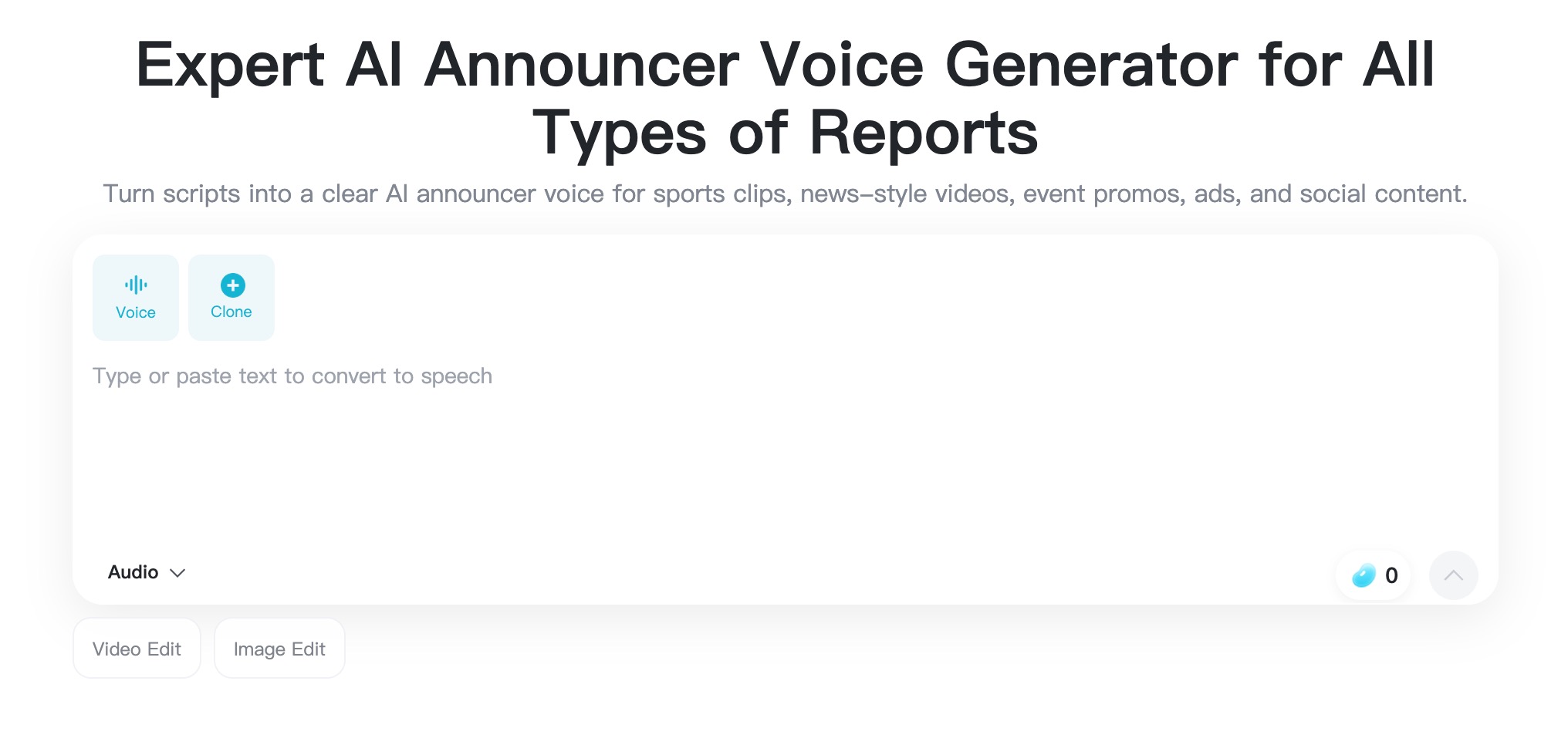
Open the insMind Announcer Voice Generator and type or paste your script into the text box. This can be a video intro, game announcement, podcast opener, event promo, news update, sale message, or channel tag.
For better results, write the script in short spoken lines instead of one dense paragraph. Put the most important words near the beginning. If you need a pause, use punctuation. If you need a powerful ending, make the final sentence short and clear.
Step 2: Choose the Announcer Voice Type
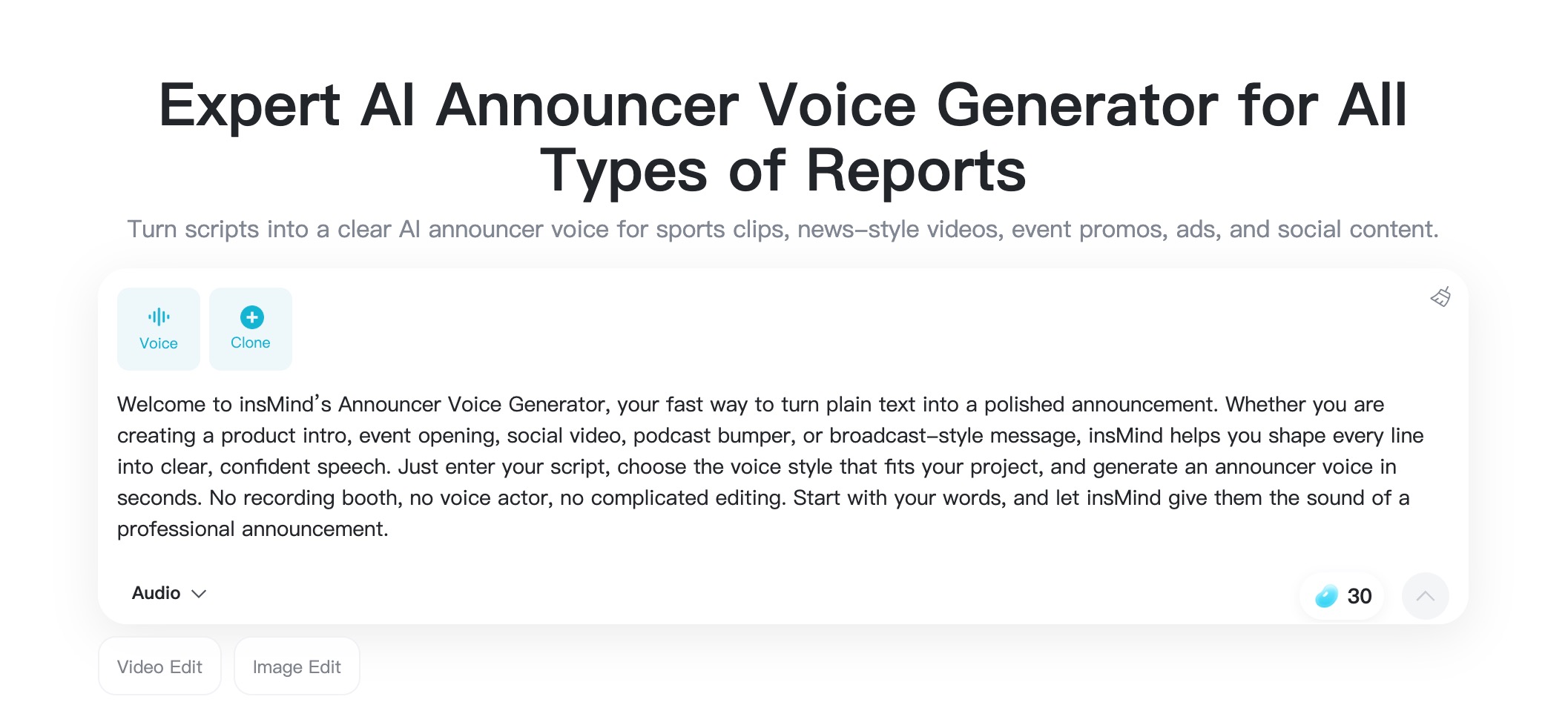
Next, choose the voice type that matches the project. A high-energy voice works well for sports, trailers, and event openings. A calm, polished voice is better for news-style updates, corporate videos, explainers, and product announcements.
Think about where the audio will appear. A TikTok intro can be punchy. A webinar opening should sound steady. A retail promotion can feel bright and friendly. Matching the voice type to the use case is the quickest way to make the result sound intentional.
Step 3: Generate the Announcer Voice
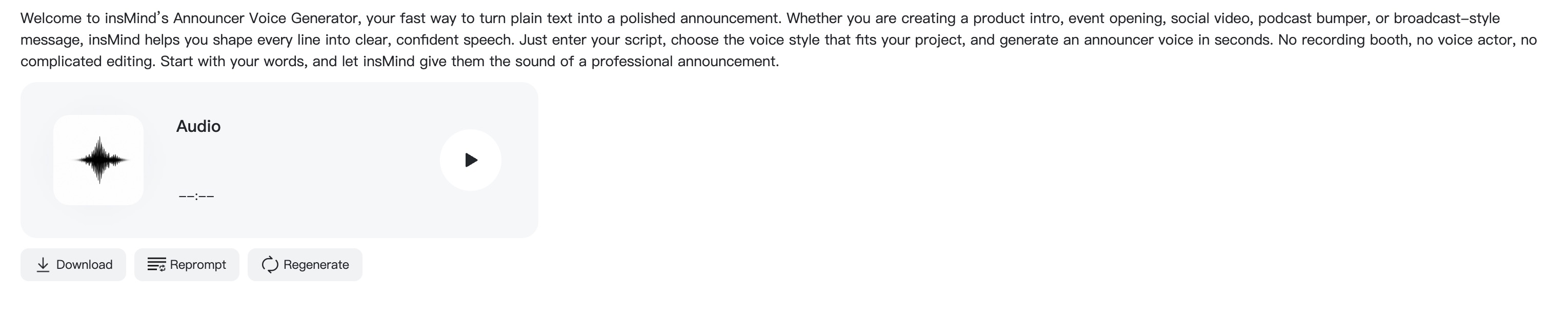
Click Generate and let insMind turn your text into announcer-style speech. The AI reads your script with the selected voice style, so this is where your pacing, punctuation, and word choice become audible.
If the first result is close but not perfect, adjust one thing at a time. Shorten a sentence. Add a comma. Replace a hard-to-pronounce phrase. Make the opening more direct. Small script edits can make a big difference in how professional the final voiceover feels.
Step 4: Preview, Edit, and Download
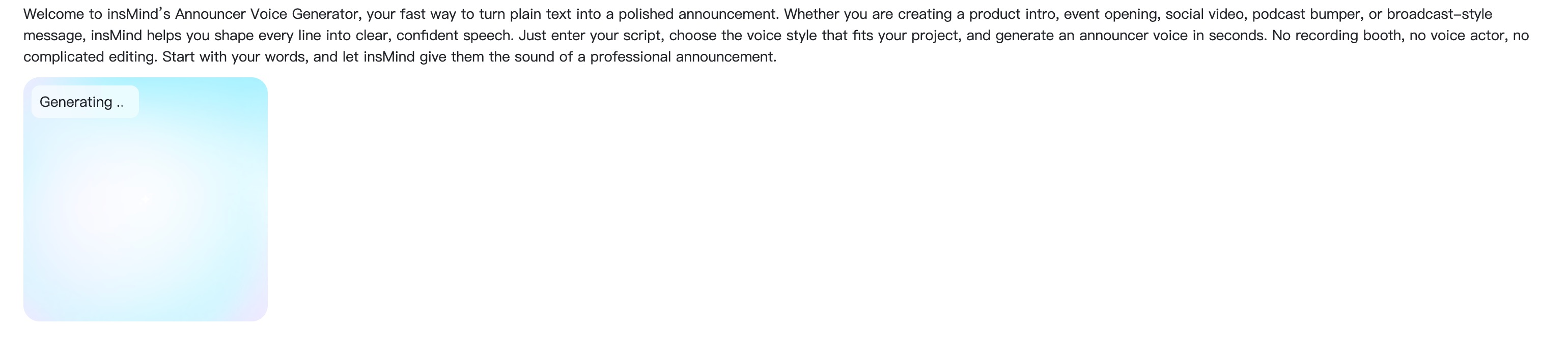
Listen to the full voiceover before downloading. Check the first three seconds, the middle transition, and the final line. Does it sound clear? Does the energy match the content? Are names, numbers, or brand words pronounced correctly?
When the voiceover is ready, download the audio and add it to your video, podcast, livestream intro, event screen, product page, or social post. If you are pairing it with visuals, keep the music lower than the voice so the announcement stays easy to understand.
FAQs About Announcer Voice Generation
What is the easiest way to make an announcer voice?
The easiest way is to use an AI announcer voice generator. Write a short script, choose an announcer voice type, generate the audio, preview it, and download the final voiceover.
How do I make my script sound like a news reporter?
Start with the main fact, use short neutral sentences, avoid exaggerated language, and choose a clear professional voice type. This helps create a calm news reporter voice.
Can I use an announcer voice for YouTube videos?
Yes. Announcer voiceovers work well for intros, recaps, episode openings, sponsor lines, news-style updates, countdowns, and highlight videos.
How long should an announcer voiceover be?
For social videos, 5 to 15 seconds is often enough. For podcasts, event intros, or product explainers, the voiceover can be longer as long as the pacing stays clear.
What should I write for a sports announcer voice?
Use action verbs, short dramatic phrases, and a strong final line. Mention the teams, event, stakes, and moment, then end with a phrase that builds anticipation.


![How to Add Logo to Photos Online for Free [The Simplest Method]](https://static.xsbapp.com/market-operations/market/side/1718795949162.jpg?x-oss-process=image/resize,w_690,h_460,type_6/interlace,1,image/format,webp "How to Add Logo to Photos Online for Free [The Simplest Method]")
![How to Remove Tattoos from Photos [Ultimate Guide 2025]](https://static.xsbapp.com/market-operations/market/side/1718787534476.jpg?x-oss-process=image/resize,w_690,h_460,type_6/interlace,1,image/format,webp "How to Remove Tattoos from Photos [Ultimate Guide 2025]")


