
Is PixVerse AI Worth Using in 2026? Full Review, Pros & Cons Explained
Try PixVerse AI Video Generator Now

AI video generation has rapidly moved from experimental demos to practical creative tools. PixVerse AI is one of the platforms driving this shift, offering a streamlined way to turn text prompts or images into short, animated videos without manual editing. For many creators, it represents an easy entry point into AI-generated video.
In this PixVerse AI review, we take a closer look at what the tool is designed for, how well it performs in real-world scenarios, its key strengths and limitations, and how creators can overcome common pain points when scaling production. Rather than focusing on hype, this review is centered on actual usability and creative value.
Table of Contents
Part 1: What Is PixVerse AI?
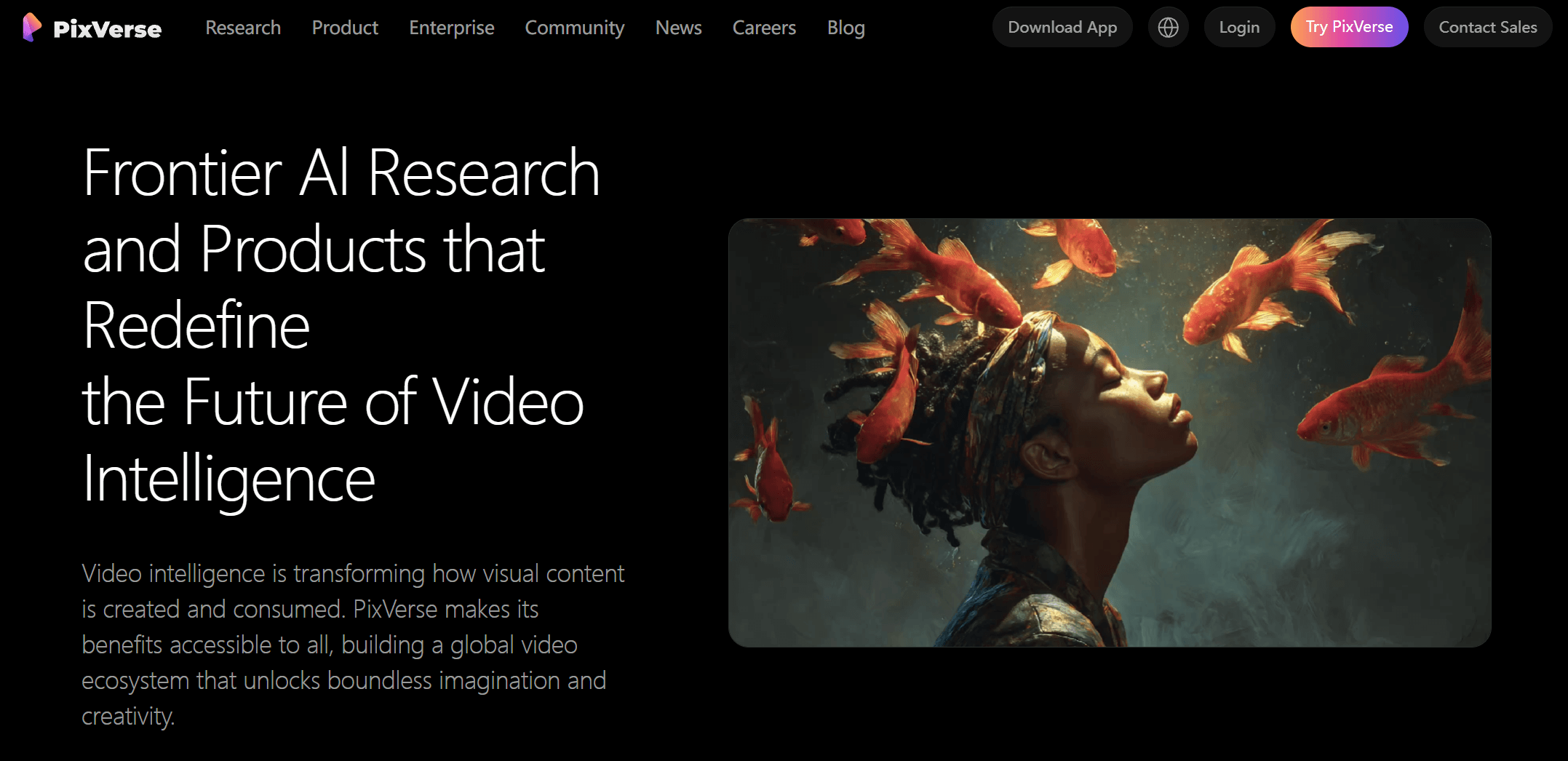
PixVerse AI is a generative video platform that converts text descriptions or static images into short video clips using AI-driven motion synthesis. Its core focus is simplicity: users describe a scene or upload an image, select basic settings, and let the model generate an animated result.
The platform is not positioned as a professional filmmaking solution. Instead, PixVerse AI targets creators who value speed and visual impact over deep technical control. Its videos tend to emphasize stylized motion, smooth transitions, and creative aesthetics rather than long-form realism or complex storytelling.
Because of this simplicity, PixVerse AI is especially suitable for:
- short social media videos
- TikTok or Instagram content
- quick visual teasers
- simple marketing clips
- creative experiments
Overall, PixVerse AI works best for individuals, marketers, and designers who need fast, visually engaging content and are willing to trade advanced control for convenience.
Part 2: Key Features of PixVerse AI
Before evaluating PixVerse AI’s performance, it’s important to understand what the platform actually offers. PixVerse AI focuses on simplifying video creation through a small set of core features that prioritize speed, accessibility, and visual impact. From text-based generation to image animation and stylized motion, these tools define how the PixVerse AI workflow works and why it appeals to short-form content creators.
Text to Video Generation
PixVerse AI allows users to generate videos directly from text prompts. By describing a scene, mood, or action, the model automatically creates motion, camera movement, and transitions. This feature is particularly effective for short story concepts, visual ideas, and abstract creative scenes.
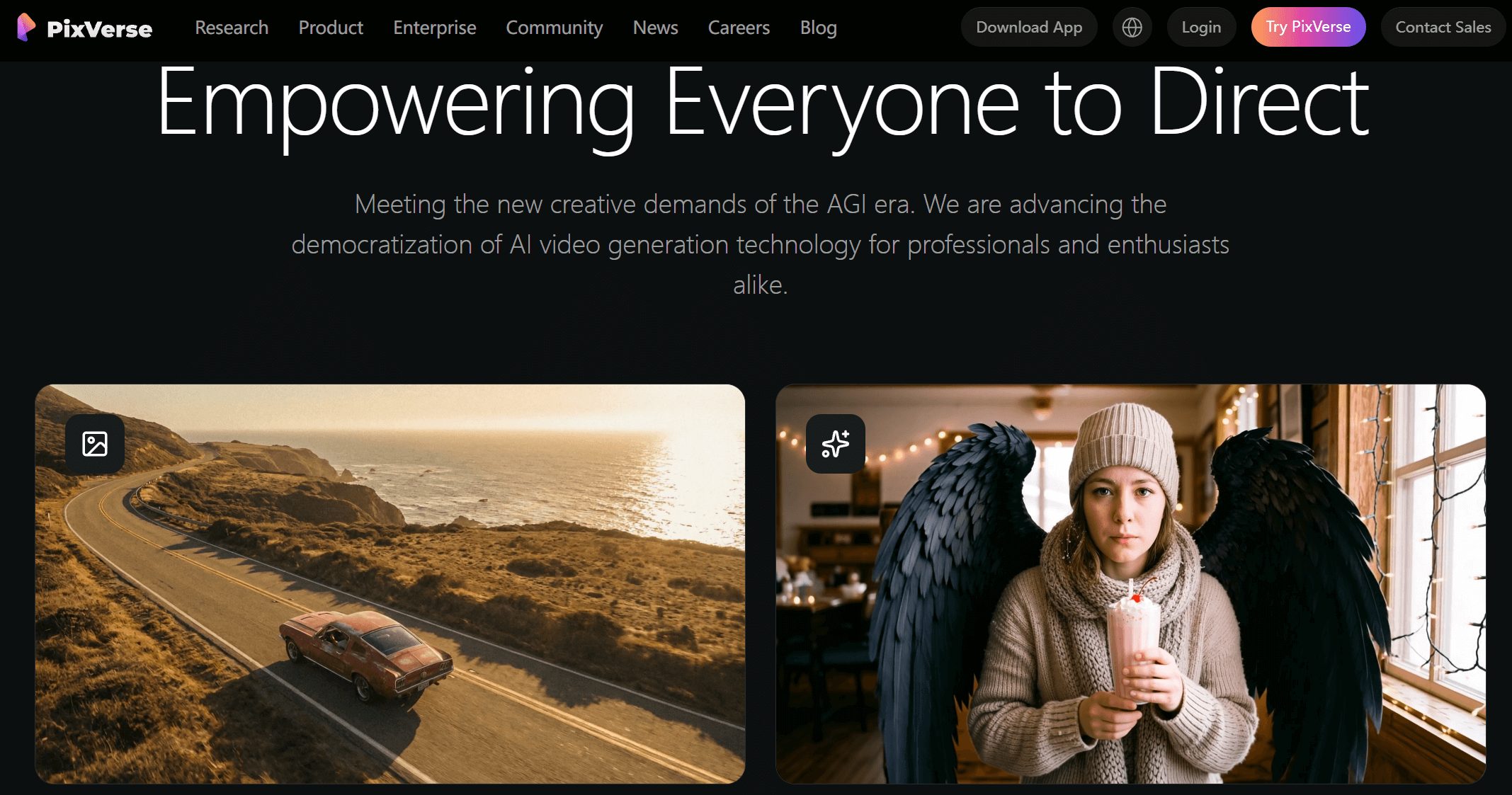
Image to Video Animation
With image-to-video generation, PixVerse AI turns a single image into a dynamic clip. This works well for portraits, animals, products, or illustrated content. Subtle motion effects and camera shifts help static visuals feel more alive, making this feature popular for promotional visuals and social posts.
Visual Style & Motion Quality
One of PixVerse AI's strongest aspects is its visual style. The model produces smooth motion and visually coherent frames, especially for stylized or animated content. While not aiming for cinematic realism, it delivers consistent aesthetics that work well for creative and experimental projects.
Part 3: PixVerse AI Pros and Cons
Like most AI video tools, PixVerse AI offers clear advantages, but also comes with practical limitations that become more noticeable with frequent use.
 Pros
Pros
- Fast rendering speed, often producing results within seconds
- Clean visual output with smooth motion
- No visible watermark, even on free usage
- Supports upscaling up to 1080p
- Simple, beginner-friendly interface that requires no editing experience
Cons
- Very limited free credits, restricting experimentation
- Short video length, usually capped at a few seconds (6 seconds max)
- Prompt results can be inconsistent and require retries
- Limited scene customization and lack of multi-clip storyboarding
- No built-in audio or lip-sync support
For casual use, these drawbacks may be acceptable. However, creators producing videos regularly often find that cost, length restrictions, and lack of flexibility become major bottlenecks.
Part 4: Use PixVerse AI on insMind – A Cheaper & Smarter Way
Many of PixVerse AI's limitations can be addressed by using it through insMind, an all-in-one AI video generation platform that integrates multiple advanced models in one workspace.
Why Use PixVerse AI on insMind?
InsMind's Pixverse AI Video Generator allows you to use PixVerse AI directly without switching platforms. Pricing is more affordable, making it better suited for high-frequency creation and testing. More importantly, insMind removes the single-model limitation.
In addition to PixVerse, you can switch between:
This multi-model setup allows you to test the same creative idea across different AI engines. In practice, this often leads to noticeably better results, as different models handle motion, style, and composition in unique ways.
How to Generate PixVerse Videos with insMind
Below is a step-by-step overview of how to generate AI videos using insMind’s Pixverse AI Video Generator.
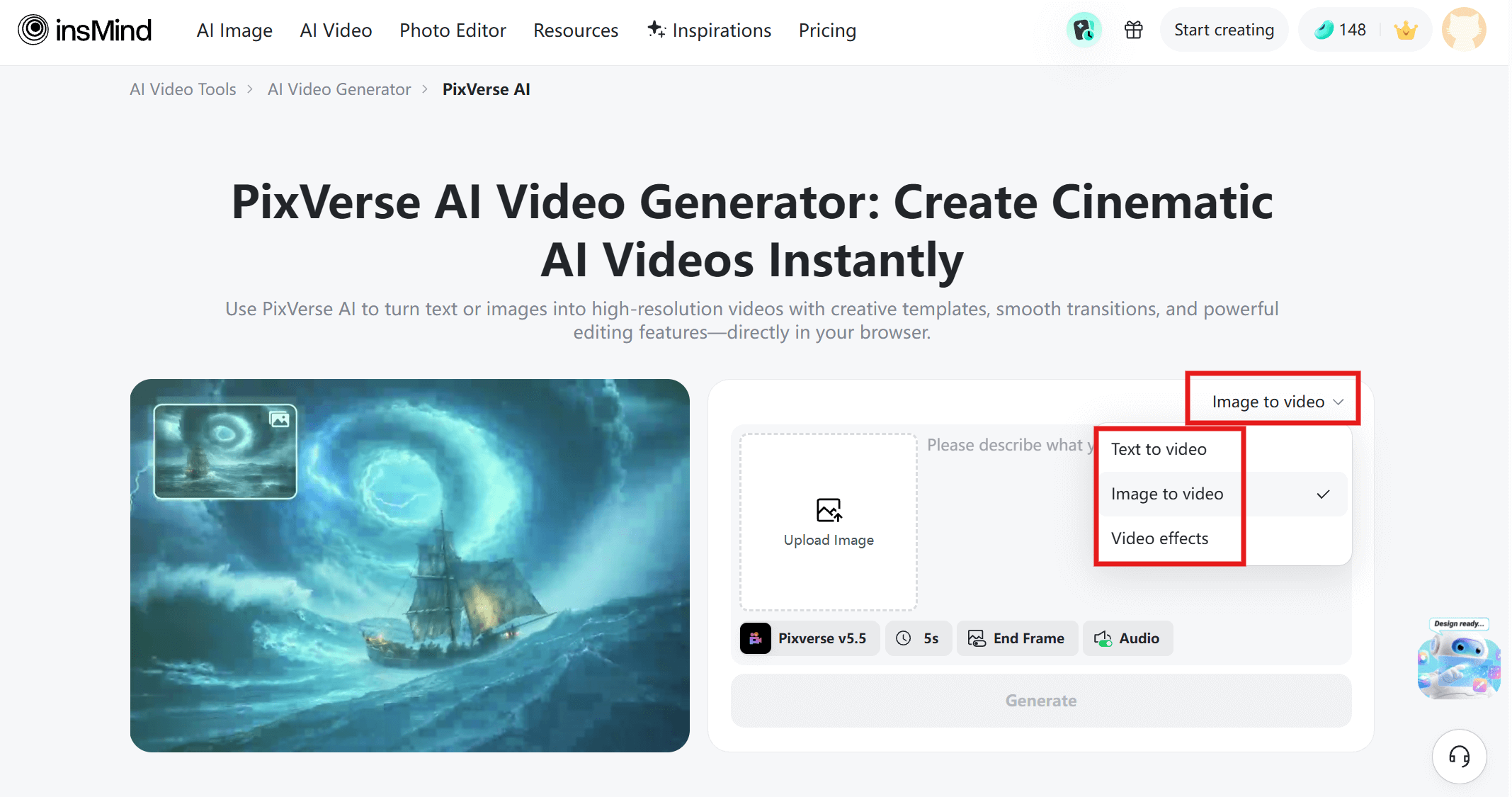
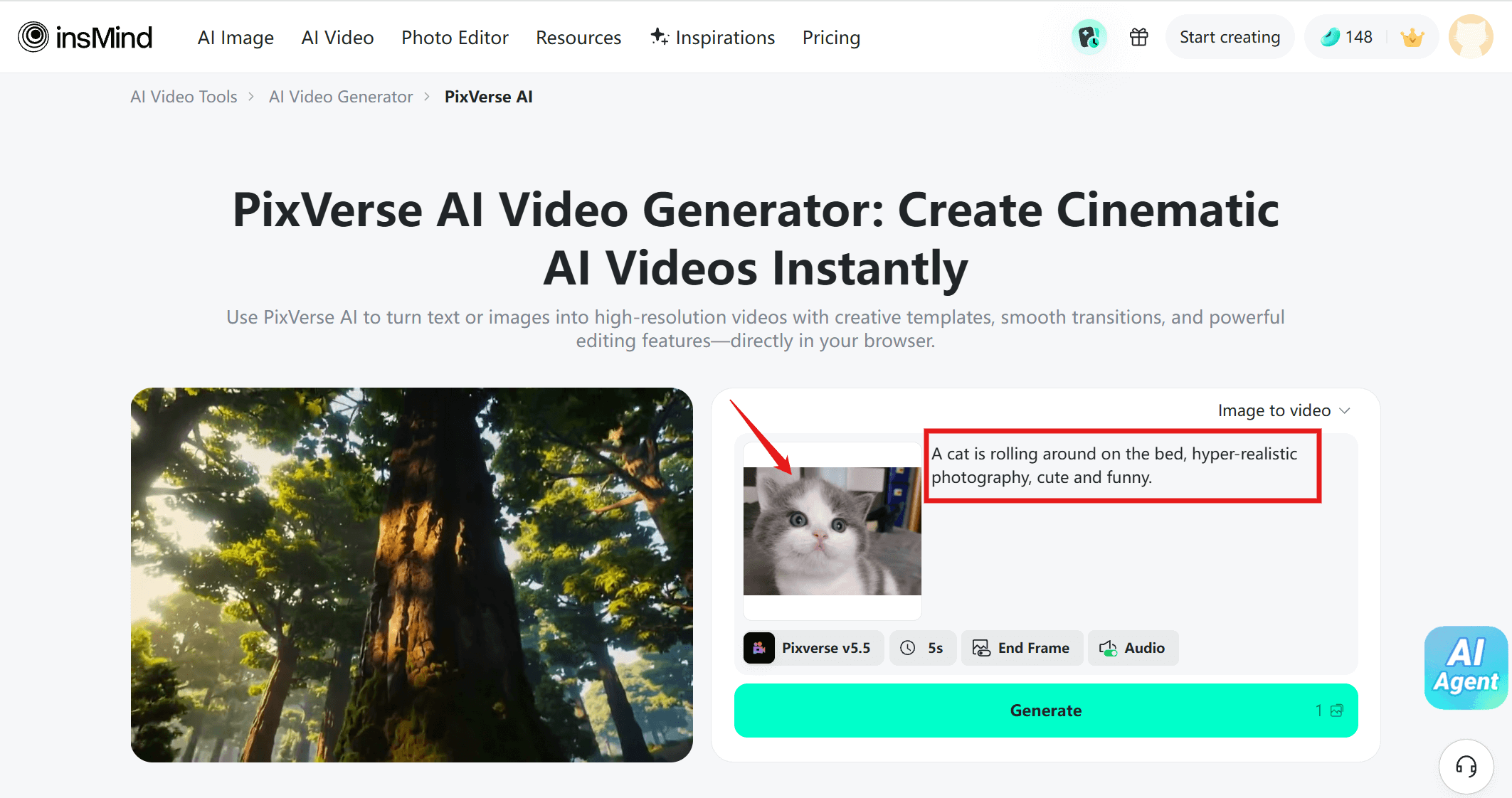
Step 1: Choose Your Input Type
Upon accessing the insMind's "PixVerse AI Video Generator" website, decide whether to start with text-to-video or image-to-video.
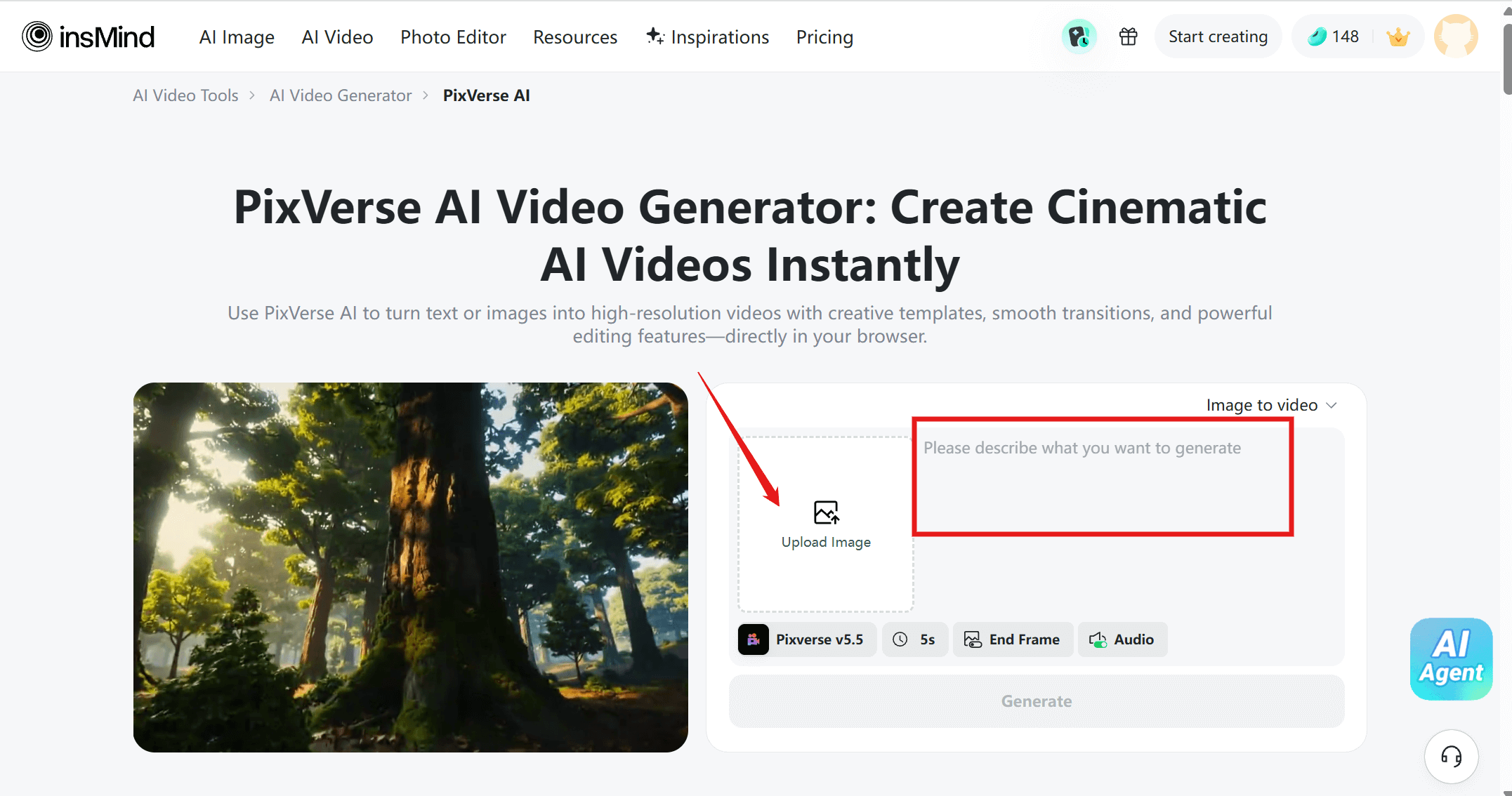
Step 2: Enter Prompt or Upload Image
Enter a descriptive prompt or upload an image to guide PixVerse AI in generating your video. Mixing text and images helps the AI better understand your creative vision.
Step 3: Customize Video Parameters
Adjust key settings to fit your project: duration, aspect ratio, visual style, and motion intensity. Tailor your video from anime-inspired looks to realistic cinematic effects for any scenario.
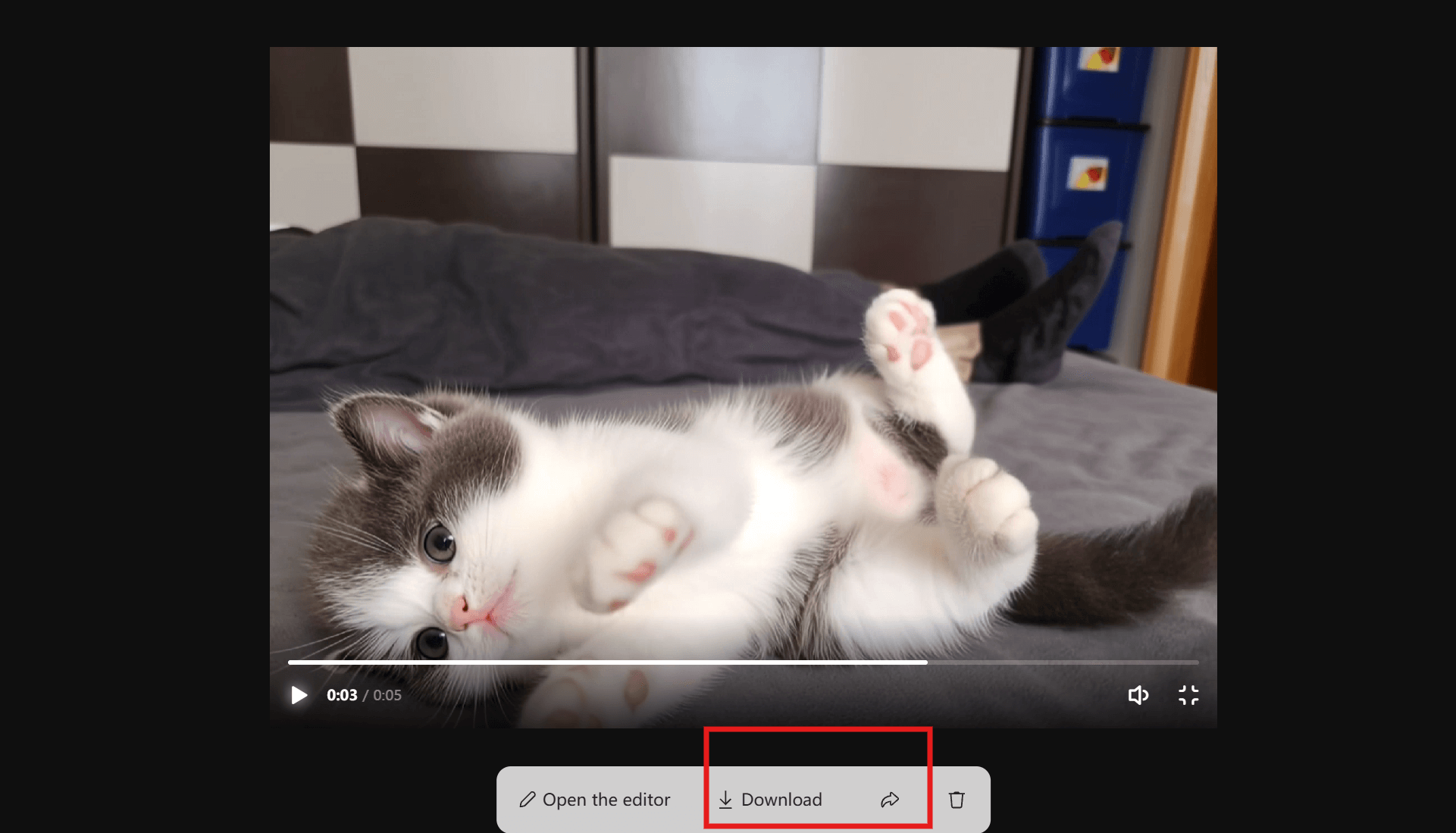
Step 4: Generate, preview, and download
Click Generate to let PixVerse AI automatically synthesize motion, scenes, and visual continuity. Preview your video, make adjustments if needed, then download or share directly to social media.
Conclusion
PixVerse AI is a capable and accessible AI video generator, particularly well-suited for short, stylized content and creative experimentation. Its ease of use, fast rendering, and clean output make it appealing for beginners and social media creators.
However, limited free credits, short video length, higher generation costs, and single-model restrictions can limit its usefulness for more demanding workflows. For creators looking to scale production or compare different AI video styles, using PixVerse AI on insMind provides a more flexible, cost-effective, and powerful solution, all within one platform.

Sid Buckley
I'm a professional writer and amateur photographer, and I author insightful articles at insMind to help you integrate AI into compelling image creation.


![5 Best AI Kissing Video Generators of 2025 [Tested]](https://images.insmind.com/market-operations/market/side/8b445afb685e4957b11238f3ebad2b2b/1756093193517.jpg?x-oss-process=image/resize,w_690,h_460,type_6/interlace,1,image/format,webp "5 Best AI Kissing Video Generators of 2025 [Tested]")


![Top 5 AI Baby Podcast Generators in 2025 [Reviewed & Tested]](https://images.insmind.com/market-operations/market/side/9ed5a89e85ab457a9e8faace7bb25258/1750317475287.jpg?x-oss-process=image/resize,w_690,h_460,type_6/interlace,1,image/format,webp "Top 5 AI Baby Podcast Generators in 2025 [Reviewed & Tested]")


![Exploring the 10 Best AI Photo Editors for Your Needs [2025]](https://images.insmind.com/market-operations/market/side/05ccfa0da4d64b43ba07065f731cf586/1724393978325.jpg?x-oss-process=image/resize,w_690,h_460,type_6/interlace,1,image/format,webp "Exploring the 10 Best AI Photo Editors for Your Needs [2025]")


![Top 10 Face Swap Apps to Enhance Your Photo [Online, iOS, Android, Windows, Mac]](https://images.insmind.com/market-operations/market/side/e604368a99ee4a0fbf045e5dd42dca41/1723095740207.jpg?x-oss-process=image/resize,w_690,h_460,type_6/interlace,1,image/format,webp "Top 10 Face Swap Apps to Enhance Your Photo [Online, iOS, Android, Windows, Mac]")


