


Photo collages have become one of the most effective visual formats across social media, personal content creation, and e-commerce. Instead of telling a story with a single image, collages allow creators to show progression, emotion, and variety in one cohesive layout. Among all available formats, 3-grid and 9-grid collages remain the most popular because they are visually balanced and easy to consume.
With the rise of AI collage generators and online collage tools, anyone can now create professional-quality photo collages using simple prompts—no design experience required. From personal memories to branded campaigns, AI-powered collage creation makes visual storytelling faster, more accessible, and more impact than ever.
Table of Contents
KEY TAKEAWAYS
Photo collages continue to dominate visual platforms because they allow multiple moments, angles, or ideas to be communicated in a single frame. Whether for personal storytelling or commercial use, AI-powered collage creation bridges creativity and efficiency by removing technical design barriers.
Key points to remember:
- 3-grid and 9-grid collages are the most social-media-friendly layouts
- A free online photo collage generator significantly lowers the design barrier
- Prompts determine collage style, rhythm, and visual consistency
- AI-generated photo collages work for profiles, branding, content creation, and e-commerce
- The right grid format makes content look intentional, polished, and professional
Together, these advantages explain why AI photo collages are now widely used by individuals, creators, and brands looking to improve engagement and visual consistency.
TOP 10 COLLAGE PROMPT IDEAS
This section introduces 10 practical, copy-ready collage prompt ideas designed for both 3-grid and 9-grid layouts. These prompts help users quickly decide which grid format best fits their content goals—whether showcasing transformation, telling a story, or building a consistent brand identity.
Five prompts focus on 3-grid collages, which are ideal for simple storytelling and focused visuals. The remaining five explore 9-grid collages, best suited for deeper narratives, branding, and campaigns. All prompts work seamlessly with an AI collage generator or image collage generator.
Part 1 – 3-Grid Collage Prompts
1. Glow Up / Transformation
- Theme: Before-and-after storytelling
- Typical layout: Before / After / Final Look
- Best for: Profile photos, personal branding, AI editing tools
- Social popularity: ★★★★★
- Prompt example: "Generate a vertical 4K (2160×3840) triptych: three equal horizontal panels forming one cohesive artistic story showing the same person before, styled, and polished."
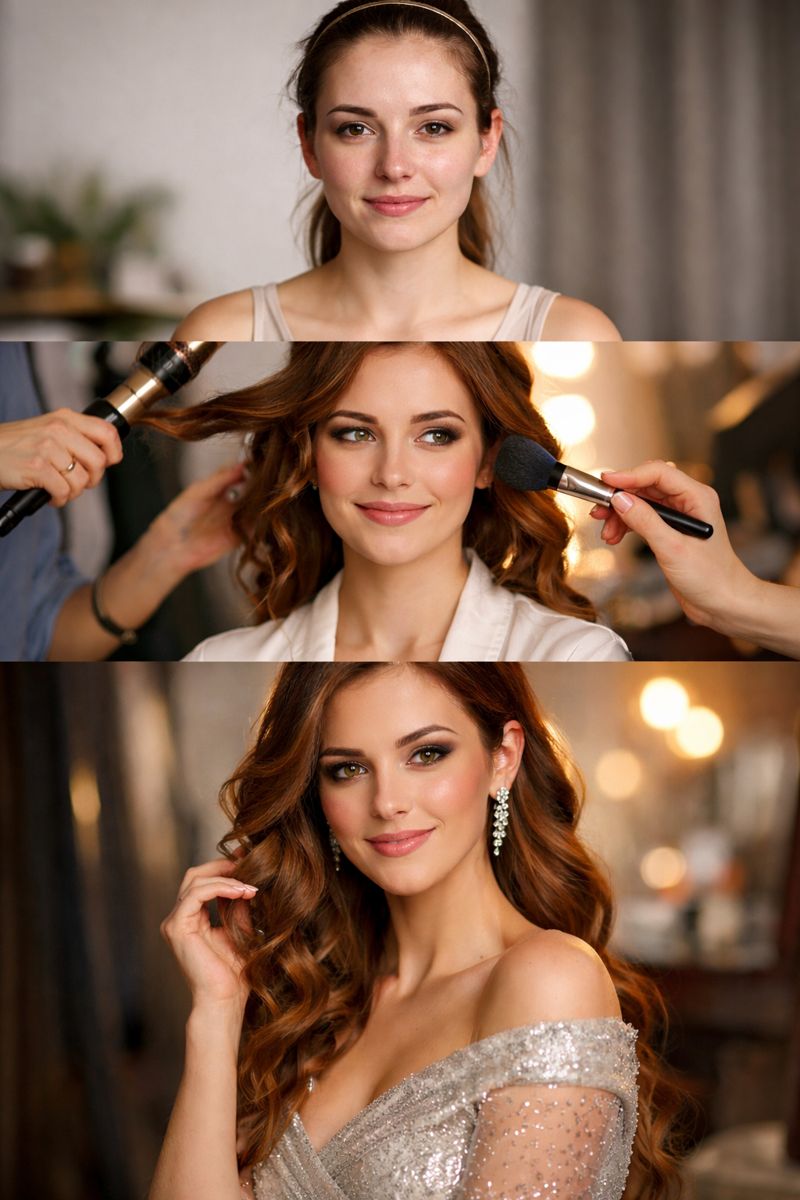
This collage highlights a clear transformation using three visual stages. The linear progression feels natural and instantly understandable, making it especially effective for comparison-based content and personal milestones.
2. Outfit Try-On / Style Switch
- Theme: Fashion variation
- Typical layout: Casual / Party / Holiday
- Best for: Fashion creators, virtual try-on tools
- Social popularity: ★★★★★
- Prompt example: "Generate a vertical 4K (2160×3840) triptych: three equal horizontal panels forming one cohesive artistic story showing the same person in three distinct outfits with a unified visual style."
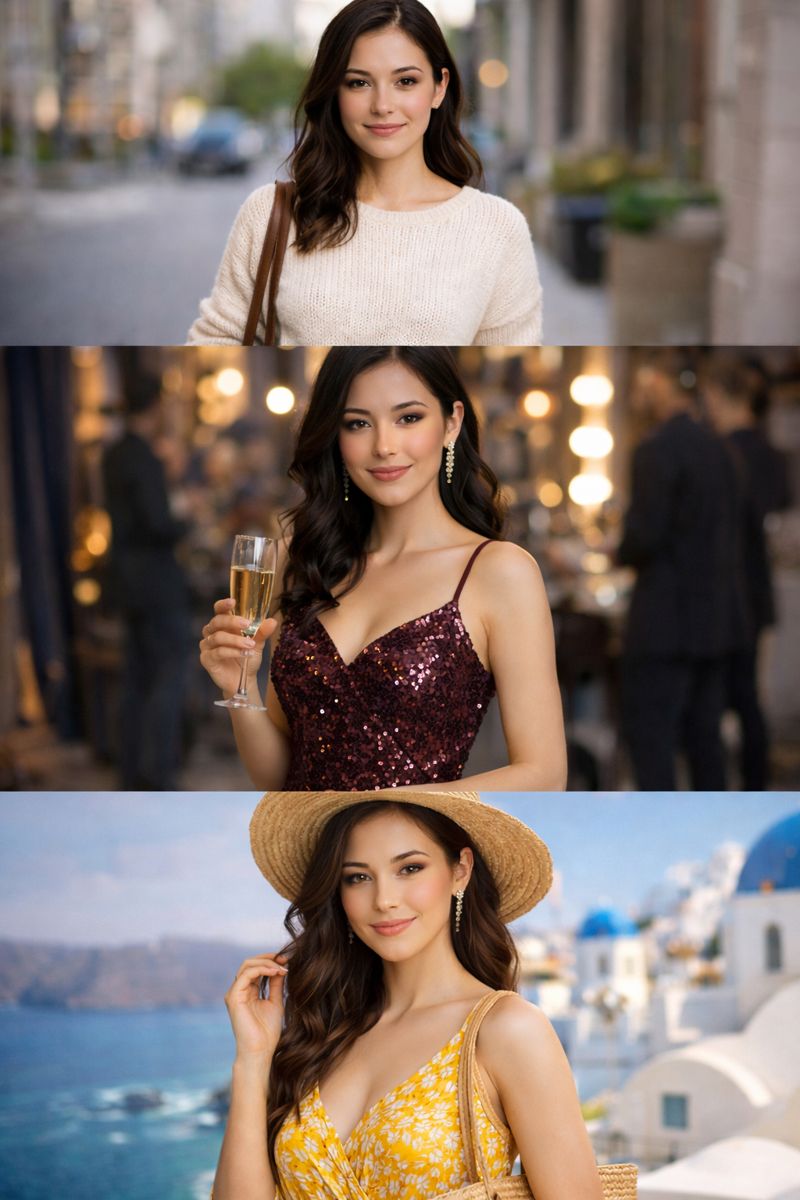
This format allows one person to showcase multiple outfits or aesthetics in a compact layout. It performs exceptionally well on social platforms because viewers can instantly compare styles without swiping.
3. Pet Moments
- Theme: Emotional and playful storytelling
- Typical layout: Cute / Funny / Festive1
- Best for: Pet owners, holiday content
- Social popularity: ★★★★★
- Prompt example: "Generate a vertical 4K (2160×3840) triptych: three equal horizontal panels forming one cohesive artistic story showing the same pet in three playful and festive moments."
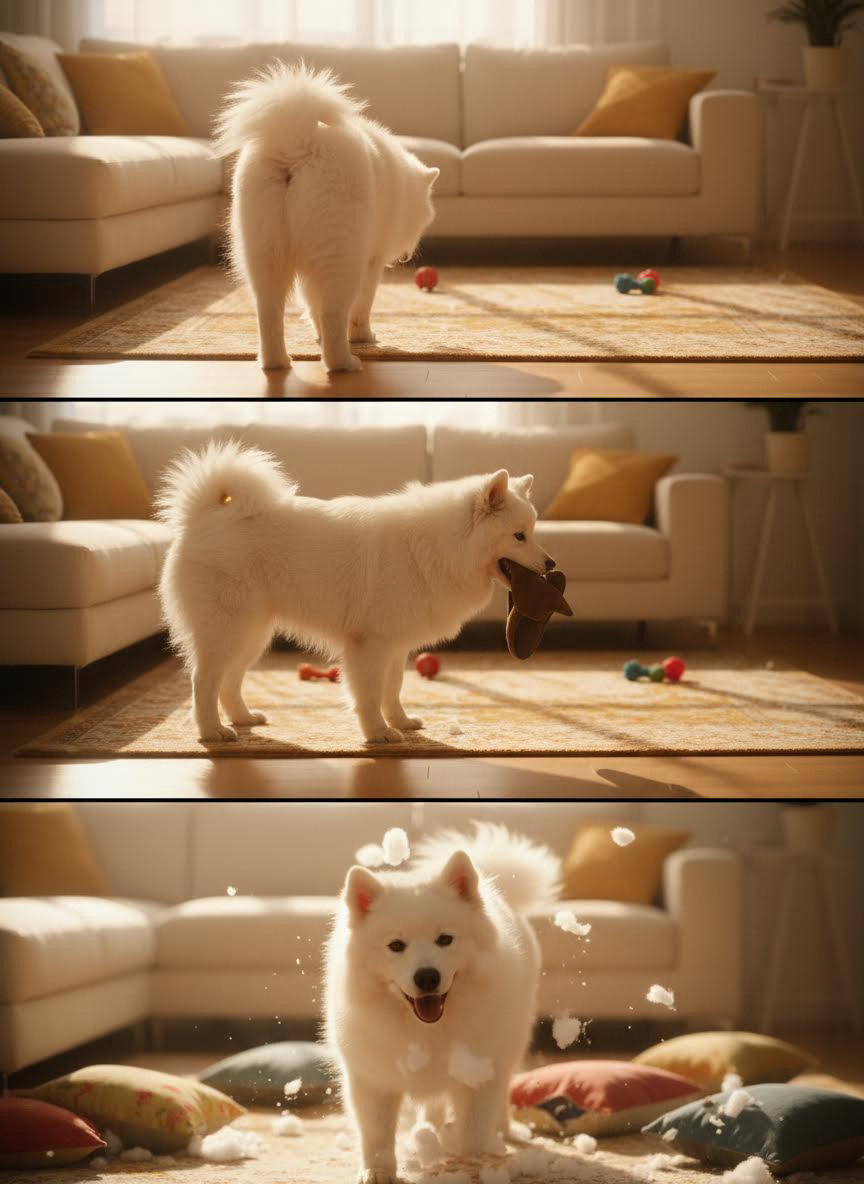
Pet collages consistently perform well because they highlight emotion and personality. A 3-grid layout captures different moods while keeping the focus on the same subject.
4. Product in Use
- Theme: Product storytelling
- Typical layouts: Jewelry(worn / close-up / lifestyle) or Beauty(bare face/makeup/detail)
- Best for: E-commerce sellers, brands
- Social popularity: ★★★★☆
- Prompt example: "Generate a vertical 4K (2160×3840) triptych: three equal horizontal panels forming one cohesive artistic story showing the same product in three different usage scenarios."

This collage format shows how a product looks, feels, and functions in real life. It builds trust by combining context with detail in a single visual.
5. Mini Life Story
- Theme: Everyday storytelling
- Typical layout: Morning / Afternoon / Night
- Best for: Travel, couples, daily life sharing
- Social popularity: ★★★★☆
- Prompt example: "Generate a vertical 4K (2160×3840) triptych: three equal horizontal panels forming one cohesive artistic story depicting three key moments of a short life story."
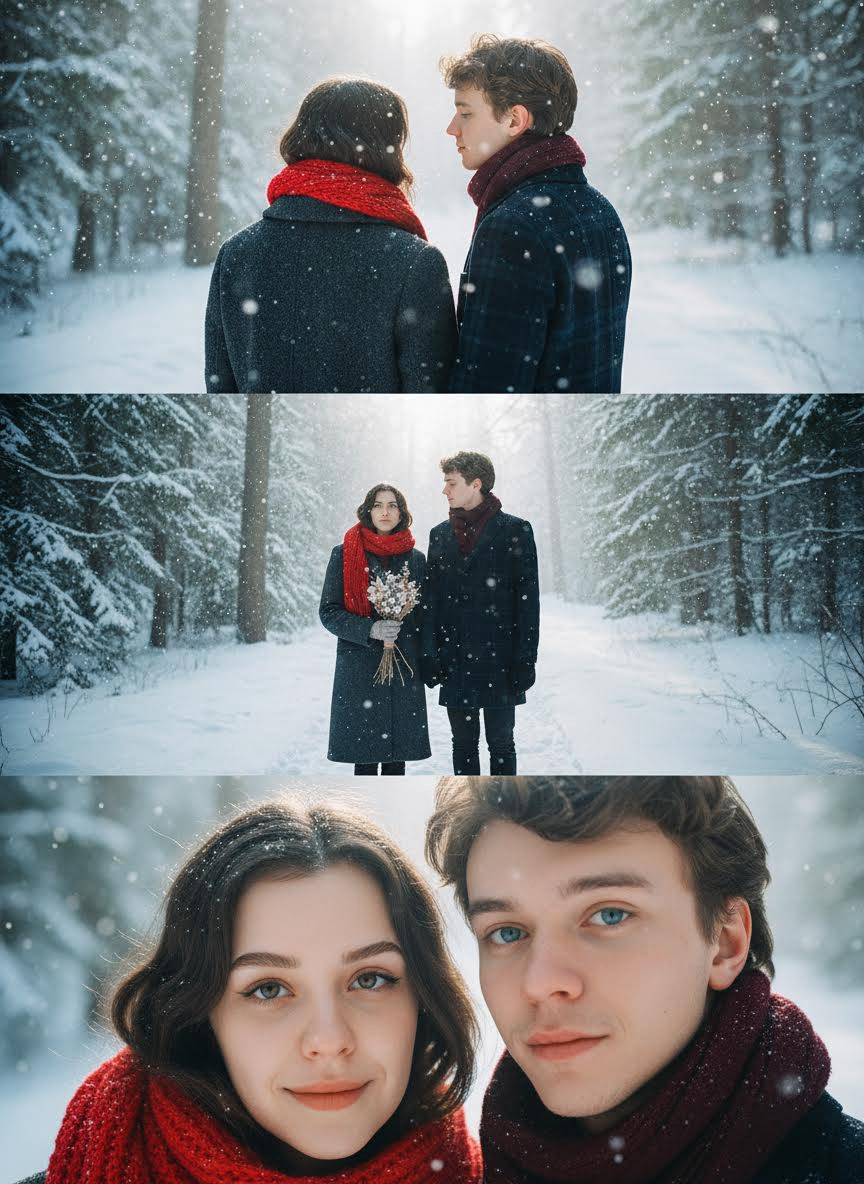
Using three moments to tell a short story creates an emotional connection without overwhelming the viewer. This format works well for lifestyle and memory-based content.
PART 2 – 9-GRID COLLAGE PROMPTS
1. Birthday Celebration
- Theme: Memory preservation
- Typical layout: Portrait / Cake / Party / Friends / Details
- Best for: Birthday posts, social memories
- Social popularity: ★★★★★
- Prompt example: "Generate a cohesive 3x3 grid cinematic contact sheet featuring 9 distinct, photorealistic camera shots capturing a birthday celebration, including portraits, card, cake, party, friends, and details."

A 9-grid layout captures an entire event rather than a single highlight. It works especially well for milestone celebrations.
2. Wedding / Couple Story
- Theme: Emotional relationship storytelling
- Typical layout: Proposal / Ceremony / Rings / Candid moments
- Best for: Couples, wedding memories
- Social popularity: ★★★★★
- Prompt example: "Generate a cohesive 3x3 grid cinematic contact sheet featuring 9 distinct, photorealistic camera shots telling a couple’s story, including proposal, ceremony, rings, and key moments."

This format allows couples to document emotional moments in a cohesive, elegant layout that feels timeless.
3. Personal Brand / Creator Grid
- Theme: Visual brand identity
- Typical layout: Portrait / Quote / Lifestyle / Work
- Best for: Influencers, creators, brand accounts
- Social popularity: ★★★★★
- Prompt example: "Generate a cohesive 3x3 grid cinematic contact sheet featuring 9 distinct, photorealistic shots reflecting a personal brand, including portraits, quotes, lifestyle, and work content."
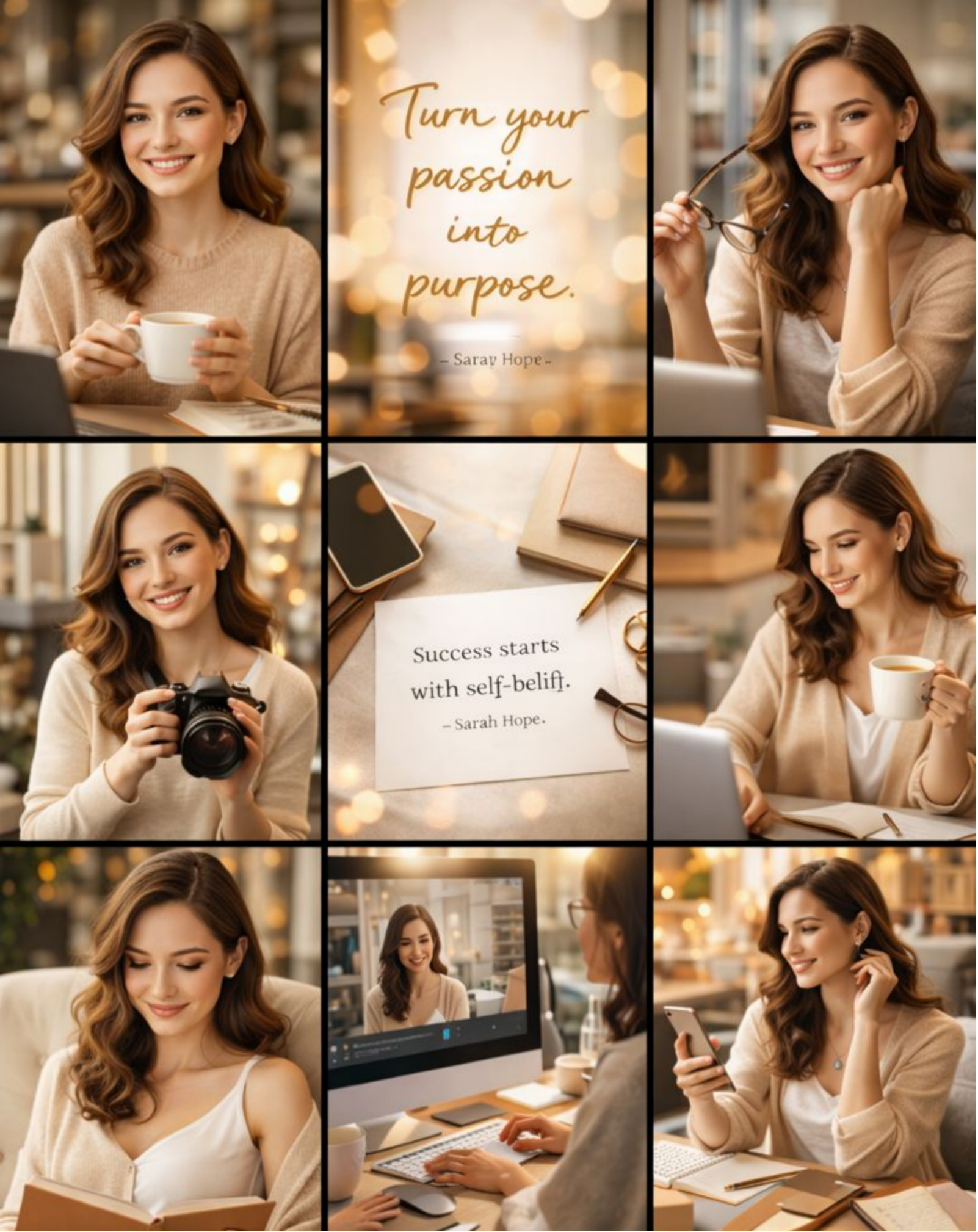
A consistent 9-grid helps creators establish a recognizable visual identity. Over time, it builds trust and professionalism across platforms.
4. Holiday Campaign
- Theme: Seasonal promotion
- Typical layout: Countdown / Highlights / Promotion
- Best for: Marketing campaigns, seasonal branding
- Social popularity: ★★★★☆
- Prompt example: "Generate a cohesive 3x3 grid cinematic contact sheet featuring 9 distinct, photorealistic shots highlighting a holiday campaign, including countdowns, promotions, event highlights, and festive visuals."

Holiday campaigns benefit from structured storytelling. A 9-grid layout allows brands to combine product, mood, and messaging effectively.
5. Product Launch / Collection
- Theme: Structured product presentation
- Typical layout: Hero / Details / Use cases / Mood shots
- Best for: E-commerce, DTC brands
- Social popularity: ★★★★☆
- Prompt example: "Generate a cohesive 3x3 grid cinematic contact sheet featuring 9 distinct, photorealistic shots showcasing a product launch or collection, including hero shots, details, use cases, and mood images."

This collage format presents a complete product story, helping customers understand value at a glance.
HOW TO CREATE A 3-GRID OR 9-GRID COLLAGE WITH AI
Creating a 3-grid or 9-grid collage with insMind's AI collage generator is fast and intuitive. Users upload the correct number of images and enter a short prompt. At the same time, the AI automatically manages layout, spacing, and visual consistency—even when images differ in lighting or style. You can also try insMind's AI 3×3 Grid Photo Generator or insMind's Photo Collage Maker to create collage creations.
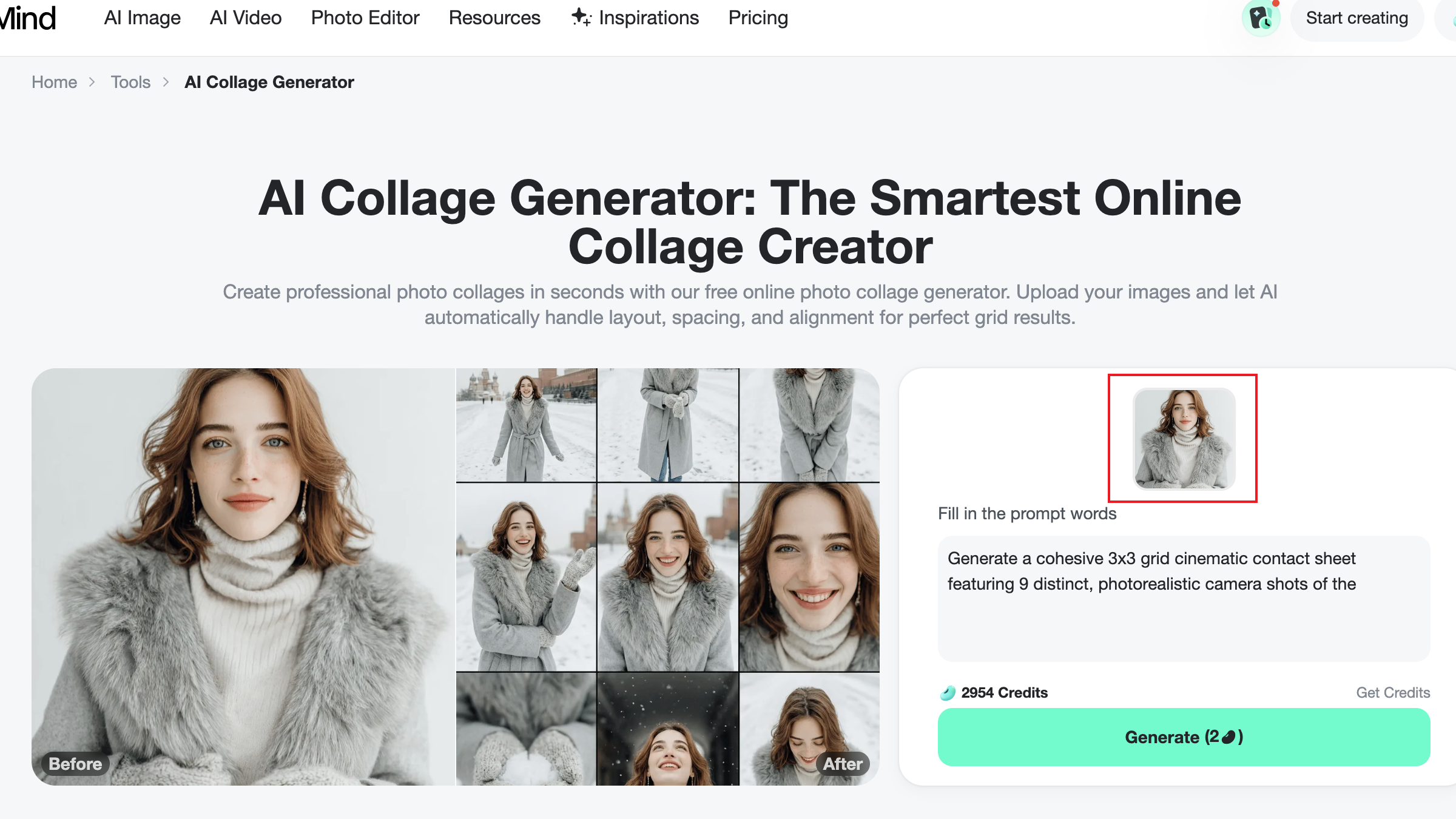
Step 1. Upload Your Images
Upload three images for a 3-grid collage or nine images for a 9-grid collage. Choose images with similar themes and good quality for the best results.
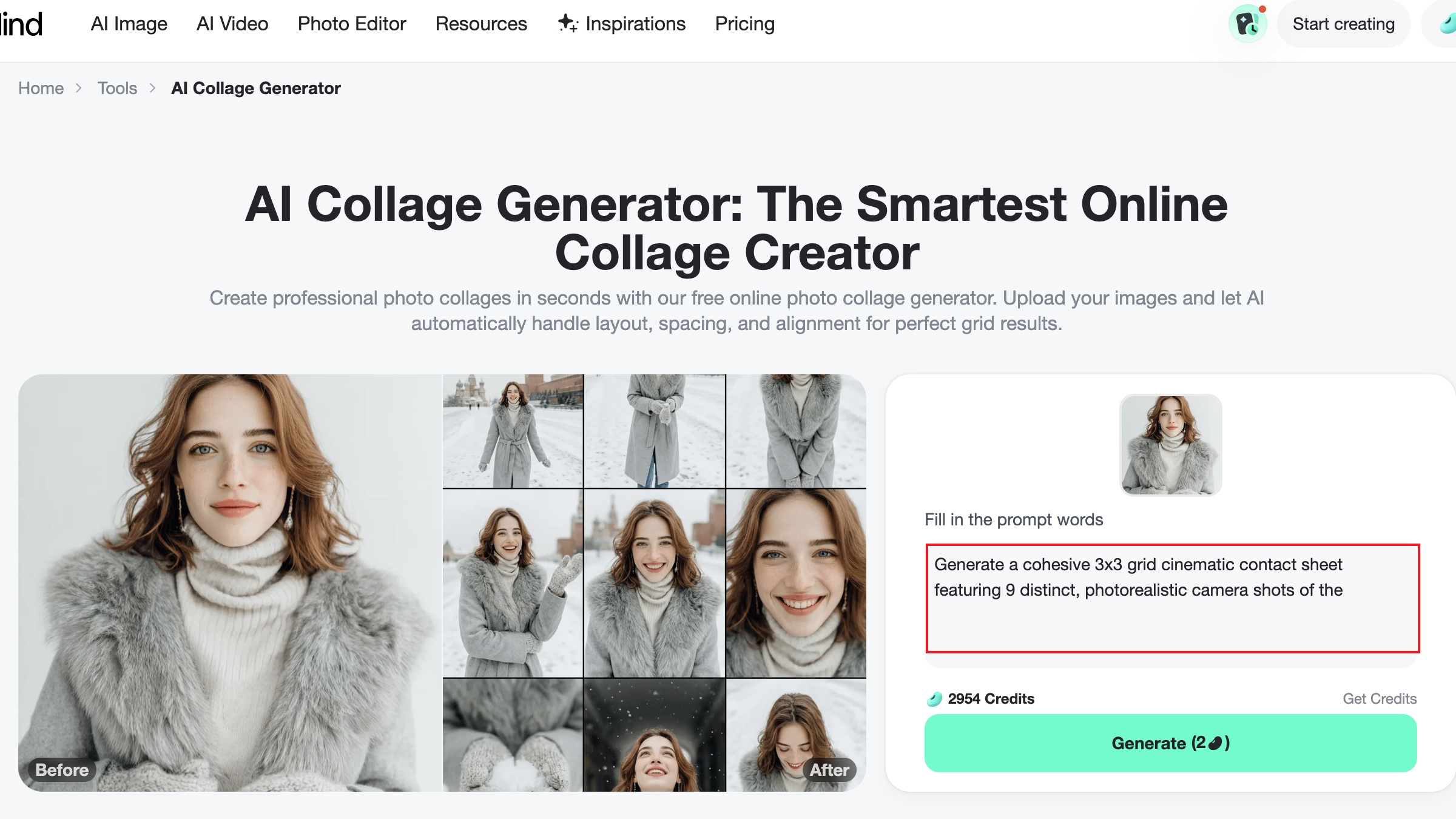
Step 2. Enter Your Prompt
Describe the grid type, aesthetic style, and intended use. Clear prompts help the AI understand both layout preferences and emotional tone.
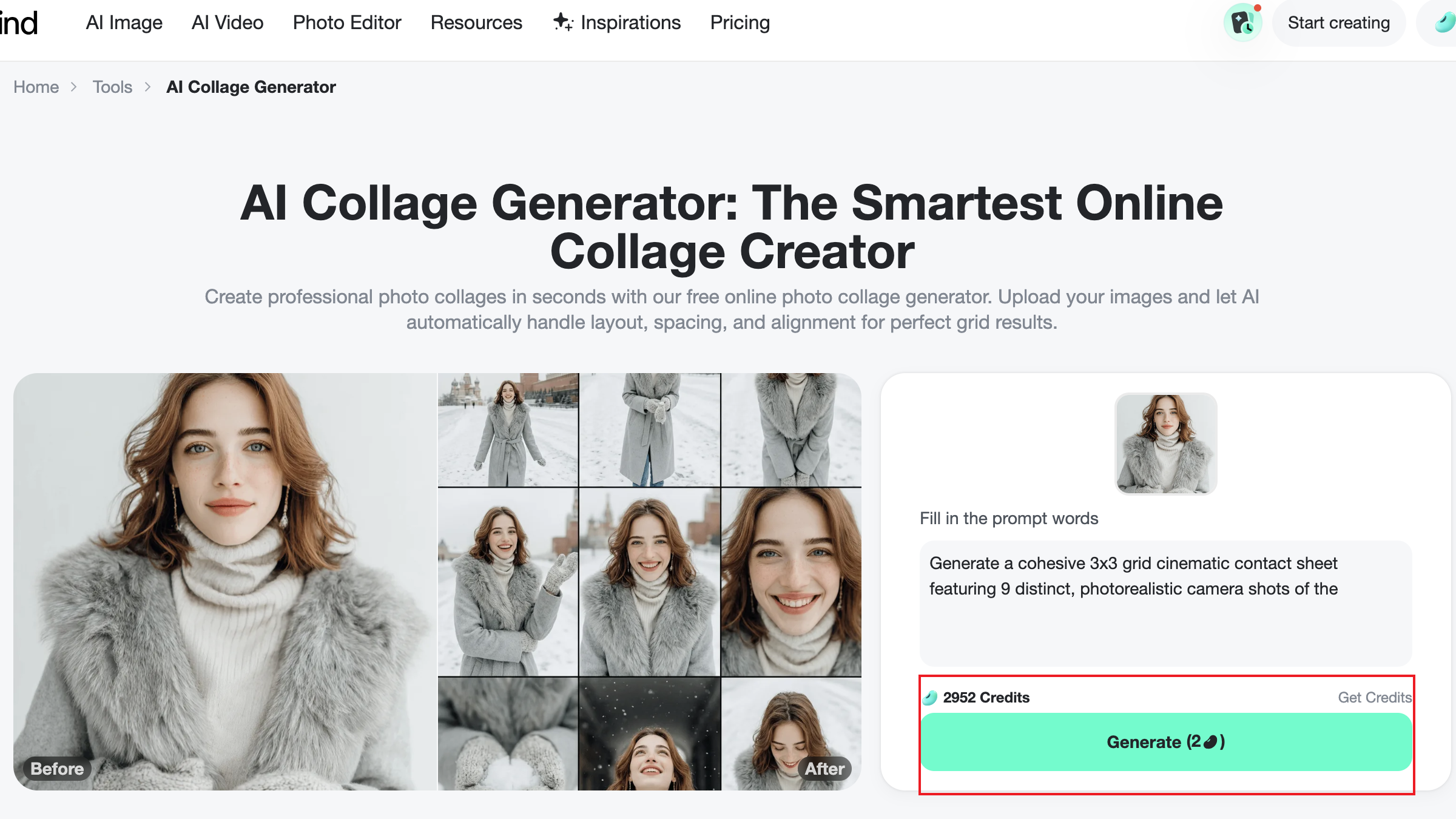
Step 3. Click Generate
Click generate and let the AI arrange images, adjust spacing, and optimize balance automatically. Wait a moment, and your final generated grid will appear.
Optional Tips
- Pre-select images with consistent colors
- Be specific about the grid type and the mood
- Generate multiple versions to compare results
CONCLUSION
3-grid and 9-grid collages remain some of the most effective visual formats for modern content creation and marketing. They offer structure, clarity, and storytelling power in a single frame. Thanks to AI collage generators and free online collage tools, professional-quality photo collages are now accessible to everyone.
As AI tools continue to evolve, collage creation is becoming faster, more intuitive, and increasingly customizable. By using the prompts shared in this guide, creators and brands can design visually consistent, engaging collages for social media, branding, and e-commerce—making visual storytelling easier and more impactful than ever.

Jayson Harrington
I am the Chief Editor of insMind. I provide tips and skills to help users design better photos with insMind, whether for e-commerce, social media, or any other use.


![5 Best AI Kissing Video Generators of 2025 [Tested]](https://images.insmind.com/market-operations/market/side/8b445afb685e4957b11238f3ebad2b2b/1756093193517.jpg?x-oss-process=image/resize,w_690,h_460,type_6/interlace,1,image/format,webp "5 Best AI Kissing Video Generators of 2025 [Tested]")


![Top 5 AI Baby Podcast Generators in 2025 [Reviewed & Tested]](https://images.insmind.com/market-operations/market/side/9ed5a89e85ab457a9e8faace7bb25258/1750317475287.jpg?x-oss-process=image/resize,w_690,h_460,type_6/interlace,1,image/format,webp "Top 5 AI Baby Podcast Generators in 2025 [Reviewed & Tested]")


![Exploring the 10 Best AI Photo Editors for Your Needs [2025]](https://images.insmind.com/market-operations/market/side/05ccfa0da4d64b43ba07065f731cf586/1724393978325.jpg?x-oss-process=image/resize,w_690,h_460,type_6/interlace,1,image/format,webp "Exploring the 10 Best AI Photo Editors for Your Needs [2025]")


![Top 10 Face Swap Apps to Enhance Your Photo [Online, iOS, Android, Windows, Mac]](https://images.insmind.com/market-operations/market/side/e604368a99ee4a0fbf045e5dd42dca41/1723095740207.jpg?x-oss-process=image/resize,w_690,h_460,type_6/interlace,1,image/format,webp "Top 10 Face Swap Apps to Enhance Your Photo [Online, iOS, Android, Windows, Mac]")


