


In today’s generation, not everyone has the time to create the perfect friend or family photo, considering how much chaos there is. Moreover, due to families and friends living across cities or countries, you need a better solution to create a memorable group portrait, and that is using an AI group photo generator.
These generators help you create your personal family collages or allow you to post your friends' group pictures on social media. Users can find multiple unique AI tools online, like insMind AI Image Blender, which this article will discuss.
Table of Contents
Key Takeaways
Do you want to create the perfect group portraits with your friends and family? The AI group image tool allows users to create a unique image with detailed expressions and more.
- AI Group Photo Generator lets you customize and add multiple images to create a virtual photo.
- Use this generator to produce a group image with a celebrity, at a wedding, and in a movie poster.
- You can use descriptive prompts tailored for different scenarios, from cozy family gatherings to elegant weddings.
- insMind AI Image Blender offers a prompt enhancer, generative models, and multiple uploads for the perfect group image.
- Don’t need to schedule a whole meeting for a photo, just use the generator to make wholesome memories.
Part 1. How to Easily Create Group Photos with Multiple People - Using insMind
insMind is an excellent AI Image Blender, which can put 2 people in one photo AI using the power of Nano Banana and other GPT 4O models. It allows users to upload over 8 images, which the AI expertly recognizes and, using your prompt, generates an artistic and highly perfect group portrait. So, now, follow the given steps and learn to create your own group portrait:
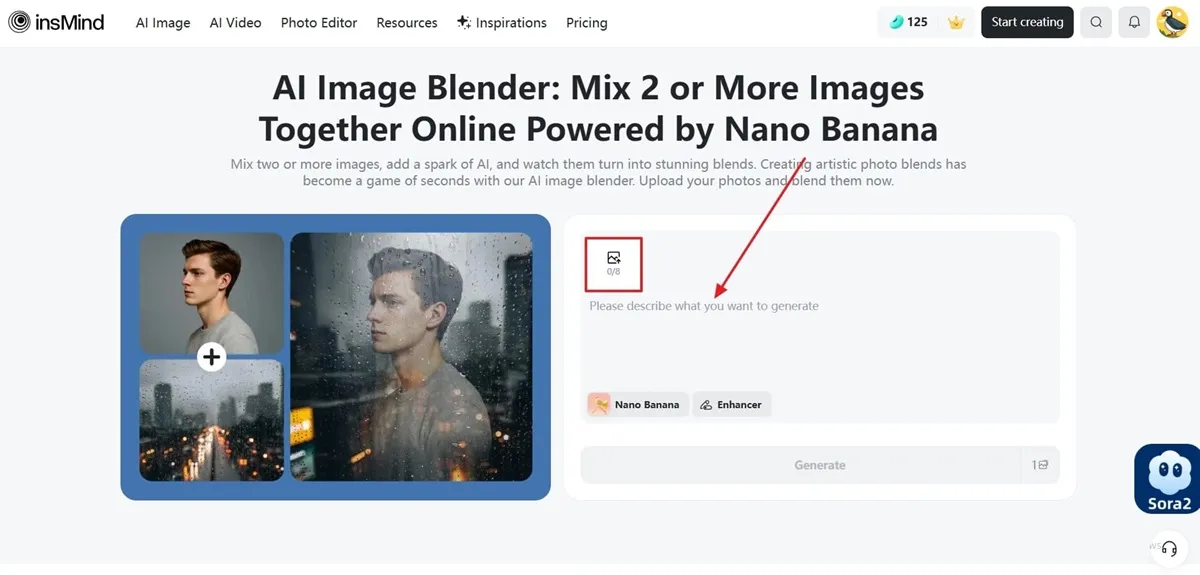
Step 1. Upload Images and Enter a Suitable Prompt
On the page, hit the “Image Upload” icon and add up to 8 images from your device. Next, type in your desired prompt within the “Please Describe What You Want to Generate” box.
Step 2. Access the Desired Generative Model & Generate
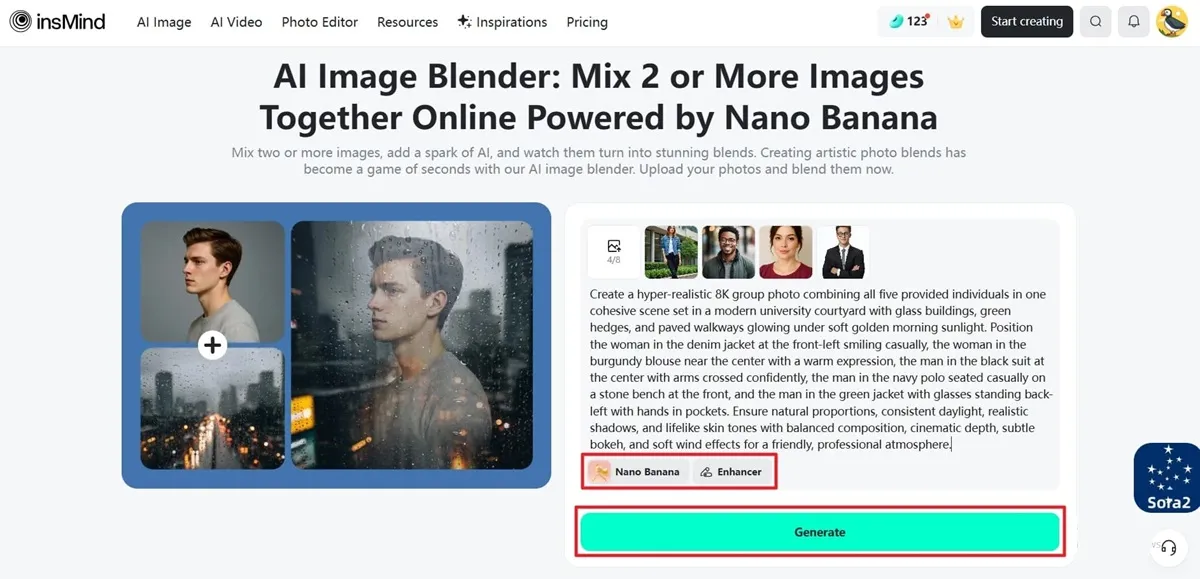
After adding your group images, choose a “Generative Model” from “Nano Banana” to “GPT-4O (High Quality).” After that, you can press the “Enhancer” option to improve your written prompt, and click the “Generate” button to get started creating.
Step 3. Regenerate or Download the Result in HD
When the final image is generated, you can click the “Regenerate” button to re-create the group portrait. If satisfied with the result, press “Download Ultra HD” and save it on your device, or enhance the image by hitting the “Edit More” button.
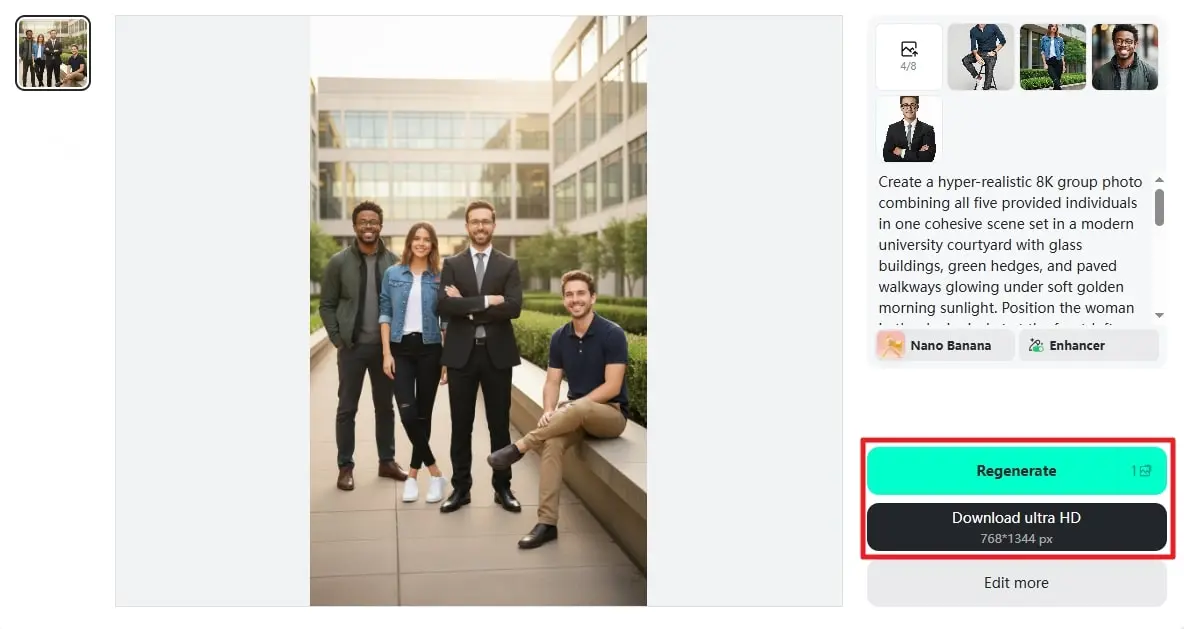
Learning about this seamless AI group photo tool, users can try out different prompting styles, add multiple images, and create the ultimate group portrait. Moreover, its advanced AI generative technology can create realistic and highly blended images while even capturing the intricate details of people. The quick response and generation speed save time and let users create multiple images in various themes, backgrounds, and scenarios.
Part 2. Benefits & Use Cases of an AI Group Photo Generator
The following part will help you understand how and why there is a need to use an AI group photo generator:
1. Create Family Photos: When loved ones live around the world, using AI can help you merge their separate portraits into a single, warm family photo. Moreover, this creates a warm, unified family photo despite being physically separated from one another.
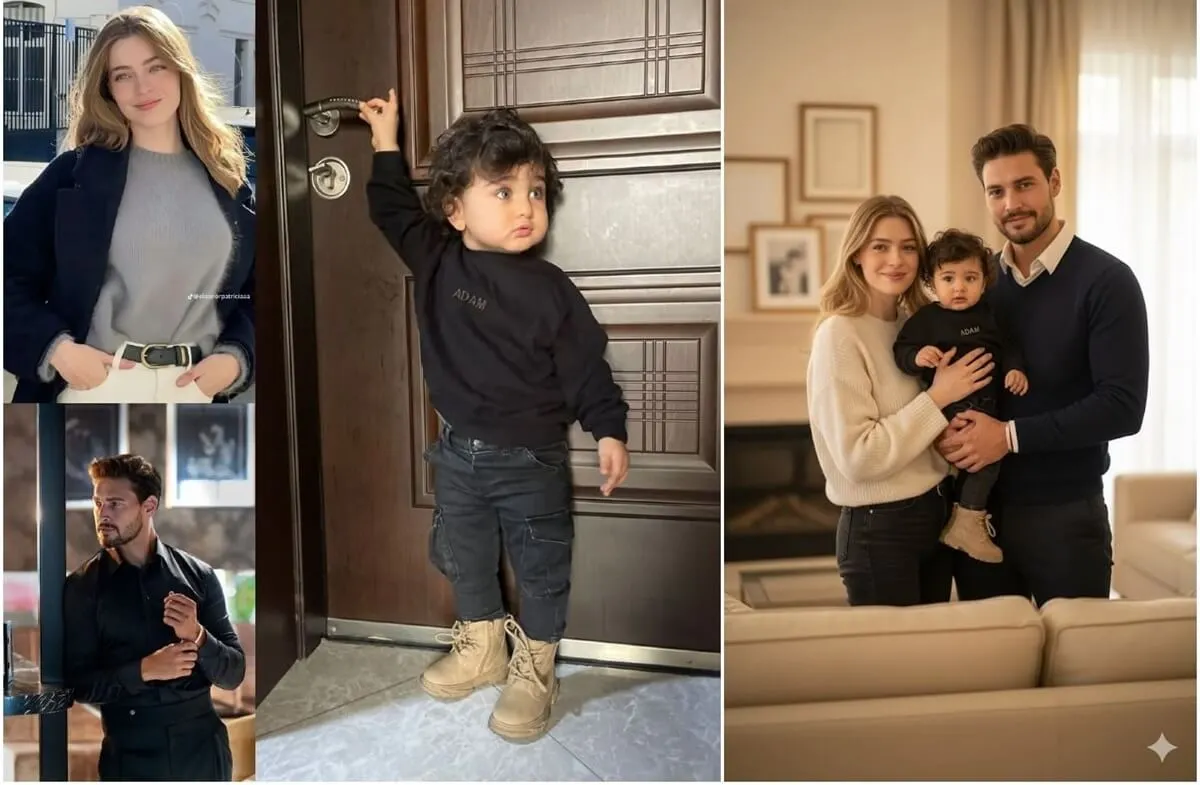
2. Long-Distance Couples: If you’re in a long-distance relationship, use AI technology to combine photos of you and your partner into a lifelike couple portrait. With this, you two can visualize yourself together even when far apart, which offers comfort and closeness.
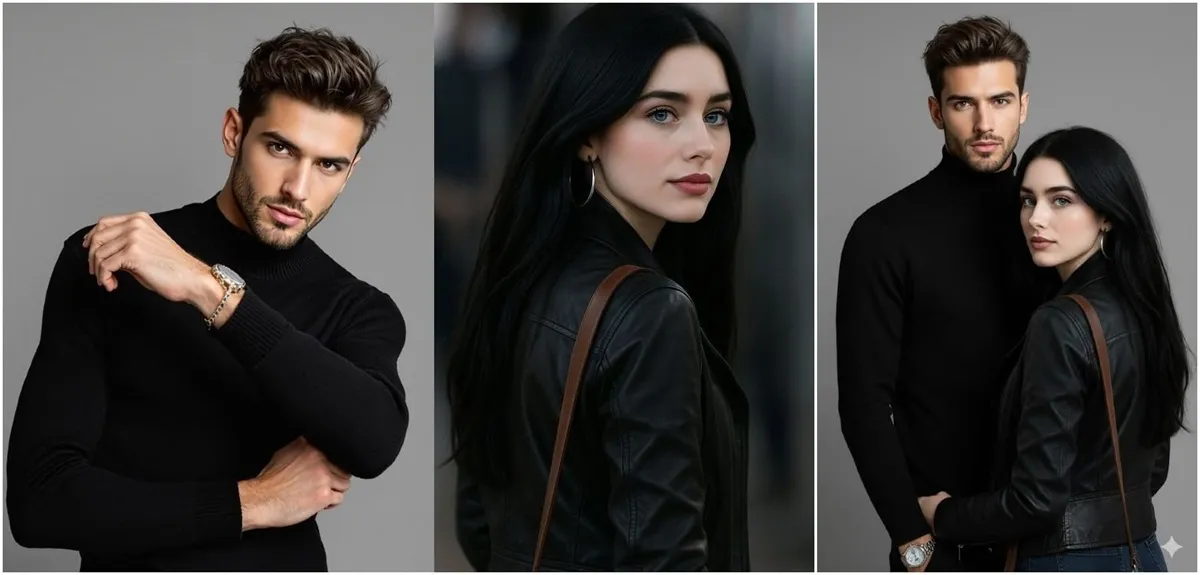
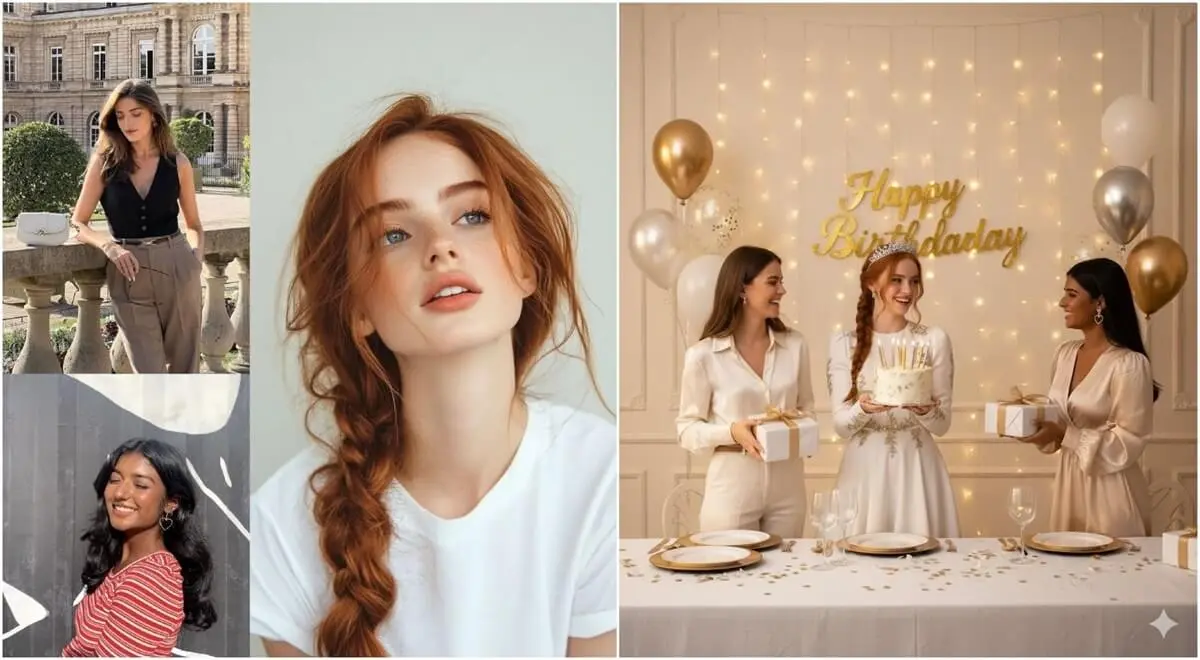
3. Special Event Photo: In case you missed a big day, like a wedding, graduation, or reunion, the AI generator can generate a portrait of your group with balanced lighting, posture, and background. It will produce a polished, professional-looking photo that will capture the spirit of the occasion.
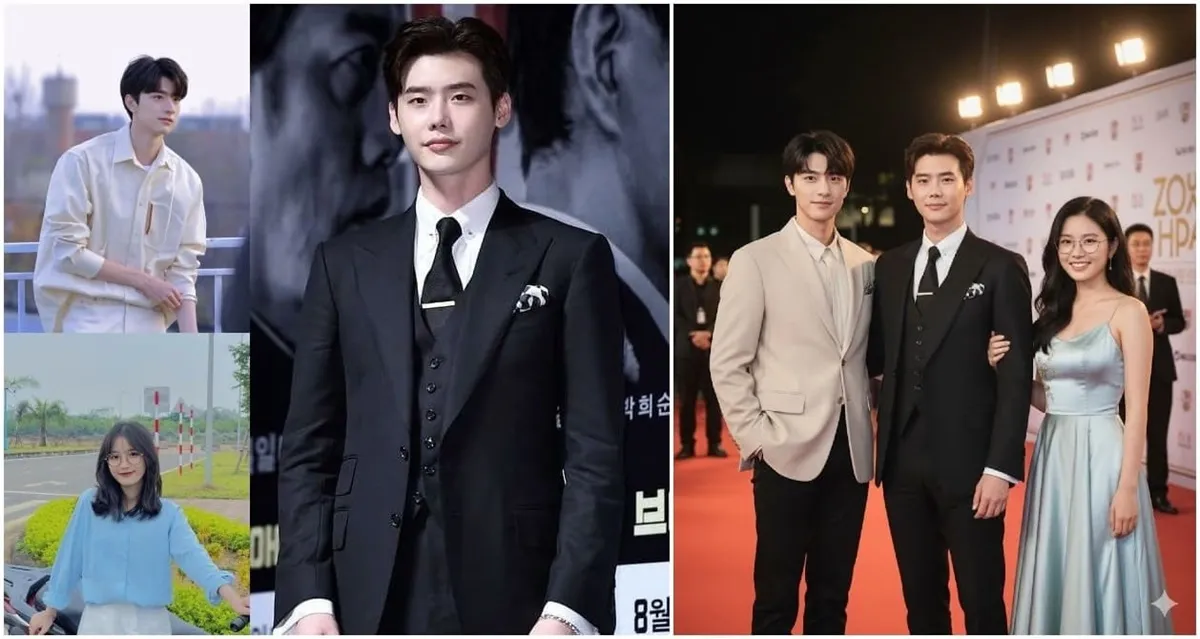
4. Celebrity Group Photos: In the event you wish to share a photo with your favorite celebrity actor or musician, AI technology can create a realistic and creative group photo. It is a fun method of creating memorable images that would otherwise not be achievable.
5. Movie-Poster Style Group Photos: For hardcore fans, creating a memorable picture with your friends as a blockbuster movie is easy now with AI that offers prompting to create a unique poster. The generator allows custom prompts and lets you craft dynamic backgrounds, poses, and lighting effects, making an eye-catching image.

Part 3. 5 Prompts for Stunning AI-Generated Group Photos
Now, without waiting any longer, use the following prompts and create a group portrait using the AI group generator tool:
1. “Generate a warm, natural family group photo featuring six people of different ages, grandparents, parents, and children, standing together in a cozy living room filled with soft daylight. Everyone should look relaxed, smiling, and comfortably dressed in casual, coordinated outfits. Add subtle background details like framed photos, plants, and a couch to enhance the homely atmosphere. Ensure consistent lighting and realistic skin tones so the final image feels authentic and heartwarming.”

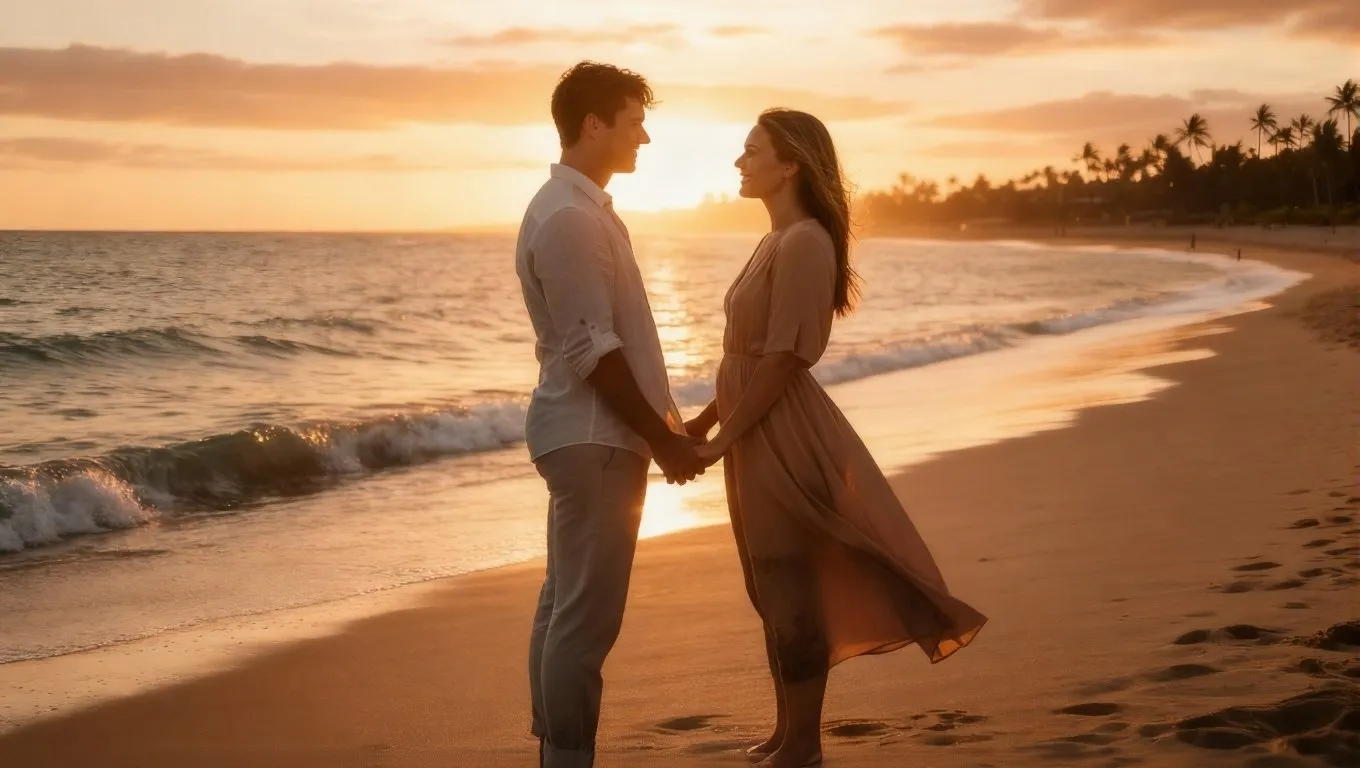
2. “Create a romantic, lifelike photo of a couple standing close together at sunset on a beach. The lighting should be golden and soft, with warm hues reflecting on the water. The couple should be holding hands or sharing a gentle smile, wearing semi-casual outfits suitable for an evening walk. Add a soft breeze effect to the hair and clothes to create natural movement. Capture emotional warmth and genuine connection, making the image look spontaneous yet cinematic.”
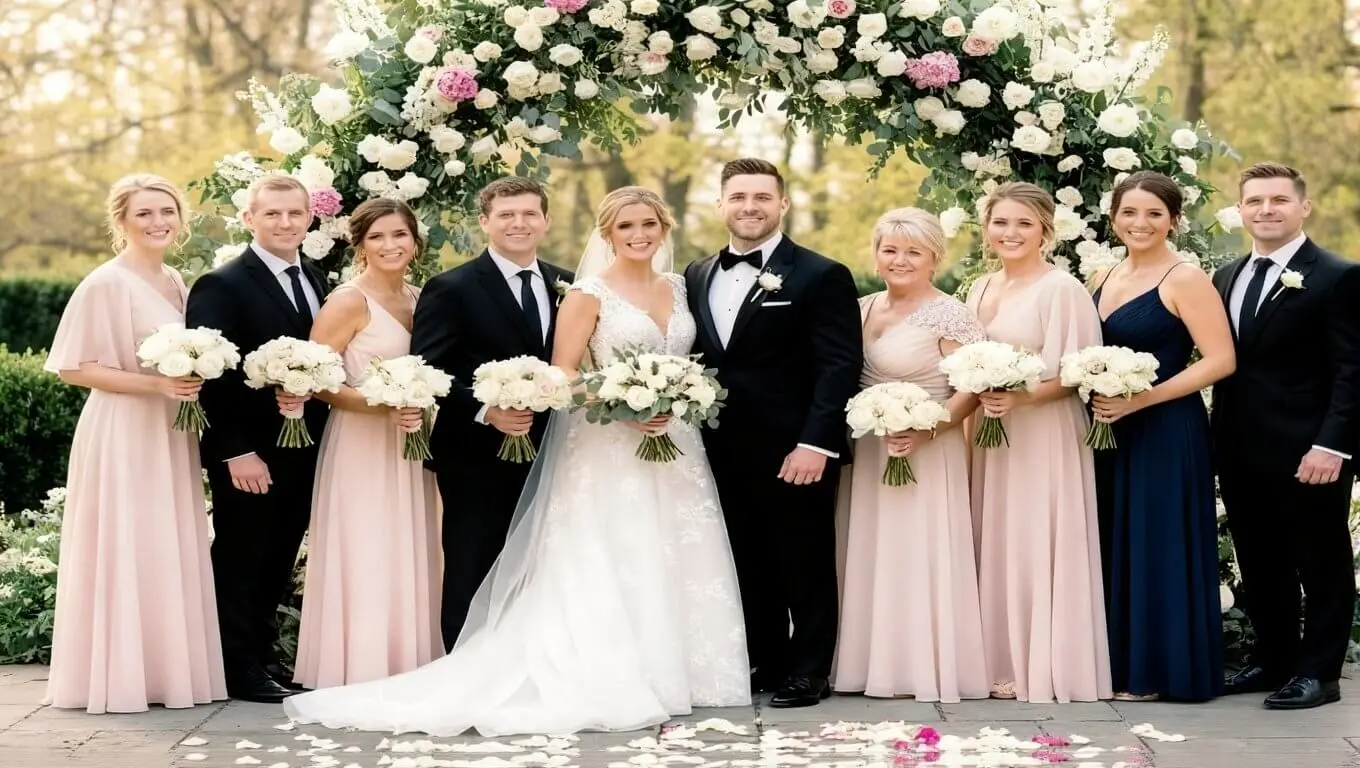
3. “Generate a beautiful, elegant wedding group photo taken outdoors in front of a floral archway. The bride and groom should stand in the center, surrounded by family and friends dressed in formal attire. Ensure balanced lighting with soft shadows, bright colors, and clear facial expressions. Add subtle background elements like petals on the ground or blurred trees for depth. The overall tone should feel joyful, polished, and perfectly timed, as if taken by a professional photographer.”
4. “Create a playful, high-quality group photo featuring the user posing confidently beside popular movie stars on a glamorous red carpet. Everyone should appear naturally interactive, laughing, chatting, or posing with hand gestures. Use cinematic lighting with bright flashes, red carpet textures, and a blurred background filled with photographers and lights. The tone should be fun and exciting, giving the impression of a real celebrity event.”

5. “Generate a polished, realistic corporate team photo featuring five diverse professionals standing or sitting together in a bright, modern office. Everyone should wear business attire and have confident, friendly expressions. Include soft window light, clean backgrounds with subtle office details like plants or computers, and a slightly shallow depth of field for focus. The overall composition should feel balanced, with consistent shadows and natural posture for each person.”

Conclusion
In summary, this seamless article demonstrated the hardships of gathering for a family or friend photo. However, it also provides a unique and excellent solution to make memorable and warm group portraits using the AI group photo generator.
This article provided you with various prompts and the use of this AI generator in various scenarios. Moreover, the best AI tool for creating the perfect group picture is insMind AI Image Blender and its AI prompting.
Sarah Michelle
I'm a freelance writer with a passion for editing and designing photos. Here at insMind, I strive to educate users on image creativity, photography, and enhancing product photos to help grow their businesses.


![How to Add Logo to Photos Online for Free [The Simplest Method]](https://static.xsbapp.com/market-operations/market/side/1718795949162.jpg?x-oss-process=image/resize,w_690,h_460,type_6/interlace,1,image/format,webp "How to Add Logo to Photos Online for Free [The Simplest Method]")
![How to Remove Tattoos from Photos [Ultimate Guide 2025]](https://static.xsbapp.com/market-operations/market/side/1718787534476.jpg?x-oss-process=image/resize,w_690,h_460,type_6/interlace,1,image/format,webp "How to Remove Tattoos from Photos [Ultimate Guide 2025]")


