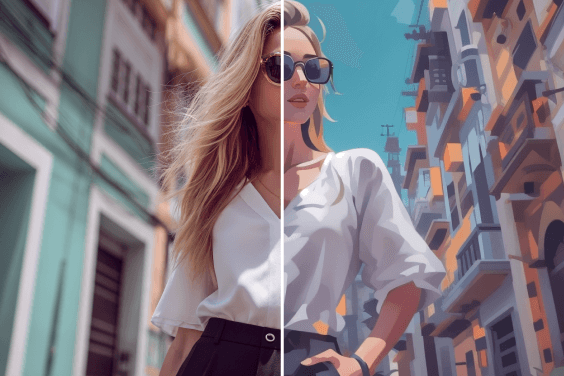
Image IA
Vidéo IA
Éditeur de photos
Ressources
InspirationsTarifs

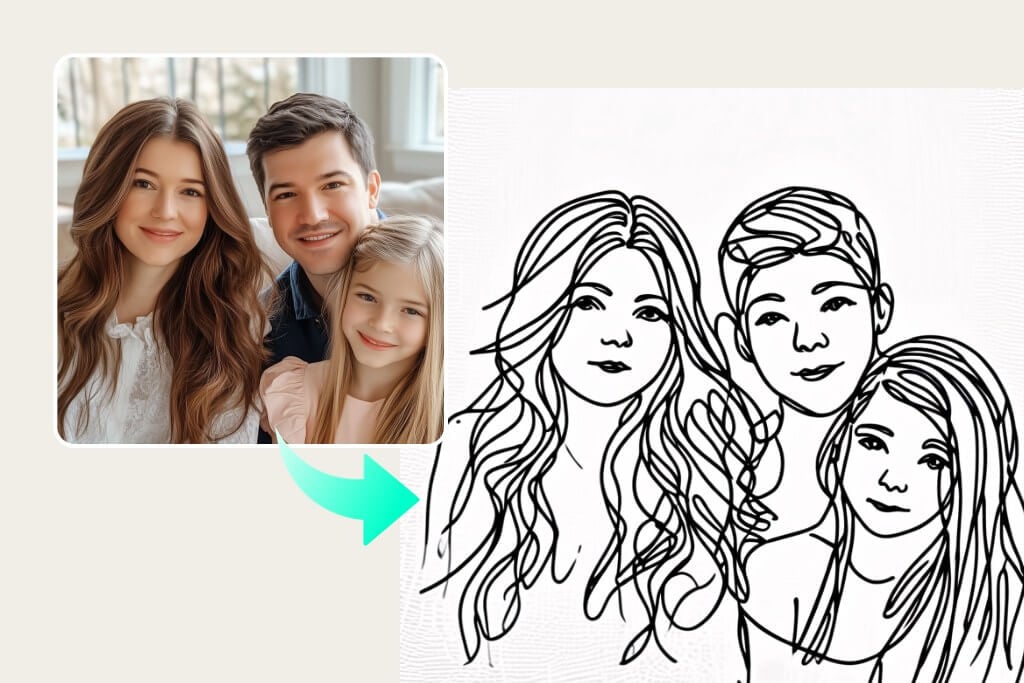
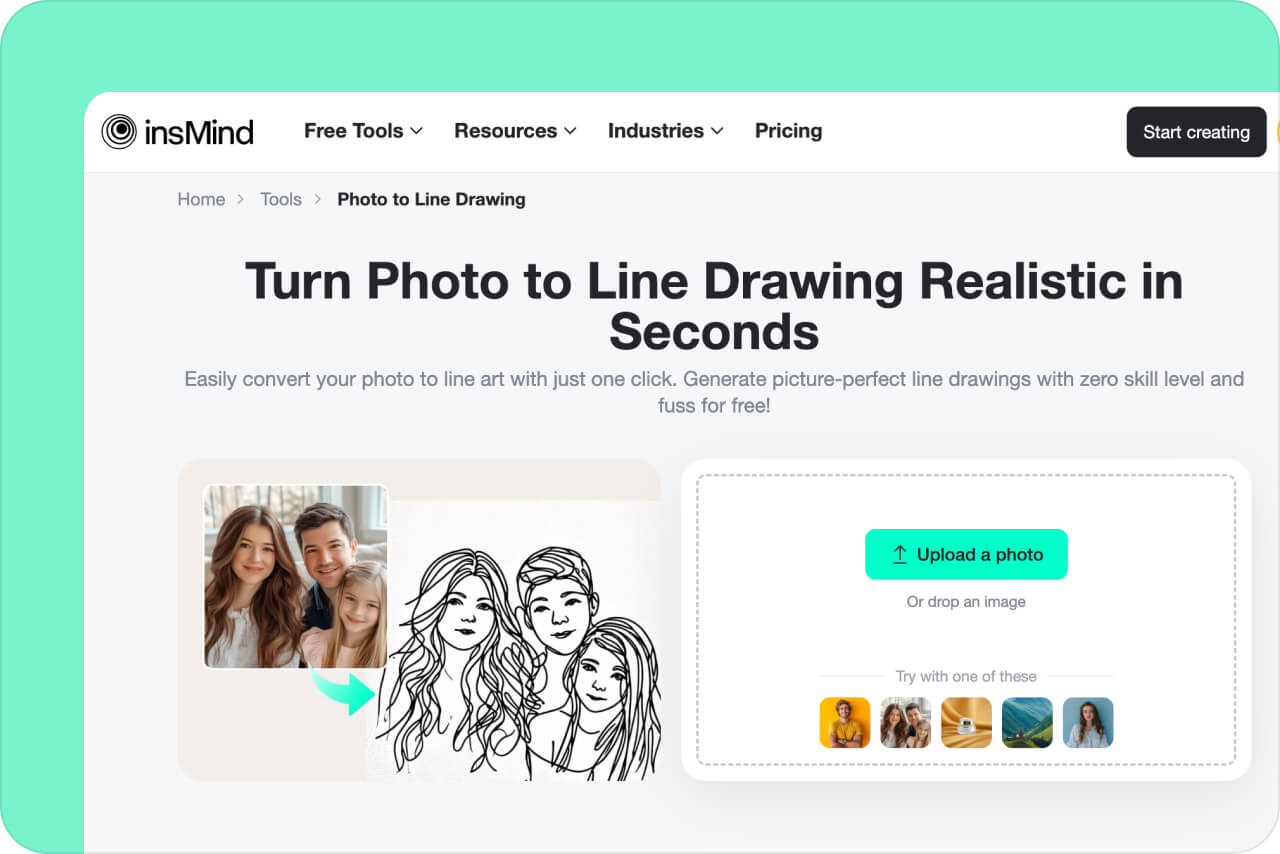
Transformez une photo en dessin au trait réaliste en quelques secondes

Convertissez facilement votre photo en dessin au trait en un seul clic. Créez des dessins au trait parfaits sans compétence ni difficulté, gratuitement !

Transformez une photo en dessin au trait réaliste en quelques secondes
Ou déposez l'image ici, collez l'image ou l'URL
Essayez avec l'un de ceux-ci
Exemple de filtre de pleurs insMind AI 1
Exemple de filtre de pleurs insMind AI 2
Exemple de filtre de pleurs insMind AI 3
Exemple de filtre de pleurs insMind AI 4
Exemple de filtre de pleurs insMind AI 5

Créer Similaire

Use the subject from the uploaded photo and transform it into a 1/7–scale premium ornament. Preserve the original shape, structure, and details of the product exactly as in the uploaded image (do not remove lids, change openings, or alter any design elements). Render it realistically with smooth, high-quality textures, clearly toy-like but not lifelike human skin. Hang this ornament on an indoor Christmas tree using a wide silk ribbon or string, ensuring it blends naturally with the branches. The scene should be warm and festive, filled with golden lights, ornaments, and a cozy Christmas glow. Ensure the product feels like a high-end collectible, fully integrated with the environment, with the image clean, clear, and focused on the ornament.
{ "scene": { "type": "aerial_drone_view", "perspective": "top-down, looking directly at the object from above", "background": { "type": "urban_cityscape", "lighting": "realistic daylight with natural shadows and reflections" } }, "subject": { "object_type": "large_luxury_shopping_bag", "material": "smooth, premium leather or high-quality glossy finish", "details": { "logo": "golden 'InsMind' embossed", "contents": "filled with products from user-uploaded images", "suspension": "hanging from a wide silk ribbon under a drone" }, "lighting": "soft and realistic highlights and shadows on the surface", "texture": "highly detailed, tactile, realistic reflections" }, "composition": { "framing": "ultra high-quality, professional, cinematic composition", "focus": "shopping bag in sharp detail, cityscape slightly blurred", "quality": "ultra-detailed, photorealistic, high-resolution rendering" } }
Use the nano pro model to generate a Christmas tree formed by deep green ribbons spiraling upward with smooth curves and a glossy, dimensional texture. Decorate the tree with the beauty products from the user-uploaded image, preserving their original appearance, colors, packaging, and printed details without alteration. Add silver Christmas balls, heart-shaped ornaments, a vintage pocket watch, and red-and-white candy canes as additional festive elements. The background should be a clean, rich red tone that feels premium and vibrant. Use soft, bright lighting to highlight the ribbon texture and showcase the beauty products clearly. Maintain a centered, balanced composition with a modern, celebratory visual style.
Use the animal from Image 1 as the subject. Use the tall product from Image 2 as the giant object. A bright, clean European-style living room corner with warm tones, soft textures, and elegant home décor. Top-down (slightly high-angle) perspective. Soft, bright ambient lighting. The animal from Image 1 stands upright on its hind legs, lifting its front paws to hold and cling onto the super-enlarged, vertically standing product from Image 2 (the product should be significantly taller than the animal). The animal slightly turns its head toward the camera, looking directly into the lens with a lively, natural, energetic expression. The product from Image 2 must receive lighting, reflections, shadows, and ambient bounce light consistent with the European-style living room, ensuring it visually blends into the environment naturally and convincingly. Clear textures, gentle color palette, warm atmosphere, natural shadows, harmonious scale contrast. Cute, fresh, soft-Japanese aesthetic blended with a European interior setting. High-resolution render, no additional characters, no extra props unless necessary for realism. This is an EDIT using the subjects from the uploaded images: – The animal identity, fur, and posture must follow Image 1. – The product appearance, material, and shape must strictly follow Image 2, with environmental lighting integration. – Background is new (European-style living room). – Keep composition consistent with a warm lifestyle photo.
Use the person from the user’s uploaded Image 1 holding a giant-sized version of the product from Image 2. Bright metal elevator interior, brushed stainless-steel texture, clean reflections, soft overhead lighting. Slight top-down camera angle from elevator ceiling corner. Fresh Japanese aesthetic: airy tones, gentle contrast, light desaturation, natural skin texture. The person’s expression and posture remain true to Image 1, but with natural, youthful energy, relaxed shoulders, lively eyes. The giant product should feel physically present with correct lighting, proportional shadows, and slight squeeze in the character’s arms to show weight. Elevator control panel and metal seams visible for realism. Overall atmosphere: playful, clean, bright, modern. This is an EDIT, not a new character. Preserve: facial identity, hairstyle, clothing style, and camera perspective from Image 1. Integrate giant product from Image 2 seamlessly into the person’s arms.
The Cat robot, presented in a high-contrast scientific studio render against a pure black void. This tight right-side profile features a false-color thermal X-ray aesthetic, where the transparent shell reveals a sharply detailed internal architecture of batteries, drivers, and sensors using a vibrant heatmap gradient. The colors shift from deep cool blues to intense yellows and red highlights, creating a futuristic, clinical look with orthographic perspective and a soft, neon-like glow.
Puppy nose close-up with a fisheye lens, exaggerated perspective, rounded frame, edges warped, playful expression, soft daylight, warm tones, social media viral style, background outside fisheye area completely black.no text
Comical selfie with an extreme fisheye lens, exaggerated nose and cheeks, circular bubble frame, flattering soft light, vibrant grading, slight vignetting, background outside fisheye is pure black, no text
A hyper-realistic fisheye wide-angle selfie, captured with a vintage 35mm fisheye lens creating heavy barrel distortion. without any camera or phone visible in the subject’s hands. Subject & Action: A close-up, distorted group photo featuring [Person From Uploaded Image] taking selfie with Jesus and Santa Claus. Everyone is making wild, exaggerated faces, squinting slightly from the flash. Lighting & Texture: Harsh, direct on-camera flash lighting that creates hard shadows behind the subjects. Authentic film grain, slight motion blur on the edges, and chromatic aberration. It looks like a candid, amateur snapshot as if captured during a chaotic behind-the-scenes moment, not a studio photo.
Extreme wide-angle remix EDIT. Use the original image as strict reference for the person’s identity, hairstyle, outfit style, and the SAME location type. This is an EDIT, not a new character. Generate a 4-panel grid (2×2). Each panel MUST have a different pose, angle, and near-lens body part. No repetition. Camera / Perspective Ultra-wide / fisheye (12–18mm). Dramatic angles required: worm’s-eye, bird’s-eye, low/high, Dutch tilt. Strong foreshortening: near-lens parts appear huge. Photorealistic fashion/street style. Background Keep SAME location; do NOT replace it. Different angles may show new areas—extend environment logically with matching structures, materials, colors, lighting. Near-lens Parts (1–2, sometimes 3) Each panel uses different parts: hands/fingers, feet/shoes, knees/thighs, face, shoulders/chest. Must come extremely close with clear texture and distortion. Pose / Body Each panel must have a UNIQUE dynamic pose: standing with limbs forward, crouching, sitting, lying with feet toward lens, leaning in, twisting, crossed legs, arched back. Complex combos allowed (hands+feet, both hands, both feet, face close with limbs in perspective). Anatomy must remain believable. Angle / Attitude Randomize orientation per panel (up/down/side/tilt). Keep cool, confident fashion/editorial or street vibe. Expressions can vary but must remain the same person. Lighting / Rendering Keep lighting/time consistent with original. You may enhance contrast/color. Maintain realistic shadows and ground contact. High-resolution, sharp textures. Variation (VERY IMPORTANT) All 4 panels must differ clearly: – different camera angles – different poses – different near-lens parts – different orientation Avoid ANY repeated composition. Strict Rules Do NOT change the person. Do NOT change outfit type. Do NOT move to another location. Do NOT add text/logos. Do NOT use illustration/anime; keep photorealistic.
A giant Christmas 3D billboard on the side of a modern building in a lively urban street adorned with festive Christmas lights, wreaths, and ornaments. On the 3D billboard is a confident woman (from attached image) wearing a festive yet fashion-forward outfit — glittery red jacket, green stylish scarf, patterned boots. She’s striking a playful pose, throwing a snowball that seems to come out of the billboard. Next to her, bold text styled like a luxury holiday slogan reads: “FROSTY & FABULOUS” with tagline "MAKE WINTER FUN". The 3D billboard combines high-fashion elegance with humorous Christmas vibes. Photorealistic, stylish, culturally modern, and meme-inspired.
A giant Christmas curve-edge horizontal long-strip 3D anamorphic billboard on the side of a modern building at a busy crossroad, streets decorated with Christmas lights, garlands, and festive ornaments. Inside the wide 3D billboard is a cozy Christmas-decorated living room scene — warm fireplace glow, decorated tree, stockings, red-green holiday accents. In this scene stands a woman (from attached image) dressed in a cozy winter-chic outfit — oversized red coat, patterned mittens, wool hat. She’s playfully tossing tiny wrapped presents that appear to float off the billboard and land on the street below. Next to her, bold text styled like a luxury holiday slogan reads: “SPREAD JOY, ONE GIFT AT A TIME” with tagline "MAKE IT MAGICAL". The 3D billboard mixes high-fashion elegance with whimsical anamorphic style. Photorealistic, stylish, culturally modern, and meme-inspired.
A giant Christmas 3D billboard designed as a vertical long-strip screen on the side of a modern building in a busy urban street decorated with festive Christmas lights, garlands, and ornaments. Inside the 3D billboard is a Christmas-themed interior space, filled with warm red-green color accents, soft golden holiday lighting, subtle snow-sparkle reflections, and elegant Christmas decorations such as ornaments, ribbons, and festive patterns along the background surfaces. Within this Christmas-decorated space stands a cheerful person (from attached image, gender-neutral wording), fully positioned inside the billboard. They are wearing a festive Santa-inspired outfit with a modern twist — red velvet jacket, playful patterned scarf, stylish boots. They hold a giant candy cane that slightly extends out of the 3D billboard, creating a playful breaking-the-frame illusion. Next to them, bold text styled like a luxury holiday slogan reads: “MERRY & BRIGHT SINCE BIRTH” with tagline “BUT MAKE IT FESTIVE”. The 3D billboard mixes high-fashion elegance with joyful Christmas humor. Photorealistic, stylish, culturally modern, and meme-inspired.
{ "task_configuration": { "task_type": "screen_simulation_photorealism", "target_model": "SDXL_1.0_Refiner", "aspect_ratio": "3:4", "resolution": { "width": 1152, "height": 1536 } }, "visual_hierarchy": { "layer_1_physical_macro": { "camera_angle": "high-angle", "framing": "MacBook screen dominant", "surface_imperfections": ["pixel texture","dust","reflection","smudges"] }, "layer_2_digital_interface": { "theme": "Dark Mode", "window_layout": { "left_panel": "Spotify Liked Songs", "right_panel": "Photo Booth" } }, "layer_3_nested_subject_content": { "environment": "dim bedroom", "lighting_simulation": "cool screen glow + warm tones", "subjects": { "shared_attributes": ["black hoodies","reclining"], "subject_a_guy": { "identity_target": "male from uploaded image", "action": "holding phone" }, "subject_b_girl": { "identity_target": "female from uploaded image", "action": "resting beside A" } } } }, "prompt_assembly": { "positive_prompt": "Hyper-realistic downward shot of a MacBook screen with dust and reflections. Photo Booth shows a couple in a dark room, identities from uploaded male and female subjects, wearing black hoodies. Low-key, candid, nocturnal.", "negative_prompt": "vector, flat, clean, daylight, cartoon, 3d, painting, watermark" }, "identity_preservation_settings": { "strictness_level": "CRITICAL", "methodology": { "face_restoration": false, "control_net_stack": [ { "unit": "ControlNet_Tile","weight": 0.4 }, { "unit": "IP-Adapter_FaceID_Plus","weight": 0.95 } ] } }, "rendering_parameters": { "sampler": "DPM++ 3M SDE", "steps": 40, "cfg_scale": 5.5, "denoising_strength": 0.35 } }
task: "edit-image: add widened torn-paper layered effect" base_image: use_reference_image: true preserve_everything: - character identity - facial features and expression - hairstyle and anatomy - outfit design and colors - background, lighting, composition - overall art style rules: - Only modify the torn-paper interior areas. - Do not change pose, anatomy, proportions, clothing details, shading, or scene elements. effects: - effect: "torn-paper-reveal" placement: "across chest height" description: - Add a wide, natural horizontal tear across the chest area. - The torn interior uses the style defined in `interior_style`. - effect: "torn-paper-reveal" placement: "lower abdomen height" description: - Add a wide horizontal tear across the lower abdomen. - The torn interior uses the style defined in `interior_style`. interior_style: mode: "line-art" style_settings: line-art: palette: "monochrome" line_quality: "clean, crisp" paper: "notebook paper with subtle ruled lines" sumi-e: palette: "black ink tones" brush_texture: "soft bleeding edges" paper: "plain textured paper" figure-render: material: "PVC-like" shading: "semi-realistic highlights" paper: "plain smooth surface" colored-pencil: stroke_texture: "visible pencil grain" palette: "soft layered hues" paper: "rough sketchbook paper" watercolor: palette: "soft transparent pigments" blending: "smooth bleeding" edges: "soft contours" paper: "watercolor paper texture" pencil-drawing: graphite_texture: "visible pencil grain" shading: "smooth gradients" line_quality: "mixed sharp and soft" tone: "gray-scale" paper: "notebook paper with faint ruled lines"
Product photography, perfectly straight-on frontal view. CRITICAL: The original art style, linework, and character features of the input illustration MUST BE STRICTLY PRESERVED. Do not abstract or simplify the drawing itself. The artwork is a physical multi-layered construction mounted on a white wall. **COMPOSITION RULE:** 1. The aspect ratio and orientation of the final product photography should match the dimensions of the input source image. 2. A large clear base panel is secured with visible metallic standoffs. 3. Crucially, the entire die-cut illustration (all layers) MUST be contained entirely within the boundaries of this base panel. 4. There should be an appropriate clear margin between the edges of the illustration and the edges of the base panel. **MATERIAL PHYSICS RULE (HIGH TRANSMISSION):** On top of the base, the illustration is reconstructed using **ultra-clear, highly luminous tinted acrylic sheets** designed for maximal light transmission. 1. The colors are the color of the transparent material itself (glass-like), not painted. 2. **For Skin/White Areas:** MUST be **pure, colorless, ultra-clear glass-like acrylic**. 3. **For Colored Areas (Hair/Clothes):** Use **highly translucent colored acrylic**. The color is vibrant but extremely see-through, allowing significant light to pass. **LIGHTING & SHADOWS:** Strong cool diagonal lighting passes through the highly transparent artwork. **Instead of creating dark or heavy shadows, the light casts bright, glowing, highly translucent colorful caustics onto the wall, showing the wall's texture underneath.** The shadow area should feel light and airy, revealing the original colors as bright projections. 8k resolution, ultra-detailed.
Use the person from the uploaded image as the main subject. A table covered with CDs and album covers featuring this person’s face. Bold colors, shiny discs, and the exaggerated, flashy, tacky aesthetic of 2000s rap, fully embodied by this subject.
Make a screenshot from an early-2000s American cooking show, in a Bake-Off style, shot-by-shot format, with subtle realistic glitches on an old SD TV screen featuring this person.
Use the subject from the user-uploaded image. Generate a hand-drawn portrait illustration in red and yellow pen on notebook paper, inspired by doodle art and comic annotations. Keep full likeness of the subject, express spontaneous gestures, bold outline glow, handwritten around, realistic pen stroke texture, 4K resolution.
Use the uploaded photo. Keep the person fully photorealistic — face, body, clothing, colors, and textures unchanged. Do NOT alter background perspective or turn the person into an illustration. Add dense pop-style illustrated “Christmas monsters” and graphic decorations ONLY around the person (and on top of their clothing if needed), but never on their skin or face. Illustrated elements: - many colorful cartoon monsters with thick black outlines, flat colors, and cute-but-ugly expressions - Christmas-inspired monsters: Christmas tree, snowman, reindeer, Santa Claus, gingerbread man, Christmas pudding, gift boxes, star, stockings, candles, bells, wreath - additional graphic shapes: stars, hearts, arrows, drips, splashes, zigzag lines, exclamation marks, motion lines, sparkles, bubbles, comic-style text shapes (but no real text) Make the decoration very dense and “busy”: - fill background with overlapping Christmas monsters and shapes - add monsters peeking from behind the shoulders, around the bag, at the person’s feet, and near the head - allow some monsters and shapes to overlap the clothing and accessories (shirt, shorts, bag, shoes), but keep the skin of the face, arms, and legs photorealistic and visible - use multiple layers of illustrations in front of and behind the person to create depth - add glowing outlines, small white dots, and speed lines around the person to emphasize energy Color & style: vivid neon palette (hot pink, yellow, cyan, lime, orange, purple, turquoise) flat, graphic, clean-edge illustrations with bold outlines slight shadows where monsters touch clothing for realism Goal: Create a highly decorated, maximalist pop-art scene where the real person stands in the middle, surrounded and wrapped by a chaotic crowd of playful Christmas monsters and graphic doodles, while the person remains clearly photorealistic.
Use the uploaded photo. Keep the person fully photorealistic — face, body, clothing, colors, and textures unchanged. Do NOT alter the background perspective or turn the person into an illustration. Add a dense layer of pop-style illustrated “sweets monsters” and graphic decorations ONLY around the person (and on clothing if needed), never on skin or face. Illustrated elements: colorful cartoon monsters with thick black outlines, flat colors, cute/ugly expressions sweets-themed monsters: bananas, cookies, strawberries, melting chocolate, lollipops, ice cream, oranges, cupcakes, donuts, candy, soda bottles extra shapes: stars, hearts, arrows, drips, splashes, zigzags, exclamation marks, motion lines, sparkles, bubbles, comic-style text shapes (no real text) Density & placement: fill background with overlapping sweets monsters and shapes monsters peeking from behind shoulders, around bag, near feet and head allow overlap on clothing/accessories but keep all skin photorealistic and visible multiple illustration layers in front and behind the person for depth add glowing outlines, white dots, speed lines around the person for energy Color & style: vivid neon palette (hot pink, yellow, cyan, lime, orange, purple, turquoise) flat, graphic, clean-edge illustrations with bold outlines add slight shadows where monsters touch clothing for interaction realism Goal: Create a maximalist pop-art scene where the real person stands photorealistically in the center, surrounded by a chaotic crowd of playful sweets monsters and graphic doodles.
A 3D cartoon-style winter scene of a vintage red tram on a snow-covered street, pedestrians walking around, all elements made of semi-transparent silk-like threads with natural messy interweaving, tram in red gradient threads, pedestrians in soft gradient clothes with round cute proportions, street trees wrapped in glowing thread lights, buildings and market stalls emitting warm thread light, falling snowflakes as thin white threads, smooth rounded 3D shapes, balanced composition, soft shadows enhancing 3D depth, cable-knit thread style, cozy winter atmosphere.
Minimalist 3D model of a simple geometric snow mountain, created with semi-transparent silk-thread material, dense fine line-weaving texture, soft fabric-like micro details, and clean gradient pastel colors. The mountain shape is smooth and simplified, with a few stylized silk-thread trees placed on the slope, all built from tightly interwoven translucent threads. Light snowflakes float around the scene as delicate thread-based particles. The background is a pure blue minimal gradient with large negative space, soft diffused lighting, dreamy surreal atmosphere, clean minimal composition, soft fresh color palette, ultra-simple structure, no clutter.
A minimalistic 3D model with simple clean structure, rendered in semi-transparent silk-thread material with bright, fresh gradient colors, dense fine line-fiber textures, and crisp woven surface details. On a soft, irregular snow mound formed by layered bright thread-snow, stands an extra-cute round snowman with smooth simplified shapes, wearing a vivid red silk-thread scarf and holding a tiny translucent thread snowflake. The snowman has adorable colored eyes and matching colored buttons (non-white), enhancing its charm. Soft bright snowflakes float around. The scene features luminous, uplifting tones, dreamy diffusion light, surreal minimalism, and large clean negative space. Background is a bright blue-to-purple pure gradient, clean and minimal, with soft atmospheric lighting, refined thread-texture clarity.
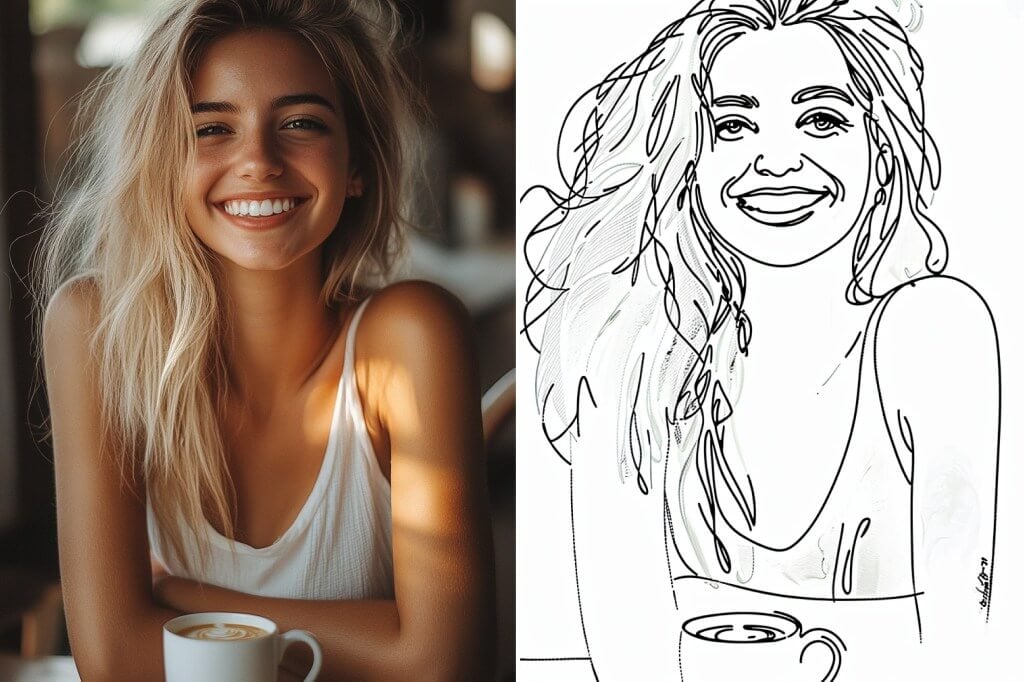
Transformez facilement une photo en portrait dessiné au trait

Transformez facilement une photo en portrait dessiné au trait

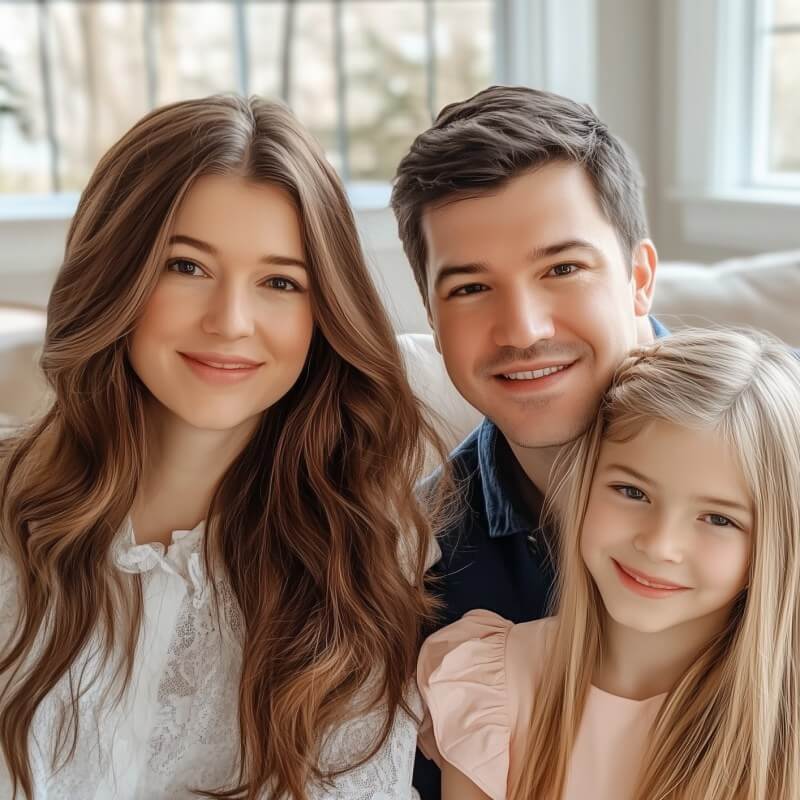
Vous souhaitez un dessin au trait qui saisisse l'essence de votre personnalité ? Téléchargez vos portraits et laissez la magie d'insMind faire son œuvre ! Le filtre de dessin au trait insMind est parfait pour créer des dessins impressionnants dans n'importe quelle orientation, offrant une qualité constante et une polyvalence exceptionnelle pour tous vos projets créatifs.

Convertir une photo en dessin au trait
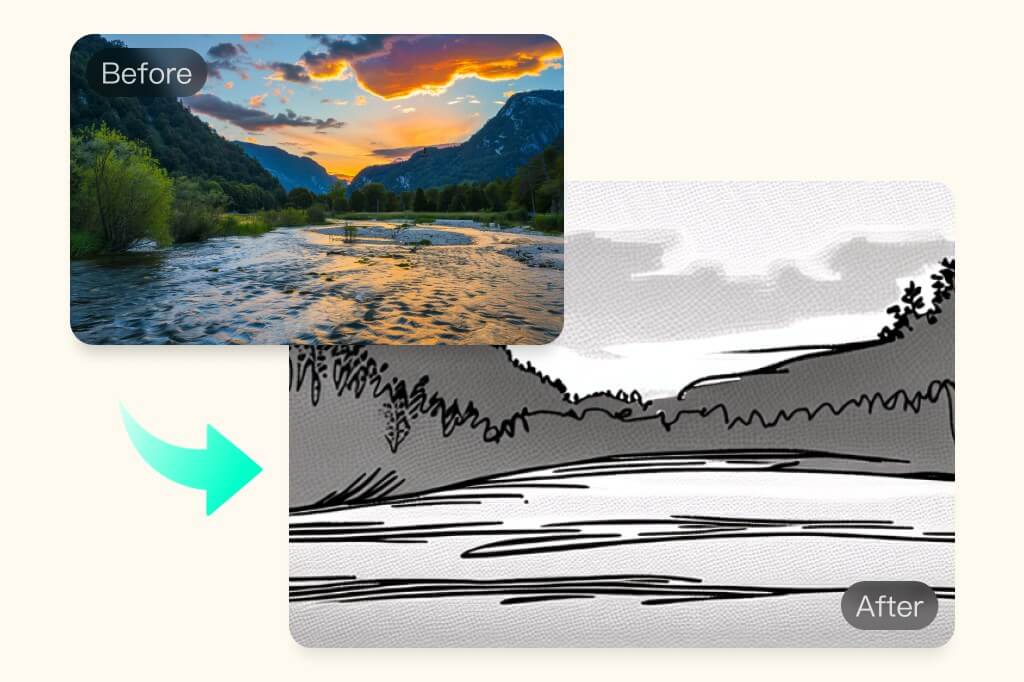
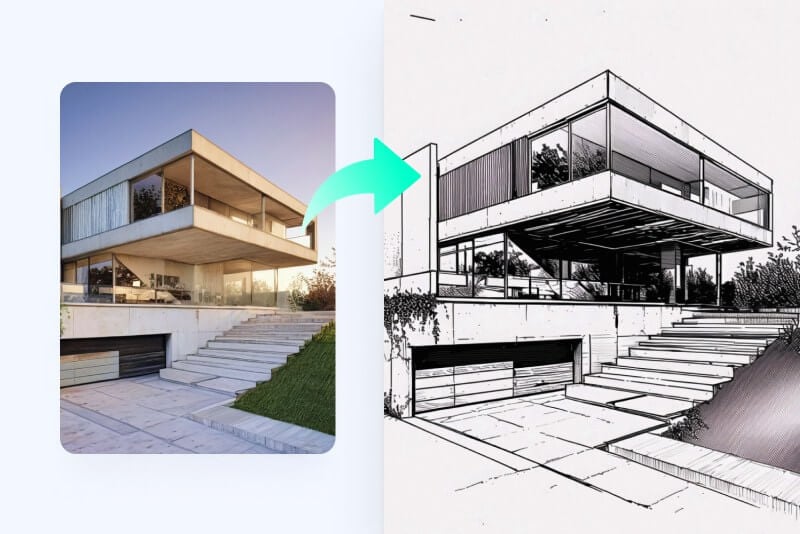
Transformez une photo en paysage réaliste dessiné au trait

Transformez une photo en paysage réaliste dessiné au trait

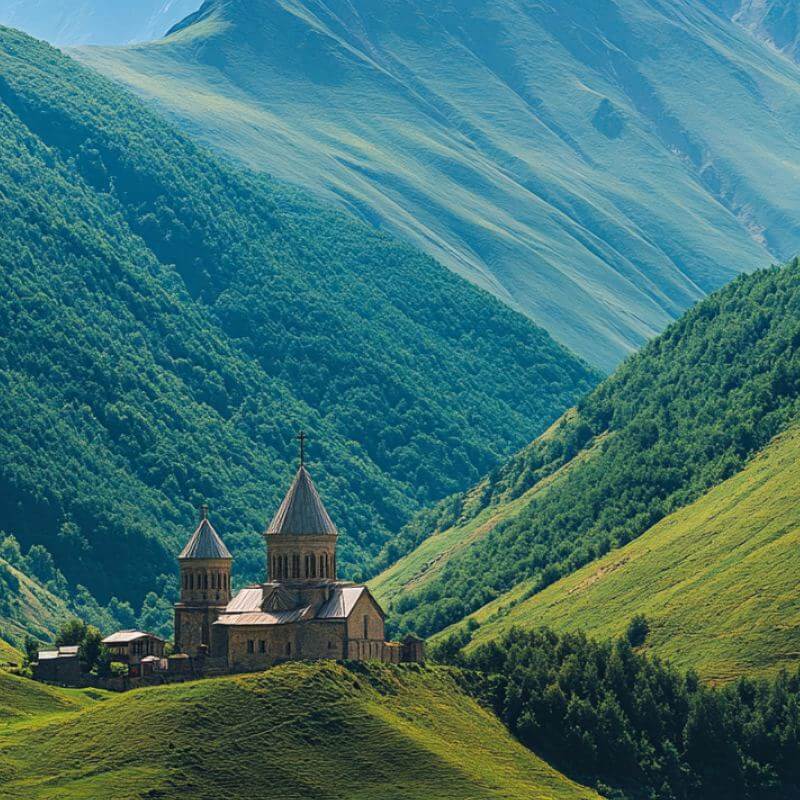
Créez des illustrations réalistes et précises en format paysage. En une minute, transformez vos photos de paysage en dessins au trait, que ce soit pour le travail ou le plaisir. insMind AI métamorphose vos photos en esquisses réalistes, colorées ou en noir et blanc. Téléchargez votre image maintenant, obtenez des dessins au trait de haute qualité avec des détails précis et découvrez un large éventail de possibilités créatives.
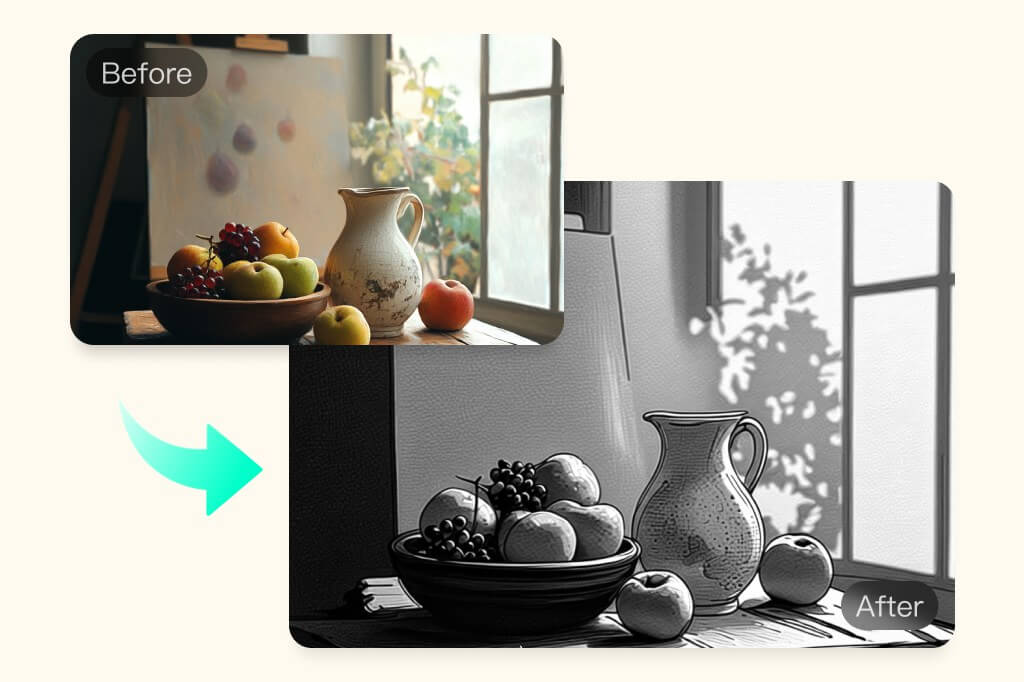
Convertir photo en dessin au trait
Transformez une image en dessin au trait artistique

Transformez une image en dessin au trait artistique

Découvrez l'outil de dessin au trait assisté par l'IA idéal pour transformer vos photos en croquis artistiques. Toonifiez vos images avec des effets visuels précis pour obtenir des illustrations nettes. Grâce à ses filtres IA puissants, insMind vous permet de créer des dessins sympathiques et haut de gamme gratuitement. Parfait pour les artistes professionnels ou juste pour le plaisir de créer !
Essayer gratuitement
Transformez une photo en dessin au trait en déplacement, n'importe où, n'importe quand !

Transformez une photo en dessin au trait en déplacement, n'importe où, n'importe quand !

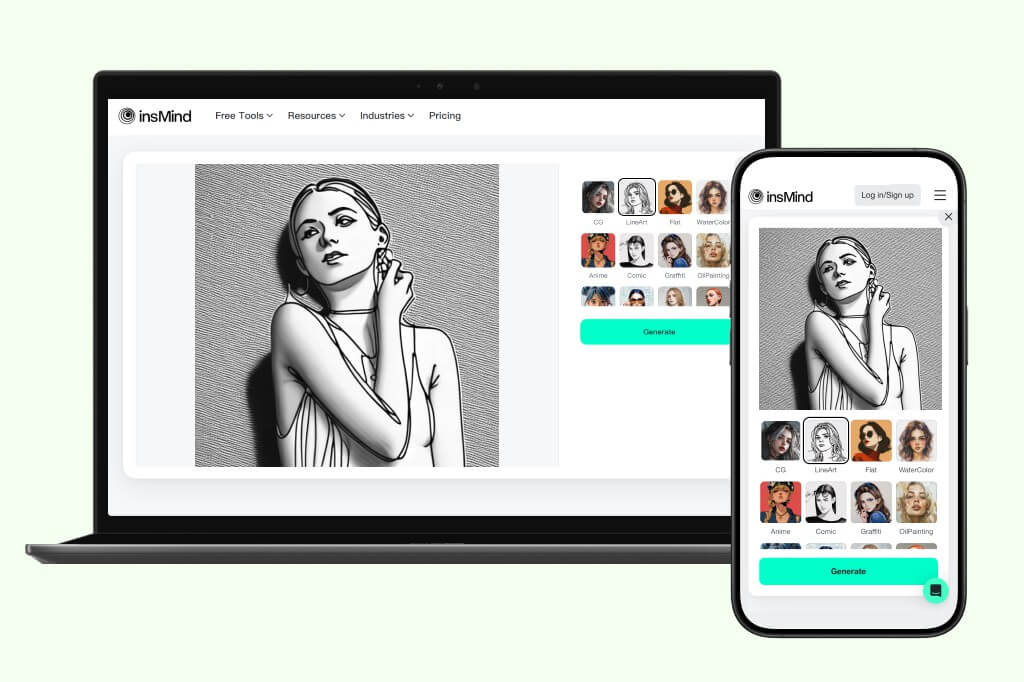
Convertissez vos photos en dessins au trait où que vous soyez. Ouvrez insMind dans un navigateur Web sur votre PC ou votre téléphone et profitez des filtres IA homogènes sur tous les supports. Téléchargez votre image et laissez les filtres IA opérer leur magie. insMind crée des visuels esthétiques, parfaits pour enrichir votre portfolio ou pour vous donner le plaisir de tester des filtres. Grâce à son traitement ultra-rapide, vous obtenez des croquis au trait instantanément.
Essayer gratuitement
Choisissez parmi une variété de styles de dessin au trait

Choisissez parmi une variété de styles de dessin au trait

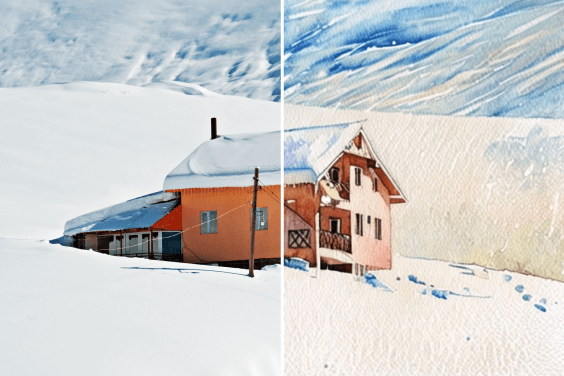
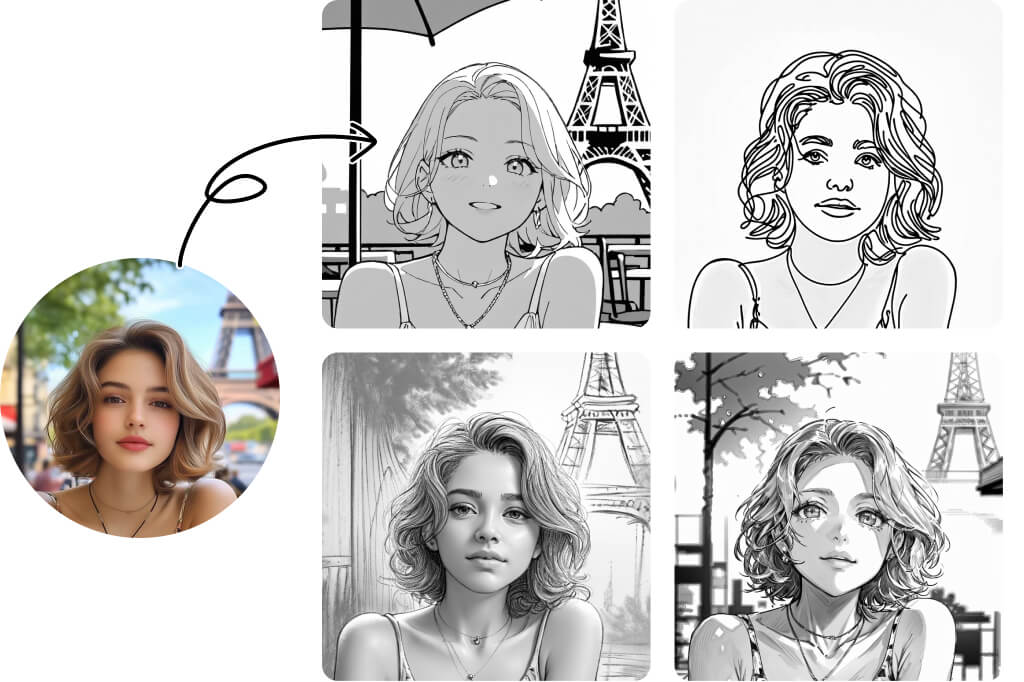
Vous pensez que le dessin au trait n’a qu’un seul style ? Détrompez-vous ! Notre Générateur de Dessins au Trait avec IA propose plus de 15 styles uniques, chacun avec ses propres détails distinctifs. Des croquis au crayon et contours de bande dessinée aux gravures sur bois, fusain, plume fine, plume douce et bien plus encore — explorez une large gamme d’options et trouvez le style parfait pour votre vision créative. Quels que soient vos besoins, il existe un style de dessin au trait qui vous convient.

Convertir une Photo en Dessin au Trait

Découvrez plus de filtres de dessin au trait avec l’IA

Comment transformer une photo en dessin au trait en ligne gratuitement
Étape 1. Ouvrez insMind
1

1 Étape 1. Ouvrez insMind

Ouvrez l'application insMind dans un navigateur Web. Inscrivez-vous ou connectez-vous pour accéder gratuitement aux outils insMind.
Étape 2. Téléchargez votre photo
2

2 Étape 2. Téléchargez votre photo

Cliquez sur « Télécharger une photo » pour sélectionner une image stockée sur votre PC ou votre portable. Vous pouvez également glisser-déposer une image sur l'interface d'insMind pour la télécharger.
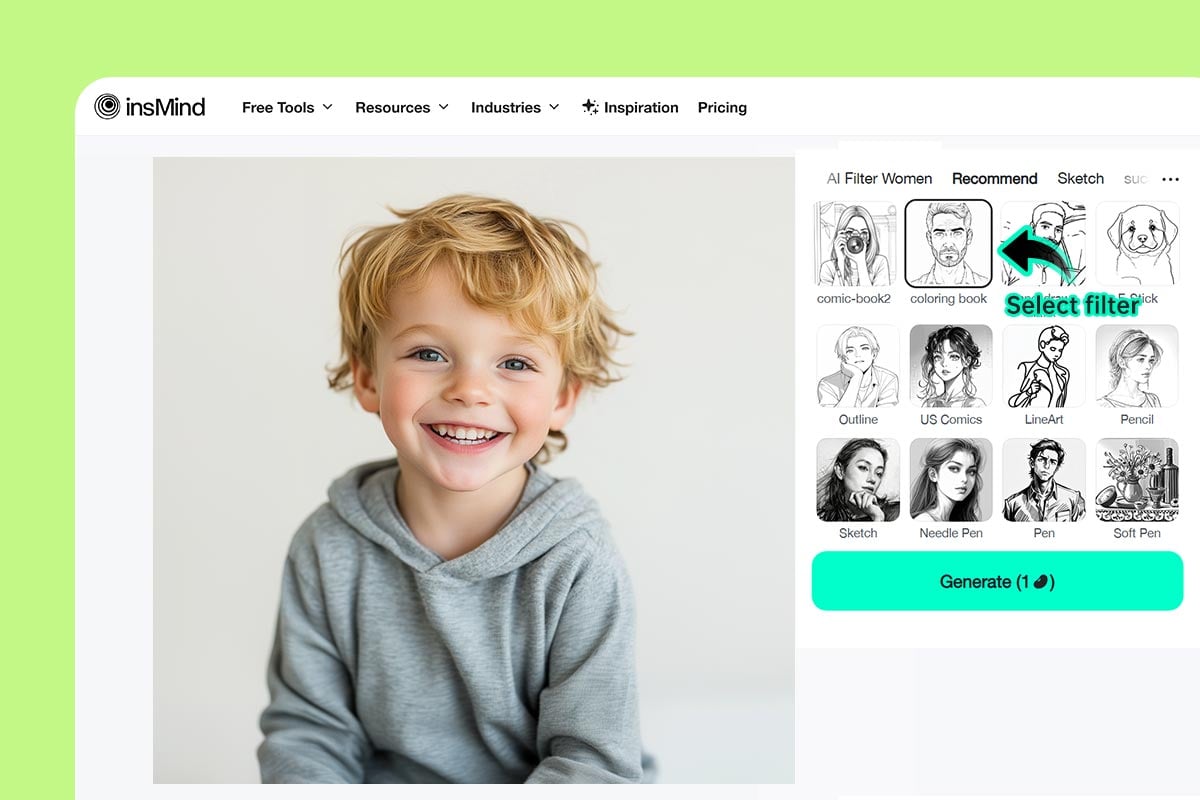
Étape 3. Sélectionnez le filtre LineArt
3

3 Étape 3. Sélectionnez le filtre LineArt

L’image s’ouvrira dans l’éditeur d’insMind. Ensuite, sélectionnez parmi plusieurs filtres IA tels que LineArt, Dessin au Trait, Livre de Coloriage, Contour, BD, et plus encore. Cliquez sur "Générer" pour commencer.
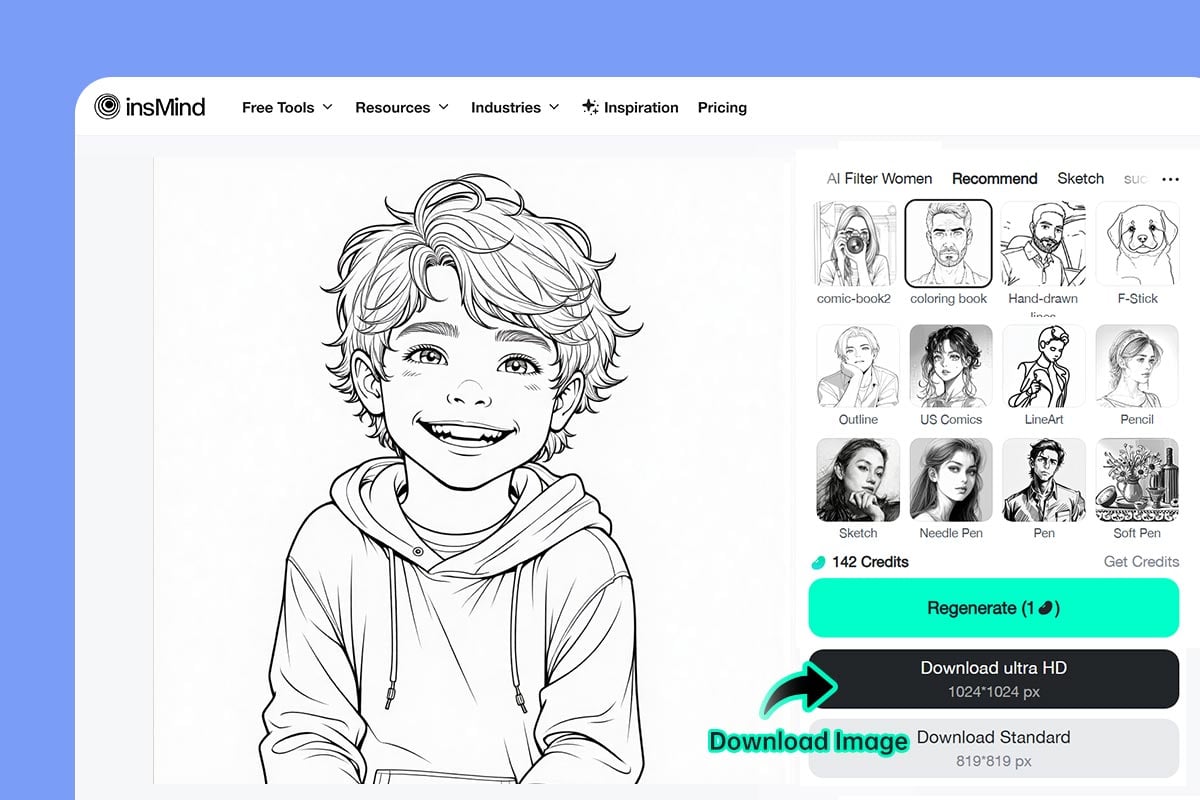
Étape 4. Téléchargez la photo
4

4 Étape 4. Téléchargez la photo

L’image sera instantanément transformée en dessin au trait. Pour l’enregistrer, cliquez sur le bouton "Télécharger".

Transformez vos photos en dessins au trait pour booster votre productivité

Appliquez des filtres conçus par l'IA pour convertir instantanément vos photos en dessins au trait. Pour vos besoins marketing ou vos réseaux sociaux, ajoutez une touche personnelle et raffinée à vos créations. Capturez chaque détail avec une précision et une exactitude remarquables, pour que votre marque sorte du lot.
Artistes

Artistes

Gagnez un temps précieux en transformant instantanément vos photos en dessins au trait. Générez des croquis artistiques réalistes en quelques secondes.
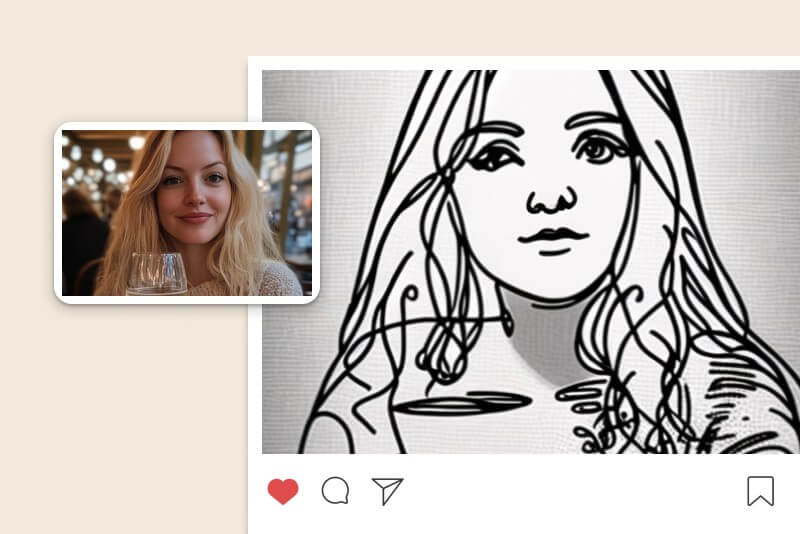
Réseaux sociaux

Réseaux sociaux

Transformez vos images en visuels originaux et créatifs pour les réseaux sociaux. Publiez vos photos en leur ajoutant un filtre IA LineArt plus vrai que nature.
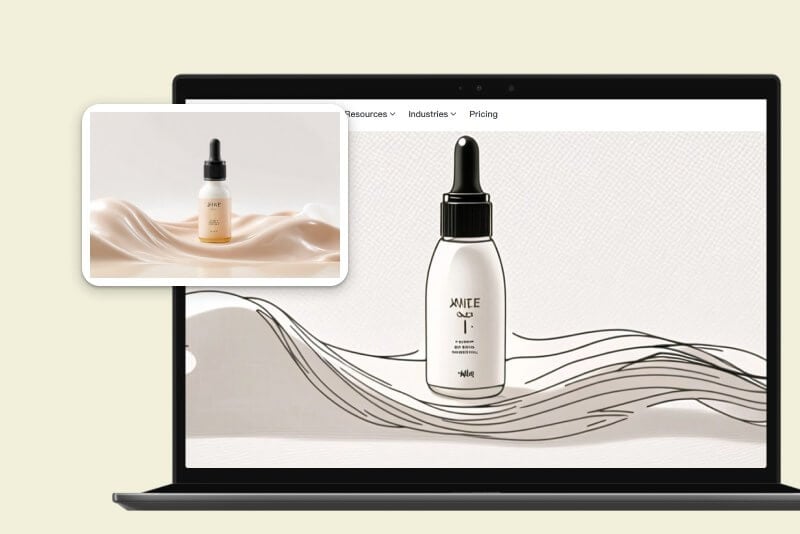
Entreprises

Entreprises

Distinguez-vous tout en suivant les tendances marketing et testez les animations artistiques au trait. Soyez inventif et générez des images marketing créatives.
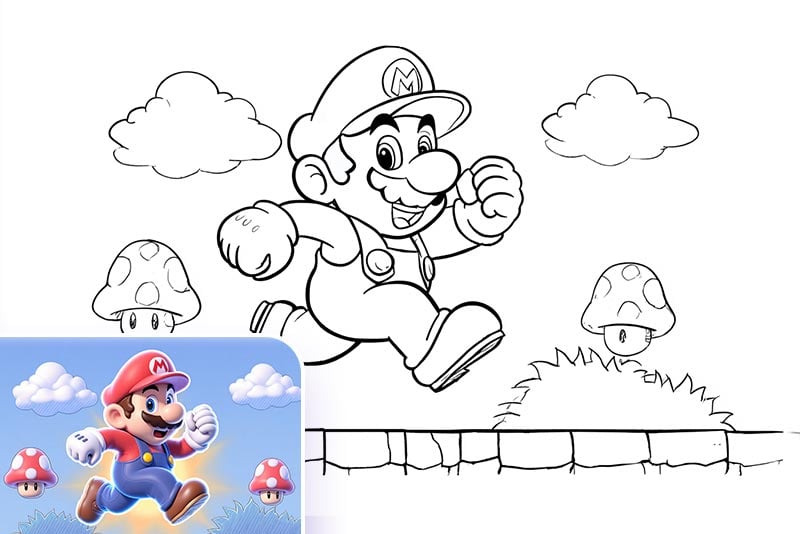
Créer une Page à Colorier pour les Enfants

Créer une Page à Colorier pour les Enfants

Transformez une image en dessin au trait, imprimez-la et créez une page à colorier pour vos enfants ! Qu’il s’agisse d’un portrait, d’un animal, d’un véhicule, d’un super-héros ou d’un bâtiment — notre convertisseur d’image en contour permet de transformer facilement n’importe quelle photo en page à colorier imprimable. C’est un cadeau personnalisé parfait pour les anniversaires ou une façon amusante de stimuler leur créativité.
Base de Design de Tatouage

Base de Design de Tatouage

Vous pouvez convertir des photos en croquis de contours comme références pour des tatouages. Transformez votre personnage, image ou graphisme préféré en dessin au trait propre et montrez-le à votre tatoueur pour donner vie à votre idée sur la peau.
Art Minimaliste pour la Famille et les Amis

Art Minimaliste pour la Famille et les Amis

Vous pouvez transformer vos photos de famille, selfies, animaux ou même paysages célèbres en dessins au trait. Utilisez-les comme décorations murales encadrées ou transformez-les en cadeaux significatifs pour vos proches. Notre générateur d’art en ligne avec IA rend chaque œuvre authentique et vraiment spéciale.

Ce que disent nos utilisateurs

Pourquoi choisir le convertisseur de photos en dessins au trait d'insMind ?

Différents filtres IA

Différents filtres IA

Transformez instantanément votre photo en dessin au trait grâce à une gamme de filtres conçus par l'IA. Créez des images sublimes et créatives à l'aide de filtres faciles à utiliser.

Traitement rapide

Traitement rapide

Transformez vos images en un clin d'œil. Grâce au traitement ultra-rapide, boostez votre productivité et donnez vie à tout ce que vous imaginez.

Réalisme et haute qualité

Réalisme et haute qualité

Générez des dessins au trait précis en quelques secondes. Laissez l'IA s'emparer de votre pouvoir imaginatif et dessiner pour vous des images réalistes et haut de gamme.

FAQ sur le convertisseur de photos en dessins au trait

Puis-je tracer le contour d'une image sans Photoshop ?

insmind expand icon
Oui, en utilisant insMind pour créer des dessins au trait à partir d'une photo. insMind est un formidable outil de création rapide et gratuit qui vous permettra d'exprimer votre talent artistique.

Pourquoi transformer une photo en dessin au trait ?

insmind expand icon
Le dessin au trait est très utilisé dans l'art, les médias sociaux et le monde des affaires pour capter l'attention du public. Convertir une photo en dessin au trait permet de créer des effets artistiques, en la transformant en un croquis réaliste qui met en valeur les détails avec créativité.

Existe-t-il un outil gratuit pour convertir une photo en dessin au trait ?

insmind expand icon
Oui. Essayez insMind pour transformer une photo en dessin au trait gratuitement. Il propose des effets artistiques qui permettent de générer des images de haute qualité en quelques secondes.

insMind peut-il créer des dessins au trait réalistes à partir d'une photo ?

insmind expand icon
Oui. insMind peut convertir n'importe quelle image quelle que soit son orientation en un dessin au trait. Il vous suffit de télécharger votre image et de sélectionner le filtre de dessin au trait pour la transformer.

Comment transformer une image en dessin au trait sur mon téléphone ?

insmind expand icon
insMind est compatible avec les téléphones mobiles et facilement accessible via le site web. Rendez-vous simplement sur insMind avec votre téléphone via votre navigateur, téléchargez votre image et convertissez facilement une image en dessin au trait, où que vous soyez.

Combien de styles de croquis sont pris en charge par insMind ?

insmind expand icon
insMind prend en charge plus de 15 styles de croquis et de dessin au trait, notamment Contour, Comics US, LineArt, Crayon, Croquis, Stylo à aiguille, Stylo, Stylo doux, Bande dessinée, Rétro, Gravure sur bois, Fusain et bien d'autres. Chaque style met en valeur des détails uniques et propose un rendu artistique distinct pour répondre à différents besoins créatifs.

Pourquoi l'outil de conversion photo en dessin d'insMind est-il meilleur que les autres ?

insmind expand icon
insMind se démarque des autres outils sur plusieurs points clés. D'abord, il propose le plus grand nombre de styles de dessin — plus de 15 — alors que la plupart des autres n’en offrent qu’un ou deux. Ensuite, la qualité du rendu est élevée, tout en conservant les traits originaux avec un rendu artistique amélioré. Enfin, il est rapide et très facile à utiliser, même pour les débutants. En seulement 2 secondes, vous pouvez transformer une photo en dessin grâce à son interface intuitive. Testé par plus de 10 millions d'utilisateurs, insMind surpasse constamment ses concurrents.

Vous pourriez être intéressé par
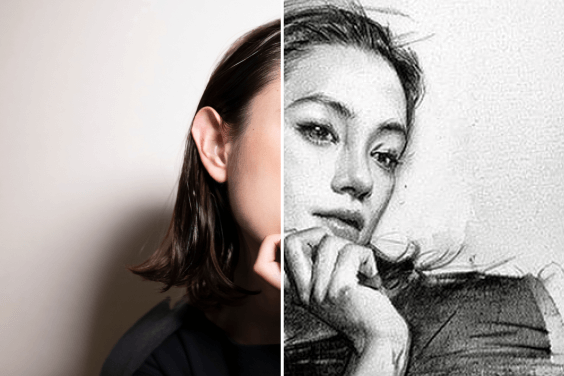
Donnez de la couleur à vos photos grâce à des fonctionnalités totalement gratuites.