Imagen con IA
Vídeo con IA
Editor de fotos
Recursos
InspiracionesPrecios

Convertir Fotos en Caricaturas en 1 Clic Gratis en Línea
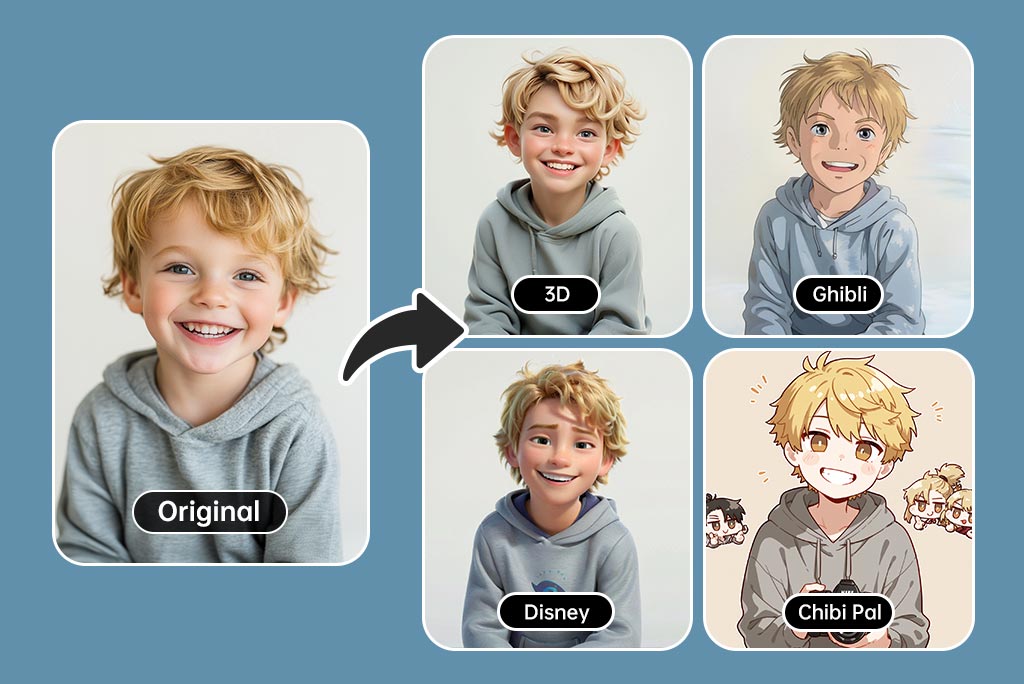
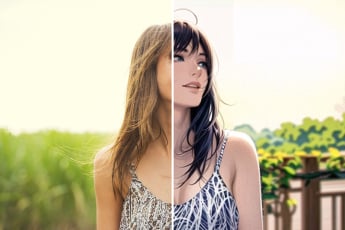
¡Transforma tus fotos en divertidas imágenes estilo caricatura al instante! Nuestro convertidor de foto a caricatura en línea y gratuito hace que sea fácil. Simplemente sube tu imagen y observa cómo se transforma con filtros de caricatura.

Convertir Fotos en Caricaturas en 1 Clic Gratis en Línea
O suelta la imagen aquí, pega la imagen o la URL
Intenta con uno de estos
Muestra del filtro de llanto de insMind AI 1
Muestra del filtro de llanto de insMind AI 2
Muestra del filtro de llanto de insMind AI 3
Muestra del filtro de llanto de insMind AI 4

Crear similar

Use the subject from the uploaded photo and transform it into a 1/7–scale premium ornament. Preserve the original shape, structure, and details of the product exactly as in the uploaded image (do not remove lids, change openings, or alter any design elements). Render it realistically with smooth, high-quality textures, clearly toy-like but not lifelike human skin. Hang this ornament on an indoor Christmas tree using a wide silk ribbon or string, ensuring it blends naturally with the branches. The scene should be warm and festive, filled with golden lights, ornaments, and a cozy Christmas glow. Ensure the product feels like a high-end collectible, fully integrated with the environment, with the image clean, clear, and focused on the ornament.
{ "scene": { "type": "aerial_drone_view", "perspective": "top-down, looking directly at the object from above", "background": { "type": "urban_cityscape", "lighting": "realistic daylight with natural shadows and reflections" } }, "subject": { "object_type": "large_luxury_shopping_bag", "material": "smooth, premium leather or high-quality glossy finish", "details": { "logo": "golden 'InsMind' embossed", "contents": "filled with products from user-uploaded images", "suspension": "hanging from a wide silk ribbon under a drone" }, "lighting": "soft and realistic highlights and shadows on the surface", "texture": "highly detailed, tactile, realistic reflections" }, "composition": { "framing": "ultra high-quality, professional, cinematic composition", "focus": "shopping bag in sharp detail, cityscape slightly blurred", "quality": "ultra-detailed, photorealistic, high-resolution rendering" } }
Use the nano pro model to generate a Christmas tree formed by deep green ribbons spiraling upward with smooth curves and a glossy, dimensional texture. Decorate the tree with the beauty products from the user-uploaded image, preserving their original appearance, colors, packaging, and printed details without alteration. Add silver Christmas balls, heart-shaped ornaments, a vintage pocket watch, and red-and-white candy canes as additional festive elements. The background should be a clean, rich red tone that feels premium and vibrant. Use soft, bright lighting to highlight the ribbon texture and showcase the beauty products clearly. Maintain a centered, balanced composition with a modern, celebratory visual style.
Use the animal from Image 1 as the subject. Use the tall product from Image 2 as the giant object. A bright, clean European-style living room corner with warm tones, soft textures, and elegant home décor. Top-down (slightly high-angle) perspective. Soft, bright ambient lighting. The animal from Image 1 stands upright on its hind legs, lifting its front paws to hold and cling onto the super-enlarged, vertically standing product from Image 2 (the product should be significantly taller than the animal). The animal slightly turns its head toward the camera, looking directly into the lens with a lively, natural, energetic expression. The product from Image 2 must receive lighting, reflections, shadows, and ambient bounce light consistent with the European-style living room, ensuring it visually blends into the environment naturally and convincingly. Clear textures, gentle color palette, warm atmosphere, natural shadows, harmonious scale contrast. Cute, fresh, soft-Japanese aesthetic blended with a European interior setting. High-resolution render, no additional characters, no extra props unless necessary for realism. This is an EDIT using the subjects from the uploaded images: – The animal identity, fur, and posture must follow Image 1. – The product appearance, material, and shape must strictly follow Image 2, with environmental lighting integration. – Background is new (European-style living room). – Keep composition consistent with a warm lifestyle photo.
Use the person from the user’s uploaded Image 1 holding a giant-sized version of the product from Image 2. Bright metal elevator interior, brushed stainless-steel texture, clean reflections, soft overhead lighting. Slight top-down camera angle from elevator ceiling corner. Fresh Japanese aesthetic: airy tones, gentle contrast, light desaturation, natural skin texture. The person’s expression and posture remain true to Image 1, but with natural, youthful energy, relaxed shoulders, lively eyes. The giant product should feel physically present with correct lighting, proportional shadows, and slight squeeze in the character’s arms to show weight. Elevator control panel and metal seams visible for realism. Overall atmosphere: playful, clean, bright, modern. This is an EDIT, not a new character. Preserve: facial identity, hairstyle, clothing style, and camera perspective from Image 1. Integrate giant product from Image 2 seamlessly into the person’s arms.
The Cat robot, presented in a high-contrast scientific studio render against a pure black void. This tight right-side profile features a false-color thermal X-ray aesthetic, where the transparent shell reveals a sharply detailed internal architecture of batteries, drivers, and sensors using a vibrant heatmap gradient. The colors shift from deep cool blues to intense yellows and red highlights, creating a futuristic, clinical look with orthographic perspective and a soft, neon-like glow.
Puppy nose close-up with a fisheye lens, exaggerated perspective, rounded frame, edges warped, playful expression, soft daylight, warm tones, social media viral style, background outside fisheye area completely black.no text
Comical selfie with an extreme fisheye lens, exaggerated nose and cheeks, circular bubble frame, flattering soft light, vibrant grading, slight vignetting, background outside fisheye is pure black, no text
A hyper-realistic fisheye wide-angle selfie, captured with a vintage 35mm fisheye lens creating heavy barrel distortion. without any camera or phone visible in the subject’s hands. Subject & Action: A close-up, distorted group photo featuring [Person From Uploaded Image] taking selfie with Jesus and Santa Claus. Everyone is making wild, exaggerated faces, squinting slightly from the flash. Lighting & Texture: Harsh, direct on-camera flash lighting that creates hard shadows behind the subjects. Authentic film grain, slight motion blur on the edges, and chromatic aberration. It looks like a candid, amateur snapshot as if captured during a chaotic behind-the-scenes moment, not a studio photo.
Extreme wide-angle remix EDIT. Use the original image as strict reference for the person’s identity, hairstyle, outfit style, and the SAME location type. This is an EDIT, not a new character. Generate a 4-panel grid (2×2). Each panel MUST have a different pose, angle, and near-lens body part. No repetition. Camera / Perspective Ultra-wide / fisheye (12–18mm). Dramatic angles required: worm’s-eye, bird’s-eye, low/high, Dutch tilt. Strong foreshortening: near-lens parts appear huge. Photorealistic fashion/street style. Background Keep SAME location; do NOT replace it. Different angles may show new areas—extend environment logically with matching structures, materials, colors, lighting. Near-lens Parts (1–2, sometimes 3) Each panel uses different parts: hands/fingers, feet/shoes, knees/thighs, face, shoulders/chest. Must come extremely close with clear texture and distortion. Pose / Body Each panel must have a UNIQUE dynamic pose: standing with limbs forward, crouching, sitting, lying with feet toward lens, leaning in, twisting, crossed legs, arched back. Complex combos allowed (hands+feet, both hands, both feet, face close with limbs in perspective). Anatomy must remain believable. Angle / Attitude Randomize orientation per panel (up/down/side/tilt). Keep cool, confident fashion/editorial or street vibe. Expressions can vary but must remain the same person. Lighting / Rendering Keep lighting/time consistent with original. You may enhance contrast/color. Maintain realistic shadows and ground contact. High-resolution, sharp textures. Variation (VERY IMPORTANT) All 4 panels must differ clearly: – different camera angles – different poses – different near-lens parts – different orientation Avoid ANY repeated composition. Strict Rules Do NOT change the person. Do NOT change outfit type. Do NOT move to another location. Do NOT add text/logos. Do NOT use illustration/anime; keep photorealistic.
A giant Christmas 3D billboard on the side of a modern building in a lively urban street adorned with festive Christmas lights, wreaths, and ornaments. On the 3D billboard is a confident woman (from attached image) wearing a festive yet fashion-forward outfit — glittery red jacket, green stylish scarf, patterned boots. She’s striking a playful pose, throwing a snowball that seems to come out of the billboard. Next to her, bold text styled like a luxury holiday slogan reads: “FROSTY & FABULOUS” with tagline "MAKE WINTER FUN". The 3D billboard combines high-fashion elegance with humorous Christmas vibes. Photorealistic, stylish, culturally modern, and meme-inspired.
A giant Christmas curve-edge horizontal long-strip 3D anamorphic billboard on the side of a modern building at a busy crossroad, streets decorated with Christmas lights, garlands, and festive ornaments. Inside the wide 3D billboard is a cozy Christmas-decorated living room scene — warm fireplace glow, decorated tree, stockings, red-green holiday accents. In this scene stands a woman (from attached image) dressed in a cozy winter-chic outfit — oversized red coat, patterned mittens, wool hat. She’s playfully tossing tiny wrapped presents that appear to float off the billboard and land on the street below. Next to her, bold text styled like a luxury holiday slogan reads: “SPREAD JOY, ONE GIFT AT A TIME” with tagline "MAKE IT MAGICAL". The 3D billboard mixes high-fashion elegance with whimsical anamorphic style. Photorealistic, stylish, culturally modern, and meme-inspired.
A giant Christmas 3D billboard designed as a vertical long-strip screen on the side of a modern building in a busy urban street decorated with festive Christmas lights, garlands, and ornaments. Inside the 3D billboard is a Christmas-themed interior space, filled with warm red-green color accents, soft golden holiday lighting, subtle snow-sparkle reflections, and elegant Christmas decorations such as ornaments, ribbons, and festive patterns along the background surfaces. Within this Christmas-decorated space stands a cheerful person (from attached image, gender-neutral wording), fully positioned inside the billboard. They are wearing a festive Santa-inspired outfit with a modern twist — red velvet jacket, playful patterned scarf, stylish boots. They hold a giant candy cane that slightly extends out of the 3D billboard, creating a playful breaking-the-frame illusion. Next to them, bold text styled like a luxury holiday slogan reads: “MERRY & BRIGHT SINCE BIRTH” with tagline “BUT MAKE IT FESTIVE”. The 3D billboard mixes high-fashion elegance with joyful Christmas humor. Photorealistic, stylish, culturally modern, and meme-inspired.
{ "task_configuration": { "task_type": "screen_simulation_photorealism", "target_model": "SDXL_1.0_Refiner", "aspect_ratio": "3:4", "resolution": { "width": 1152, "height": 1536 } }, "visual_hierarchy": { "layer_1_physical_macro": { "camera_angle": "high-angle", "framing": "MacBook screen dominant", "surface_imperfections": ["pixel texture","dust","reflection","smudges"] }, "layer_2_digital_interface": { "theme": "Dark Mode", "window_layout": { "left_panel": "Spotify Liked Songs", "right_panel": "Photo Booth" } }, "layer_3_nested_subject_content": { "environment": "dim bedroom", "lighting_simulation": "cool screen glow + warm tones", "subjects": { "shared_attributes": ["black hoodies","reclining"], "subject_a_guy": { "identity_target": "male from uploaded image", "action": "holding phone" }, "subject_b_girl": { "identity_target": "female from uploaded image", "action": "resting beside A" } } } }, "prompt_assembly": { "positive_prompt": "Hyper-realistic downward shot of a MacBook screen with dust and reflections. Photo Booth shows a couple in a dark room, identities from uploaded male and female subjects, wearing black hoodies. Low-key, candid, nocturnal.", "negative_prompt": "vector, flat, clean, daylight, cartoon, 3d, painting, watermark" }, "identity_preservation_settings": { "strictness_level": "CRITICAL", "methodology": { "face_restoration": false, "control_net_stack": [ { "unit": "ControlNet_Tile","weight": 0.4 }, { "unit": "IP-Adapter_FaceID_Plus","weight": 0.95 } ] } }, "rendering_parameters": { "sampler": "DPM++ 3M SDE", "steps": 40, "cfg_scale": 5.5, "denoising_strength": 0.35 } }
task: "edit-image: add widened torn-paper layered effect" base_image: use_reference_image: true preserve_everything: - character identity - facial features and expression - hairstyle and anatomy - outfit design and colors - background, lighting, composition - overall art style rules: - Only modify the torn-paper interior areas. - Do not change pose, anatomy, proportions, clothing details, shading, or scene elements. effects: - effect: "torn-paper-reveal" placement: "across chest height" description: - Add a wide, natural horizontal tear across the chest area. - The torn interior uses the style defined in `interior_style`. - effect: "torn-paper-reveal" placement: "lower abdomen height" description: - Add a wide horizontal tear across the lower abdomen. - The torn interior uses the style defined in `interior_style`. interior_style: mode: "line-art" style_settings: line-art: palette: "monochrome" line_quality: "clean, crisp" paper: "notebook paper with subtle ruled lines" sumi-e: palette: "black ink tones" brush_texture: "soft bleeding edges" paper: "plain textured paper" figure-render: material: "PVC-like" shading: "semi-realistic highlights" paper: "plain smooth surface" colored-pencil: stroke_texture: "visible pencil grain" palette: "soft layered hues" paper: "rough sketchbook paper" watercolor: palette: "soft transparent pigments" blending: "smooth bleeding" edges: "soft contours" paper: "watercolor paper texture" pencil-drawing: graphite_texture: "visible pencil grain" shading: "smooth gradients" line_quality: "mixed sharp and soft" tone: "gray-scale" paper: "notebook paper with faint ruled lines"
Product photography, perfectly straight-on frontal view. CRITICAL: The original art style, linework, and character features of the input illustration MUST BE STRICTLY PRESERVED. Do not abstract or simplify the drawing itself. The artwork is a physical multi-layered construction mounted on a white wall. **COMPOSITION RULE:** 1. The aspect ratio and orientation of the final product photography should match the dimensions of the input source image. 2. A large clear base panel is secured with visible metallic standoffs. 3. Crucially, the entire die-cut illustration (all layers) MUST be contained entirely within the boundaries of this base panel. 4. There should be an appropriate clear margin between the edges of the illustration and the edges of the base panel. **MATERIAL PHYSICS RULE (HIGH TRANSMISSION):** On top of the base, the illustration is reconstructed using **ultra-clear, highly luminous tinted acrylic sheets** designed for maximal light transmission. 1. The colors are the color of the transparent material itself (glass-like), not painted. 2. **For Skin/White Areas:** MUST be **pure, colorless, ultra-clear glass-like acrylic**. 3. **For Colored Areas (Hair/Clothes):** Use **highly translucent colored acrylic**. The color is vibrant but extremely see-through, allowing significant light to pass. **LIGHTING & SHADOWS:** Strong cool diagonal lighting passes through the highly transparent artwork. **Instead of creating dark or heavy shadows, the light casts bright, glowing, highly translucent colorful caustics onto the wall, showing the wall's texture underneath.** The shadow area should feel light and airy, revealing the original colors as bright projections. 8k resolution, ultra-detailed.
Use the person from the uploaded image as the main subject. A table covered with CDs and album covers featuring this person’s face. Bold colors, shiny discs, and the exaggerated, flashy, tacky aesthetic of 2000s rap, fully embodied by this subject.
Make a screenshot from an early-2000s American cooking show, in a Bake-Off style, shot-by-shot format, with subtle realistic glitches on an old SD TV screen featuring this person.
Use the subject from the user-uploaded image. Generate a hand-drawn portrait illustration in red and yellow pen on notebook paper, inspired by doodle art and comic annotations. Keep full likeness of the subject, express spontaneous gestures, bold outline glow, handwritten around, realistic pen stroke texture, 4K resolution.
Use the uploaded photo. Keep the person fully photorealistic — face, body, clothing, colors, and textures unchanged. Do NOT alter background perspective or turn the person into an illustration. Add dense pop-style illustrated “Christmas monsters” and graphic decorations ONLY around the person (and on top of their clothing if needed), but never on their skin or face. Illustrated elements: - many colorful cartoon monsters with thick black outlines, flat colors, and cute-but-ugly expressions - Christmas-inspired monsters: Christmas tree, snowman, reindeer, Santa Claus, gingerbread man, Christmas pudding, gift boxes, star, stockings, candles, bells, wreath - additional graphic shapes: stars, hearts, arrows, drips, splashes, zigzag lines, exclamation marks, motion lines, sparkles, bubbles, comic-style text shapes (but no real text) Make the decoration very dense and “busy”: - fill background with overlapping Christmas monsters and shapes - add monsters peeking from behind the shoulders, around the bag, at the person’s feet, and near the head - allow some monsters and shapes to overlap the clothing and accessories (shirt, shorts, bag, shoes), but keep the skin of the face, arms, and legs photorealistic and visible - use multiple layers of illustrations in front of and behind the person to create depth - add glowing outlines, small white dots, and speed lines around the person to emphasize energy Color & style: vivid neon palette (hot pink, yellow, cyan, lime, orange, purple, turquoise) flat, graphic, clean-edge illustrations with bold outlines slight shadows where monsters touch clothing for realism Goal: Create a highly decorated, maximalist pop-art scene where the real person stands in the middle, surrounded and wrapped by a chaotic crowd of playful Christmas monsters and graphic doodles, while the person remains clearly photorealistic.
Use the uploaded photo. Keep the person fully photorealistic — face, body, clothing, colors, and textures unchanged. Do NOT alter the background perspective or turn the person into an illustration. Add a dense layer of pop-style illustrated “sweets monsters” and graphic decorations ONLY around the person (and on clothing if needed), never on skin or face. Illustrated elements: colorful cartoon monsters with thick black outlines, flat colors, cute/ugly expressions sweets-themed monsters: bananas, cookies, strawberries, melting chocolate, lollipops, ice cream, oranges, cupcakes, donuts, candy, soda bottles extra shapes: stars, hearts, arrows, drips, splashes, zigzags, exclamation marks, motion lines, sparkles, bubbles, comic-style text shapes (no real text) Density & placement: fill background with overlapping sweets monsters and shapes monsters peeking from behind shoulders, around bag, near feet and head allow overlap on clothing/accessories but keep all skin photorealistic and visible multiple illustration layers in front and behind the person for depth add glowing outlines, white dots, speed lines around the person for energy Color & style: vivid neon palette (hot pink, yellow, cyan, lime, orange, purple, turquoise) flat, graphic, clean-edge illustrations with bold outlines add slight shadows where monsters touch clothing for interaction realism Goal: Create a maximalist pop-art scene where the real person stands photorealistically in the center, surrounded by a chaotic crowd of playful sweets monsters and graphic doodles.
A 3D cartoon-style winter scene of a vintage red tram on a snow-covered street, pedestrians walking around, all elements made of semi-transparent silk-like threads with natural messy interweaving, tram in red gradient threads, pedestrians in soft gradient clothes with round cute proportions, street trees wrapped in glowing thread lights, buildings and market stalls emitting warm thread light, falling snowflakes as thin white threads, smooth rounded 3D shapes, balanced composition, soft shadows enhancing 3D depth, cable-knit thread style, cozy winter atmosphere.
Minimalist 3D model of a simple geometric snow mountain, created with semi-transparent silk-thread material, dense fine line-weaving texture, soft fabric-like micro details, and clean gradient pastel colors. The mountain shape is smooth and simplified, with a few stylized silk-thread trees placed on the slope, all built from tightly interwoven translucent threads. Light snowflakes float around the scene as delicate thread-based particles. The background is a pure blue minimal gradient with large negative space, soft diffused lighting, dreamy surreal atmosphere, clean minimal composition, soft fresh color palette, ultra-simple structure, no clutter.
A minimalistic 3D model with simple clean structure, rendered in semi-transparent silk-thread material with bright, fresh gradient colors, dense fine line-fiber textures, and crisp woven surface details. On a soft, irregular snow mound formed by layered bright thread-snow, stands an extra-cute round snowman with smooth simplified shapes, wearing a vivid red silk-thread scarf and holding a tiny translucent thread snowflake. The snowman has adorable colored eyes and matching colored buttons (non-white), enhancing its charm. Soft bright snowflakes float around. The scene features luminous, uplifting tones, dreamy diffusion light, surreal minimalism, and large clean negative space. Background is a bright blue-to-purple pure gradient, clean and minimal, with soft atmospheric lighting, refined thread-texture clarity.
Añade Diversión con la Conversión de Fotos en Caricaturas
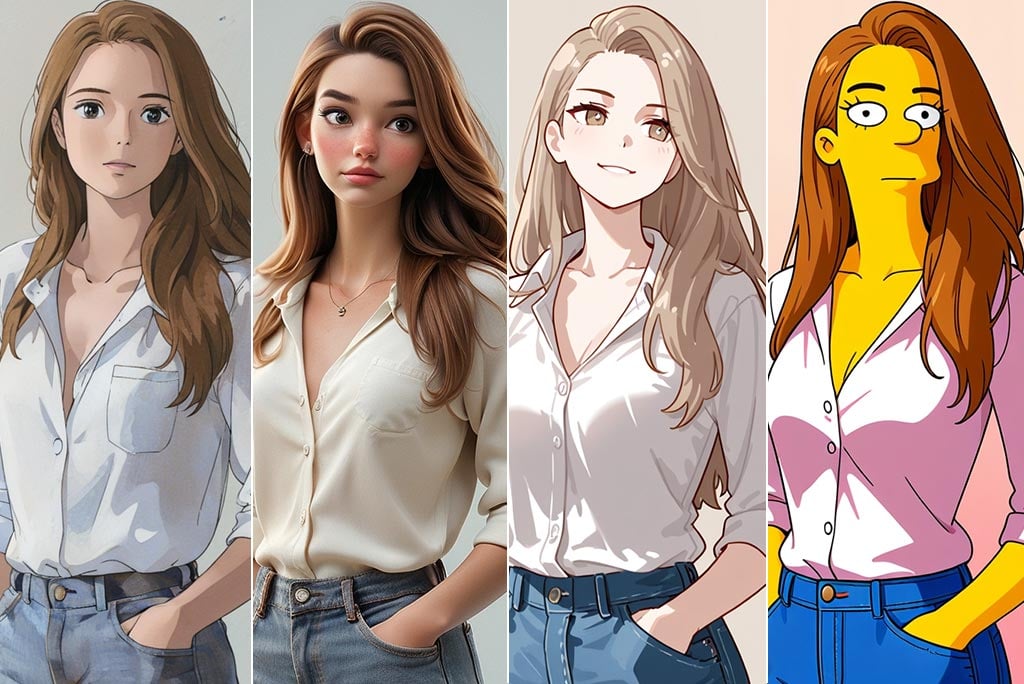
Añade Diversión con la Conversión de Fotos en Caricaturas

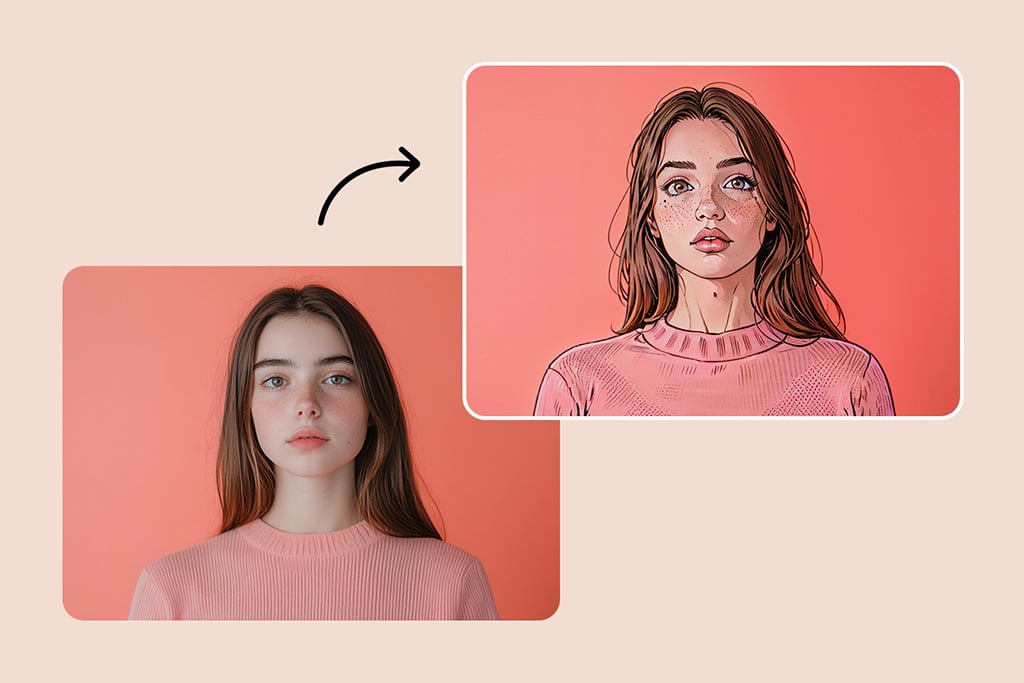
Usa nuestros filtros de caricatura para convertir tu foto en una caricatura. Sin ediciones complicadas: simplemente sube tu foto y, en cuestión de segundos, verás cómo se transforma en una versión caricaturesca. Nuestra herramienta intuitiva te permite añadir un toque de creatividad y diversión a tus recuerdos. Envía tus creaciones en caricatura a tu familia y amigos o dale un giro entretenido a tus publicaciones en redes sociales. Explora el mundo de las caricaturas y descubre tu genio creativo. Captura tu imaginación y convierte fotos en caricaturas que llamen la atención.
Convertir Foto en Caricatura
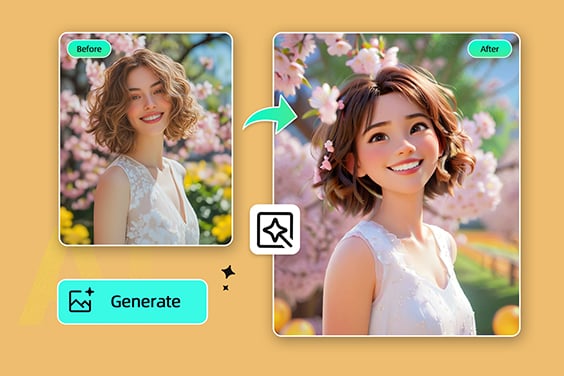
Filtros de caricatura: Disney, Ghibli, Simpsons, Anime y más

Filtros de caricatura: Disney, Ghibli, Simpsons, Anime y más

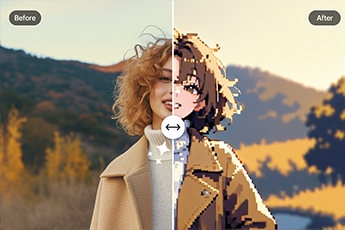
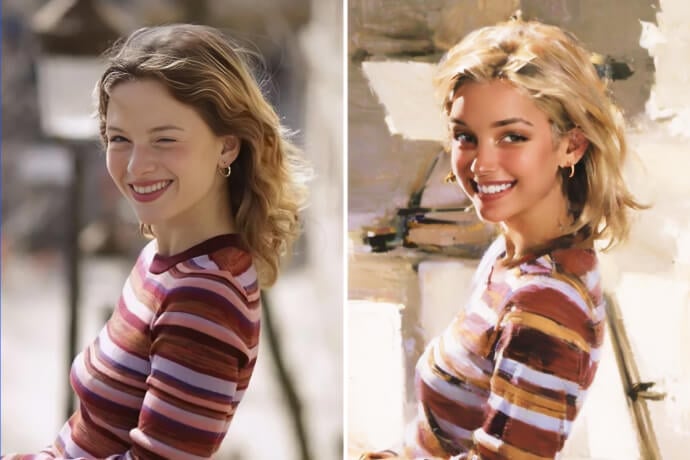
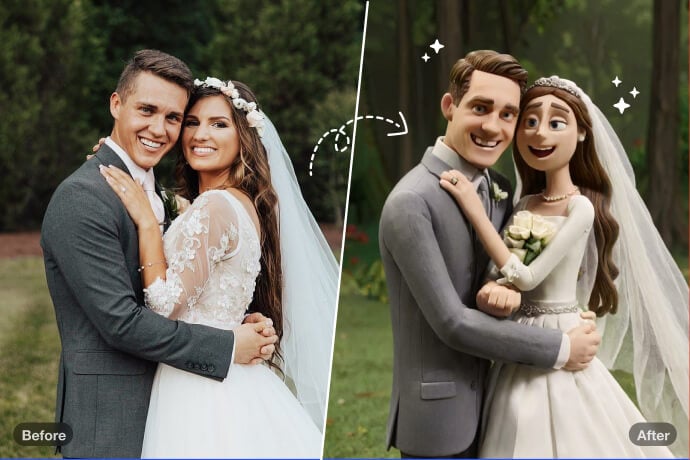
¿Quieres ir más allá de un simple efecto para convertir foto a caricatura? Con el generador de caricaturas con IA de insMind puedes experimentar una gran variedad de estilos artísticos. Elige entre filtros icónicos como Disney, Anime, Ghibli, Chibi, Simpsons, Clay o incluso el toque retro de PS2.

Todos estos estilos son creados por inteligencia artificial avanzada, logrando piezas únicas que convierten tu imagen en una obra de arte. Ya sea que uses el editor foto caricatura online por diversión o para crear impresiones personalizadas, los filtros de insMind son ideales tanto para usuarios casuales como para creadores de contenido.

Solo tienes que subir tu foto, elegir tu estilo favorito y tendrás una caricatura digital en alta resolución que se ve increíble y lista para compartir.
Probar filtro de caricatura ahora
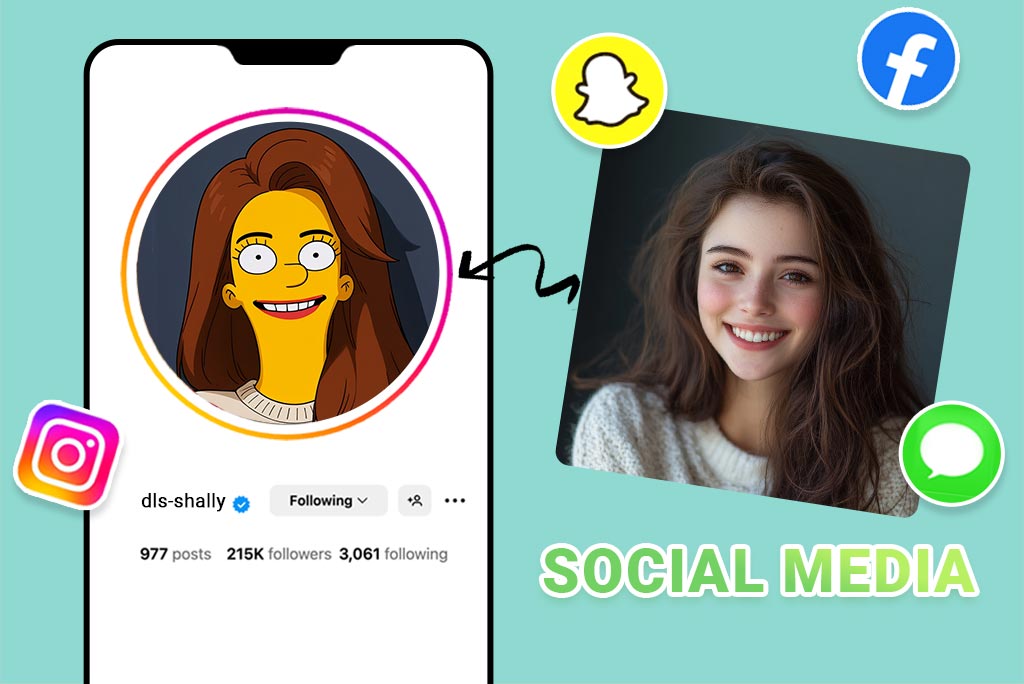
Creador de avatares caricatura — Perfecto para redes sociales
Creador de avatares caricatura — Perfecto para redes sociales

¿Buscas renovar tu imagen en redes? Con nuestro creador de avatar caricatura online, puedes convertir tu selfie en un personaje con estilo en segundos. Esta herramienta no es solo otro filtro de rostro caricaturizado: crea avatares muy personalizados y de alta resolución, perfectos para plataformas como TikTok, Instagram o Twitch. El generador de caricaturas con IA de insMind optimiza tu foto automáticamente en luz, ángulos y expresiones faciales. Obtienes un avatar animado y con vida propia, listo para destacar en cualquier plataforma, sin necesidad de habilidades de diseño ni herramientas complicadas. Solo sube tu foto, haz clic y comparte tu nueva identidad caricaturizada donde quieras.
Crear mi avatar caricatura
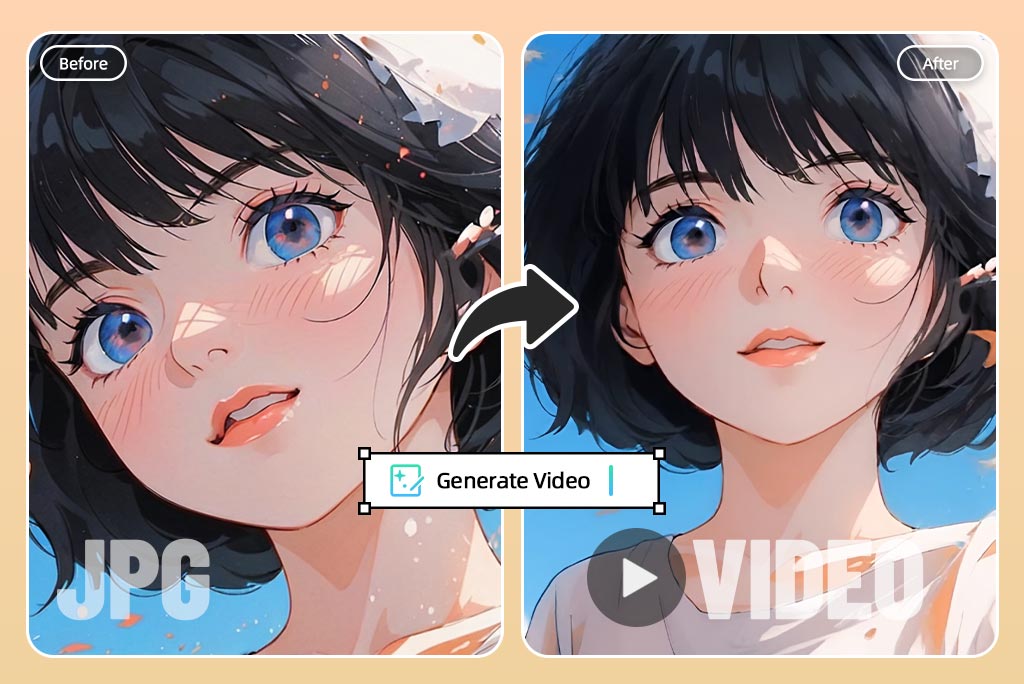
Convierte tus fotos en caricaturas animadas en segundos

Convierte tus fotos en caricaturas animadas en segundos

¿Por qué quedarte con una imagen estática si puedes llevar tu caricatura al estilo Anime? La función de insMind para crear caricaturas animadas utiliza animación facial con IA para que tu personaje parpadee, sonría y reaccione de manera divertida y dinámica. Ya sea que crees GIFs, clips cortos o simplemente algo entretenido, esta herramienta agrega un nivel totalmente nuevo de interacción. Solo caricaturiza tu imagen con nuestro convertidor de foto a caricatura y aplica la animación para dar vida a las expresiones. La animación facial con IA se encarga del movimiento, logrando un resultado fluido y llamativo.
Convertir foto en caricatura animada
Transforma tus Fotos de Paisajes con Filtros de Caricatura con IA

Transforma tus Fotos de Paisajes con Filtros de Caricatura con IA

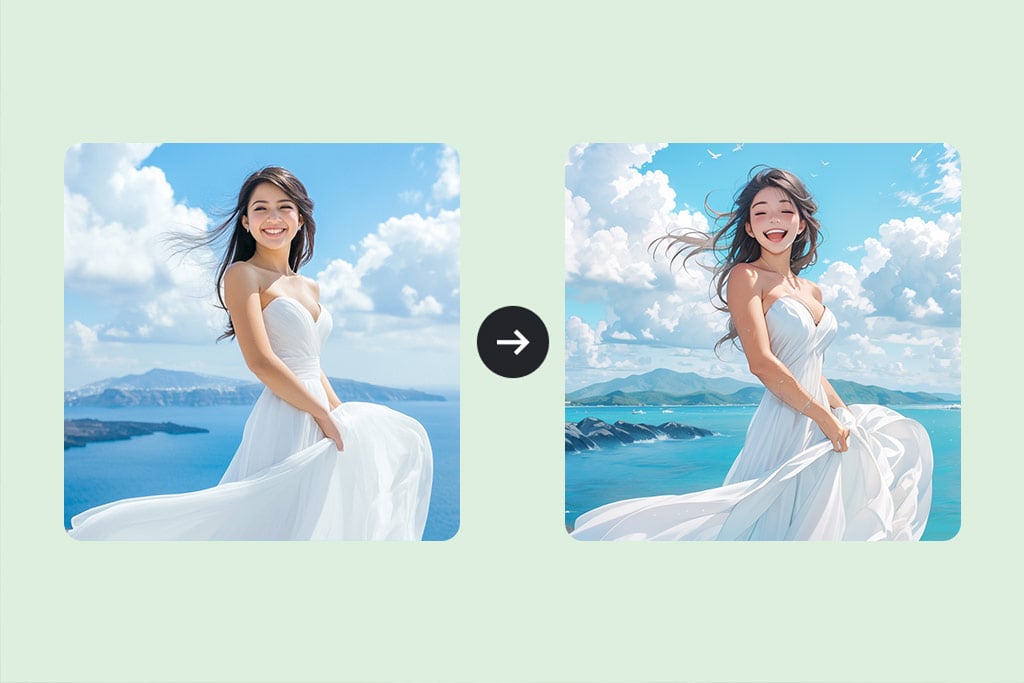
Usando filtros de caricatura basados en inteligencia artificial, puedes convertir tus fotos de paisajes en encantadoras ilustraciones. Gracias a nuestra tecnología única, podrás aplicar efectos de caricatura manteniendo los detalles esenciales de la imagen. Ya sea que captures montañas, playas o ciudades, nuestros filtros añadirán un toque especial a tus fotos. Convierte fácilmente una foto en caricatura sin esfuerzo. Solo elige una imagen, cárgala y, en pocos segundos, obtendrás un resultado impresionante. Este filtro de caricatura es ideal para cualquier persona, incluso si no tiene experiencia en edición de fotos.
Convertir Foto en Caricatura
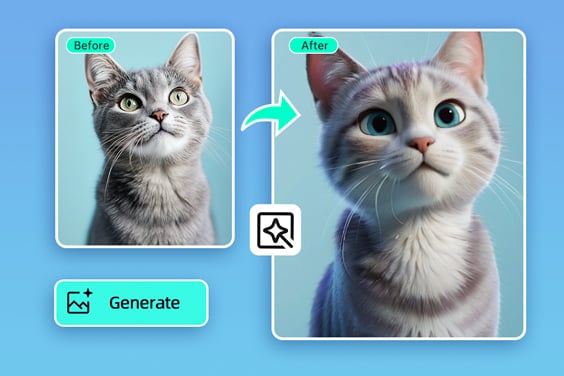
Convierte la Foto de tu Mascota en una Caricatura Adorable
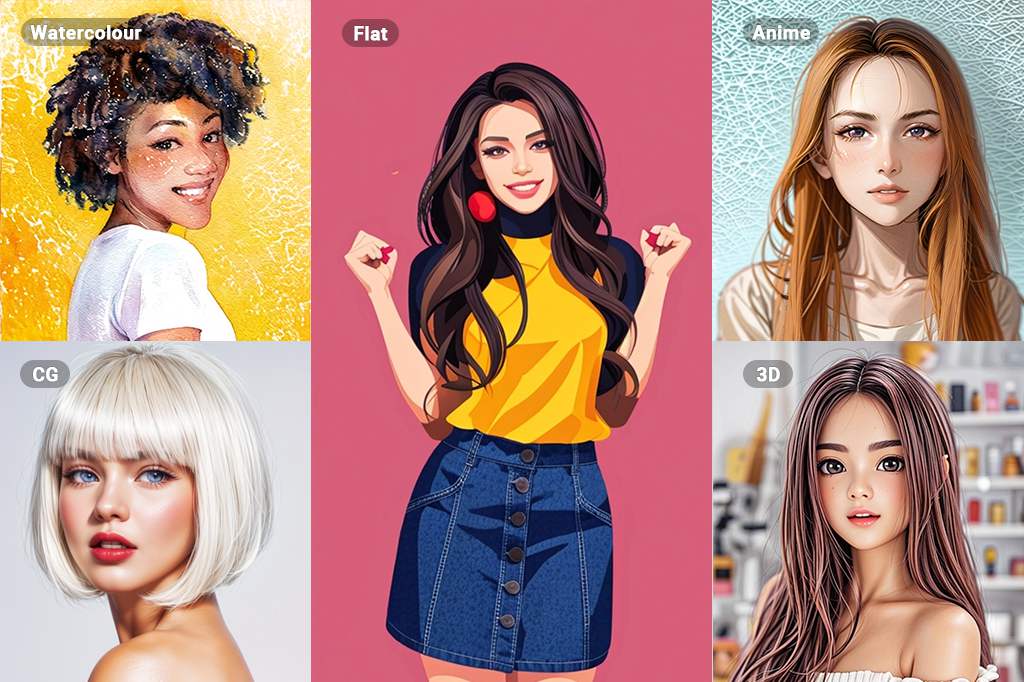
Convierte la Foto de tu Mascota en una Caricatura Adorable

¿Quieres transformar la imagen de tu mascota en una caricatura adorable? Con nuestro generador de foto a caricatura, puedes convertir las fotos de tu mascota en tiernas caricaturas en cuestión de segundos. Nuestra tecnología exclusiva conserva todos los rasgos característicos y el carácter de tu mascota, creando imágenes únicas y personalizadas. Puedes elegir el estilo de caricatura para tu mascota, agregar elementos divertidos e incluso escribir mensajes para hacer que la imagen sea aún más especial.
Convertir Foto en Caricatura
Descubre Más Filtros de Foto con IA

Descubre Más Filtros de Foto con IA

Convertir Foto en Caricatura

Explora más funciones del convertidor de fotos a dibujos animados

Cómo hacerlo: Cómo convertir una foto en caricatura
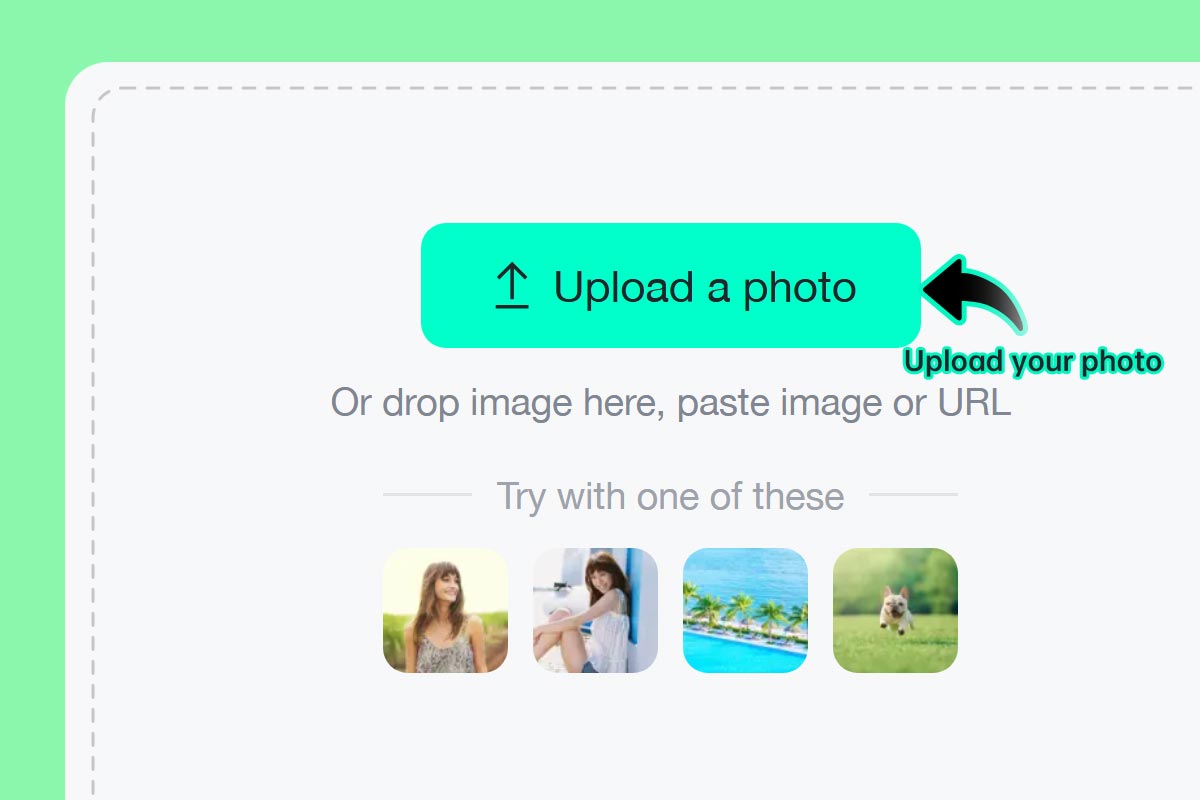
Paso 1: Sube una foto
1

1 Paso 1: Sube una foto

Selecciona tu imagen o selfie favorita y súbela a insMind. Puedes hacerlo desde tu computadora o celular. Nuestra herramienta funciona totalmente online y no requiere instalación.
Paso 2: Elige tu filtro de caricatura favorito
2

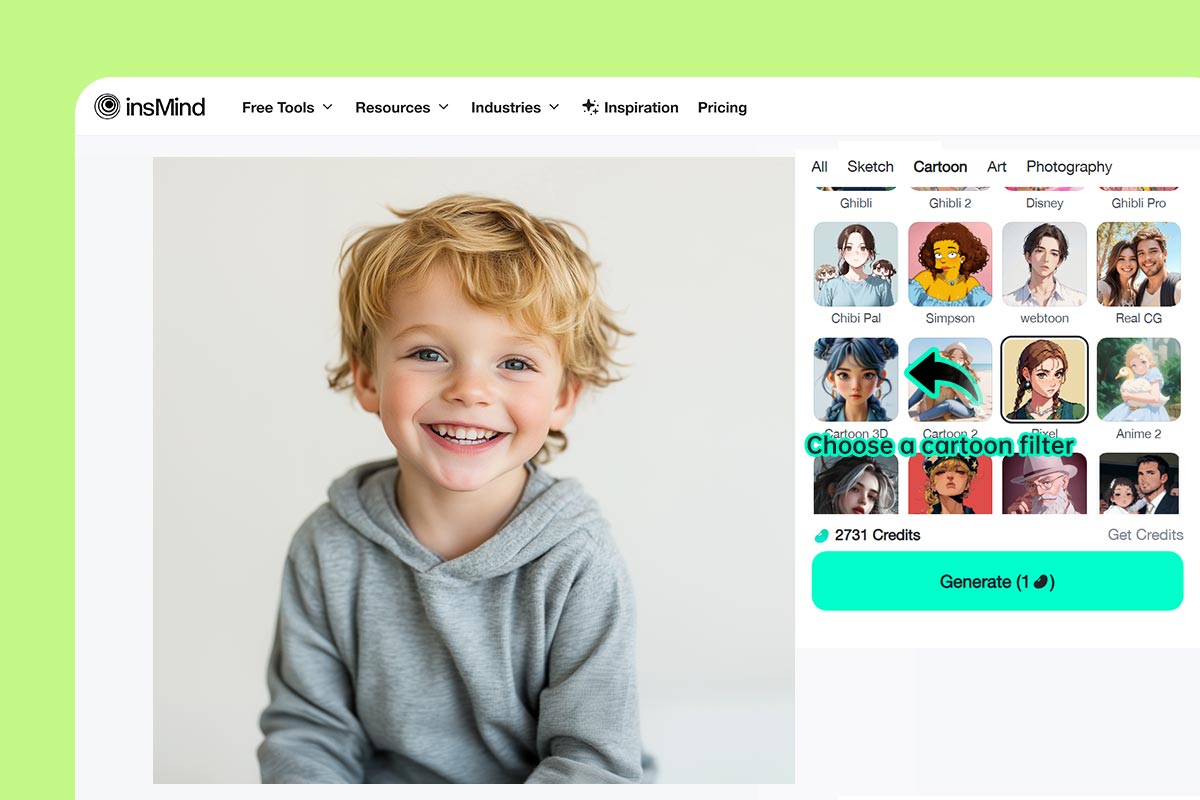
2 Paso 2: Elige tu filtro de caricatura favorito

Elige entre filtros como Simpsons, Anime, Ghibli y muchos otros para adaptar el estilo a tu personalidad.
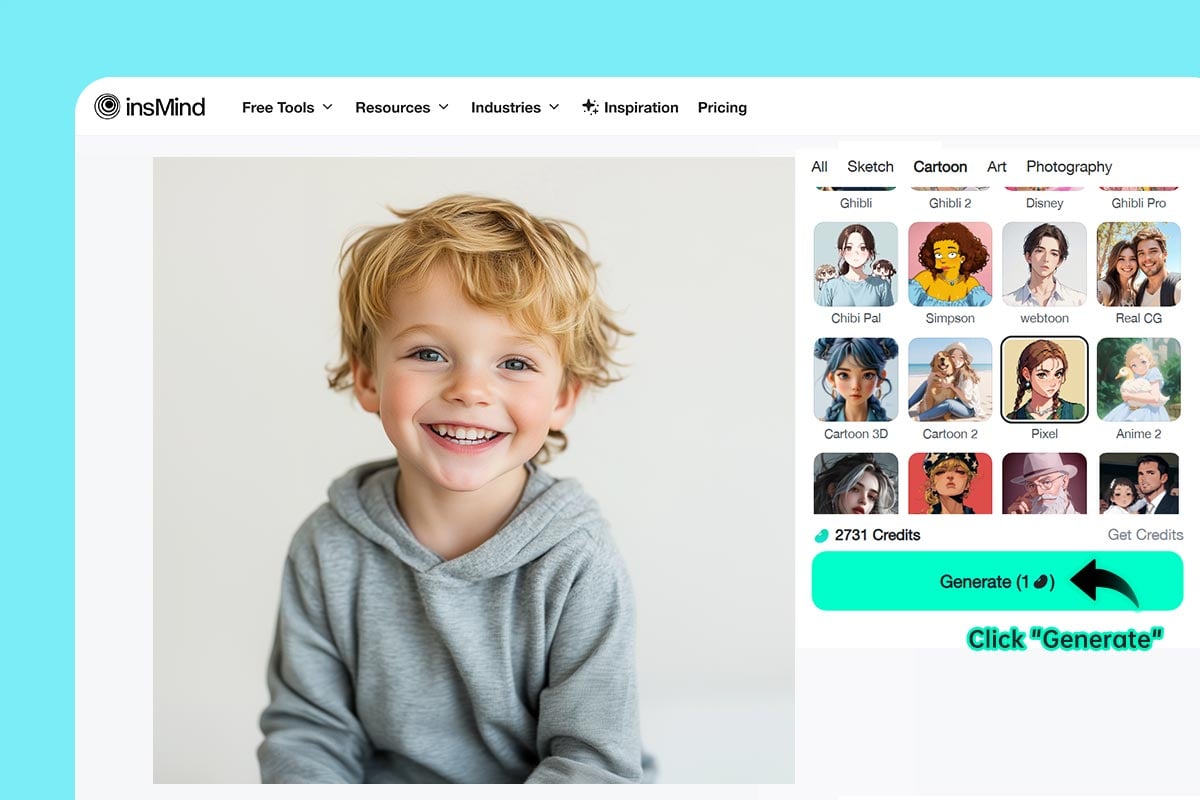
Paso 3: Haz clic en "Generar"
3

3 Paso 3: Haz clic en "Generar"

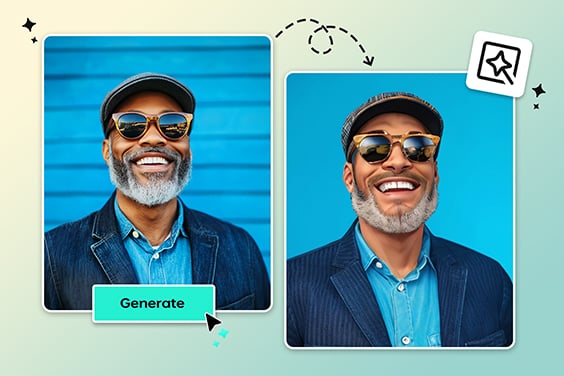
Haz clic en "Generar" y deja que la IA convierta tu foto en una caricatura detallada y creativa.
Paso 4: Descarga y comparte
4

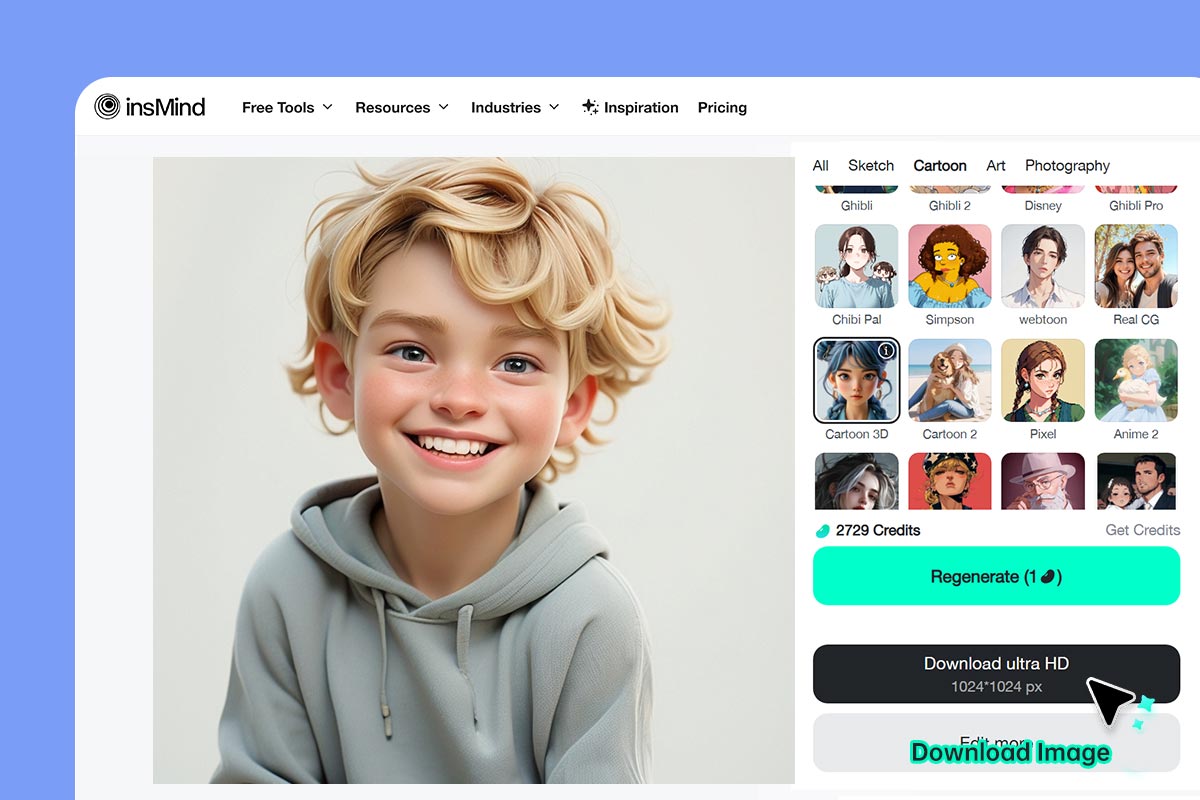
4 Paso 4: Descarga y comparte

Haz clic en "Descargar". En segundos tendrás tu foto caricaturizada, lista para compartir en redes sociales o imprimir.

Convierte tus Fotos en Caricaturas con Filtros de IA

Revisa y mejora tus fotografías y transfórmalas en increíbles caricaturas con las avanzadas soluciones de IA de insMind. Prueba muchas opciones divertidas con nuestras herramientas y crea tu propio personaje de caricatura o cómic con tu mascota.
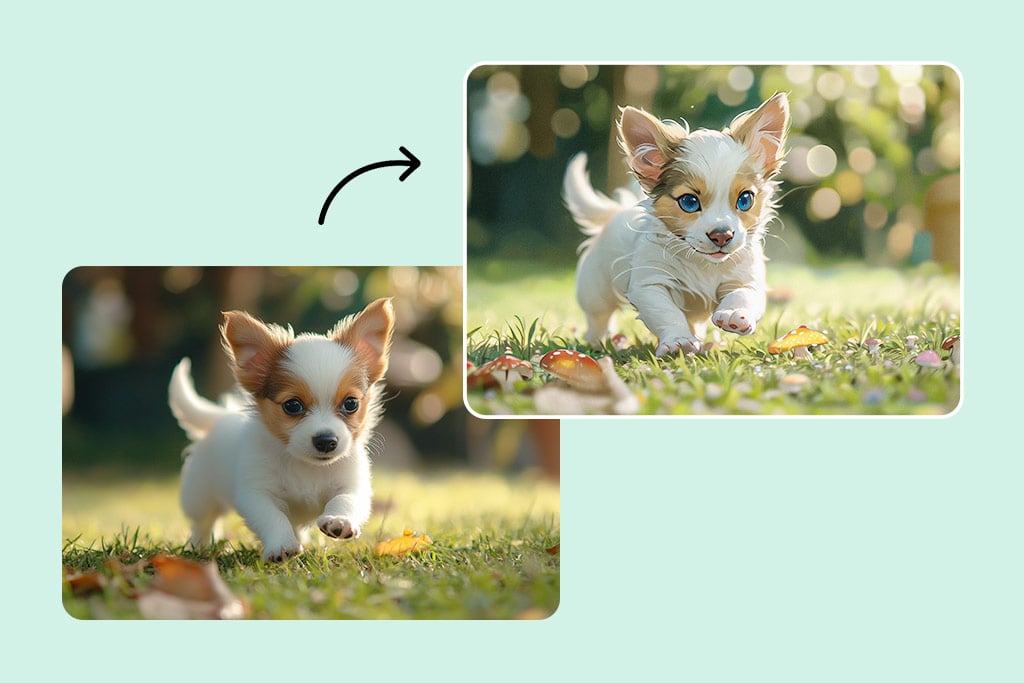
Convierte a tu Mascota en una Caricatura
Convierte a tu Mascota en una Caricatura

Convierte las fotos de tu mascota en caricaturas para resaltar su energía y personalidad. La tecnología de IA preserva sus rasgos únicos y crea imágenes personalizadas que sacarán sonrisas.
Convierte una Foto en un Cómic

Convierte una Foto en un Cómic

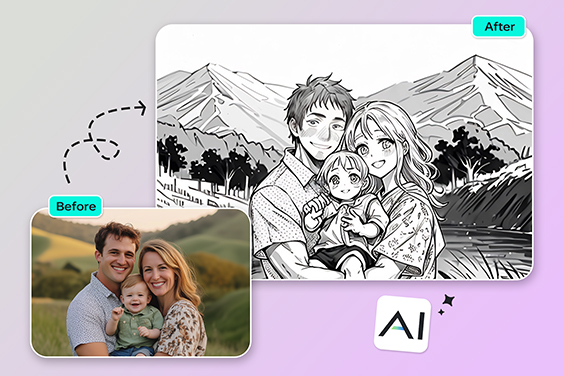
Transforma tus fotos y conviértete en parte del increíble mundo de los héroes y villanos de los cómics. Los filtros de IA te permiten crear tus propias páginas con fondos, globos de diálogo y escenas de acción.
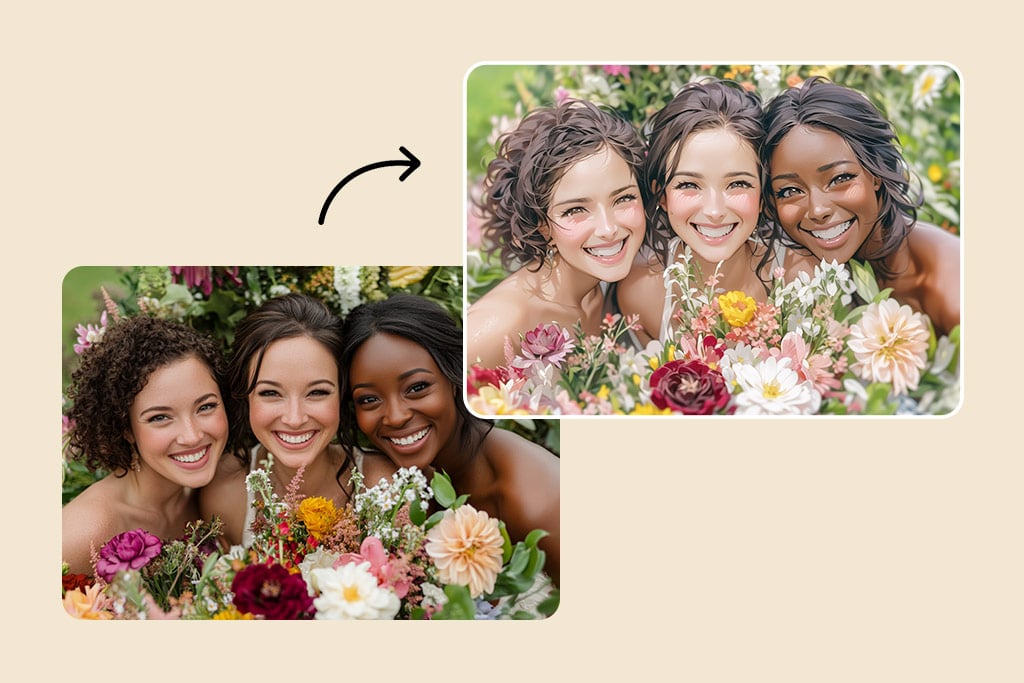
Convierte tu Propia Imagen en Caricatura

Convierte tu Propia Imagen en Caricatura

Crea una versión animada de ti mismo y vive en un mundo lleno de caricaturas. Los filtros de IA pueden transformarte en un personaje de anime, un héroe de manga o un superhéroe de estilo moderno.

¿Por qué elegir el Convertidor de Foto a Caricatura de insMind?

Efectos de Caricatura Rápidos y Fáciles

Efectos de Caricatura Rápidos y Fáciles

Transforma tus fotos en excelentes caricaturas en un solo clic. insMind ofrece una plataforma fácil de usar con IA que no requiere conocimientos de edición de fotos.
Imágenes en Alta Resolución

Imágenes en Alta Resolución

Obtén caricaturas de alta calidad con el convertidor de insMind. Nuestra herramienta genera imágenes nítidas y adecuadas para cualquier pantalla o dispositivo.
Múltiples Estilos de Caricatura Únicos

Múltiples Estilos de Caricatura Únicos

Explora una variedad de estilos artísticos, desde anime clásico hasta divertidos diseños de manga. insMind ofrece múltiples filtros de caricatura diseñados para adaptarse a la creatividad y personalidad de cada usuario.

Preguntas frecuentes sobre el generador de foto a caricatura

¿Qué estilos de caricatura puedo elegir?

insmind expand icon
Puedes elegir entre una gran variedad de estilos usando nuestra herramienta para convertir foto en caricatura, incluyendo Anime, Ghibli, Disney, 3D, Chibi, Clay, PS2, Simpsons y muchos más.

¿Puedo exportar imágenes caricaturizadas en alta resolución?

insmind expand icon
Sí, toda imagen procesada por nuestro editor foto caricatura online está disponible en alta resolución, ideal para imprimir o compartir.

¿Puedo caricaturizar fotos en blanco y negro?

insmind expand icon
Por supuesto. Nuestra herramienta para caricaturizar foto gratis puede colorear imágenes en blanco y negro y aplicar el filtro de caricatura que elijas para un resultado vibrante y personalizado.

¿Cómo puedo convertir mi foto en una caricatura?

insmind expand icon
Solo sube tu foto al creador de caricaturas con IA de insMind y elige el estilo de caricatura que más te guste. Nuestra IA especial transformará rápidamente tu foto en una divertida caricatura.

¿El convertidor de foto a caricatura de insMind es gratis?

insmind expand icon
Sí, si no necesitas descargar imágenes en ultra alta resolución, el convertidor de insMind es completamente gratuito. No hay costos ocultos ni suscripciones obligatorias.

¿En qué formatos puedo guardar mi caricatura?

insmind expand icon
Puedes guardar tu imagen caricaturizada en formato JPEG o PNG de alta calidad.

¿Puedo hacer una caricatura de un paisaje?

insmind expand icon
¡Por supuesto! Nuestro generador de caricaturas con IA puede transformar cualquier tipo de imagen, incluidos paisajes, retratos y arte abstracto.

¿Puedo hacer una caricatura de mi mascota?

insmind expand icon
¡Por supuesto! Crear una caricatura de tu mascota es una excelente manera de destacar su personalidad especial. Solo sube la foto y deja que nuestra IA haga el resto.

Te podría interesar

Haz que tus imágenes destaquen con funciones completamente gratuitas.

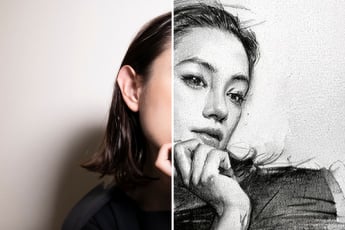
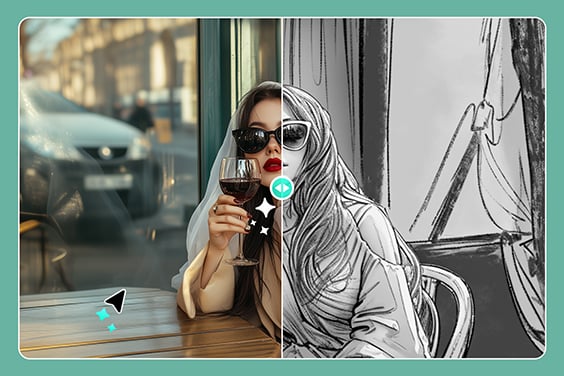
Foto a Boceto

Foto a Boceto

Convierte tus fotos en impresionantes bocetos con nuestra herramienta fácil de usar. ¡Resultados sorprendentes en segundos!
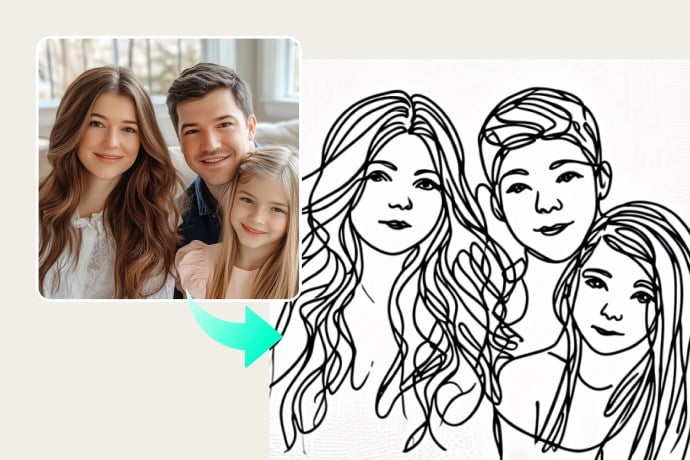
Foto a Dibujo en Línea

Foto a Dibujo en Línea

Transforma tus fotos en dibujos minimalistas con trazos limpios. Perfecto para proyectos creativos o profesionales.
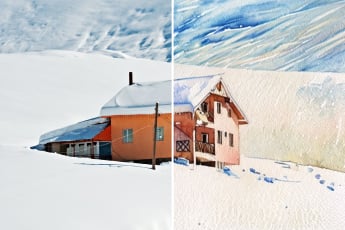
Foto a Acuarela

Foto a Acuarela

Dale un toque artístico a tus fotos con el efecto de acuarela. Convierte tus imágenes en hermosas pinturas en pocos clics.
Foto a Pintura

Foto a Pintura

Convierte tus fotos en auténticas obras de arte con nuestra herramienta de pintura digital.
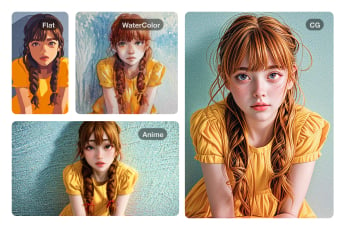
Filtro de IA

Filtro de IA

Explora una variedad de filtros con inteligencia artificial que transforman tus fotos en impresionantes creaciones artísticas con insMind.
Foto a Anime

Foto a Anime

Convierte tu foto en un personaje de anime fácilmente y dale un toque divertido a tu imagen.
Foto a Pixel Art

Foto a Pixel Art

Transforma tu foto en arte pixelado con nuestra herramienta en línea fácil de usar.
Filtro de Cómic

Filtro de Cómic

Dale a tus fotos un estilo de cómic con efectos llamativos y vibrantes.
Filtro IA PS2

Filtro IA PS2

Recrea la estética nostálgica de los juegos de PS2 en tus fotos con la potencia de la IA.
Filtro Disney

Filtro Disney

Convierte tu foto en un adorable personaje de estilo Disney con nuestro filtro con inteligencia artificial.
Filtro Disney Pixar

Filtro Disney Pixar

Transforma tus fotos en personajes inspirados en Pixar con un estilo animado y divertido.
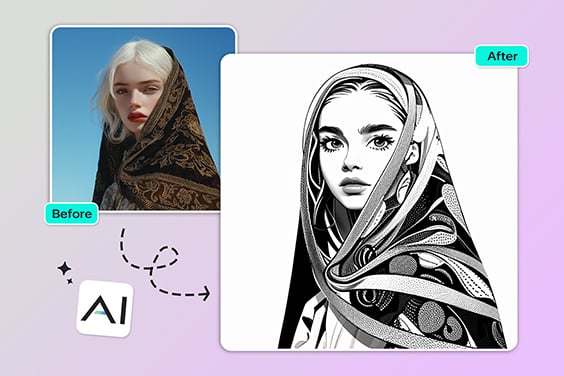
Foto a Contorno

Foto a Contorno

Convierte tus imágenes en ilustraciones con contornos nítidos. Perfecto para bocetos y proyectos creativos.
Filtro Vintage

Filtro Vintage

Aplica un efecto retro a tus fotos con un solo clic y dales un aire nostálgico.
Foto a dibujo a lápiz

Foto a dibujo a lápiz

Convierte fotos en dibujos a lápiz realistas con sombreado detallado para un toque artístico.
AI Clay Filter

AI Clay Filter

Turn your photo into clay art with AI in just seconds!
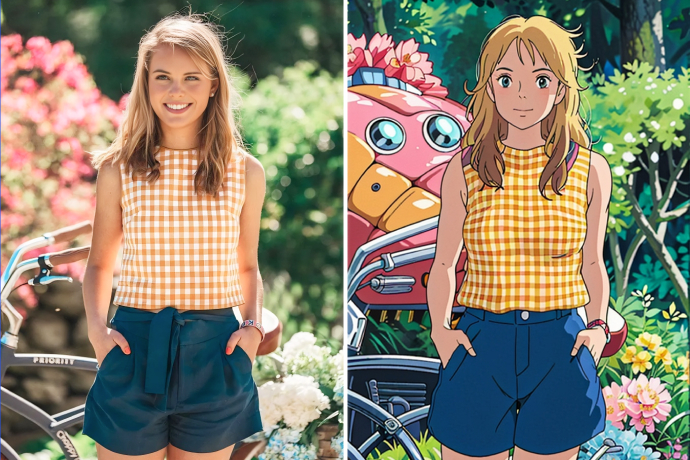
Filtro Estilo Ghibli

Filtro Estilo Ghibli

Convierte tu foto en arte tipo Ghibli con IA.