Convierte una foto a dibujo lineal realista en segundos
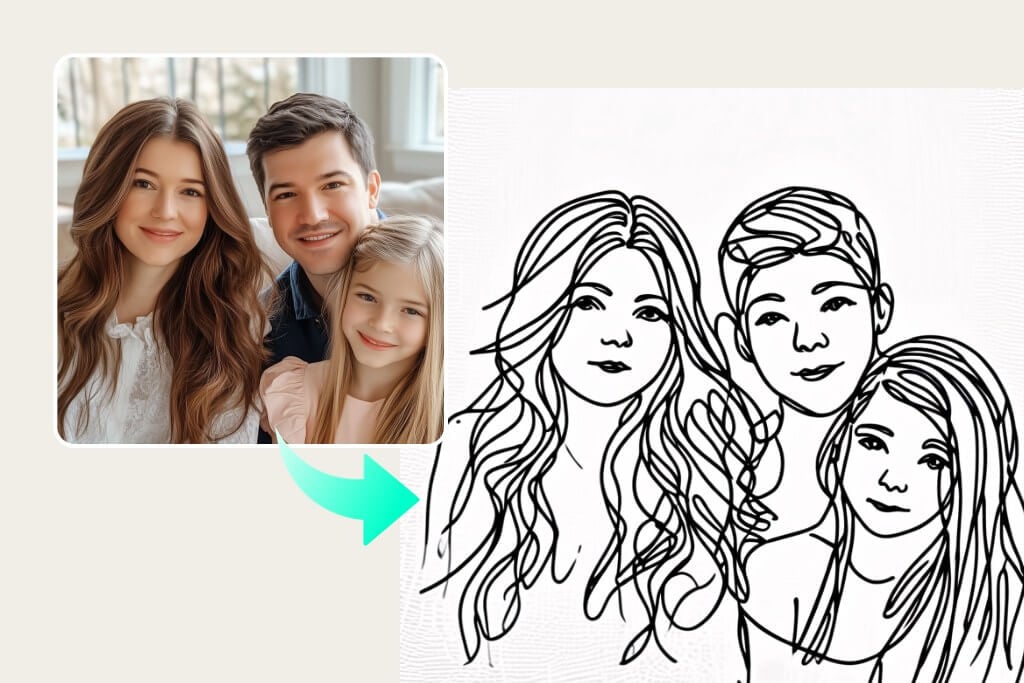
Convierte fácilmente tus fotos en dibujos lineales con un solo clic. Genera dibujos lineales perfectos con cero nivel de habilidad y sin complicaciones, ¡gratis!
O suelta la imagen aquí, pega la imagen o URL
Prueba con uno de estos
Crear Similar
Please handle the uploaded photos strictly according to the original appearance of the people in the pictures - maintaining their facial features, hairstyles, race, posture, and proportions. Use a slightly downward shooting angle, a fixed focal length of 50mm, aperture f/2.8, shutter speed 1/180 second, and a medium close-up lens. Cut the scene below the character's feet.
Character clothing: The female: wearing a bright yellow vintage dress and black Mary Jane dance shoes. The male: wearing a white shirt, a dark tie and slacks.
Actions: The female: the center of gravity is on the right leg, the left leg is lifted and bent, the toes are straightened, the upper body is slightly twisted and reclined to the left, the right arm is raised to the left upper corner, the left arm is extended and lightly touches the male.
The head turns to the right, looking at the male, with a smile on the face. The male: the center of gravity is on the left leg, the right leg is bent and drawn inward, the toes touch the ground. The upper body is slightly twisted and leans to the right, the left arm is raised to the upper right corner, the right arm is bent and gently supports the female, the head turns to the left, looking at the female, with a focused expression.
Two-person interaction: eye contact, arms touching each other, corresponding movements, forming a dual dance interaction posture.
Scene: Dark gray hard viewing platform ground, on the right side, a tall vintage white street lamp. The night view of Los Angeles, the city lights blend into one, the building outlines are faintly visible in the night. The dark silhouette of distant mountains is cut in the middle between the city and the stars, dividing the picture layers. The deep gradient purple-blue starry sky, dotted with dense white star points, creating a dreamy visual effect.
Please process each person exactly as they appear in the uploaded photos - maintaining their facial features, hairstyle, race, posture and proportions. Keep the same number of people as in the original image.
Create a vertical 4K triptych consisting of three equally wide horizontal panels, seamlessly stitched together, presenting all the original figures together.
Character clothing: Woman: White flowing dress, Man: White shirt + dark pants.
Overall scene and atmosphere: Sunset beach, moist sand, gentle waves, the setting sun forming golden reflections on the water, distant coastline and cliff silhouette, the sky dyed warm golden by the setting sun.
Use a 35mm standard prime lens as the main lens, with a sensitivity of 400, aperture of f/2.8, shutter speed of 1/180 seconds, balancing both the environment and the details of the characters, with natural perspective.
Colors: Warm golden, orange, soft white, throughout the warm-toned atmosphere of the golden hour of the sunset.
Frame 1 - Medium shot
Side backlighting of the sunset, the edges of the characters are outlined by the sunlight, the sea and the sand reflect warm light, the overall tone is warm and transparent, full of a dreamy feeling.
Action: Woman: Long hair is lifted by the sea breeze, the body slightly reclines, dancing together with the man, the posture is light and romantic. Man: Both hands wrap around the waist of the woman, the body slightly leans to the side, looking down gently at the woman,
Frame 2 - Close-up shot
The foreground core is a hand close-up, occupying the main part of the frame, fully presenting the details of the cuffs of the woman and the man, as well as the clasped hands. Background: Blurred sky in warm golden color.
Frame 3 - Close-up shot
Straight-on view, focusing on the upper body of the characters, action: Woman: The head leans lightly on the man's shoulder, eyes closed lightly, expression gentle and relaxed. Man: Looking at the camera, head of the woman rests together with his, background: Blurred sea and sky
Please process each person exactly as they appear in the uploaded photos - maintaining their facial features, hairstyle, race, posture, clothing, and proportions.
Create a vertical 4K (2160×3840) triptych, consisting of three equally wide horizontal panels, seamlessly stitched together, presenting all the original figures together.
Using mainly 35mm/50mm standard fixed focal lengths, aperture f/2.8, shutter speed 1/180 second, flash on.balancing both the environment and the details of the people, with natural perspective
Color: Soft diffused light on a cloudy day, no strong shadows, a typical film-like retro green tone, low saturation and cool base + warm skin tone, a serene and distant atmosphere
Panel 1 - Back view
Shot from slightly behind, showing the back and side outlines.
The center of the panel: a man and a woman holding hands and walking forward, with relaxed and natural postures, both in back view + side view
Background: Yellow-green long grass covering the edge of the cliff, grass leaves swaying gently in the wind, calm blue-green sea surface, soft ripples, steep cliff on the right, clear rock textures, distant coastline blurred
Panel 2 - Close-up shot
Shot size: Medium close-up, frontal view, focusing on the interaction of the upper body and face
The two main characters' foreheads touch, their faces gently caress each other, an extremely intimate emotional interaction, full of tenderness and attachment.
Background: Blurred coastline and sea surface,
Panel 3 - Medium shot
Level view with slight overhead, showing sitting and leaning positions,The two are quietly leaning against each other, the woman's head resting on the man's shoulder, facing the camera, with relaxed limbs, presenting a calm and comforting sense of companionship after a journey
Scene: Yellow-green long grass-covered ground, clear grass leaf textures, open sea surface and cliff, distinct layers, a serene and healing atmosphere
Please process each person exactly as they appear in the uploaded photos - maintaining their facial features, hairstyle, race, posture and proportions.Create an 8K vertical triptych consisting of three equally wide horizontal panels, seamlessly joining the three panels together, showing all the original characters.
Overall scene: An empty ground covered with thick snow, clear footprints, a dark, silent and empty background. On the right side of the picture, there is a tall, warm yellow street lamp. Strong wind and snow dynamic, large snowflakes flying diagonally, creating a romantic atmosphere of a winter night, with a quiet and romantic cinematic feel.Character clothing: Woman: Light-colored long coat + same color pants + beige knitted hat. Man: Dark-colored long coat + dark-colored pants.Use a 35mm/50mm standard fixed focus as the main method, with a sensitivity of 400, aperture of f/2.8, shutter speed of 1/180 seconds, balancing both the environment and the details of the characters, with natural perspective.Light and atmosphere: The overall color tone is cold, with a warm color light source. The light is soft, and the snowflakes form light spots under the light, creating a contrast between the cold snowy ground and the warm light.
Scene 1 - Medium shot
Frontal view, fully capturing the full body dynamics of the charactersAction: The two are holding hands and running forward, the woman's arms are naturally spread out, the body slightly leaning forward, full of vitality; the man is holding the woman.
Scene 2 - Close-up shot
Action: The two are tightly embracing, facing the camera, the expressions of both are happy.Background blurring
Scene 3 - Subjective shot
Foreground (man): Only the back and shoulders are presented, the hair and shoulders are covered with snow, the gaze is directed towards the woman in the distance.Background (woman): In the distance, the whole body, arms spread out, light steps, smiling and looking back at the man, a lively posture
This is a low-angle overhead close-up shot captured with a 24mm wide-angle fixed-focus lens. It has a shallow depth of field, with the main character, the little golden puppy, occupying approximately 50% of the vertical height of the frame. It is the absolute visual subject. The foreground consists of a close-up sharp cluster of lush clover and white flowers. The mid-close-up is the core golden puppy (running forward, raising its front paws, with a cheerful expression) holding a white hard card in its mouth. The card reads "Be my valentine?" (with a brushstroke feel, handwritten). Below the black text, there is a heart-shaped pattern. The background is the expansive grassland, deep green forest, and blue sky and white clouds in the medium and long shot. The 24mm wide-angle lens enhances the sense of depth and the sense of the grassland enveloping the scene. The low-angle overhead shot makes the puppy's posture appear more lively. The shallow depth of field highlights the subject, and the environment is fresh and bright. The dynamic running of the puppy and the expansive natural scene form a contrast of "small subject, large environment", highlighting the vitality and cuteness of the animal, while also showcasing the healing and vitality of the natural scene. The dynamic blur of the running. No people
The obese chinchilla stands upright on the beige sofa. The chinchilla's eyes are bright and it looks directly at the camera. The chinchilla's body is round, its ears are large. It wears a black mini bow hat. Its left front paw holds a white card with the words "be my valentine?" (handwritten, pen script) Below the black text, there is a heart-shaped pattern. The chinchilla has a cute, innocent, and obedient expression, looking gentle and serious. The shot is 50mm medium focal length, with a large aperture and shallow depth of field. The indoor light is soft and natural, with a centered composition. It has high-definition texture and soft background blurring.
{"scene_description":"A wide-angle cinematic shot of a young couple dancing in a heavy snowstorm at night. The woman is positioned on the left of the frame, the man on the right, on a thick, textured blanket of white snow.","subjects":{"woman":{"action":"Twirling gracefully, holding the hem of her dress with one hand and the man's hand with the other.","attire":"Elegant off-the-shoulder white wedding gown with a full, flowing silk skirt and long sheer sleeves.","appearance":"Use uploaded female character, lock face + hair color, do not lock hairstyle/makeup/expression, smiling joyfully."},"man":{"action":"Leading the dance, holding the woman's hand while stepping forward slightly.","attire":"Tailored classic black suit with a white dress shirt.","appearance":"Use uploaded male character, lock face + hair color, do not lock hairstyle/makeup/expression."}},"environment":{"ground":"Deep, powdery snow with visible footprints and soft undulations.","atmosphere":"A heavy blizzard with thick, elongated white snowflakes falling diagonally across the frame.","background":"A dark, void-like night sky that creates a sharp contrast with the brightly lit foreground."},"lighting_and_color":{"lighting_style":"High-key spotlighting from above, creating a glow on the subjects and the snow while leaving the background in deep shadow.","color_palette":"Monochromatic contrast of stark whites, deep blacks, and neutral grays.","mood":"Romantic, ethereal, and dramatic."},"technical_specs":{"aspect_ratio":"2:3 (vertical)","camera_angle":"Eye-level, medium-wide shot.","focal_details":"Soft focus on the falling snow to create a sense of motion blur, while the subjects remain the primary focal point."}}
A photograph of [auto_detected_photo_subject] with a [auto_detected_photo_mood] mood.
Overlay a handwritten paint effect in a [auto_selected_paint_style] style
using a [auto_selected_paint_color] color.
The painted elements will include simple illustrations, shapes, and short text or phrases
that organically complement the image's detected theme and atmosphere.
A photograph of [auto_detected_photo_subject] with a [auto_detected_photo_mood] mood.
Overlay a handwritten paint effect in a [auto_selected_paint_style] style
using a [auto_selected_paint_color] color.
The painted elements will include simple illustrations, shapes, and short text or phrases
that organically complement the image's detected theme and atmosphere.
A photograph of [auto_detected_photo_subject] with a [auto_detected_photo_mood] mood.
Overlay a handwritten paint effect in a [auto_selected_paint_style] style
using a [auto_selected_paint_color] color.
The painted elements will include simple illustrations, shapes, and short text or phrases
that organically complement the image's detected theme and atmosphere.
A creative top-down shot where a giant, Hyper-realistic top-down macro photography. A long, light green WhatsApp speech bubble acting as a dining table. Reproduce the two figures in the picture at a 1:1 ratio,Two real living humans (shrunk to tiny scale) are sitting at dialog box opposite ends. They are NOT plastic figures; they have visible skin texture, natural hair, and realistic clothing folds. The two characters looked up towards the camera.The characters are seated on both sides of the picture (on the left and the right).They are eating real food that looks freshly cooked, not play-doh. The text inside reads: "See you at 10 o'clock tonight!". Bottom right has a timestamp '2:43 PM' and blue ticks. The background is completely filled with a high-density, seamless WhatsApp doodle pattern (line art icons) covering the entire surface edge-to-edge with no empty spaces, resembling the original dense WhatsApp wallpaper. Professional studio lighting, 8k resolution, sharp focus.The composition is symmetrical and has a very strong sense of graphic design.Set the image generation ratio to 4:3"
A creative top-down shot where a giant, Hyper-realistic top-down macro photography. A long, light green WhatsApp speech bubble acting as a dining table. Reproduce the two figures in the picture at a 1:1 ratio,Two real living humans (shrunk to tiny scale) are sitting at dialog box opposite ends.They were sitting in the chairs with their bodies relaxed, leaning against the backrests of the chairs. They are NOT plastic figures; The man was wearing a burgundy velvet suit, and the woman was wearing a deep V-neck evening dress in the same color.they have visible skin texture, natural hair, and realistic clothing folds. The two characters looked up towards the camera.The characters are seated on both sides of the picture (on the left and the right).They are eating real food that looks freshly cooked(Candlelight dinner, wine glass, wine, steak), not play-doh. The text inside reads: "Let's have dinner together!🍷". The text is in the middle of the bubble box, while the food is on the left and right sides of the bubble box.Bottom right has a timestamp '10:43 AM' and blue ticks. The background is completely filled with a high-density, seamless WhatsApp doodle pattern (line art icons) covering the entire surface edge-to-edge with no empty spaces, resembling the original dense WhatsApp wallpaper. Professional studio lighting, 8k resolution, sharp focus.The composition is symmetrical and has a very strong sense of graphic design.Set the image generation ratio to 4:3"
A creative top-down shot where a giant, Hyper-realistic top-down macro photography. A long, light green WhatsApp speech bubble acting as a dining table. Reproduce the two character in the picture at a 1:1 ratio,Two real living pet (shrunk to tiny scale) are sitting at dialog box opposite ends. They are NOT plastic figures; they have visible natural hair, The two characters looked up towards the camera.The characters are seated on both sides of the picture (on the left and the right).They are eating real food (Raw beef, raw fish),not play-doh. They sits on a miniature wooden chair.The text inside reads: "Go to the garden to play?💗". Bottom right has a timestamp '2:43 PM' and blue ticks. The background is completely filled with a high-density, seamless WhatsApp doodle pattern (line art icons) covering the entire surface edge-to-edge with no empty spaces, resembling the original dense WhatsApp wallpaper. Professional studio lighting, 8k resolution, sharp focus.The composition is symmetrical and has a very strong sense of graphic design.Set the image generation ratio to 4:3,
Ultra-realistic digital illustration style, themed around the scene from the user-uploaded image, presenting the passage of the four seasons within a single, unified composition. From left to right, the image naturally transitions through winter, spring, summer, and autumn:
The far left depicts winter, showing a cold, snow-covered environment. Gradually moving right, the snow melts, nature awakens, and fresh buds emerge, signaling a vibrant spring. Continuing further, vegetation becomes dense and lush under bright, intense sunlight, revealing the fullness of summer. Finally, the scene gently transitions into autumn on the far right, where leaves gradually turn golden yellow and orange-red, expressing the rich colors and atmosphere of fall.
The entire image has no visible dividing lines; climate, lighting, and vegetation blend seamlessly between seasons, creating smooth transitions and forming a unified composition filled with a sense of time’s flow and symbolic meaning. Rich, highly realistic details, cinematic-quality lighting and shading, 8K ultra-high resolution, fine and delicate textures, 4:3 aspect ratio.
Make a photo in a perfectly isometric angle. It must be a realistic live-action photographic style, not illustration or CGI. It is not a miniature; it is a real captured photo that happens to be perfectly isometric. The photo shows a real-life office Christmas party.
Use the subject from the uploaded photo — including the subject’s actual gender — and apply an artistic red–blue double-exposure effect using two poses of the same person. Keep the base layer as the original pose and background exactly as in the uploaded photo. Generate a second pose where their head angle, facial direction, or expression is slightly different, as if captured a moment earlier or later. Color the second pose in red, the base pose in cyan, and offset the layers to create a clean ghosting effect. Preserve skin texture, tattoos, contrast, and maintain the original background.
Use the subject from the uploaded photo and transform it into a 1/7–scale premium ornament. Preserve the original shape, structure, and details of the product exactly as in the uploaded image (do not remove lids, change openings, or alter any design elements). Render it realistically with smooth, high-quality textures, clearly toy-like but not lifelike human skin. Hang this ornament on an indoor Christmas tree using a wide silk ribbon or string, ensuring it blends naturally with the branches. The scene should be warm and festive, filled with golden lights, ornaments, and a cozy Christmas glow. Ensure the product feels like a high-end collectible, fully integrated with the environment, with the image clean, clear, and focused on the ornament.
{
"scene": {
"type": "aerial_drone_view",
"perspective": "top-down, looking directly at the object from above",
"background": {
"type": "urban_cityscape",
"lighting": "realistic daylight with natural shadows and reflections"
}
},
"subject": {
"object_type": "large_luxury_shopping_bag",
"material": "smooth, premium leather or high-quality glossy finish",
"details": {
"logo": "golden 'InsMind' embossed",
"contents": "filled with products from user-uploaded images",
"suspension": "hanging from a wide silk ribbon under a drone"
},
"lighting": "soft and realistic highlights and shadows on the surface",
"texture": "highly detailed, tactile, realistic reflections"
},
"composition": {
"framing": "ultra high-quality, professional, cinematic composition",
"focus": "shopping bag in sharp detail, cityscape slightly blurred",
"quality": "ultra-detailed, photorealistic, high-resolution rendering"
}
}
Use the nano pro model to generate a Christmas tree formed by deep green ribbons spiraling upward with smooth curves and a glossy, dimensional texture. Decorate the tree with the beauty products from the user-uploaded image, preserving their original appearance, colors, packaging, and printed details without alteration.
Add silver Christmas balls, heart-shaped ornaments, a vintage pocket watch, and red-and-white candy canes as additional festive elements. The background should be a clean, rich red tone that feels premium and vibrant. Use soft, bright lighting to highlight the ribbon texture and showcase the beauty products clearly. Maintain a centered, balanced composition with a modern, celebratory visual style.
Use the animal from Image 1 as the subject.
Use the tall product from Image 2 as the giant object.
A bright, clean European-style living room corner with warm tones, soft textures, and elegant home décor.
Top-down (slightly high-angle) perspective. Soft, bright ambient lighting.
The animal from Image 1 stands upright on its hind legs, lifting its front paws to hold and cling onto the super-enlarged, vertically standing product from Image 2 (the product should be significantly taller than the animal).
The animal slightly turns its head toward the camera, looking directly into the lens with a lively, natural, energetic expression.
The product from Image 2 must receive lighting, reflections, shadows, and ambient bounce light consistent with the European-style living room, ensuring it visually blends into the environment naturally and convincingly.
Clear textures, gentle color palette, warm atmosphere, natural shadows, harmonious scale contrast.
Cute, fresh, soft-Japanese aesthetic blended with a European interior setting.
High-resolution render, no additional characters, no extra props unless necessary for realism.
This is an EDIT using the subjects from the uploaded images:
– The animal identity, fur, and posture must follow Image 1.
– The product appearance, material, and shape must strictly follow Image 2, with environmental lighting integration.
– Background is new (European-style living room).
– Keep composition consistent with a warm lifestyle photo.
Use the person from the user’s uploaded Image 1 holding a giant-sized version of the product from Image 2.
Bright metal elevator interior, brushed stainless-steel texture, clean reflections, soft overhead lighting.
Slight top-down camera angle from elevator ceiling corner.
Fresh Japanese aesthetic: airy tones, gentle contrast, light desaturation, natural skin texture.
The person’s expression and posture remain true to Image 1, but with natural, youthful energy, relaxed shoulders, lively eyes.
The giant product should feel physically present with correct lighting, proportional shadows, and slight squeeze in the character’s arms to show weight.
Elevator control panel and metal seams visible for realism.
Overall atmosphere: playful, clean, bright, modern.
This is an EDIT, not a new character.
Preserve: facial identity, hairstyle, clothing style, and camera perspective from Image 1.
Integrate giant product from Image 2 seamlessly into the person’s arms.
The Cat robot, presented in a high-contrast scientific studio render against a pure black void. This tight right-side profile features a false-color thermal X-ray aesthetic, where the transparent shell reveals a sharply detailed internal architecture of batteries, drivers, and sensors using a vibrant heatmap gradient. The colors shift from deep cool blues to intense yellows and red highlights, creating a futuristic, clinical look with orthographic perspective and a soft, neon-like glow.
Puppy nose close-up with a fisheye lens, exaggerated perspective, rounded frame, edges warped, playful expression, soft daylight, warm tones, social media viral style, background outside fisheye area completely black.no text
A hyper-realistic fisheye wide-angle selfie, captured with a vintage 35mm fisheye lens creating heavy barrel distortion. without any camera or phone visible in the subject’s hands.
Subject & Action: A close-up, distorted group photo featuring [Person From Uploaded Image] taking selfie with Jesus and Santa Claus. Everyone is making wild, exaggerated faces, squinting slightly from the flash.
Lighting & Texture: Harsh, direct on-camera flash lighting that creates hard shadows behind the subjects. Authentic film grain, slight motion blur on the edges, and chromatic aberration. It looks like a candid, amateur snapshot as if captured during a chaotic behind-the-scenes moment, not a studio photo.
Extreme wide-angle remix EDIT.
Use the original image as strict reference for the person’s identity, hairstyle, outfit style, and the SAME location type. This is an EDIT, not a new character.
Generate a 4-panel grid (2×2). Each panel MUST have a different pose, angle, and near-lens body part. No repetition.
Camera / Perspective
Ultra-wide / fisheye (12–18mm). Dramatic angles required: worm’s-eye, bird’s-eye, low/high, Dutch tilt. Strong foreshortening: near-lens parts appear huge. Photorealistic fashion/street style.
Background
Keep SAME location; do NOT replace it. Different angles may show new areas—extend environment logically with matching structures, materials, colors, lighting.
Near-lens Parts (1–2, sometimes 3)
Each panel uses different parts: hands/fingers, feet/shoes, knees/thighs, face, shoulders/chest. Must come extremely close with clear texture and distortion.
Pose / Body
Each panel must have a UNIQUE dynamic pose: standing with limbs forward, crouching, sitting, lying with feet toward lens, leaning in, twisting, crossed legs, arched back. Complex combos allowed (hands+feet, both hands, both feet, face close with limbs in perspective). Anatomy must remain believable.
Angle / Attitude
Randomize orientation per panel (up/down/side/tilt). Keep cool, confident fashion/editorial or street vibe. Expressions can vary but must remain the same person.
Lighting / Rendering
Keep lighting/time consistent with original. You may enhance contrast/color. Maintain realistic shadows and ground contact. High-resolution, sharp textures.
Variation (VERY IMPORTANT)
All 4 panels must differ clearly:
– different camera angles
– different poses
– different near-lens parts
– different orientation
Avoid ANY repeated composition.
Strict Rules
Do NOT change the person.
Do NOT change outfit type.
Do NOT move to another location.
Do NOT add text/logos.
Do NOT use illustration/anime; keep photorealistic.
A giant Christmas 3D billboard on the side of a modern building in a lively urban street adorned with festive Christmas lights, wreaths, and ornaments. On the 3D billboard is a confident woman (from attached image) wearing a festive yet fashion-forward outfit — glittery red jacket, green stylish scarf, patterned boots. She’s striking a playful pose, throwing a snowball that seems to come out of the billboard. Next to her, bold text styled like a luxury holiday slogan reads: “FROSTY & FABULOUS” with tagline "MAKE WINTER FUN". The 3D billboard combines high-fashion elegance with humorous Christmas vibes. Photorealistic, stylish, culturally modern, and meme-inspired.
Crear similar
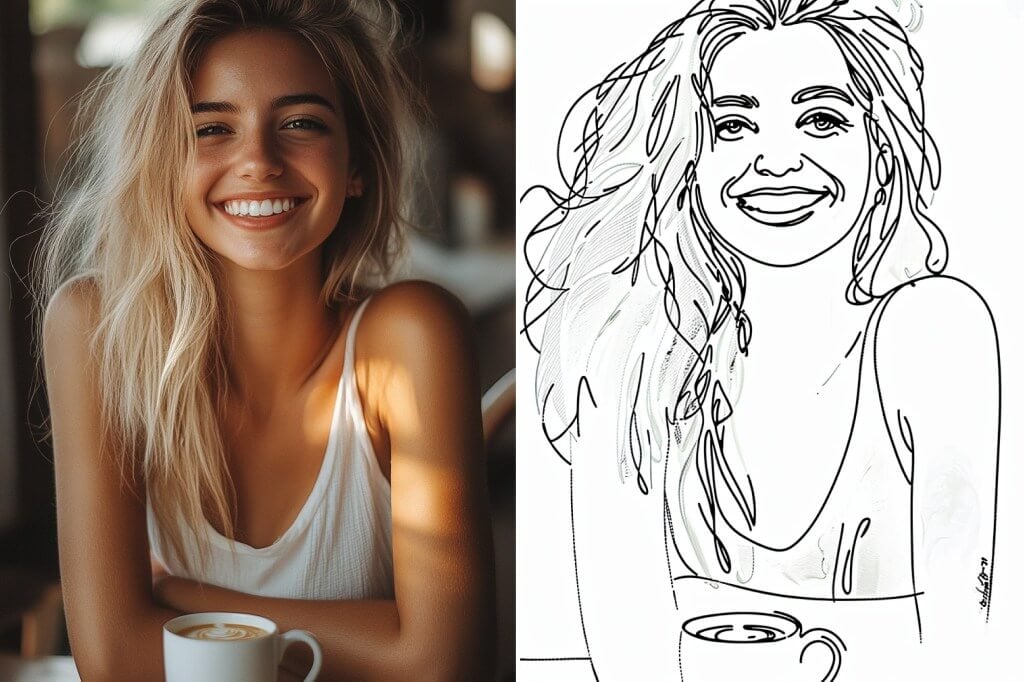
Convierte una foto en un retrato de dibujo lineal sin esfuerzo
¿Quieres un dibujo lineal que capte la esencia de tu personalidad? ¡Sube tus fotos de retrato y deja que insMind haga su magia! El filtro de dibujo lineal de insMind es perfecto para crear arte asombroso en cualquier orientación, ofreciendo una calidad constante y versatilidad para todos tus proyectos creativos.
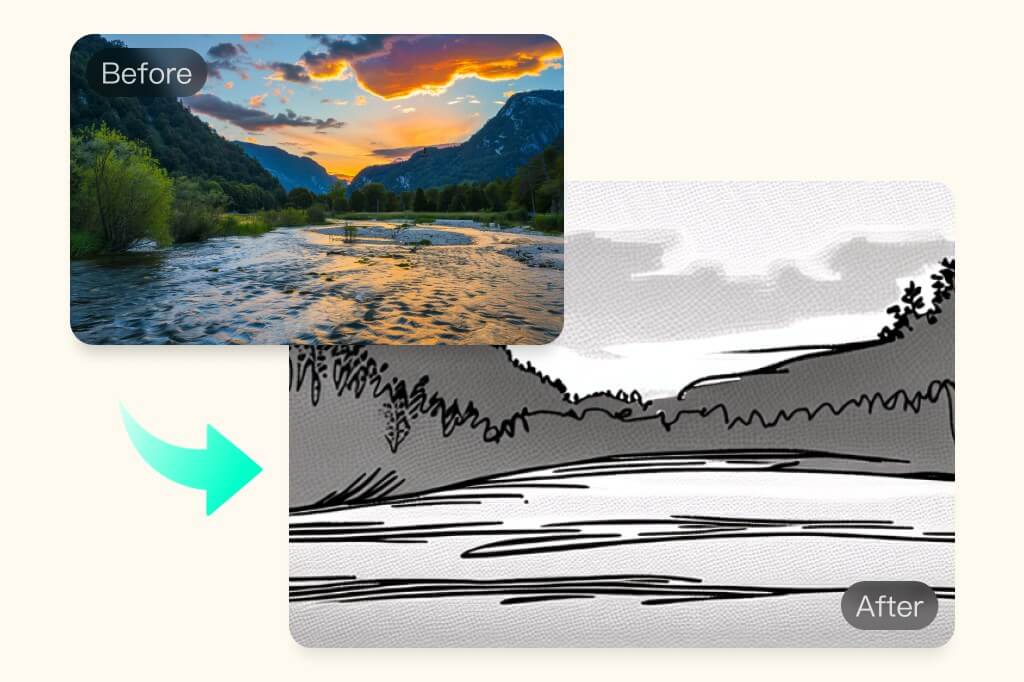
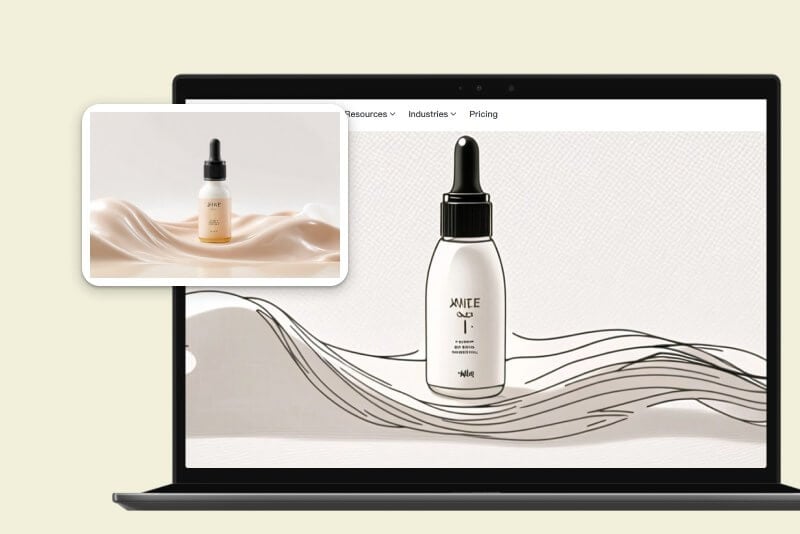
Genera arte realista y bien ajustado en modo horizontal. Convierte fotos de paisajes en dibujos lineales en un minuto, ya sea por trabajo o por diversión. insMind AI puede mejorar tus fotos con bocetos realistas, incoloros o coloreados. Sube tu foto ahora, obtén un arte lineal de alta calidad con todo lujo de detalles, y explora una amplia gama de oportunidades creativas.
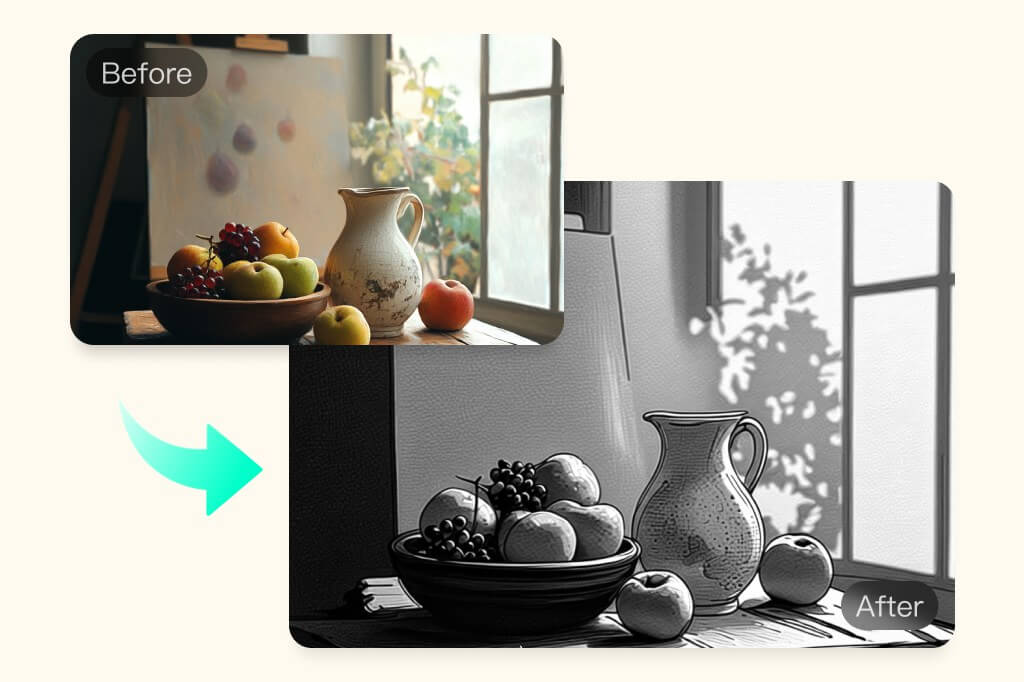
Convierte cualquier imagen en un dibujo lineal artístico
Encuentra la herramienta de arte lineal con IA perfecta para convertir tus fotos en bocetos artísticos. Convierte tus imágenes en caricaturas con nítidos efectos de detalle para obtener ilustraciones nítidas. Utiliza los potentes filtros con IA para crear divertidos dibujos de alto nivel en insMind de forma gratuita. ¡Perfecto para artistas profesionales o simplemente para divertirse de forma creativa!
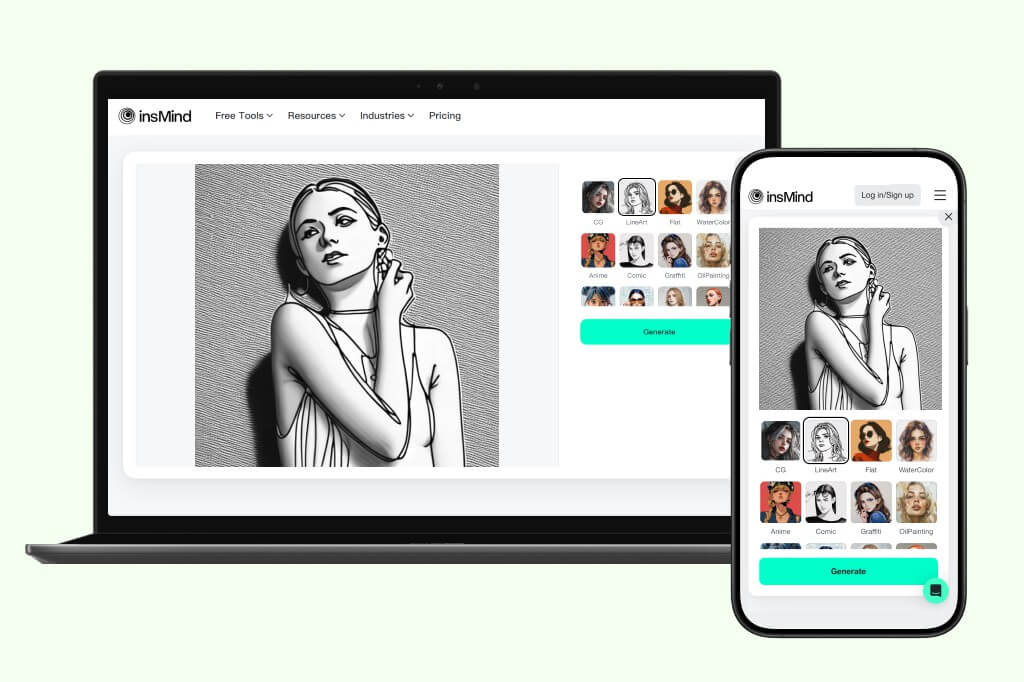
Convierte fotos en dibujos lineales sobre la marcha: ¡en cualquier momento y lugar!
Convierte fotos en arte lineal en cualquier lugar. Abre insMind en un navegador web de tu PC o teléfono y disfruta de filtros de IA sin complicaciones. Sube la imagen y deja que los filtros de IA hagan sus maravillas. Ya sea para mejorar tu portafolio de trabajo o para probar filtros por diversión, insMind crea imágenes estéticas. Con una velocidad de procesamiento ultrarrápida, puedes obtener bocetos de arte lineal instantáneos en un santiamén.
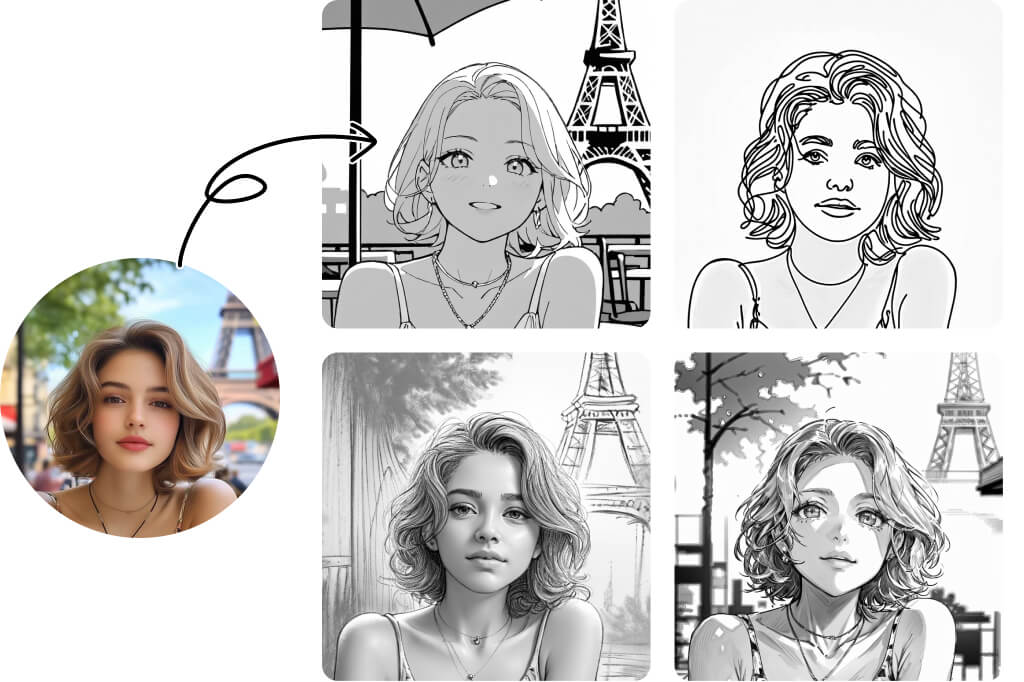
Elige entre una variedad de estilos de arte lineal
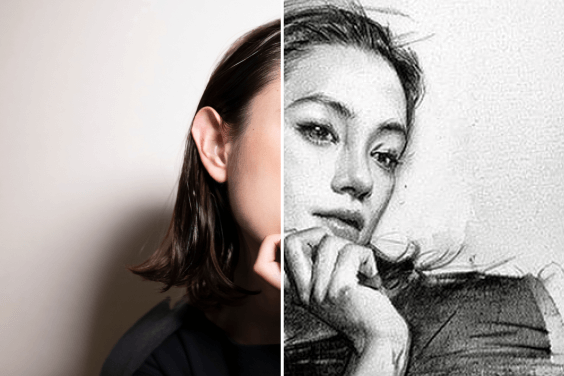
¿Crees que el arte lineal tiene un solo estilo? ¡Piénsalo de nuevo! Nuestro Generador de Arte Lineal con IA ofrece más de 15 estilos únicos, cada uno con sus propios detalles distintivos. Desde bocetos a lápiz y contornos de cómic hasta grabado en madera, carboncillo, pluma fina, pluma suave y más. Explora una amplia gama de opciones y encuentra el estilo perfecto que se adapte a tu visión creativa. Sea cual sea tu necesidad, hay un estilo de arte lineal para ti.
Cómo convertir gratis una foto en un dibujo lineal online
1
1 Paso 1. Abrir insMind
Abre la aplicación insMind en un navegador web. Regístrate o inicia sesión para acceder gratis a las herramientas de insMind.
2
2 Paso 2. Sube tu foto
Haz clic en "Subir una foto" para seleccionar una imagen de un destino local en tu PC o celular. También puedes arrastrar y soltar directamente una foto en la interfaz de insMind para subirla.
3
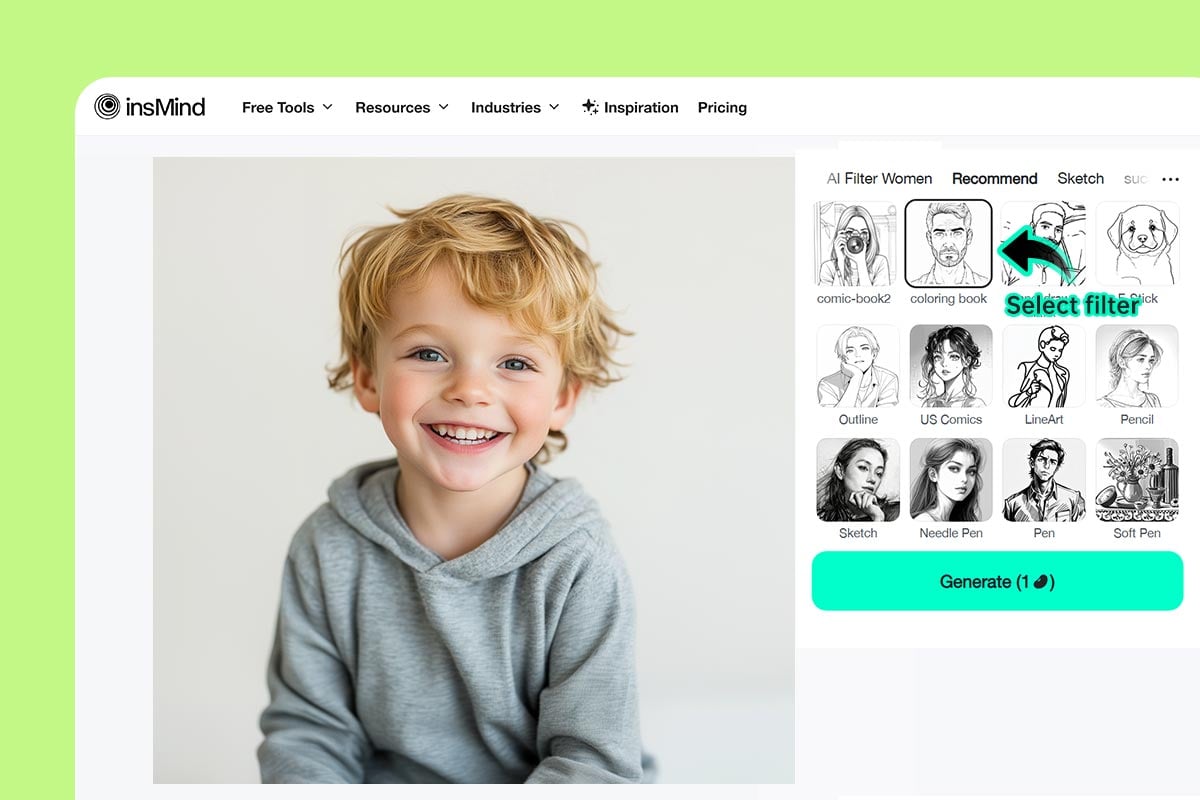
3 Paso 3. Selecciona el filtro LineArt
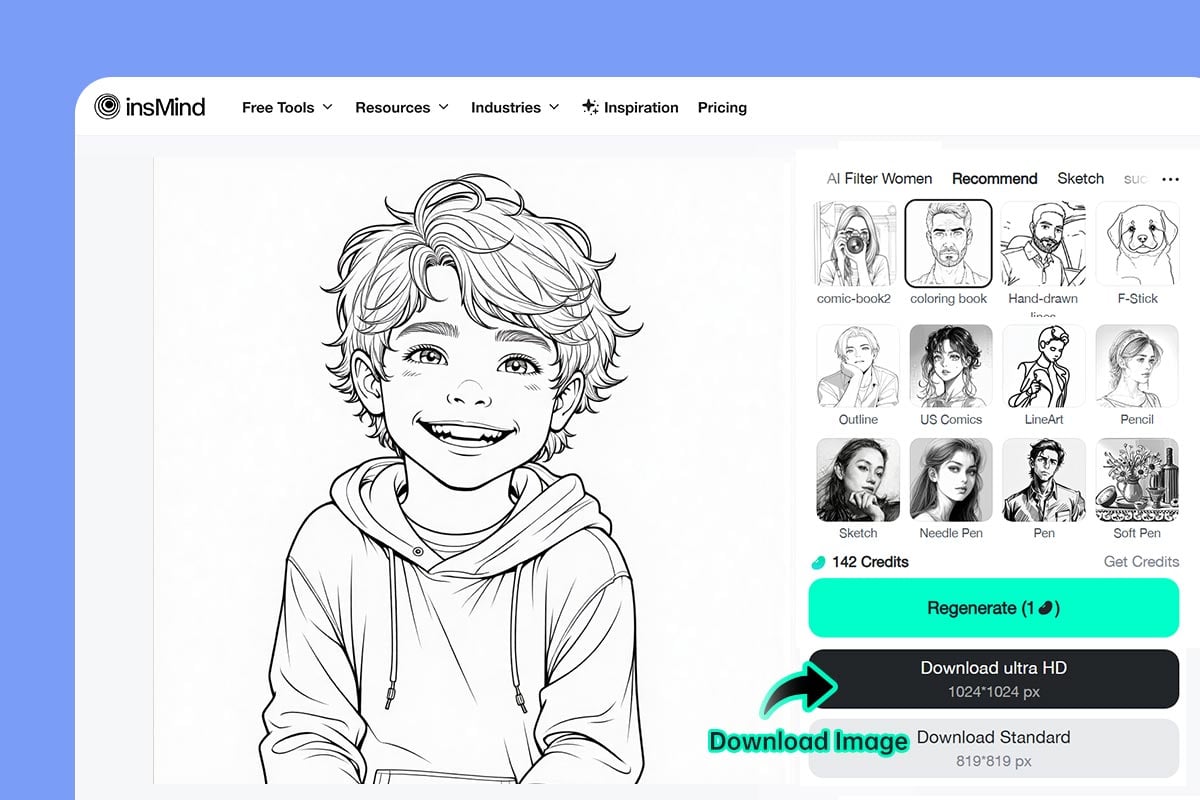
La imagen se abrirá en el editor de insMind. Luego, selecciona entre varios filtros de IA como LineArt, Dibujo Lineal, Libro para Colorear, Contorno, Cómic y más. Haz clic en "Generar" para comenzar.
4
4 Paso 4. Descarga la foto
La imagen se convertirá en arte lineal al instante. Para guardarla, haz clic en el botón "Descargar".
Convierte fotos en dibujos lineales para aumentar la productividad
Aplica filtros con IA para convertir tus fotos en dibujos lineales al instante. Ya sea para necesidades de marketing o cuentas sociales, añade un toque único y delicadeza a tu trabajo. Captura cada detalle con notable precisión y exactitud, haciendo que tu marca destaque.
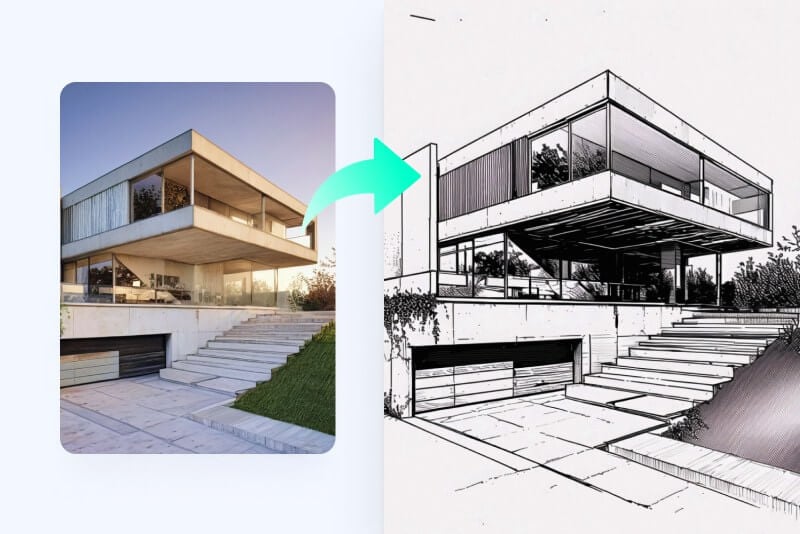
Artistas
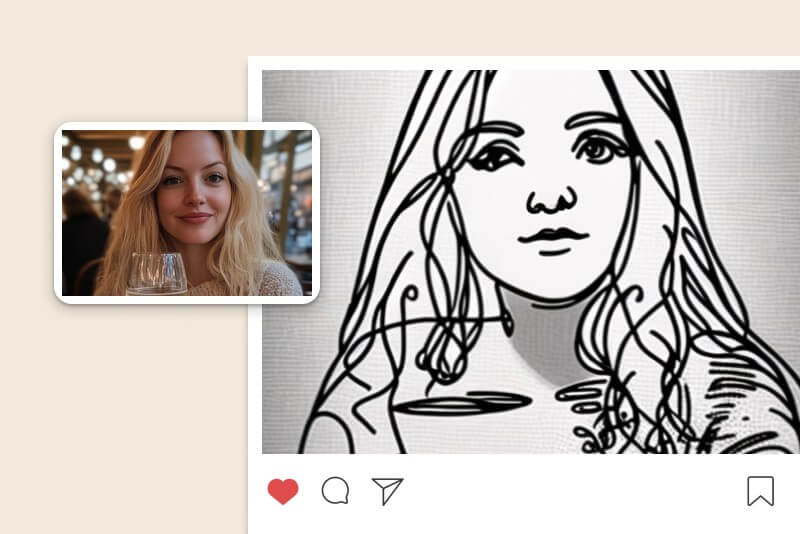
Ahórrate unos minutos y convierte instantáneamente tus fotos en arte lineal. Genera bocetos artísticos reales en segundos.
Redes sociales
Transforma tus imágenes en obras imaginativas y artísticas para las redes sociales. Publica tus fotos con un filtro de AI LineArt de aspecto real.
Para empresas
Sé único con las tendencias de marketing y prueba las animaciones de arte lineal. Da rienda suelta a tu imaginación y genera imágenes de marketing ingeniosas.
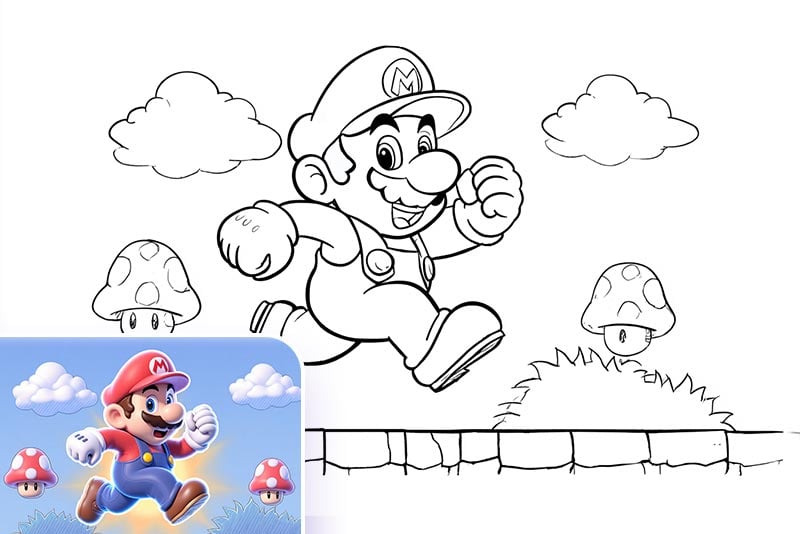
Crear Página para Colorear para Niños
Convierte una imagen en arte lineal, imprímela y haz una página para colorear para tus hijos. Ya sea un retrato, un animal, un vehículo, un superhéroe o un edificio, nuestro convertidor de imagen a contorno hace que sea fácil transformar cualquier foto en una hoja para colorear imprimible. Es un regalo personalizado perfecto para cumpleaños o una forma divertida de estimular su creatividad.
Base para Diseños de Tatuajes
Puedes convertir fotos en bocetos de contorno como referencia para tatuajes. Transforma tu gráfico favorito, personaje o cualquier imagen en un dibujo lineal limpio y muéstraselo a tu tatuador para dar vida a tu diseño en tinta.
Arte Minimalista para Familia y Amigos
Puedes transformar tus fotos familiares, selfies, mascotas o incluso paisajes famosos en arte lineal. Úsalos como decoraciones de pared enmarcadas o conviértelos en regalos significativos para amigos. Nuestro generador de arte lineal con IA hace que cada pieza se sienta auténtica y verdaderamente especial.
Lo que dicen nuestros usuarios
insMind es rápido y fácil, especialmente con los filtros de IA. Convirtió inteligentemente mis imágenes en silueta lineal minimalista. El resultado es una imagen muy nítida.
@Flora Cotton
insMind me ayudó a convertir mis fotos en dibujos lineales en un abrir y cerrar de ojos. Los filtros de IA son fantásticos y toman en cuenta los detalles. La imagen resultante fue nítida, como esperaba.
@Jeffrey Pruitt
Era escéptico al respecto, pero los filtros de IA de insMind son geniales. Me ayudaron a convertir instantáneamente fotos en silueta lineal de forma gratuita. ¡Bocetos lineales excelentes y realistas! Muy recomendable.
@Ishaan Johnston
insMind es rápido y fácil, especialmente con los filtros de IA. Convirtió inteligentemente mis imágenes en silueta lineal minimalista. El resultado es una imagen muy nítida.
@Flora Cotton
insMind me ayudó a convertir mis fotos en dibujos lineales en un abrir y cerrar de ojos. Los filtros de IA son fantásticos y toman en cuenta los detalles. La imagen resultante fue nítida, como esperaba.
@Jeffrey Pruitt
Era escéptico al respecto, pero los filtros de IA de insMind son geniales. Me ayudaron a convertir instantáneamente fotos en silueta lineal de forma gratuita. ¡Bocetos lineales excelentes y realistas! Muy recomendable.
@Ishaan Johnston
insMind es rápido y fácil, especialmente con los filtros de IA. Convirtió inteligentemente mis imágenes en silueta lineal minimalista. El resultado es una imagen muy nítida.
@Flora Cotton
¿Por qué elegir el convertidor de foto a dibujo lineal de insMind?

Varios filtros de IA

Transforma instantáneamente tu foto en un dibujo lineal con una biblioteca de filtros basados en IA. Genera imágenes bellas e imaginativas con filtros fáciles de usar.
Rápida velocidad de procesamiento
Transforma tus imágenes en un abrir y cerrar de ojos. Con una velocidad de procesamiento ultrarrápida, aumenta tu productividad y da vida a tu visión imaginativa.
Realista y de alta calidad
Genera arte lineal nítido en segundos. Deja que la IA se apodere de tu imaginación y dibuja imágenes realistas y de alta calidad.
Preguntas frecuentes sobre el convertidor de foto a dibujo lineal
¿Puedo delinear una imagen sin Photoshop?
Sí. Genera imágenes de líneas para tus fotos con insMind. insMind es rápido, gratuito y una gran herramienta artística para poner a trabajar tu lado creativo.
¿Por qué debería convertir una foto en un dibujo lineal?
El dibujo lineal se utiliza mucho en el arte, las redes sociales y los negocios para atraer al público. Convierte fotos en silueta lineal para conseguir un efecto artístico, transformándolas en bocetos de la vida real que hacen que los detalles destaquen de forma creativa.
¿Existe alguna herramienta gratis para convertir fotos en arte lineal?
Sí. Prueba insMind para convertir fotos en dibujo lineal gratis. Ofrece efectos artísticos gratis para generar imágenes de alta calidad en segundos.
¿insMind puede generar dibujos lineales realistas a partir de fotos?
Sí. insMind puede convertir cualquier imagen en cualquier orientación en un dibujo lineal. Sólo tienes que subir tu imagen y seleccionar el filtro de dibujo lineal para transformarla.
¿Cómo puedo convertir una imagen en un dibujo lineal en mi teléfono?
insMind es apto para celulares y de fácil acceso a través del sitio web. Sólo tienes que visitar insMind desde el navegador de tu teléfono, subir tu imagen y convertir fácilmente una imagen en un dibujo lineal, en cualquier lugar y sobre la marcha.
¿Cuántos estilos de boceto admite insMind?
insMind admite más de 15 estilos de boceto y dibujo lineal, incluidos Contorno, Cómic Americano, LineArt, Lápiz, Boceto, Pluma de aguja, Pluma, Pluma suave, Cómic, Retro, Xilografía, Carbón y más. Cada estilo resalta detalles únicos y ofrece una sensación artística distinta para satisfacer diferentes necesidades creativas.
¿Por qué la herramienta de foto a dibujo lineal de insMind es mejor que las demás?
insMind se destaca de otras herramientas en varios aspectos clave. Primero, admite más estilos de dibujo lineal – más de 15 – mientras que la mayoría de las herramientas solo ofrece uno o dos. Segundo, el resultado es de alta calidad, preservando tus rasgos originales con detalles artísticos mejorados. Tercero, es rápida y fácil de usar para principiantes. Incluso los usuarios nuevos pueden convertir una foto en dibujo en solo 2 segundos gracias a su interfaz intuitiva. En general, después de ser probada por más de 10 millones de usuarios, insMind supera consistentemente a la competencia.
Te podría interesar
Haz que tus imágenes destaquen con funciones completamente gratuitas.
@Flora Cotton